

Share this tool:
 |
Description:
- Introduction
- Sample YouTube-to-Blog Output
- What Video To Blog Actually Is
- Where Video To Blog Is Strongest
- Strong Features and Capabilities
- Creation Workflow and Customization
- SEO and Readability Tools
- Screenshots, Links, CTAs, and Visual Support
- Publishing, Export, and Automation
- Best Use Cases
- Limitations and Trade-Offs
- Final Takeaway
Video To Blog is an AI content repurposing tool for creators, marketers, agencies, educators, podcasters, and businesses that already have useful spoken content but need it in written form. Its main value is not just transcription. It turns videos and audio into structured blog posts, adds publishing support, improves SEO readiness, and helps move content into the places where readers can actually find it.

This sample flow shows the core workflow: add a YouTube video, generate a structured written article, then review the output before publishing or exporting.
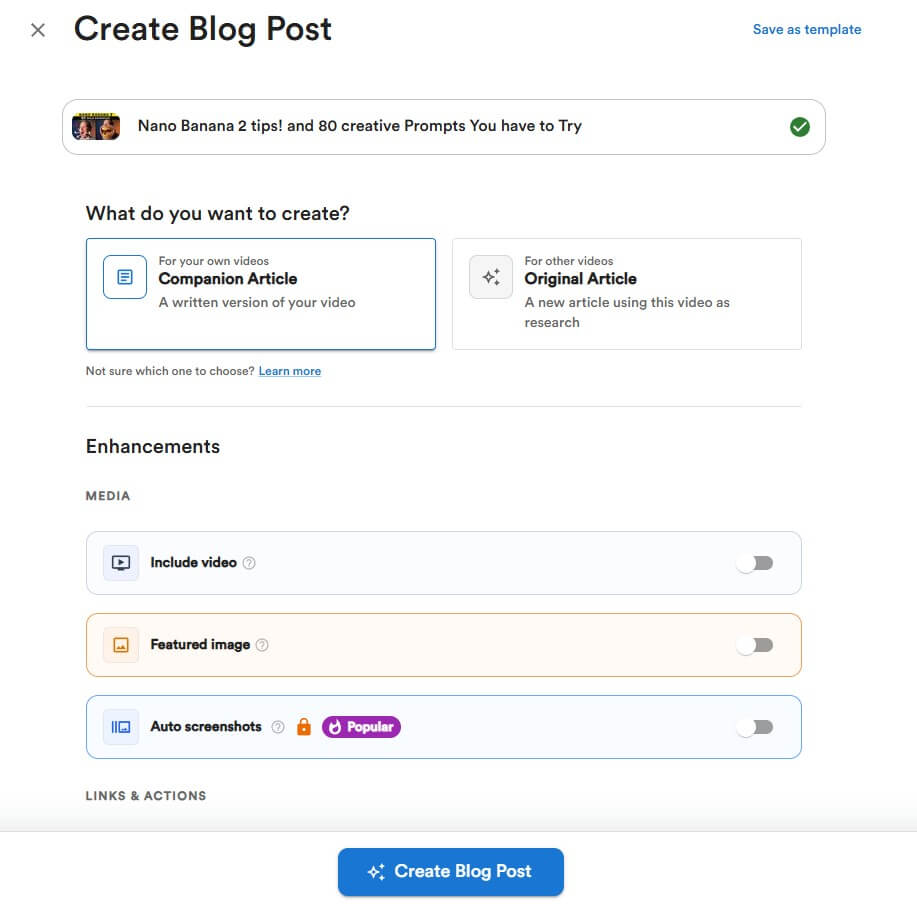
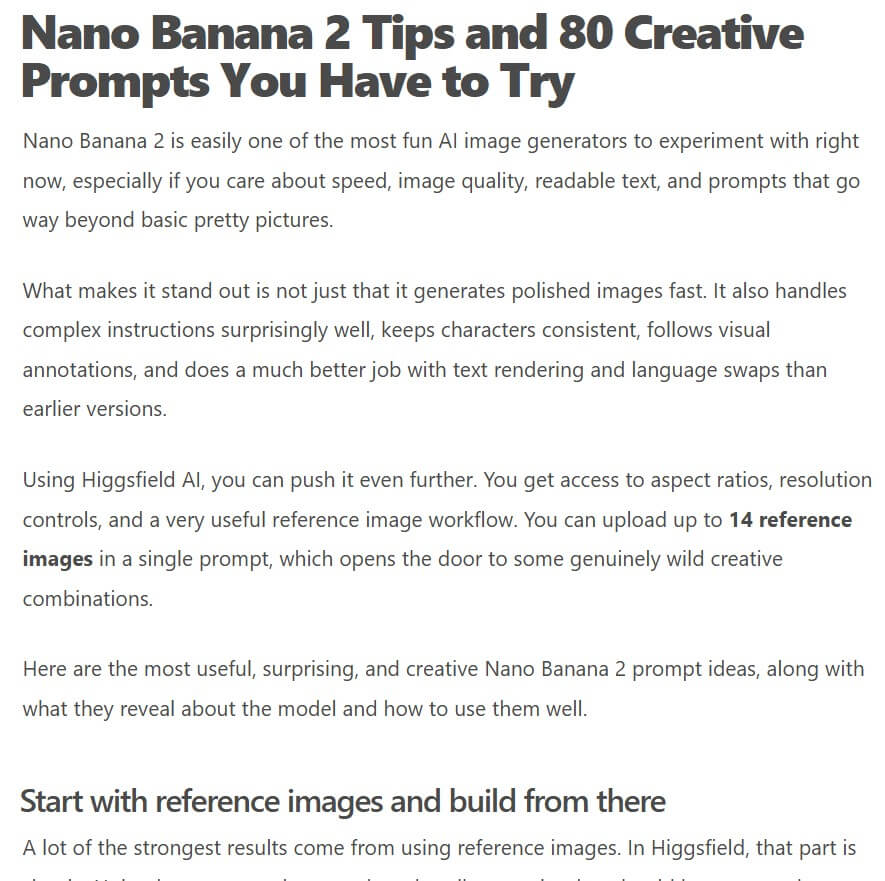
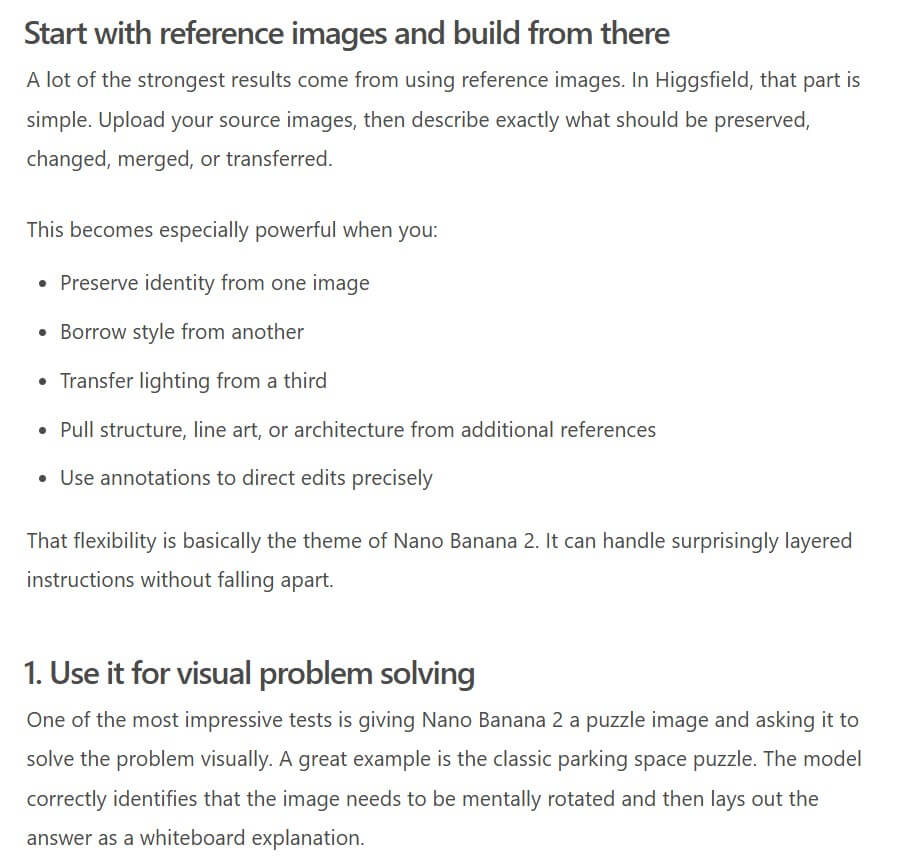
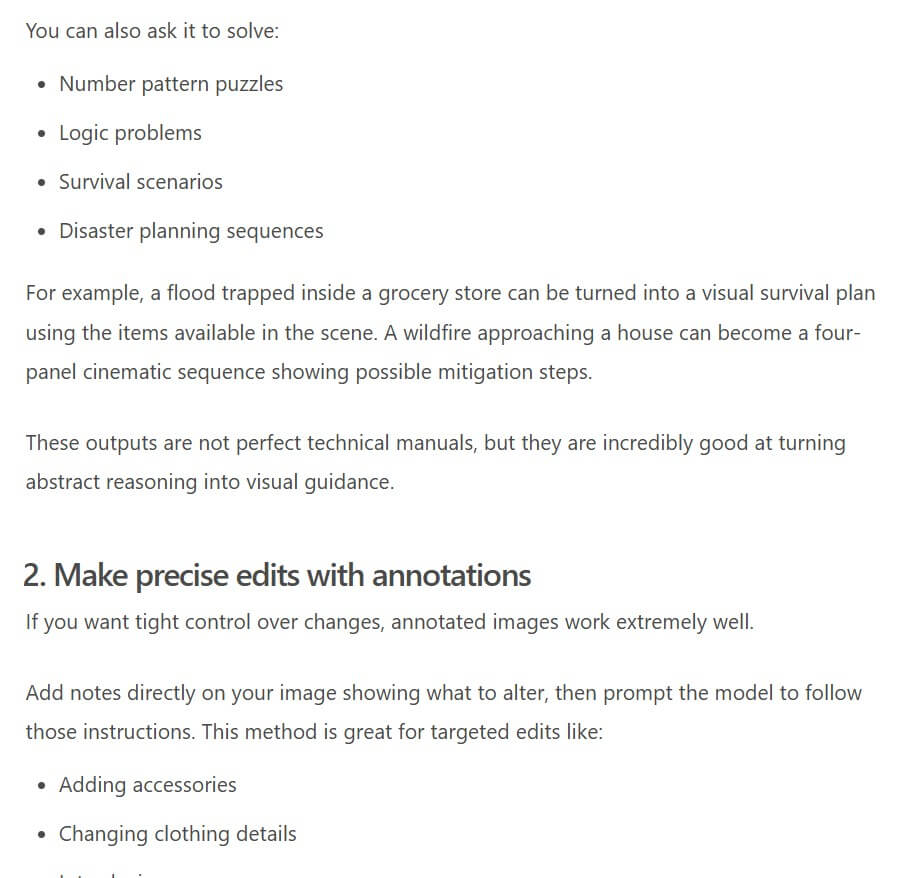
Video To Blog is a workflow tool for converting source media into written content. You can start with a YouTube video, a connected YouTube channel, an uploaded video or audio file, or a transcript. From there, the platform generates a blog post, gives you editing and optimization tools, and supports publishing or export to other platforms. The homepage describes the product around turning videos into “beautifully crafted blog articles,” with examples including tutorials, podcasts, sermons, lectures, product reviews, interviews, and webinars.
That distinction matters. A simple transcript is not a blog post. Spoken content often includes repetition, filler, tangents, half-finished thoughts, and references that make sense only when watching the video. Video To Blog tries to turn that raw material into an article with sections, headings, readable flow, links, metadata, screenshots, and calls to action.
The tool is best for people who already publish video or audio and want more mileage from each piece of content. A YouTube tutorial can become a searchable how-to article. A podcast can become a recap. A webinar can become an educational post. A sermon, lecture, interview, or product demo can become written material that is easier to skim and share.
Video To Blog is strongest when repurposing is part of a repeatable content system. If you create one video every few months, you may only need a manual workflow. But if you publish weekly videos, podcast episodes, webinars, course lessons, or customer education content, the time savings become more meaningful.
The platform’s YouTube-to-blog page frames this clearly: turning videos into articles helps create searchable, ownable content assets that can support SEO, newsletters, LinkedIn distribution, audience building, and monetization through links or calls to action.
This is the right way to think about the product. Video To Blog does not replace strong source material. It helps extract more value from it. The better the video, the better the article has a chance to be. A detailed tutorial, thoughtful interview, or practical webinar usually converts better than a loose, thin, or heavily visual video with little spoken explanation.
| Feature | What it does | Why it matters |
|---|---|---|
| Video and Audio Import | Uses YouTube links, uploads, Google Drive, or transcripts as source material | Makes the tool useful beyond standard YouTube videos |
| AI Article Generation | Turns spoken content into structured posts | Saves time compared with manual transcript editing |
| SEO Tools | Adds metadata, schema, readability checks, and search-friendly structure | Helps articles work as discoverable written assets |
| Screenshots and Images | Pulls visual moments from videos and supports image tools | Makes posts feel more useful than plain text |
| Tone and Writing Controls | Uses tone matching, writing samples, custom prompts, and humanizer tools | Helps output fit the creator’s style |
| Publishing and Export | Sends posts to CMS platforms or exports HTML, Markdown, PDF, or Word docs | Reduces copy-paste work after generation |
The basic workflow is simple: add a source, customize the output, generate, refine, then publish. For YouTube, users can paste a public or unlisted video link, connect a channel, upload files, or automate the workflow. Before generation, Video To Blog lets users add screenshots, smart links, custom instructions, writing samples, tone settings, and other controls.
That customization layer is important. Without it, the tool would risk producing generic article versions of videos. The features page says users can shape output through tone matching, writing samples, humanizer controls, custom prompts, and multi-language generation.
The best workflow is to set a clear article goal before generating. A tutorial might need step-by-step headings. A podcast might need a narrative recap. A webinar might need a practical summary with takeaways and next steps. A product review might need pros, cons, comparisons, and buying considerations. Video To Blog can help structure the draft, but the user still needs to decide what kind of article the source should become.

Video To Blog’s SEO layer is one of the main reasons to use it instead of only asking a general chatbot to rewrite a transcript. The features page says SEO optimization includes metadata, schema, readability checks, and search-friendly structure. It also includes a content analyzer with recommendations for readability, skimmability, and SEO fixes.
The documentation adds more detail. The content analyzer reviews readability using Flesch reading ease, checks structure for things like word count, long sections, long sentences, long paragraphs, image count, and link count, and can analyze optimization around a target key phrase.
This matters because repurposed content can easily become too long, too transcript-like, or too scattered. Search-friendly content needs structure. Readers need headings, useful sections, clean formatting, links, and a reason to keep reading. Video To Blog’s SEO tools do not guarantee rankings, but they do help the user avoid publishing a raw transcript with a title attached.
One of Video To Blog’s better ideas is that a good article should preserve useful parts of the video experience. The homepage says the platform can automatically pull key visual moments from videos through auto screenshots, add smart internal and external links, and generate calls to action.
This is practical. A tutorial may need screenshots for steps. A product demo may need visuals of the interface. A webinar recap may benefit from charts or slides. A plain text summary can miss those moments.
The key is judgment. Not every screenshot belongs in the post. Users should keep visuals that explain, prove, or clarify something. Otherwise, the article can feel cluttered.
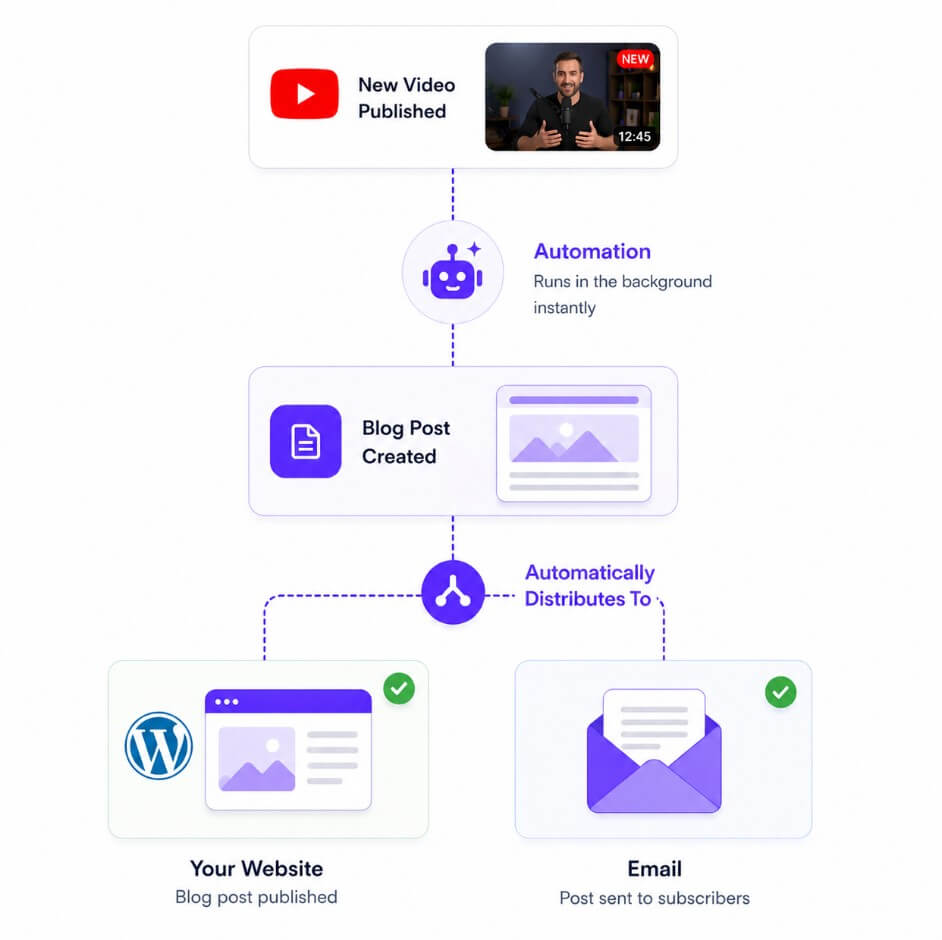
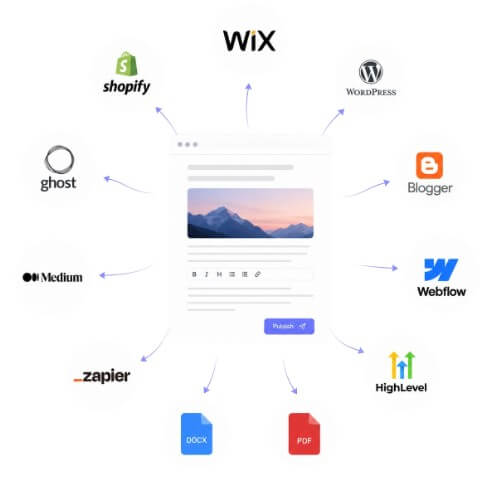
Video To Blog goes beyond generation by supporting direct publishing and export. Its integrations page lists import options such as YouTube, uploaded video/audio files, and Google Drive. It also lists publishing destinations including WordPress, Blogger, Webflow, Shopify Blog, Wix Blog, Medium, Ghost, WordPress.com, GoHighLevel, and Zapier, plus export formats like Word Doc, PDF, HTML, and Markdown.
That publishing layer matters for teams. The tedious part of repurposing is often not only writing the article. It is moving the finished content into the CMS, setting tags, images, slugs, SEO fields, and formatting. Video To Blog’s integrations reduce that friction.
Automation is also available. The homepage says users can connect a YouTube channel, choose a destination, and have posts generated when new videos are released. This is useful for regular creators, but it should not remove review. Automated publishing works best when a human still checks the headline, facts, links, images, and brand fit before the article goes live.
Video To Blog is a strong fit for YouTubers who want blog traffic from video topics, podcasters who need episode recaps, educators turning lessons into written study material, agencies repurposing client content, and companies that run webinars or product demos.
It also works well for churches, coaches, consultants, course creators, and software companies with lots of spoken expertise locked inside recordings. The transcript-to-blog workflow supports text, SRT, VTT, and similar transcript files, which makes it useful even when the source is not a fresh YouTube upload.
It is less ideal for content with little spoken substance, videos that rely mostly on visuals without explanation, or brands that need heavy editorial control on every paragraph.
The biggest limitation is source quality. If the video is vague, repetitive, inaccurate, or poorly structured, the article will need more editing. AI can organize material, but it cannot create real expertise that was not there.
The second trade-off is originality. Repurposed content can be useful, but it should not read like a lightly disguised transcript. Users still need to add examples, updates, citations, product screenshots, personal notes, and editorial judgment where needed.
The third issue is automation risk. Auto-generation and direct publishing are convenient, but publishing without review can lead to awkward phrasing, wrong screenshots, weak links, or claims that need fact-checking.
Video To Blog is best for creators and teams that already make valuable video or audio content and want a faster path to searchable written articles. Its strongest value is the full repurposing workflow: import the source, generate the article, shape the tone, add screenshots and links, check readability and SEO, then publish or export. It is a strong fit for YouTubers, podcasters, educators, agencies, webinar teams, and content marketers. The main caveat is that it should be used as an editorial accelerator, not an autopilot writer. The best results still come from strong source material and a careful human review before publishing.
TAGS: Productivity Content Creation
Related Tools:

Customer support tool that streamlines team collaboration

Deploys AI agents for a variety of tasks

Transforms ideas into professional designs

Automates web tasks, summarizes content, monitors webpage changes

Email assistant that automatically generates replies

Quickly summarizes lengthy text by extracting key points