

Share this tool:
 |
Description:
PixieBrix is a low-code browser automation platform for teams that live inside SaaS tools, internal web apps, ticketing systems, CRMs, dashboards, and browser-based operations screens. Its main idea is practical: instead of sending people to another AI tool or asking engineering to build a separate internal app, PixieBrix lets teams add context-aware actions, panels, guidance, AI help, and integrations directly into the browser.
The clearest way to understand PixieBrix is as a custom browser extension builder with AI and workflow automation layered in. PixieBrix calls its workflows “mods.” A mod is built from smaller “bricks,” which act like reusable steps in a workflow. Those bricks can extract page data, transform information, call APIs, display UI elements, or pass context into an AI model. PixieBrix’s own docs define mods as chains of bricks, with the Page Editor used to build and edit them.
That structure matters because PixieBrix is not just another chatbot sidebar. It can behave like a copilot, checklist, scraper, data lookup tool, form helper, escalation button, or mini internal app that appears inside the tools people already use. PixieBrix describes the product as a way to customize and automate browser-based work, with AI automation, integrations, context-aware UI, and team deployment built in.
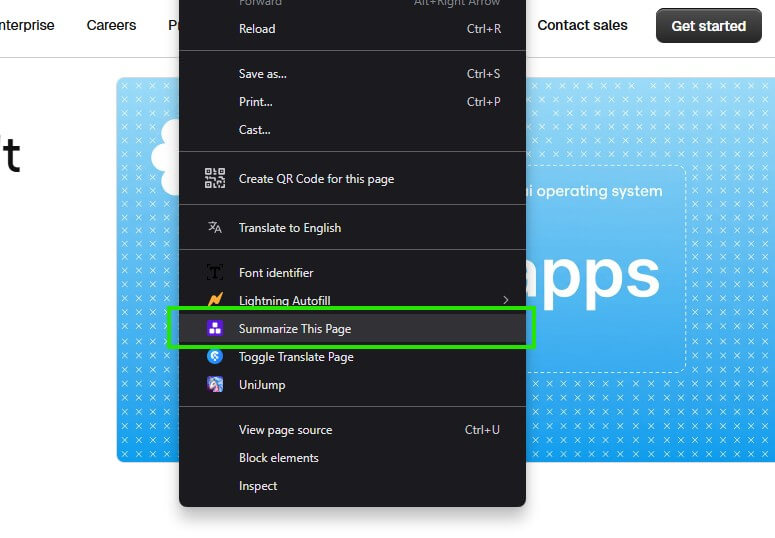
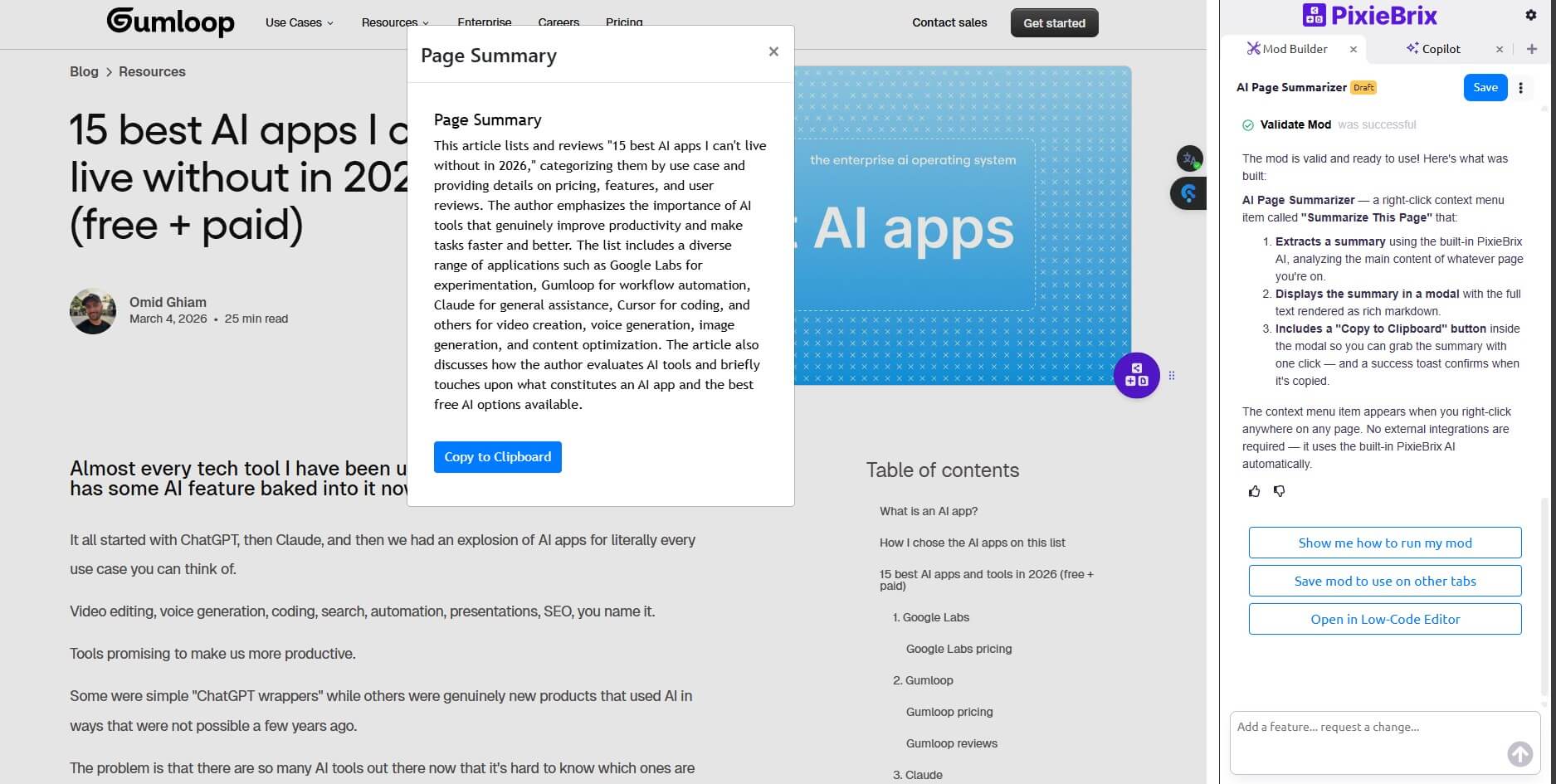
Together, these two screenshots show the practical appeal of PixieBrix: you can create a browser-native tool for a specific job, then surface the result exactly where people are already working.
PixieBrix is strongest when the work is repetitive, browser-based, and tied to context on the current page. A support agent reviewing a ticket may need order history, policy guidance, suggested replies, issue summaries, Jira escalation, and a checklist. Without a tool like this, that usually means more tabs, more copy-paste, and more room for mistakes.
The product makes the most sense for teams that already know where friction lives. If a process breaks because staff must pull facts from several systems, rewrite the same type of message, or follow different rules by customer type, PixieBrix gives operations and technical teams a way to build support directly into the page.
Add actions, panels, context menus, quick-bar commands, and triggers inside existing web apps instead of building a separate tool.
Build and edit mods by chaining bricks together, with the Page Editor available through Chrome DevTools.
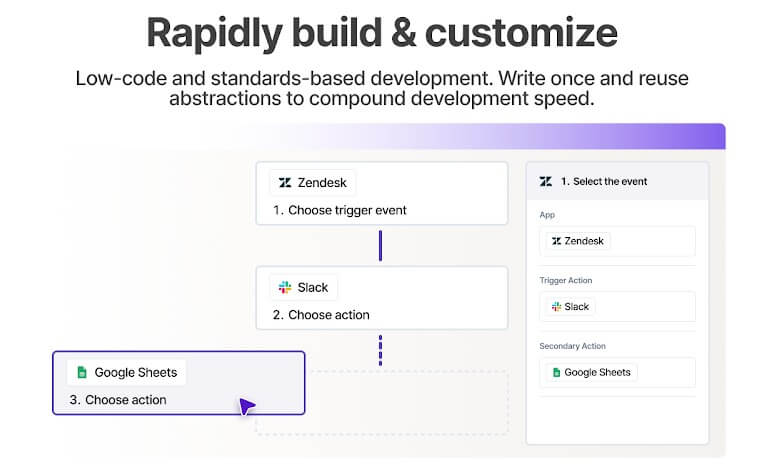
Use page context with AI for summaries, suggested responses, content generation, search, and next-best-action guidance.
Connect workflows to CRMs, issue trackers, collaboration tools, spreadsheets, automation platforms, data sources, and REST APIs.
Package and share mods with role-based access, group-based deployment, telemetry, auditing, and SSO support.
PixieBrix says data can stay local in the browser and be sent only to the configured LLM endpoint.
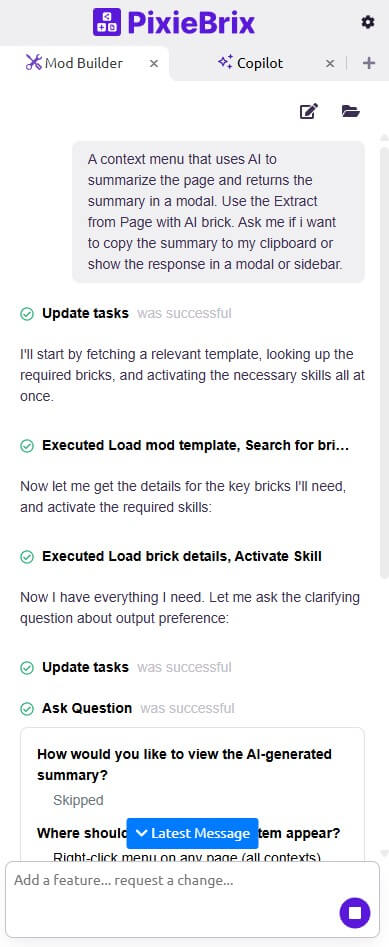
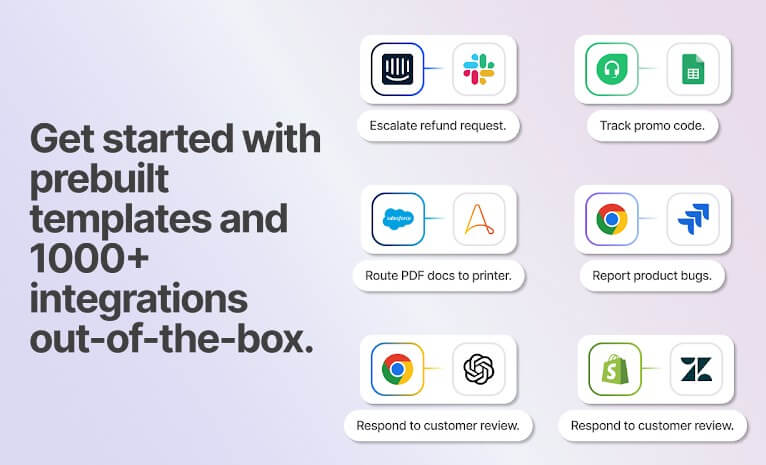
PixieBrix sits in an unusual middle ground. For light automations, it can feel approachable. The building blocks are visual, the browser extension is easy to understand, and adding a button or sidebar to a webpage is more concrete than building a full internal tool.
The learning curve appears when workflows become conditional, page selectors are fragile, or business rules get complex. PixieBrix documentation shows users selecting page elements, chaining bricks, and checking outputs in the Page Editor. That is easier than writing a browser extension from scratch, but it still requires careful thinking. Non-technical users can build basic mods, but the best deployments usually involve someone who understands data flow, permissions, APIs, and edge cases.
PixieBrix is model-flexible rather than tied to one AI provider. Its platform page says teams can use models such as OpenAI, Claude, Anthropic, Gemini, or a private model, while keeping control over data flow. That is useful for enterprises because AI policy often changes faster than workflow needs.
The AI layer is most useful when it has page context and a job to do. “Summarize this ticket,” “draft a customer reply,” “find the right policy,” or “prepare an escalation note” are stronger fits than open-ended chat. PixieBrix works best when AI is part of a defined workflow, not a blank prompt box.
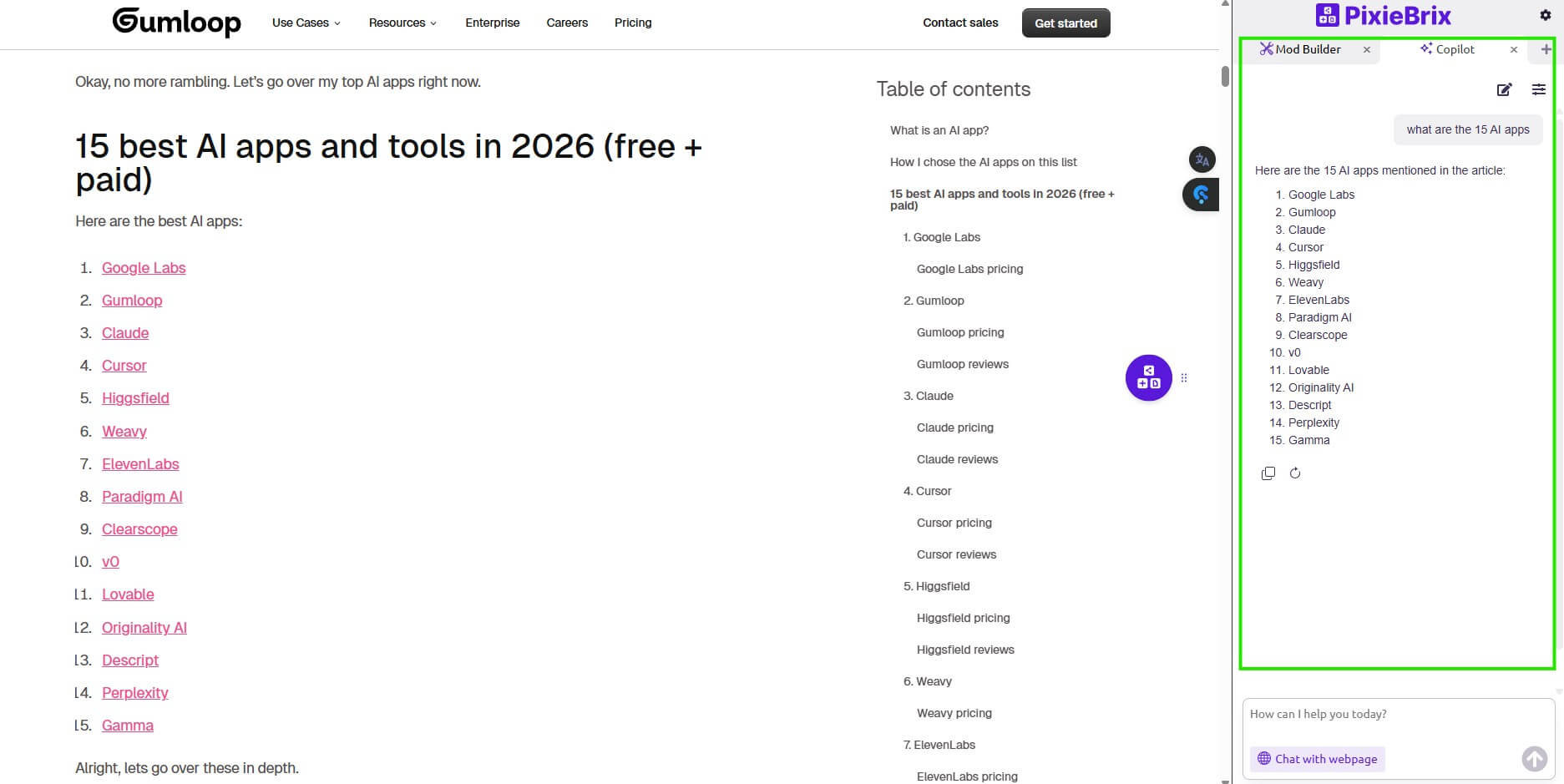
PixieBrix is a strong fit for customer support teams that need ticket summaries, guided replies, escalation buttons, and embedded account context. It also fits RevOps workflows where staff need to enrich records, capture lead details, update CRMs, or push data to spreadsheets. IT and engineering teams can use it for bug triage, incident notes, dashboards, or quick actions that connect web tools to project systems.
It is also useful for compliance-heavy workflows. On-screen guidance, checklists, warnings, and blocked actions can reduce process drift when people work across complex systems. This is where PixieBrix feels less like a convenience tool and more like an operational layer.
PixieBrix depends heavily on the browser. That is the point, but it also means the product is not a full backend automation platform, data warehouse, or native app builder. If the workflow happens outside web apps, PixieBrix may only cover part of the process.
The second trade-off is maintenance. Web pages change. Selectors break. SaaS interfaces get redesigned. A well-built mod may need updates when the underlying page changes. Teams should treat PixieBrix workflows like lightweight software assets, not disposable shortcuts.
The third limitation is governance. PixieBrix has enterprise controls, but teams still need clear rules for who can build, publish, review, and monitor mods. Browser-level automation can be useful, but careless deployment can create inconsistent processes.
PixieBrix is best for teams that want to bring AI, automation, and process guidance into the web apps employees already use. Its biggest strength is not raw AI generation; it is context. It can turn a ticket screen, CRM page, internal dashboard, or third-party site into a more useful working surface.
The main caveat is that good PixieBrix deployments require thoughtful workflow design and upkeep. For support, operations, RevOps, and technical teams with browser-heavy work, that trade-off can be worth it.
TAGS: Productivity
Related Tools:

Automatically plans and organizes your schedule

Create custom internal tools and applications
AI-powered meeting assistant that enhances productivity

Simplifies time tracking and billing
Helps teams plan, organize, and automate projects

AI-powered writing tool for paraphrasing