

Share this tool:
 |
Description:
- Introduction
- Core Features and Capabilities
- The Product Layers That Matter
- What Textero Does Best
- Essay Generator Prompt Worth Testing
- Workflow and Ease of Use
- Citation and Source Handling
- Editing, Rewriting, and Feedback Quality
- Best Use Cases
- Where Textero Fits Compared With Other Tools
- Responsible Use and Academic Integrity
- Practical Tips
- Limitations and Trade-Offs
- Final Takeaway
Textero is an AI-powered academic writing assistant built for students, researchers, and educators who need help moving from a messy writing task to a structured draft, cleaner argument, properly formatted citations, and final revision checks. Its strongest value is not just that it can generate text. The real value is that it brings essay generation, outlining, source support, rewriting, summarizing, grading, plagiarism checks, AI-detection checks, and export tools into one student-focused workflow.
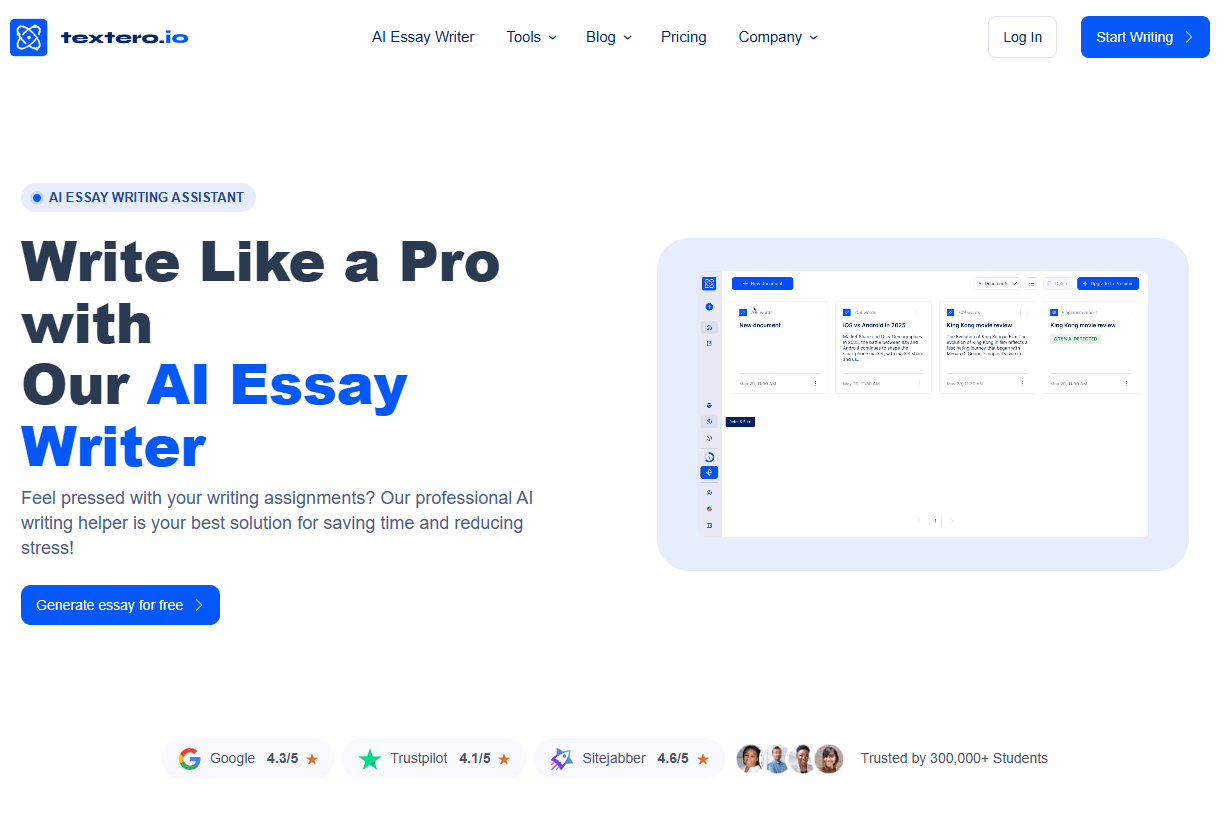
Generates academic draft material from a topic and writing instructions, with the strongest use case being early structure and first-draft momentum.
Provides paraphrasing, grammar alerts, text expansion, shortening, plagiarism and AI-detection checks, citation management, and export support inside one editing workflow.
Creates bibliography entries and in-text citations across major styles, including APA, MLA, Chicago, Harvard, Vancouver, and other formats.
Helps discover academic sources relevant to a research topic, while the citation generator formats sources the user already has.
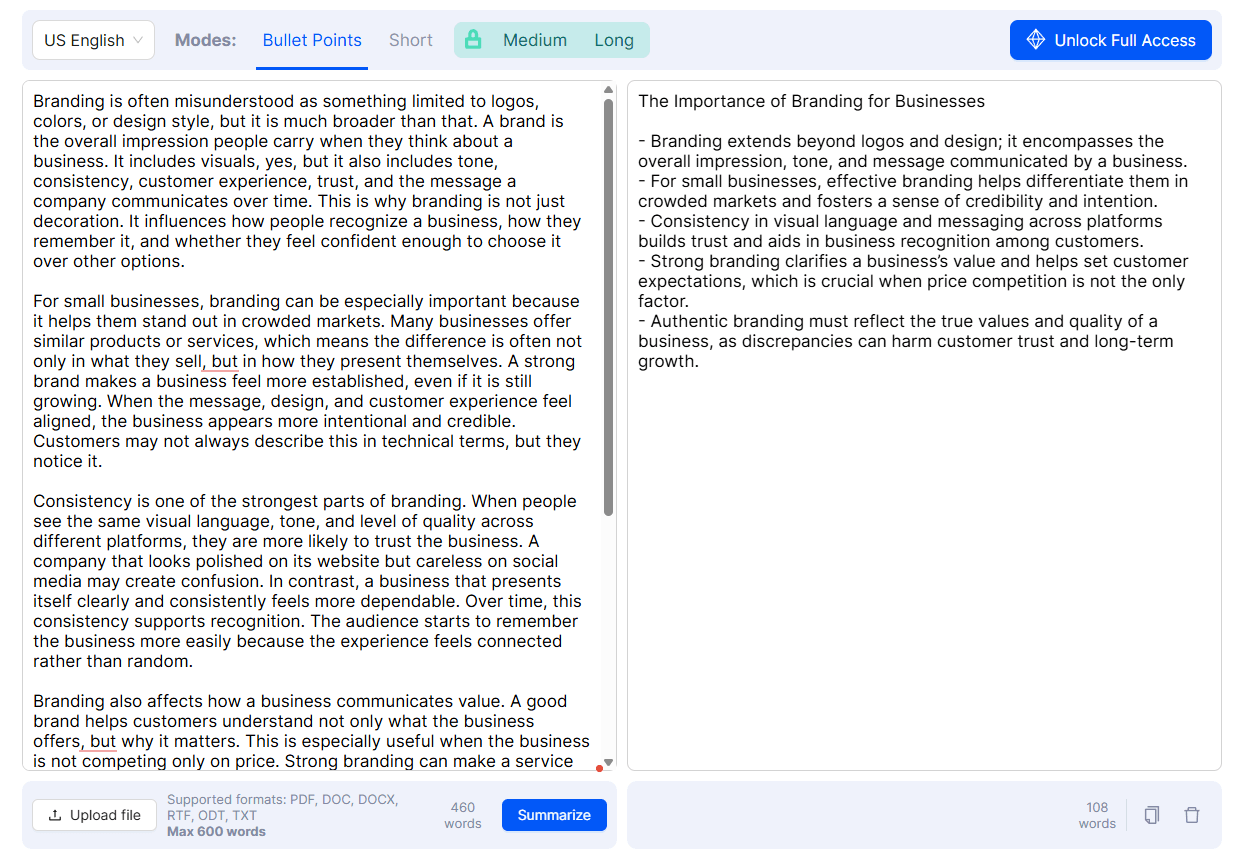
Helps condense longer readings, with the text summarizer page describing automatic in-text citation and reference-list support in APA or MLA for summaries.
Reviews grammar, punctuation, clarity, writing style, argument strength, and topic discussion so users can see what needs improvement before the final pass.
| Layer | What it does | Why it matters |
|---|---|---|
| Essay generation | Creates a starting draft from topic, instructions, citation style, and source settings | Useful for getting from blank page to rough structure |
| Outline and thesis tools | Helps shape the argument before full drafting | Safer and often more useful than generating the whole paper immediately |
| Essay editor | Lets users rewrite, expand, condense, proofread, evaluate, and polish | This is where the tool becomes useful after the first draft |
| Citation and reference tools | Formats sources and supports bibliography/in-text citation workflows | Saves time, but still needs verification |
| Summarization | Condenses text and PDF-style materials into usable notes | Useful for reading-heavy assignments |
| Review and grading | Evaluates clarity, grammar, style, argument strength, and topic discussion | Helpful before final revision, not a substitute for instructor feedback |
This layered setup is why Textero is more useful as a workflow tool than as a simple “AI essay writer.” The more you use it across planning, drafting, revision, and checking, the more sense the product makes.
Textero’s clearest strength is structure. Academic writing is rarely just “write some paragraphs.” Students usually need a thesis, a coherent outline, topic sentences, supporting evidence, citation style, argument flow, counterarguments, and a conclusion that answers the assignment. Textero’s workflow is built around those steps.
The second strength is revision. The AI Essay Editor supports paraphrasing, expanding, shortening, grammar alerts, citation management, plagiarism and AI detection checks, AI commands, and export to Google Docs or PDF. That makes it more practical than a single essay generator because many students already have a rough draft and need help improving it.
The third strength is source handling. Textero’s citation generator supports major citation styles, lets users search by title, paste a URL, or use identifiers like DOI, ISBN, and EAN, then generates both full bibliography entries and in-text citations.
The fourth strength is workflow convenience. Textero is not the deepest tool in every category, but it puts many student writing tasks in one place. For a busy student, that matters more than having separate tools for outlines, citations, summarization, grammar, paraphrasing, grading, and export.
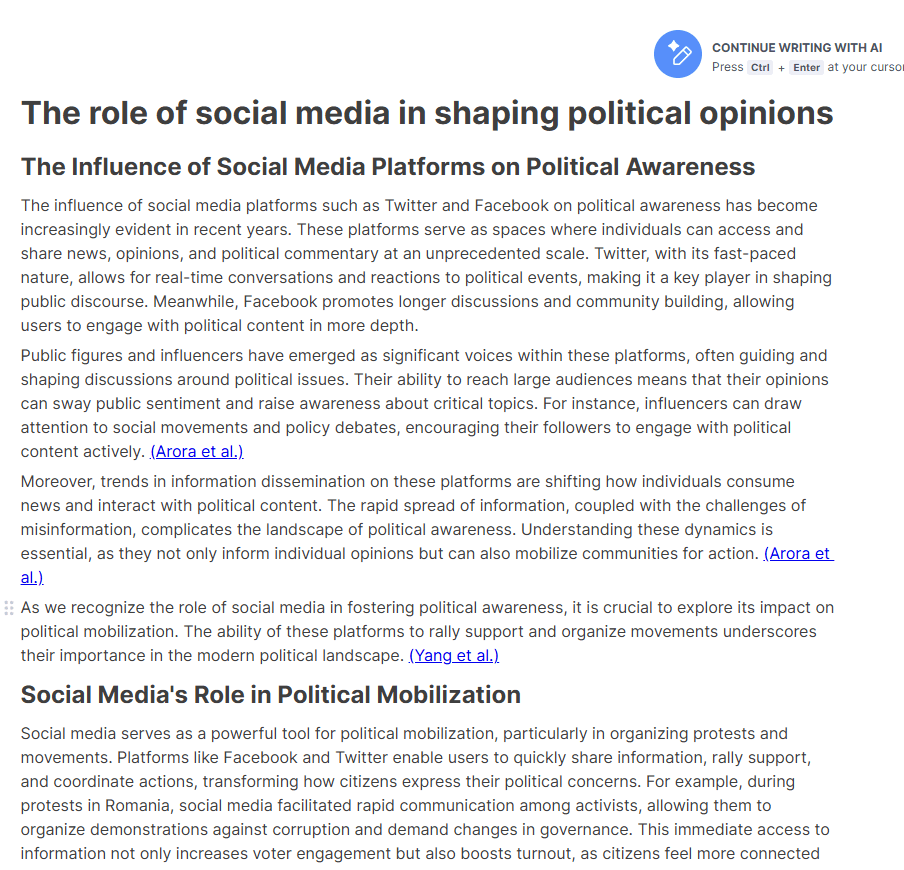
Textero’s essay generator is easier to evaluate with one strong academic input.
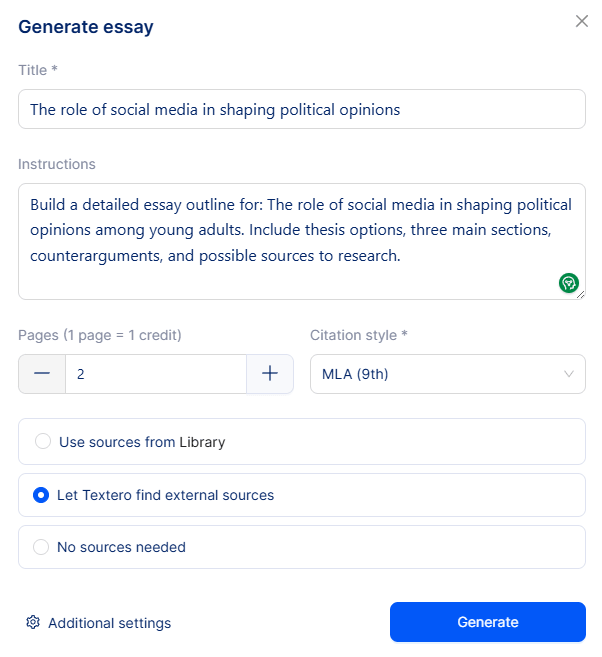
Prompt:
“Build a detailed essay outline for: The role of social media in shaping political opinions among young adults. Include thesis options, three main sections, counterarguments, and possible sources to research.”
Why this is a good test: This checks the safest and most practical part of Textero’s essay workflow: planning. Instead of asking the tool to produce a finished paper, this prompt asks for thesis options, structure, counterarguments, and research directions. That gives the user useful scaffolding while still leaving the actual reading, source verification, analysis, and final writing in human hands.
Textero’s workflow is built for students who need a guided path. The AI Essay Editor page lays out the process clearly: create a draft, write and rewrite, evaluate the work, edit like a pro, check for plagiarism, then save or export.
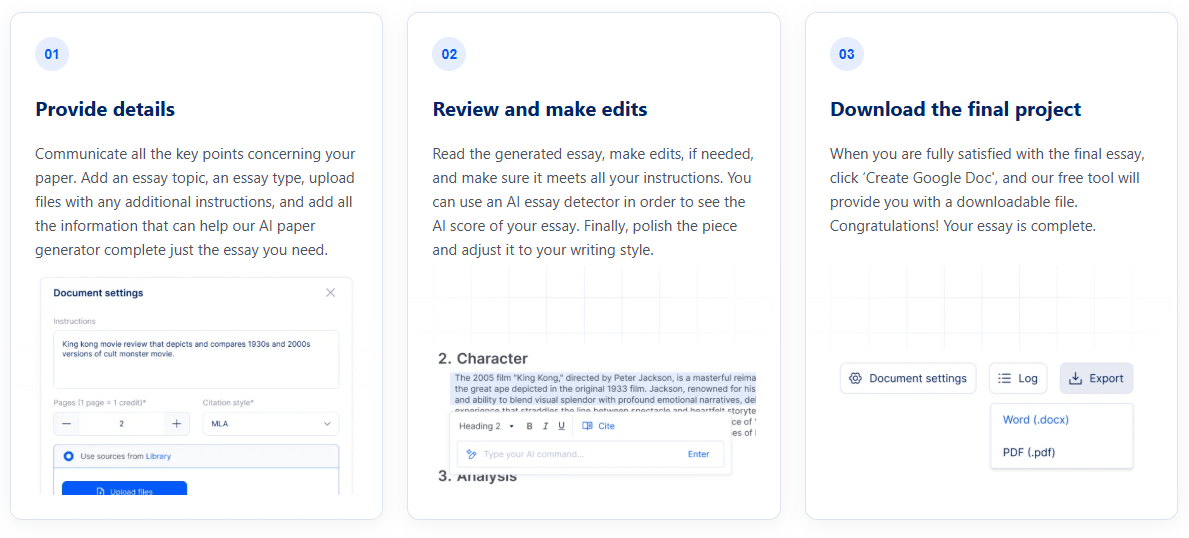
That sequence is practical because it mirrors how academic writing actually happens. Most students do not write a polished essay in one pass. They start with a vague topic, create a rough argument, gather sources, draft too broadly, revise, tighten the thesis, fix citations, and clean up grammar. Textero’s value is that it gives users tools for each stage instead of leaving them to manage everything manually.
The editor is especially important. A one-click essay generator can produce something that looks finished too early, which is risky. Textero becomes more useful when users bring their own draft into the editor, then use AI commands to improve structure, expand weak reasoning, shorten bloated sections, and clean up academic tone.
The workflow feels strongest in this order:
| Stage | Best Textero feature | Best user behavior |
|---|---|---|
| Planning | Outline Generator / Thesis Generator | Use it to compare possible argument directions |
| Research setup | Reference Finder / Citation Generator | Verify every source before relying on it |
| Drafting | AI Essay Writer | Treat the output as a starting point, not the final submission |
| Revision | AI Essay Editor / Rewriter / Improver | Preserve your argument while improving flow |
| Checking | Essay Grader / Proofreader / plagiarism checks | Use feedback to revise, not to bypass policy |
| Delivery | Google Docs or PDF export | Do a final manual review before submission |
That is the most defensible way to use Textero: as a structured academic assistant, not as an automatic paper machine.
Textero’s citation system is one of the most practical parts of the platform. The citation generator supports searching by title, pasting a URL, or using identifiers such as DOI, ISBN, and EAN. It can generate full bibliography entries and in-text citations, and the site says users can copy them separately or together or save them to a Citation Library.
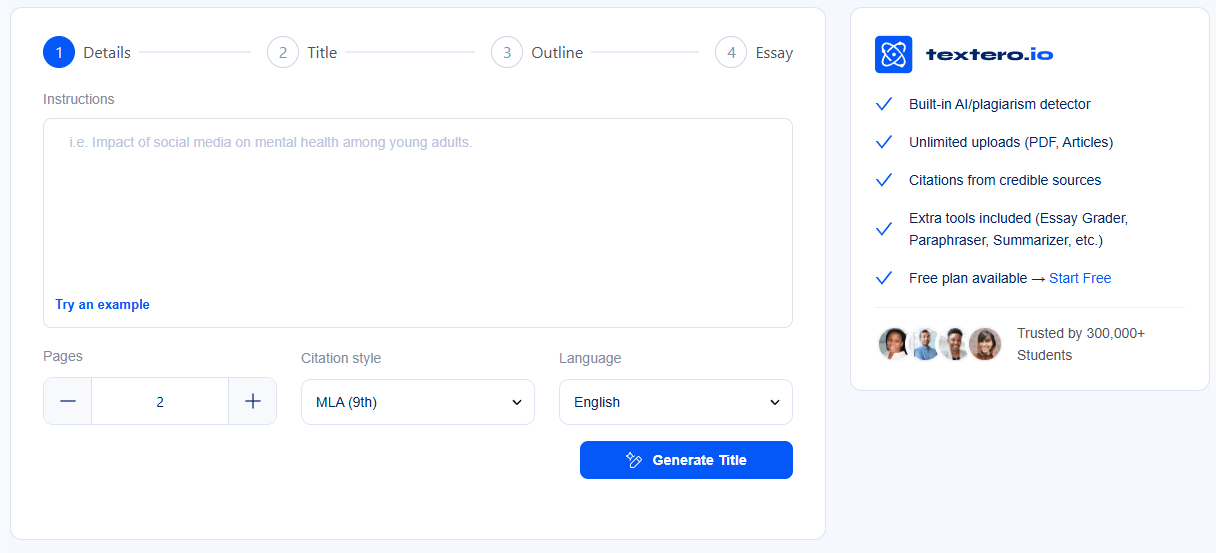
Textero also says its citation generator draws from over 220 million real academic sources from Semantic Scholar. That gives the tool a broader academic source base than many lightweight citation generators, at least according to Textero’s own public documentation.
The important caveat is that citation formatting is not the same as source quality. Textero can format a citation, but the user still needs to confirm that the source exists, is relevant, is current enough, and actually supports the claim being made. This is especially important in essays where a citation is attached to a specific argument, not just listed in a bibliography.
Textero’s editing layer is likely more useful for many students than full draft generation. The AI Essay Editor includes grammar support, integrated AI commands, academic insights, citation management, plagiarism and AI detection checks, and export options.
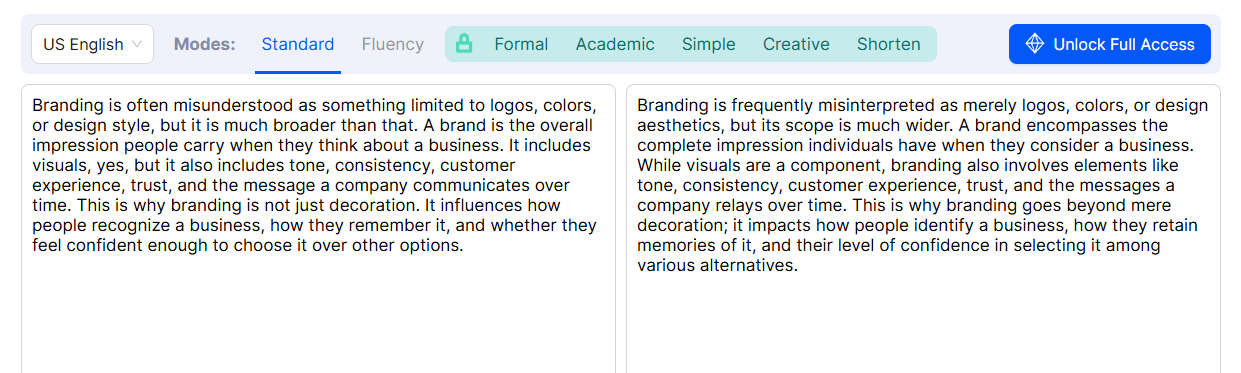
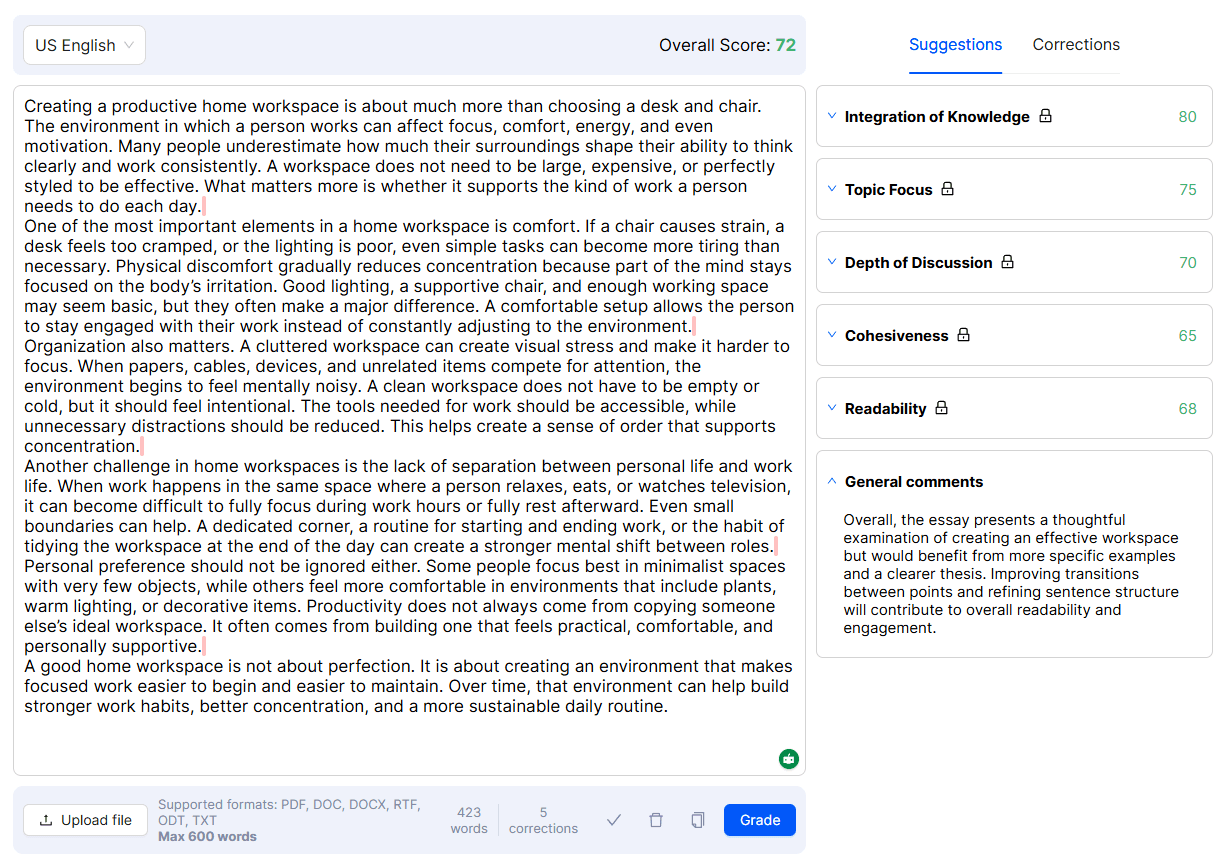
That makes it a good fit for students who already have something written. The tool can help make a paragraph more formal, expand a weak idea, condense a repetitive section, or evaluate whether the argument is clear enough. This is lower-risk than asking AI to invent the whole paper because the student’s own thinking remains the foundation.
The best use is revision with boundaries. For example, a student can ask Textero to improve clarity without adding claims, or to make a paragraph more formal without changing the argument. That kind of controlled editing is where academic AI tools are most useful.
The weak point is that AI feedback can sound confident even when it misses the assignment’s real expectations. It can tell you a paragraph is clear, but it cannot know exactly how your instructor weighs course concepts, required readings, rubric language, or classroom discussion unless you provide that context. Textero helps with writing mechanics and structure, but it does not replace course-specific judgment.
- Students who struggle with structure: Textero is useful for turning a broad assignment into a thesis, outline, sections, and revision plan.
- Non-native English writers: The editing, paraphrasing, grammar, and tone tools can help make writing more polished while still preserving the student’s own argument.
- Reading-heavy courses: The summarizer and PDF-style workflows are useful when students need to process long materials before writing.
- Citation-heavy assignments: The citation generator is practical for papers that require APA, MLA, Chicago, Harvard, Vancouver, or similar formats.
- Students revising existing drafts: The editor, grader, proofreader, improver, extender, and shortener are good for turning rough work into something clearer.
- Educators demonstrating writing structure: Textero can be useful for showing how outlines, thesis options, citations, and revisions work, as long as the use is transparent and aligned with class policy.
Textero sits between a general chatbot, a grammar editor, and a citation tool. It is broader than a paraphraser, more academic than a generic writing assistant, and easier for students than building a workflow from separate tools.
| Tool type | Stronger than Textero for | Where Textero is stronger |
|---|---|---|
| ChatGPT / Claude | Open-ended tutoring, reasoning, flexible dialogue | Guided academic workflow and essay-specific tools |
| Grammarly | Grammar, tone, readability polish | Essay planning, outlines, citations, grading, and summaries |
| Zotero / Mendeley | Serious reference management and research libraries | Faster student-facing citation and writing support |
| Turnitin-style systems | Institutional similarity checking | Draft-stage writing help and revision |
| Basic citation generators | Quick references | Citation plus writing, source discovery, and editing tools |
The clearest reason to choose Textero is convenience. It gives students one place to plan, draft, cite, revise, summarize, check, and export. The clearest reason not to rely on it completely is that academic quality still depends on reading, verification, argument quality, and original analysis.
This is the section that matters most for a tool like Textero. The platform can generate academic text, but it should not be treated as permission to skip the work. Textero’s own ethical-use FAQ says users remain responsible for verifying originality and properly citing external sources. It also says responsible use includes editing, fact-checking, and ensuring all sources are cited correctly.
Textero’s limitations page makes the same point from another angle. It says output accuracy depends on instruction clarity, topic complexity, and available academic sources. It also emphasizes the role of human judgment in the academic process.
That means the safest use cases are planning, outlining, revising, summarizing, citation formatting, and feedback. The riskiest use case is generating an essay and submitting it with minimal review. Students should always follow their school’s AI policy, instructor rules, and citation requirements.
- Use Textero for outlines before full drafts. A strong outline is easier to verify, personalize, and adapt than a finished AI-generated essay.
- Give it the assignment details. Include essay type, word count, citation style, course level, required sources, and any rubric language.
- Use source tools as research support, not research replacement. Open the sources yourself and confirm that they support the claims.
- Rewrite in your own voice. Textero’s ethical guidance specifically encourages revising generated drafts in your own words, verifying sources, and adding personal analysis and interpretation.
- Use the editor after writing your own rough draft. That is often the best balance between productivity and academic responsibility.
- Do not rely on AI detection tools as a safety guarantee. The better goal is transparent, policy-compliant work that reflects your own understanding.
- The biggest limitation is accuracy: Textero is designed to create academically structured content, but its own limitations page says accuracy depends on the clarity of the user’s instructions, the complexity of the topic, and the coverage of relevant academic sources.
- The second limitation is citation trust: Textero can format and suggest citations, but citation tools do not prove that a source supports a specific claim. Users still need to read, verify, and connect evidence correctly.
- The third limitation is academic integrity risk: A tool that can generate essays can also be misused. Textero’s ethical-use FAQ places responsibility on users to verify originality, cite sources, revise drafts, and add personal analysis.
- The fourth limitation is that some features may encourage the wrong mindset if used carelessly: Plagiarism checks, AI detection checks, and AI detection remover-style tools should not be treated as a way to hide misconduct. The responsible use case is improving clarity, originality, citation quality, and compliance with institutional rules.
- The fifth limitation is that Textero is not a deep reference manager: It is useful for citations and source discovery, but researchers with large libraries, annotation needs, collaborative bibliographies, or publication workflows may still prefer dedicated tools like Zotero or Mendeley.
Textero is strongest as an academic writing workflow assistant. It helps students plan essays, build outlines, draft faster, format citations, summarize readings, revise paragraphs, evaluate drafts, and prepare cleaner final documents.
It is best for students who need structure and revision support rather than a blank chatbot. The main caveat is responsibility: Textero can speed up academic writing, but it cannot replace reading, source verification, original analysis, instructor requirements, or academic integrity rules.
TAGS: Productivity Content Creation
Related Tools:

Summarizes articles on the web

Creates effective responses for emails

Offers multitrack video and audio editing

Simplifies copywriting on webpages

Captures meetings, manages tasks, and organizes documents

Lets users build automated AI workflows