

Share this tool:
 |
Description:
TimelyGrader is an AI-assisted grading platform built for educators who want faster feedback without handing final grading decisions to AI. Its strongest idea is practical: AI can suggest grades, feedback, and rationale, but instructors or TAs still validate the work before anything becomes final. That makes it more useful for real classrooms than a generic “AI essay grader,” especially in courses where rubrics, context, assignment design, and fairness matter.
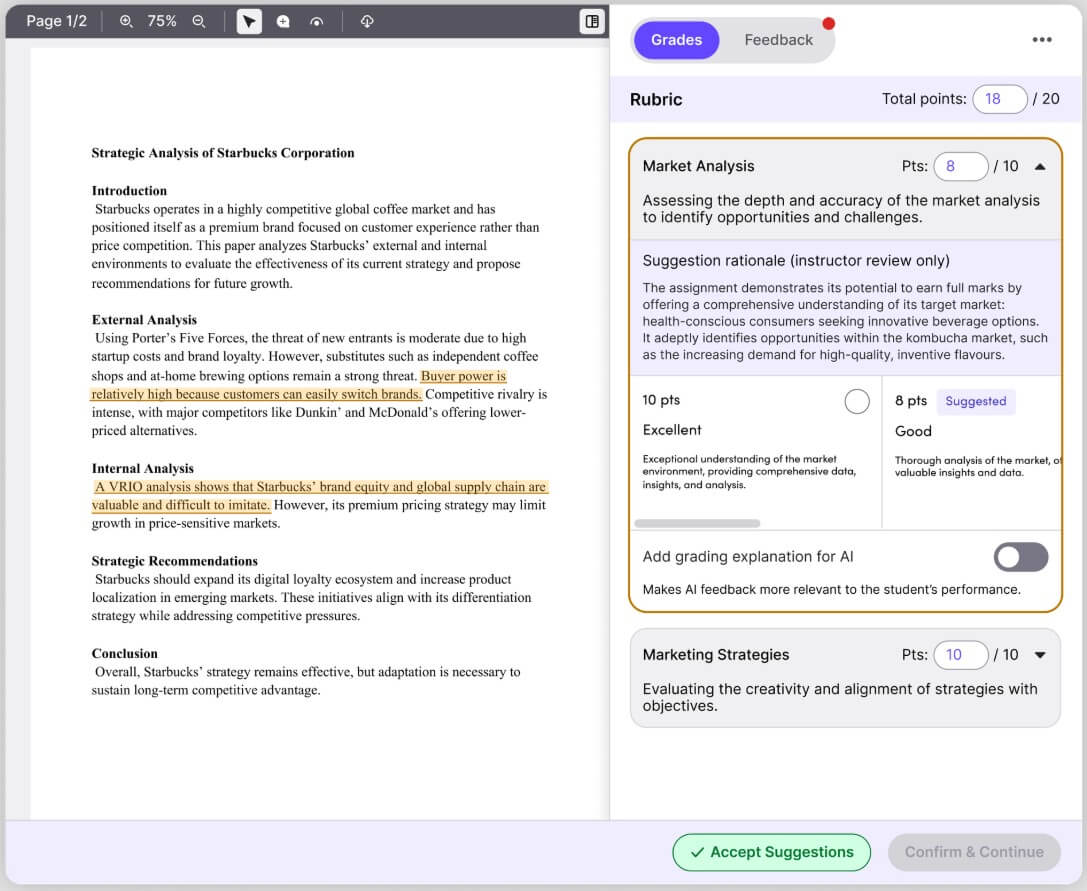
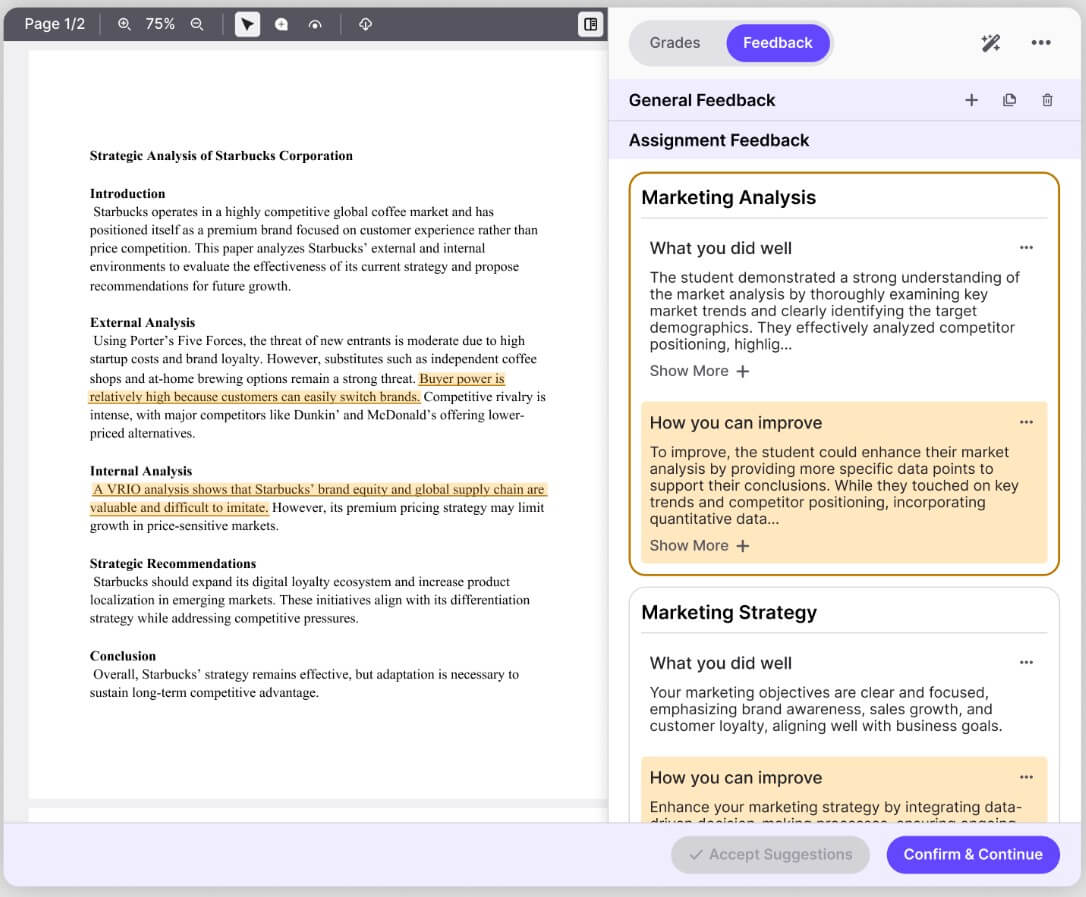
TimelyGrader helps instructors set up assignments, align them to rubrics, review AI-suggested grades, and deliver personalized feedback at scale. The platform uses assignment details, rubric criteria, and submission content to generate grading suggestions, then leaves the final call with the instructor. TimelyGrader’s own instructor page is clear about this workflow: instructors remain the humans in the loop and make the final grading and feedback decisions.
That distinction matters. AI grading tools can be risky when they act like final authorities. TimelyGrader positions itself more like a teaching assistant that prepares first-pass analysis. It can save time, but the instructor still checks the reasoning, adjusts the score, and decides whether the feedback fits the student’s work.
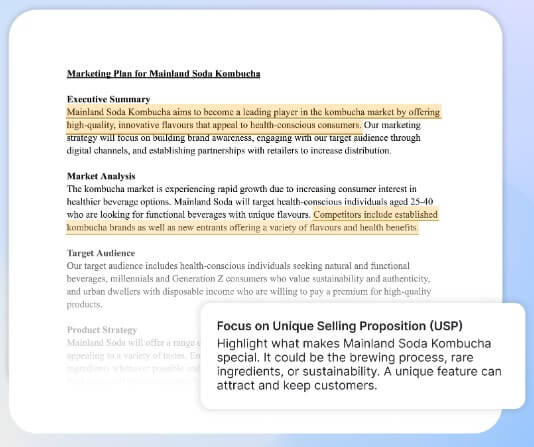
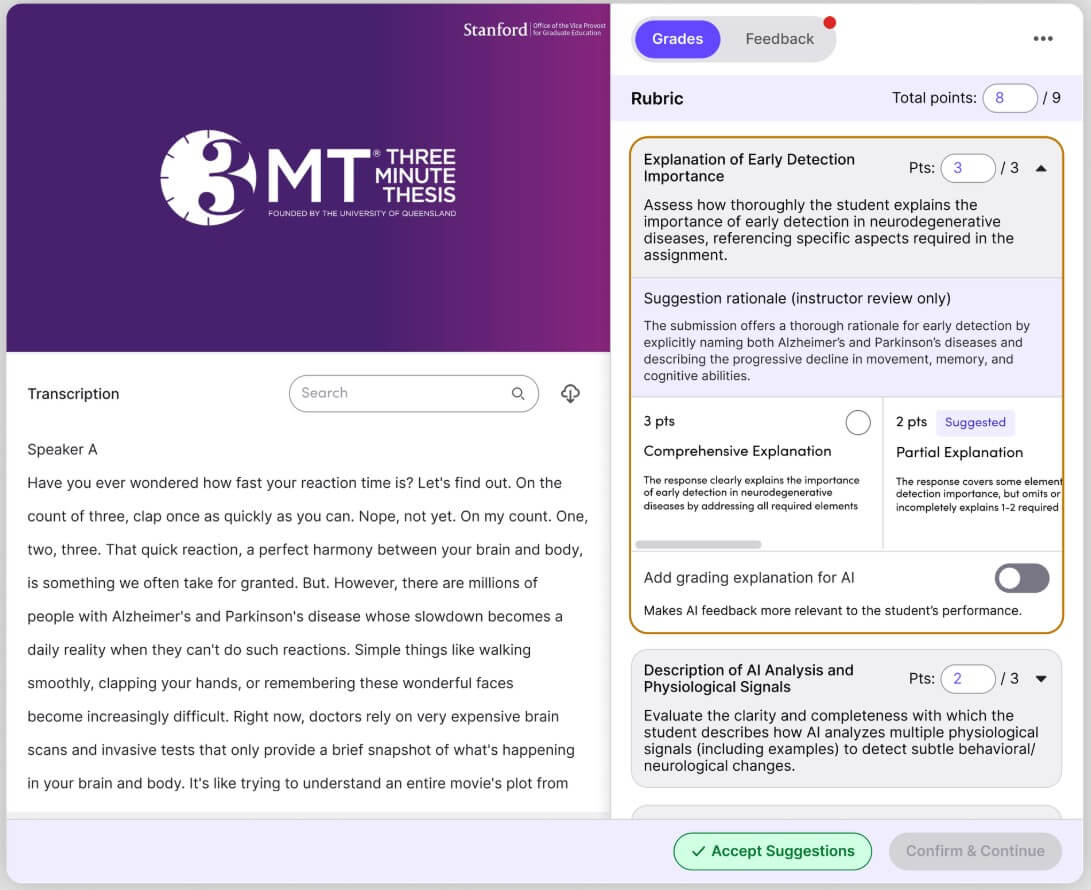
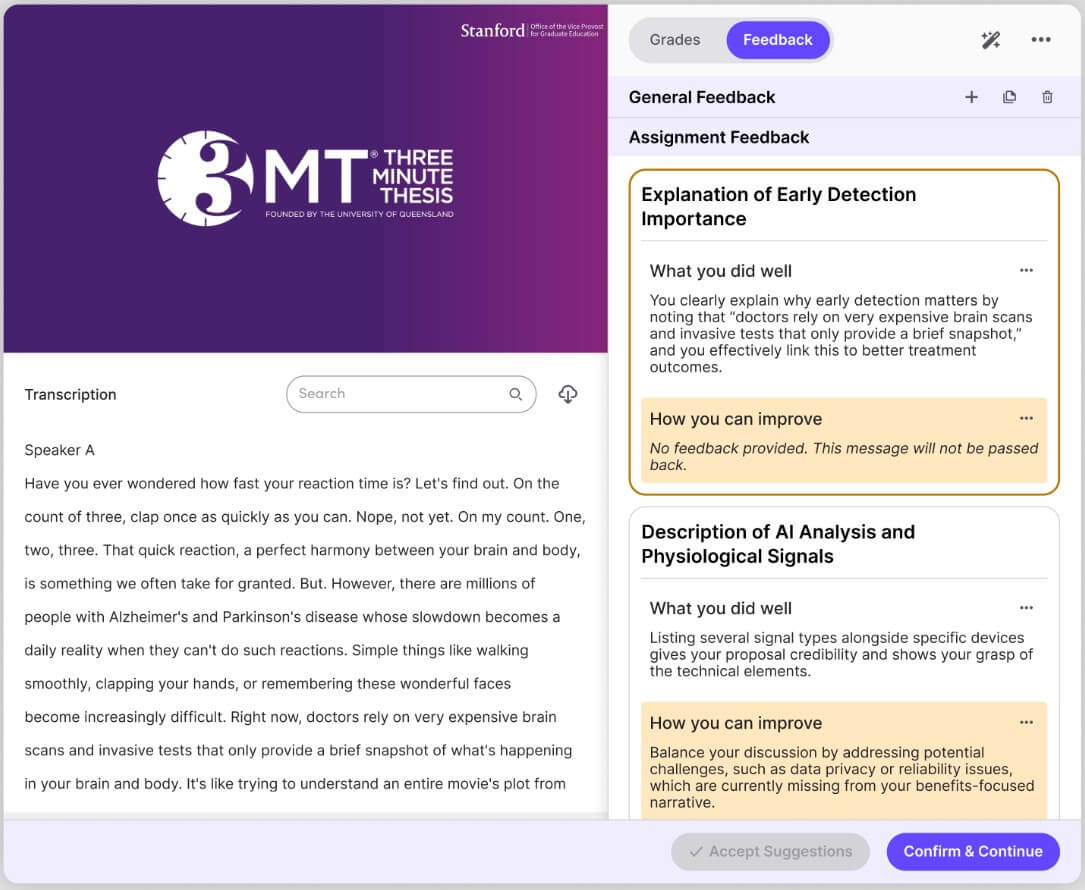
TimelyGrader is strongest when grading is repetitive, rubric-heavy, and feedback-intensive. That includes essays, reports, presentations, spreadsheets, charts, visuals, and video-based submissions. Its homepage says it supports papers, videos, and more, while its “More Than an AI Essay Grader” page says it can analyze presentation slides, visual reports, Excel worksheets, CSV files, PDFs, DOC/DOCX, PPT/PPTX, MP4, MOV, and other common academic submission formats.
This is the main reason TimelyGrader feels broader than a simple essay feedback tool. Many classes do not only grade clean text documents. Business courses may grade slide decks and market reports. Nursing and health sciences may grade case studies. STEM or applied courses may grade spreadsheets, tables, charts, or data interpretation. TimelyGrader’s ability to look beyond plain text makes it a better fit for assignment types where layout, visuals, and supporting evidence matter.
| Feature | Why it matters |
|---|---|
| Human-in-the-loop grading | AI suggests grades and rationale, but instructors or TAs must validate decisions. |
| Rubric generation and alignment | Instructors can use existing rubrics or generate structured rubrics from assignment details. |
| LMS workflow support | TimelyGrader integrates with Canvas and D2L via API for assignment sync, submission import, and grade passback. |
| Personalized feedback | The platform can create tailored feedback based on instructor criteria instead of relying on generic comments. |
| Feedback controls | Instructors can adjust feedback length, language level, tone, and structure. |
| Multimedia and file support | It can handle more than essays, including presentations, spreadsheets, visuals, and videos. |
The best feature is not one isolated tool. It is the way these pieces connect. A grading assistant is only useful if it fits the course workflow. TimelyGrader’s LMS import, rubric setup, submission review, grade rationale, and grade export make it feel built for real instructional operations rather than one-off AI experiments.
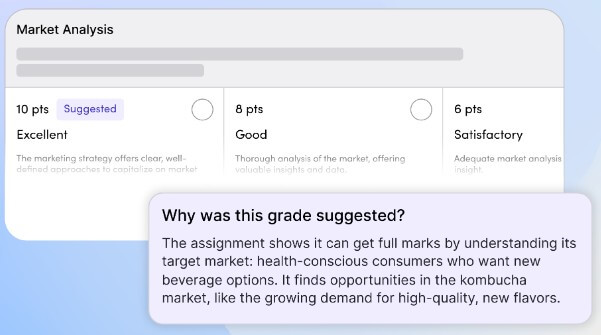
Rubrics are central to TimelyGrader. The platform can help create a rubric from assignment details, structure point-based criteria, set rating levels, and sync the rubric back to Canvas. Its Canvas AI rubric guide says instructors can review, edit, regenerate, and confirm rubric criteria, point weights, and descriptors before publishing.
That is important because AI feedback quality depends heavily on context. A weak rubric produces weak guidance. A specific rubric gives the AI a better target. TimelyGrader’s value rises when instructors spend time defining what good work looks like before student submissions come in.
The feedback controls are also useful. Being able to adjust tone, reading level, length, and structure matters in education because feedback is not just a score explanation. It has to be understandable, fair, and useful for the student’s next draft or next assignment.
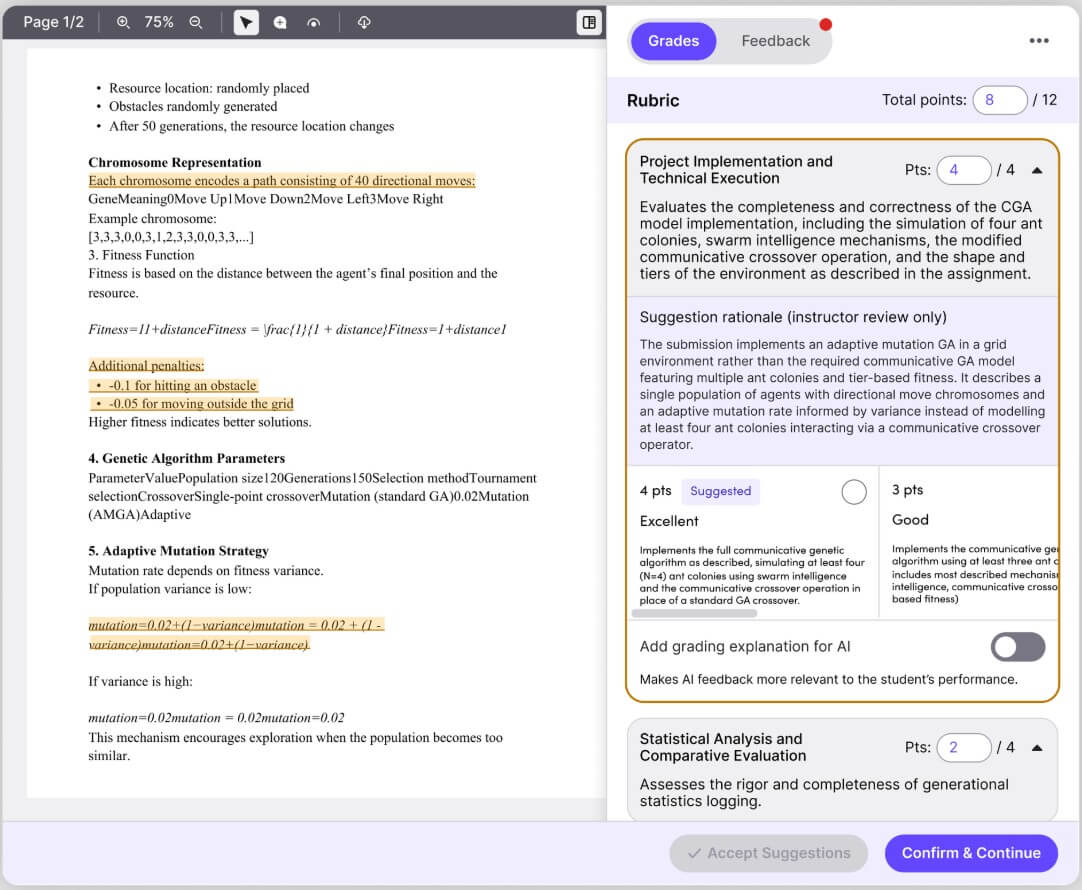
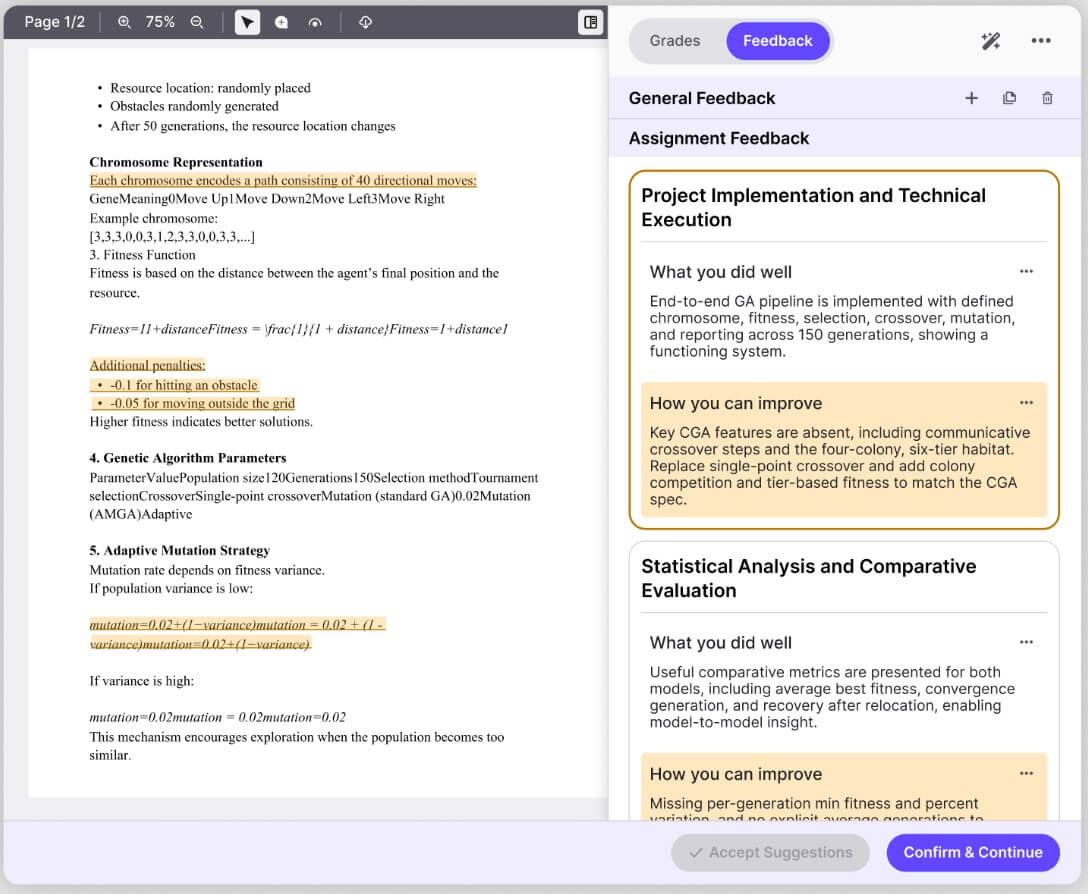
The workflow is designed around the way instructors already grade: set up the assignment, define criteria, pull in submissions, review suggestions, adjust grades, and send feedback back to the LMS. TimelyGrader’s capabilities page says Canvas and D2L integrations can support login, assignment creation, submission pull, and grade passback, reducing the need to move files manually between systems.
This is where TimelyGrader has an advantage over using a general chatbot. You could paste a student essay into ChatGPT and ask for comments, but that creates problems: no LMS connection, weak class context, inconsistent rubrics, privacy concerns, and lots of copying and pasting. TimelyGrader is more structured. It is not just “ask AI to grade this.” It is a controlled grading workflow.
The trade-off is setup. Instructors need to define the assignment, check the rubric, preview the AI behavior, and review suggestions carefully. That is not a flaw. It is part of responsible use. But teachers looking for instant one-click grading may find the extra validation step less exciting than the marketing around AI grading suggests.
TimelyGrader is a strong fit for university instructors, TAs, and departments handling large volumes of written or mixed-format assignments. It makes the most sense when feedback quality matters but time is limited.
It is especially useful for:
- Business, nursing, health sciences, and professional programs where students submit reports, case studies, slide decks, charts, and applied analysis.
- Writing-heavy courses where instructors want more personalized comments without spending every weekend grading.
- Large classes with multiple graders, where rubric consistency and fatigue become real problems.
- Canvas or D2L-based courses where LMS integration can reduce manual upload, download, and grade-entry work.
- Formative assessment workflows, where students benefit from feedback before final submission rather than only after the grade is done.
Gradescope is still a strong choice for structured exams, fixed-template PDFs, handwritten work, and answer grouping. Its AI-assisted grading features focus heavily on grouping similar answers for instructor review. Turnitin Feedback Studio is stronger when academic integrity, writing feedback, rubrics, QuickMarks, and originality workflows are central.
TimelyGrader sits in a different lane. It is more focused on AI-assisted feedback and grading suggestions across broader assignment formats, with the instructor still reviewing the rationale. Choose TimelyGrader when you want rubric-aligned AI support for feedback-heavy assignments, not just answer grouping or plagiarism-centered workflows.
TimelyGrader still needs human oversight. That is a strength, but it also means the tool does not eliminate grading. It reduces the first-pass burden and helps scale feedback, but instructors still need to check accuracy, fairness, tone, and alignment.
The second limitation is that results depend on setup quality. Vague assignment descriptions and thin rubrics will limit the usefulness of the AI output. Instructors should expect to refine criteria, preview suggestions, and tune feedback before relying on it across a full class.
The third trade-off is institutional fit. TimelyGrader is most compelling when used inside a course or LMS workflow. Solo teachers can still benefit, but the platform’s deeper value appears when departments care about consistency, compliance, accessibility, and grade passback. TimelyGrader states that it follows WCAG 2.2 AA standards, offers VPAT documentation, uses AWS services, and has completed a SOC 2 Type II audit, which makes it more institution-ready than many lightweight AI graders.
TimelyGrader is best for instructors and institutions that want AI to support grading, not replace professional judgment. Its strongest value is the mix of rubric alignment, personalized feedback, LMS integration, multimedia submission support, and required human validation. The main caveat is that it works best when instructors invest time in assignment setup and review. For serious classroom use, that is the right trade-off.
TAGS: Productivity
Related Tools:

Helps to optimize resume and cover letters

Email tool that summarizes long threads and offers smart reply

Simplifies task management

Provides quick summary of Google search results

Uses AI to analyze, automate, and visualize data
Corrects data-entry errors