

Share this tool:
 |
Description:
Ready to Send is an AI email assistant for Gmail users who spend too much time replying to routine messages. Its main job is simple but useful: read new and unread emails that need a response, generate a contextual draft in your tone, and leave that draft waiting for you to review, edit, regenerate, or delete. It is not a full inbox replacement. It is a reply-generation layer built directly into Gmail.
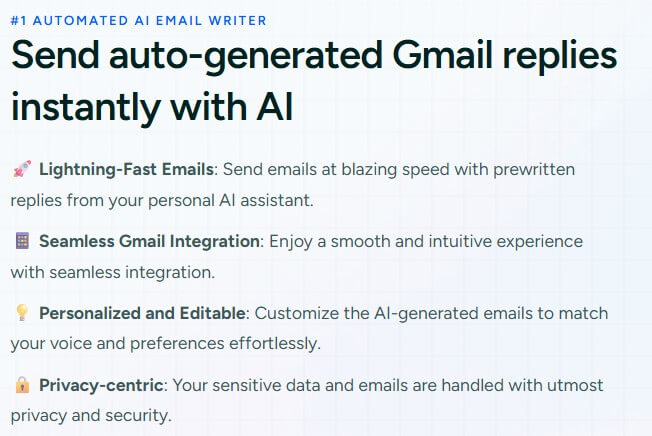
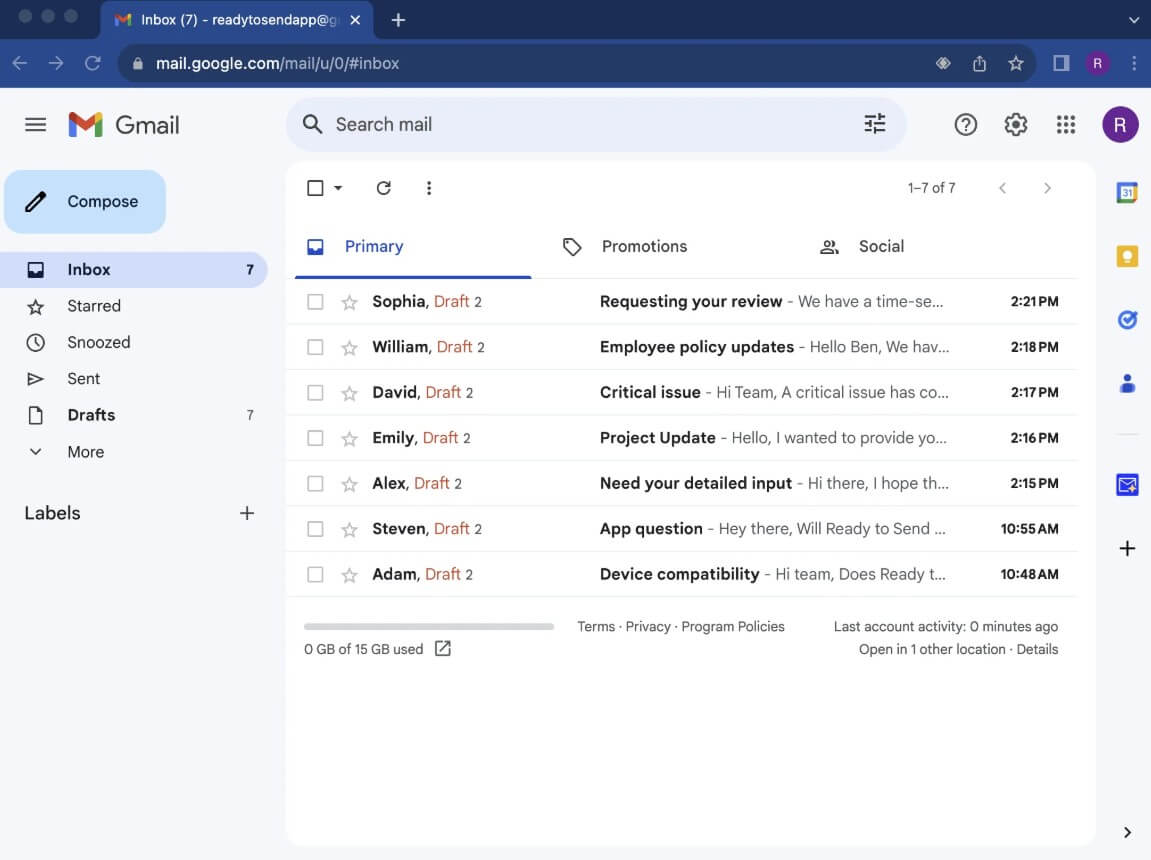
Ready to Send is a Gmail-native AI drafting tool. It works behind the scenes, scans for emails that appear to need replies, skips lower-value messages such as newsletters, updates, promotions, automated notifications, vacation replies, and no-reply messages, then creates draft responses based on the email thread and your personalization settings.
That makes it different from a general AI writing assistant. With a chatbot, you usually copy the email thread, paste it somewhere else, explain the tone you want, get a response, revise it, then paste it back into Gmail. Ready to Send removes most of that friction. The draft appears inside Gmail, close to where the actual work happens.
The tool also supports writing new emails. When composing, users can describe the message they want, or in some cases enter the recipient and subject, then review the generated email before sending. That keeps it useful beyond replies, but the stronger use case is still automatic drafting for incoming email.
Ready to Send is strongest for people who already know how they want to reply but do not want to spend the mental energy writing every message from scratch. This includes founders, consultants, customer support teams, recruiters, salespeople, executives, creators, and operators with high email volume.
The best fit is not complex negotiation or emotionally sensitive writing. It is the repeated middle layer of email: confirming details, answering common questions, following up, declining politely, routing requests, acknowledging updates, scheduling, explaining policies, or replying with standard information in a way that still sounds personal.
Ready to Send’s homepage emphasizes that it can generate replies for important emails soon after they arrive, while letting users edit or regenerate before sending. That review step matters. The product is not trying to fully remove human judgment from email. It is trying to remove the blank-page step.
| Feature | Practical value |
|---|---|
| Automatic reply drafts | Creates prewritten responses for new and unread emails that need a reply. |
| Gmail-native workflow | Works inside Gmail instead of forcing users into a separate writing app. |
| Review before sending | Lets users edit, regenerate, delete, or send drafts manually. |
| Personalized instructions | Allows global writing preferences and contact-specific instructions. |
| Intelligent Snippets | Uses reusable knowledge snippets for FAQs, policies, procedures, sales details, and common replies. |
| Model flexibility | Uses OpenAI by default and supports OpenAI, Anthropic, and Google Gemini options through API-key configuration. |
The most useful feature is not the AI writing itself. Many tools can write emails. Ready to Send’s advantage is that the draft is already waiting in Gmail, shaped by thread context and your rules.
Personalization is where Ready to Send becomes more practical than a basic “write me a reply” tool. Users can set global instructions for tone and style, then tailor instructions for specific contacts or email addresses. This is helpful because the same person often writes differently to a client, a vendor, a team member, and a personal contact.
Intelligent Snippets add a knowledge-base layer. You can store reusable content such as refund policies, product features, operating procedures, onboarding links, common phrases, or internal instructions. Ready to Send can then identify the relevant snippet and include it in the draft when the thread calls for it.
That feature is especially useful for customer support and sales. Instead of asking the AI to invent an answer, you can give it the exact material it should reuse. The result should be more consistent, more accurate, and easier to review.
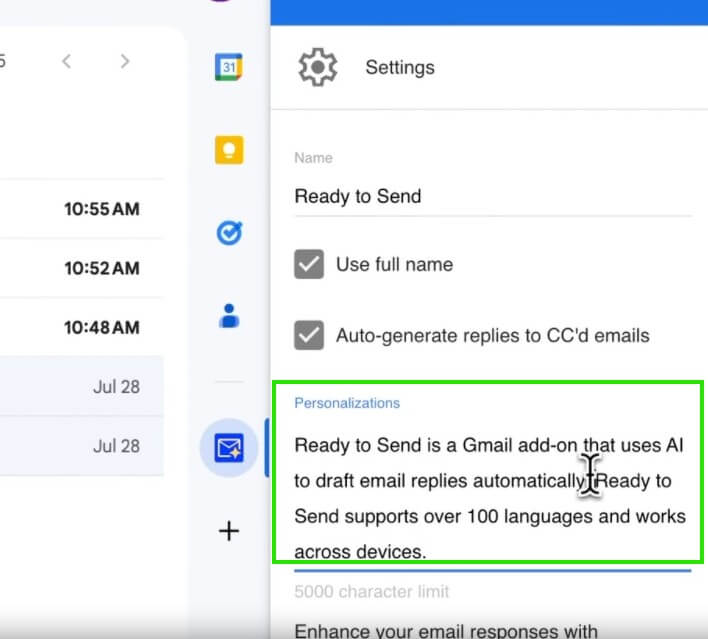
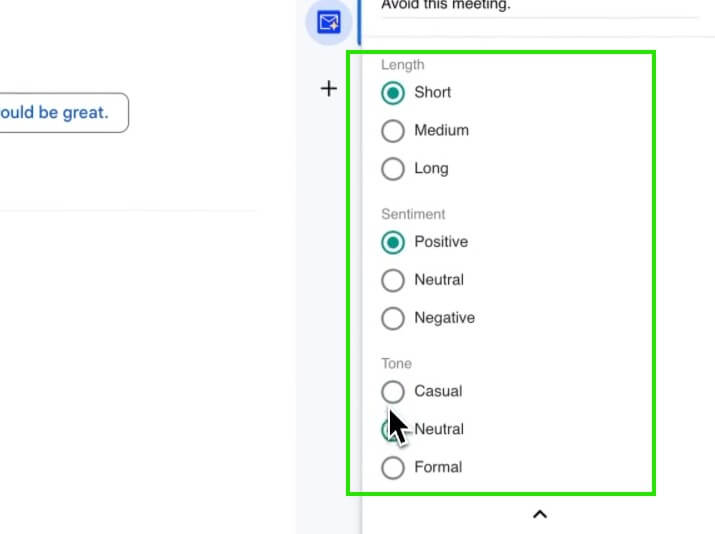
The workflow is intentionally lightweight. Install the Gmail add-on, set instructions, let Ready to Send generate drafts, then review them inside Gmail. The Marketplace listing says users can access it from Gmail’s toolbar on desktop and mobile, and the official site says Ready to Send integrates with native Gmail apps on Android and iOS.
This is the right workflow for the category. Email tools lose value when they create more inbox management. Ready to Send works best when it fades into the background and leaves useful drafts behind.
The mobile support is also important. Many people read email on a phone but delay replying because typing long responses is slow. Having a draft ready inside the Gmail mobile app can reduce that delay, especially for short replies and routine responses.
Ready to Send makes several privacy and control claims that matter for an email product. Its official site says emails are not stored, AI models are not trained on user messages, and the product has been audited for Google’s Cloud Application Security Assessment Tier 2 requirements. The Marketplace listing also says emails are used to create real-time responses and are not stored.
Users should still treat any AI email assistant carefully. The Marketplace permissions include access to manage drafts and send emails, view email messages and settings, connect to an external service, and run when the user is not present. Those permissions make sense for the product’s purpose, but they are still broad.
The safe workflow is to keep manual review on, use snippets for approved language, and avoid relying on AI drafts for legally sensitive, HR-sensitive, financial, or high-stakes messages without close review.
Ready to Send is best for Gmail-heavy professionals who repeatedly answer similar messages. Customer support teams can use snippets for FAQs, refund policies, product details, and operating hours. Sales teams can use it for follow-ups, meeting replies, objection handling, and outreach responses. Founders and executives can use it to clear routine replies faster while keeping control over tone.
It is also useful for multilingual communication. Ready to Send says it supports more than 100 languages and can detect the original email language before responding appropriately. That makes it more useful for global teams and people who communicate across regions.
The first limitation is that Ready to Send is built around Gmail. The official FAQ says users with non-Google accounts can use it by adding those accounts to Gmail, but that is still a Gmail-centered workaround. People who live fully inside Outlook, Apple Mail, or another client may prefer a tool built directly for that environment.
The second trade-off is trust. A draft can sound polished but still miss context, make the wrong assumption, or include a snippet in the wrong situation. This is especially risky when the email involves conflict, negotiation, compliance, personal matters, or nuanced customer issues.
The third limitation is that automation can make people less intentional. Fast replies are useful, but not every email deserves an instant response. Some messages need thought, not speed.
Ready to Send is best for Gmail users who want AI to prepare replies before they sit down to answer email. Its strongest value is the combination of automatic draft generation, personalized tone, contact-specific instructions, Intelligent Snippets, multilingual support, mobile Gmail access, and manual review. The main caveat is that email automation still needs judgment. Use Ready to Send to reduce repetitive writing, not to outsource every response.
TAGS: Productivity
Related Tools:

Summarizes various types of documents

Provides quick summary of Google search results
Enhances digital note-taking and sketching

Turns Google Sheets into fully functional websites

Helps teams document access internal information

Simplifies creation of animated faces