

Share this tool:
 |
Description:
Extracta AI is an AI document extraction platform for businesses that need to pull structured data from invoices, resumes, contracts, receipts, purchase orders, scans, images, PDFs, and custom documents. Its main promise is simple: define the fields you want, upload files, and let the system return structured data without traditional template training.
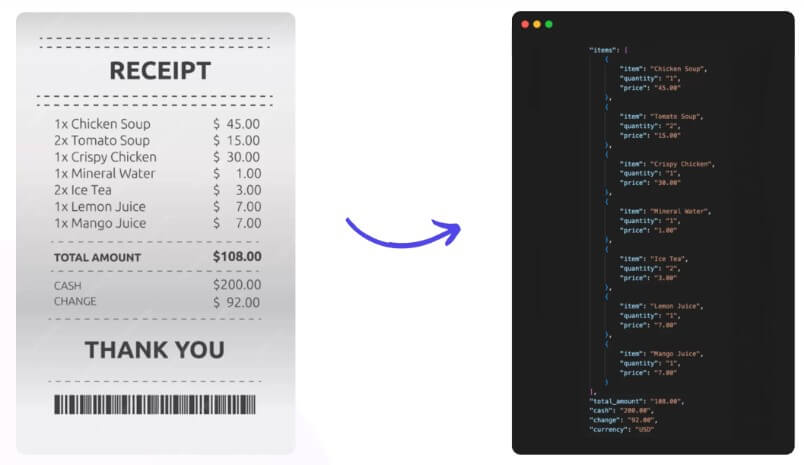
Extracta AI, also branded across its official pages as Extracta LABS, is a document parsing and data extraction tool. It is built for one practical job: turning unstructured or semi-structured documents into usable fields that can move into spreadsheets, databases, CRMs, accounting tools, HR systems, or custom workflows.
The product is not a general chatbot. It is also not just OCR. OCR can read text from a file, but businesses usually need more than raw text. They need “invoice number,” “vendor name,” “due date,” “line items,” “candidate skills,” “contract parties,” or “shipping reference” in a predictable structure. Extracta’s field-based setup is designed around that problem.
The core workflow is easy to understand: define the fields, upload files, and extract the data. Extracta’s platform page describes this as a three-step process: Define, Upload, Extract. That simplicity is the product’s main appeal.
Extracta AI is strongest when a team is still relying on manual data entry from repeatable business documents. Invoices, receipts, CVs, contracts, purchase orders, business cards, bills of lading, and bank statements all fit the pattern. These documents may vary in layout, but the business still needs the same kind of data every time.
The useful part is that Extracta does not require users to train a model for each format before getting started. Its official site says users can define the fields they need and start processing documents without complex training.
That makes it a good match for teams that receive documents from many suppliers, applicants, clients, or partners. A rigid template can struggle when layouts change. Extracta’s field-first approach is more flexible because the user defines what matters rather than locking the tool to one document design.
| Feature | What it means in practice |
|---|---|
| No-training setup | Users define the fields they want instead of building a trained template from scratch. |
| Custom extraction templates | Teams can create their own extraction fields for unusual or business-specific documents. |
| Multi-format support | Extracta supports documents such as PDFs, images, scans, digital documents, and text files. |
| Prebuilt document categories | The platform supports common types such as invoices, resumes, contracts, receipts, purchase orders, business cards, and bills of lading. |
| REST API | Developers can integrate extraction into internal apps, portals, and automated workflows. |
| Classification API | Documents can be assigned to user-defined categories, then optionally linked to extraction templates. |
| Zapier integration | Teams can connect Extracta to common business tools without building everything from scratch. |
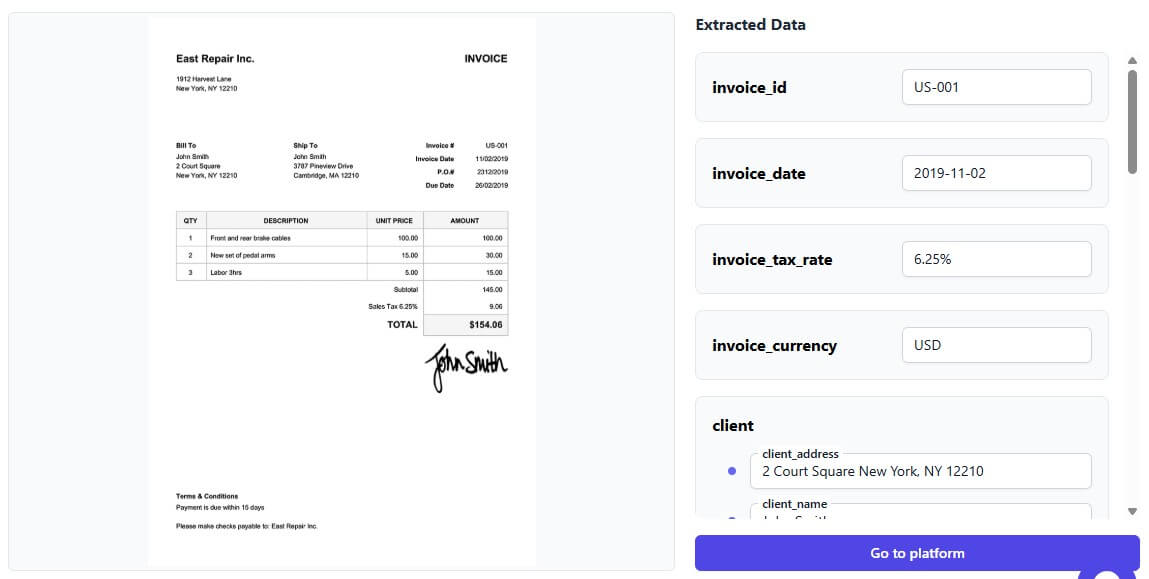
The feature that matters most is custom extraction. Extracta’s documentation explains that fields can be defined as strings, objects, or arrays. That means users can extract a single value, grouped information, or repeated line items such as invoice rows.
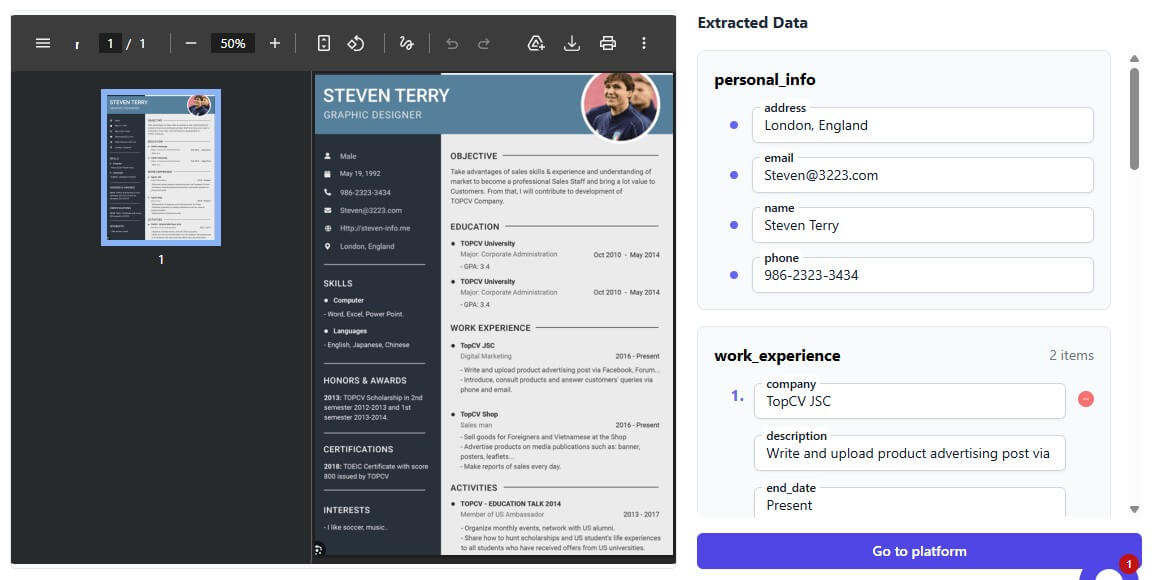
Extracta’s web workflow is built for non-technical setup. A user defines the fields they want, uploads a batch of files, and reviews the extracted results. The official platform page describes batch upload as part of the normal workflow, which is important because document processing usually becomes painful at volume.
The API workflow is more technical but still straightforward. Extracta’s documentation lists endpoints for creating, viewing, updating, and deleting extractions, uploading files, getting batch results, and checking credits. The docs also explain how users can create an account, generate an API key, create an extraction template, process batches, and receive results through polling or webhooks.
That dual workflow is useful. Small teams can start through the interface. Developers can later connect the same extraction logic to existing systems.
The API is one of Extracta AI’s strongest parts because document extraction is rarely useful as a standalone task. The real value appears when extracted data flows into the next system.
A finance team may want invoice data to land in an accounting workflow. A recruiter may want resume data to enter an ATS. A logistics team may want bill of lading details to move into a shipment record. A legal operations team may want contract dates, parties, terms, and obligations exported into a tracking system.
Extracta’s REST API supports this kind of integration, while Zapier adds a lighter automation path. Zapier’s Extracta.ai page lists actions for uploading and processing files either asynchronously or synchronously, including use cases for invoices, receipts, contracts, and other documents.
This makes Extracta useful for both developer-led and operations-led teams. Developers can build direct API integrations. Non-developers can experiment with workflow automation first.
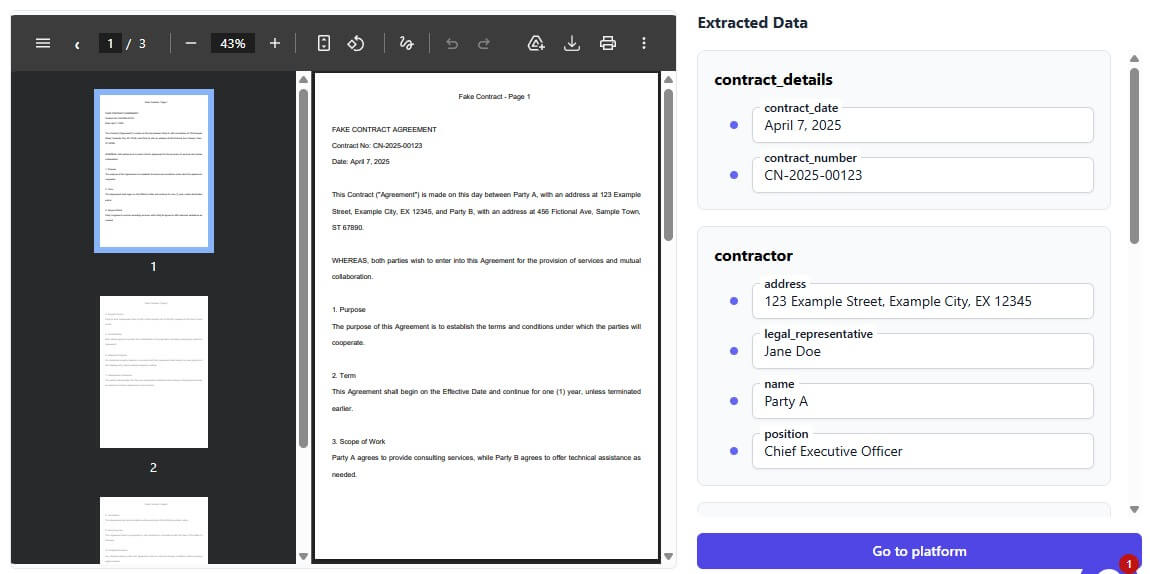
Extracta’s document classification API is worth calling out separately. Classification is the step that decides what type of document has been uploaded, such as invoice, receipt, purchase order, contract, or CV. Extracta’s docs say users define categories and keywords, and can optionally link classified documents to extraction templates.
That matters for mixed inboxes and shared upload portals. A business may receive different document types in the same email account or file drop. Classification helps route documents before extraction. An invoice can go to finance extraction, a CV can go to HR extraction, and a contract can go to legal extraction.
This is one of the areas where Extracta feels more like document-processing infrastructure than a single-purpose extraction app.
- Accounts payable teams: Extracta AI is a strong fit for accounts payable teams that process invoices and receipts from many vendors. It can help pull dates, totals, vendor names, invoice numbers, tax details, and line items into a structured format.
- Recruiting teams: Recruiting teams can use it to parse resumes and CVs, especially when applications arrive in varied formats. The goal is not to judge candidates automatically, but to reduce manual copying of skills, contact details, qualifications, and work history.
- Legal and operations teams: Legal and operations teams can use it for contracts, forms, IDs, purchase orders, shipment documents, and other recurring business files. The custom template system is useful here because many business documents do not fit neat off-the-shelf categories.
- Software teams: It also fits software teams building document upload features into their own products. Instead of building extraction from scratch, they can use Extracta’s API as the document parsing layer.
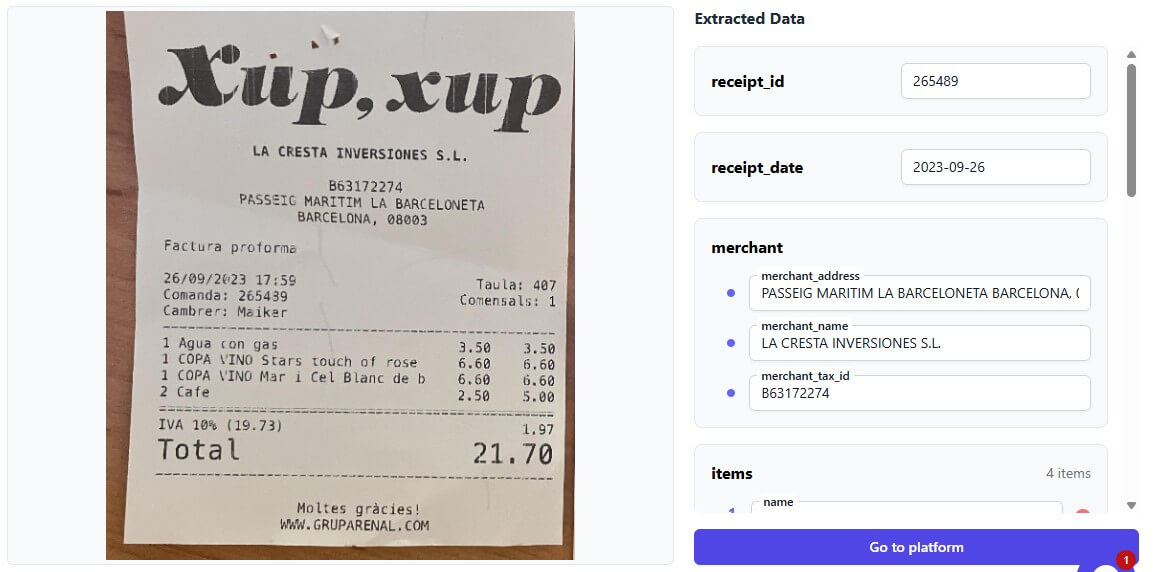
- Start with a narrow document type. Do not begin by trying to automate every document in the company. Pick invoices, resumes, receipts, or one high-volume form first.
- Define fields carefully. A field called “amount” is weaker than “total amount due including tax.” The clearer the requested structure, the easier the output is to review.
- Use arrays for repeated data. Invoice line items, product rows, skills, employment history, and transaction lists should not be forced into a single text field.
- Add human review before full automation. Even strong extraction tools can miss context when scans are poor, layouts are strange, or documents include ambiguous labels.
Extracta AI’s biggest limitation is the same one shared by most AI extraction tools: output still needs validation. Bad scans, unusual layouts, handwritten notes, low-resolution images, merged tables, and missing labels can affect accuracy.
The second trade-off is setup discipline. “No training required” does not mean “no thinking required.” Users still need to define the right fields, test on real documents, review edge cases, and decide what happens when extraction confidence is low or a value is missing.
The third limitation is that Extracta is focused on extraction, not full document lifecycle management. It can help pull data out of files, but teams may still need separate tools for approval workflows, audit trails, document storage, ERP posting, compliance review, or exception handling.
Extracta AI is best for businesses that need to turn messy documents into structured data without building a custom OCR and parsing system from scratch. Its strongest value is the field-based extraction workflow, custom templates, document classification, batch processing, API access, and automation support through tools like Zapier. The main caveat is that extraction is only one part of document automation. Extracta can reduce manual data entry, but teams still need strong field definitions, review rules, and downstream workflows to make the data useful.
TAGS: Productivity
Related Tools:

Summarizes articles on the web

AI assistant that delivers real-time insights and transcription
Turns Google Sheets into intelligent workflows

Helps you capture ideas with sticky notes

Analyzes your documents to help you understand information

Captures, summarizes, and organizes your notes and recordings