

Share this tool:
 |
Description:
Mazaal AI is an agent-first automation platform for businesses that want AI to do more than answer questions in a chat window. It combines AI agents, workflow automation, knowledge bases, model routing, app connectors, and multi-channel deployment into one workspace. The practical goal is clear: build agents for sales, support, operations, research, ecommerce, or internal processes, then let those agents respond, make decisions, and trigger actions across the tools a team already uses.
| Feature | Practical value |
|---|---|
| AI Agents | Build assistants that understand requests, use company knowledge, and trigger actions. |
| Visual Workflow Builder | Create flows with triggers, branches, AI steps, schedules, webhooks, and run history. |
| Knowledge Bases | Upload documents and use retrieval so answers are grounded in business-specific information. |
| Multi-Channel Deployment | Deploy agents across web widgets, Slack, Discord, Telegram, WhatsApp, email, SMS, voice, API, and other channels. |
| Model Flexibility | Use models from providers such as OpenAI, Anthropic, Google, DeepSeek, and others depending on the step. |
| Integrations and Connectors | Connect business tools through Activepieces, Pipedream, MCP, custom HTTP, webhooks, and scripts. |
The feature set is broad, but the best part is how it connects. Mazaal is not trying to be only a chatbot, only an automation builder, or only a prompt manager. It is trying to become a workspace where agents, workflows, tools, and knowledge live together.
Mazaal AI sits between a chatbot builder and a workflow automation tool. A basic chatbot can answer questions. A traditional automation tool can move data between apps when a trigger fires. Mazaal tries to join both ideas: the agent understands language and context, while the automation layer performs tasks across business systems. Mazaal’s documentation explains this as a platform with a “brain” AI agents and “hands” automation, where the agent understands and communicates while workflows handle actions.
That distinction matters. The strongest use case is not “ask AI to summarize this.” It is closer to: monitor a support inbox, identify the request type, check a CRM or payment tool, generate a response, route edge cases to a human, and post updates in Slack or email. Mazaal’s homepage uses a similar support example, showing an agent that checks HubSpot and Stripe, replies across channels, and escalates refund-related cases.
For teams already juggling chat widgets, Zapier flows, model APIs, forms, emails, and CRM updates, Mazaal’s pitch is attractive: fewer disconnected pieces, more context in the automation, and agents that can be deployed across several channels without rebuilding the same logic each time.
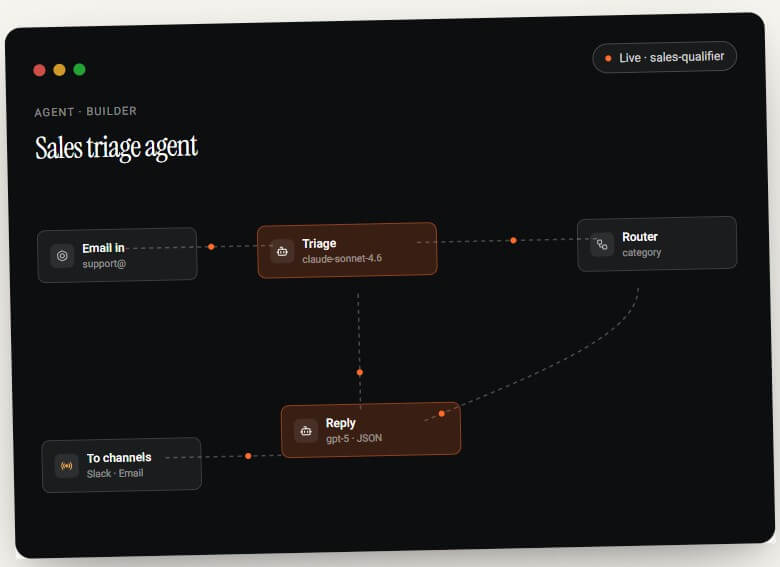
Mazaal AI is strongest when a workflow needs both judgment and action. Simple automations are easy enough in many tools: when a form is submitted, send an email; when a row is added, create a task. Mazaal becomes more interesting when the workflow has messy inputs, customer language, internal policies, or a need to choose between multiple paths.
Its agents can use business knowledge, trigger actions, understand natural language requests, and work with automation flows. The docs describe agents as virtual assistants that can understand questions, access business documents, provide consistent responses, and trigger actions when appropriate.
That makes it useful for support triage, lead qualification, product research, sales follow-up, content operations, internal knowledge lookup, ecommerce data handling, and recurring admin work. It is not only for developers, but it is still a serious operations tool. The more clearly a business can define its process, rules, knowledge sources, and escalation points, the more value Mazaal is likely to provide.
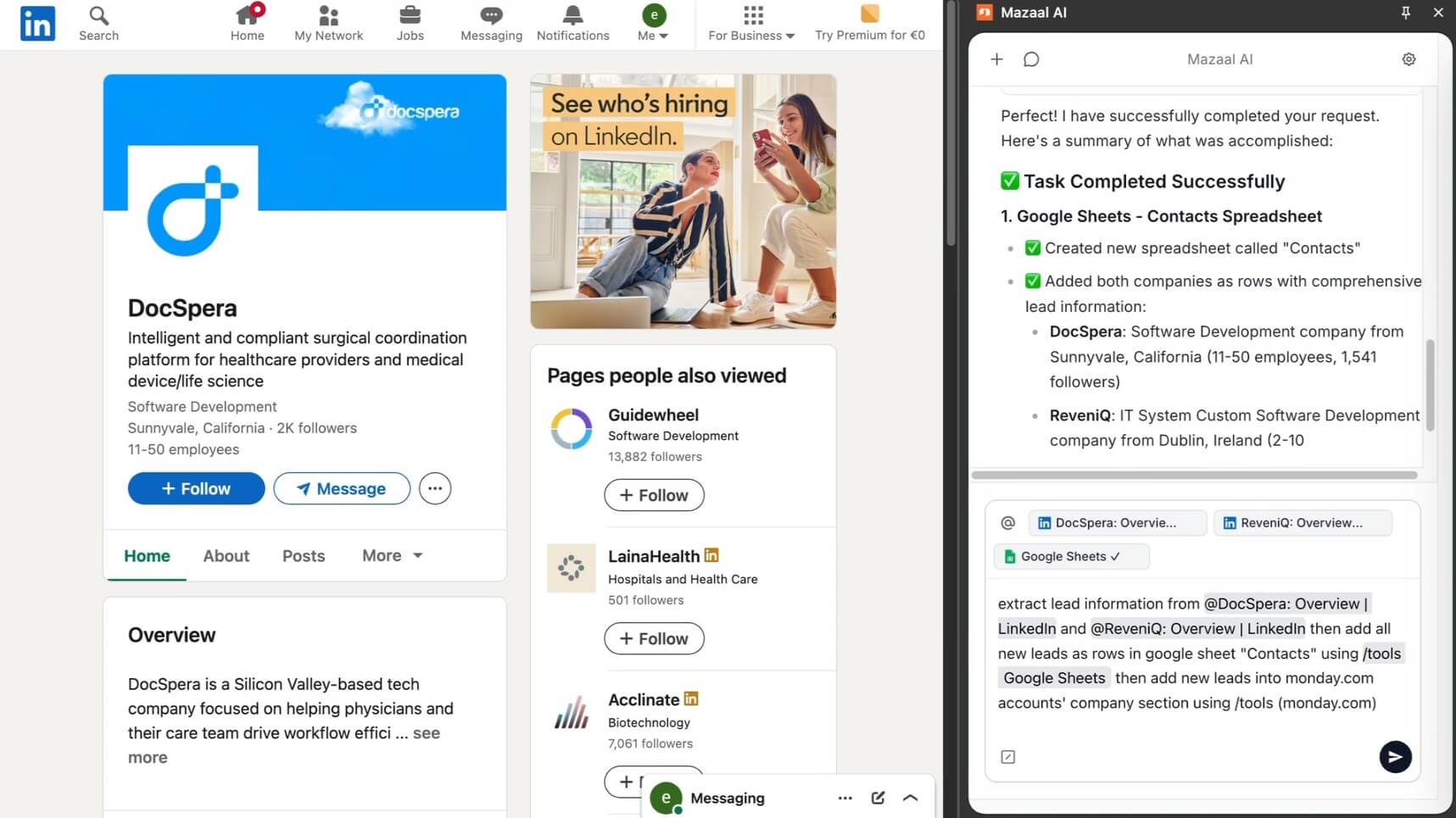
Mazaal’s knowledge-base layer is important because most business agents need more than general AI ability. A support agent needs policy documents. A sales agent needs product details. An internal assistant may need SOPs, onboarding docs, FAQ pages, or service rules.
The documentation describes Mazaal’s RAG workflow in plain terms: documents and websites are processed, text is broken into chunks, embeddings are created, relevant chunks are retrieved for a user question, and the model generates a response based on that context. The docs also note that responses can cite sources when appropriate.
This is a better approach than asking a generic chatbot to “remember” company information. The agent is grounded in a chosen knowledge source, which can reduce vague answers and improve consistency. It does not remove the need for review, but it gives teams a more practical foundation for customer-facing or internal answers.
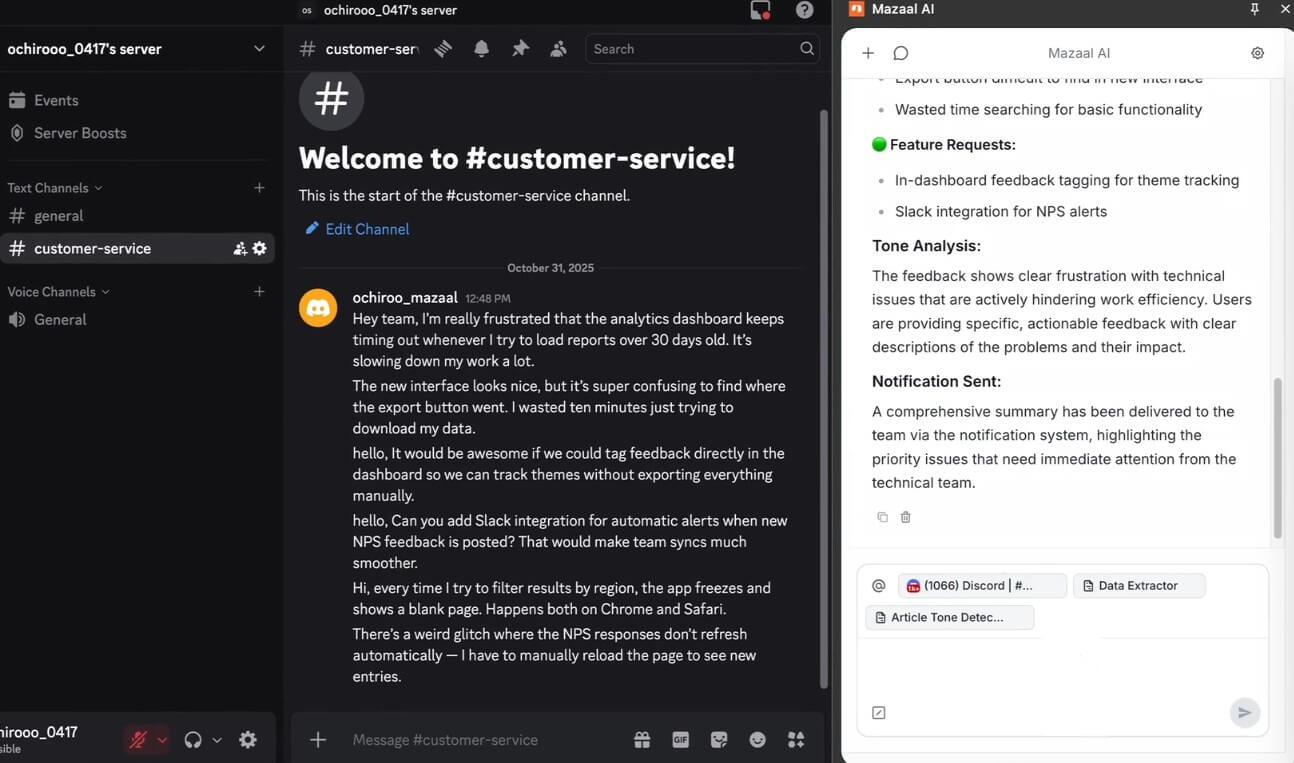
The automation layer is where Mazaal moves beyond Q&A. Its docs say automations can connect apps, move data between systems, execute action sequences based on triggers, apply business logic, and reduce manual work. The homepage adds more operational detail, including triggers from events, schedules, and webhooks, plus full run history and replay.
This matters because AI agents are only useful in operations when they can safely do something. A customer support agent should not just explain a refund policy. It may need to look up an order, classify the case, draft a reply, and route the request to the right person. A sales agent may need to qualify a lead, enrich details, update a CRM, and notify the account owner.
Mazaal’s visual builder makes that kind of orchestration easier to manage than stitching together raw API calls. The trade-off is that the user still needs to understand the business process. No-code does not mean no thinking. Good automation needs clear triggers, clean data, guardrails, and review points.
One of Mazaal’s stronger ideas is “build once, deploy everywhere.” The homepage lists multiple channels, including web widget, standalone app, API, webhook, Slack, Discord, Telegram, WhatsApp, Facebook, Instagram, X, LinkedIn, email, SMS, voice, and workflow-step deployment.
That is useful because customer and team conversations are scattered. Some questions arrive by email, others in Slack, others through a website chat widget or social channel. If each channel needs a separate bot, logic drifts quickly. Mazaal’s approach is more centralized: one agent can carry the same knowledge and workflow rules into different surfaces.
This is especially useful for support teams, agencies, ecommerce operators, consultants, and small teams that need broad coverage without maintaining separate systems for each communication channel.
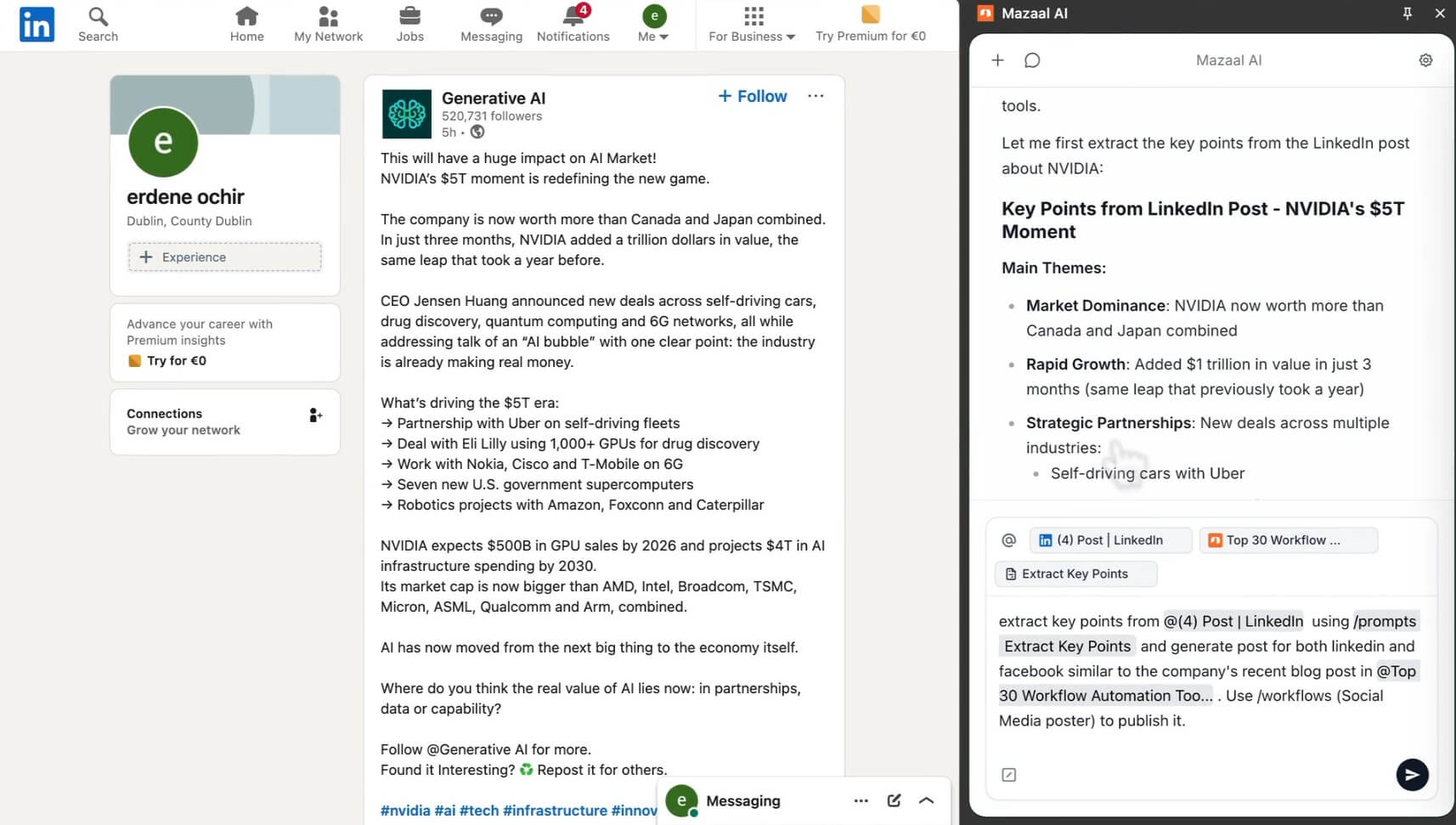
Mazaal’s homepage emphasizes model flexibility, with support for 50+ models and named examples from OpenAI, Anthropic, Google, DeepSeek, and others. It also highlights structured JSON outputs, prompt versioning, rollback, streaming, retries, and model selection by step.
That matters for teams trying to balance quality, speed, and reliability. A workflow may not need the same model for every action. A simple classification step can use a faster model. A complex reasoning step may need a stronger one. A formatting step may need strict structured output. Mazaal’s model-routing angle makes it more flexible than tools that hide model choice completely.
Prompt versioning and rollback also matter. In business workflows, small changes can break an agent’s behavior. Version control gives teams a way to test, compare, and recover instead of editing live instructions with no safety net.
Mazaal AI is a strong fit for customer support triage, sales qualification, ecommerce operations, internal knowledge assistants, lead research, social media routing, document-based Q&A, competitor research, and repetitive operational workflows.
It is especially useful when a team wants one agent to handle multiple channels and multiple tools. A solo operator might use it to automate content research and email handling. A small ecommerce team might use it to check product data, respond to support questions, and update internal systems. A consultant or agency might use it to prototype AI workflows for clients before committing to heavier engineering work.
It is less useful for people who only need a general chatbot, a writing assistant, or a simple one-step automation.
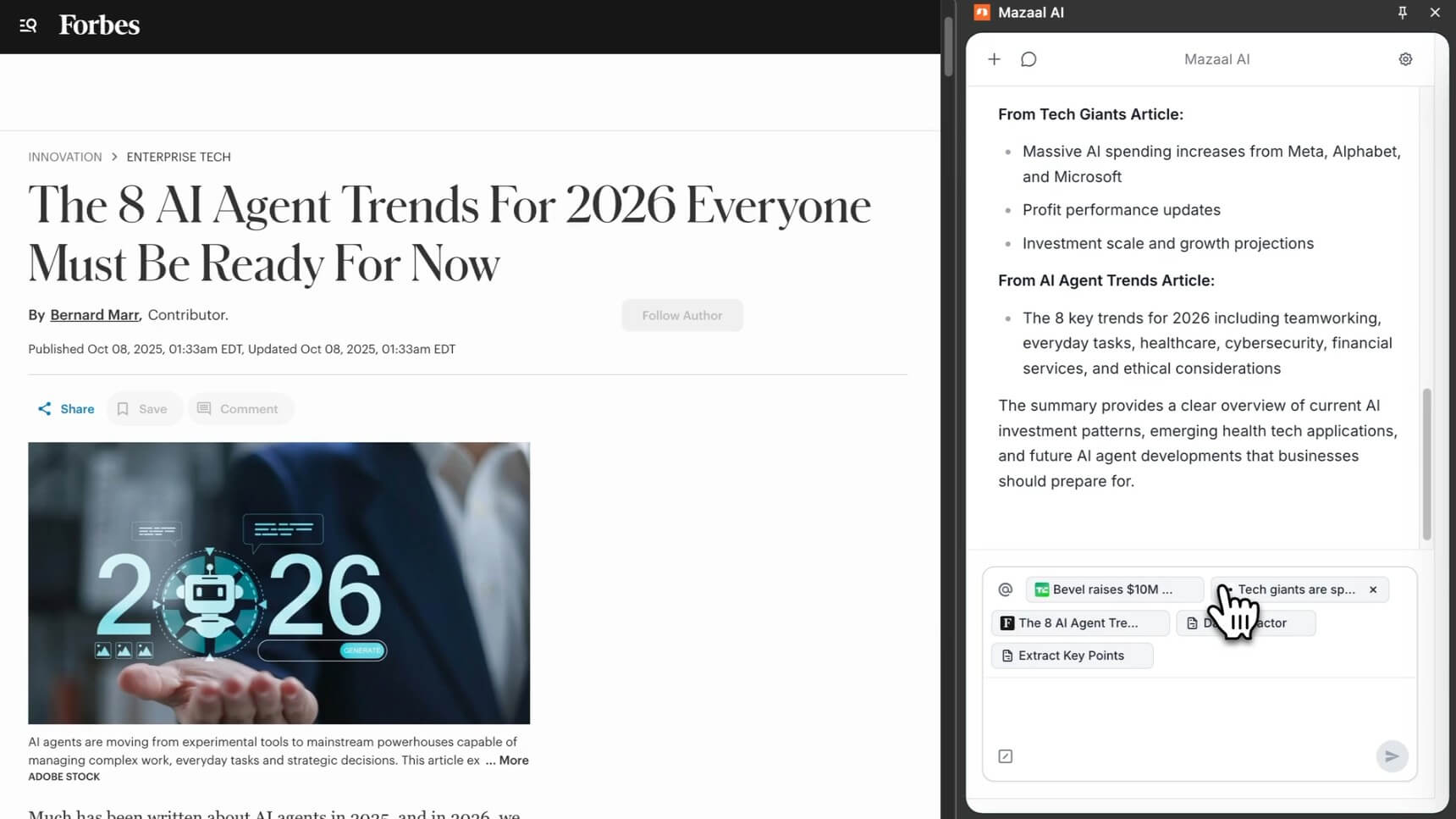
Mazaal competes most directly with the new generation of AI automation platforms, not old-school chatbot builders. Zapier now promotes AI agents that can work across thousands of apps using company knowledge, while Make emphasizes visual AI and agentic workflows across thousands of apps. n8n is stronger for technical teams that want deep control, visible agent reasoning, and the option to deploy on their own infrastructure.
Mazaal’s angle is more unified and agent-centered. It is trying to combine agents, knowledge bases, workflows, model selection, and multi-channel deployment in one product. Zapier is broader and more established. Make has a mature visual automation environment. n8n is more technical and flexible for developer-heavy teams. Mazaal is most attractive when the main need is building practical AI teammates that can talk, decide, and act across channels.
The first limitation is setup quality. Mazaal can make agent-building easier, but it cannot define your business process for you. Weak prompts, messy knowledge bases, unclear escalation rules, and poor app permissions will lead to weak agents.
The second trade-off is governance. Agents that can access tools and act across systems need careful limits. Teams should define what an agent can do, when it must ask for approval, which data it can access, and how outputs are reviewed.
The third limitation is maturity. Agentic automation is still a fast-moving category. Users should test critical workflows gradually, inspect run history, and avoid giving agents high-risk actions too early.
Mazaal AI is best for teams that want AI agents to participate in real business operations, not just answer questions. Its strongest value is the combination of trainable agents, workflow automation, knowledge retrieval, model flexibility, integrations, and multi-channel deployment. The main caveat is that agent automation needs discipline. Mazaal gives teams the building blocks, but the best results still depend on clear processes, good knowledge sources, and careful guardrails.
TAGS: Productivity
Related Tools:
Automates post-meeting tasks by listening to conversations

Transforms raw data into interactive visualizations

Assists users in solving mathematical problems

Summarizes YouTube videos and provides insights

AI-powered Telegram bot

Provides adaptive teaching methods