
Share this tool:
 |
Description:
Skipit is an AI YouTube video summarizer built for one clear job: helping users get the useful parts of a video without watching the full thing. You paste a YouTube link, let the tool process the video, then read a summary or ask questions about the content. The official site positions Skipit around instant summaries, video Q&A, saved chats, and support for videos up to 12 hours long.
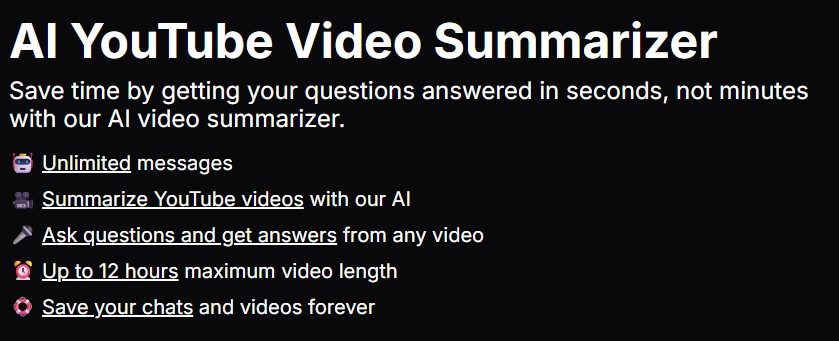
Skipit summarizes YouTube videos so users can get the main points without watching the full runtime.
Users can ask questions about a video and get answers based on the content instead of manually scrubbing through the timeline.
Skipit says it can process videos up to 12 hours long, which makes it useful for lectures, podcasts, online courses, and long-form interviews.
The official blog highlights unlimited chats, which matters for users who want to keep drilling into one video from different angles.
Skipit says users can save chats and videos, making it easier to return to previous learning or research sessions.
The public site lists a prompt library, which helps users move beyond basic summaries and ask more useful questions.
Skipit is not a video editor, note-taking app, transcript manager, or general research suite. It is a focused AI companion for YouTube content. Its core workflow is simple: enter a YouTube link, process the video, and use the AI chat to understand what was said.
That focus is the product’s main strength. YouTube is full of long lectures, interviews, tutorials, podcasts, debates, product reviews, and explainers. Many of those videos contain useful information, but they also require time, patience, and manual searching. Skipit turns that passive watching process into something closer to searchable reading.
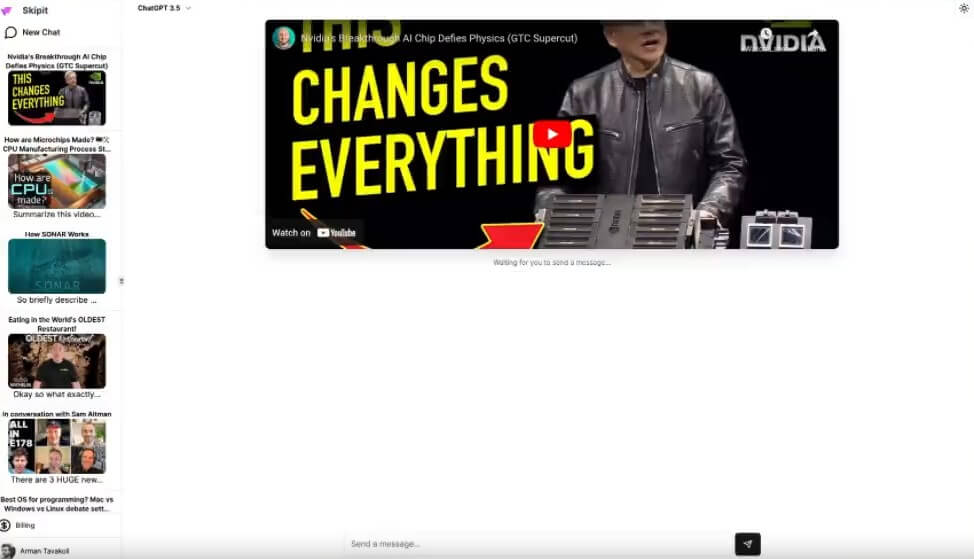
The official blog describes Skipit as a YouTube video companion that gives quick summaries, lets users ask unlimited questions, supports long videos, and saves chat history for later review. That gives the product a clear identity: it is built for video understanding, not video production.
Skipit is strongest when you want to decide whether a video is worth watching, extract the main ideas from it, or ask targeted questions about a long recording. The best use case is not “replace YouTube.” It is “stop wasting time inside videos that may or may not contain what I need.”
That matters because video is an inefficient format for scanning. You can skim an article in 30 seconds, but a 90-minute video does not offer the same speed unless it has great chapters, a detailed transcript, or a clear table of contents. Skipit fills that gap by turning a video into a summary and question-answer workflow.
It is especially useful for content where the value lives mostly in speech: interviews, commentary, podcasts, lectures, course videos, webinars, industry talks, and tutorials with clear narration. It is less useful when the value is mainly visual, such as design walkthroughs, repair videos, cooking technique clips, software demos with important on-screen steps, or exercise form tutorials.
Skipit’s workflow is intentionally plain. You do not need to install editing software, build a database, upload your own media files, or configure a workspace. You bring a YouTube link, and the tool gives you a chat-style way to work through the video.
That simplicity matters. A lot of AI productivity tools ask users to change how they work before they see value. Skipit works because the input is already familiar. YouTube links are easy to copy, and most users already have videos they want to understand faster.
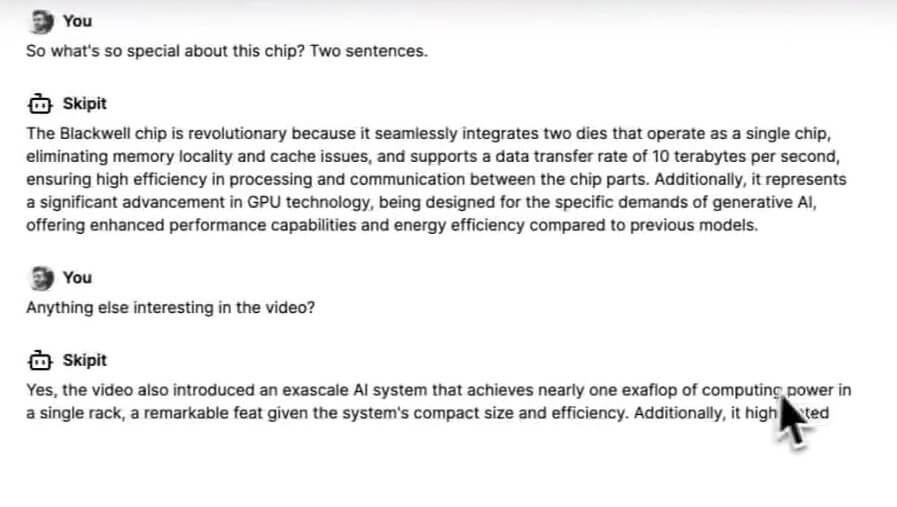
The official blog lays out the user path as signing up, copying a YouTube video link, pasting it into Skipit, waiting for processing, and then chatting with the AI about the video. That makes the product approachable for students, researchers, creators, and professionals who do not want to learn a complex interface.
The main friction is not the interface. It is knowing what to ask after the first summary. A basic summary is useful, but the better workflow is layered: start with the overview, ask for the strongest points, ask what was skipped or assumed, then ask for action steps, definitions, objections, or examples. Skipit becomes more useful when users treat it as a conversation with the video.
Skipit’s output quality depends on the video itself. Clear audio, strong structure, good captions, and direct explanations will usually give the AI more useful material to work with. Messy discussions, heavy sarcasm, background noise, vague commentary, and visual-heavy content are harder for any summarizer to handle well.
The control layer is mostly conversational. You are not editing a transcript line by line or building a formal research notebook inside the tool. Instead, you guide the output by asking better questions. That is enough for many users because most people do not need full editing control. They need faster access to meaning.
This is where Skipit is different from a simple “summarize this video” button. The summary is only the first layer. The Q&A workflow lets you ask things like what the speaker recommended, which examples were used, what the main disagreement was, or whether the video contains practical steps. That makes the tool more useful for learning than a static summary alone.
Skipit can turn long lectures, educational explainers, and course videos into quick notes, main ideas, and follow-up answers. The official blog explicitly frames the tool as useful for students and learners working through YouTube content.
It is helpful when you need to understand a webinar, conference session, or product discussion but do not have time to watch the entire recording.
Skipit can help extract claims, names, arguments, examples, and topic clusters from long videos before deciding whether to cite, watch, or investigate further.
Creators can use it to scan competitor videos, summarize interviews, find recurring talking points, and understand what a long video covers before making their own response or research notes.
It is also useful for everyday viewing. If a video title looks promising but the runtime is too long, Skipit can help decide whether the video deserves attention.
Skipit sits in a crowded category, but it has a clean position. It is a link-based YouTube summarizer with chat and saved history. That makes it more focused than general chatbots and more direct than larger research platforms.
| Tool Type | Best Fit | How Skipit Compares |
|---|---|---|
| Skipit | YouTube summaries and video Q&A | Best when you want a simple link-to-chat workflow for long YouTube videos. |
| YouTube summary extensions | Summaries inside the browser | Tools like Eightify focus on Chrome-based summaries, key insights, timestamps, and multilingual support. |
| Broader video research tools | Transcripts, timestamps, and multi-source workflows | Tools like Video Highlight emphasize transcripts, search, chat, and support beyond YouTube. |
| General AI chatbots | Flexible reasoning from copied text | Useful when you already have the transcript, but usually more manual for YouTube-specific use. |
The simple version: choose Skipit when YouTube video understanding is the job. Choose a broader research tool when you need PDFs, articles, private videos, timestamped transcript workflows, or a larger knowledge base.
- Use Skipit first as a filter. Before committing to a long video, ask for the main argument, key sections, and whether the content is beginner, intermediate, or advanced.
- Ask for structure, not just summaries. “Turn this into study notes,” “extract the main claims,” or “list the practical steps” will usually be more useful than “summarize this.”
- Treat important claims carefully. Skipit can help identify what a video says, but it should not be the final source for medical, legal, financial, or technical decisions. Use it to find the claim, then verify against the original source or another reliable reference.
- Use saved chats for recurring research. If you are studying a topic over several videos, saved conversations can become a lightweight trail of what you have already reviewed.
The biggest limitation is that Skipit depends on the underlying video. If the video is thin, repetitive, or poorly organized, the summary may still feel thin. AI can condense content, but it cannot turn weak material into strong material.
The second limitation is visual context. Many YouTube videos explain through screen actions, slides, diagrams, product shots, body language, or on-screen comparisons. A text summary may miss details that matter on the screen.
The third trade-off is depth. Skipit is built for speed and comprehension, not full research management. Users who need citations, transcript editing, source libraries, or cross-document analysis may outgrow the product’s narrow YouTube-first workflow.
Accuracy is also worth watching. AI summaries can flatten nuance, skip caveats, or make uncertain points sound more settled than they were. This is not unique to Skipit, but it matters whenever the topic is complex or high-stakes.
Skipit is a focused, useful AI tool for people who learn from YouTube but do not want to spend hours watching every video in full. Its best strengths are fast summaries, video Q&A, long-video handling, saved chats, and a simple link-based workflow.
It is best for students, professionals, researchers, creators, and heavy YouTube learners who want to move through video content faster. The main caveat is that it works best for speech-heavy videos and first-pass understanding, not for replacing careful viewing when visual detail, nuance, or verification matters.
TAGS: Productivity
Related Tools:
Simplifies creation of visual content for marketing

Transforms raw data into interactive visualizations

Enhances note-taking by integrating AI models

Turns Google Sheets into fully functional websites

Helps you capture ideas with sticky notes
Helps you write, summarize, and manage emails