

Share this tool:
 |
Description:
- Introduction
- What Guidde Actually Is
- Where Guidde Is Strongest
- Strong Features and Capabilities
- Workflow and Ease of Use
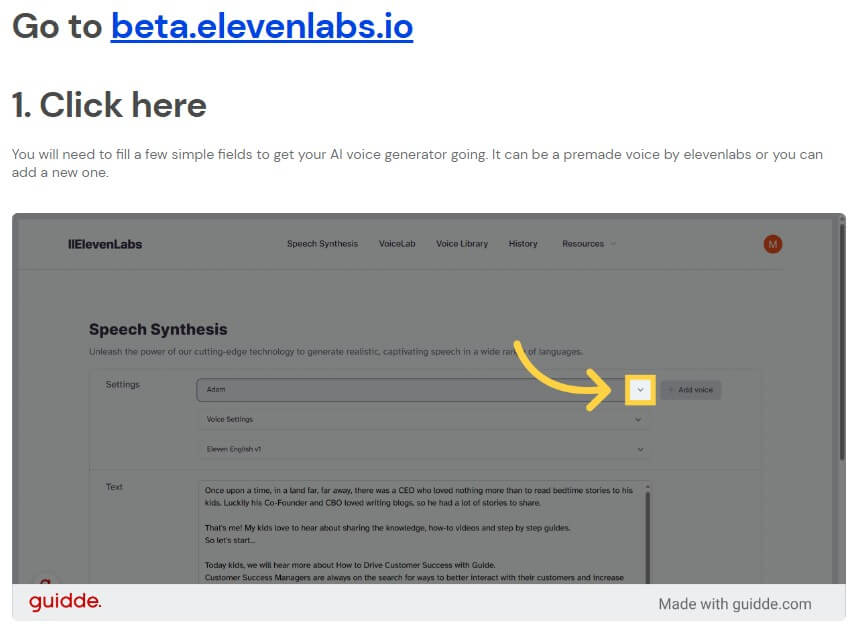
- Sample Voiceover Workflow With ElevenLabs
- Output Quality and Editing Control
- Sharing, Embedding, and Business Workflow
- Best Use Cases
- Practical Tips
- Limitations and Trade-Offs
- Final Takeaway
Guidde is an AI video documentation platform for teams that need to explain software processes without spending hours recording, scripting, editing, and formatting tutorial content. Its main job is simple: capture a workflow, turn it into a polished step-by-step guide, add AI-generated narration, then share or export it for customers, employees, support teams, or product users.
Guidde is best understood as a video documentation tool, not a general screen recorder. A normal screen recorder captures what happened on your screen. Guidde goes further by turning that workflow into structured instructional content.
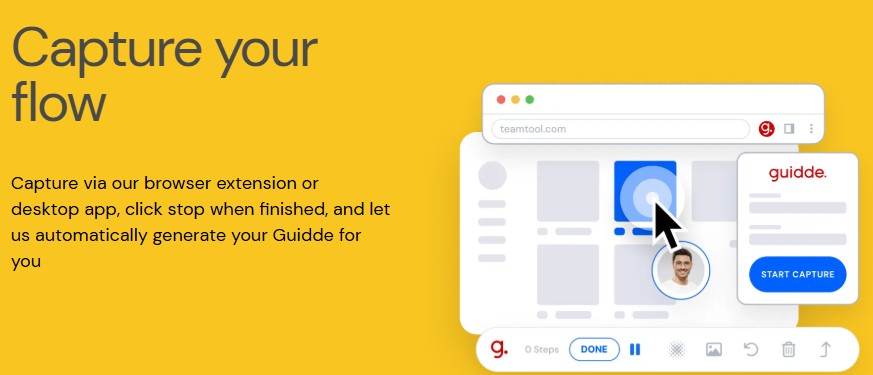
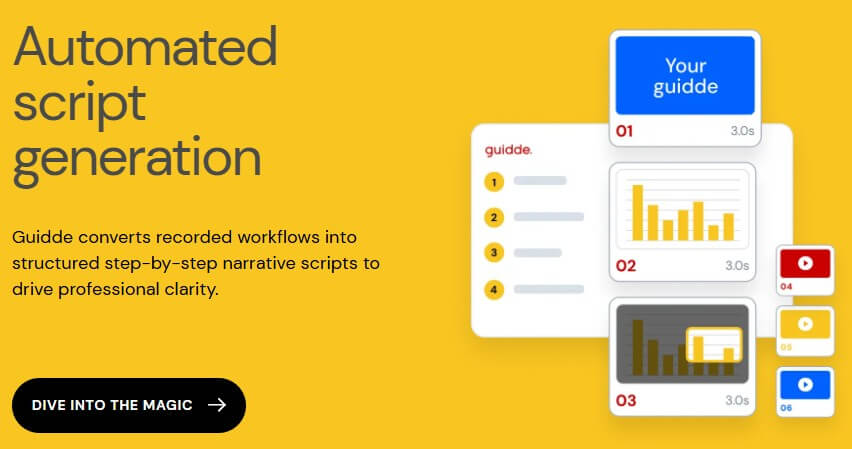
The platform uses Magic Capture to record a process through a browser extension or desktop app. After recording, Guidde generates a step-by-step guide with a script, narration, highlights, and visual structure. Its homepage describes core layers such as Magic Capture, AI-powered storyboarding, AI-generated voiceover, an advanced editor, and smart sharing.
That makes Guidde useful for teams that repeat the same explanations often: how to use a product feature, how to complete an internal workflow, how to onboard a customer, how to answer a support question, or how to train employees on a business process.
The biggest value is speed. Guidde is not trying to replace every video editor. It is trying to remove the heavy work from instructional video creation.
Guidde is strongest when the workflow is visual, repeatable, and software-based. If a support team answers the same “how do I do this?” question every week, Guidde can turn the answer into a reusable guide. If a product team ships frequent updates, Guidde can help create tutorials before documentation falls behind. If a customer success team needs onboarding content, it can document flows without asking a video team to produce every asset.
This is especially useful for SaaS companies, customer success teams, support teams, product marketers, L&D teams, operations teams, and internal enablement teams. Guidde’s own site frames the product around capturing institutional knowledge and sharing it at scale, with content that can be distributed across an organization or to users.
Its best use case is not cinematic training content. It is practical, repeatable explanation.
| Feature | What it does in practice |
|---|---|
| Magic Capture | Records the user’s workflow and turns it into a guide instead of leaving it as raw video. |
| AI Script Generation | Converts recorded actions into structured step-by-step narration. |
| AI Voiceover | Adds narration without requiring the creator to record their own voice. |
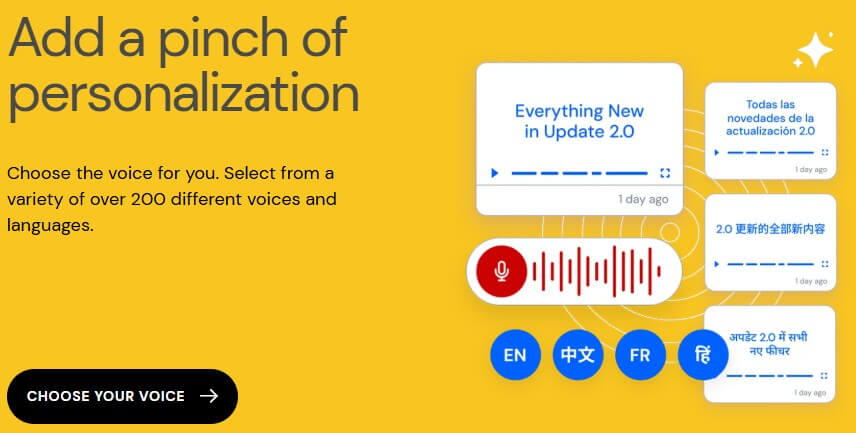
| Multi-Language Support | Guidde’s help center says it supports over 50 languages and hundreds of natural-sounding voices. |
| Advanced Editor | Lets users adjust scripts, audio, design, and interactive elements. |
| Smart Sharing | Supports sharing and exporting guides across teams, users, and business workflows. |
The combination matters more than any single feature. A screen recording without editing still takes work. A script without visuals is not enough. A voiceover without a clear structure can feel flat. Guidde’s strength is that it connects capture, writing, narration, editing, and distribution into one workflow.
Guidde’s workflow is designed for people who know the process they want to explain but do not want to become video editors. The user records a workflow, stops the capture, and lets the AI generate a draft guide. From there, the creator can edit the script, refine the visuals, adjust audio, and share the result.
The help center describes Guidde’s browser extension as a way to start creating step-by-step guides from the browser, while public pages also reference desktop capture for documenting software beyond web apps.
That flexibility matters. Many documentation tools are strong only inside browser-based products. Guidde is more useful if your team documents both web apps and desktop workflows.
The learning curve should be much lower than traditional video production. Users do not have to plan every transition, record a clean voiceover, write narration from scratch, or manually crop every step. That does not mean there is no editing. It means the first draft arrives much faster.
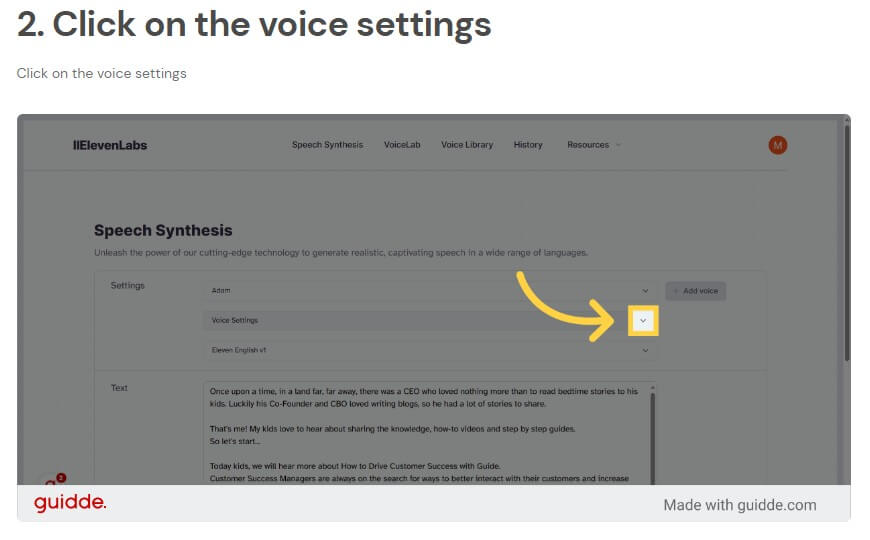
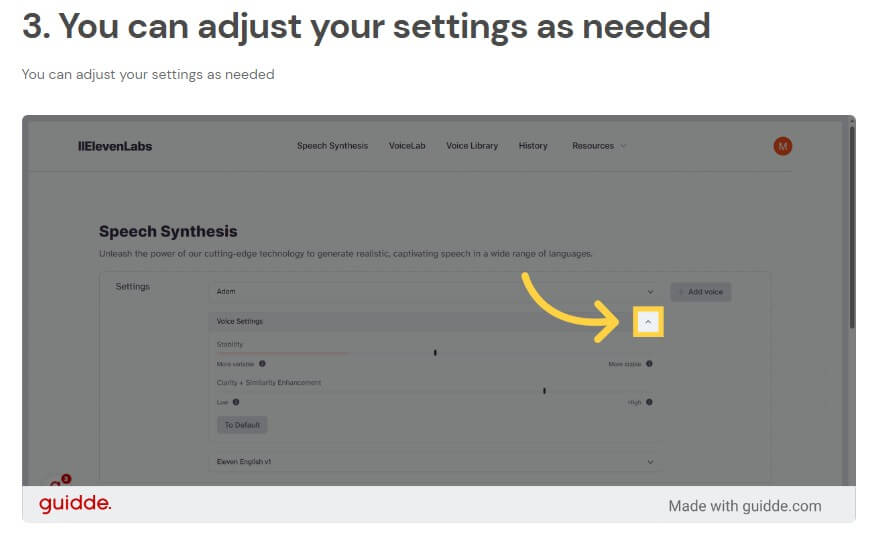
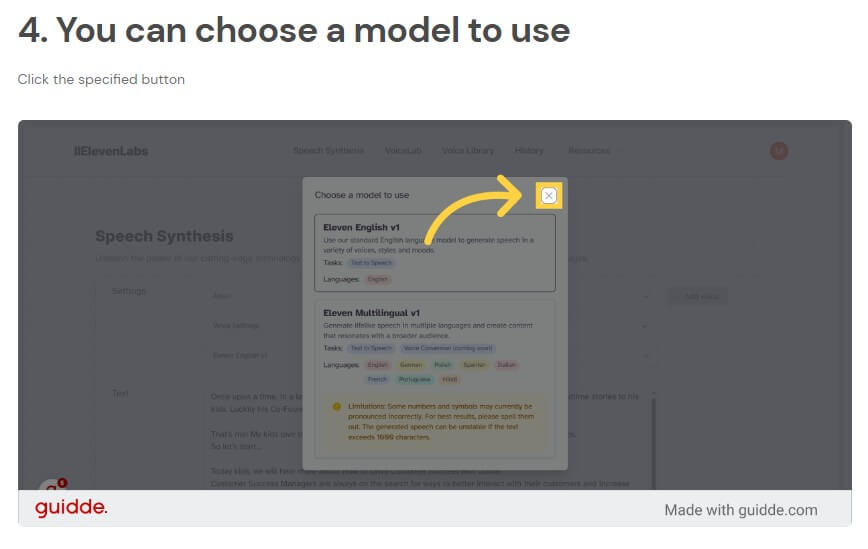
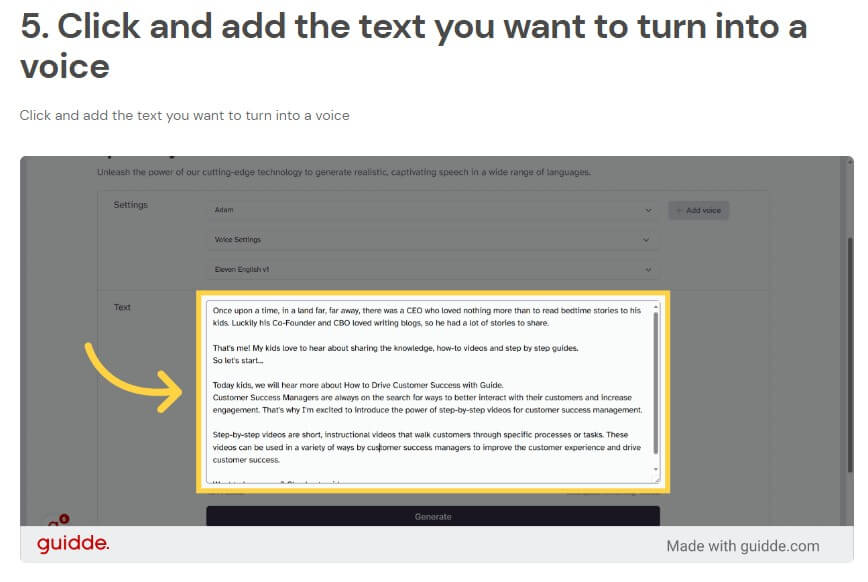
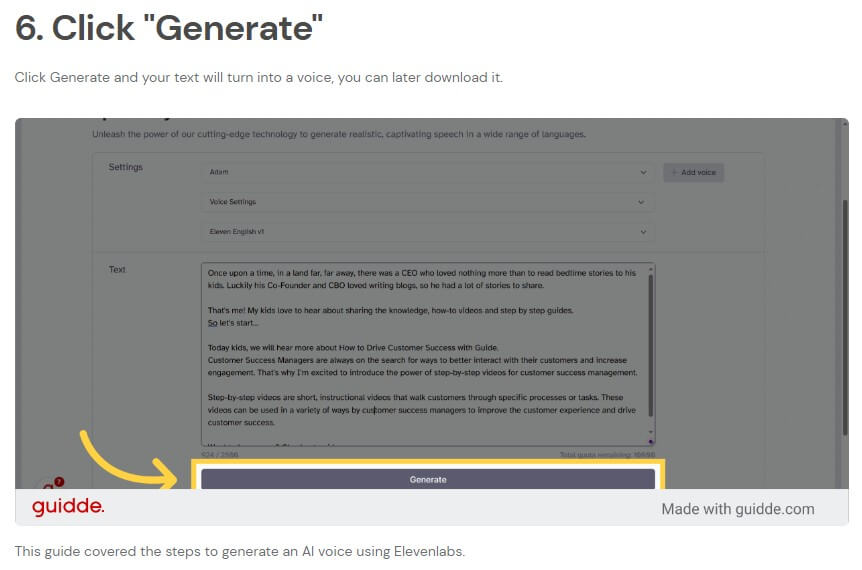
Guidde’s output is strongest when the recorded workflow is clean. If the creator clicks through a process in a logical order, the AI has a better chance of producing a clear guide. If the recording includes mistakes, backtracking, unnecessary pauses, or unclear navigation, the guide will need more editing.
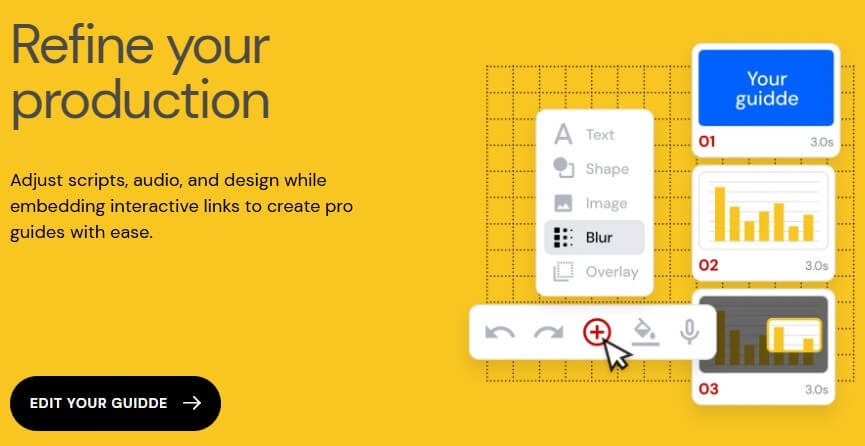
The editor is important because AI-generated guides should not be published blindly. Product names, button labels, step descriptions, warnings, and support instructions need to be checked. The homepage says users can refine scripts, audio, design, and interactive links inside the editor.
This is where Guidde is better than a basic recorder. You are not stuck with one long video file. You can shape the guide after capture, which is useful when the content needs to match brand standards or support documentation rules.
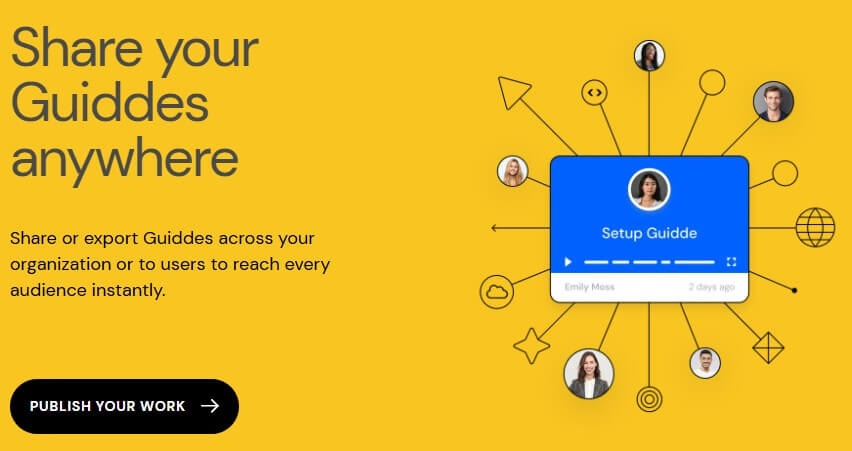
Documentation is only useful if people can find it. Guidde’s smart sharing layer is one of the more important parts of the product because video guides often need to live in many places: a help center, onboarding email, internal wiki, LMS, CRM note, Slack thread, or support reply.
Guidde’s public pages mention sharing and exporting guides across organizations and to users. Some official content also references integrations with tools such as Zendesk, Freshdesk, Salesforce, HubSpot, Confluence, and Slack.
That matters for customer-facing teams. A guide hidden in a folder will not reduce support work. A guide embedded where customers already look for help can.
Guidde is a strong fit for customer onboarding, product tutorials, help center articles, feature release walkthroughs, internal SOPs, employee training, sales enablement, and support replies.
For customer success teams, it can create short walkthroughs for setup flows, account configuration, reporting tools, integrations, and admin tasks. For support teams, it can turn common tickets into reusable visual answers. For product marketers, it can help explain new features without waiting for a full video production cycle. For internal teams, it can document recurring operations like CRM updates, billing workflows, HR systems, or software handoffs.
It is less useful for abstract strategy content, live presentation coaching, narrative video, brand films, or courses that need heavy storytelling.
- Record the workflow slowly and cleanly. AI can help structure the guide, but it cannot fully fix a messy process.
- Keep guides short. One guide should explain one task. A five-step answer is easier to use than a long video covering every related feature.
- Review the generated script before sharing. The AI may describe the action correctly but miss your company’s preferred wording.
- Use voiceover for guides that need a human-feeling explanation. Use text-heavy steps for users who prefer quick scanning.
- Update guides when the product UI changes. Video documentation loses trust fast when the screen no longer matches the current product.
Guidde’s main limitation is that it depends on the quality of the captured workflow. The tool can generate structure, but it still needs a good recording and a user who understands the process.
The second trade-off is editorial control. Guidde makes video documentation faster, but teams still need review rules for customer-facing guides. Incorrect steps, outdated screens, or unclear language can create more confusion than no guide at all.
The third limitation is format fit. Guidde is excellent for showing software steps. It is not the best tool for deep written documentation, policy manuals, technical API references, or highly produced training films.
Guidde is best for teams that need to turn software workflows into clear video documentation without relying on video editors or long production cycles. Its strongest value is the full workflow: capture, AI-generated scripting, voiceover, editing, branding, and sharing. It is a strong fit for support, customer success, product education, onboarding, and internal training. The main caveat is that it still needs human review. Guidde can create the guide quickly, but the team must make sure the instructions are accurate, current, and useful.
TAGS: Productivity
Related Tools:
Helps you write, summarize, and manage emails

Automatically tracks tasks and facilitates goal setting

AI-powered note-taking tool

Deploys AI agents for a variety of tasks
Customer support tool that streamlines team collaboration

Transforms ideas into professional designs