

Share this tool:
 |
Description:
Mem AI is an AI-powered notes and knowledge workspace for people who want to save ideas quickly without spending half their time filing, tagging, and reorganizing them. Its main promise is not fancy document design. It is memory: capture information now, let Mem connect it, then ask for it later when you need context.
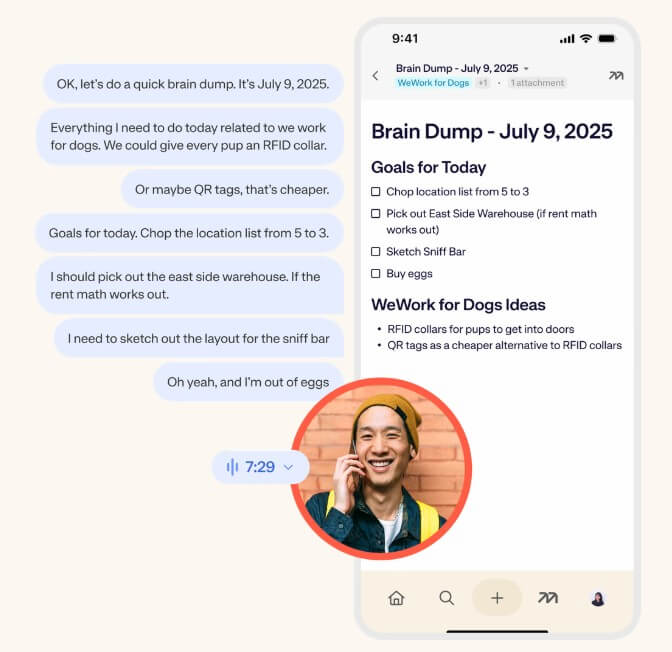
Turn brain dumps, meetings, or reminders into structured notes with audio and transcript attached.
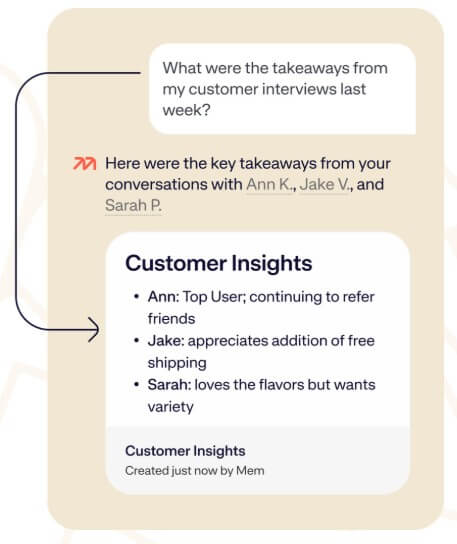
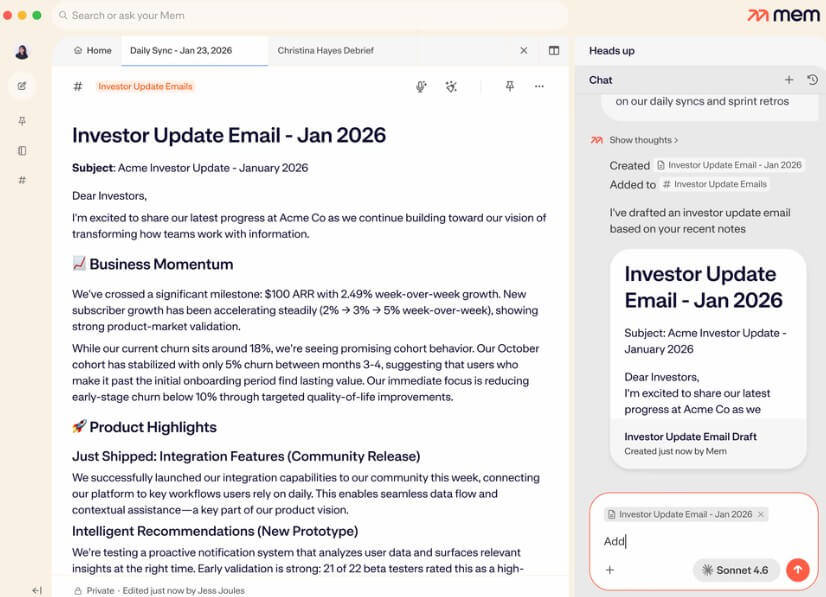
Ask questions across your notes, summarize information, reorganize content, or pull details from what you have saved.
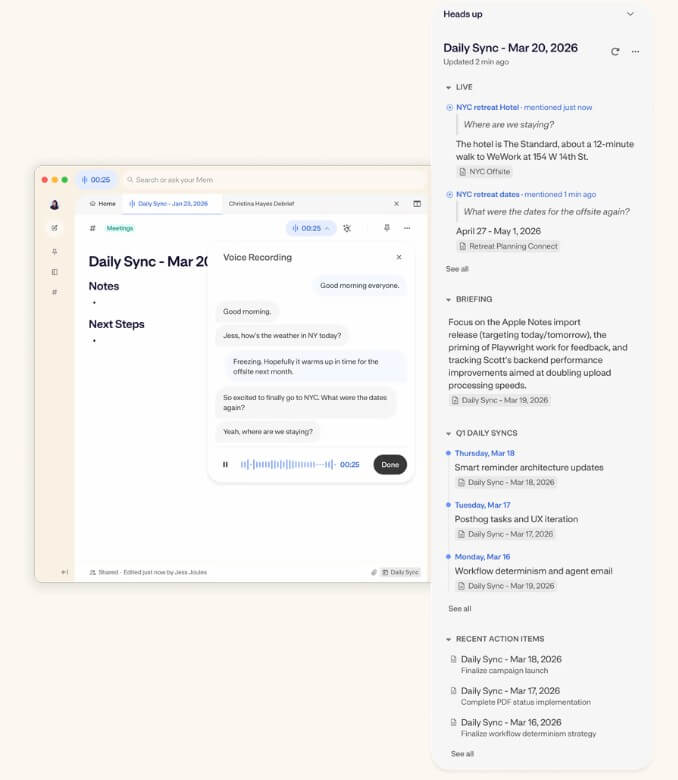
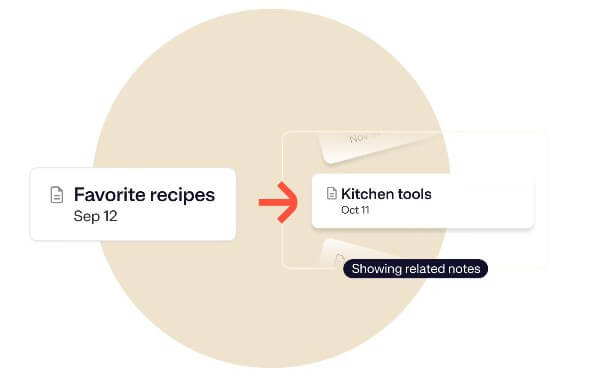
Surface related notes, timelines, collections, decisions, and prior context while you work.
Find information even when you do not remember the exact title or keywords.
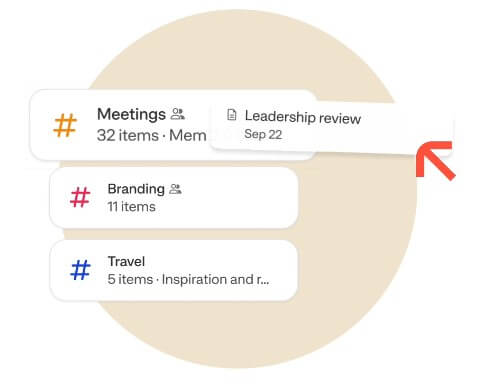
Group notes flexibly, with one note able to live in multiple Collections. Mem can also help organize notes for you.
Save full webpages, selected passages, YouTube videos, and summaries into your Mem workspace.
Mem is best described as a self-organizing notes app with AI search, voice capture, meeting notes, web clipping, and contextual recall built in. The help center describes Mem as an “AI Thought Partner” that captures ideas, meetings, and research, then brings them back when needed. That positioning is useful because Mem is not only a blank writing space. It is trying to be a working memory layer for your personal or team knowledge.
The key difference from a normal notes app is how much Mem tries to reduce manual organization. You can still use Collections, pinned notes, templates, sharing, and structured notes, but the product’s stronger idea is that you should be able to capture first and clean up later. Mem Chat, Deep Search, Heads Up, Voice Mode, and the Chrome Extension all support that same pattern.
Mem is strongest for people who collect information from many places: meetings, calls, articles, quick thoughts, project notes, interview notes, client details, research snippets, and personal reminders. In a traditional note system, that kind of input gets messy fast. Folders become stale. Tags are forgotten. Search only works if you remember the exact wording.
Mem’s better use case is fuzzy recall. The help center says Deep Search can retrieve ideas even from a vague memory, and Mem Chat can answer questions, summarize notes, or reorganize information. That makes Mem useful when you remember the idea but not where you wrote it.
This is also where Mem feels more practical than a pure writing app. It is not just where you write notes. It is where those notes can become useful again.
Mem’s workflow is built around fast capture. You can type a note, use Voice Mode, save text or links, forward content by email, clip from the browser, or use templates for recurring note types. The help center also says Mem works offline and syncs across iOS, Mac, Windows, and Web, which matters for a notes app because capture often happens away from your main desk.

The Chrome Extension is a strong part of the workflow. It can save an entire page, clip selected text, summarize an article, pull key points from a YouTube video, add context, and file the result into a Collection or note. That turns browsing into a direct capture flow instead of a copy-paste routine.
The learning curve is not about buttons. It is about trust. Users coming from Notion, Obsidian, Evernote, or OneNote may be used to controlling the structure themselves. Mem asks you to rely more on search, related context, AI organization, and automatic resurfacing. That can feel freeing, but it may also feel uncomfortable if you like precise folders and highly designed workspaces.
Meeting capture is one of Mem’s strongest workflows. The meeting guide describes a process where Voice Mode captures audio, transcript, and structured notes; Heads Up shows past context and decisions; Chat helps generate agendas or synthesize notes; and Collections keep related meetings grouped by project, team, or client.
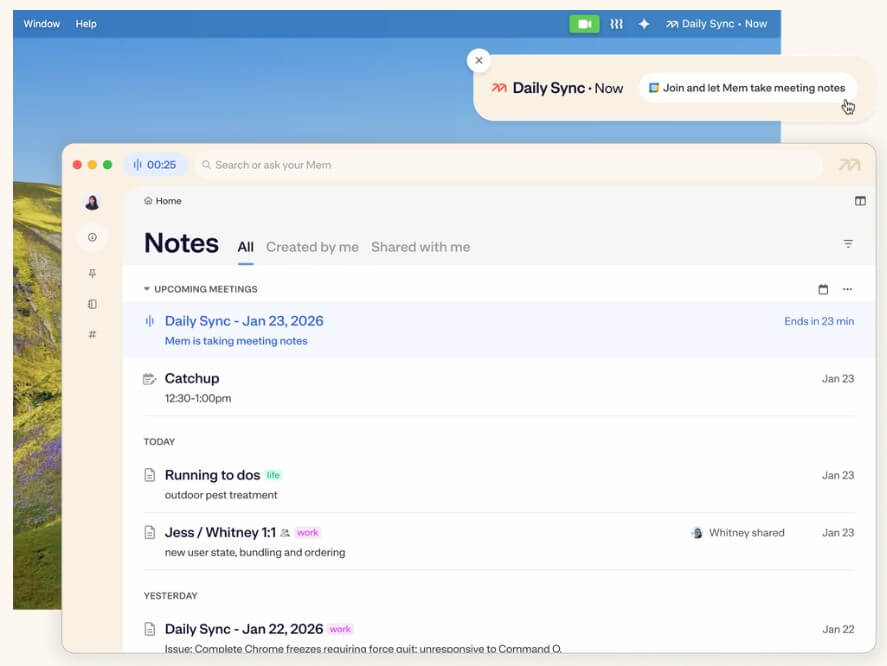
That combination is useful because meeting notes are not valuable only at the end of a call. They become more valuable before the next call, when you need to remember what was decided, what was promised, and what still needs attention. Mem’s Heads Up idea fits that problem well. Instead of making you search through old notes manually, it tries to bring related context into view.
Mem is available on Mac, Windows, iOS, and Web. The help center says Android is not yet available and gives no timeline. It also says English is officially supported across features such as Voice Mode, Deep Search, Chat, and Copilot, while other languages may work but are not officially supported.
There is also a login limitation worth noting: the help center says Mem currently supports logging in with a Google account. That may be fine for many users, but it matters for people who prefer email-only login, Apple-first identity, or stricter workplace identity rules.
Mem is a strong fit for founders, consultants, researchers, writers, students, executives, and team leads who need to remember details across many conversations and sources. It is especially useful for people who frequently ask, “Where did I write that down?”
It works well for meeting notes, client context, interview notes, research libraries, project memory, personal knowledge management, idea capture, and lightweight team knowledge. The shared workspace angle is helpful for teams that want decisions, notes, and context to be searchable across people, not trapped in private notebooks. Mem’s collaboration use case emphasizes natural language search across a shared workspace so teammates can find notes, decisions, and context without knowing the exact title.
Mem’s biggest limitation is that its strength depends on your willingness to use it as a trusted capture system. If you only add notes occasionally, the AI layer has less useful context to work with. The product gets better when more of your thinking, meetings, and research live inside it.
The second trade-off is control. People who love deep folder systems, custom databases, visual dashboards, and highly structured knowledge bases may prefer Notion, Obsidian, or a more manual setup. Mem is more about capture, recall, and resurfacing than building a perfectly arranged workspace.
The third issue is data sensitivity. Mem says it does not sell user data and does not use personal information, notes, or third-party information to train generalized AI or ML models. It also says Mem is SOC 2 Type II compliant and encrypts user content in transit and at rest, with content only unencrypted for AI processing with trusted vendors. Those are useful trust signals, but users handling confidential material should still review their own policies before saving sensitive notes.
Mem AI is best for people who want a notes app that behaves more like a memory system than a filing cabinet. Its strongest features are fast capture, voice notes, AI search, contextual resurfacing, meeting recall, and automatic organization.
It is a strong choice for knowledge workers who save a lot and need to find it later. The main caveat is that Mem works best when you trust its AI-assisted structure, not when you want total manual control over every part of your workspace.
TAGS: Productivity
Related Tools:

Organizes your inbox and drafts personalized replies

Helps teams document access internal information
Simplifies creation of visual content for marketing

Turns data, text, and visuals into dynamic spreadsheets

Deploys AI agents for a variety of tasks

Designed to enhance learning and productivity