

Share this tool:
 |
Description:
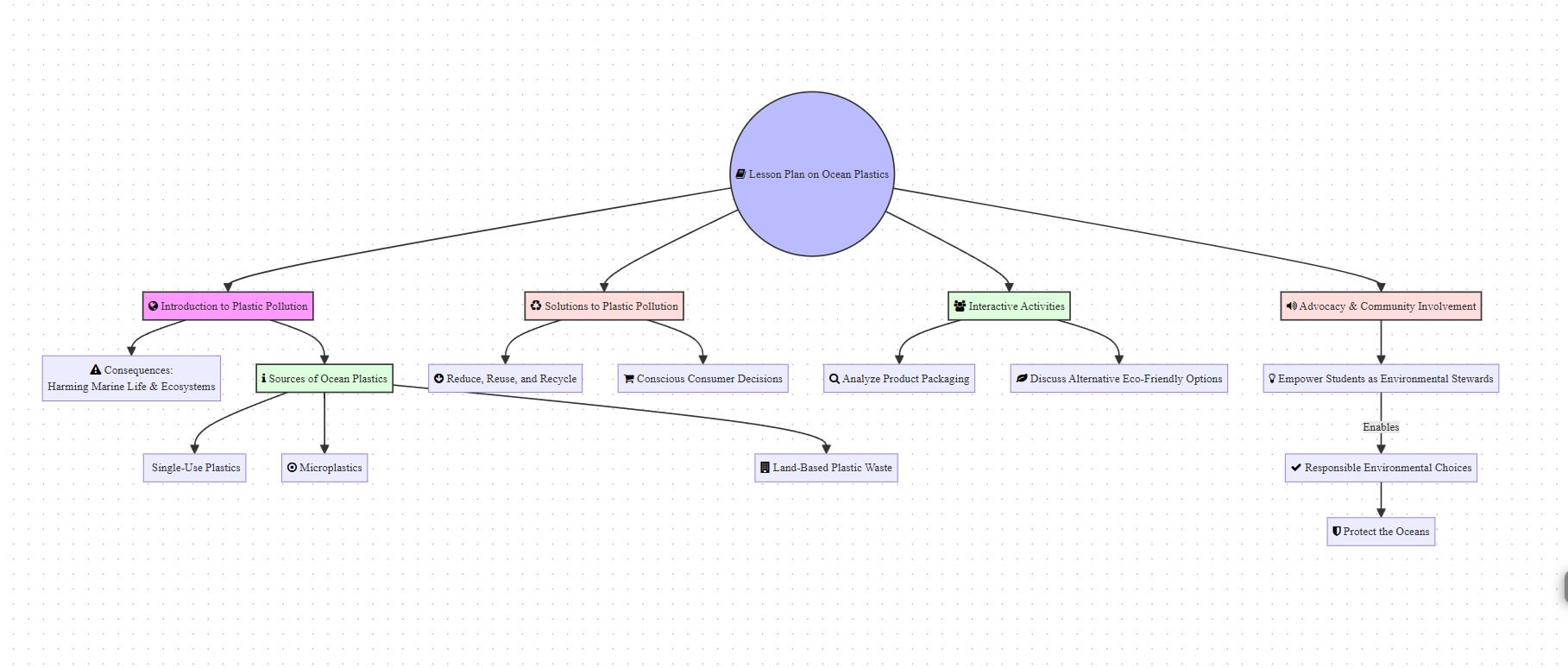
Map This is an AI mind-mapping tool built around a simple promise: give it source material, and it turns that material into a visual map. Instead of reading a long PDF, scanning messy notes, or building a mind map by hand, you can upload or paste content and let the tool organize the main ideas into branches.
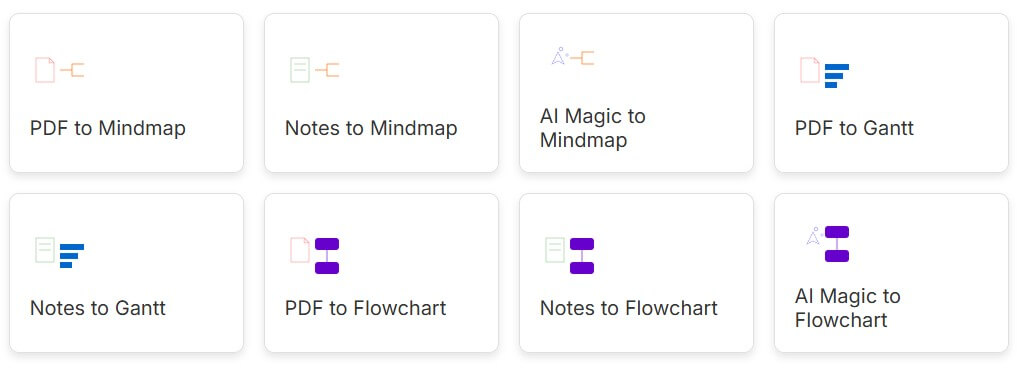
| Feature | What it does | Why it matters |
|---|---|---|
| PDF to Mind Map | Converts PDF content into a visual mind map | Best for study, research, and document review |
| Notes to Mind Map | Turns pasted notes into branches | Useful for reorganizing rough material |
| AI Prompt to Mind Map | Creates a map from a topic or instruction | Helpful when you need a starting structure |
| Save and Share | Lets users keep or distribute created maps | Useful for study groups, classrooms, and team reviews |
| Visual Output | Presents ideas as a branching map | Easier to scan than a long linear summary |
The important feature is not only generation. It is the format. Map This gives users a visual structure first, which is different from tools that only produce paragraph summaries.
Map This is not a general note-taking app or a full whiteboard workspace. It is more focused than that. Its core workflow is PDF-to-mind-map conversion, with support for pasted notes and AI-prompt-based map generation. The official site describes the process in three steps: upload a PDF, paste notes, or use an AI prompt; generate a mind map; then save or share the result.
That makes the tool easy to understand. It takes information that may be too long or too linear, then turns it into a structure you can scan. For students, researchers, teachers, and busy professionals, the appeal is obvious. A mind map can show the relationship between topics faster than a wall of text.
The best way to think about Map This is as a visual summarizer. It does not replace careful reading, but it can make the first pass faster. It helps you see the shape of a document before you spend time inside every paragraph.
Map This is strongest when the source material already has a clear structure. A textbook chapter, lecture notes, explainer PDF, training document, research summary, business brief, or study guide will usually map better than a loose, conversational document.
The tool is especially useful for turning dense material into a first overview. Instead of starting with page one and working line by line, you can begin with the big branches: main topic, supporting ideas, subtopics, and related details.
That matters for learning. A standard summary tells you what a document says. A mind map shows how the ideas connect. For many people, that makes complex material easier to review later.
The workflow is direct. You start with a document, notes, or a prompt. Map This then generates the map. After that, you can use the output as a study aid, planning document, review sheet, or discussion starter.
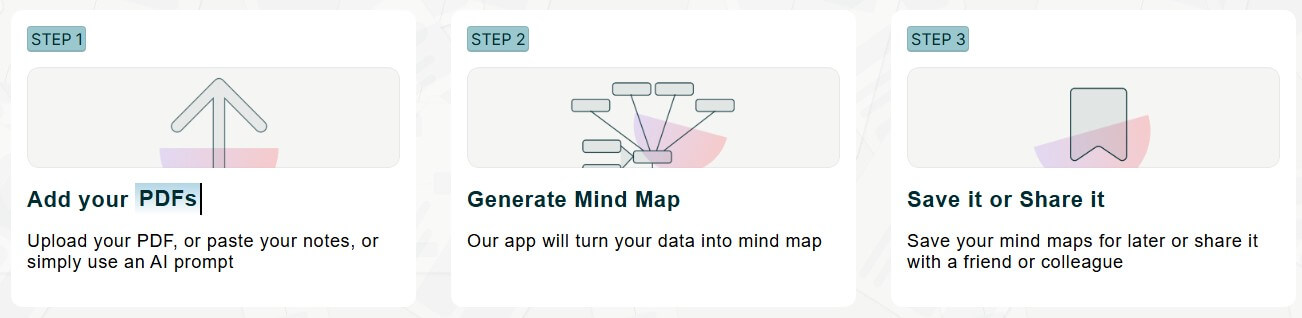
This is a low-friction workflow, which is part of the appeal. Traditional mind mapping takes time. You have to read the content, choose the central topic, identify the main branches, add supporting ideas, and keep the layout readable. Map This compresses that process into a faster first draft.
The trade-off is control. When AI builds the structure for you, it also makes decisions about what matters most. That can be useful, but it means the first map should be reviewed. You may need to adjust labels, remove weak branches, or add missing context before relying on it.
PDF conversion is the clearest reason to use Map This. Many study and work materials still come as PDFs: reports, slides, white papers, class readings, manuals, policy documents, and research papers. These files are often hard to absorb quickly because they are built for reading, not visual scanning.
Map This helps by pulling the content into a hierarchy. A good generated map can show the core topic, the major sections, and the supporting details without forcing you to read the entire document first.
This is useful when you need to decide whether a document is worth deeper reading. It is also useful when reviewing material you already read, because the mind map can act as a memory trigger.
The limitation is that PDFs vary a lot. Clean text-based PDFs are easier for AI tools to process. Scanned documents, image-heavy PDFs, tables, diagrams, footnotes, and poorly formatted files can be harder. Map This may still help, but the output depends on the clarity of the input.
Map This also supports pasted notes and AI prompts as starting points. The official site mentions both options alongside PDF upload.
Notes-to-map is useful when your material is messy but already written down. For example, you may have meeting notes, class notes, copied research points, or a rough outline. Turning that into a map can reveal gaps and repeated ideas.
Prompt-to-map is different. Instead of transforming existing material, it creates a structure from an instruction. That is useful for brainstorming, planning a lesson, preparing a presentation outline, or building a study framework around a topic.
Still, prompting is not the main reason to choose Map This. Many general AI tools can make an outline from a prompt. Map This becomes more useful when you want that outline as a visual map rather than plain text.
Map This works best for students who need to review chapters, lecture notes, and study PDFs. It can turn a long reading into a study map that is easier to revisit before an exam.
It is also useful for teachers and trainers. A course handout, lesson topic, or training module can become a visual overview that helps learners understand the structure before going into details.
Researchers can use it for first-pass document review. It will not replace close reading, but it can help screen papers, reports, and background material faster.
Professionals can use it for business documents, onboarding material, internal guides, and planning notes. The value is highest when the goal is understanding structure, not producing polished design work.
- Start with clean source material. A well-structured PDF or organized notes will usually produce a better mind map than a cluttered file.
- Use the map as a first draft. Treat it as an editable thinking aid, not a finished authority.
- For study, compare the mind map against the source. This helps catch missing points and strengthens memory.
- For work, keep the map focused. A crowded mind map can become as hard to read as the original document.
- Use prompt-based maps when you need a starting outline, but use PDF or notes input when accuracy to source material matters more.
Map This is useful, but it has natural limits.
The biggest one is interpretation. AI-generated maps can oversimplify, merge ideas that should stay separate, or miss details that matter. That is not unique to Map This. It is a common issue with summarization tools.
It is also less suited to documents where meaning depends heavily on charts, formulas, legal wording, page layout, images, or visual examples. A mind map can summarize concepts, but it may not preserve evidence, nuance, or formatting.
Another limitation is depth. A mind map is great for overview and review, but not always enough for serious analysis. For technical, legal, medical, or academic work, users should still return to the original source.
Map This is a focused AI tool for turning PDFs, notes, and prompts into visual mind maps. Its strongest value is speed: it helps users move from long material to a structured overview without building the map manually. It is best for students, educators, researchers, and professionals who need to understand or review information faster. The main caveat is that the generated map should be checked against the source, especially when accuracy and detail matter.
TAGS: Productivity
Related Tools:

Streamlines the grading process for educators

Organizes your inbox and drafts personalized replies

Provides adaptive teaching methods
Helps users explore biomedical and life sciences research
Helps you capture ideas with sticky notes

AI meeting assistant that tracks participation