
Share this tool:
 |
Description:
Kolva is an AI-powered work management platform built around one practical idea: tasks, documents, meetings, notes, and AI help should live in the same place. It is not just a task manager, and it is not only a meeting transcription tool. The stronger pitch is a unified workspace where AI can help organize work, search knowledge, extract action items, summarize meetings, and turn scattered context into usable next steps.

Kolva describes itself as an AI-powered work operating system for managing tasks, documents, and meetings in one place. The platform is organized around sections such as Dashboard, Workspace, All Tasks, AI Assistant, Knowledge, and Meetings. That structure gives Kolva a broader role than a normal to-do list app. It is trying to become the operating layer for the work around your tasks, not just the place where tasks are stored.
The main workflow starts with a canvas-based workspace. You can organize tasks, notes, documents, meeting references, and AI chat nodes visually, more like a digital desk than a flat task list. This matters because many productivity tools force everything into lists. Kolva gives users a spatial way to group related work, connect dependencies, and keep reference material close to the task that needs it.
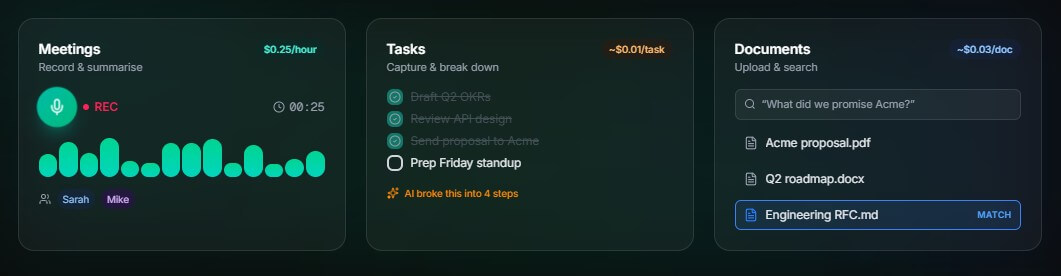
Kolva is strongest when your work is spread across too many places: meeting notes in one app, documents in folders, tasks in another app, and AI conversations somewhere else. The product’s best idea is connection. Tasks can link to documents. Meetings can create tasks. Documents can be searched with AI. The workspace can hold references to all of it.
This makes Kolva most useful for people who need to keep context attached to execution: founders, consultants, product managers, solo operators, developers, researchers, and small teams. If your main problem is “I know I had that note somewhere,” or “What did we agree to do after that meeting?” Kolva’s connected workspace makes sense.
| Feature | What it means in practice |
|---|---|
| AI Workspace | Type inline AI requests, create tasks, reference documents, and search knowledge without leaving the writing flow. |
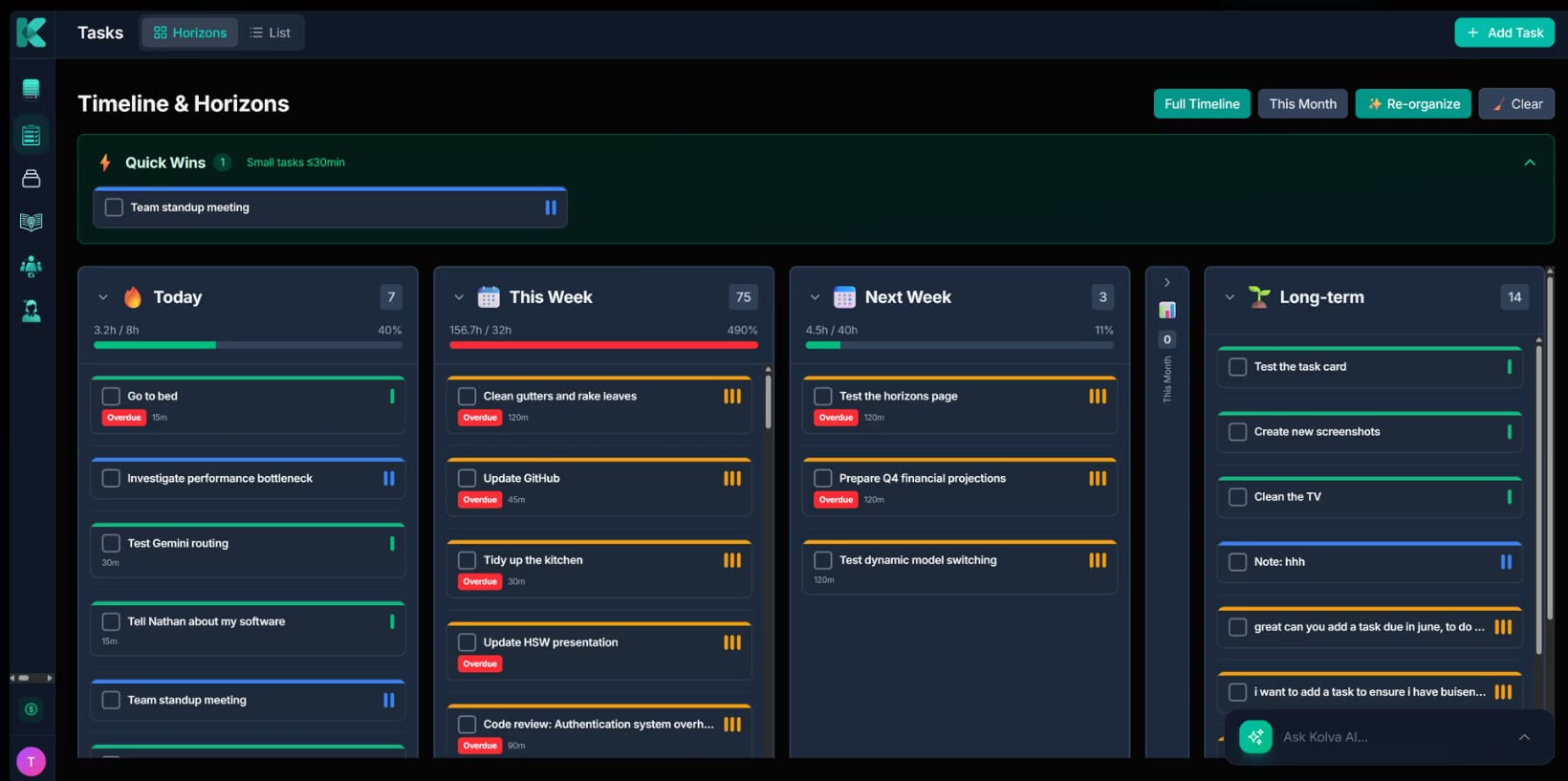
| Tasks and Horizons | Organize work by time horizon such as Today, This Week, This Month, This Quarter, and Backlog. |
| AI Assistant | Use command bar, AI chat, inline @ai, quick actions, and workspace AI nodes for task and knowledge help. |
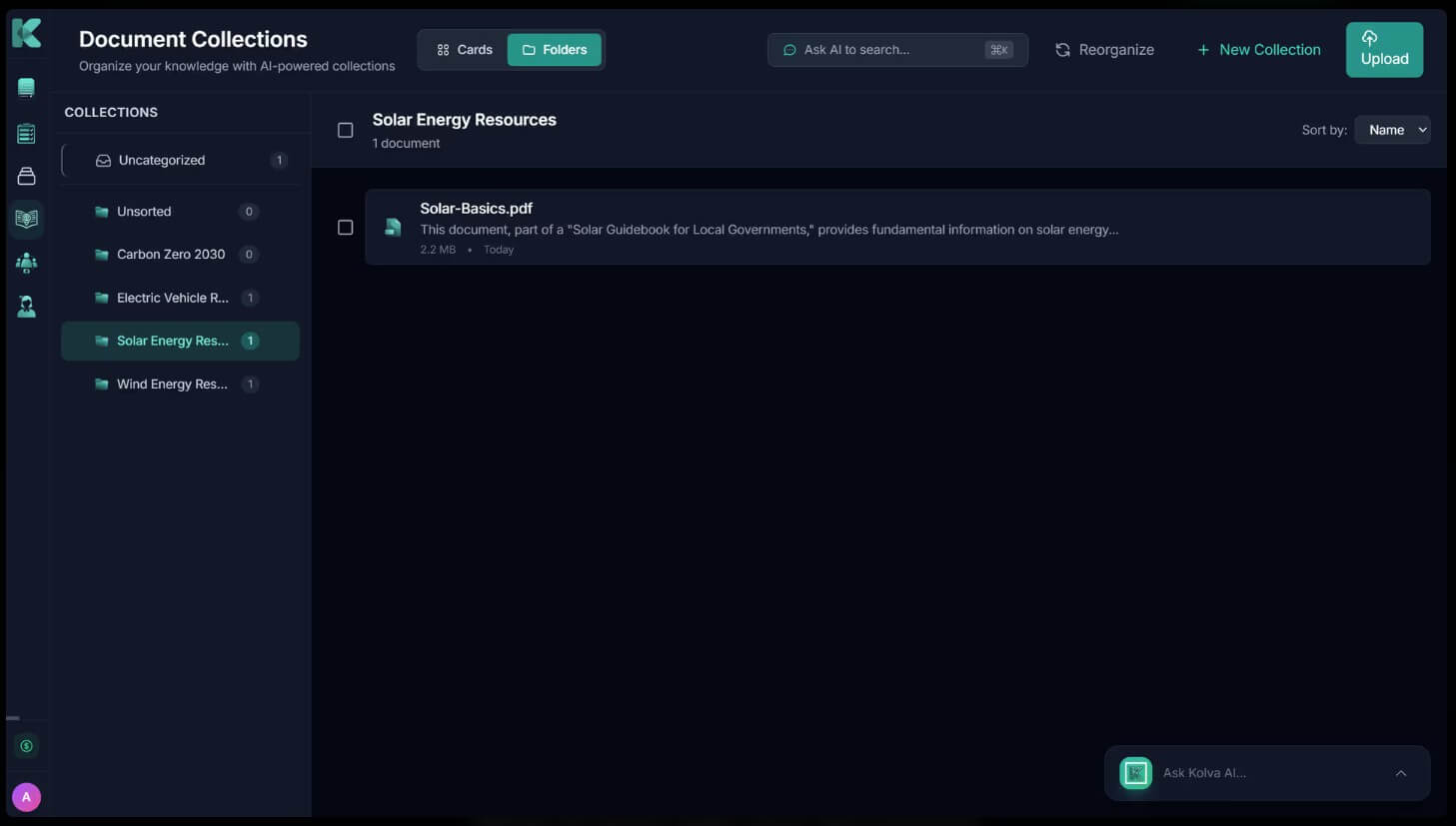
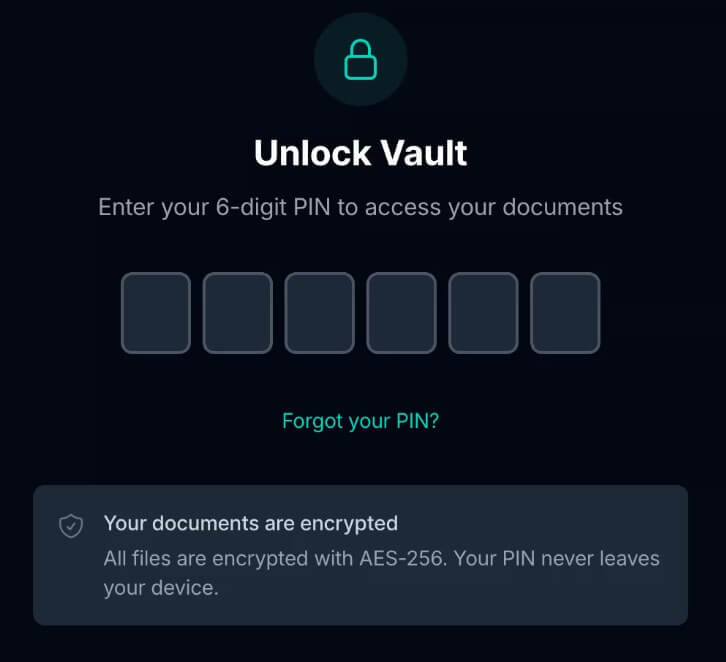
| Document Intelligence | Upload files, organize collections, search semantically, summarize documents, and ask questions with source citations. |
| Meeting Intelligence | Record or upload meetings, generate transcripts, detect speakers, summarize, extract tasks, and create reports. |
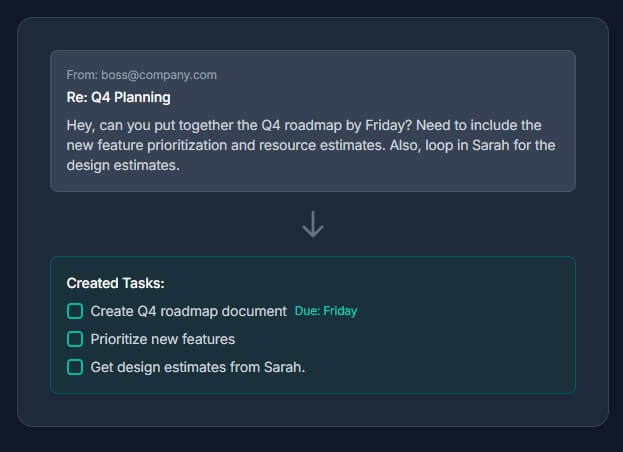
| Email and Claude integrations | Forward emails into Kolva to extract tasks, or manage Kolva from Claude through MCP integration. |
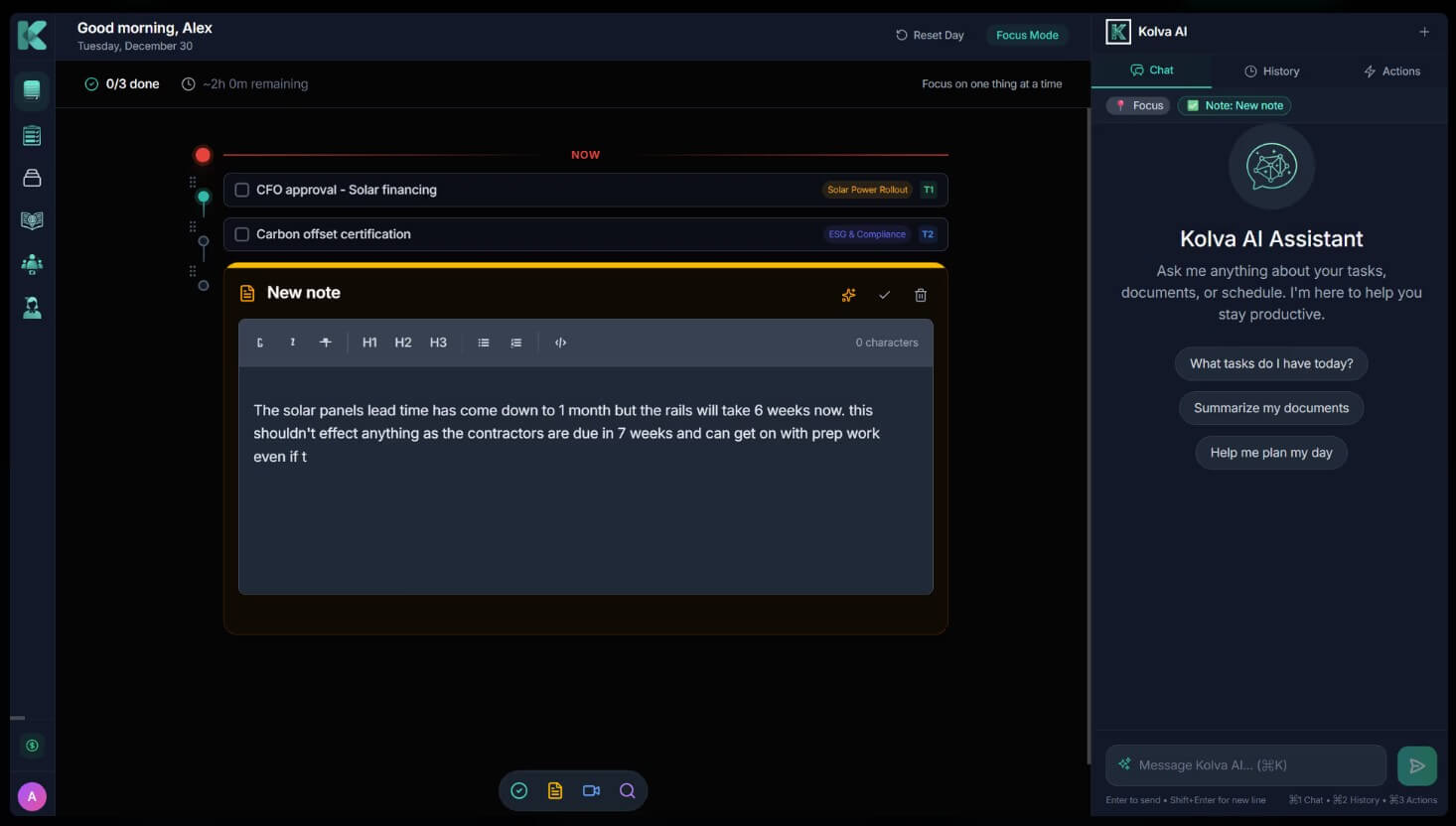
The AI Workspace is the most distinctive part of Kolva. It is keyboard-first and built around typing actions directly into your work area. You can use @ai to ask questions inline, / for slash commands, [[ ]] to reference documents, tasks, and meetings, and tags or mentions to keep work organized. Kolva’s documentation frames this as AI embedded in the writing flow, not a separate chat window that pulls you away from the task.
That design is useful because productivity work is often interrupted by small context switches. You write a note, then search for a document, then create a task, then ask AI to summarize something, then return to the note. Kolva tries to collapse those actions into one surface. The result should feel faster for keyboard-heavy users, though it may take some time for mouse-first users to learn the shortcuts.
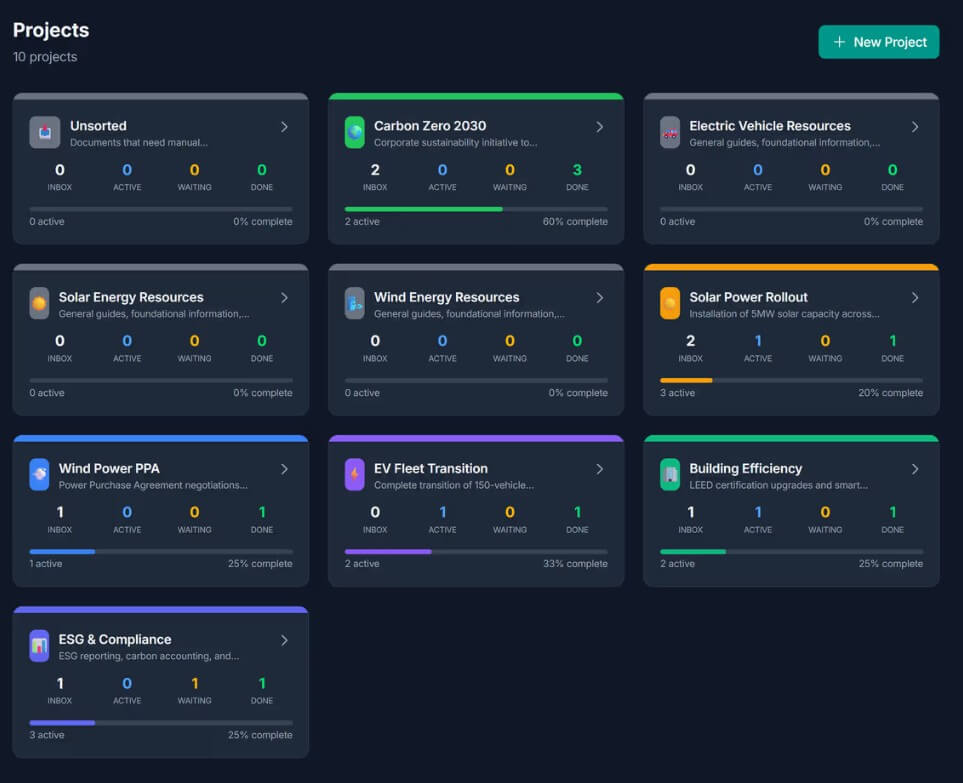
Kolva’s task system is built around “Horizons,” which separate work by when you intend to do it. Today is for immediate work. This Week and This Month handle near-term planning. This Quarter and Backlog help keep larger goals and loose ideas from cluttering the daily view.
The task model is deeper than a simple title and checkbox. Tasks can include status, priority, effort level, due date, assignee, tags, project, dependencies, progress, stakeholders, and a rich text description. Kolva also supports natural-language task creation, such as adding a deadline or priority directly in the task text.
The AI layer makes the system more useful. Kolva can suggest project assignments, detect dependencies, estimate effort, recommend priorities, break large tasks into subtasks, and help organize tasks into the right horizon. That is where the product moves beyond storage. It starts nudging users toward clearer planning.
Kolva’s Knowledge section turns uploaded files into searchable context. It supports common file types including PDFs, Word files, spreadsheets, presentations, images, plain text, and ZIP archives. It also includes OCR for scanned pages and images, which is helpful for mixed document collections.
The stronger feature is semantic search. Instead of only matching keywords, Kolva uses retrieval-augmented generation to find relevant passages across documents, then synthesize answers with source citations. That is useful for research notes, client files, internal policies, product docs, meeting packets, and project archives.
The practical value is not just “ask questions about a PDF.” It is being able to connect that answer back to work. Kolva can extract tasks from documents, link those tasks back to source material, and attach documents to tasks, meetings, or workspace nodes.
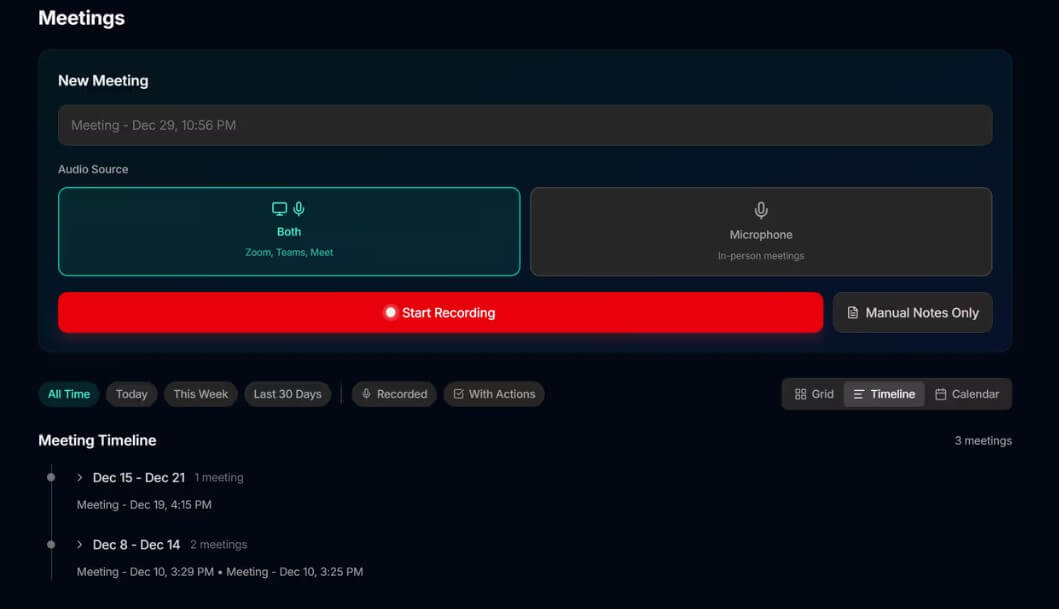
Kolva also handles meeting recording and analysis. Users can create meeting notes, take structured notes, record audio, upload audio files, generate transcripts, identify speakers, and extract action items. The meeting tools support templates such as standups, 1:1s, project reviews, brainstorms, and custom formats.
The more interesting layer is meeting intelligence. Kolva can generate a headline, sentiment analysis, key topics, discussion flow, decisions, outcomes, and task suggestions. It can also detect recurring meeting series and show how topics evolve across sessions.
That is useful for teams that lose decisions after calls. A meeting transcript is helpful, but a transcript alone can become another document no one reads. Kolva’s better use case is turning the meeting into tasks, decisions, and follow-up context.
Kolva works best for solo professionals and small teams that need one place for planning, documents, and meetings.
It is a good fit for product work, where tasks, specs, meeting decisions, and roadmaps need to stay connected.
It also suits consultants and client-service teams that manage notes, proposals, calls, documents, and follow-ups across several projects.
Researchers, writers, and operators may benefit from the document search and AI workspace, especially when work depends on finding the right source quickly.
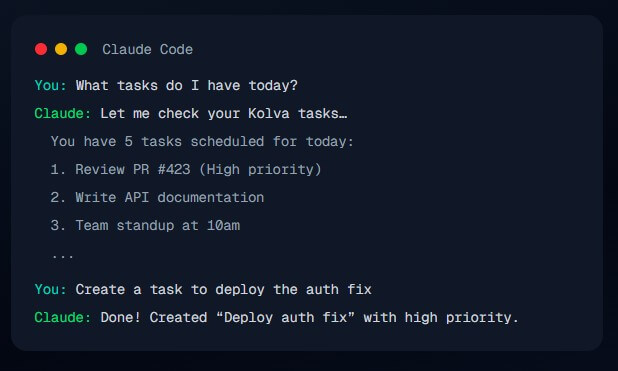
Developers may like the Claude MCP integration if they want to check tasks, create tasks, search documents, or review meeting summaries without leaving a coding environment.
Kolva’s biggest strength is also its main risk: it does a lot. Tasks, documents, meetings, workspace nodes, AI chat, search, transcription, and integrations are all useful, but new users may need time to understand where each piece belongs.
The second trade-off is that the best experience depends on good organization. If documents are poorly named, meetings are not labeled well, and tasks are vague, AI search and task suggestions will be less useful. Kolva can help clean things up, but it cannot fully replace thoughtful information hygiene.
The third limitation is fit. If all you need is a basic checklist, Kolva may feel heavier than necessary. If you need enterprise project management with advanced reporting, permissions, resource planning, and mature team governance, Kolva may not replace a dedicated project management suite.
Kolva is best for people who want their work context and execution layer in one place. Its strongest features are the AI Workspace, time-based task horizons, document Q&A, meeting intelligence, task extraction, and connected references across notes, files, meetings, and tasks. It is a good fit for knowledge workers, founders, consultants, product teams, and solo operators who want less app-switching and more connected follow-through. The main caveat is that Kolva rewards users who are willing to organize their work inside its system; casual checklist users may not need this much structure.
TAGS: Productivity
Related Tools:
Enhances digital note-taking and sketching

Quickly create and collaborate on UI designs

Quickly summarizes lengthy text by extracting key points

Summarizes meetings to help teams capture key information

Email tool that summarizes long threads and offers smart reply

Helps users manage, compose, and respond to emails