

Share this tool:
 |
Description:
Fellow AI is an AI meeting assistant built around the full meeting cycle: prepare the agenda, record the conversation, generate notes, identify action items, and keep the follow-up work connected to the rest of the team’s tools. It is not just a transcript generator. Its stronger pitch is that it turns meetings into a structured operating system for teams that want better preparation, cleaner records, and more accountability after the call.
Fellow combines an AI notetaker with collaborative meeting notes. Every calendar event can have a linked meeting note where teams prepare agendas, add talking points, take shared notes, and track action items. After the meeting, Fellow can record, transcribe, summarize, and organize the key details into a usable recap.
That makes it different from lighter meeting bots that only join a call and send a summary afterward. Fellow is more of a meeting workspace. The note exists before the meeting starts, continues during the discussion, and becomes the place where the transcript, AI recap, decisions, and tasks live after the meeting ends.
This matters for managers and team leads. A plain AI summary helps you remember what happened. Fellow is better when you want to shape the meeting before it happens and make sure the work that comes out of it does not disappear.
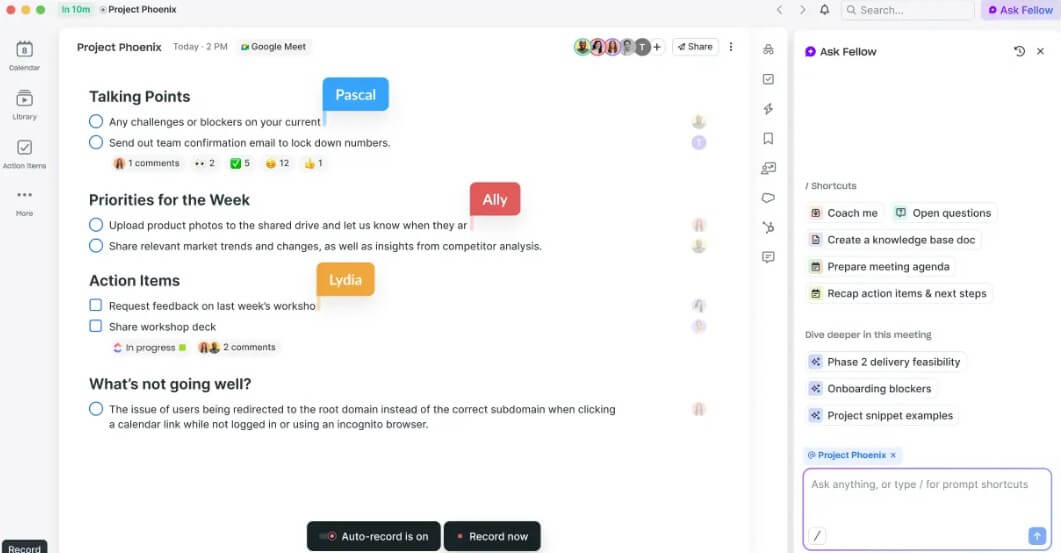
Fellow is strongest for teams with recurring meetings: one-on-ones, leadership meetings, project syncs, sales calls, customer check-ins, hiring panels, and cross-functional updates. These are the meetings where agenda discipline and follow-through matter as much as the transcript.
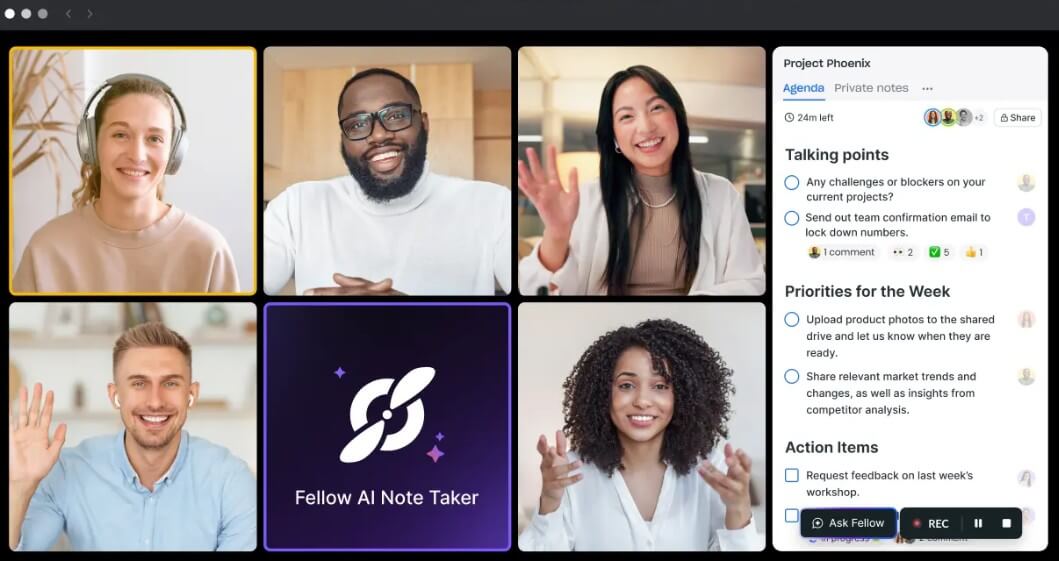
The platform supports major video meeting platforms, including Zoom, Google Meet, and Microsoft Teams. Fellow also describes support for Slack huddles and in-person meetings, which is useful for hybrid teams that do not work only inside scheduled video calls.
That wider capture model is one of the more practical parts of the product. Many teams now move between video calls, in-room meetings, and informal huddles. A meeting assistant that only works in one video platform can leave gaps. Fellow’s broader coverage makes it more useful as a central meeting record.
| Feature | What it does | Why it matters |
|---|---|---|
| Collaborative Agendas | Lets teams prepare talking points before the meeting | Helps make the agenda part of the workflow instead of an afterthought |
| AI Meeting Notes | Records, transcribes, and summarizes meetings into useful sections | Reduces manual note-taking and keeps meeting records cleaner |
| Action Items | Identifies tasks from the meeting and helps assign them to owners | Turns conversations into accountable follow-up work |
| Transcripts and Search | Lets users review and search transcripts inside the meeting note | Makes decisions and details easier to recover later |
| Uploads | Processes previously recorded audio or video files and generates transcripts, recaps, action items, and speaker detection | Useful when meeting records come from existing recordings |
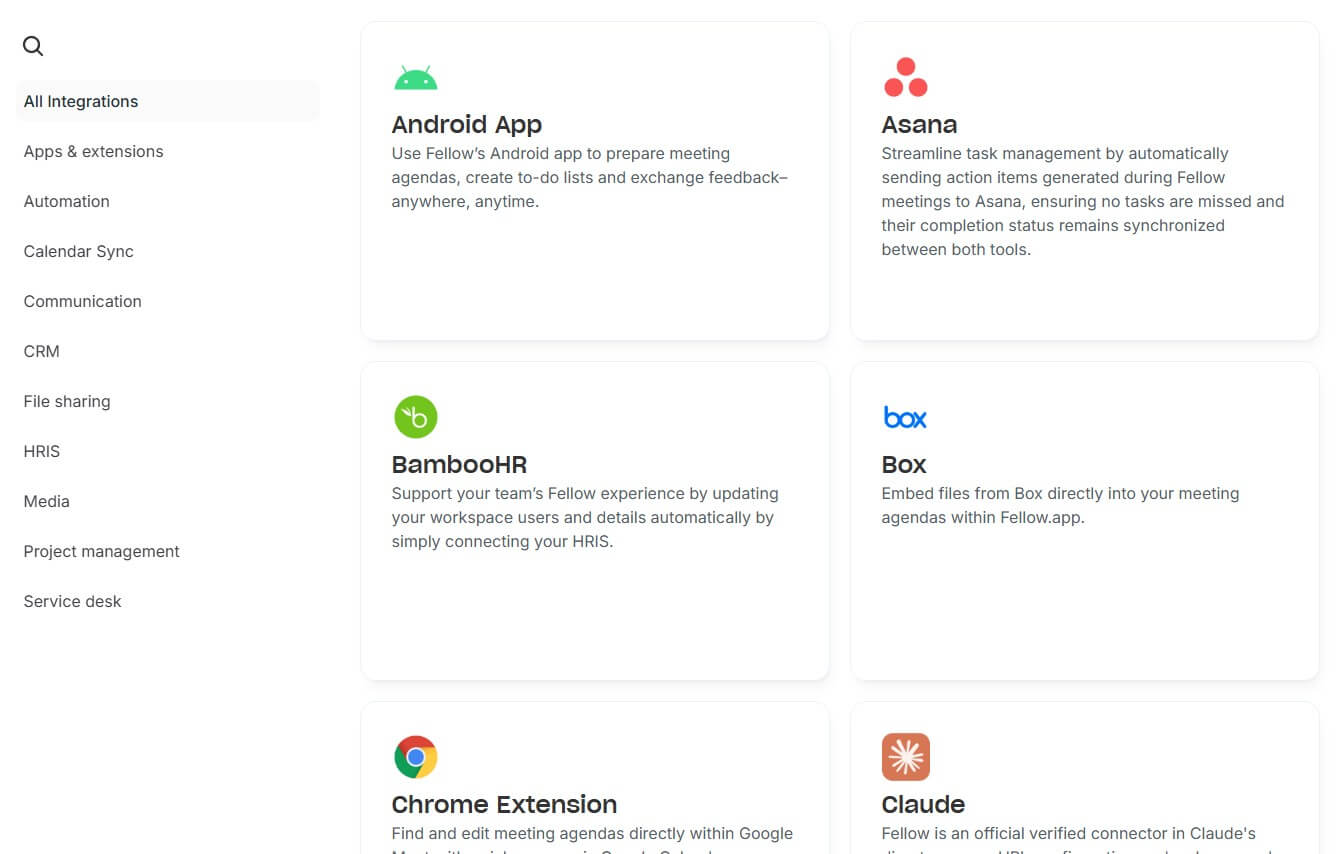
| Workflow Integrations | Connects meeting content to Zapier-supported apps, CRMs, project management tools, knowledge bases, and communication platforms | Moves meeting outcomes into the tools where teams already work |
The basic workflow is simple enough. Connect your calendar, set up the AI notetaker, use Fellow’s meeting note to prepare the agenda, then let the platform capture and summarize the meeting. Fellow connects with Google Calendar and Microsoft Outlook or Office 365, which makes the calendar view the main hub for upcoming meetings.
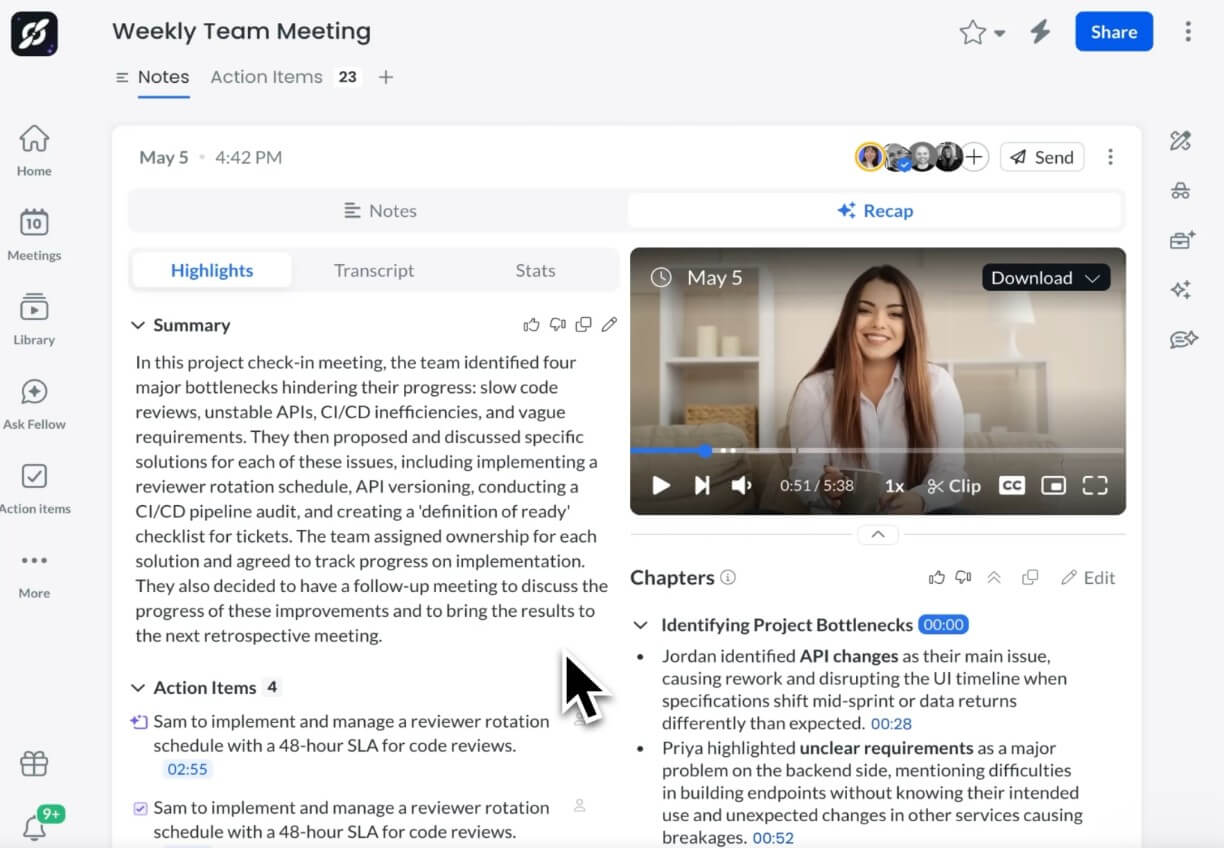
The more useful workflow happens when teams use Fellow before and after the call, not only during it. Before the meeting, participants can add agenda items. During the meeting, they can keep notes and track decisions. Afterward, the AI recap, transcript, and action items help turn the conversation into follow-up.
This is the right design choice for teams that want better meeting habits. It does require adoption, though. A team that ignores agendas and only wants a passive transcript may not get the full value. Fellow works best when the meeting note becomes part of the team’s routine.
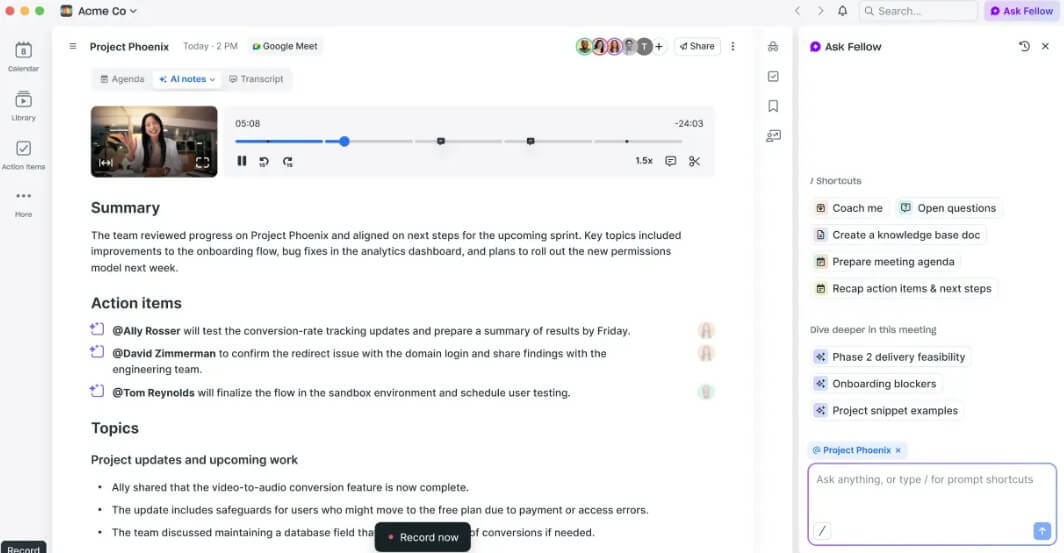
Fellow’s recap system is built to reduce meeting admin. Instead of making someone write minutes from scratch, the tool can produce a transcript, meeting summary, and action items from the recording. For uploaded files, Fellow says it can generate the same kind of transcript, recap, and action item output, with automatic speaker detection.
The practical benefit is focus. People can pay attention during the conversation instead of trying to capture every detail. That is useful in customer calls, leadership conversations, interviews, and one-on-ones where listening matters more than typing.
The caveat is familiar for any AI meeting assistant: the summary is only as good as the audio, speaker separation, and meeting structure. Clear agendas and good microphones still matter. AI can clean up the record, but it cannot fully fix a chaotic meeting.
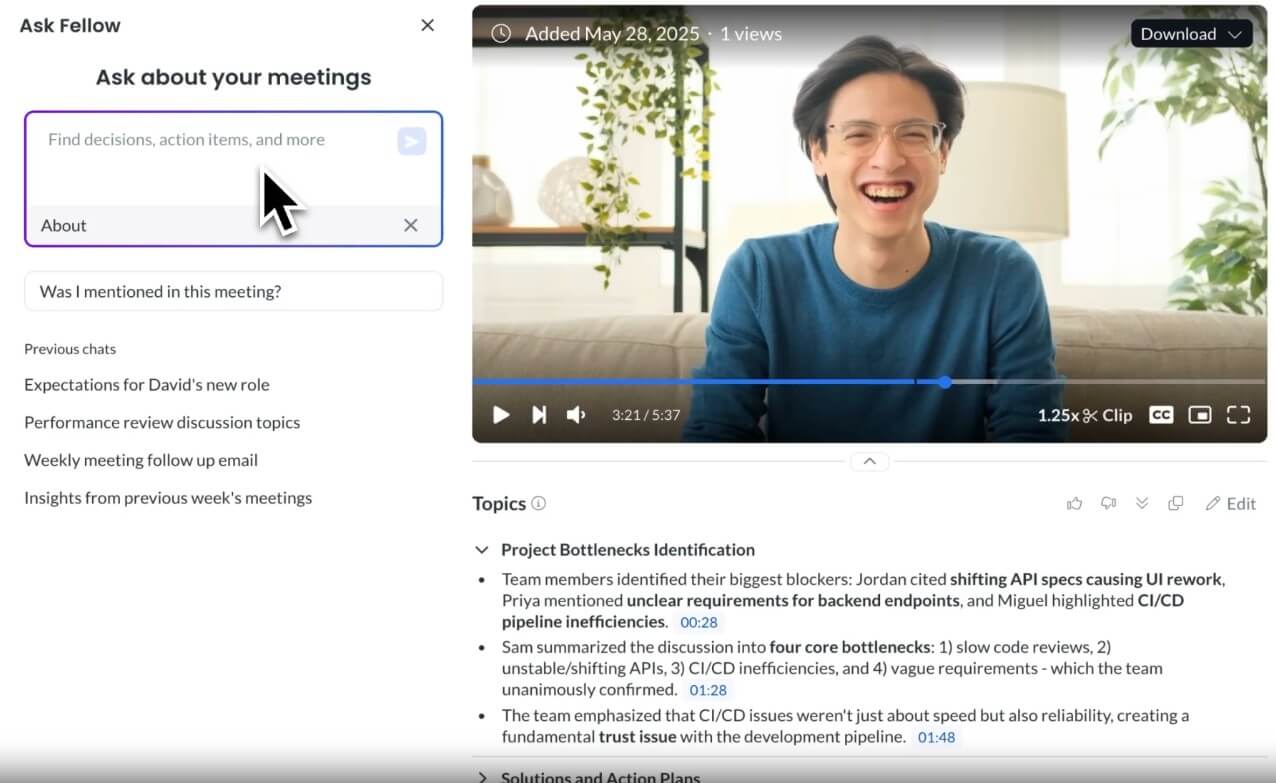
Security is a major part of Fellow’s positioning. The company says its AI is never trained on customer data, and its privacy features include recording disclosure emails, pause and resume controls, and transcript redaction for sensitive content.
These controls matter because meeting assistants can capture sensitive material: customer data, employee feedback, hiring decisions, product strategy, legal discussions, and internal financial context. Teams should not treat recording as a casual default. They need clear rules about consent, access, retention, and when recording should be paused.
Fellow’s privacy controls make that easier to manage, but they do not replace policy. The best use is a combination of tool controls and team norms.
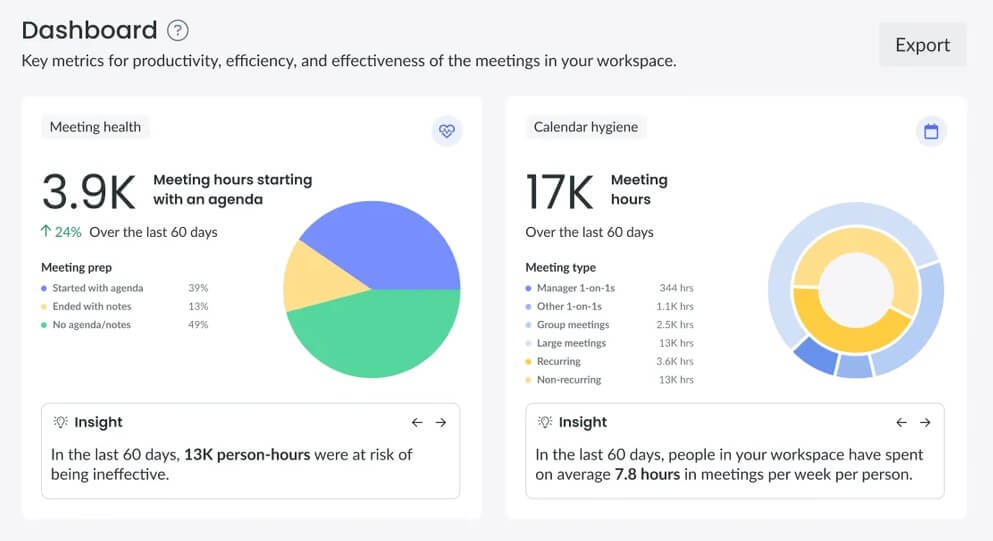
Fellow is a strong fit for managers running recurring one-on-ones, leadership teams that need better decision tracking, sales and customer success teams that need clean follow-up, project teams coordinating across functions, and hybrid teams that need one place for meeting memory.
It is also useful for teams that already have meeting fatigue. The value is not “more meetings.” It is fewer vague meetings, better agendas, clearer action items, and a record people can return to later.
The main trade-off is that Fellow is more structured than a basic AI notetaker. That is good for teams that want process, but it may feel heavier for solo users who only want a quick summary after each call.
The second limitation is adoption. Collaborative agendas, action tracking, and meeting notes work best when the team uses them consistently. If only one person uses Fellow while everyone else stays in old habits, the platform becomes a personal note tool instead of a team system.
There is also the normal recording concern. Even with privacy controls, some meetings should not be recorded, or should only be recorded with clear consent. Teams need to decide that before rolling out any AI meeting assistant.
Fellow AI is best for teams that want more than automatic meeting notes. Its strongest value is the way it connects agendas, recordings, transcripts, summaries, action items, uploads, and integrations into one meeting workflow. It is especially useful for managers, leadership teams, customer-facing teams, and hybrid organizations that need better meeting discipline and cleaner follow-through. The main caveat is that Fellow works best when teams commit to the workflow. Used only as a passive recorder, it is useful. Used as a shared meeting system, it becomes much more valuable.
TAGS: Productivity
Related Tools:
Assists users in solving mathematical problems
Enhances efficiency in Excel and Google Sheets

Assists users in finding available .com domain names
Create custom internal tools and applications
Integrates AI into Google Sheets

Provides quick summary of Google search results