
Share this tool:
 |
Description:
Fathom is an AI meeting assistant built for people who want to stay focused during calls instead of writing notes, chasing action items, or trying to remember who promised what. It records live meetings, creates transcripts and summaries, highlights important moments, and pushes meeting context into the tools teams already use.
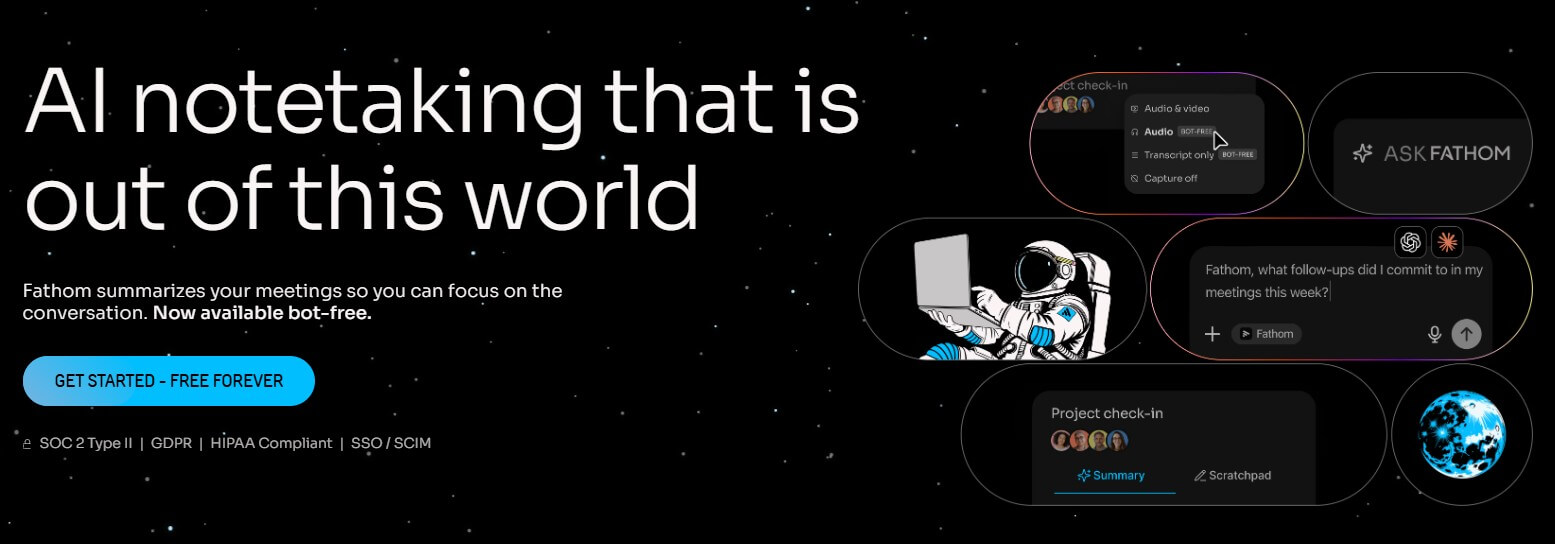
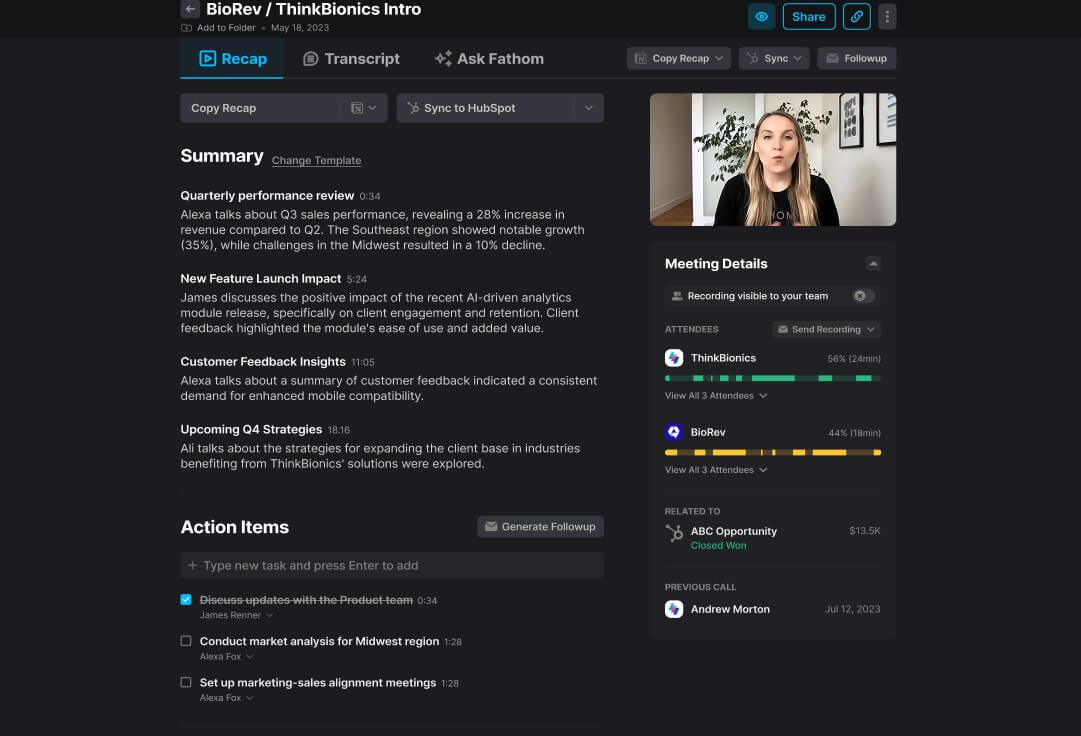
Fathom sits in the AI notetaker category, but it has grown beyond “record and summarize.” The core workflow is still simple: connect Fathom to your meeting setup, let it capture the call, then review the AI summary, transcript, highlights, and action items afterward.
Fathom supports Zoom, Google Meet, and Microsoft Teams, with the main experience designed around live online meetings rather than uploaded recordings. Its help center says Fathom does not currently support uploaded calls for analysis, which is important if you already have a library of old recordings you want processed.
The product is best understood as a meeting memory layer. It captures what happened, helps you find it later, and turns parts of the conversation into follow-up work.
Fathom is strongest when meetings create follow-up work. Sales calls, customer success calls, hiring conversations, team syncs, product feedback sessions, and strategy meetings are all good fits.
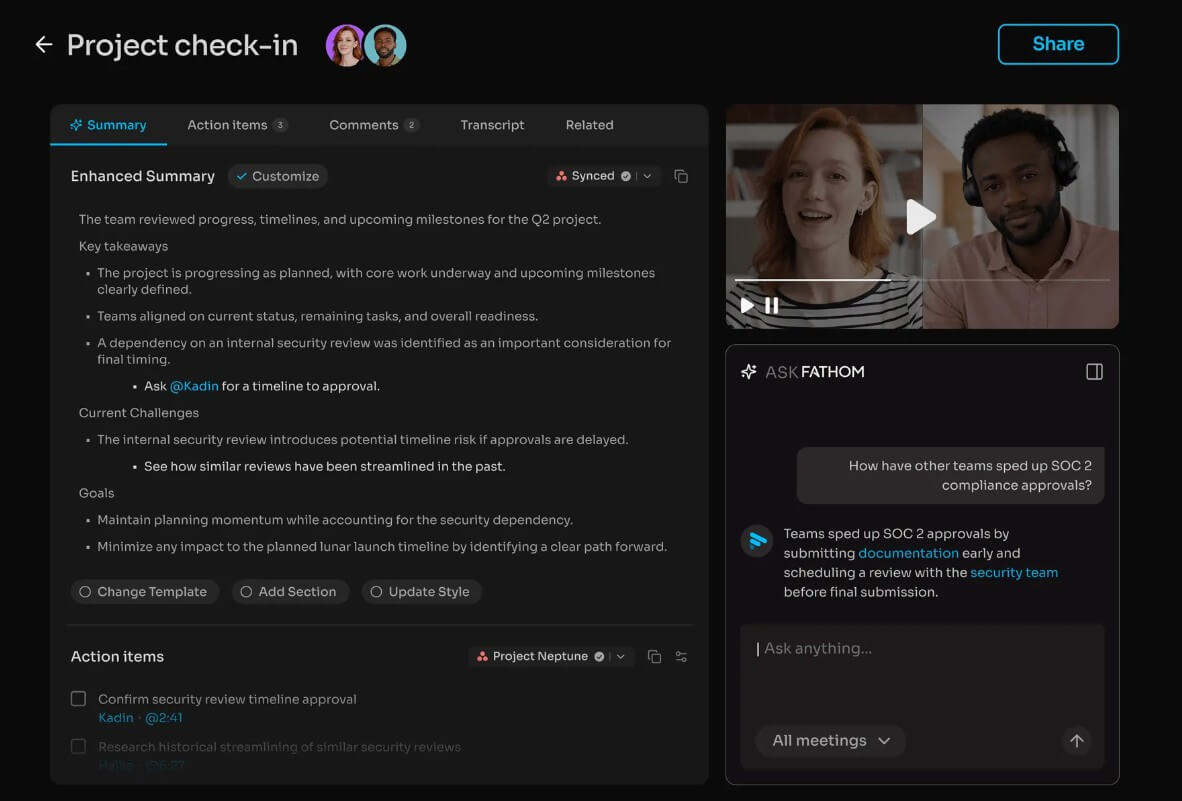
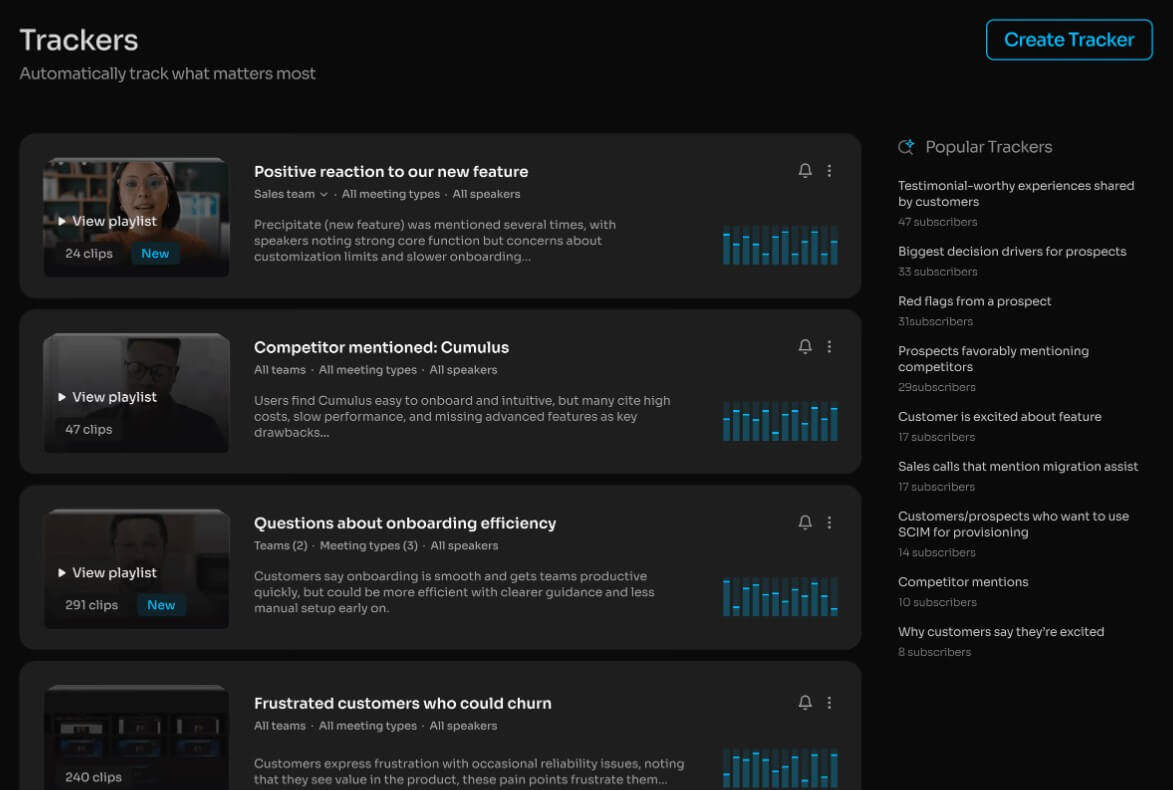
The reason is practical: a meeting summary is only useful if it helps something happen next. Fathom’s homepage emphasizes instant AI summaries, searchable transcripts, follow-ups, topic monitoring, and shared visibility across conversations. Its overview page also highlights global search across a team’s meeting library, real-time collaboration, and custom meeting summary templates.
That makes Fathom more useful for recurring business conversations than for one-off casual calls. If your meetings often produce decisions, customer signals, objections, tasks, or project updates, Fathom has more room to prove its value.
| Feature | What it does | Why it matters |
|---|---|---|
| AI Meeting Summaries | Creates meeting summaries shortly after calls | Reduces the need to turn transcripts into recaps manually |
| Transcripts and Search | Lets users search across meeting content | Helps recover past decisions, feedback, and strategic discussions |
| Highlights and Bookmarks | Lets users tag important moments during calls | Makes key customer feedback, decisions, and follow-ups easier to find |
| Custom Summary Templates | Lets teams create meeting summary formats that match their workflows | Avoids one generic recap format for every meeting type |
| CRM and Workflow Sync | Sends summaries, action items, and deal details into tools such as Salesforce, HubSpot, Slack, Asana, Zapier, and other systems | Moves meeting outcomes into the tools where work continues |
| Bot and Bot-Free Capture Options | Supports meeting capture workflows including bot-free capture through the desktop app experience | Gives users more flexibility, though availability can vary by platform |
The everyday workflow is straightforward. Fathom can detect scheduled calls, appear through the desktop app drawer, and let users start or join recordings from there. For Google Meet, Fathom looks for calendar events with a Meet link and adds them to the desktop app drawer. For Teams, it can use Microsoft calendar events with Teams links in the location field.
For Zoom, the Fathom Zoom app can record calls inside Zoom, but Fathom’s own help guide says the desktop app gives the fuller experience, including custom highlights, action items, and bookmarks. That is a useful distinction. The Zoom app may be convenient, but the desktop app is the better default for users who want the whole feature set.
The setup still requires some discipline. Calendar connection, meeting platform permissions, and recording visibility all matter. Fathom can only record supported live meetings when you are present, so it is not a silent background recorder or a tool for sending a bot to meetings you do not attend.
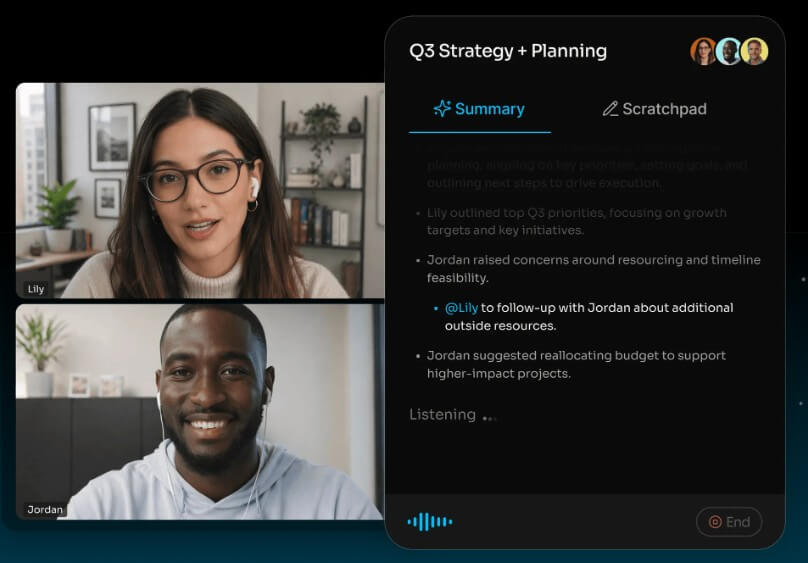
Fathom becomes more interesting when teams use it as a shared meeting system. A solo user may value the recap and transcript. A team gets more from global search, shared visibility, CRM updates, and standardized summary templates.
Sales and customer-facing teams are the clearest fit. Fathom’s Salesforce integration syncs call summaries, highlights, action items, and deal insights to matching contacts, accounts, and opportunities. That helps reduce the manual CRM cleanup that usually happens after calls, or worse, does not happen at all.
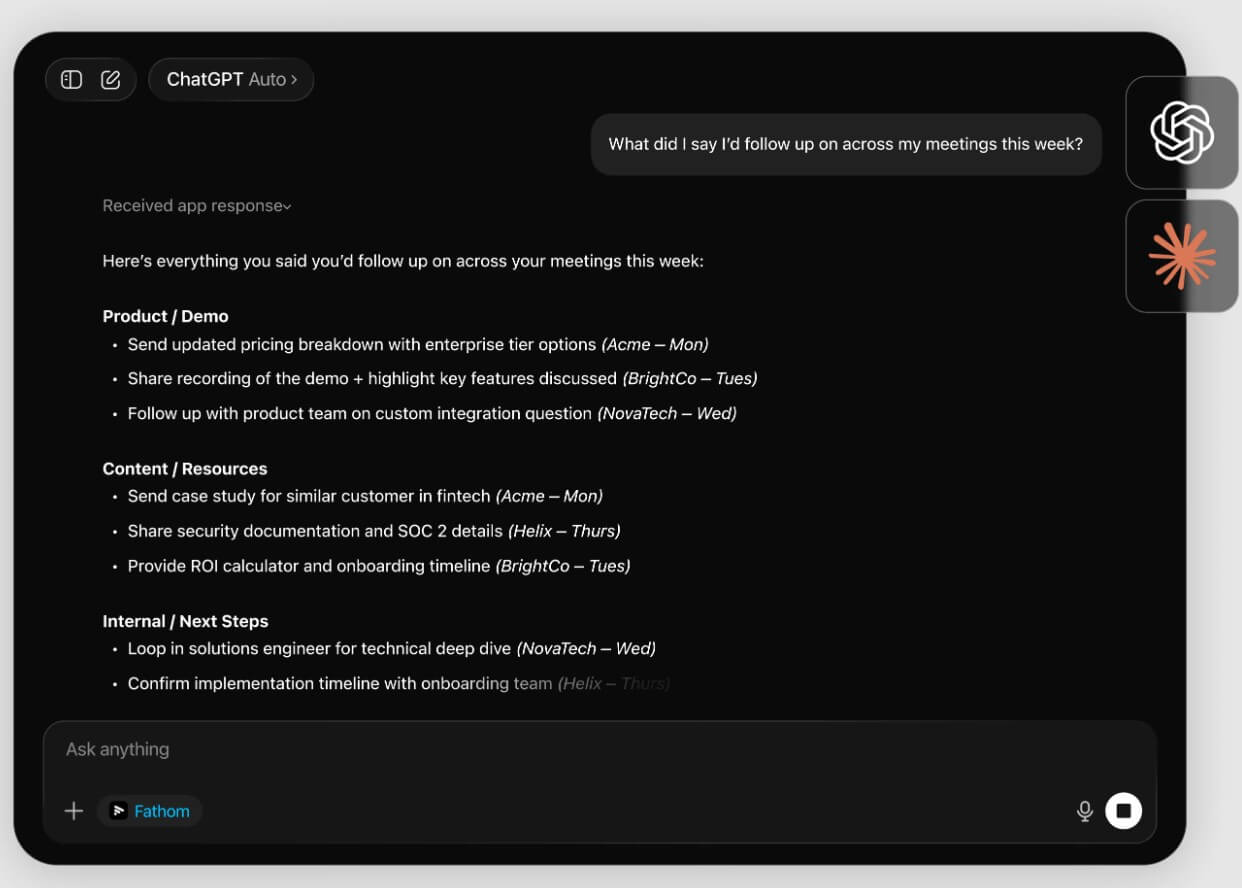
The broader integration library also supports workflow automation. Fathom lists Zoom, Microsoft Teams, Zapier, Relay.app, Dust, Twine, GetAccept, and other tools across video conferencing, workflow automation, product management, and sales enablement categories. This is where Fathom starts to feel less like a notepad and more like meeting infrastructure. It does not just preserve calls. It helps route the useful parts of those calls into the next system.
Meeting assistants need a higher trust bar because they handle conversations that may include customer details, hiring decisions, internal strategy, and private team issues.
Fathom says it is HIPAA, SOC 2 Type II, and GDPR compliant, and that it has passed security reviews by Zoom. Its security help page also says its AI subprocessors are not contractually allowed to use user data to train their AI models, though Fathom may use de-identified customer data to improve its proprietary AI models, with opt-out options available.
That is a better disclosure than many tools provide, but teams should still review it carefully. Recording policy, consent requirements, data retention, sharing settings, and admin controls are not small details. They are part of whether the tool is appropriate for your organization.
Fathom is a strong fit for sales teams that need clean CRM notes, customer success teams tracking account history, recruiters who need accurate interview records, managers running recurring team meetings, consultants who want client-call summaries, and product teams mining customer calls for feedback.
It is also useful for busy professionals who attend many calls and need a reliable way to recover details later. The searchable archive matters more over time. One transcript is convenient. A searchable library of months of meetings is where the value compounds.
Fathom is built for live meetings, not uploaded archives. If your main need is analyzing existing audio or video files, this is a major limitation.
Device support is another boundary. Fathom’s compatibility page says it records meetings on Mac and Windows computers and does not currently support Chromebooks, Linux computers, mobile devices, tablets, webinars, breakout rooms, or calls without a standard meeting link. It also notes that the newer bot-free experience is currently available on Mac, with Windows support coming later.
The other trade-off is social, not technical. Some people dislike meeting bots or recording tools, even when the tool is useful. Fathom includes recording visibility and consent-related controls, but teams still need good norms around when recording is appropriate.
Fathom is one of the more practical AI meeting assistants for users who want accurate meeting records, fast summaries, searchable transcripts, highlights, and follow-up workflows without turning every call into manual admin work. It is especially useful for sales, customer success, recruiting, consulting, and team operations where conversations create tasks, decisions, and customer context. The main caveat is that Fathom is not a general audio-analysis tool or a mobile-first recorder. It works best when your meetings happen live on supported platforms, your team is comfortable with recording, and you want meeting notes to flow into the rest of your work instead of sitting in a transcript archive.
TAGS: Productivity
Related Tools:

Streamlines creation of business plans

Streamlines the grading process for educators

Transforms ideas into clear, actionable project plans
Simplifies creation of visual content for marketing

Simplifies presentation and document creation

Transforms screen recordings into high-quality product videos