
Share this tool:
 |
Description:
Clipto is an AI transcription and media knowledge tool built around a simple problem: audio and video are useful, but hard to search. Its product now spans online transcription, iPhone note-taking, and a Mac-focused local media library that can search spoken words, people, actions, scenes, and stored footage without pushing everything into the cloud.
Clipto is not only a basic “upload a file and get text” transcription tool. That is part of it, but the broader product is moving toward a searchable media workspace.
The web transcription side lets users upload audio or video, paste a media URL, transcribe files, identify speakers, generate summaries, translate transcripts, and export text or subtitle formats. Clipto’s official transcription page lists support for over 99 languages, local file uploads, URL imports, speaker identification, AI summaries, translation, and exports such as SRT, VTT, plain text, plus production-oriented formats.
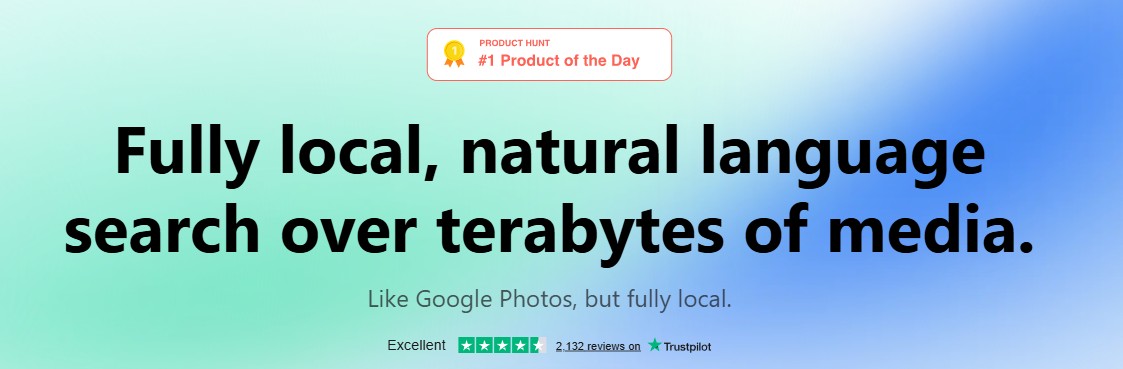
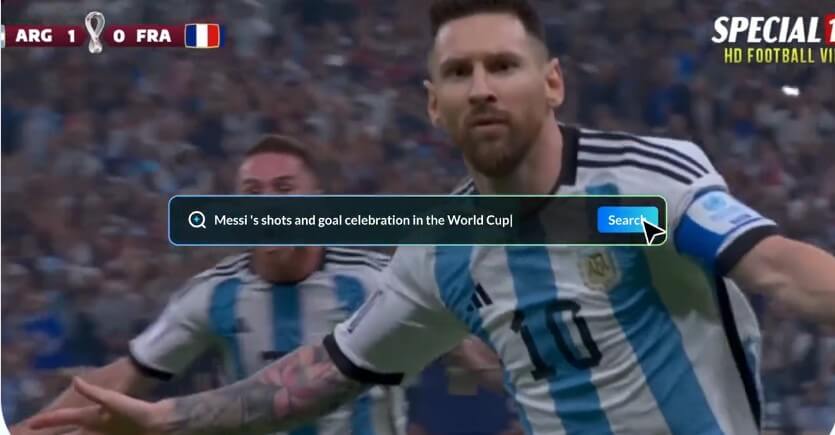
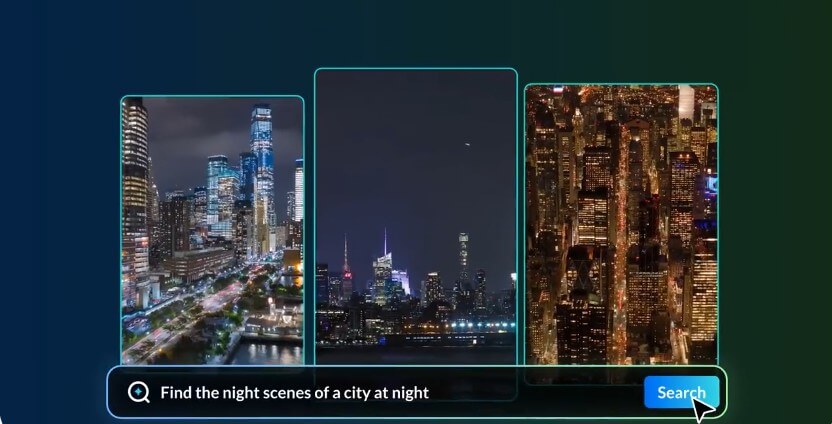
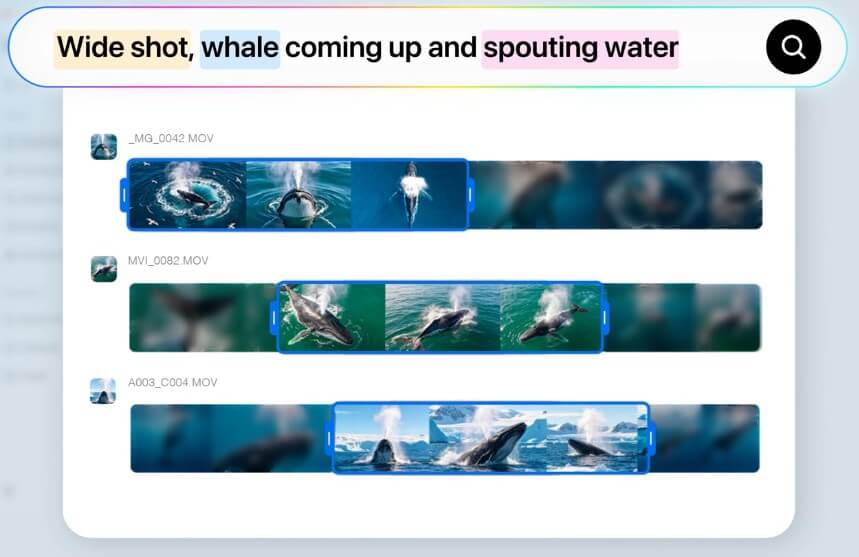
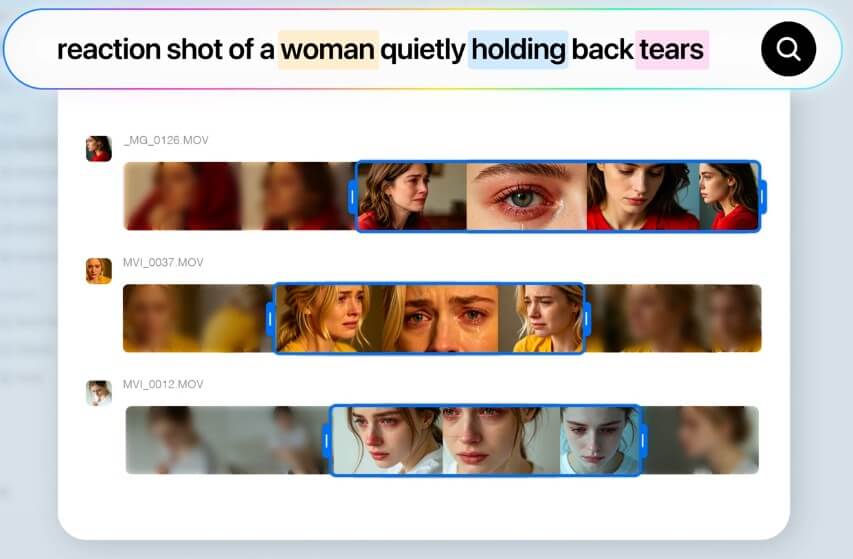
The newer Mac positioning is more ambitious. Clipto describes itself as a local search layer for large media libraries, closer to “Google Photos, but fully local.” The idea is that creators can search across stored footage using natural language, then jump to exact moments involving a person, spoken phrase, action, object, or scene.
That split is important. Clipto can serve casual transcription users, but its most interesting direction is for people who work with lots of audio and video.
Clipto is strongest when the content is long, messy, or hard to review manually. Interviews, lectures, podcasts, meeting recordings, sermons, client calls, course videos, raw footage, and creator archives all fit the product well.
For a single short voice memo, almost any transcription app may be enough. Clipto becomes more useful when the recording has multiple speakers, needs subtitles, has to be translated, or will later be searched for key moments.
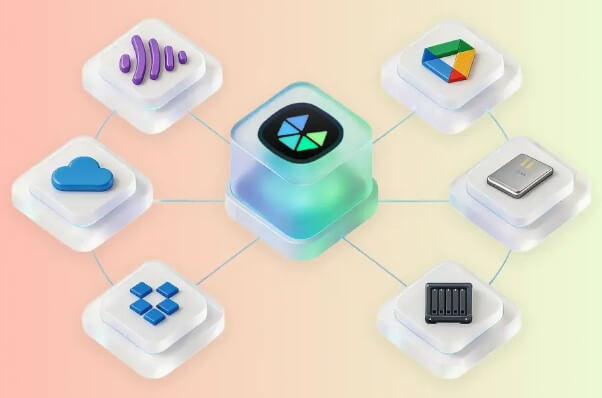
The media library side is especially relevant for video editors, filmmakers, marketers, agencies, and creators who keep folders of footage across local drives, cloud storage, or NAS setups. Clipto says it can understand files across Dropbox, Google Drive, NAS, and local folders while keeping the user’s files where they are.
| Feature | What it does | Why it matters |
|---|---|---|
| AI Transcription | Converts audio and video into text with timestamps, subtitles, speaker identification, and multilingual workflows | Makes spoken content searchable, editable, and reusable |
| URL and File Import | Lets users upload local files or paste media URLs, including YouTube-style transcription workflows | Supports both existing files and online media sources |
| AI Summaries | Turns long transcripts into shorter summaries | Helps users review key points without replaying the full recording |
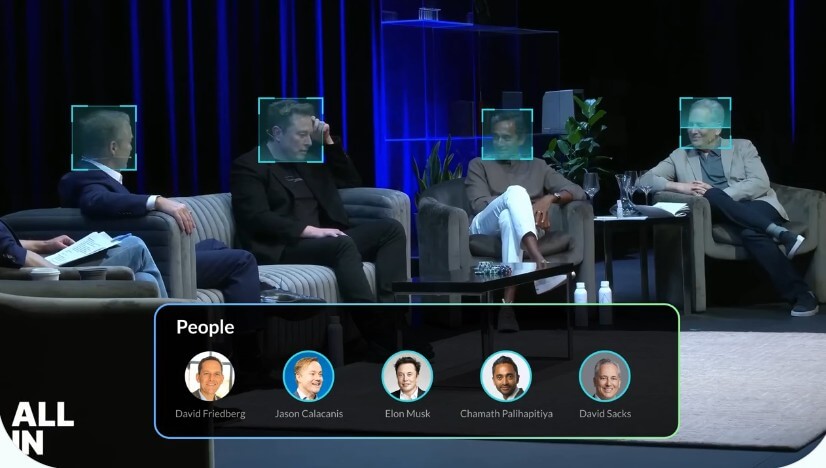
| Speaker Identification | Separates speakers in audio | Useful for interviews, panels, meetings, and research calls |
| Local Media Search | Searches people, dialogue, actions, scenes, objects, and environments across large media collections | Helps creators locate exact moments inside footage libraries |
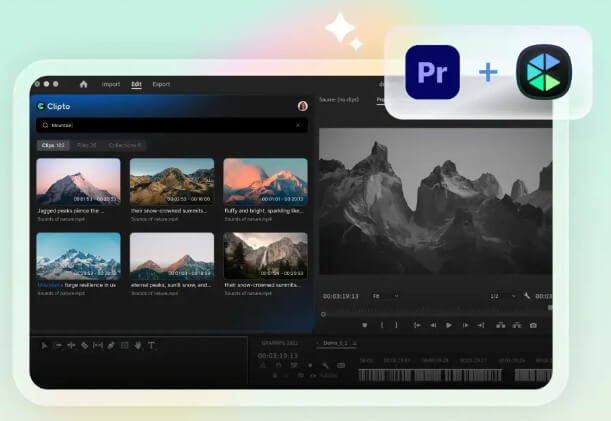
| Post-Production Exports and Integrations | Supports subtitle and transcript export formats, with Premiere Pro integration mentioned and DaVinci Resolve and Final Cut Pro support described as on the way | Makes Clipto more useful for editing and production workflows |
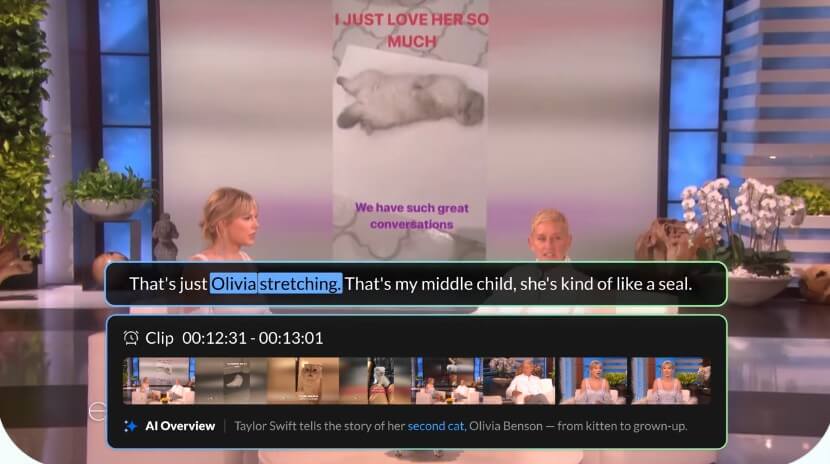
Clipto has two main workflows.
The first is the straightforward transcription workflow: upload a file, paste a URL, or record content, then receive a transcript that can be summarized, translated, edited, exported, or used for subtitles. This is the workflow most users will understand right away.
The second workflow is more like media asset management. You point Clipto toward stored media, let it analyze the content, then search for moments later. Its Knowledge Library page describes auto-tagging, Deepfinder search, AI transcription, media downloading, and editor integrations as part of the same creative workflow.
This is more valuable, but also more demanding. It works best for users who already have a real archive problem. A casual user may not need local AI search over terabytes of footage. A creator with years of camera clips might see the value quickly.
The Mac requirements are also worth noting. Clipto’s homepage says the Mac version is optimized for M1+ Macs, 24GB+ memory, and macOS 15+. That makes sense for local AI processing, but it narrows the ideal user base.
The iPhone app gives Clipto a more everyday use case. Its App Store listing describes live transcription, AI summaries, speaker identification, 99+ language support, and export options for meetings, lectures, interviews, sermons, healthcare conversations, and daily notes.
This version feels closer to an AI note taker than a creator archive tool. You record a live conversation, watch captions or transcripts appear, then review the summary later. That makes it useful for students, consultants, managers, journalists, pastors, medical appointments, and anyone who wants a record of spoken information.
The mobile app also includes an “Ask AI” style direction in its version history, with Apple’s listing noting that Ask AI was added to help users explore and understand transcripts. That is a natural feature for this product because transcripts are not always useful until you can question them.
Clipto is a strong fit for video editors who need to find clips without scrubbing through timelines, researchers who need interview transcripts, podcasters who want searchable episodes, creators who need subtitles, students recording lectures, and teams turning meetings into notes.
It also fits agencies and marketers with large media folders. The local search model is the product’s most distinctive angle: instead of uploading private or unreleased footage to a cloud workspace, Clipto says processing can run on the user’s computer, with no uploads and no cloud storage for that local workflow.
It is less ideal for users who only need occasional short dictation. In that case, Clipto may be more tool than necessary.
The first trade-off is product complexity. Clipto spans transcription, mobile notes, media downloading, local search, subtitles, and creative asset management. That breadth is useful, but it can also make the product harder to understand than a focused transcription-only app.
The second trade-off is hardware. The most interesting local AI features appear aimed at modern, higher-memory Macs. Users on older machines may not be the best fit.
The third limitation is that AI transcription still depends on audio quality. Background noise, overlapping speakers, heavy accents, music under speech, and poor microphones can reduce accuracy in any transcription system. Clipto’s speaker identification and summaries are useful, but users should still review transcripts before treating them as final.
The fourth caveat is workflow maturity. Some creative integrations are described as current or upcoming rather than all fully available at once. Users buying into the media library concept should verify whether their editing setup is supported today.
- Start with transcription before building a full media library. Upload a few real files, check accuracy, test speaker labels, then export in the format your workflow needs.
- For creators, organize source folders before indexing a large archive. Clean folder structure plus Clipto’s tagging will make search more useful later.
- For meetings and lectures, use summaries as navigation, not final notes. The transcript should remain the source of truth.
- For sensitive footage, pay close attention to which workflow is local and which uses online transcription tools. Clipto’s local Mac pitch is privacy-friendly, but users should still match the workflow to the sensitivity of the files.
Clipto is best for people who need to turn spoken media into searchable, reusable knowledge. Its strongest value is not just transcription, but the combination of transcripts, summaries, translation, subtitles, speaker identification, and local media search. It is a strong fit for creators, editors, researchers, students, and professionals with large audio or video archives. The main caveat is fit: casual users may only need the transcription side, while the full value shows up for people with enough media volume to justify a searchable AI library.
TAGS: Productivity
Related Tools:

Matches candidates with relevant opportunities

Automates task prioritization and management

Designed to automate data analysis and preparation
Email assistant that automatically generates replies

Summarizes various types of documents

Simplifies presentation and document creation