

Share this tool:
 |
Description:
- Introduction
- What SpreadSimple actually is
- Where SpreadSimple is strongest
- Strong Features and Capabilities
- Workflow and ease of use
- Ecommerce and operational depth
- AI Creator and what it actually changes
- Pricing and what actually matters
- How it fits against Softr and Glide
- Best use cases
- Practical Tips
- Limitations and trade-offs
- Final Takeaway
SpreadSimple is one of the more opinionated no-code builders in this category. It is not trying to be a full visual website design system or a general-purpose app platform. Its core idea is much narrower: use Google Sheets as the content layer, then publish that data as a fast, searchable, mobile-friendly website with ecommerce, SEO, and integrations layered on top. That constraint is also the product’s biggest advantage, because it makes content-heavy sites much easier to launch and maintain than they would be in a more open-ended builder.
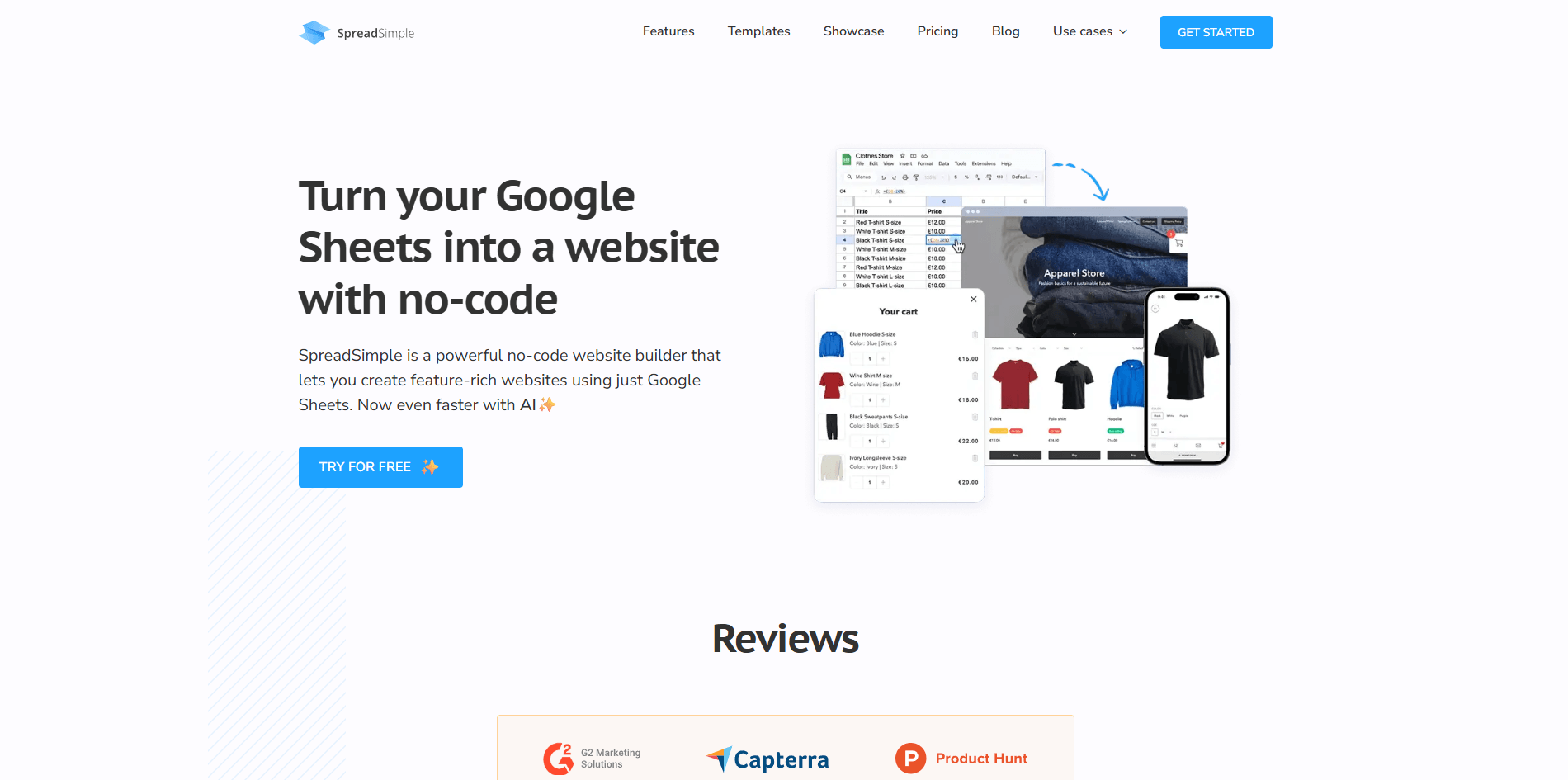
The clearest way to understand SpreadSimple is as a spreadsheet-to-website system with three entry points. You can start from a template, paste in an existing Google Sheets link, or use the AI Creator to generate a starting site and linked sheet for you. In all three cases, the spreadsheet remains the operating center for content, while SpreadSimple handles presentation, hosting, SSL, search, filters, detail pages, checkout options, and other site-level controls.
That distinction matters. SpreadSimple is much less about freeform page composition and much more about structured content publishing. If your business already lives in rows and columns such as products, listings, properties, menus, affiliates, or lightweight catalog data, the product makes immediate sense. If your site needs heavily bespoke layout logic, deep CMS relationships, or advanced app behavior, the spreadsheet-first model starts to feel more limiting.
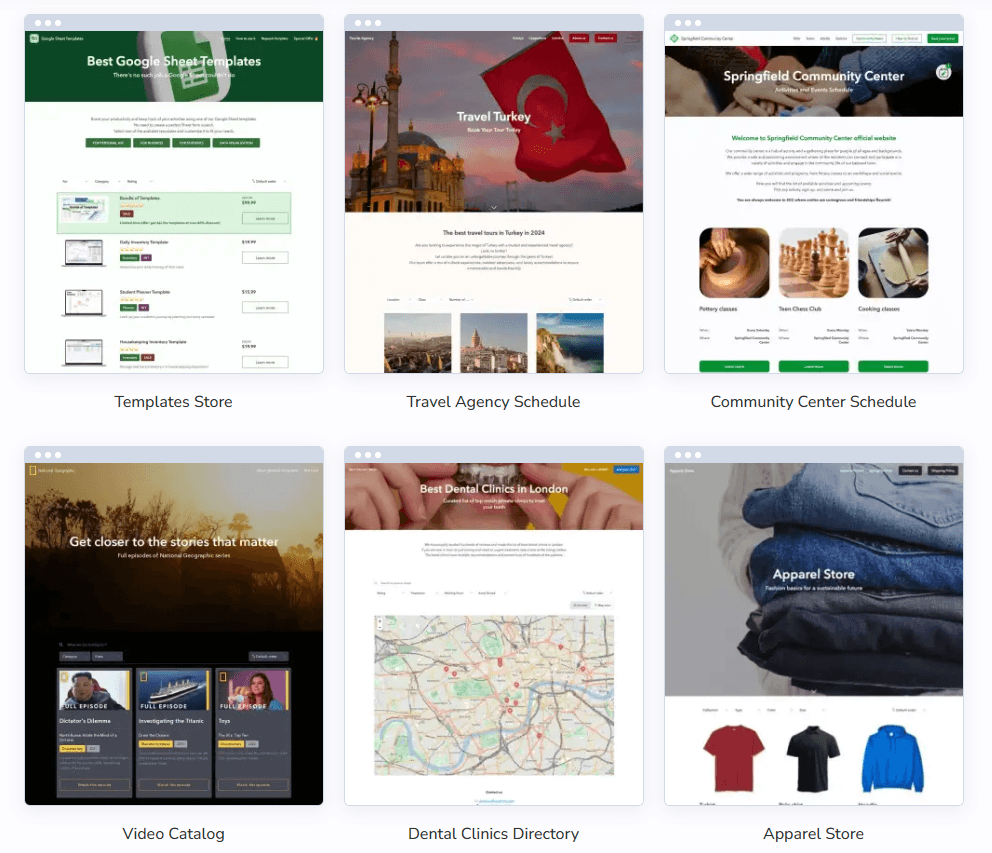
SpreadSimple is strongest for websites where the content changes often and the structure stays relatively consistent. Its official use cases lean hard into ecommerce, affiliate stores, restaurants, real estate, directories, startups and MVPs, digital downloads, and other listing-style websites. Those are exactly the projects where a sheet-backed workflow is genuinely useful: add rows, edit prices, update stock, change descriptions, and let the website reflect those changes automatically.
It is especially compelling for solo operators and small teams that do not want to maintain a heavier backend. The product can auto-generate item detail pages, search, sorting, filters, map views, forms, content pages, and simple checkout flows without asking the user to think like a developer. In practice, that makes SpreadSimple feel less like “build a site from scratch” and more like “publish a structured database quickly.”
Changes in your sheet automatically update the website.
Search, filters, sorting, item detail pages, image galleries, related products, and map view are part of the core feature set.
Order forms, shopping cart, item variations, stock limits, shipping rates, taxes, promo codes, and multiple payment methods are supported.
Custom domains, meta tags, image alt tags, sitemap, favicon/og:image, and SSL are built in.
Analytics, automation, chat, email marketing, webhooks, custom JavaScript/CSS, and widget embedding are all supported.
The AI Creator can generate a site structure, logo, colors, and linked Google Sheet, then hand the result off to the normal editor.
SpreadSimple’s best workflow is still the non-magical one: start with a template or existing sheet, map your columns, then refine the site inside the editor. The help center makes clear that website creation is intentionally simple: choose a template, paste a sheet link, or use AI Creator; then adjust content representation, design, domain, and other settings. That makes the product approachable for beginners, but it also means the quality of your structure matters early. A clean sheet usually leads to a cleaner site.
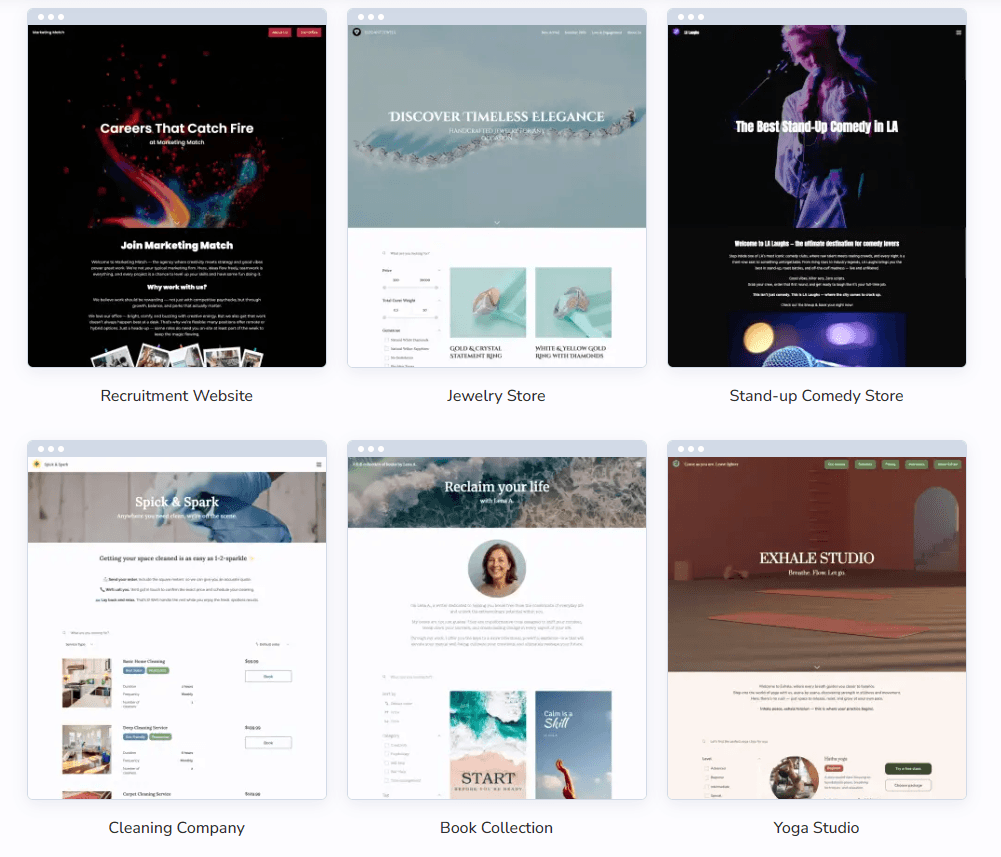
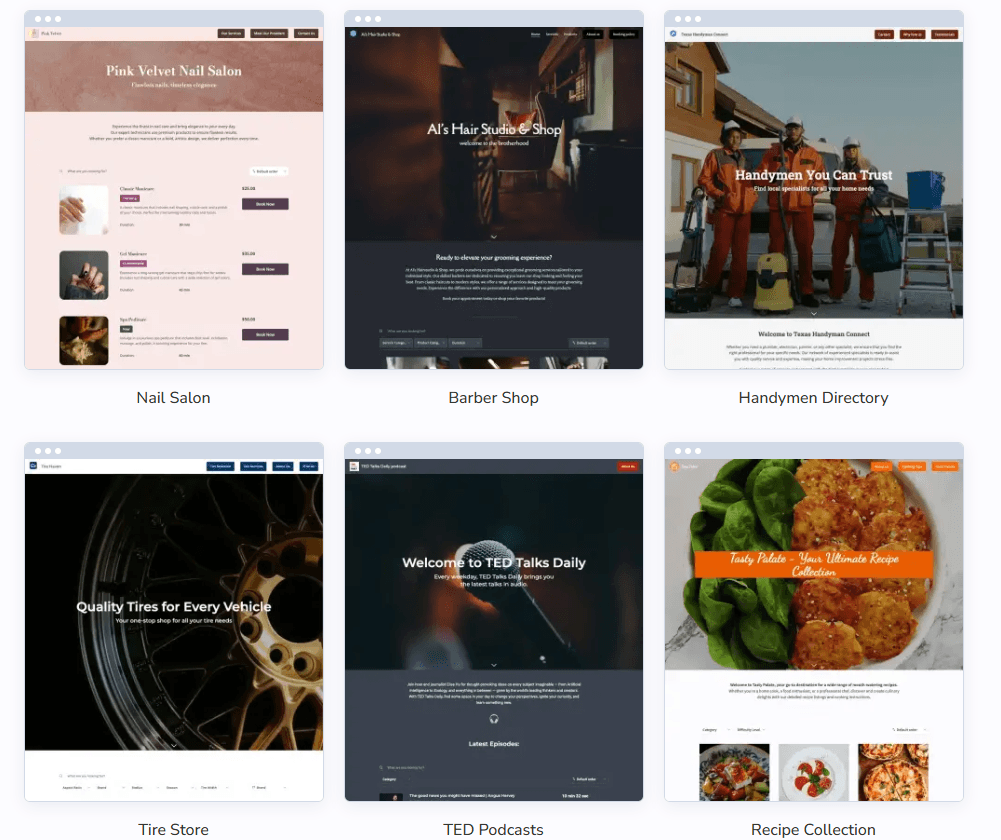
There is one important operational caveat: your Google Sheet has to allow public view so SpreadSimple can read and display the data. That is a real constraint, not a tiny footnote. It is perfectly fine for public catalogs, directories, menus, and affiliate sites, but it is a meaningful limitation for anyone expecting private back-office data handling from the base setup. The help article also notes that if you change the source sheet, you need to remap columns to site elements like title, price, and image.
The editing model is practical rather than elegant. The AI article lays out the product clearly: content setup happens in the Content tab, design changes in the Design tab, checkout in the Checkout tab, and SEO/custom domain/widgets in Settings. That organization is sensible, and it fits the kind of user SpreadSimple is targeting. It is less intimidating than a large visual builder, but also less fluid if you want to compose highly custom pages by hand.
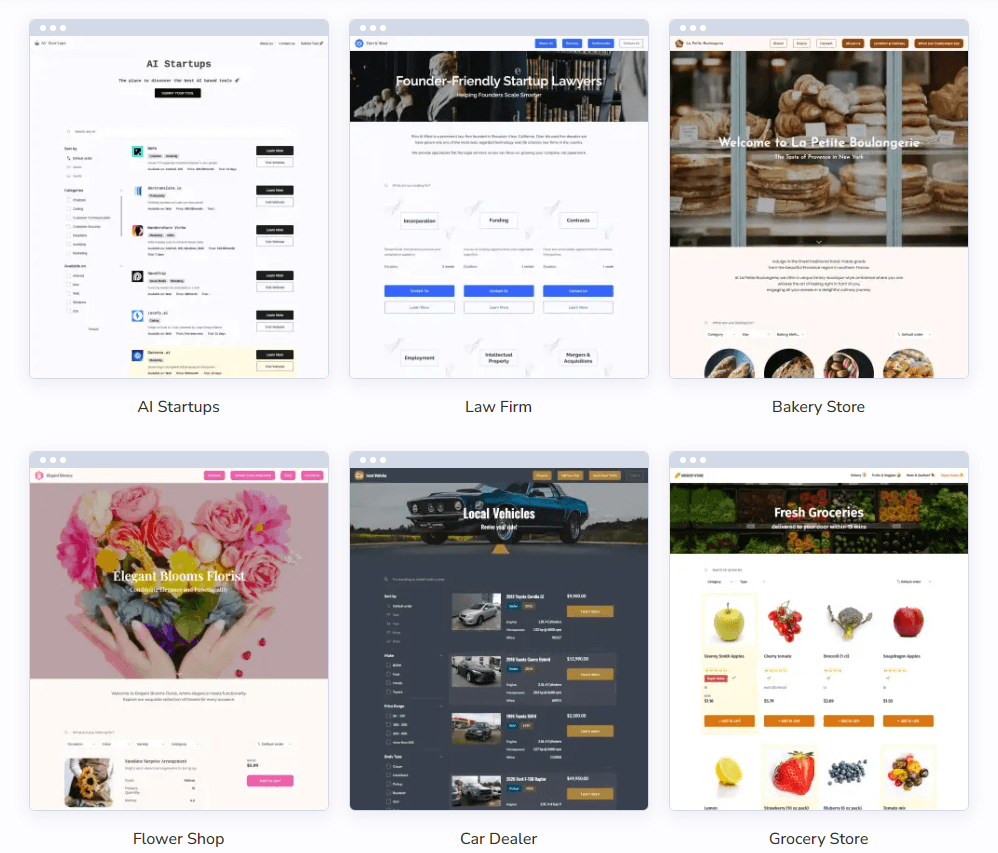
SpreadSimple goes further on selling than many lightweight site generators do. The feature set includes shopping cart, customizable order forms, quantity limits, shipping rates, taxes and fees, promo codes, order notifications, email receipts, and support for payment methods including PayPal, Stripe, Razorpay, BillPlz, Payplug, Mollie, and cash on delivery. That is enough to make it viable for straightforward online stores, restaurant ordering, simple digital catalogs, and niche commerce sites without bringing in a heavier commerce platform too early.
At the same time, the product still feels like a commerce-capable website builder, not a full ecommerce operating system. The deeper value is not advanced retail complexity. It is the speed of getting structured products online and keeping them updated through a familiar spreadsheet workflow. That is why SpreadSimple makes more sense for lean catalogs and fast launches than for businesses that need richer merchandising logic, deeper storefront customization, or more mature customer-account infrastructure.
SpreadSimple does have an AI layer now, but it is better understood as an accelerator than as the reason to choose the platform. The homepage says the AI Creator can generate a logo, suggest a color scheme, and prepare the website structure and Google Sheet. The AI setup guide adds that users can specify site type, desired elements like map view or order form, then move into the normal editor to finish the work.
That is useful, especially for first-time users who do not want to start from a blank template. But the long-term value still comes from the editor plus the spreadsheet model, not from prompting. In other words, AI helps you get the first draft faster; it does not replace the need to structure data, refine the site, or decide how the content should actually be presented.
The pricing is refreshingly legible. Officially, SpreadSimple offers Free, Starter, Business, and Connect plans, plus a 14-day trial on paid features. The free plan is real, but it is clearly for testing rather than serious launch: it keeps SpreadSimple branding and domain, limits the spreadsheet to 50 rows, and disables search engine visibility.
Starter is the cheapest real launch tier at $12.90/month on annual billing and adds custom domain, branding removal, and SEO settings. Business is $13.90/month and is the first plan SpreadSimple explicitly frames as “Best for driving your sales,” adding payments and 30+ extensions/add-ons. Connect is $20.90/month and adds customer accounts plus user groups and permissions, but those are labeled beta in the pricing summary.
The hidden pricing detail that matters most is scale and maturity. The pricing overview lists Google Sheet row limits of 50 on Free, 500 on Starter, 5,000 on Business, and 10,000 on Connect. It also shows user accounts, sign-ups, and content access restrictions in the higher-end section, with Auth0 login marked “Coming soon.” That means SpreadSimple can stretch upward, but the more portal-like and permission-heavy your use case becomes, the more you are relying on features that are newer or still labeled beta/coming soon.
SpreadSimple sits in an interesting middle ground. Softr’s official positioning leans toward drag-and-drop portals and apps across many data sources, with stronger emphasis on layout control and permissions. Glide’s official positioning leans toward AI-powered business apps and automations built from spreadsheets and databases. SpreadSimple is narrower than both: it is more website-first than Glide and more sheet-to-public-site focused than Softr.
That narrower focus is not a weakness by default. It is why SpreadSimple can feel so fast for public catalogs, affiliate sites, menus, real-estate listings, or MVP showcase sites. But it also explains where it loses ground. If you need richer app behavior, deeper permissions, broader data-source flexibility, or more internal workflow logic, Softr or Glide will usually look more appropriate on their own terms.
SpreadSimple is best for ecommerce-lite websites, affiliate stores, public directories, menus, startup launch sites, real-estate or location-heavy listings, and digital-download catalogs where content changes often and structure matters more than artistic layout freedom. It is especially good for founders, marketers, operators, and no-code users who already understand their content in spreadsheet terms and want a public-facing site fast.
It is less attractive for highly branded marketing sites, advanced membership products, private internal tools, and workflows where the spreadsheet should not be publicly viewable. It is also not the cleanest choice if your site’s main advantage will come from unusual interaction design rather than searchable structured content.
- Use a template or existing sheet first, then use AI Creator only if you need help getting unstuck. The product’s most reliable strength is structured publishing, not imaginative AI generation.
- Design your sheet carefully before you scale. SpreadSimple’s value rises fast when titles, prices, images, categories, stock data, and other fields are clean enough to map once and reuse.
- Do not treat the free plan as a real public-launch tier. The lack of search-engine visibility and the 50-row limit make it better for testing than for growth.
- Choose Business rather than Starter if the site actually needs payments or integrations from day one. The price gap is small enough that underbuying is usually a false economy.
- The first trade-off is structural rigidity. SpreadSimple is fast because it expects your content to behave like a table. That is excellent for directories and catalogs, but it is less ideal for editorially complex, highly visual, or deeply custom sites where each page needs to break the same pattern.
- The second trade-off is public-data dependence. Because the source Google Sheet must allow public view, SpreadSimple is not the cleanest fit for projects where underlying data needs stronger privacy by default. That is a meaningful architectural boundary, not just a setup quirk.
- The third trade-off is plan maturity at the high end. Customer accounts, user groups, and permissions exist in the pricing story, but they are labeled beta, and some account-related features are still marked coming soon. That does not make them unusable, but it does make SpreadSimple less convincing for membership-heavy or access-controlled products than for public-facing websites.
- And finally, SpreadSimple’s simplicity has a ceiling. It is easy to publish, easy to update, and comparatively affordable, but it is not the broadest no-code platform in the market. The more your project starts looking like a custom app or a multi-role portal rather than a website powered by structured content, the more likely you are to outgrow it.
SpreadSimple is a strong no-code website builder for one very specific kind of user: someone with structured content in Google Sheets who wants a fast public website, directory, catalog, or simple store without learning a heavier platform. Its biggest strengths are speed, clarity, ecommerce practicality, and the fact that updating the site can be as simple as editing rows in a spreadsheet. The main caveat is that the same spreadsheet-first model that makes it easy also limits how far it can stretch into private apps, advanced memberships, and highly custom site experiences.
TAGS: Productivity
Related Tools:

Lets users build automated AI workflows

Records, transcribes, and summarizes video meetings

Enhances ChatGPT user interaction and functionalities

AI search engine for research

Transforms screen recordings into high-quality product videos

Turns your to-do list into a time-blocked schedule