

Share this tool:
 |
Description:
UniJump is a lightweight browser extension built around one simple idea: make ChatGPT easier to reach while you browse. Instead of opening a separate tab, copying text, pasting it into ChatGPT, then bringing the answer back, UniJump gives you a shortcut and widget so you can ask questions, improve writing, paraphrase text, or experiment with phrasing from the page you are already on.
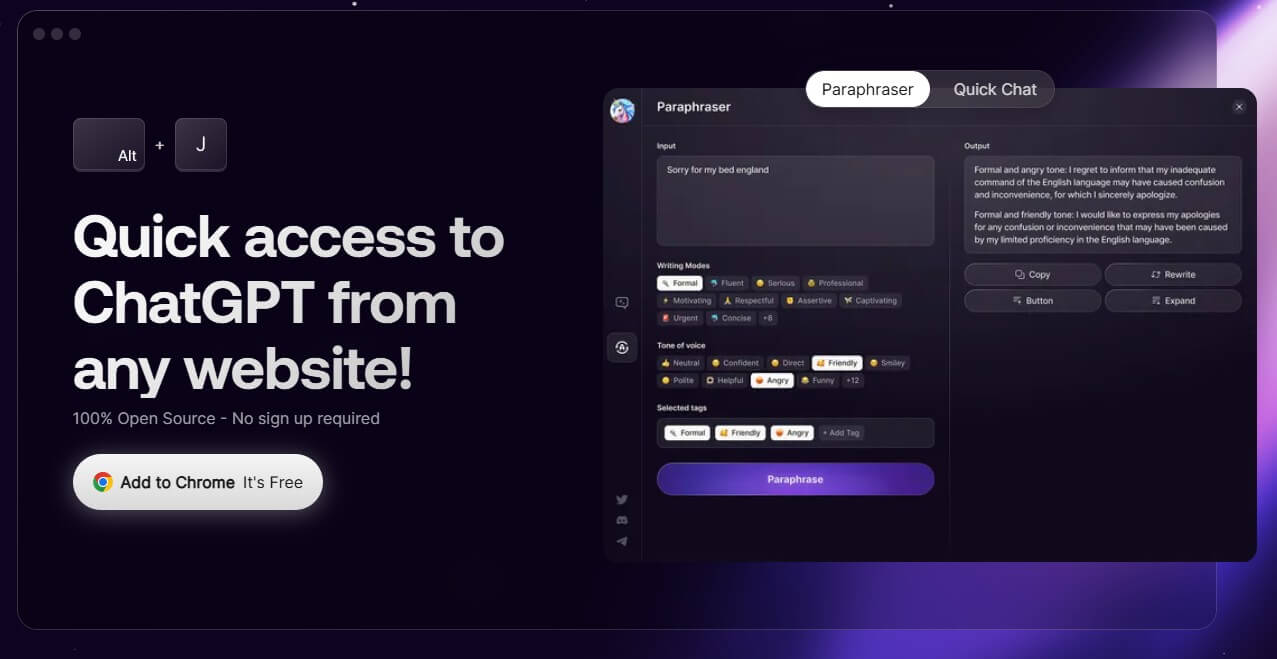
UniJump is not a full AI workspace, research platform, or automation agent. It is a browser shortcut for ChatGPT with a small set of in-page writing and chat features.
The official site describes it as a browser extension that enhances daily ChatGPT usage from any website without needing to leave that site. You can open it with Cmd + J on Mac, or through the UniJump widget. The GitHub readme also lists Alt + J as the Windows shortcut.
That tells you almost everything about the product’s purpose. UniJump is about reducing friction. It does not try to replace ChatGPT. It makes ChatGPT feel closer to the browser surfaces where you already write, read, and work.
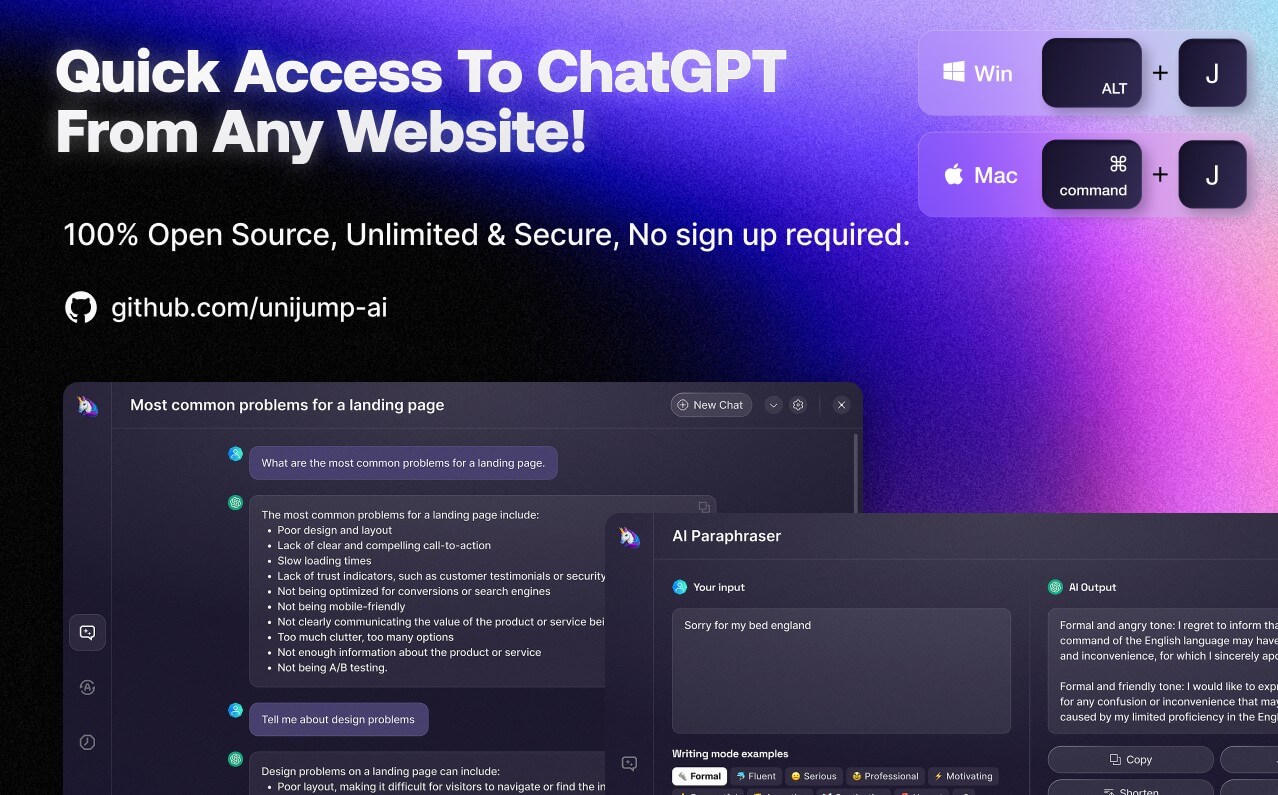
UniJump is strongest for small, repeated writing and comprehension tasks.
If you are reading a long page, drafting a message, rewriting a paragraph, or checking how to phrase something, opening a full ChatGPT tab can feel like too much context switching. UniJump’s value is that it keeps the AI layer close to the page. That makes it useful for email replies, social posts, support messages, research notes, form fields, and quick explanations.
The official feature language is fairly narrow: quick chat, paraphrasing, writing improvement, answers to questions, and experimenting with communication styles. That focus is a strength. UniJump is not bloated. It does a small job that many browser users can understand in a few minutes.
UniJump adds a ChatGPT-style interface that can be opened while browsing instead of switching tabs.
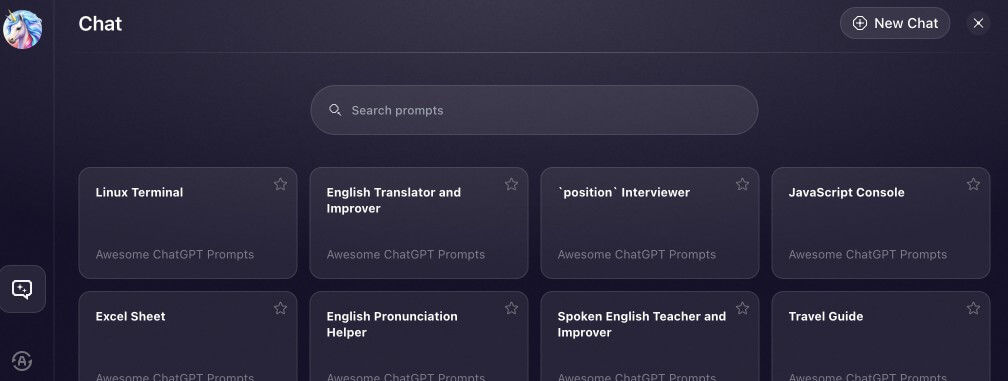
The main workflow is built around quick launch shortcuts, including Cmd + J on Mac and Alt + J on Windows.
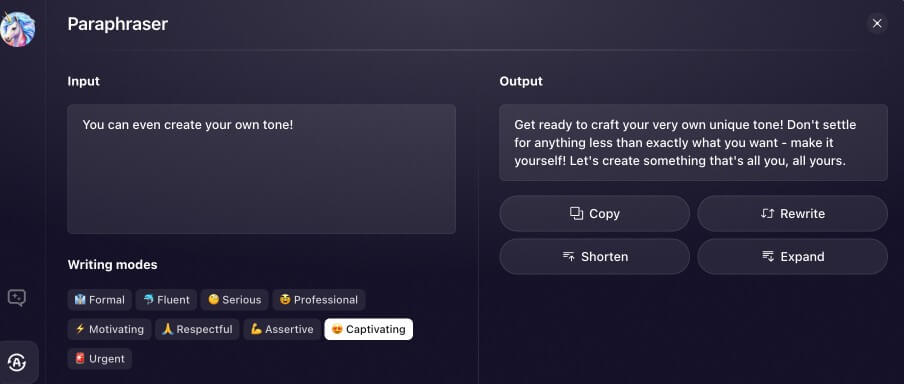
The extension includes a paraphrasing feature for rewording text faster.
The official FAQ says users do not need to register with UniJump, though they still need an OpenAI account.
UniJump links to a public GitHub repository, which is useful for users who care about checking how a browser extension works.
The workflow is the product. You install the extension, browse as usual, then bring up UniJump when you need help. The Chrome Web Store listing describes it as a “Shortcut for ChatGPT with Superpowers,” with chat and paraphrasing as the main use cases.
This is good for people who already like ChatGPT but dislike the extra steps around using it. UniJump removes the small annoyances: finding the tab, pasting context, asking the question, then returning to the original page. It is not a deep productivity system. It is a faster access layer.
The simplicity also means there is not much onboarding. That is helpful, but it also limits how much UniJump can do compared with newer AI browser assistants that can read tabs, summarize pages, cite sources, manage documents, or connect to broader workflows.
Browser extensions deserve extra scrutiny because they can sit close to personal, work, and email data. UniJump’s own site acknowledges this directly, saying users should be careful with extensions that can access personal and work data, and pointing to its public code for transparency. The FAQ also says UniJump does not store personal data, data entry, or websites visited.
The Chrome Web Store listing adds that the developer has disclosed it will not collect or use user data. That is reassuring, but users should still apply the normal extension rule: install only if the convenience is worth the permission surface.
The biggest limitation is that UniJump appears relatively static. The Chrome Web Store listing shows version 0.7.9 and an update date of July 27, 2023. That does not make the extension unusable, but it matters in a fast-moving browser AI market.
The second limitation is depth. UniJump is helpful for quick access and paraphrasing, but it does not look like a full writing platform, research assistant, team tool, or automation layer.
The third limitation is dependency. Since UniJump is a shortcut layer for ChatGPT, much of the output quality depends on ChatGPT itself and the user’s prompt, not UniJump’s own model or workflow design.
UniJump is best for people who already use ChatGPT and want faster access while browsing. Its strongest value is convenience: quick chat, paraphrasing, and writing help without leaving the current website.
The main caveat is that it feels more like a simple access extension than a modern all-in-one AI browser assistant. For quick in-page help, it makes sense. For deeper research, automation, or long-form writing control, users may outgrow it quickly.
TAGS: Productivity
Related Tools:

Quickly summarizes lengthy text by extracting key points
Summarizes online content

Turns Google Sheets into fully functional websites

Enhances browsing and online tasks

Create fashion models and backgrounds from simple descriptions
Interact with PDF documents conversationally