
Share this tool:
 |
Description:
GigaSheet is a browser-based data analysis platform for people who need spreadsheet-style work at a much larger scale than Excel or Google Sheets can comfortably handle. Its current public positioning leans heavily into healthcare price transparency analytics, but the broader product still centers on a clear promise: upload or connect large datasets, view them in a familiar grid, filter and analyze them without SQL, and use AI to speed up exploration, summaries, grouping, and reporting.
GigaSheet is easiest to understand as a big-data spreadsheet. You can upload files, open them in a browser-based grid, search, filter, group, create pivot-style summaries, enrich rows, and work with datasets that would be awkward or impossible to handle in a normal spreadsheet. Its big spreadsheet viewer page says users can upload CSV, TSV, JSON, XLS, or XLSX files, including zipped files, then parse and view them online without installing software.
The AI part sits on top of that grid. GigaSheet’s AI Spreadsheet Assistant is designed to help analyze files that are too large for Excel or Sheets. The official page says users can upload XLS, CSV, TSV, or JSON files, connect to a data store, then prompt the assistant for analysis, with each step explained as the sheet is configured to show results.
That is the main difference between GigaSheet and a chatbot. A chatbot can describe what to do with data. GigaSheet works closer to the data itself.
GigaSheet is strongest when the problem is not writing one formula, but getting control of a large, messy file. That includes machine-readable files, claims extracts, provider lists, contact lists, transaction exports, logs, large CSVs, and combined datasets.
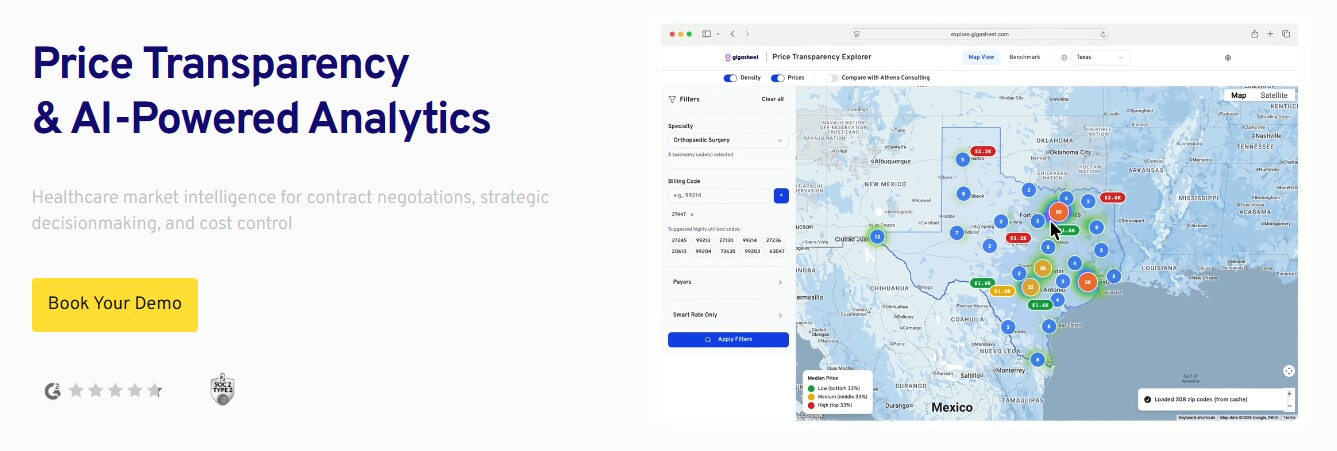
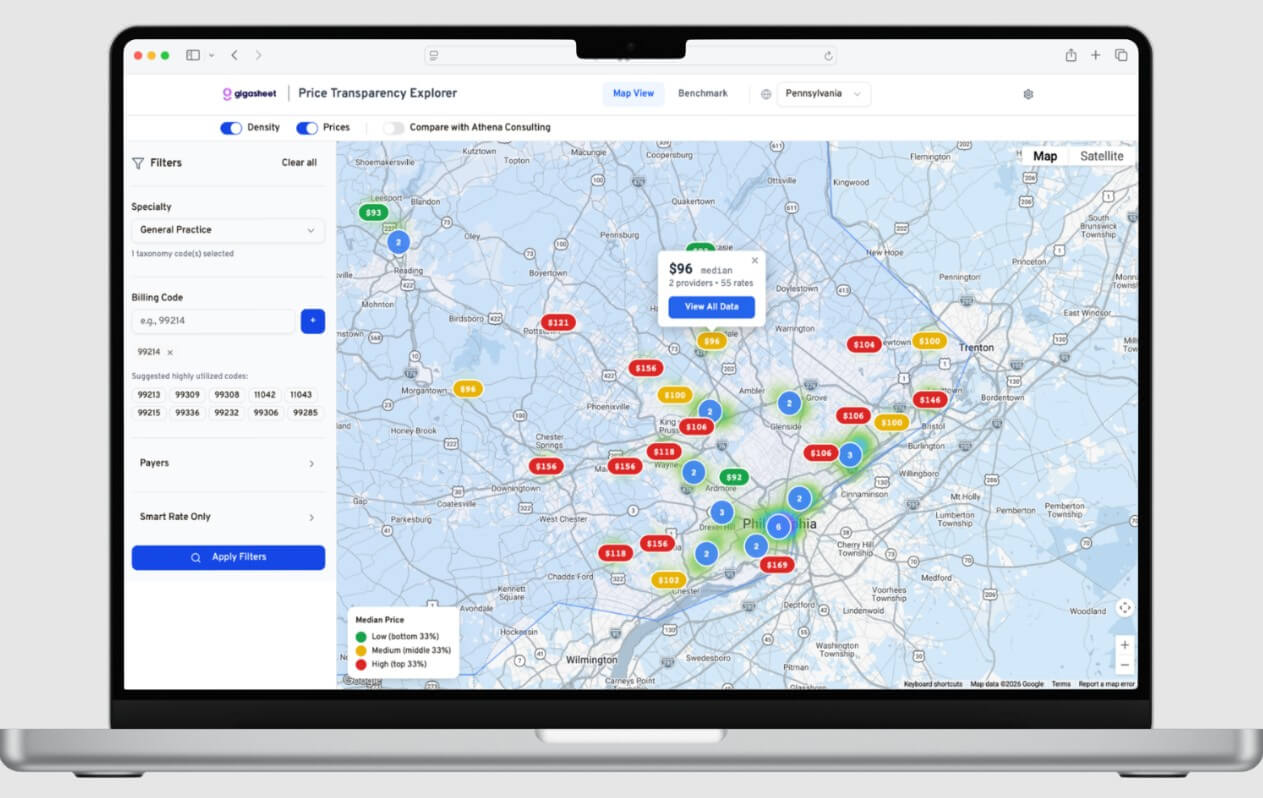
The company now gives special attention to healthcare price transparency. Its homepage describes GigaSheet as a platform for healthcare market intelligence, contract negotiations, strategic decision-making, and cost control. It also says GigaSheet transforms large price transparency datasets into market insights for benchmarking rates, spotting reimbursement trends, and identifying pricing anomalies.
That healthcare focus is important. GigaSheet is no longer just presenting itself as a generic spreadsheet utility. It is positioning itself as an analytics layer for a specific type of hard data: payer and hospital-published machine-readable files. The product still has general big-spreadsheet use, but healthcare pricing is where the current story feels most mature.
| Feature | What it does | Why it matters |
|---|---|---|
| Large File Viewing | Opens very large CSV, TSV, JSON, XLS, XLSX, and zipped files in a browser-based grid | Lets users inspect datasets that are too large for normal spreadsheets |
| AI Sheet Assistant | Helps analyze data, build formulas, group records, aggregate rows, and filter data | Reduces the manual steps needed to move from raw file to useful view |
| Spreadsheet-Like Analysis | Supports search, filtering, pivot-style summaries, and row-level exploration | Keeps big-data work familiar for spreadsheet users |
| Data Enrichment | Adds row-level context through built-in templates or custom REST API calls | Turns GigaSheet into a processing workspace, not just a viewer |
| Healthcare Price Transparency Tools | Helps combine, prepare, normalize, and analyze healthcare pricing files and related datasets | Supports payer, provider, rate benchmark, and plan data analysis |
| Google Sheets Workflow | Supports add-on and live CSV-style output workflows | Lets teams move curated results back into Sheets for review and collaboration |

The workflow is practical: upload or connect a dataset, let GigaSheet parse it, open it in the browser, then start narrowing the file with filters, grouping, pivots, and AI assistance. For users who are used to spreadsheets, that is a major advantage. They do not need to start with a BI model, a warehouse query, or a notebook.
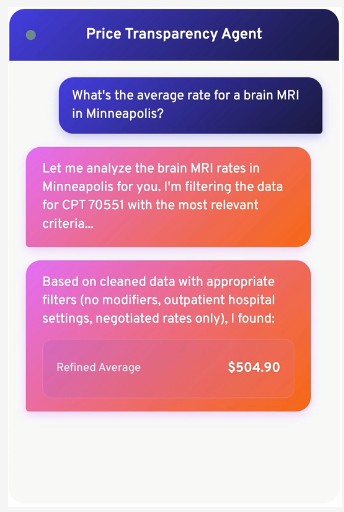
The AI assistant is useful because it makes the first pass less intimidating. Instead of figuring out the exact filter, aggregation, or formula, users can ask for a task in plain language and inspect what GigaSheet changed. The official page emphasizes explainable results, with each step described rather than hidden behind a black-box answer.
That explainability matters. With large datasets, a confident summary is not enough. Users need to know what rows were filtered, which field was grouped, what calculation was used, and whether the resulting view is something they can trust.
GigaSheet’s AI is most valuable as an analysis accelerator. It can help users find patterns, group data, create summaries, and configure the sheet toward an answer. It is less about creative generation and more about reducing the steps between a raw file and a usable view.
The strongest version of the workflow is iterative. Ask for a summary. Check the filters. Change the grouping. Add an enrichment. Export or share the cleaned result. This fits analysts, operations teams, healthcare market researchers, sales teams, and business users who need to work through data but do not want a full technical stack for every question.
The caveat is the same one that applies to most AI data tools: the AI can help you move faster, but it does not remove the need to check assumptions. Field names may be unclear. Category values may be inconsistent. Healthcare price transparency files can be complex. A good-looking result still needs validation.
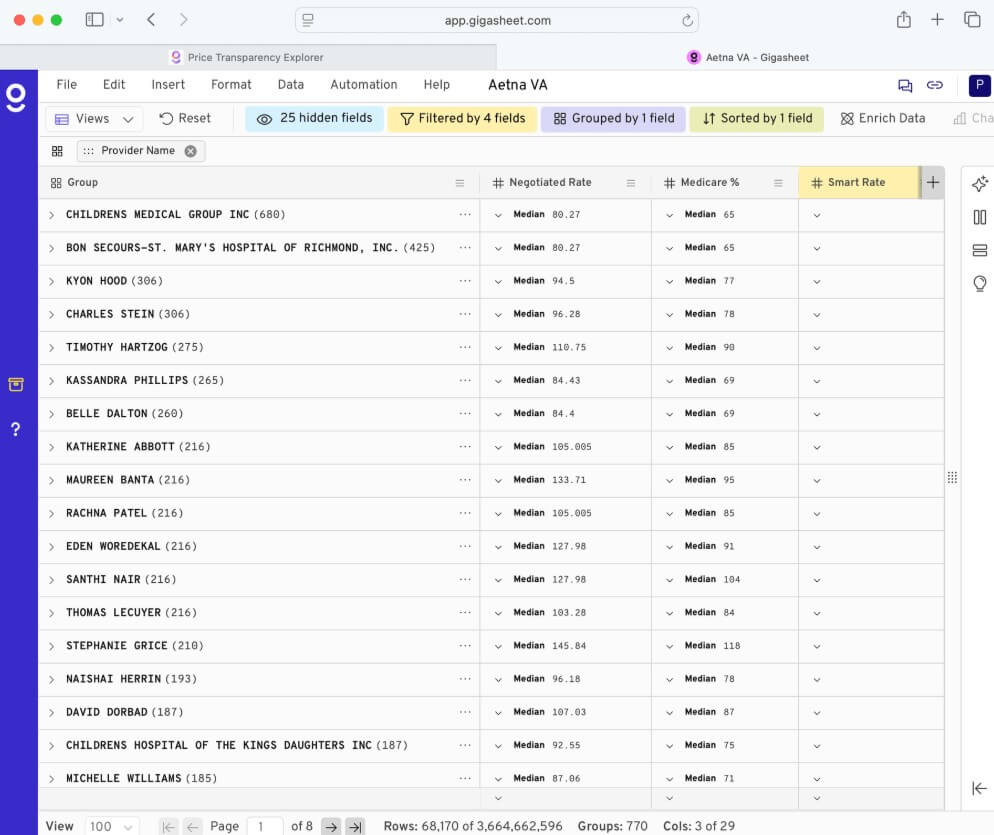
One of GigaSheet’s more useful layers is enrichment. The platform can add new columns of context to rows using built-in enrichment templates or custom REST API calls. Its enrichment documentation describes use cases such as adding sales intelligence to email or LinkedIn lists, generating content with ChatGPT, and using third-party data providers without writing code.
This makes GigaSheet more than a viewer. It can become a processing workspace. A sales team might enrich a lead list. A cybersecurity team might add IP context. A healthcare analyst might prepare a smaller, cleaner view from a large pricing dataset. Then the final version can be moved elsewhere for reporting or stakeholder review.
GigaSheet is a strong fit for healthcare price transparency analytics, payer and provider rate benchmarking, large CSV review, claims data exploration, provider list analysis, sales list enrichment, operations exports, log review, and large spreadsheet cleanup.
It is especially useful for teams that receive huge files from outside systems and need to inspect them quickly. That includes healthcare organizations, benefits consultants, analysts, operations teams, sales operations groups, and anyone who has ever opened a CSV and realized their normal spreadsheet tool was not enough.
It is less ideal when the job is highly visual dashboard design, long-form reporting, or polished presentation output. GigaSheet is more of a data workbench than a dashboard storytelling platform.
The first trade-off is interface depth. A spreadsheet-like layout makes large data more approachable, but big data is still big data. Users still need to understand fields, filters, joins, duplicates, missing values, and business logic.
The second trade-off is focus. GigaSheet’s current public positioning strongly emphasizes healthcare price transparency. That is a strength for healthcare users, but general business users may need to look past the healthcare-heavy messaging to see the broader spreadsheet and enrichment platform.
The third limitation is that it does not replace a full analytics stack. If a team needs governed metrics, complex dashboards, advanced role-based reporting, or production BI across many departments, tools like Power BI, Tableau, Looker, Snowflake, BigQuery, or Databricks may still sit at the center. GigaSheet can work with large data and even references live data from Snowflake, Databricks, BigQuery, and more, but its main appeal is approachable analysis, not full enterprise BI ownership.
GigaSheet is best for users who need spreadsheet-style control over files that are too large, messy, or specialized for normal spreadsheets. Its strongest fit is healthcare price transparency analytics, large CSV exploration, data enrichment, and no-code analysis where users need row-level visibility without building a technical workflow. The main caveat is that GigaSheet makes big data easier to handle, but users still need to validate the logic, fields, filters, and conclusions before acting on the results.
TAGS: Productivity
Related Tools:

Creates effective responses for emails

Automates post-meeting tasks by listening to conversations

Automates and customizes business operations

Matches candidates with relevant opportunities

Organizes personal digital content

Summarizes articles on the web