
Share this tool:
 |
Description:
ClassPoint AI is an AI quiz generator built directly into Microsoft PowerPoint. Its main job is simple: read the content on a slide, generate a quiz question from it, and let the teacher turn that question into a live classroom interaction. That makes it useful for educators and trainers who already teach from slide decks and want faster ways to check understanding without rebuilding lessons in a separate app.
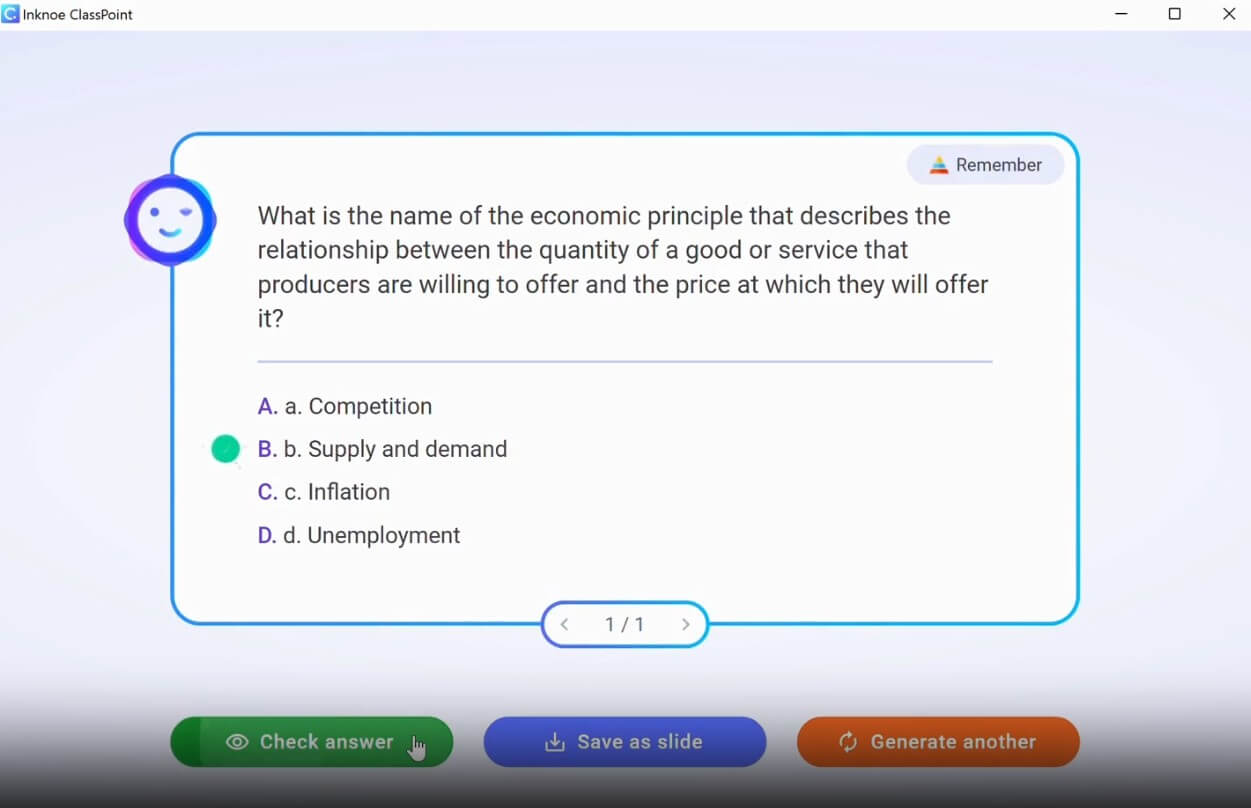
ClassPoint AI is part of ClassPoint, a PowerPoint-integrated teaching and engagement platform. ClassPoint itself includes interactive quizzes, gamification, presentation tools, annotation, timers, random name picker, draggable objects, and other classroom features inside PowerPoint. ClassPoint AI adds the quiz-generation layer: it reads a slide and creates questions from the material already in the presentation.
That is the important distinction. This is not a general AI quiz website where you paste text into a blank form and export questions later. ClassPoint AI is designed for teachers who are already presenting. The workflow stays inside PowerPoint: open a slide, generate a question, choose the type or level, insert it, then collect student responses during the presentation.
That makes the tool more practical than it may sound. Teachers often already have good lesson slides but not enough time to create checks for understanding. ClassPoint AI fills that gap.
ClassPoint AI is strongest when a teacher wants to turn existing instructional material into quick formative assessment. A slide explaining a science concept, history event, math rule, grammar point, business process, or training policy can become a multiple-choice question, short-answer prompt, or fill-in-the-blanks activity.
The tool is especially useful during live lessons. ClassPoint’s AI quiz page describes a three-step flow: the AI reads the slide, generates a quiz question, and the teacher collects live responses from students. That keeps the assessment close to the teaching moment. Instead of creating a separate quiz after class, the teacher can check understanding while the topic is still fresh.
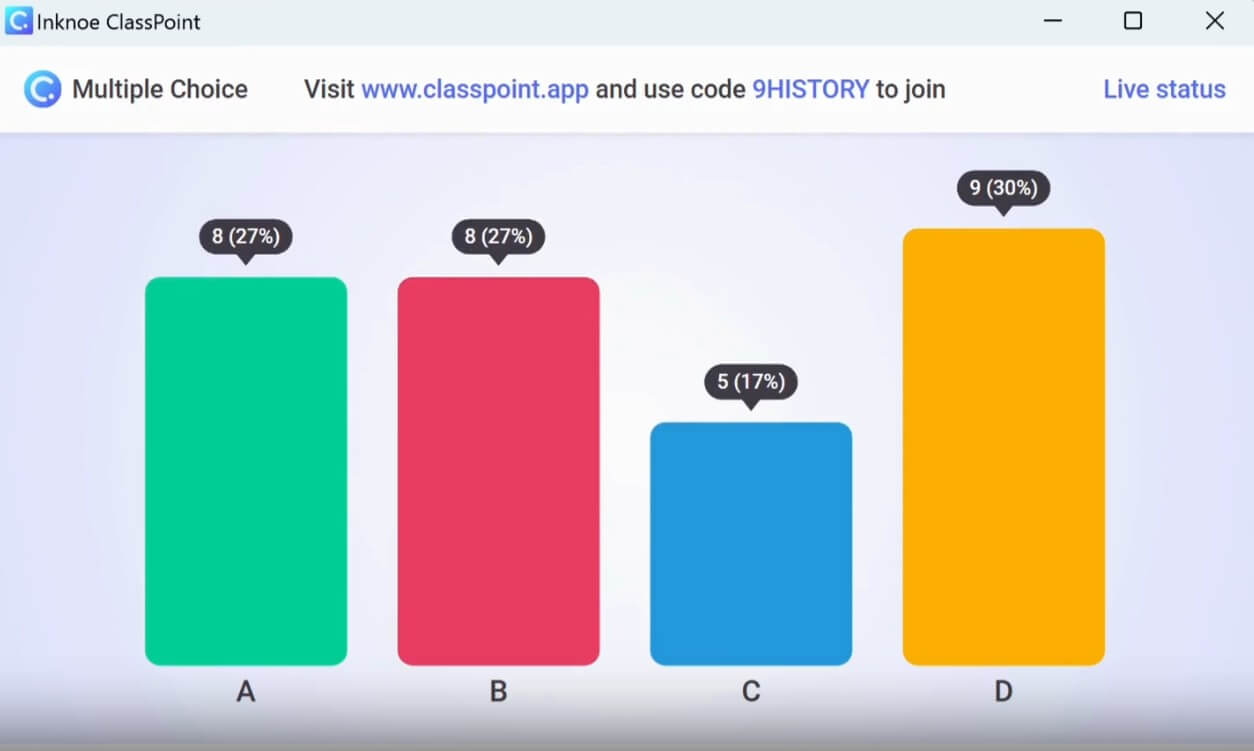
This is where ClassPoint AI feels different from standard quiz makers. Its main strength is not building large test banks. It is helping teachers make their actual slide-based lessons more interactive.
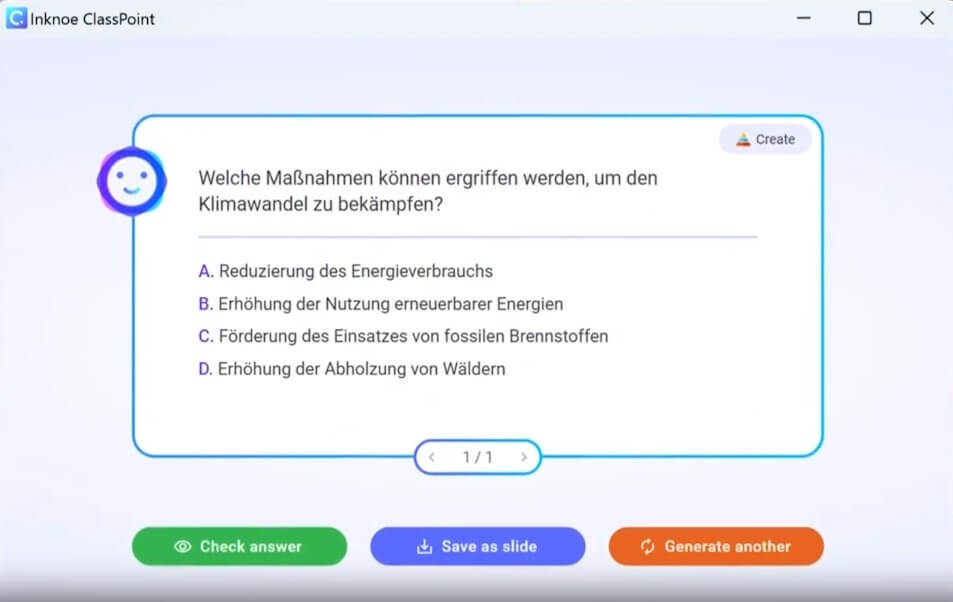
ClassPoint AI analyzes PowerPoint slide content and generates a question based on that slide. This is useful when teachers already have lesson material prepared.
The AI quiz generator supports multiple choice, short answer, and fill in the blanks for AI-generated questions. These cover quick recall, open-ended thinking, and active comprehension checks.
Teachers can generate questions based on Bloom’s taxonomy levels, including remember, understand, apply, analyze, evaluate, and create.
Generated questions can be turned into live interactive quizzes, allowing students to answer during the PowerPoint presentation.
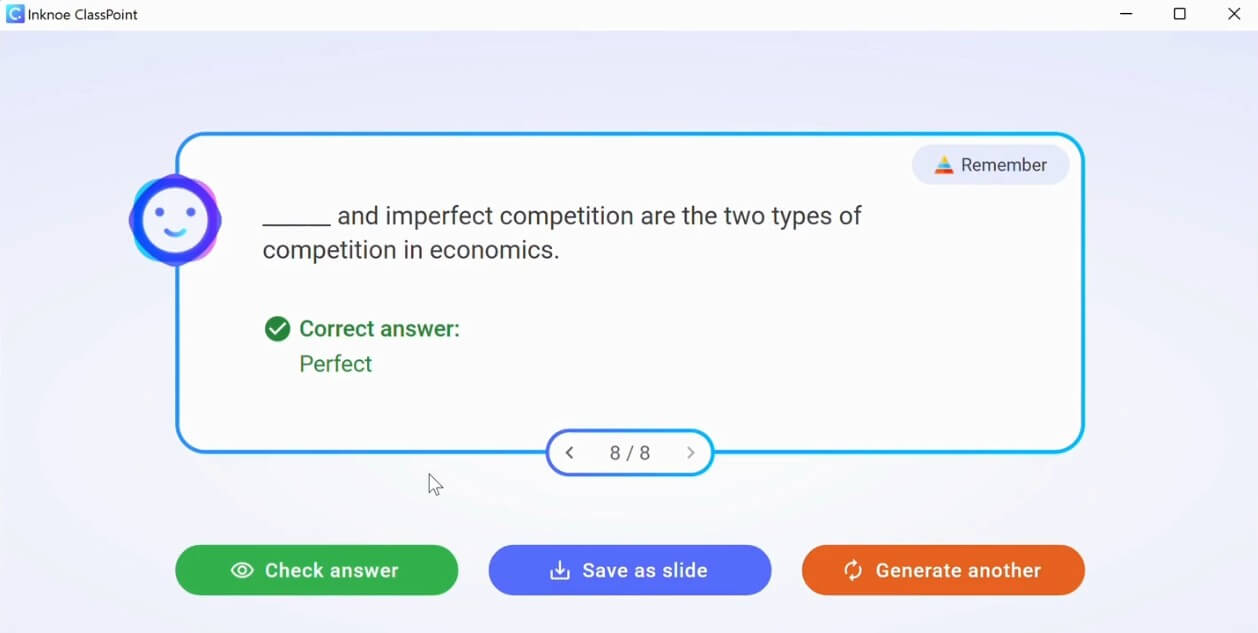
ClassPoint AI supports question generation in multiple languages and describes this support as powered by OpenAI technology.
Beyond AI quizzes, ClassPoint includes word clouds, slide drawing, image upload, audio record, video upload, annotation, whiteboards, timers, and gamification features inside PowerPoint.
The workflow is built for teachers who do not want to leave PowerPoint. That matters more than it sounds. Many classroom tools fail because they ask teachers to juggle a slide deck, a polling tool, a quiz platform, and a student-response system at the same time.
ClassPoint reduces that friction by placing the tools inside the presentation environment. The teacher can reuse existing slides, generate a question, insert the activity, present, and collect responses. ClassPoint’s homepage emphasizes that users do not have to leave PowerPoint and lists native PowerPoint integration, reuse of slides, and a lower learning curve as part of the product’s appeal.
For teachers already comfortable with PowerPoint, this is a strong design choice. It does not require a full change in lesson planning style. It adds interactivity to a workflow many educators already use.
The main setup challenge is that users still need to install and learn the ClassPoint add-in. It is easier than learning a separate lesson platform, but it is not zero effort. Schools may also need to check device compatibility, account setup, and classroom technology policies before broad rollout.
ClassPoint AI’s quality depends heavily on slide quality. A clear slide with one focused concept gives the AI better material to work with. A crowded slide with too many ideas may produce a shallow or unfocused question.
The Bloom’s taxonomy controls are one of the most useful parts because they help the teacher shape the level of thinking. A “remember” question can check basic recall. An “analyze” or “evaluate” question can push students beyond memorization. ClassPoint’s AI quiz page lists these levels directly and explains them as a way to adjust cognitive complexity.
Still, the teacher should review every question before using it. AI-generated quizzes can save time, but they can also produce questions that are too obvious, too vague, or not aligned with the lesson objective. The best use is not automatic quiz creation without review. The best use is faster drafting with teacher judgment.
ClassPoint AI is a strong fit for classroom teachers who use PowerPoint daily and want more frequent checks for understanding. It works well for exit tickets, mid-lesson polls, revision questions, warm-ups, and quick comprehension checks.
It is also useful for corporate trainers. A training slide on compliance, onboarding, safety, product knowledge, or internal process can quickly become a live quiz question. This keeps participants active instead of passively watching slides.
For multilingual classrooms, the language support is helpful. Teachers working with students in different language contexts can generate questions in the language most appropriate for the lesson or audience.
Compared with Kahoot, Quizizz, or Mentimeter, ClassPoint’s advantage is PowerPoint integration. The teacher does not need to move the class into a separate activity environment. The interactive layer sits on top of the existing slides.
Compared with general AI tools like ChatGPT, ClassPoint AI is more classroom-ready. ChatGPT can generate quiz questions from pasted text, but the teacher still has to copy, format, import, or rebuild the activity elsewhere. ClassPoint AI shortens that path by turning slide content into an interactive question inside the presentation.
The trade-off is flexibility. Dedicated quiz platforms may offer richer game modes, broader libraries, or stronger assignment workflows. ClassPoint is strongest when the live PowerPoint lesson is the center of the experience.
ClassPoint AI depends on slide content. If the slide is weak, the generated question may be weak. Teachers should treat AI output as a draft, not a finished assessment.
The tool also fits a specific teaching style. It works best for live instruction, classroom interaction, and slide-based teaching. It is less useful for asynchronous courses, LMS-heavy assessment, or teachers who rarely use PowerPoint.
Another limitation is depth. ClassPoint AI is good for quick quiz generation, but it does not replace careful assessment design. For major tests, teachers still need to check alignment, difficulty, wording, fairness, and learning objectives.
ClassPoint AI is best for teachers and trainers who already use PowerPoint and want to make lessons more interactive without rebuilding their workflow. Its strongest value is the combination of AI-generated quiz questions, Bloom’s taxonomy controls, live student responses, multilingual support, and ClassPoint’s broader presentation tools.
The main caveat is that the AI should support teacher judgment, not replace it. For quick, in-class formative assessment, ClassPoint AI is a practical and well-focused tool.
TAGS: Productivity
Related Tools:

Summarizes and take notes from videos
Transforms video content into polished, SEO-friendly blog posts

Quickly summarizes lengthy text by extracting key points
Simplifies and accelerates API integrations

Designed to automate data analysis and preparation

Summarizes YouTube videos and provides insights