
Share this tool:
 |
Description:
Hiver is an AI customer service platform built for teams that manage support, finance, IT, operations, or customer requests from shared inboxes and multiple communication channels. Its original strength is Gmail-native collaboration, but the current product has grown into a broader support platform with AI agents, AI Copilot, omnichannel inboxes, live chat, knowledge base tools, customer portal features, automation, analytics, CSAT, SLAs, approvals, and integrations.
| Feature | Practical value |
|---|---|
| Gmail-Native Help Desk | Lets teams manage shared inboxes and support workflows from Gmail instead of switching to a separate help desk interface. |
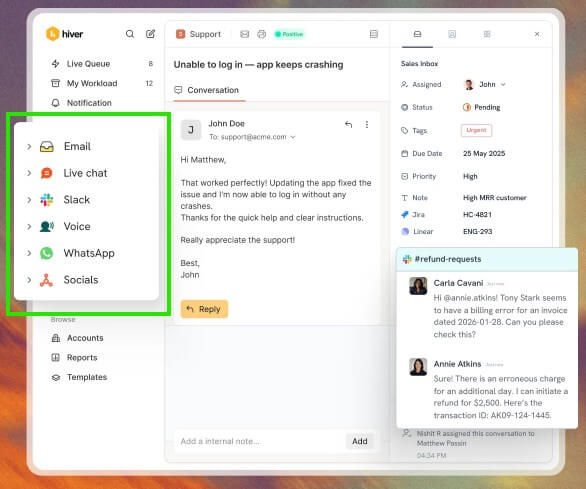
| Omnichannel Inbox | Brings email, live chat, WhatsApp, voice, and social conversations into one workspace with ownership and workflow support. |
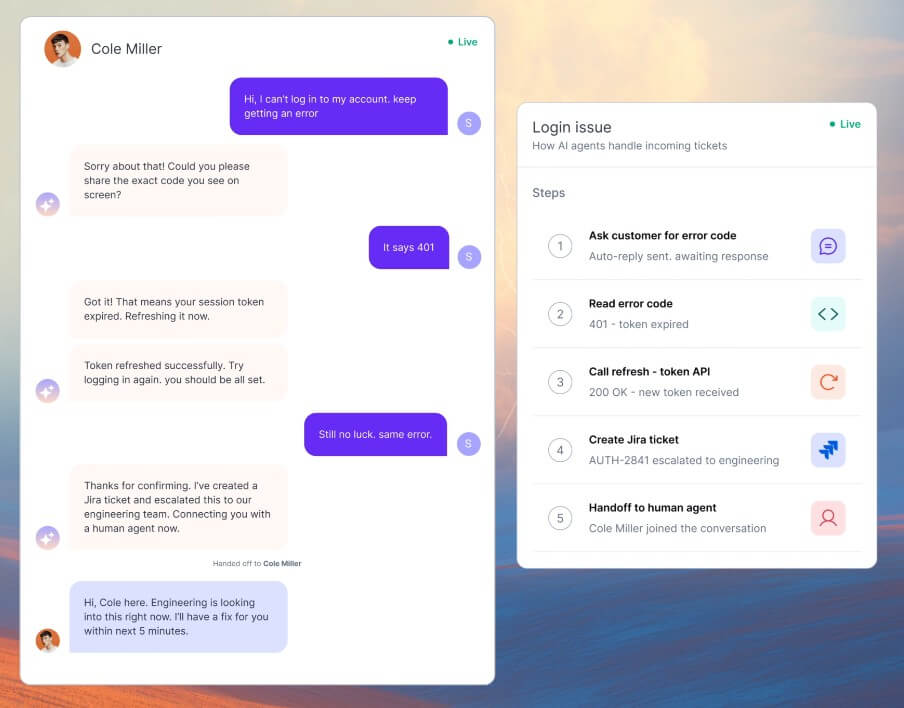
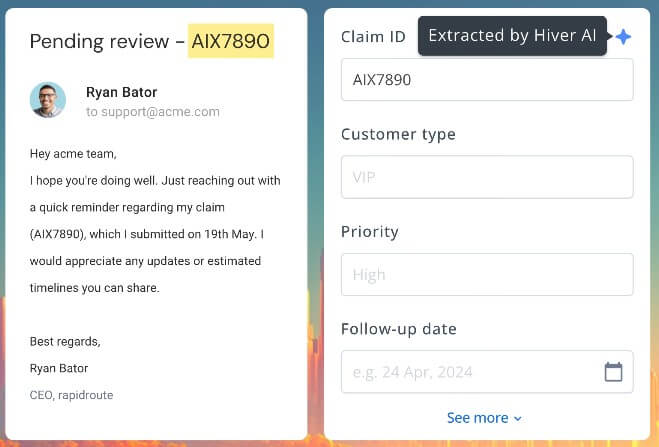
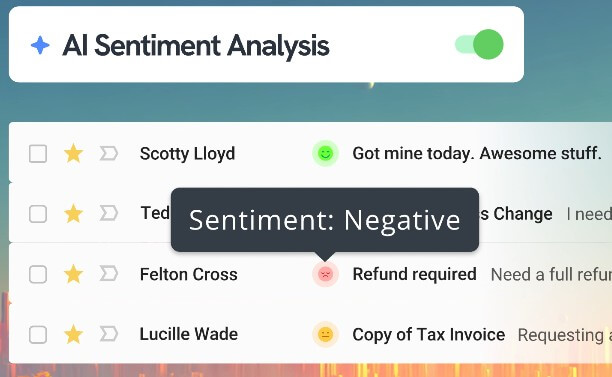
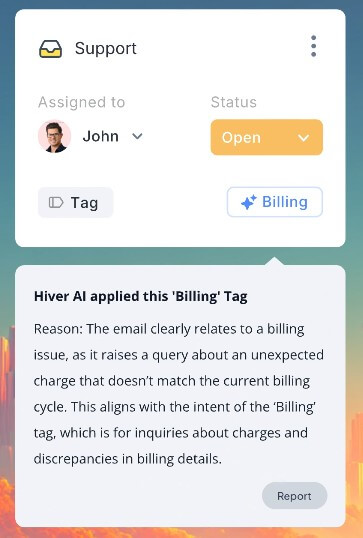
| AI Agents | Automate repetitive support work, resolve routine questions, triage conversations, detect urgency or sentiment, assign tags, and trigger workflows. |
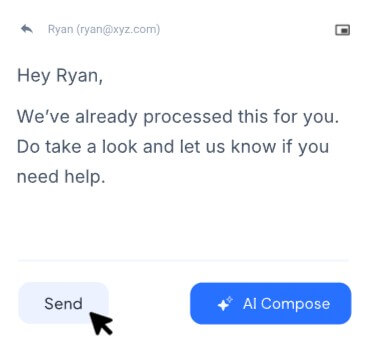
| AI Copilot | Helps agents draft replies, find answers from help docs and SOPs, polish tone, summarize threads, and respond without switching tabs. |
| Workflow Automation | Uses rules and AI to route, prioritize, assign, respond, trigger API calls, and sync data with other business systems. |
| Knowledge Base and Customer Portal | Supports self-service articles, internal knowledge, AI-powered search, customer request tracking, and agent-facing knowledge access. |
Hiver is best understood as a help desk that can live inside Gmail, while also expanding into a dedicated omnichannel support workspace. The official product navigation now separates Hiver in Gmail, described as a Gmail-native help desk, from Hiver Omni, a dedicated omnichannel platform. That distinction matters because Hiver is no longer only for teams that want to manage support@ inside Gmail, though that remains one of its clearest use cases.
The core idea is simple: customer and internal requests should have clear ownership, status, context, collaboration, and reporting. A regular shared mailbox struggles with this. People forward emails, add CCs, lose track of who is replying, and miss messages when volume rises. Hiver adds help desk structure on top of that workflow: assignment, collision control, internal notes, shared drafts, @mentions, routing, SLAs, and analytics. Its collaborative inbox page frames this around responding, assigning ownership, and working together without forwarding or CC loops.
Hiver is strongest for teams that want support operations without forcing everyone into a heavy standalone help desk. That is especially useful for Google Workspace teams already working from Gmail. Instead of asking agents to leave the inbox, Hiver adds help desk behavior where the team already works.
The second strong fit is cross-functional support. Hiver’s homepage calls out support, finance, and IT teams, and its navigation includes use cases for customer support, finance, ITSM, and HR. This makes sense because many request workflows are not classic customer support tickets. Finance teams handle billing@ or ap@. HR teams handle employee questions. IT teams handle access requests. Operations teams handle vendor or logistics issues. Hiver’s shared inbox and assignment model fits those cases well.
The third strength is its move into AI. Hiver’s AI layer now includes AI Agents, AI Copilot, AI QA, and AI-assisted workflows. The platform positions these as both assistive and agentic AI: some tools help human agents respond faster, while others automate triage, FAQs, tagging, workflows, and repetitive actions.
The everyday workflow depends on which Hiver setup a team chooses. In the Gmail-native version, agents work from Gmail while Hiver adds shared inbox controls. A customer email can be assigned to a teammate, discussed internally with notes, tracked by status, escalated, tagged, or measured through reports. The customer sees a clean reply, while the team sees the collaboration layer behind it.
In the omnichannel version, Hiver becomes more like a central support command center. Conversations from email, chat, WhatsApp, voice, and social channels can live in one system instead of being scattered across tools. This is useful for teams that have outgrown email-only support but still want a simpler operating model than a large enterprise help desk.
The learning curve should be lower for Gmail-heavy teams because the base environment is familiar. The harder work is not learning buttons. It is designing ownership rules, escalation paths, tags, SLA expectations, automation rules, and AI boundaries.
Hiver’s AI makes more sense when split into two roles.
| Layer | Best for | Practical value |
|---|---|---|
| AI Agents | Automating repetitive support work | Handles FAQs, tagging, triage, routing, thank-you closures, and workflow actions |
| AI Copilot | Helping human agents respond | Drafts replies, finds answers, summarizes threads, and adjusts tone |
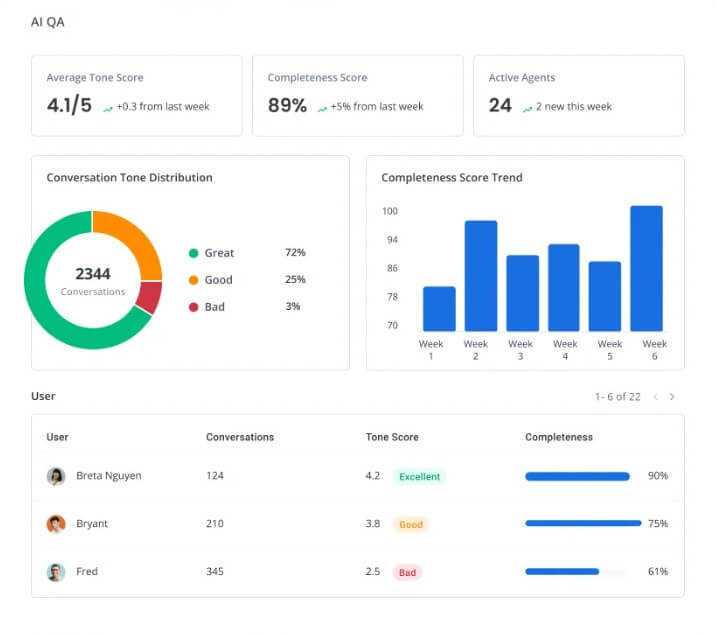
| AI QA | Reviewing quality | Scores and coaches responses for tone, grammar, completeness, and consistency |
| Knowledge Base AI | Improving self-service | Finds gaps, generates articles, detects duplicates, and powers AI answers |
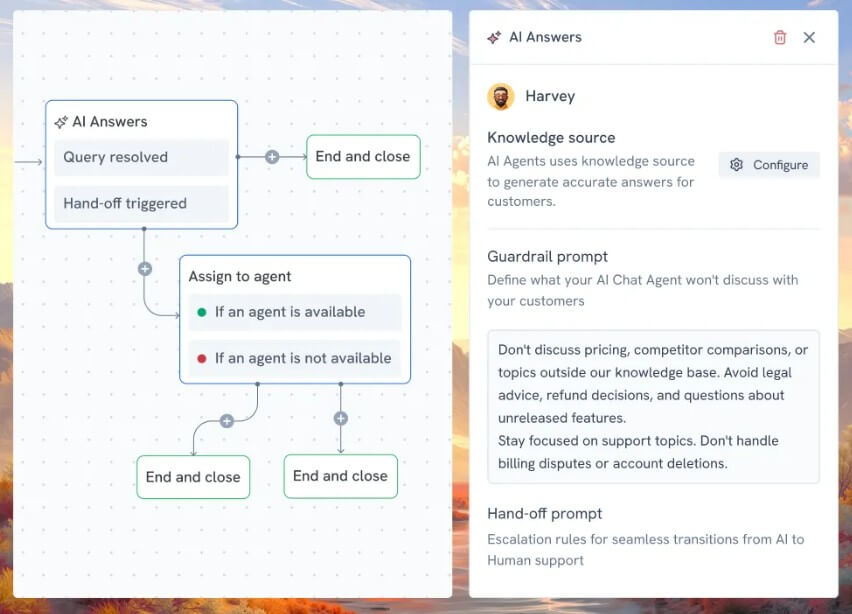
AI Agents are better for queue reduction. AI Copilot is better for complex conversations where a person still owns the judgment. This is the right split. Fully automated support can frustrate customers when the issue is nuanced, but assistive AI can still save time by reducing blank-page writing, context hunting, and repetitive summarization.
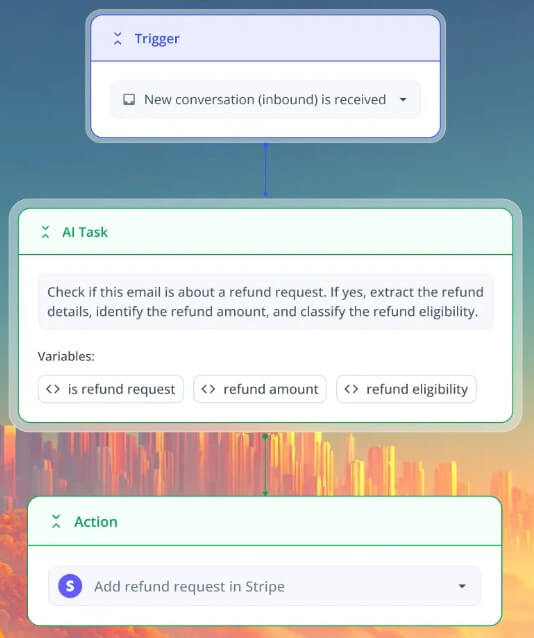
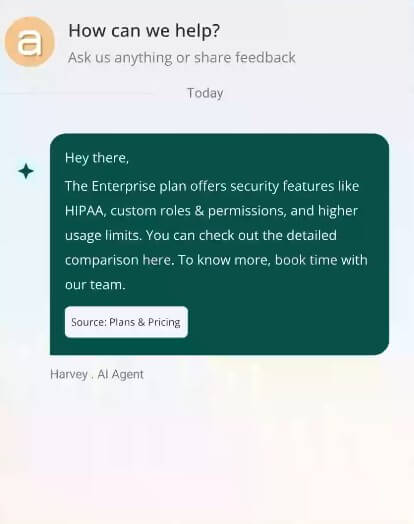
Hiver’s knowledge base deserves attention because it feeds the rest of the AI system. Hiver says its knowledge base can serve as a unified source of truth for FAQs, policies, product docs, and SOPs, with separate knowledge bases for customers and internal teams. It also says the knowledge base powers live chat, AI agents, suggested replies, and customer portal content.
This is important because support AI is only as good as the source material behind it. A clean knowledge base can help Hiver answer faster and more consistently. A messy one can create confusion, duplicate answers, or outdated guidance. Hiver’s AI features for identifying knowledge gaps, generating articles from support replies, detecting overlapping content, and refining article copy are useful because knowledge upkeep is often where support systems decay.
Hiver is a strong fit for customer support teams that want a shared inbox, live chat, AI assistance, and request ownership without adopting a heavier help desk.
It also works well for finance teams handling vendor payments, invoices, account questions, and shared billing inboxes. IT and HR teams can use it for internal service requests where ownership, status, and response time matter.
Operations-heavy teams may also benefit, especially in logistics, education, healthcare, travel, and manufacturing, where support often requires coordination across departments. Hiver’s collaboration features are useful when one customer issue needs input from several internal people, but the external reply still needs to look clean and controlled.
It is less ideal for teams that need deep enterprise service management, advanced field service workflows, or highly customized multi-brand support operations.
Hiver’s biggest strength, Gmail-native support, can also define its ceiling for some teams. If a company wants every agent working in a purpose-built support interface from day one, tools like Zendesk, Freshdesk, Front, or Intercom may feel more natural.
The AI layer also needs careful setup. AI Agents can automate FAQs, triage, sentiment detection, tagging, and workflows, but poor rules or weak knowledge sources can create bad handoffs. Admins can review, edit, or disable AI-triggered workflows, which is important, but teams still need governance.
There is also a process issue. Hiver can add assignment, status, SLAs, and analytics, but it cannot fix unclear ownership by itself. Teams still need to decide who handles what, when to escalate, and which issues should never be automated.
Hiver is a strong AI customer service platform for teams that want shared inbox discipline, help desk structure, and AI support without losing the familiarity of email. Its best strengths are Gmail-native collaboration, omnichannel conversation management, AI Agents, AI Copilot, workflow automation, knowledge base support, and customer portal features. It is best for support, finance, IT, HR, and operations teams that handle shared requests and need clearer ownership. The main caveat is that Hiver works best when teams invest in clean workflows, strong knowledge sources, and clear rules for where AI should assist versus where a human should stay in control.
TAGS: Productivity
Related Tools:
Streamlines note-taking, task organization, and insight generation

Helps teams organize, search, and collaborate on information

Automates formula generation in spreadsheets

Streamlines creation of business plans

Provides adaptive teaching methods

AI-powered academic writing tool