
Share this tool:
 |
Description:
Asana is a work-management platform that combines projects, task views, goals, portfolios, reporting, workflow automation, and a growing AI layer built around smart assists, AI Studio, and AI Teammates. That matters because Asana is strongest when you use it as a coordination system for real work across teams, not just a place to keep a to-do list.
The easiest way to understand Asana is to break it into four layers.
At the base level, Asana handles tasks, projects, deadlines, assignments, and common views like list, board, calendar, timeline, and Gantt-style planning. That is the part most people see first, and it is still the core of the product.
This is where Asana starts to feel more like work management than simple task management. Goals connect daily work to larger objectives, while portfolios let teams group projects together and track health, workload, status updates, and dashboards in one place. Reporting dashboards visualize data across projects, portfolios, goals, and tasks.
Asana includes workflow builder, forms, approvals, proofing, workflow bundles, and AI Studio. The platform is clearly pushing no-code workflow automation as a major part of its value, especially for teams standardizing intake, routing, handoffs, and operational processes.
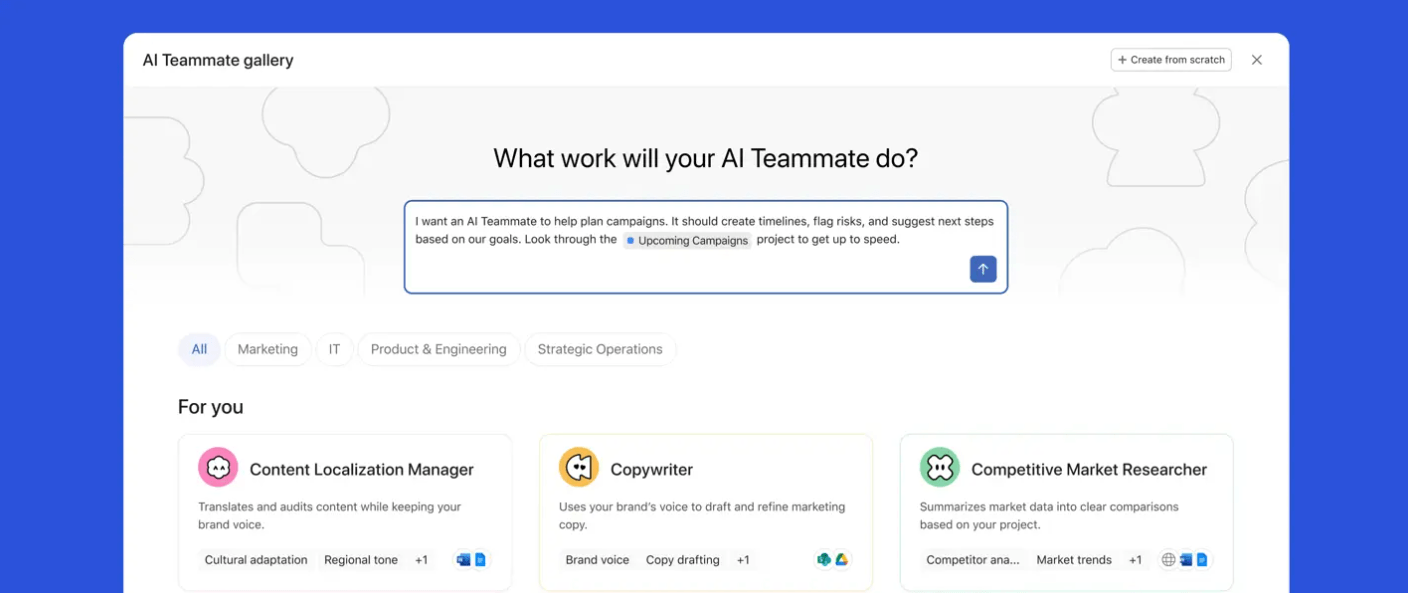
Asana AI now includes built-in drafting and status-update help, smart chat, AI Studio, and AI Teammates. The company explicitly frames this as moving from AI assistance toward AI teammates that can operate inside workflows with team context and guardrails.
Asana is strongest in four practical areas.
First, it is very good at turning scattered work into visible, structured work. Tasks, projects, deadlines, and owners are only the beginning. The real value is that Asana lets teams connect operational work to larger programs and goals instead of leaving everything trapped in isolated boards or chat threads.
Second, it does cross-project visibility better than many lighter collaboration tools. Portfolios, status updates, workload views, and dashboards make it much more useful for PMOs, operations teams, marketing organizations, and department leads who need to see multiple initiatives at once.
Third, it has a credible workflow standardization story. Workflow bundles, forms branching, approvals, proofing, and AI Studio all push Asana beyond “track work” into “design how work should move.” That distinction matters a lot for recurring processes like intake, campaign execution, request routing, and project governance.
Fourth, Asana’s AI is increasingly team-centric rather than chatbot-centric. The company’s positioning around AI Teammates is that they operate inside shared workflows, with checkpoints and team guardrails, instead of just answering one-off questions in a blank chat. Whether buyers need that yet depends on maturity, but it is one of Asana’s clearest differentiators right now.
Connect projects and tasks to larger objectives with live progress tracking.
Monitor multiple projects together with health views, dashboards, workload, and status reporting.
Build real-time charts across projects, portfolios, goals, and tasks.
Standardize recurring processes and deploy consistent workflows across teams.
Use Asana’s no-code AI builder to automate routine work and design smart workflows.
Add AI that can answer questions, create tasks, support workflows, and operate within team context.
At the basic level, Asana is approachable. The Personal plan is free forever for up to 2 users and includes list, board, and calendar views, plus unlimited tasks and projects. That makes it easy for individuals or very small teams to get started without much friction.
The second layer is where the product gets more valuable and more structured. Starter adds Asana AI and workflow builder, while Advanced adds goals and unlimited portfolios. In practice, that means Asana becomes much more useful once a team moves beyond single-project tracking into cross-functional coordination and reporting.
The learning curve rises when teams start using portfolios, goals, dashboards, forms, approvals, workload, and AI Studio together. None of those features are individually difficult, but the platform rewards teams that think clearly about process design. If your organization does not define ownership, stages, naming, and reporting rules well, Asana can become organized-looking without actually being organized. That is not a flaw unique to Asana, but it is real. This is an inference based on how much of Asana’s value depends on structured configuration across projects, workflows, and reporting.
This is now one of the most important parts of the product.
Asana AI is built into paid plans and is described by Asana as helping draft tasks and status updates, build custom workflows, and deploy autonomous agents. Smart chat is also listed as available in Asana, Slack, and Microsoft Teams, which matters because it lets users ask for answers and actions closer to where work already happens.
AI Studio is the no-code AI builder. Asana says it is available on Starter, Advanced, Enterprise, and Enterprise+ in three forms: Basic, Plus, and Pro. Basic is included with rate limits, while Plus and Pro are paid tiers for heavier productivity and more complex workflow scale.
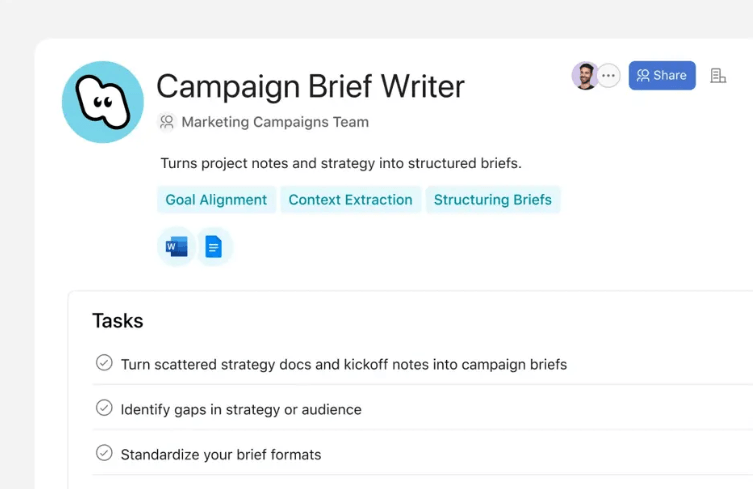
AI Teammates are the more ambitious layer. Asana describes them as specialized AI agents built for teams, with context about what the team is trying to achieve, checkpoints to show their work, and operation within organizational guardrails. That is a stronger framing than generic AI assistants, and it makes the most sense for recurring operational workflows rather than casual chat use.
The practical takeaway is that Asana’s AI matters most when it is embedded inside real team processes. If you only want a writing assistant or a chatbot, Asana is not the obvious choice. If you want AI tied directly to tasks, workflows, intake, routing, and coordination, it becomes much more compelling.
This is one of Asana’s biggest strengths.
Goals can sync automatically with project and task progress, which helps connect day-to-day work to larger objectives. Portfolios let teams group multiple projects and monitor health, metrics, dashboards, custom charts, status updates, and workload views. Reporting dashboards support multiple chart types and can be customized, shared, and exported to PDF or PowerPoint.
That combination makes Asana stronger for managers and cross-functional leaders than tools that stop at board-level task tracking. It is especially useful when a team needs both execution-level detail and program-level visibility in the same product.
Asana is a strong fit for:
- marketing, creative, and campaign teams managing recurring launches
- PMOs and operations teams coordinating work across multiple projects
- product and business teams that want goals, reporting, and portfolio visibility
- organizations standardizing intake, approvals, and workflow handoffs
- teams that want AI embedded into structured work rather than living in a separate chat tool.
It is less compelling for people who only need a lightweight personal task app, or for teams that prefer unstructured chat-first collaboration and do not want to invest in designing workflows and reporting properly.
- Start by defining your project templates and naming conventions before rolling out dashboards and portfolios. Asana’s reporting becomes much more useful when underlying project structure is consistent. This is an inference from how dashboards, portfolios, and goals rely on standardized data across work objects.
- Use Starter if you mainly need better team execution, but move to Advanced when goals and portfolio-level visibility become management requirements. The plan split makes that threshold pretty clear.
- Treat AI Studio as a workflow tool, not just an AI feature. It is most valuable when attached to recurring processes that already have clear triggers, rules, and owners.
- Use portfolios and status updates for leadership visibility instead of trying to turn every project into an executive report. Asana’s portfolio and reporting structure is designed for exactly that layer.
- The biggest trade-off is that Asana gets more powerful as it gets more structured. That is good for serious teams, but it also means the platform can feel heavier than simple task apps if your needs are basic.
- The second trade-off is that some of Asana’s best value sits above the entry tier. If you want goals, unlimited portfolios, capacity planning, workflow bundles, stronger admin controls, and deeper AI workflow tooling, you move up the pricing ladder fairly quickly.
- The third is AI complexity. Asana AI, smart chat, AI Studio, and AI Teammates are meaningful additions, but they also make the platform broader and less simple than a pure project tracker. Teams that do not have clear operational workflows may not get as much from that depth.
Asana is one of the stronger work-management platforms for teams that need more than task tracking. Its best qualities are cross-project visibility, goals and portfolio alignment, workflow standardization, and an AI layer that is increasingly built around team operations rather than isolated chat.
It is best for growing teams, cross-functional departments, PMOs, and organizations that want structured execution plus reporting and automation in one system. The main caveat is that Asana rewards process maturity: the more clearly your workflows are defined, the more value you get.
TAGS: Productivity
Related Tools:

Helps users search the web, analyze pages, and complete research tasks

Provides customizable email templates

Simplifies creation of educational content

Transforms video content into polished, SEO-friendly blog posts

Enhances productivity by automating tasks

Lets you ask business questions and instantly get insights