

Share this tool:
 |
Description:
Browse AI is a no-code web scraping and website monitoring platform for people who need live web data without building and maintaining custom scrapers. Its main value is practical: you can train a robot by pointing and clicking on the data you want, then run that robot manually, on a schedule, in bulk, through integrations, or through an API. Browse AI positions the product around scraping, monitoring, workflows, automations, and integrations rather than one-off extraction alone.
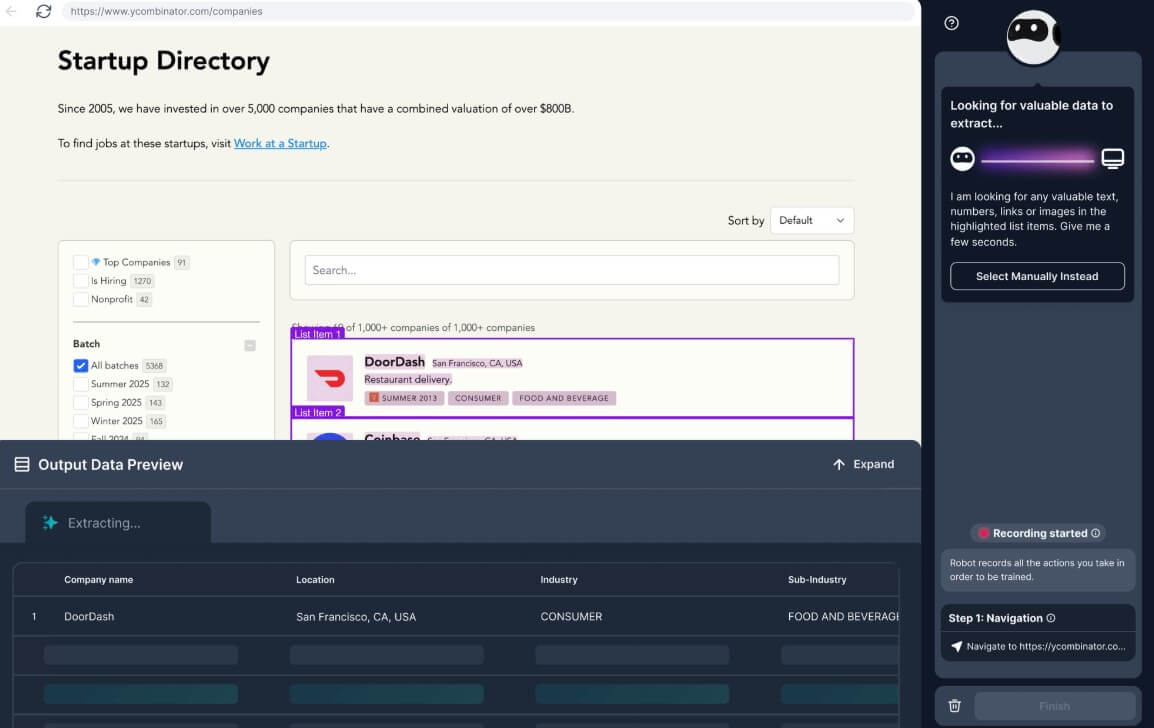
Users can create scrapers by selecting data on a page instead of writing Python, JavaScript, CSS selectors, or browser automation code.
Browse AI supports structured list extraction, specific text capture, and screenshot capture, which makes it useful for both data and visual monitoring.
Robots can run on a schedule, compare results over time, and highlight new, changed, or removed content.
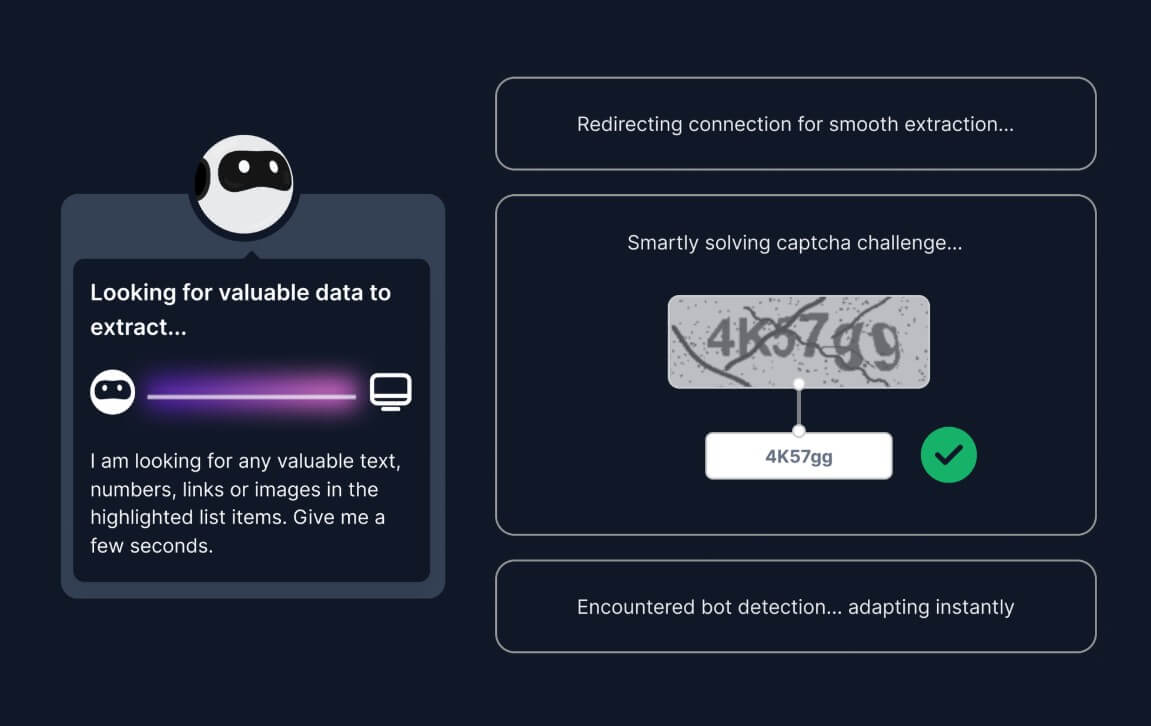
Browse AI can handle common web complexity such as pagination, infinite scrolling, forms, dropdowns, login-protected pages, CAPTCHAs, and location-sensitive content.
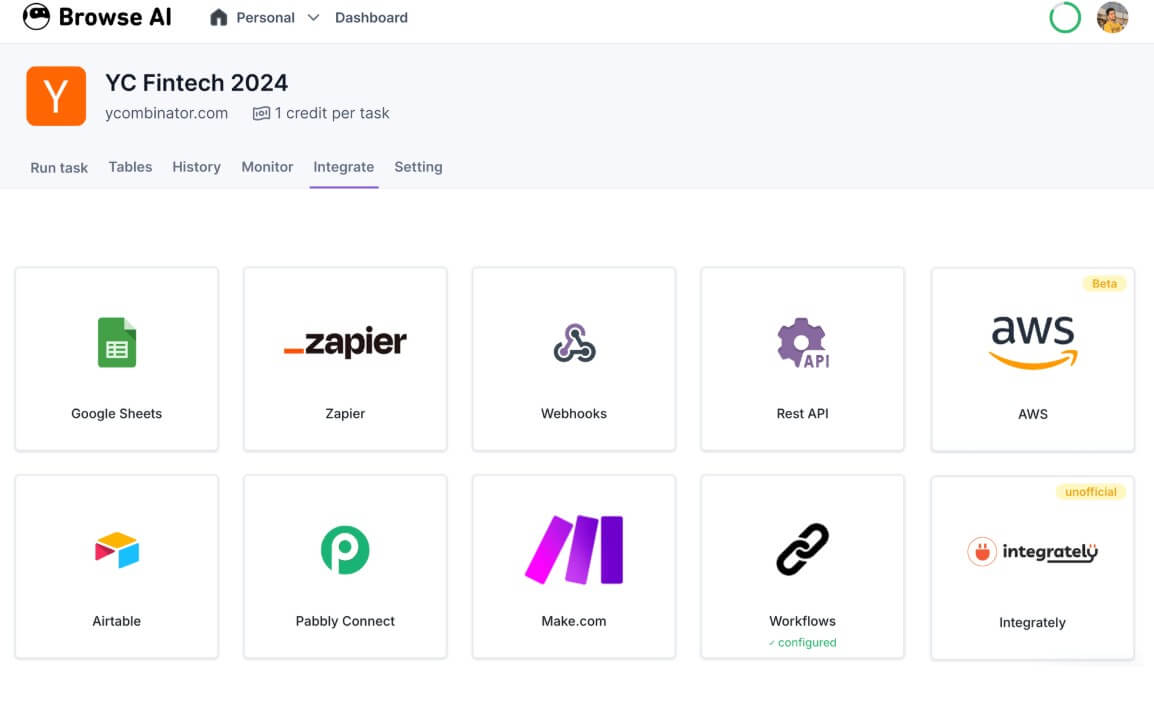
Extracted data can connect to Google Sheets, Airtable, Zapier, Make, Pabbly, APIs, and webhooks, which is where the tool becomes useful for operations teams.
A trained robot can become an API-style data source, with REST API access, webhooks, polling, and structured delivery for internal systems.
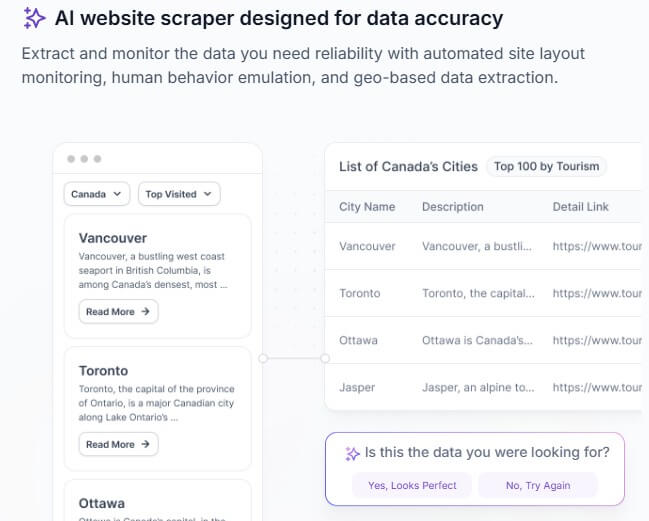
Browse AI is best understood as a visual web data automation tool. You create a “robot,” show it what to capture on a webpage, and then use that robot to extract structured data, track changes, capture screenshots, or feed results into other tools.
That distinction matters. Browse AI is not just a scraper that downloads a page once. It is built around repeatable data collection. A robot can extract specific text, scrape repeating lists, capture screenshots, handle pagination, work through forms and dropdowns, and run again later to detect what changed. The company also emphasizes dynamic content handling, retries, rate limiting, proxy management, and bot-evasion infrastructure behind the no-code interface.
The easiest way to think about it is this:
| Layer | What it does | Why it matters |
|---|---|---|
| Custom Robots | Point-and-click extraction from a webpage | Best for unique sites or niche data needs |
| Prebuilt Robots | Ready-made templates for common websites | Faster setup when a template already exists |
| Monitoring | Scheduled checks for changes | Useful for prices, listings, reviews, jobs, rankings, and inventory |
| Integrations | Sends extracted data into business tools | Turns scraping into a workflow, not a manual export |
| API and Webhooks | Lets teams connect Browse AI to internal systems | Useful when scraped data needs to power an app, dashboard, or pipeline |
Browse AI also offers more than 250 prebuilt robots for popular websites and categories, including ecommerce, real estate, recruitment, SEO, social media, travel, and lead generation workflows. Those templates are useful because many users do not want to train a scraper from scratch if the site they need is already covered.
Browse AI is strongest when the data you need lives on public or login-accessible websites and changes often enough that manual checking becomes a waste of time.
That makes it useful for competitive intelligence, ecommerce monitoring, job market tracking, lead generation, real estate data, SEO research, directory scraping, review monitoring, and market research. The official use cases lean heavily into price and product monitoring, ecommerce, real estate, job listings, legal data, lead generation, and LLM data extraction.
The best fit is not “I need one table copied once.” You can do that with a spreadsheet import, a browser extension, or a manual export. Browse AI becomes more useful when the task repeats:
- A competitor changes prices every week.
- A job board adds new roles every day.
- A marketplace updates inventory constantly.
- A real estate site changes listings and statuses.
- A directory adds new companies you want in your CRM.
- A product team wants web data feeding an internal app.
That repeatability is the point. Browse AI is built to turn websites into ongoing data sources.
The core workflow is straightforward: create a robot, enter the website URL, point and click on the data you want, review the extracted result, then run the robot manually or automate it. Browse AI’s docs describe multiple ways to run robots, including single tasks, bulk tasks, monitors, workflows, integration platforms, and the REST API.
For simple pages, the appeal is obvious. You avoid writing selectors, setting up Puppeteer, managing proxies, handling retries, or debugging a script when the site layout shifts. That is the main reason a non-technical user would choose Browse AI over a developer-first scraping stack.
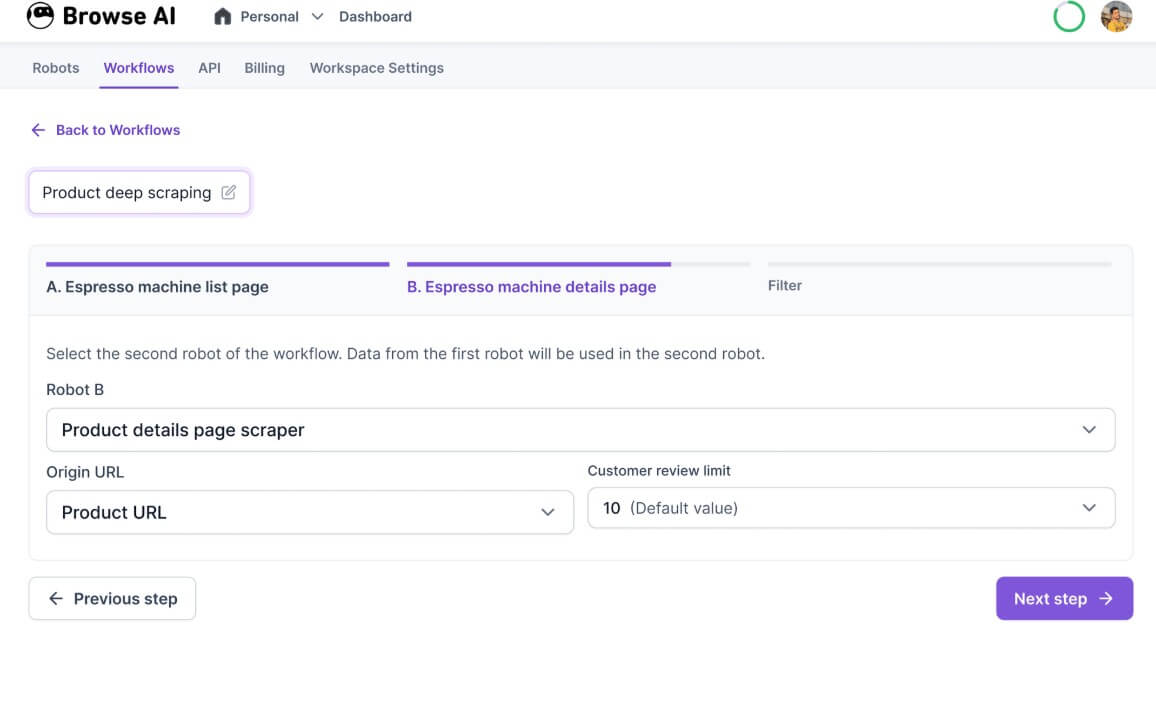
The workflow is also flexible enough for more advanced use. You can train a robot to fill out forms, perform searches, click toggles, move through dropdowns, scroll to load more content, and scrape across pages. Browse AI also supports bulk monitoring and URL lists for monitoring many similar pages with the same robot.
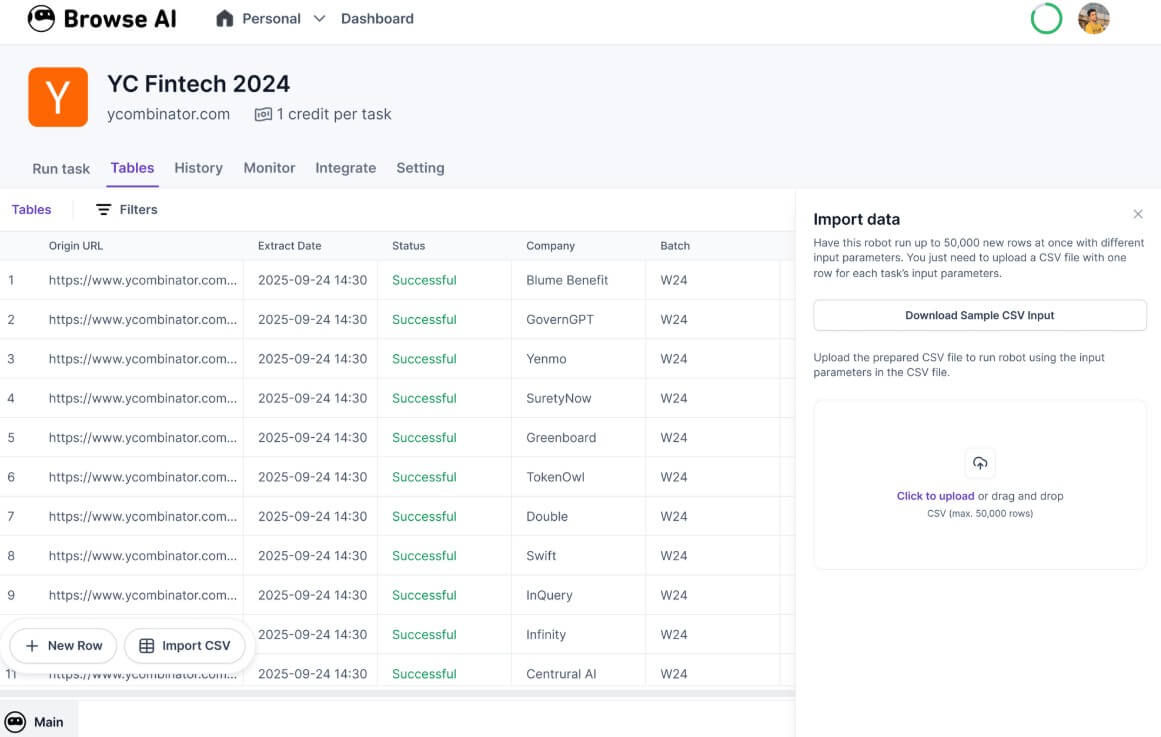
The trade-off is that “no-code” does not mean “no thinking.” You still need to choose the right fields, understand the structure of the page, validate output quality, and check whether the robot is collecting what you think it is collecting. Bad training produces bad data. Browse AI lowers the technical barrier, but it does not remove the need for data judgment.
Website monitoring is one of Browse AI’s strongest workflows because it matches how many businesses use web data in real life. You do not always need a full scrape. Sometimes you need to know what changed.
Browse AI can monitor text, lists, rankings, screenshots, and visual changes. Its monitoring system compares new extractions against previous results and marks changes as new, modified, or removed. It can also detect list position changes, which matters for search results, category rankings, product listings, and directory pages.
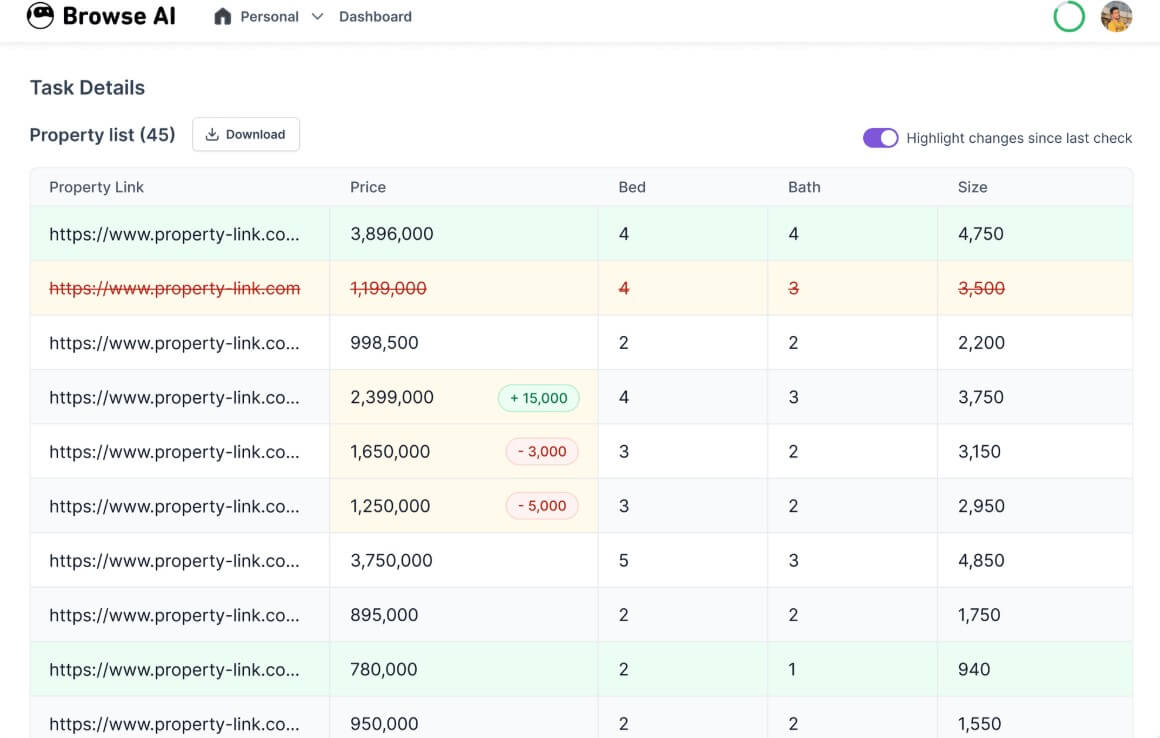
This is more useful than a generic “page changed” alert. The practical question is not only whether a page changed. It is what changed, whether it matters, and where that data should go next.
For ecommerce, that might mean price, product availability, review count, or competitor catalog changes. For recruiting, it might mean new job postings or changed requirements. For real estate, it might mean new listings, sold status, or pricing shifts. For SEO, it might mean SERP movements, directory changes, or competitor content updates.
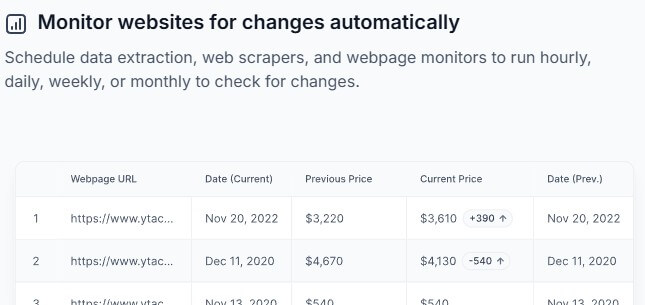
The alerting layer is also important. Browse AI can send notifications and connect monitoring data into tools through integrations, API, or webhooks. That turns monitoring into an operational trigger rather than another dashboard someone has to remember to check.
Browse AI’s quality depends on three things: the site structure, the robot setup, and how much validation the user does after extraction.
The platform gives users several useful controls. You can capture repeating list elements, isolate specific text, capture screenshots, and train robots to handle dynamic actions. Browse AI also says its AI-powered engine can adapt when websites change, which is important because layout changes are one of the most common reasons scrapers break.
That said, web data is messy by nature. Pages change. Login sessions expire. Anti-bot systems evolve. Some sites block automated traffic. Data labels shift. A “price” field may include discounts, shipping notes, or unavailable states. If the workflow matters, you should review sample outputs, track errors, and build checks before relying on the data.
The strongest Browse AI workflow is not “set it and forget it forever.” It is closer to “train it, validate it, automate it, and monitor quality over time.”
Prebuilt robots are one of Browse AI’s best shortcuts. If you need data from a popular site, you may be able to start from a template instead of training a robot manually. Browse AI says these templates require no coding or API keys and are available for many popular websites.
Custom robots are better when the site is niche, internal, regional, or structured in a way that no template covers. They take more setup, but they give you more control over the exact fields, page flow, and output structure.
| Option | Best For | Main Benefit | Main Trade-Off |
|---|---|---|---|
| Prebuilt Robot | Popular websites and common workflows | Fastest setup | Less flexible than a custom robot |
| Custom Robot | Unique sites and specific data needs | More control over fields and actions | Requires more setup and testing |
| API/Webhook Delivery | Data pipelines and internal tools | Better fit for teams and automation | Needs technical planning |
| Managed Support | Complex or high-volume projects | Helpful when workflow complexity grows | Less self-serve |
Track competitor prices, inventory, and catalog changes across ecommerce sites.
Extract business listings, directories, job boards, or public company data, then route results into a CRM or spreadsheet.
Monitor job boards, company career pages, or role listings for new opportunities and hiring trends.
Track listings, price changes, property statuses, permits, or location-based market data.
Scrape search results, rankings, related searches, directories, and competitor pages for research and reporting.
Watch marketplace listings, reviews, rating changes, and competitor product updates.
Extract structured web content and send it into downstream AI systems, retrieval workflows, or internal knowledge bases.
- Start with a small page sample before scaling the robot across many URLs. It is easier to fix field selection early than to clean thousands of bad rows later.
- Use Capture List for repeating items such as products, jobs, reviews, search results, or directory entries. Use Capture Text for specific fields like headlines, descriptions, dates, or pricing blocks. Use screenshots when the visual state matters.
- Name fields clearly. “Price,” “Discounted price,” “Original price,” and “Availability” are better than vague labels like “Text 1” or “Text 2.”
- Check edge cases before automation. Test sold-out products, missing prices, pagination, pop-ups, cookie banners, empty results, and mobile versus desktop layout differences.
- For monitoring, choose alert rules carefully. Too many alerts become noise. The best monitor tells you about meaningful changes, not every small layout shift.
- For business workflows, connect Browse AI to the destination where the team already works. A live spreadsheet, Airtable base, CRM, Slack alert, or internal dashboard is usually more useful than leaving results in the scraping tool.
Browse AI makes scraping easier, but it does not make web scraping risk-free or maintenance-free.
The first limitation is website variability. Some websites are simple. Others are built with heavy JavaScript, aggressive bot detection, changing layouts, login states, pop-ups, infinite scroll, and regional content. Browse AI has features for many of these cases, but complex websites still need testing and ongoing checks.
The second limitation is data accuracy. A robot can extract the wrong element if a page changes or if the initial training was too loose. For serious workflows, users should sample results, compare against the original page, and add human review where mistakes would be costly.
The third limitation is compliance. Just because data is visible on a webpage does not mean every use is acceptable. Users still need to consider website terms, privacy rules, account permissions, copyright, and data protection obligations. This matters more when scraping login-protected pages, personal data, reviews, user profiles, or large volumes of content.
The fourth limitation is that Browse AI is not a full data warehouse, BI tool, or cleaning platform. It gets web data into structured form and sends it where it needs to go. You may still need deduplication, validation, enrichment, dashboards, and downstream analysis elsewhere.
The fifth limitation is workflow complexity. No-code tools are great until the process becomes highly conditional. If your scraper needs many branches, many sites, custom transformations, strict quality controls, or enterprise-level delivery rules, you may need API planning, engineering help, or managed setup.
Browse AI is best for teams and individuals who need repeatable web data extraction without building their own scraper infrastructure. Its strongest value is the combination of no-code robot training, scheduled monitoring, prebuilt templates, integrations, API delivery, and change detection.
It is especially useful for competitive intelligence, ecommerce monitoring, lead generation, job tracking, real estate research, SEO, and data pipelines. The main caveat is that web scraping still needs judgment: validate your outputs, respect data rules, and treat automation as a workflow that needs occasional review, not a magic scraper that never breaks.
TAGS: Productivity
Related Tools:

Merges documents, spreadsheets, and apps to help teams collaborate

Enables teams to capture, access, and verify information

Helps teams organize, search, and collaborate on information

Helps users explore biomedical and life sciences research

Automates candidate sourcing and evaluation

Transforms screen recordings into high-quality product videos