

Share this tool:
 |
Description:
Zivy is an AI productivity tool built around a specific workplace problem: Slack overload. It tracks conversations across Slack channels, surfaces the messages that matter, and helps users sort work into clearer categories such as items needing input, useful FYIs, and lower-priority noise. The best reason to care about Zivy is not that it “adds AI to Slack.” It tries to make Slack less mentally expensive to manage.
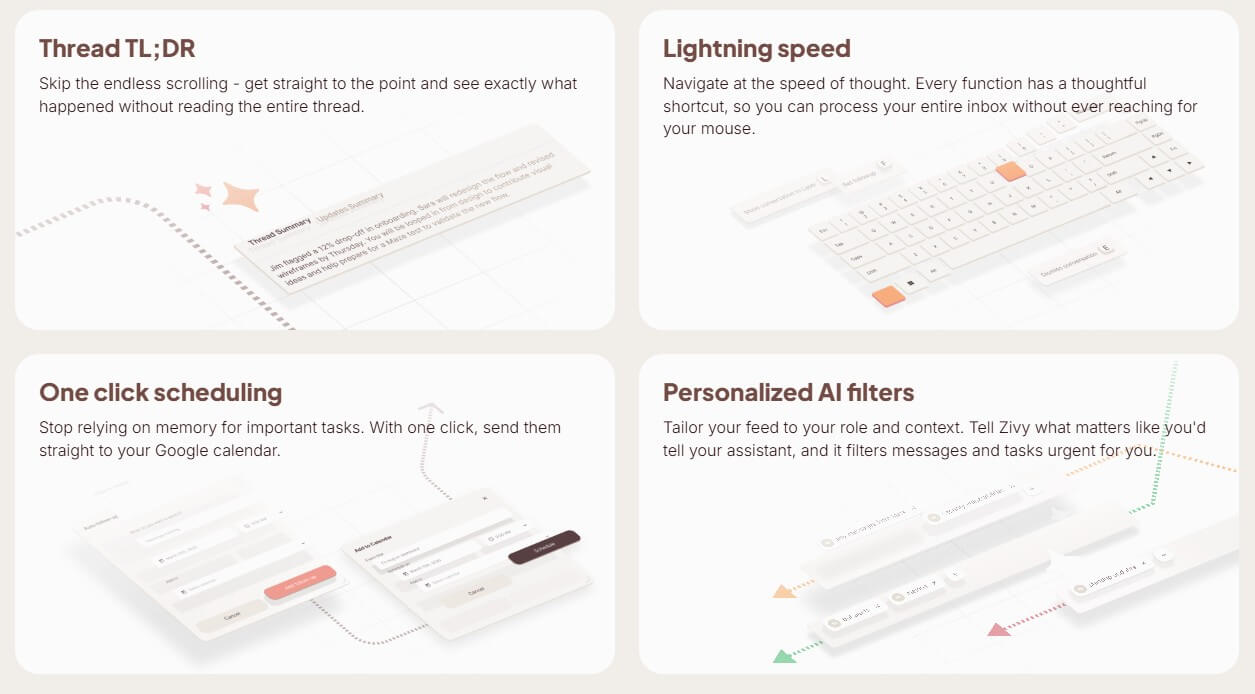
Zivy is closer to an AI inbox for Slack than a general project management tool. Instead of asking users to manually scan every channel, thread, and unread badge, it organizes incoming Slack communication into a more focused queue. The product’s homepage says it tracks conversations across Slack channels and brings critical messages to the surface.
That framing matters. Zivy is not trying to replace Slack, Asana, Linear, Notion, or a team’s existing task system. It sits on top of Slack and tries to reduce the hidden work that happens before real work begins: reading long threads, finding missed requests, deciding what needs a reply, remembering who owes you an update, and figuring out which messages can wait.
The main audience is managers, product leaders, engineering leads, founders, and other people whose day is split across many conversations. A solo user with two quiet channels may not need it. A manager with heavy cross-functional Slack traffic will understand the pitch much faster.
Zivy’s strongest feature is prioritization. It sorts Slack chaos into three broad piles: messages that need your input, messages that are good to know, and everything else. That is a small idea with a lot of practical value, because most Slack stress comes from treating every unread message as equally important.
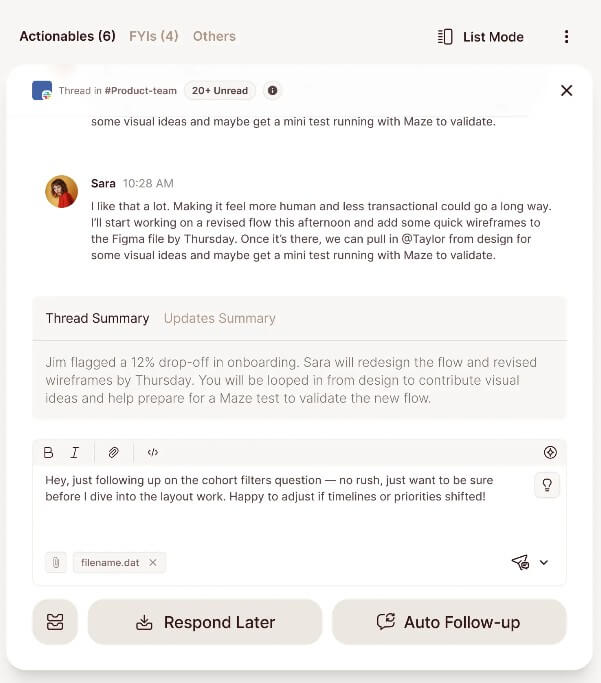
The second strong area is thread compression. Zivy’s AI Thread Summary and Thread TL;DR features are designed to help users understand what happened without scrolling through the full discussion. This is useful in long engineering, product, support, and operations threads where the decision is buried below side comments, clarifications, and repeated context.
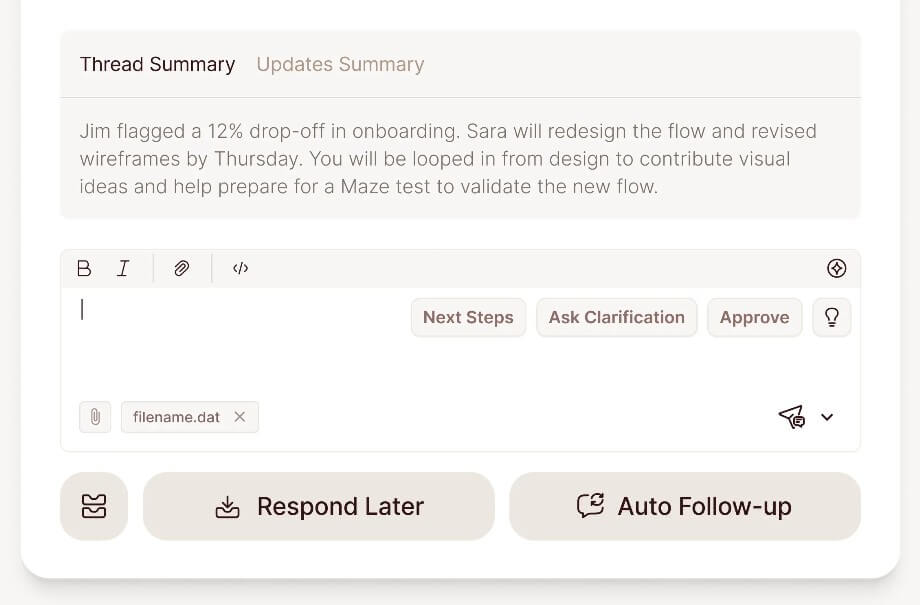
The third useful layer is follow-through. Zivy can remember when you asked someone for an update and nudge them later, which helps prevent requests from disappearing into Slack threads. It also supports one-click scheduling to Google Calendar, so important items do not rely only on memory or saved messages.
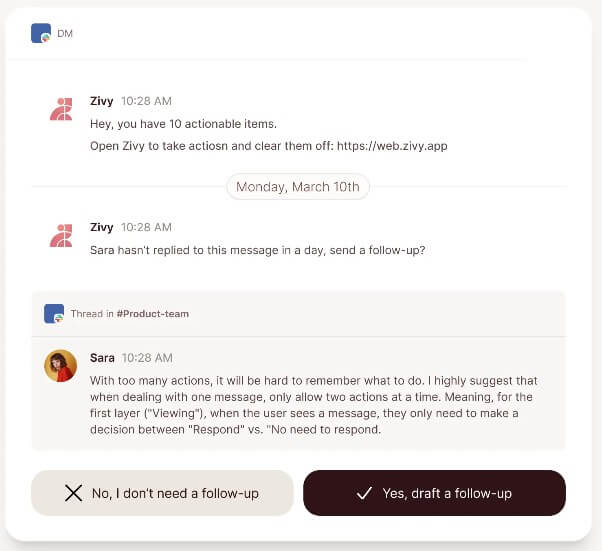
| Feature | Practical value |
|---|---|
| Noise Filter | Sorts messages into practical categories so users can focus on what needs attention first. |
| Automatic Follow-Ups | Helps track requests and nudge people when an update is due. |
| AI Thread Summary | Summarizes long Slack threads so users can catch up faster. |
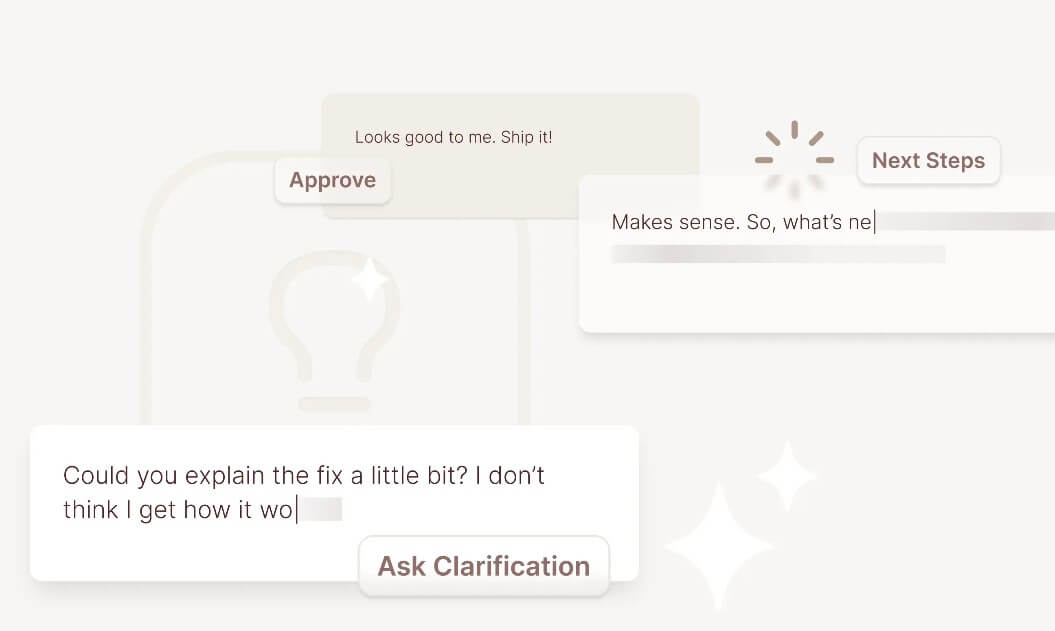
| Instant Replies | Reads conversation context and drafts routine replies in the user’s voice. |
| Keyboard Shortcuts | Supports faster inbox processing through shortcuts, reducing the need to work by mouse. |
| Slackbot Layer | Brings quick actions, urgent notifications, and daily summaries back into Slack itself. |
The setup flow is simple on paper: connect Zivy to Slack, complete the interactive demo, then let it organize conversations. Zivy also connects with a Google account using OAuth2, according to its security section, which matters for calendar-related workflows and account access.
The day-to-day workflow is where Zivy’s value should show up. Instead of opening Slack and deciding where to look first, users start from Zivy’s organized view. The tool pushes actionables and FYIs into a cleaner structure, then lets users summarize, reply, schedule, or follow up from there. That makes it feel more like a triage layer than a chat assistant.
This approach works best when users trust the categorization. If the AI reliably puts urgent manager-level decisions at the top and pushes noise down, it can reduce cognitive load. If it misses important threads or over-flags routine messages, users may fall back into checking Slack manually. That is the core adoption test.
Zivy includes personalized AI filters, where users can tell the system what matters for their role and context. That is important because “urgent” means different things to different people. A product lead may care about launch blockers and customer escalations. An engineering manager may care about incidents, review bottlenecks, or team requests. A founder may care about investor, hiring, sales, and operations threads.
This is where Zivy is more useful than a basic unread sorter. Slack already has reminders, saved items, threads, channel sections, and notification settings. The issue is that those tools still require users to build and maintain their own system. Zivy’s bet is that AI can infer more context and do more of that sorting automatically.
Still, users should expect a tuning period. Any tool that learns what matters from communication patterns needs feedback, correction, and enough real usage to become useful. The better your Slack habits are, such as clear asks, named owners, and cleaner channels, the easier Zivy’s system should be to interpret.
Zivy’s security page says it uses OAuth2 for Slack workspace and Google account access through official APIs. It also says messages are encrypted at rest and in transit, and that data is stored in SOC 2 and ISO 27001 certified data centers. The same section states that Zivy is ISO 27001, GDPR, and SOC 2 certified, with annual security audits.
That is reassuring, but buyers should still review permissions carefully. Zivy’s usefulness depends on access to workplace communication, which is sensitive by nature. Teams should check what data is read, how retention works, who can approve the Slack app, and whether the tool fits internal security policies before rolling it out widely.
Zivy is strongest for managers who live in Slack all day. It helps them separate actual decisions, blockers, and requests from background chatter.
It also fits product and engineering teams, where long threads often contain technical decisions, delayed approvals, follow-up requests, and issue context. The tool is less about replacing issue trackers and more about catching the communication that never makes it into those systems.
Founders and operators may also get value from it, especially in small teams where Slack becomes a mix of sales, hiring, product, support, and admin work. Zivy is useful when too much operational memory lives in messages.
It is a weaker fit for teams with low Slack volume, teams that use Slack mostly for social updates, or organizations that already keep strict project workflows outside chat.
The biggest limitation is dependence on Slack behavior. If the team’s conversations are vague, scattered, or full of unclear ownership, Zivy can help with sorting, but it cannot fully fix weak communication habits.
There is also the risk of misplaced trust. AI prioritization is useful, but important messages can still be missed or misread. Users should not treat Zivy as a complete replacement for judgment, especially for urgent incidents, sensitive people issues, or customer escalations.
Another trade-off is scope. Zivy is focused on Slack communication management. That focus is a strength, but it also means users looking for full project management, documentation, CRM, or task planning will still need other tools.
Zivy is best for people whose workday is shaped by Slack noise: managers, product leads, engineering leads, founders, and operators who need to see what matters without reading everything. Its strongest value is prioritization, thread summaries, follow-ups, and turning scattered messages into a calmer action queue. The main caveat is that its usefulness depends on trust: if the AI categorization matches your real priorities, Zivy can save mental energy; if it does not, it becomes another inbox to check.
TAGS: Productivity
Related Tools:

AI-enhaanced calendar for scheduling

Helps teams document access internal information

Summarizes and take notes from videos

Enhances productivity for researchers

Built for tracing, evaluating, monitoring, and improving AI agents

Summarizes meetings to help teams capture key information