

Share this tool:
 |
Description:
MixMemo is an AI-powered visual workspace built around an infinite sticky-note board. Its main idea is simple: capture notes, organize ideas spatially, generate AI visuals, and keep everything on the same canvas. That makes it less like a standard notes app and more like a lightweight creative planning board for students, creators, product sellers, and visual thinkers. MixMemo’s public site positions it as a browser-based workspace for brainstorming, logo creation, product photos, mood boards, social campaigns, and structured notes.
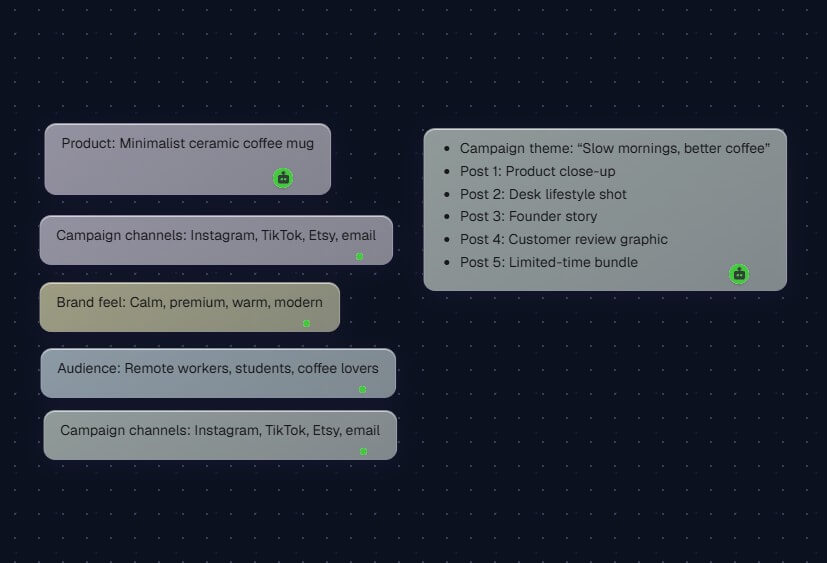
The easiest way to understand MixMemo is as three tools combined into one workspace.
| Layer | What it does | Why it matters |
|---|---|---|
| Infinite canvas | Lets you create, move, resize, and arrange sticky notes across a boundless board | Better for brainstorming and visual organization than fixed-page notes |
| AI creation layer | Generates images, product photos, logos, lifestyle scenes, summaries, translations, quiz cards, and infographics | Helps turn rough notes into usable content or visuals |
| Local-first note system | Stores notes, images, and attachments in the browser by default | Useful for privacy-conscious note-taking, with cloud processing only for certain AI or sharing actions |
That combination is the product’s real angle. MixMemo is not only trying to generate images, and it is not only trying to replace Google Keep or Apple Notes. It sits between a whiteboard, an AI image tool, and a private browser notebook.
| Feature | What it does | Why it matters |
|---|---|---|
| Infinite Sticky Notes Board | Click anywhere on the canvas, create notes, drag them around, and use the minimap to navigate larger boards | Supports visual organization without fixed-page limits |
| AI Image Generation | Generates logos, illustrations, lifestyle scenes, and product visuals, then sends them into the canvas | Turns rough ideas into visual assets inside the same workspace |
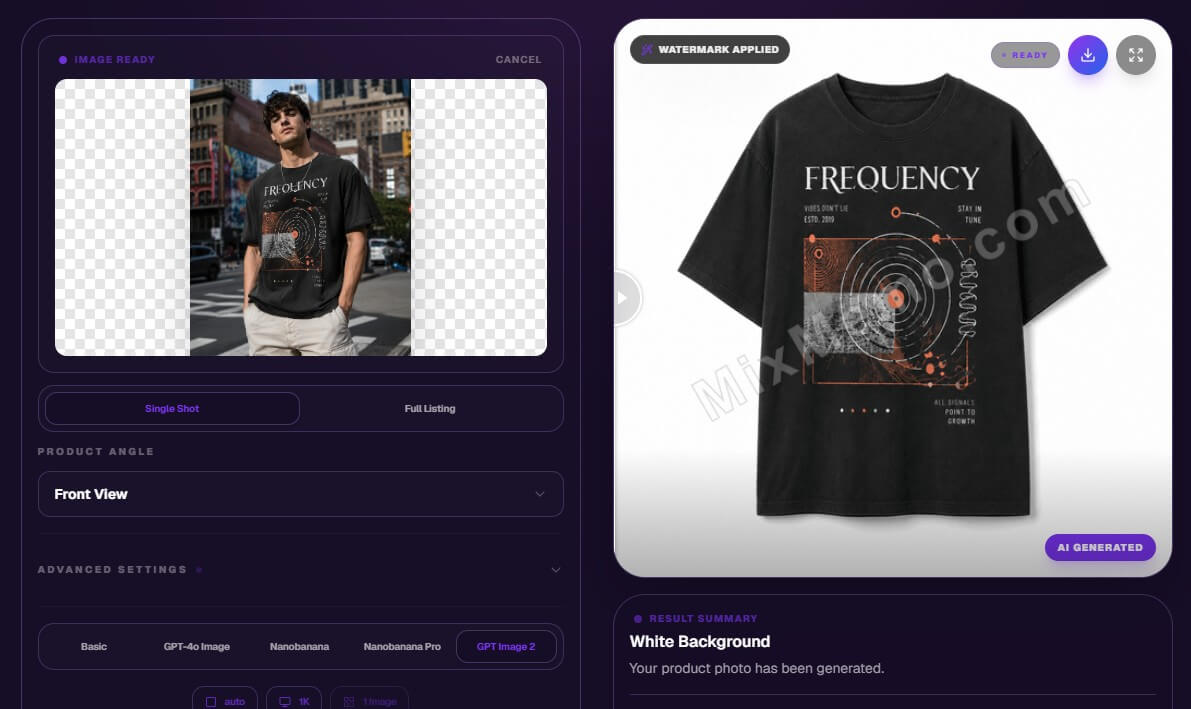
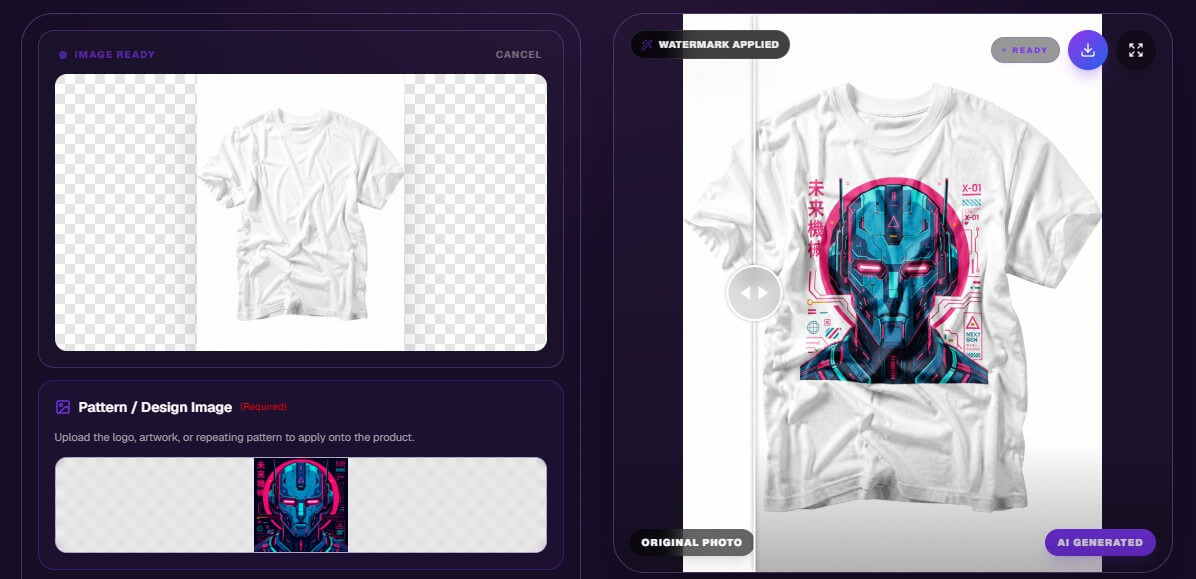
| AI Product Photography | Uploads a product image and creates white-background shots, lifestyle scenes, or custom mockups | Useful for ecommerce planning and early listing assets |
| Rich Notes and Attachments | Supports formatting, links, images, PDFs, DOCX files, spreadsheets, tables, lists, quotes, and code blocks | Makes the canvas useful for more than plain text notes |
| AI Infographics | Turns notes into mind maps, flowcharts, timelines, sequence diagrams, pie charts, and Gantt charts | Helps structure messy ideas visually |
| Export and Sharing | Exports notes as PNG or PDF files, creates read-only share links, and supports import/export for backup or migration | Makes boards easier to reuse, share, or preserve |
MixMemo is strongest when your work starts messy. That might be a campaign idea, a product launch, a study plan, a research board, or a set of scattered creative references. A normal document forces everything into a line. MixMemo lets you spread notes out, group them, move them, and build a visual map of the work.
The product photography workflow is also more specific than the average AI note app. MixMemo’s product page shows three main workflows: white-background product shots, lifestyle scenes, and custom mockups. It also mentions product angle controls, brand vibe presets, background removal, marketplace-ready image sizes, and canvas integration for arranging the final listing assets.
That matters for ecommerce sellers. A small store owner could upload a product photo, generate a cleaner hero shot, create a lifestyle version, draft social copy on nearby notes, then arrange the whole campaign visually. The tool is not replacing a full design suite, but it gives sellers a practical place to plan and produce early assets.

The basic workflow is approachable: open the canvas, click to create a note, type or paste content, move notes around, then use AI features when needed. MixMemo supports pasting more than plain text, including images and attachments, which makes it useful for collecting material from webpages, documents, screenshots, and research snippets.
The Chrome extension is a meaningful part of the product, not just a shortcut. The Chrome Web Store listing describes the extension as offering the full canvas experience, with local storage, rich text, AI tools, image generation, OCR, document analysis, infographic creation, and export options. It also notes that the extension was updated on April 3, 2026, and supports five languages.
The main workflow caveat is sync. MixMemo says extension data is stored locally and does not automatically sync with the web app today. To move notes between the two, users need export and import. That fits the privacy-first design, but it may feel clunky for users who expect modern cloud sync across every surface.

MixMemo’s local-first design is one of its more interesting choices. The site says notes, images, and attachments are stored in the browser’s IndexedDB by default. Content is sent to the cloud only when the user uses AI features that require processing or creates a public share page.
The privacy policy repeats that point for the Chrome extension: notes and content are stored locally, browsing history is not collected, and AI processing requires sending submitted content to MixMemo servers and third-party AI providers. It also says AI inputs and generated content are not stored permanently on MixMemo servers.
This is a useful balance, but users should understand it. Local-first does not mean every AI action stays on-device. It means normal note storage is local by default, while AI features may require cloud processing.
MixMemo is a good fit for students who want visual study boards, summaries, vocabulary translation, quiz cards, and topic grouping on one canvas.
It also works well for ecommerce sellers who need product photography drafts, mood boards, listing organization, social visuals, and campaign planning in one place.
Creators and marketers can use it for content calendars, thumbnail ideas, launch boards, visual references, ad copy drafts, and brand direction notes.
Knowledge workers may find it useful for research boards, project planning, competitor notes, meeting prep, and turning unstructured notes into flowcharts or mind maps. It is less ideal for teams that need real-time collaboration, formal project management, version history, workspace permissions, or guaranteed cross-device sync.
The first limitation is that MixMemo may feel broad before it feels deep. It covers notes, images, product photography, infographics, text enhancement, attachments, sharing, and extension-based workflows. That range is useful, but users looking for best-in-class depth in one category may still prefer a specialist tool.
The second trade-off is local storage. Privacy-minded users may like it, but it also means backups matter. If browser data is cleared or the extension is removed without export, local notes can be at risk. MixMemo does include export and backup reminders, but users still need better habits than they would with a fully cloud-synced notes app.
AI image quality will also depend on the selected model, source image, prompt detail, and use case. Product-lock and mockup tools sound useful, but serious sellers should still inspect labels, logos, angles, shadows, and marketplace compliance before publishing.
MixMemo is best understood as an infinite visual workspace with AI creation built in. Its strongest value is not one feature alone. It is the combination of sticky-note organization, AI visuals, product photography workflows, note enhancement, infographic generation, and local-first storage. It is best for visual thinkers, students, ecommerce sellers, creators, and solo professionals who want one browser-based place to capture ideas and turn them into organized assets. The main caveat is that its privacy-first local model and broad feature set come with workflow trade-offs, especially around sync, backups, and specialist-level control.
TAGS: Productivity
Related Tools:
Designed to enhance learning and productivity
Simplifies creation of visual content for marketing

Improves team communication and project management

Integrates AI into spreadsheets

Helps users create customized resumes and cover letters

Simplifies task management