
Share this tool:
 |
Description:
to teach is an AI teaching-material platform built for teachers who need usable classroom resources faster: lesson plans, worksheets, quizzes, reading tasks, YouTube-based activities, mindmaps, graphics, and differentiated exercises. Its best use is not open-ended AI chatting. It works more like a guided classroom-content builder, where the teacher gives the topic, level, source material, or curriculum context, then edits the result before using it with students.
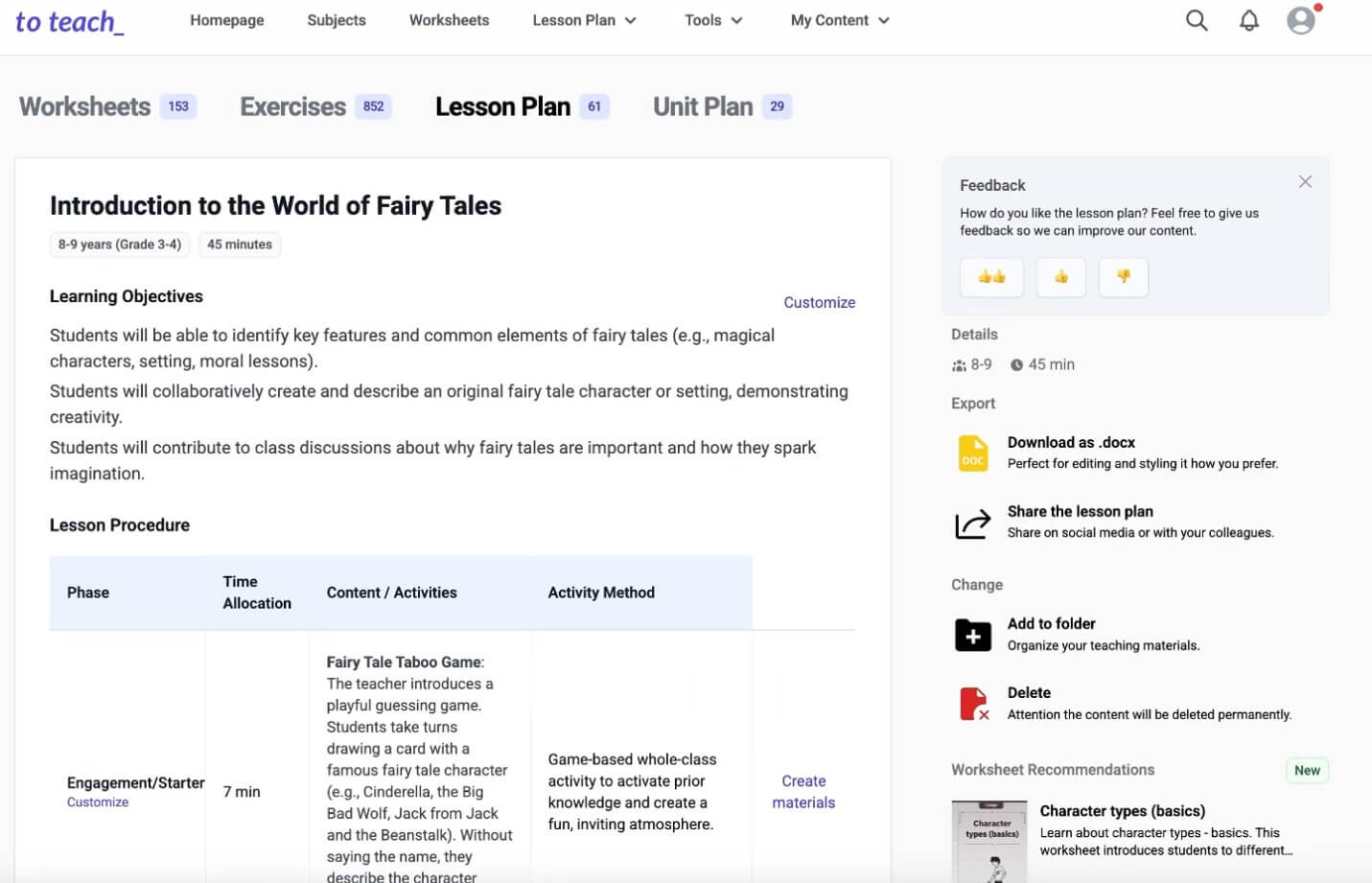
Creates lesson plans based on language, student age, duration, topic, lesson introduction, curriculum basis, and lesson focus.
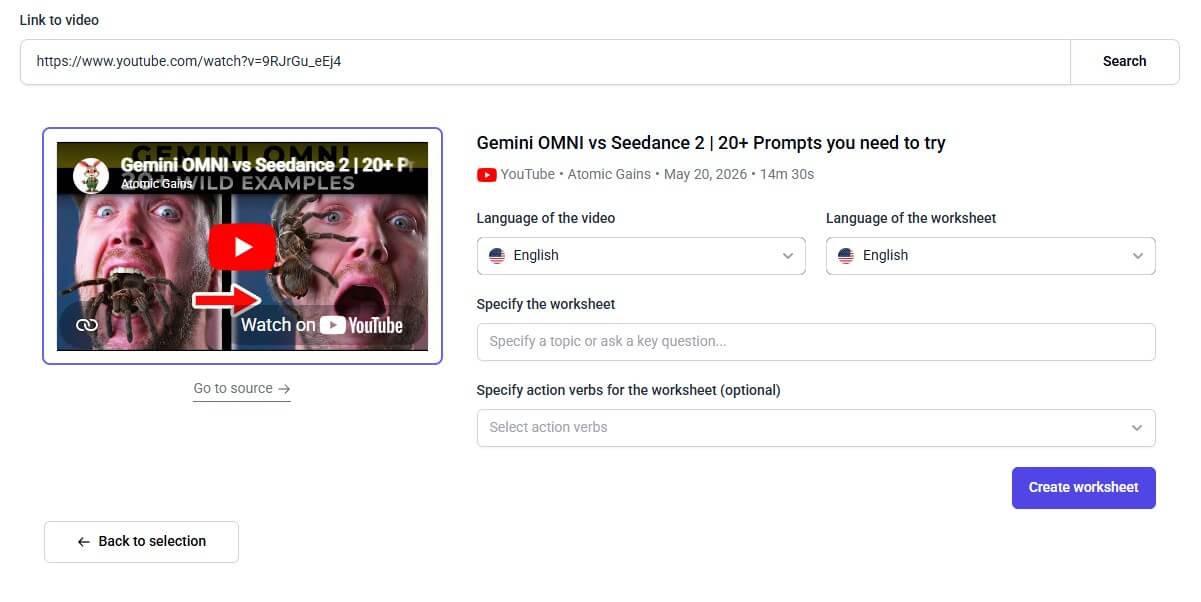
Converts YouTube videos into worksheets, with separate settings for video language and worksheet language.
Lets teachers use texts, images, videos, or PDFs as the basis for exercises and supplementary content.
Uses didactically reviewed structures while adapting content, examples, texts, and tasks to the teacher’s chosen focus.
YouTube-generated worksheets can be printed as PDF, edited as DOCX, used digitally, and integrated into learning management systems through H5P support.
Multiple-choice creation includes difficulty selection, language choice, number of questions, and a Kahoot character-limit option.
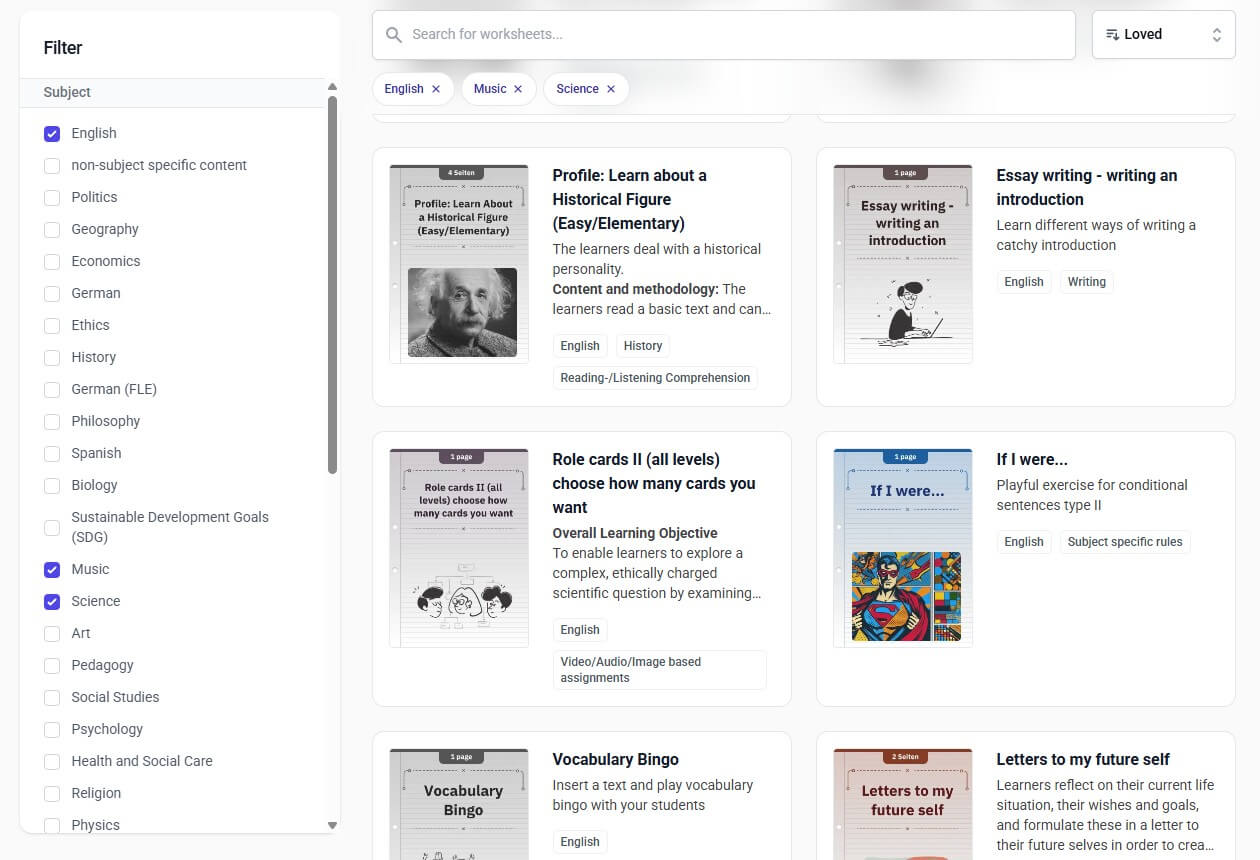
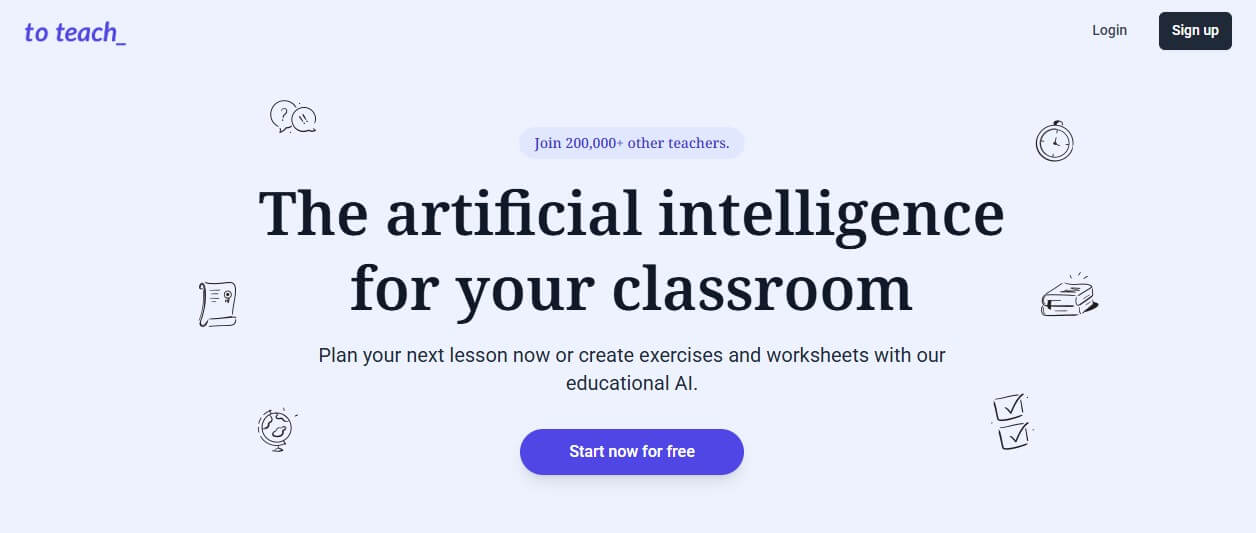
to teach is a teacher-facing AI platform for creating and adapting instructional materials. The homepage describes it as a tool for planning lessons, creating exercises, and generating worksheets, with support for subject-specific teaching materials and more than 800 pre-made exercises and worksheets.
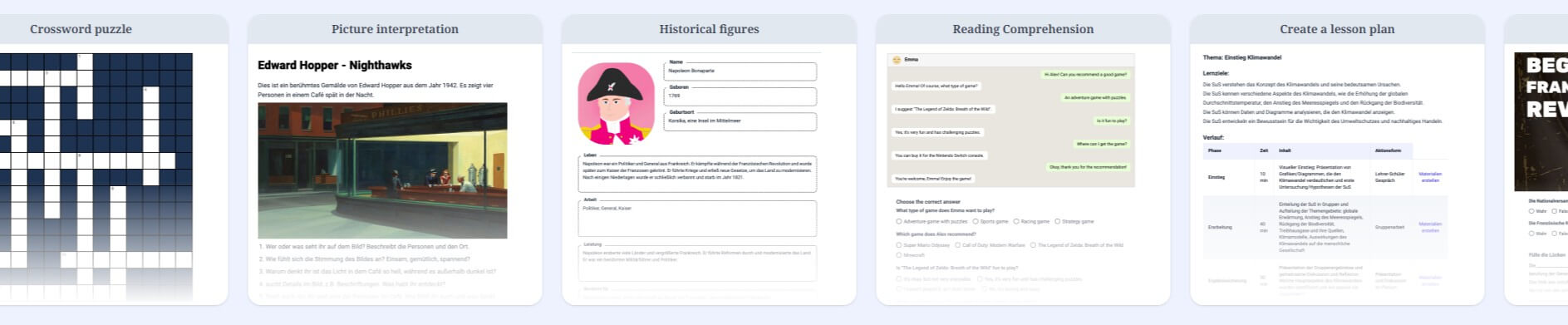
The important distinction is that to teach is not a general writing assistant. It is more structured than that. Instead of giving teachers one blank chat box and expecting them to engineer the right prompt, it offers specific tools for common classroom jobs: lesson planning, YouTube-to-worksheet conversion, grammar exercises, vocabulary tests, mindmaps, crossword puzzles, picture interpretation, reading comprehension, and other formats.
That structure matters. Teachers often do not need a clever paragraph from an AI model. They need something closer to a classroom-ready starting point: a task format, a student level, a topic, a worksheet layout, possible answers, and a way to revise the material for a real class.
to teach is strongest when a teacher already knows the learning goal but does not want to build every material from scratch.
A good example is the YouTube-to-worksheet tool. Teachers can paste a YouTube link, choose the video language and worksheet language, then generate a worksheet from the video. The tool page says videos up to 40 minutes are supported, while the use-case page explains that teachers can set criteria, define a focus or guiding question, and edit the finished activity afterward.
That is the core value of the product: it turns existing content into usable teaching material. The same pattern appears across other tools. You can upload or use texts, images, videos, PDFs, and other materials, then create exercises or supplementary content from them.
This makes to teach useful for:
| Teacher need | How to teach helps |
|---|---|
| Fast lesson preparation | Generates lesson plans from topic, age, duration, and curriculum context |
| Differentiation | Adapts materials to student level, difficulty, and interests |
| Reusing existing content | Turns videos, texts, PDFs, images, and audio into classroom tasks |
| Digital learning | Supports interactive formats and H5P-compatible materials |
| Printable lessons | Outputs worksheets that can be used offline or edited further |
The workflow is built around teacher decisions rather than technical AI settings.
For lesson plans, the teacher enters the plan language, student age, duration, topic, lesson introduction type, curriculum basis, and focus. The German lesson-plan use-case page also says teachers can upload their own curriculum to make the lesson plan more aligned with their learning goals, then edit the result afterward.
For worksheets, the workflow depends on the source. A teacher might start with a template, paste a video link, upload a PDF, use an image, or provide text. From there, to teach turns the input into a structured activity. The platform’s content tools page is broad enough to support both quick tasks and more planned material adaptation.
This is a better fit for busy teachers than a blank AI chat window. The platform does not remove the teacher’s judgment, and it should not. What it does well is shorten the distance between “I need something for tomorrow” and “I have a draft I can adapt.”
One of the more useful details on the worksheet pages is how the AI templates work. to teach says the content gets adapted while the method and structure stay in place, meaning examples, texts, and tasks change to fit the teacher’s focus, but the reviewed structure of the template does not change.
That is a practical design choice.
Open-ended AI tools can produce uneven educational materials because they generate both the content and the structure from scratch. Sometimes that works. Sometimes the result looks plausible but is not classroom-sound. to teach reduces that risk by putting AI inside a fixed teaching format.
This does not guarantee perfect output. Teachers still need to check facts, task difficulty, instructions, answer keys, and age fit. But it does make the tool feel more grounded than a normal chatbot.
to teach is useful when a teacher needs a structured activity quickly and has a topic, video, or text ready.
Reading comprehension, grammar exercises, vocabulary tests, simplified texts, and chat-style formats make it especially useful for English, German, and other language classrooms.
The YouTube-to-worksheet workflow is one of the clearest reasons to try the platform because it turns existing video content into questions, descriptions, and tasks.
The platform says materials can be customized by language skill, difficulty level, and student interests, which makes it useful for mixed-ability groups.
H5P support makes to teach more useful for schools using Moodle or other LMS environments that accept interactive content.
The infographic tool includes curated infographics from dpa, with discovery, configuration, and creation steps for classroom materials.
- Start with a strong source. A clear text, focused video, or well-scanned PDF will usually produce better material than vague input.
- Use the template first, then edit. The strongest workflow is not “generate and print.” It is “generate, check, adjust, then use.”
- Add a guiding question for video worksheets. This helps keep the activity focused instead of turning the whole video into a broad comprehension sheet.
- Check difficulty before sharing. AI-generated tasks can look polished while still being too hard, too easy, or mismatched to the class.
- Use H5P when the activity should live inside an LMS. It is one of the most practical delivery options for digital classrooms.
- Avoid uploading sensitive student data unless your school has approved the tool. The platform may be useful without needing personal student information.
to teach is not a replacement for curriculum planning. It can generate plans and materials, but the teacher still needs to decide what belongs in the sequence, what prior knowledge students need, and how the activity supports assessment.
The second limitation is output checking. AI-generated classroom materials can include weak distractors, uneven reading levels, awkward wording, or questions that test surface recall rather than real understanding. The template system helps, but it does not remove the need for teacher review.
The third trade-off is format dependence. to teach is strongest when the desired output matches one of its available classroom formats. If you need a highly unusual activity, a deeply customized project, or a specific local assessment style, a general AI tool or manual editing may be more flexible.
There is also a language and localization question. The platform supports multiple languages and has country-specific pages, but teachers should still test whether the wording, curriculum alignment, and classroom norms fit their own region and school system.
Finally, to teach is best treated as a preparation assistant. The teacher remains responsible for accuracy, inclusivity, copyright-safe use of source materials, and student suitability.
to teach is a strong AI tool for teachers who want faster lesson preparation without starting from a blank prompt. Its best features are the structured worksheet tools, lesson planner, YouTube-to-worksheet workflow, template-based exercises, differentiation options, and export-ready classroom formats.
It is best for teachers who regularly adapt videos, texts, PDFs, and existing materials into lessons or practice tasks. The main caveat is that the outputs still need teacher review, especially for accuracy, difficulty, curriculum fit, and student context.
TAGS: Productivity
Related Tools:
Enhances browsing and online tasks

Transcribes audio and video into accurate text

Automates code reviews, testing, and merges to help engineering teams

Helps you capture ideas with sticky notes

Turns Google Sheets into fully functional websites

Matches candidates with relevant opportunities