

Share this tool:
 |
Description:
MockFlow is a product design and ideation platform built for teams that need to turn rough interface ideas into wireframes, flows, diagrams, and shared visual plans. Its best use is early-stage product thinking: before high-fidelity design, before development, and before a team has locked itself into the wrong structure.
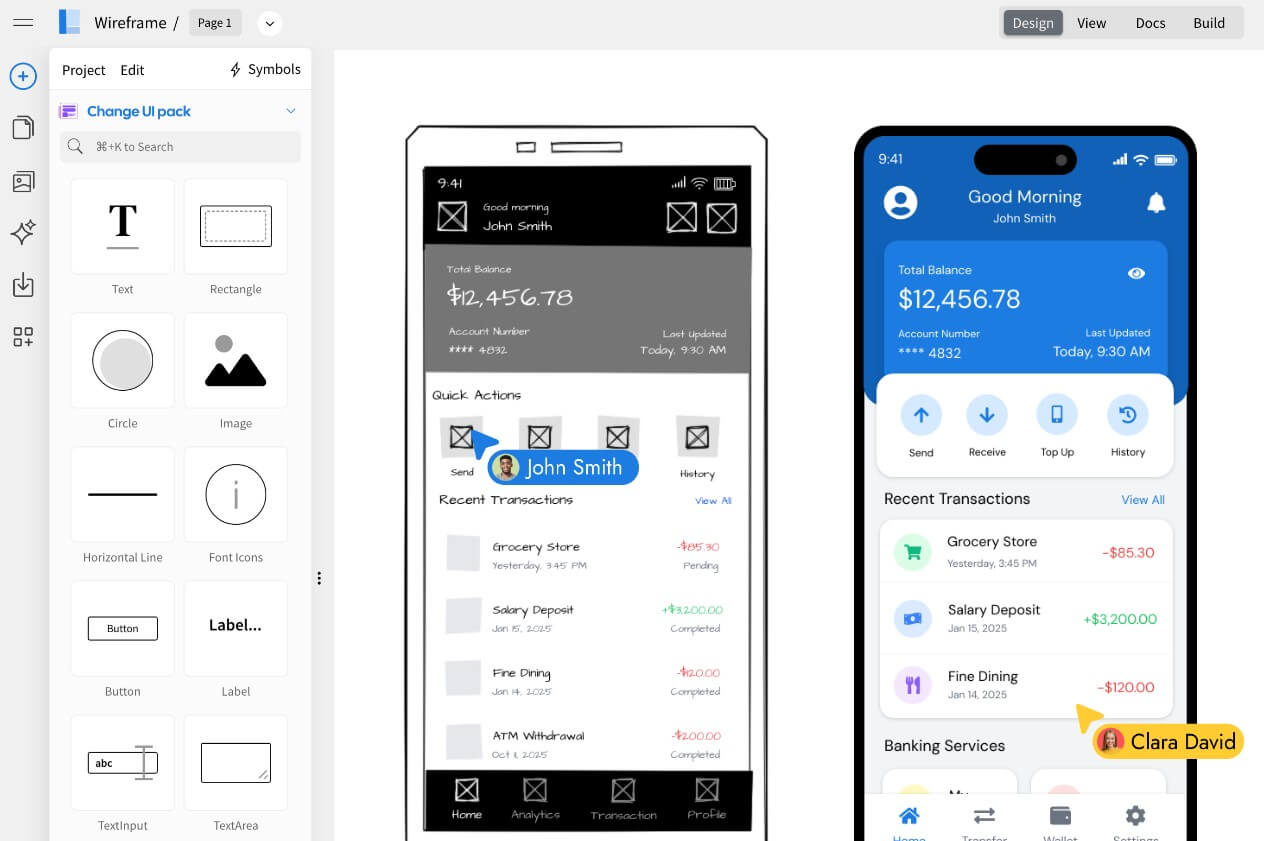
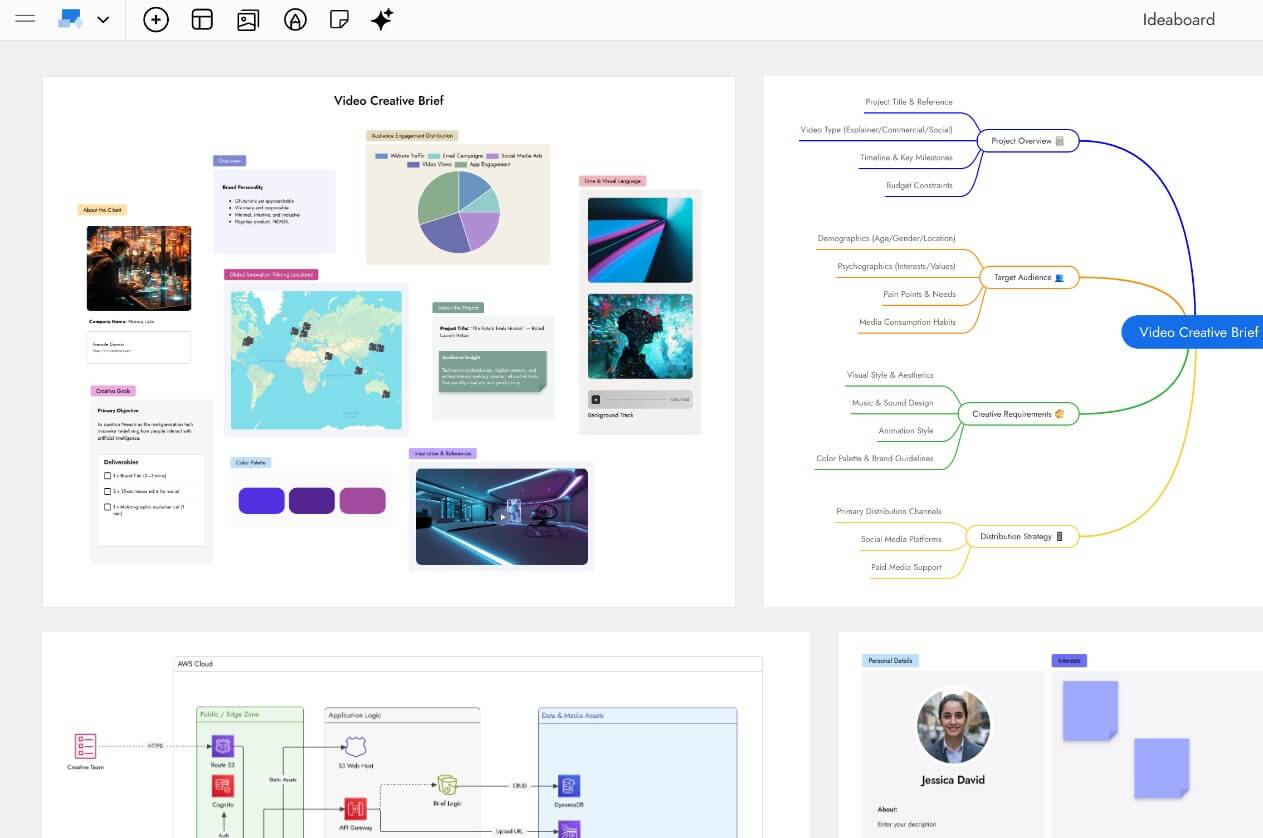
MockFlow is not only an AI wireframe generator. That is the headline feature many users will notice first, but the platform is broader. MockFlow positions itself as an online wireframing and whiteboard workspace for visualizing UI ideas, brainstorming software concepts, planning information architecture, drawing diagrams, documenting product ideas, and collaborating before development starts.
The product is built around two main layers. WireframePro is the UI wireframing tool for websites, apps, and dashboards. IdeaBoard is the visual collaboration space for brainstorming, diagrams, mind maps, mood boards, journey maps, cloud architecture, kanban boards, polls, timelines, and other visual formats. MockFlow’s own pages describe WireframePro as an AI-powered wireframing tool with 1000+ UI components, real-time collaboration, and code export, while IdeaBoard is positioned as an AI-powered whiteboard that can generate and transform visual content on an infinite canvas.
That combination matters. Some AI design tools focus only on turning a prompt into a screen. MockFlow is more useful when a team needs to move from idea, to structure, to wireframe, to discussion, to revision.
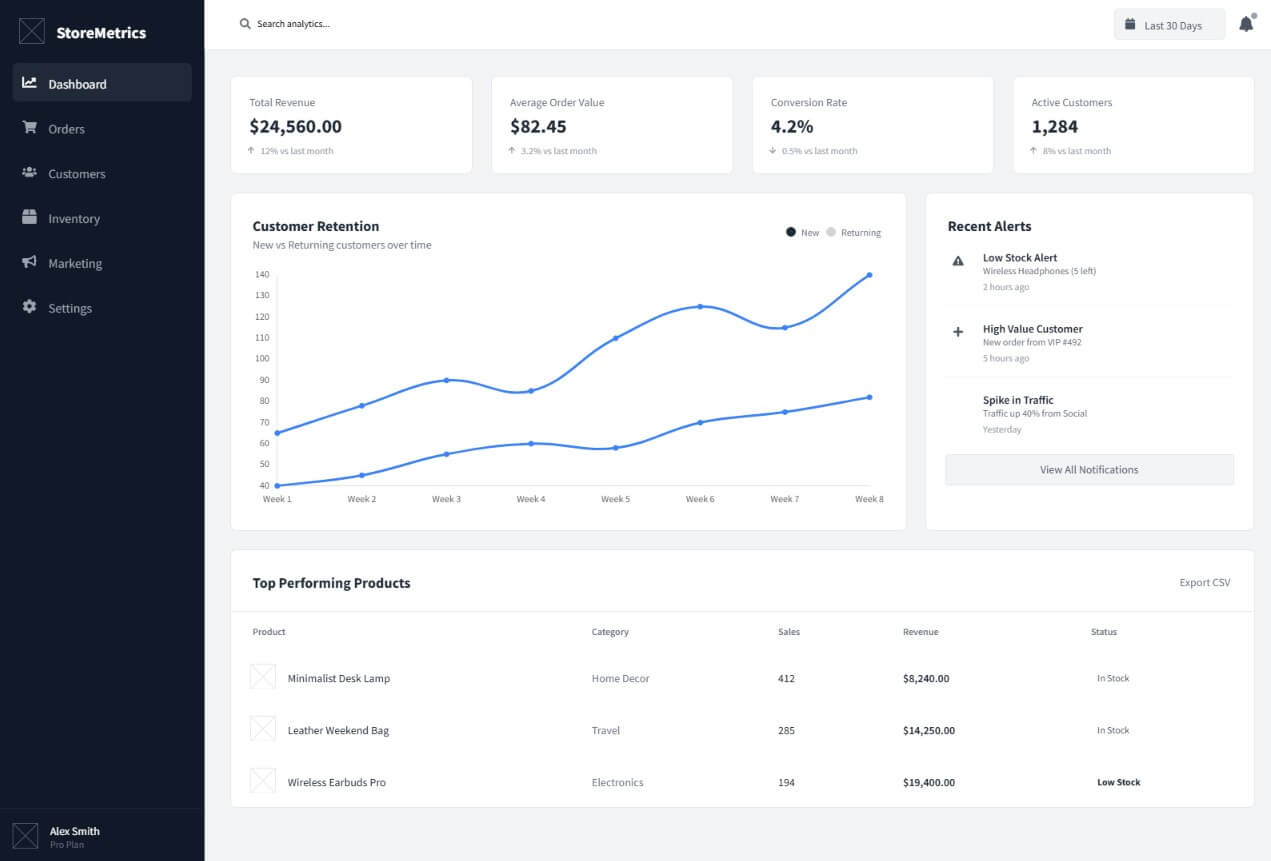
Create a low-fidelity wireframe for a SaaS analytics dashboard for small ecommerce stores. Include a left sidebar navigation, top search bar, revenue summary cards, customer retention chart, top products table, recent alerts, and a date filter. Keep the layout clean and suitable for desktop.
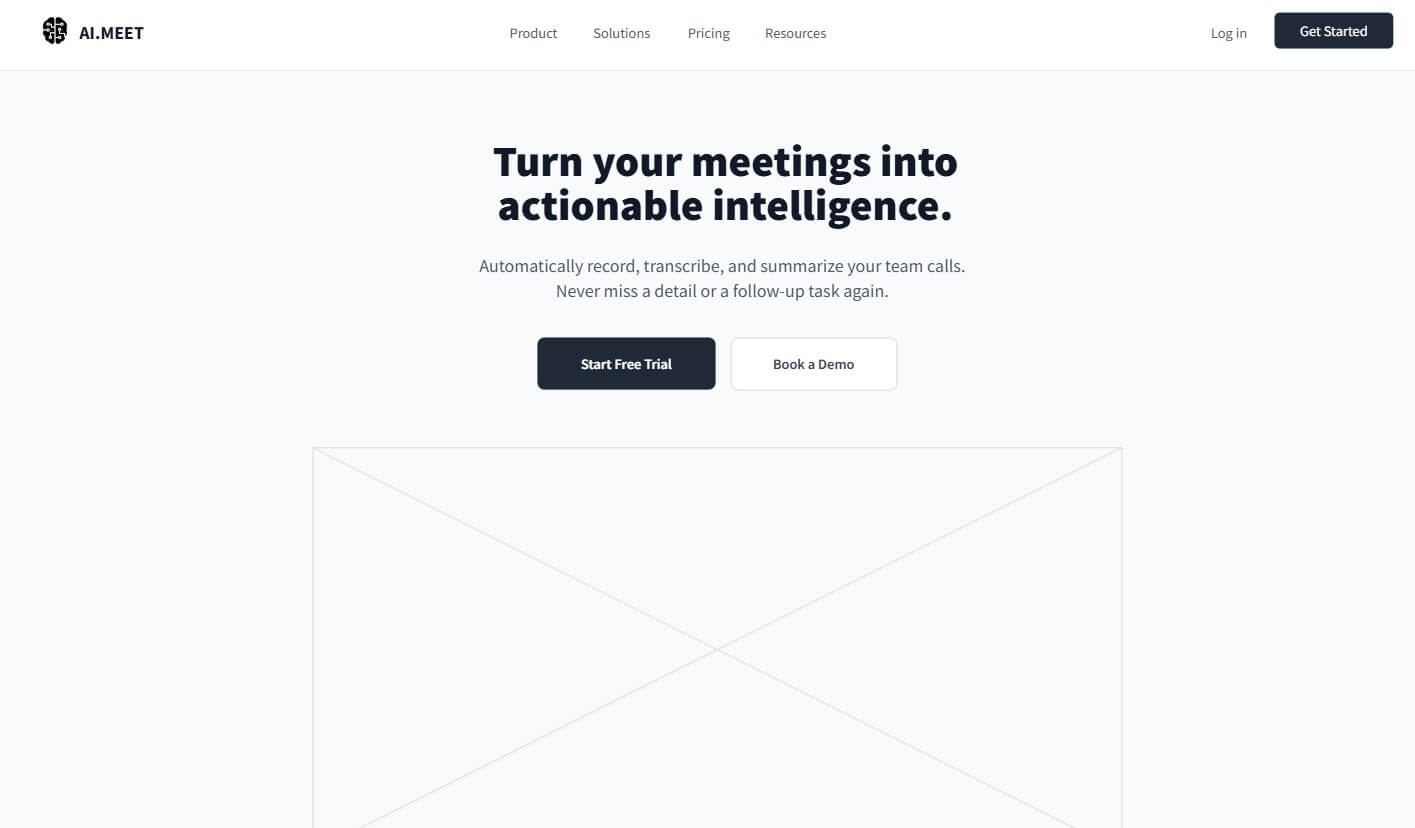
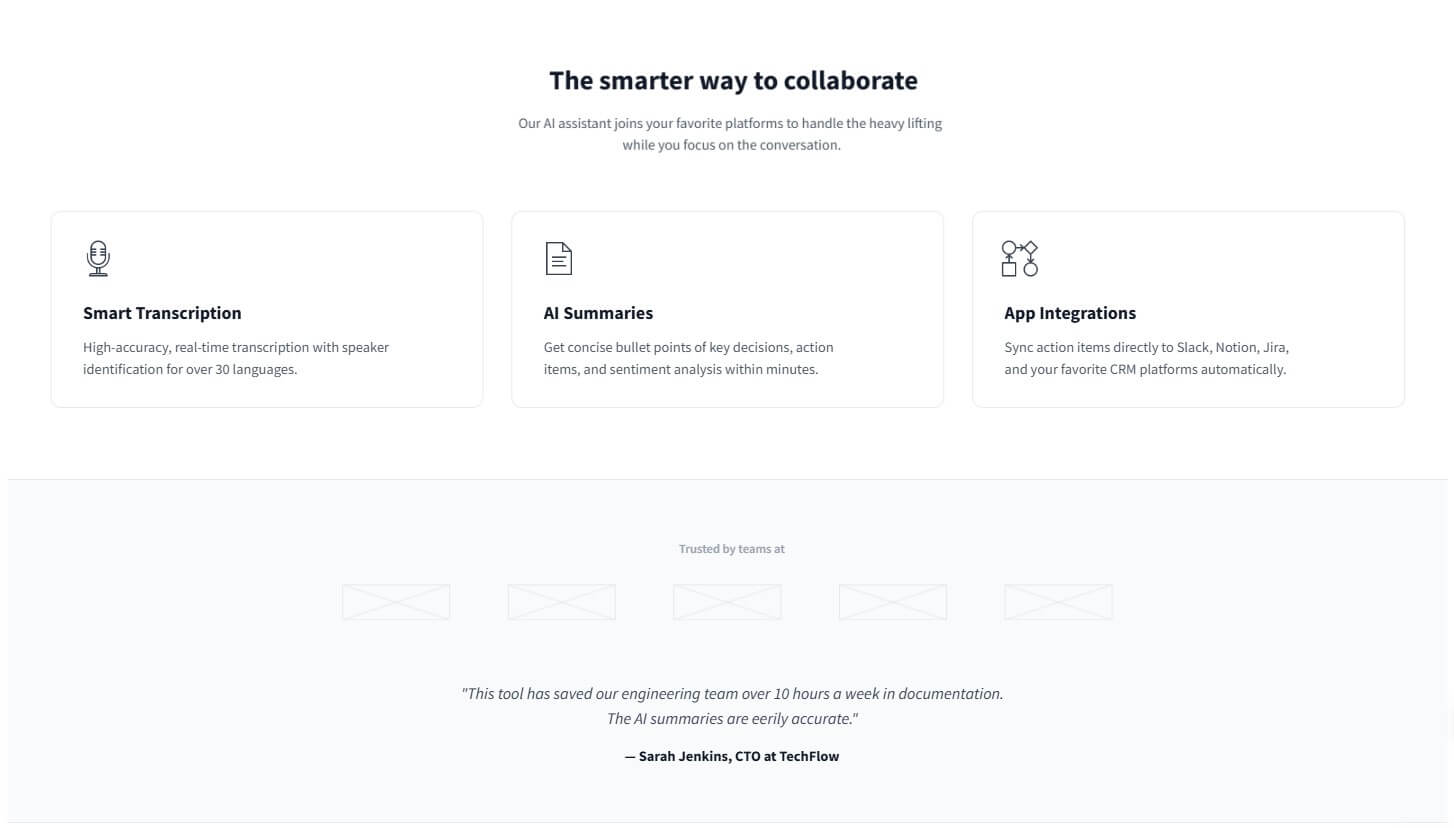
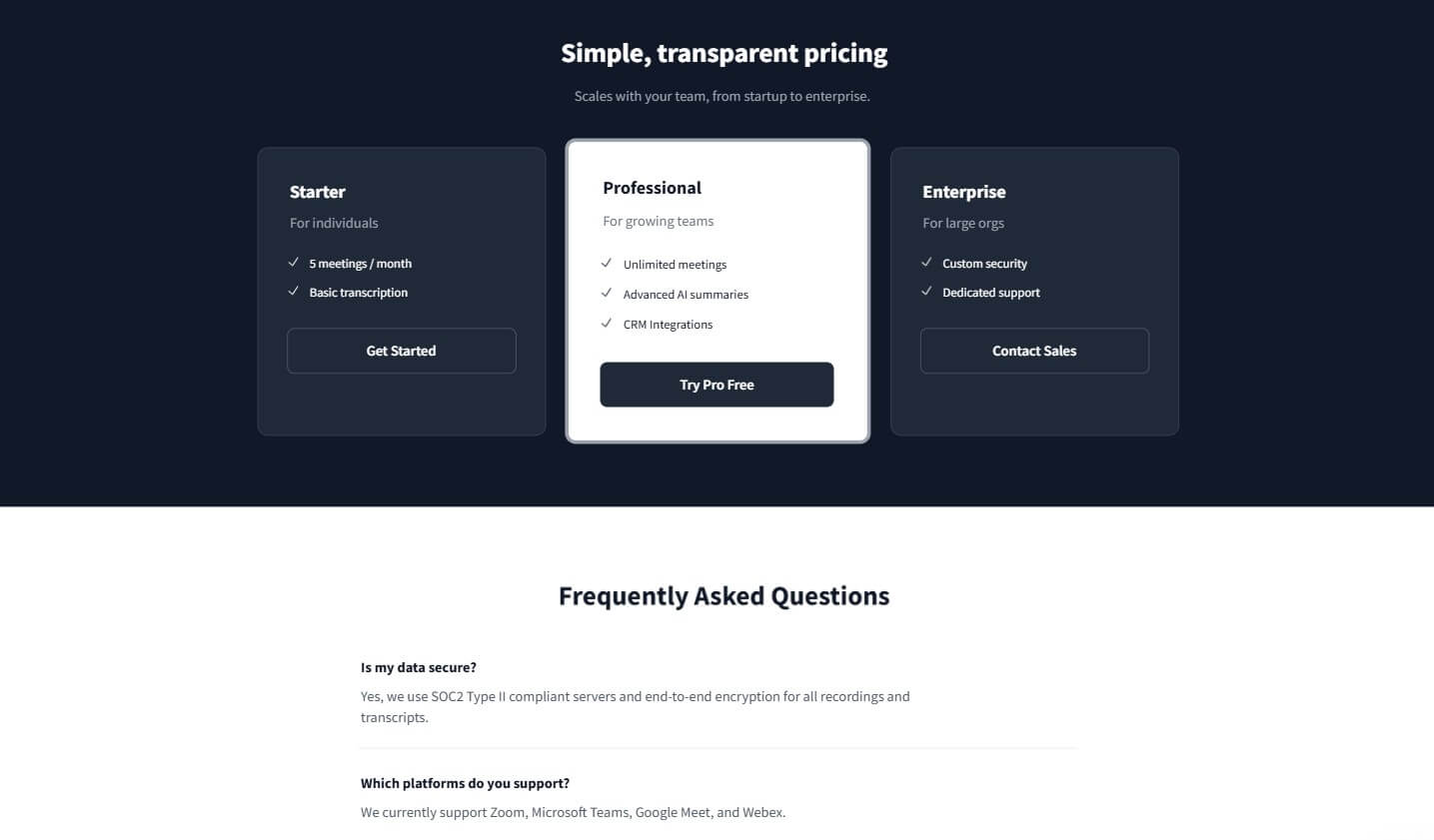
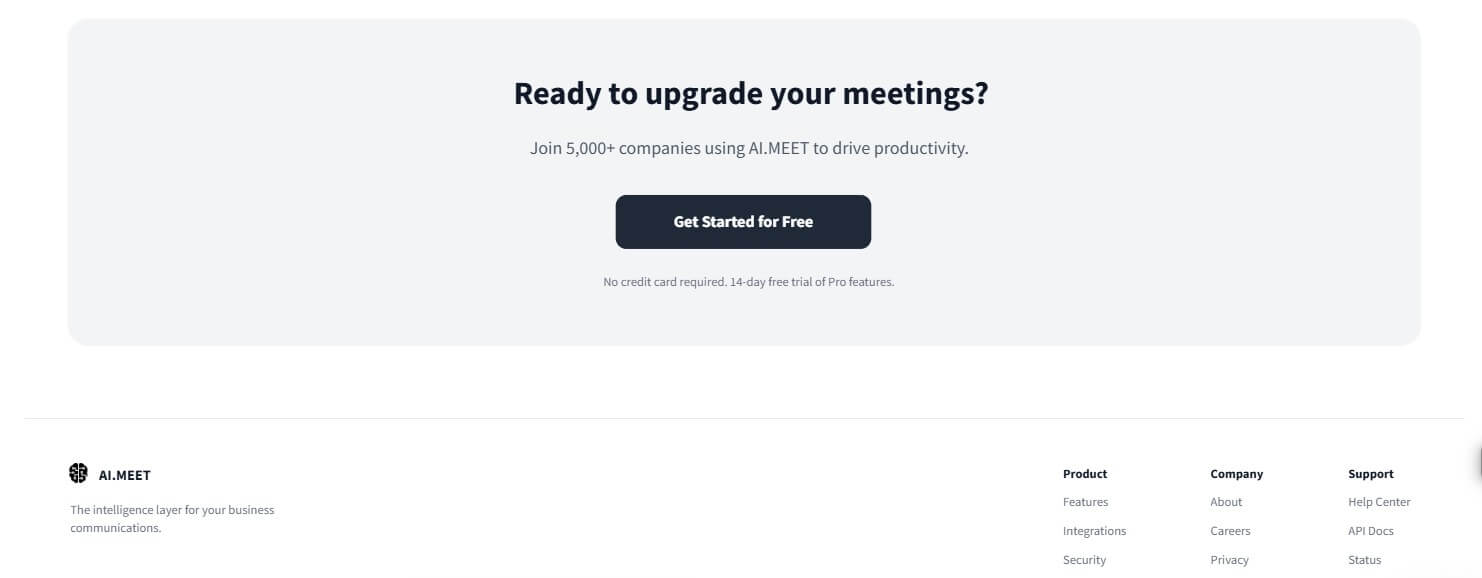
Create a landing page wireframe for an AI meeting assistant. Include a hero section, short product explanation, three feature cards, social proof area, workflow section, pricing teaser without numbers, FAQ section, and final call-to-action. Make it suitable for a B2B SaaS website.
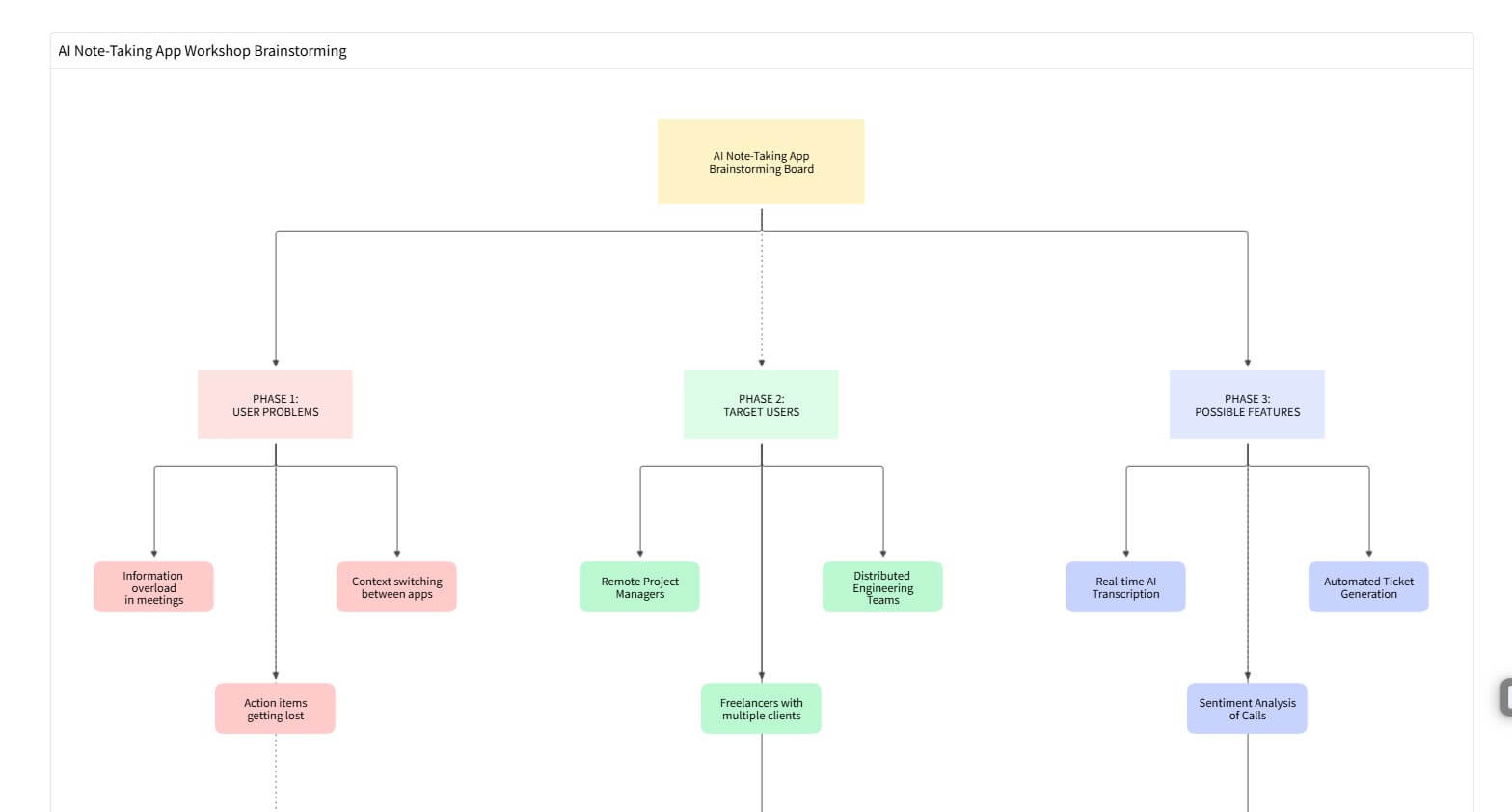
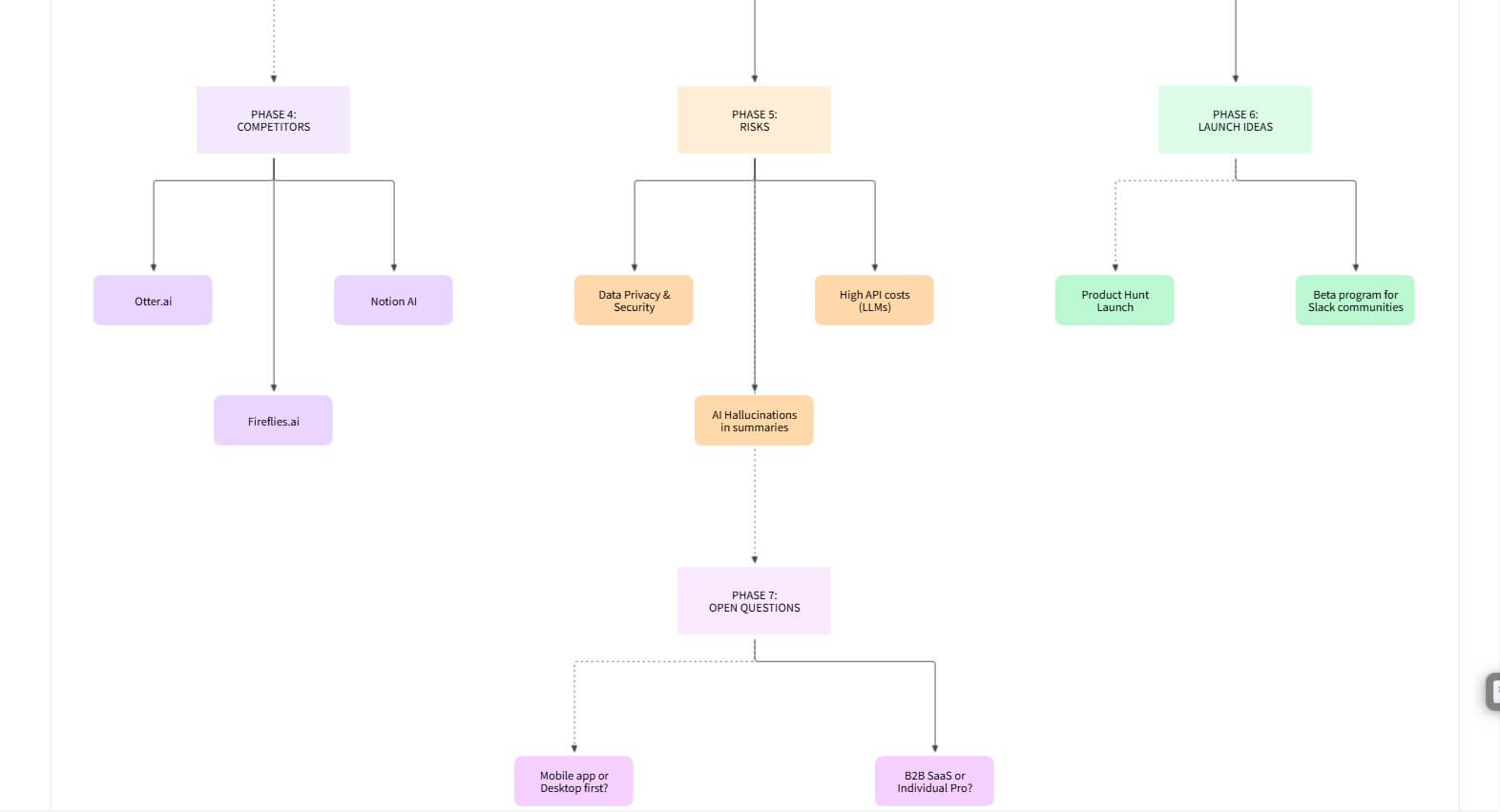
Create a whiteboard for brainstorming a new AI note-taking app for remote teams. Include sections for user problems, target users, possible features, competitors, risks, launch ideas, and open questions. Use sticky notes, grouped clusters, and a clear layout for a product workshop.
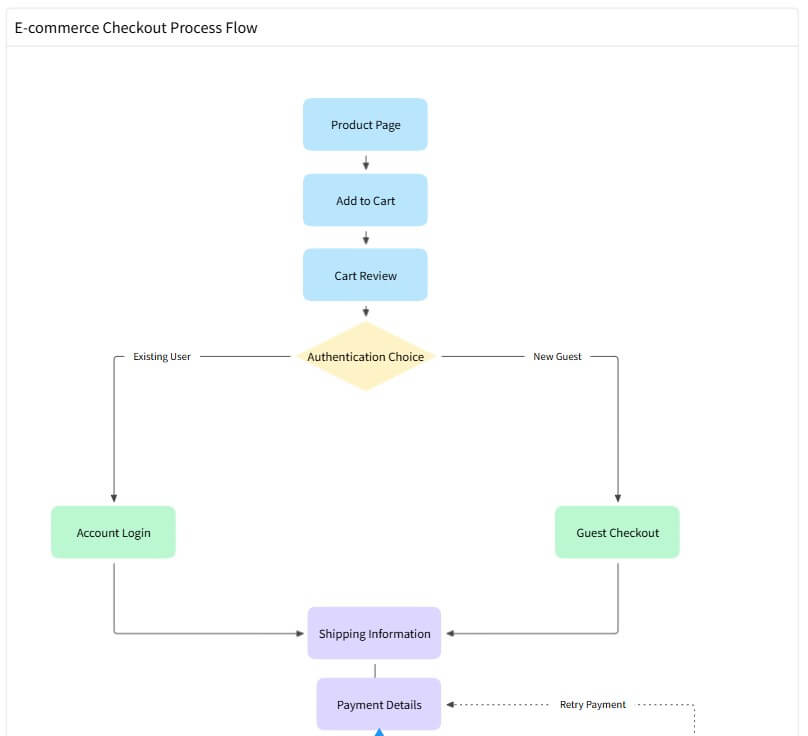
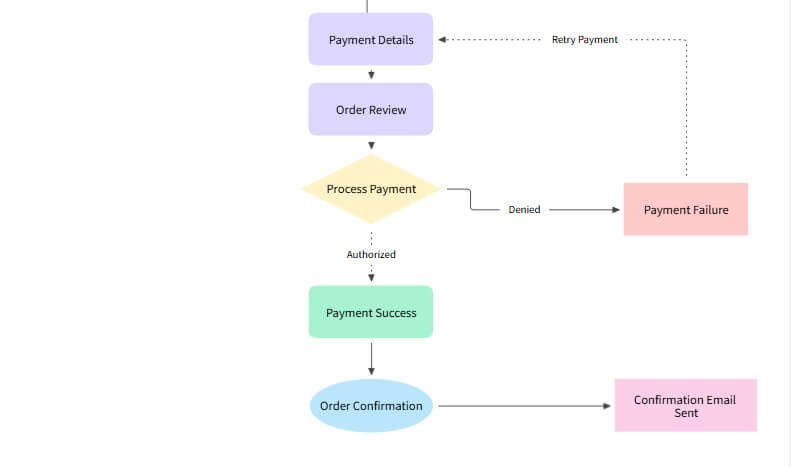
Create a flowchart for an ecommerce checkout process. Include product page, add to cart, cart review, account login or guest checkout, shipping information, payment details, order review, payment success, payment failure, and confirmation email.
MockFlow is strongest when speed and clarity matter more than pixel-perfect design. It helps teams get product ideas out of conversations and into a shared visual format quickly.
That makes it useful for product managers sketching a new feature, founders planning an MVP, designers preparing low-fidelity UI options, developers clarifying flows before building, and teams that need stakeholder feedback before spending time in a full design system.
Its AI features are also practical because they support several starting points. You can generate wireframes from text, convert screenshots into editable wireframes, turn whiteboard sketches into wireframes, and use AI to review layouts for usability and design suggestions.
This is where MockFlow feels more grounded than a pure “AI designer” pitch. It does not only create something from a blank prompt. It can also help translate existing UI, sketches, and meeting artifacts into editable design material.
| Feature | What it does | Why it matters |
|---|---|---|
| WireframePro | Creates wireframes for websites, apps, dashboards, and UI flows | Best for early interface planning |
| AI Text-to-Wireframe | Turns written ideas into editable wireframes | Speeds up first drafts and product exploration |
| Screenshot and Whiteboard Conversion | Converts UI screenshots or sketch photos into editable wireframes | Useful for redesigns, audits, and meeting follow-ups |
| IdeaBoard | Provides an AI-powered infinite canvas for diagrams, mind maps, documents, charts, and more | Helps teams organize product thinking beyond screens |
| UI Data Generation | Generates text, images, tables, and colors for wireframes | Makes placeholders more realistic during review |
| BYOC Components | Uses AI to generate coded Bootstrap or Tailwind components inside MockFlow | Helpful when teams want design ideas closer to implementation |
The most valuable feature depends on the team. Designers may care most about editable wireframes. Product managers may care more about flows and sitemaps. Developers may find architecture diagrams, database schemas, and component generation more useful.
MockFlow’s workflow starts with an idea, not a finished design. You can describe what you want, import or sketch a reference, or build manually with components. From there, the platform lets you edit the result, arrange screens, add flows, collaborate with teammates, and expand the idea into related visuals.
The workflow is strongest when you treat AI as a first-draft engine. Let it create the rough structure, then clean up hierarchy, labels, spacing, navigation, forms, and edge cases. MockFlow’s AI can get the first screen or flow onto the canvas quickly, but product quality still comes from review.
One useful update is multi-screen planning. MockFlow’s product updates say WireframePro can detect when a prompt needs multiple outputs, such as an ecommerce site, SaaS dashboard, or mobile app, then plan wireframes, flowcharts, architecture diagrams, and database schemas rather than generating only one screen.
That is important because real products are rarely one screen. A sign-up page connects to onboarding. A dashboard connects to settings, reports, and user management. AI design tools become more useful when they understand product scope, not just isolated layouts.
IdeaBoard is the part of MockFlow that makes the platform feel less like a wireframe-only tool. It supports freeform brainstorming with sticky notes, sketches, text, images, web references, audio, PDFs, and other materials, then turns ideas into structured visuals such as flowcharts, architecture diagrams, journey maps, mind maps, documents, tables, analytics views, and charts.
This is useful for teams that need to align before wireframing. A feature idea may need a journey map first. A redesign may need research notes and screenshots. A technical feature may need a system diagram before UI work begins.
MockFlow also mentions MIDA, its AI design assistant, which can help build, edit, or improve board content through chat-style instructions. IdeaBoard also supports real-time co-editing, presentation mode, built-in chat and meetings, voice or video comments, and reactions.
That makes it a better fit for collaborative planning than a single-user wireframe generator.
MockFlow works best for early product design, SaaS planning, app wireframing, dashboard concepts, website redesigns, product discovery, stakeholder reviews, information architecture, user-flow mapping, and technical planning.
It is especially useful when a team needs something more structured than a whiteboard but faster than high-fidelity UI design. A product manager can sketch a flow. A designer can turn that into editable screens. A developer can use the same workspace to clarify architecture or implementation concerns. A stakeholder can comment before the work gets expensive.
It is less ideal when the goal is final visual polish. If a team already has a mature design system and needs production-level UI detail, Figma or a dedicated design environment may still be the main workspace. MockFlow fits better before that stage.
- Start with low-fidelity output. MockFlow is strongest when the team is still thinking through structure, content, and flow.
- Use screenshot-to-wireframe for redesign work. It is faster than rebuilding an existing page manually, and it gives the team editable material instead of a static reference.
- Use IdeaBoard before WireframePro when the problem is unclear. If the team has not agreed on user journeys, architecture, or content hierarchy, a wireframe may come too early.
- Treat generated UI text and data as placeholders. AI-generated labels, charts, and tables can make a wireframe easier to review, but they still need product and domain review.
The main limitation is that MockFlow’s AI output still needs design judgment. A generated wireframe may look organized but miss business rules, accessibility details, responsive behavior, edge cases, or user research insights.
Another trade-off is breadth. MockFlow covers wireframes, diagrams, whiteboards, sitemaps, components, collaboration, and AI generation. That breadth is useful, but it can also feel like more product than a solo user needs if they only want a quick screen mockup.
MockFlow is also not a replacement for final design systems, visual QA, usability testing, or production engineering. It helps teams think and plan faster, but the quality of the finished product still depends on the decisions people make after the first draft appears.
MockFlow is a strong AI-assisted workspace for early product design. Its best value is not just prompt-to-wireframe generation, but the full path from brainstorming to wireframes, diagrams, sitemaps, team feedback, and product planning. It is best for product teams, founders, designers, developers, and stakeholders who need to visualize software ideas before committing to build. The main caveat is that MockFlow speeds up the first draft, but it does not replace design reasoning, user research, or careful review.
TAGS: Productivity
Related Tools:
Transforms lecture notes into interactive flashcards

Automates complex tasks by creating customizable, scalable digital agents

Prioritizes important emails, summarizes less critical emails

Helps users search the web, analyze pages, and complete research tasks

Helps teams document access internal information

Integrates Chat-GPT into web browsing