
Share this tool:
 |
Description:
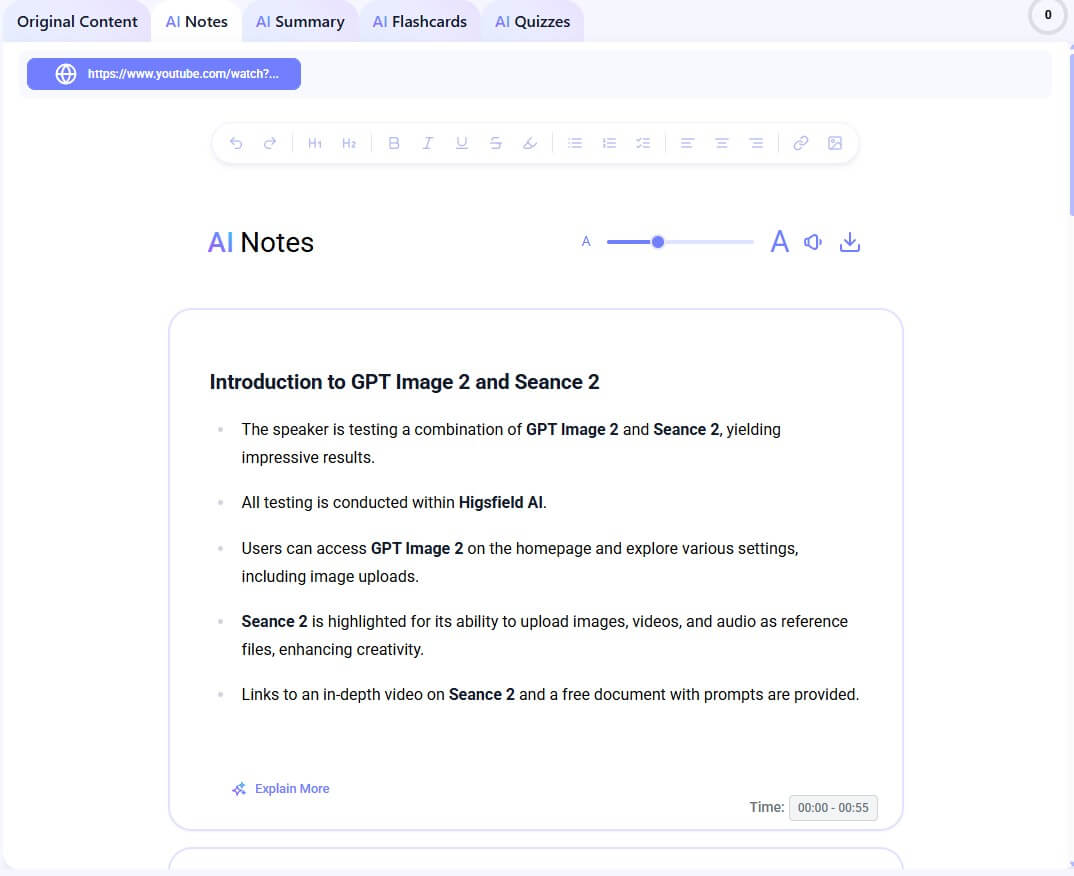
Mindgrasp AI is an AI study platform built for turning learning materials into usable study aids. You can record a lecture or upload content such as PDFs, slides, audio files, web links, text files, books, and YouTube videos, then Mindgrasp generates notes, summaries, flashcards, quizzes, and an AI tutor inside a study session.
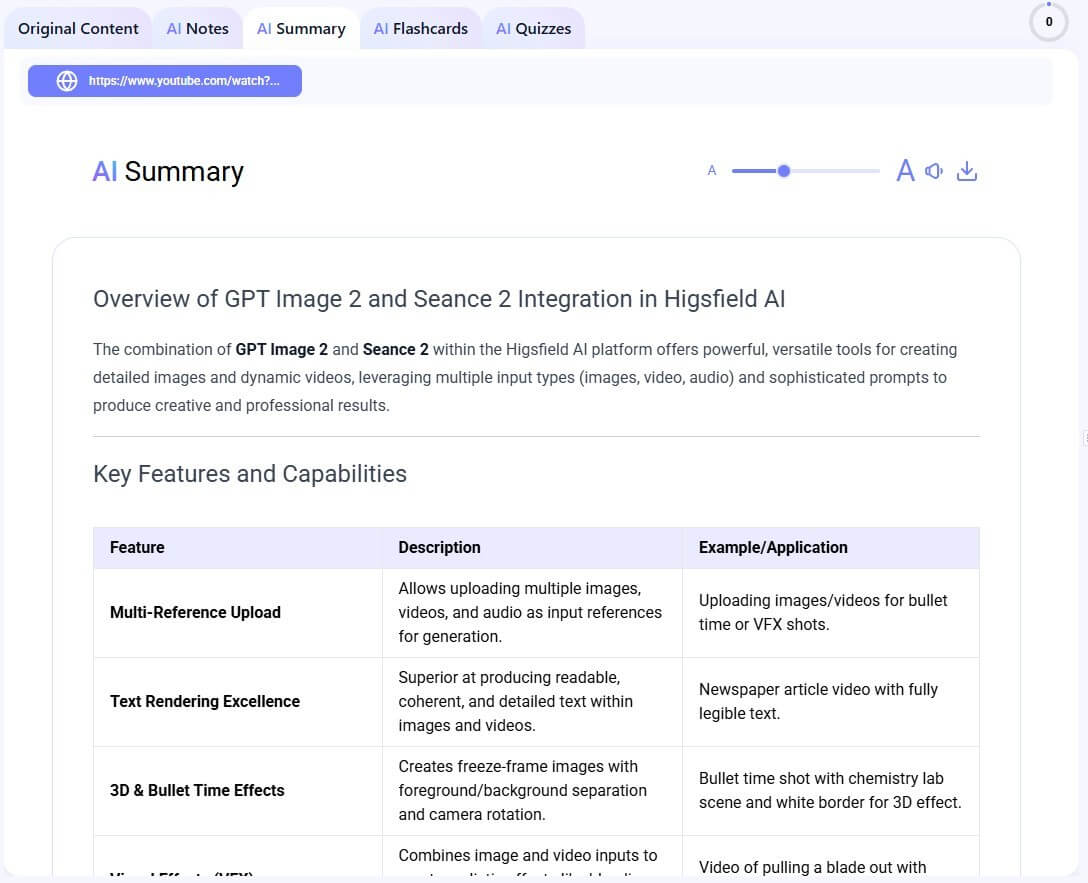
Mindgrasp is not just a PDF chatbot or a lecture summarizer. It is closer to a study workspace that takes source material and turns it into multiple learning formats. The official workflow is simple: create a study session, add your material, let Mindgrasp process it, then review notes, practice flashcards, take quizzes, and ask the AI Tutor questions when you get stuck.
That distinction matters. A basic summarizer helps you understand something faster. Mindgrasp tries to carry the learner further: from intake, to review, to practice, to self-checking. That makes it more useful for students who need to prepare for exams or keep up with dense coursework, not just skim a document once.
The strongest idea behind the product is that one upload can become several study tools. A lecture recording can become notes. A PDF chapter can become flashcards. A slide deck can become a quiz. A research paper can become a question-answer workspace with references. That kind of conversion is the main reason to use Mindgrasp.
Mindgrasp is strongest when your material is long, dense, or hard to turn into study notes manually. It makes sense for recorded lectures, textbook chapters, research papers, class slides, training videos, long PDFs, and online course content.
The product is especially useful for students who need active study tools, not just summaries. Mindgrasp’s public pages frame its learning features around active recall, practice testing, spaced review, and self-explanation through its AI Tutor. Those are not just marketing labels. They reflect the tool’s best workflow: read less passively, test yourself sooner, and ask follow-up questions while the source material is still available.
| Need | How Mindgrasp helps |
|---|---|
| Catch up on a lecture | Record or upload the lecture and generate notes |
| Study a textbook chapter | Upload the PDF and create summaries, flashcards, and quizzes |
| Prepare for an exam | Practice with generated questions and flashcards |
| Understand a difficult concept | Ask the AI Tutor questions based on the material |
| Research faster | Use PDF chat and web search to find cited answers |
Mindgrasp can process lectures, PDFs, videos, audio, slides, and links into structured notes and summaries.
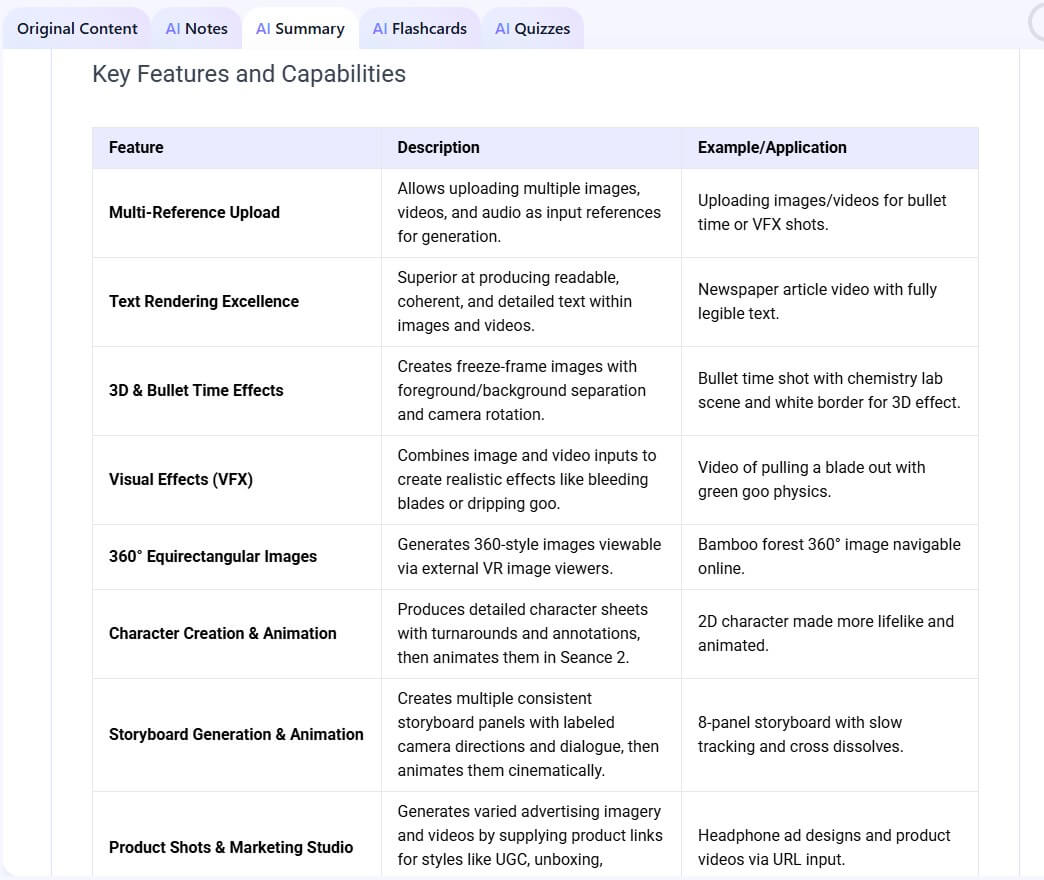
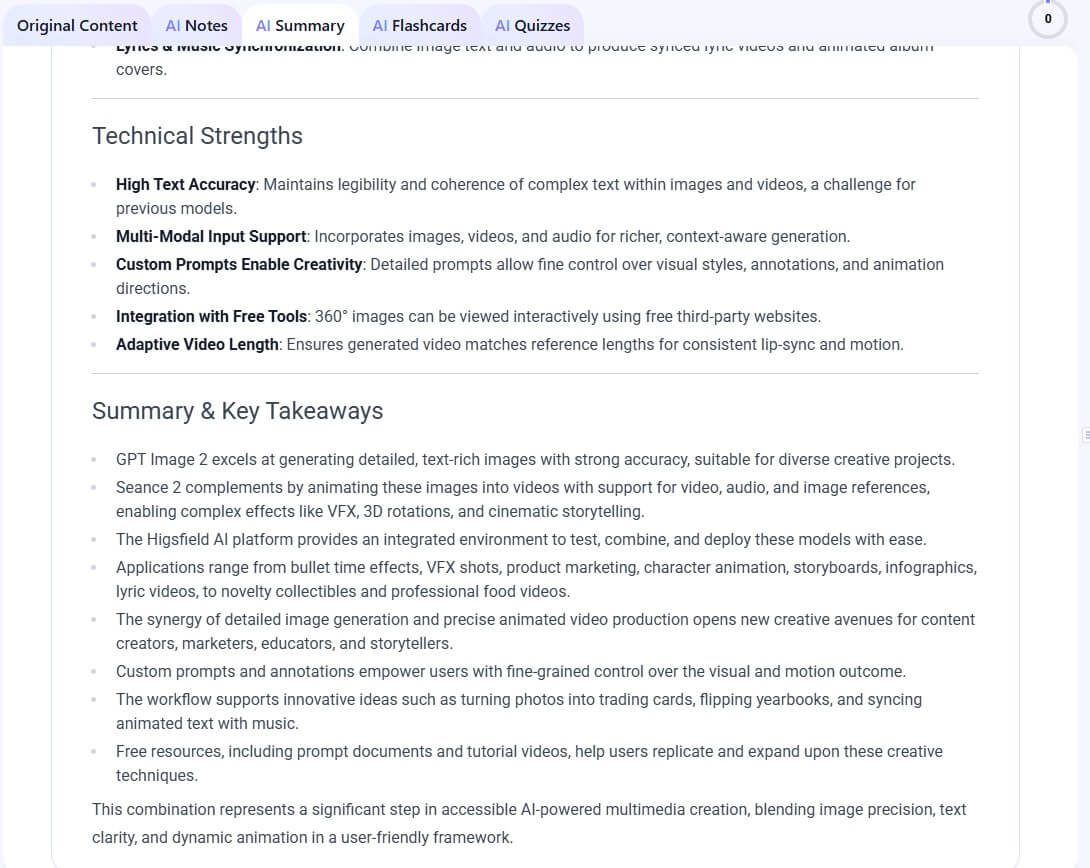
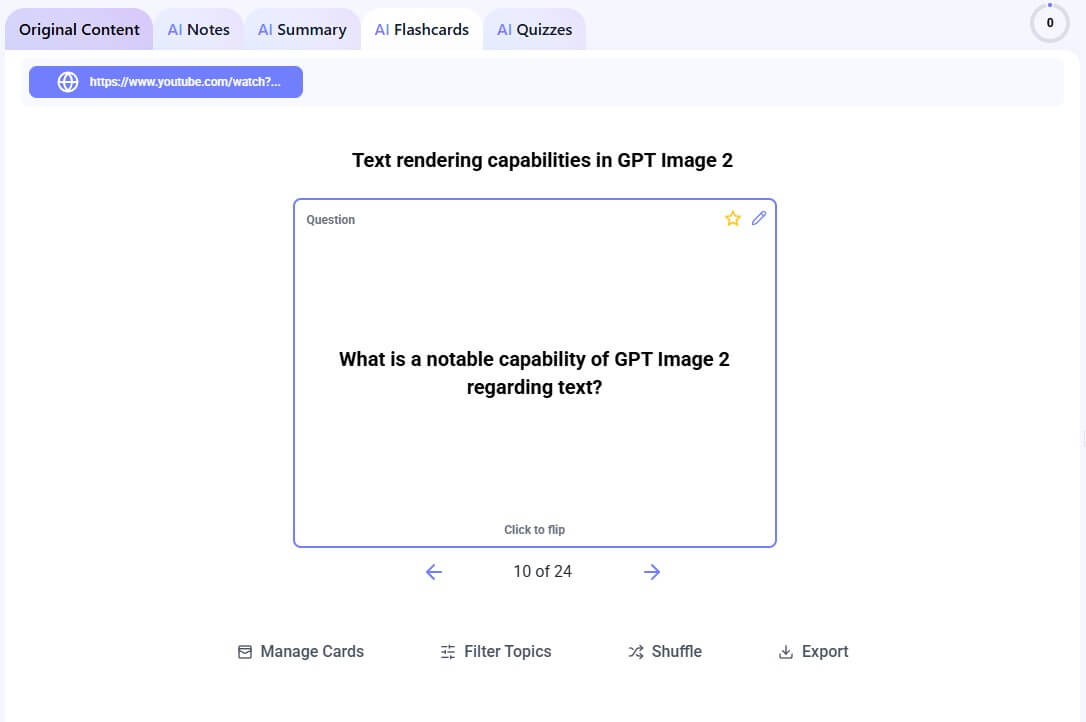
The flashcard maker converts notes, PDFs, PowerPoint slides, images, and other study documents into interactive flashcards for review and testing.
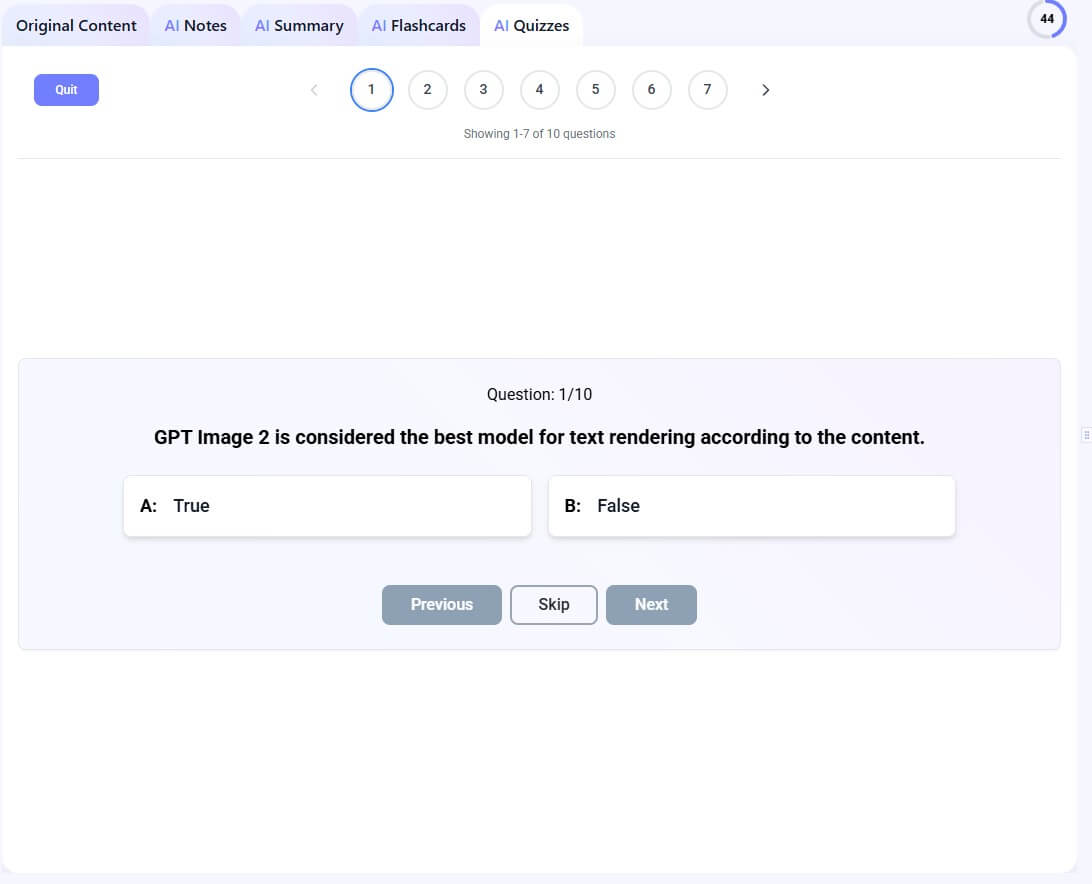
The quiz maker turns uploaded materials into practice quizzes, including multiple-choice, true/false, and short-answer question formats, with scoring and feedback.
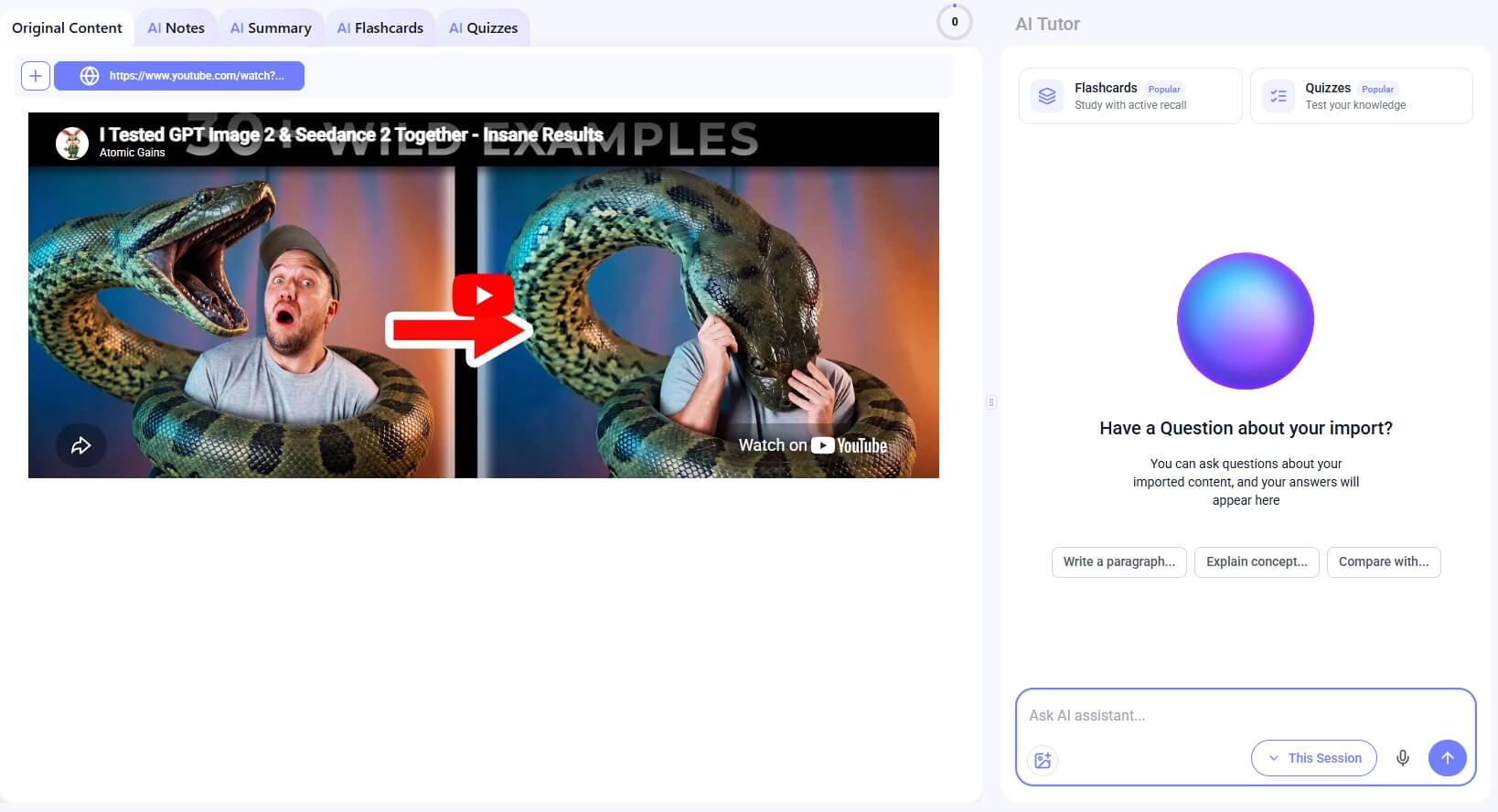
The tutor lets users ask questions, clarify concepts, and learn at their own pace from uploaded material.
Mindgrasp’s PDF reader lets users upload PDFs, ask plain-language questions, receive answers with page references, and generate summaries, flashcards, quizzes, and study notes from the same document.
Mindgrasp’s web search combines uploaded material with online sources, then returns cited, context-aware answers for research tasks.
The workflow is built around study sessions. That is a smart choice because students often think in terms of lectures, chapters, topics, exams, and courses. A dedicated session gives each upload a place to live, instead of leaving notes, summaries, and questions scattered across different tools.
For a typical lecture, the workflow is straightforward. Record or upload the lecture, wait for processing, scan the notes, then use flashcards or quizzes to check what you remember. For a PDF, the workflow is a little different. Upload the document, ask questions about key sections, review the generated summary, then convert the same source into flashcards or quiz questions.
The interface should feel approachable for students who already use online learning tools. Mindgrasp also says it works with learning platforms such as Canvas and Blackboard in some workflows, and its PDF page mentions Google Docs integration as part of the study flow.
The main habit to build is review. If you only generate summaries, Mindgrasp becomes a shortcut. If you use notes, flashcards, quizzes, and tutor questions together, it becomes a stronger study system.
The quality of Mindgrasp depends heavily on the source material. A clean lecture recording, well-formatted PDF, or organized slide deck will usually lead to better outputs than a noisy audio file, scanned page, or messy transcript.
The flashcard and quiz tools are the most practical features for exam preparation. Summaries are useful, but they can create a false sense of confidence. Flashcards and quizzes force recall. Mindgrasp’s flashcard page emphasizes that cards are generated from the user’s actual coursework, while the quiz page highlights practice questions, scoring, explanations, and weak-area feedback.
That said, students should still review the generated material. AI can miss nuance, overemphasize minor points, or turn a complex idea into an overly simple card. The best approach is to edit weak cards, delete filler questions, and use the AI Tutor to clarify anything that feels vague.
Mindgrasp’s PDF reader is one of its more useful academic features. It lets users ask questions about a PDF and get answers tied to source references, including specific sections and pages. That is important because study AI tools can sound confident even when they compress or misread details. Source references make it easier to check the answer against the original document.
The web search feature adds another layer. Mindgrasp says its AI web search first scans uploaded material, then expands outward to journals, ebooks, data sets, and credible websites, attaching clickable references. That makes it useful for research support, but users should still verify citations and source quality before relying on the output in coursework.
Mindgrasp is a strong fit for college students, high school students, graduate students, online course learners, and adult learners who need to process a lot of material quickly. It is especially useful for classes with long readings, recorded lectures, slide decks, and exam-heavy content.
It also has value for professionals who need to learn from reports, training videos, manuals, webinars, or PDFs. Mindgrasp’s professional page frames the tool around saving time, organizing materials, extracting insights, and supporting ongoing learning from documents, PDFs, videos, and audio.
It is less useful for students who already have strong hand-built notes and only need occasional writing help. It is also not a replacement for deep reading in courses where wording, argument structure, proofs, or interpretation matter.
The first limitation is accuracy. Mindgrasp can summarize and generate study aids quickly, but AI-generated notes and quizzes still need checking. This matters most for medicine, law, technical subjects, philosophy, and research-heavy courses where small wording differences can change meaning.
The second limitation is learning depth. A generated summary can help you start, but it should not become the whole study process. Students still need to read key sections, solve problems, practice recall, and ask deeper questions.
The third trade-off is data sensitivity. Apple’s App Store privacy listing for Mindgrasp says the app may handle contact info, user content, identifiers, usage data, and diagnostics linked to the user. That does not make the tool unsafe, but it means users should be thoughtful about uploading confidential, clinical, legal, or private institutional materials.
Mindgrasp AI is best for students and learners who want to turn lectures, PDFs, slides, videos, and notes into a full study system. Its strongest features are AI notes, summaries, flashcards, quizzes, PDF question-answering, source references, web search, and a 24/7 AI Tutor.
The main caveat is that AI-generated study materials still need review. Used carefully, Mindgrasp can reduce setup time and help learners move faster from “I have material” to “I’m ready to practice.”
TAGS: Research Productivity
Related Tools:

AI meeting assistant that tracks participation

Research assistant that lets you interact with web content

Identifies objects in images

Automates task prioritization and management

Summarizes and take notes from videos
Generates summaries of webpage content