

Share this tool:
 |
Description:
Humata sits in a useful category between “chat with a PDF” toys and heavier enterprise knowledge systems. Its core promise is simple: upload documents, ask questions across them, get cited answers back, and stop manually digging through dense files. What makes it more interesting than a basic PDF chatbot is that the product also stretches into team permissions, website import, embeddable chat, white labeling, and an API layer.
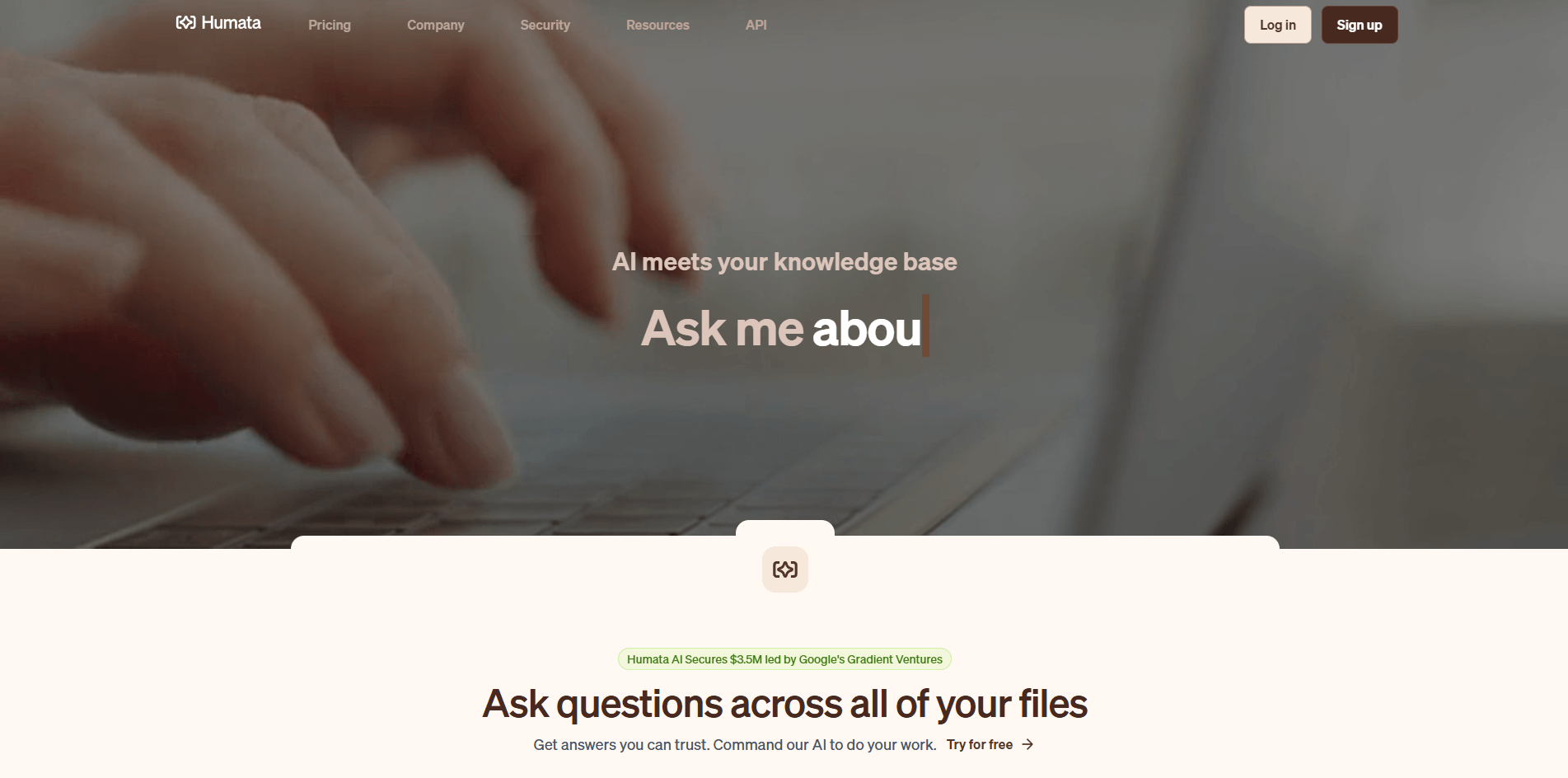
Humata can answer questions across all your files, and the “Ask All” flow lets you query selected files or folders together.
Answers include references to the parts of the document used to generate them.
You can import a website from a URL and start asking questions about it after processing.
Admins can invite users, assign admin/member roles, organize teams, and manage folder restrictions.
Humata supports embedded chat, and Enterprise accounts can white-label the embedded experience.
The API covers document import, conversation creation, Ask, data export, and organization user creation.
The clearest way to understand Humata is as a three-layer product. First, it is a document Q&A app for individuals: upload files, ask questions, summarize findings, compare documents, and follow citations back into the source material. Second, it is a team workspace with shared files, role-based access, team management, and folder restrictions. Third, it is an embed and API platform: you can place Humata’s chat on a website, white-label it on Enterprise, and access documents, conversations, users, and insights programmatically.
That layered structure matters because Humata is not really competing with a blank chatbot tab. Its own FAQ frames the difference directly: unlike a general chatbot, Humata is built to work from uploaded files and return answers with citations tied to those files. In practice, that makes it more useful for people whose work is buried in reports, contracts, research papers, policy docs, manuals, or internal knowledge bases.
Humata is strongest when the task is not “be creative,” but “find the answer in the material I already have.” The homepage positions the product around summarizing findings, comparing documents, and searching for answers across all your files, and the docs add an “Ask All” workflow for questioning multiple files or folders together. That is the real value: not single-document chat alone, but faster retrieval across a body of documents.
Its second major strength is trust signaling. Humata’s answer flow is built around cited references, and its Grounded mode is explicit about refusing unsupported answers if the information cannot be found in the uploaded material. That is a meaningful product choice. Many AI document tools talk about accuracy; Humata exposes a concrete control for how strict or loose the answer should be.
Its third strength is that it goes beyond PDF upload. Website import, embeddable chat, white labeling, and API access make Humata more useful for teams that want document intelligence as part of a workflow or customer-facing experience, not just as a private reading aid.
The basic workflow is straightforward. You upload a file or folder, and the ask feature becomes available automatically. If your content already lives on a public website, you can import the site from a URL instead. That keeps first-run friction low, which is a big reason Humata is attractive to solo researchers and small teams.
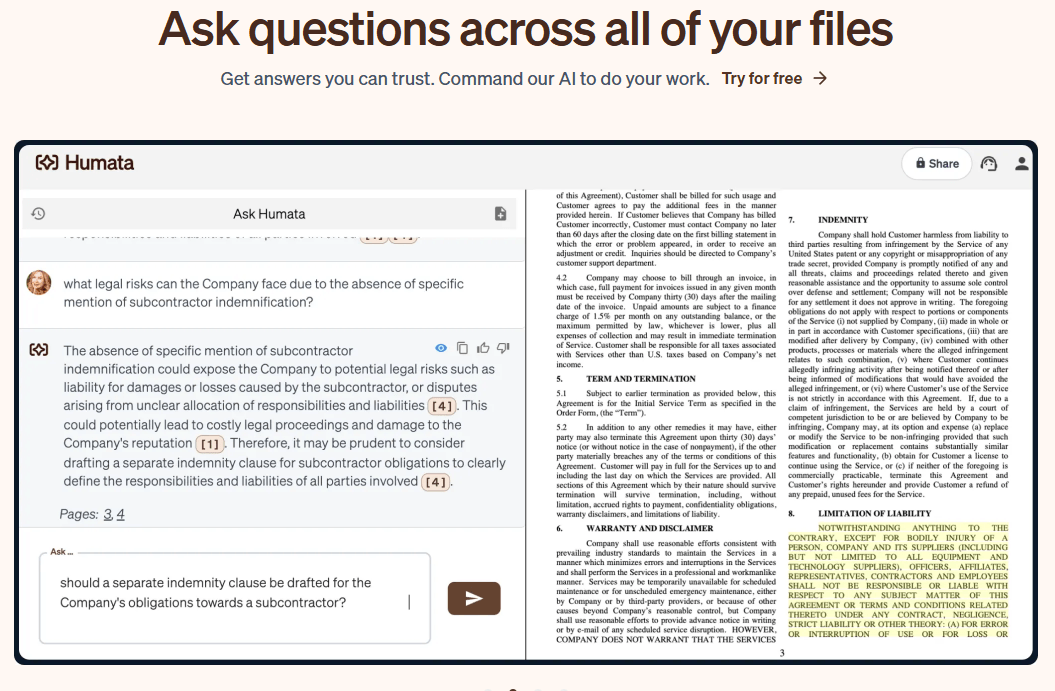
The more serious workflow is where the product becomes more interesting. You can organize files into folders, invite teammates, assign roles, restrict folder access, and then use Ask All across a set of files or folders. That makes Humata feel less like “chat with this one PDF” and more like a lightweight document workspace. It is still simpler than a full knowledge platform, but it has enough structure to be useful beyond personal note-taking.
There is also a practical customization layer. Humata offers three response styles in Chat Settings and supports custom prompts that apply across user questions. That gives teams some control over tone and behavior without turning the product into a full prompt engineering exercise. You can keep it strictly document-bound, allow some extra reasoning, or loosen it up for off-document requests.
Humata’s most important control is not a model dropdown. It is the answer approach. Grounded mode is the one serious users should pay the most attention to: it strictly cites your documentation and says it cannot answer if the material is not present. Balanced uses the document first but may add outside information. Creative answers more loosely and is explicitly recommended when the question is off-topic or not well supported by the uploaded file.
That is a smart design choice because it makes the product honest about trade-offs. If you are reviewing compliance material, legal documents, or technical papers, Grounded is the obvious choice. If you are doing looser synthesis or exploratory drafting, Balanced may feel faster. Creative is the least trustworthy for file-faithful work, because the product itself says it will answer more expressively and more loosely.
For developers, the API does expose a more model-shaped layer. The Ask endpoint currently lists model options including gpt-4-turbo-preview, gpt-4o, gpt-4.1-mini, and gpt-5-mini, alongside the same Grounded/Balanced/Creative answer-approach control. That is useful if you are integrating Humata into an application, but the public web product is not really positioned as a consumer multi-model playground.
Humata is a strong fit for researchers, analysts, legal teams, technical readers, knowledge-heavy startups, and support or operations teams that need answers pulled from real documents instead of general web reasoning. Humata’s own site repeatedly emphasizes technical papers, knowledge discovery, and file-backed answers, and it even has a dedicated legal offering.
It is also a good fit for organizations that want document-backed answers inside another experience. The embed feature, white labeling, website import, and API make it plausible as a lightweight customer-facing knowledge layer or internal document assistant.
It is a weaker fit for open-ended ideation, broad knowledge work that goes far beyond the uploaded material, or teams that mainly need connector-heavy search across many SaaS apps rather than a file-first system. Humata’s public product surface is centered on uploads, folders, websites, embeds, and API endpoints, not on the broader ecosystem reach of a larger enterprise search platform.
- Start with Grounded mode for anything important. It is the clearest way to keep answers anchored to your documents and avoid accidental drift.
- Organize files into folders before leaning on Ask All. Cross-document chat becomes much more useful when permissions and file structure are clean.
- Use website import for public docs, help centers, or policy pages instead of manually copying them into PDFs first.
- If you plan to embed or integrate Humata, check the admin/API flow early. API keys are admin-only, and the default API limit is 120 requests per minute.
- Treat Balanced and especially Creative as convenience modes, not compliance modes. Humata’s own docs say they may add or loosely leverage information beyond the uploaded document.
- The first limitation is category scope. Humata is broader than a simple PDF chatbot, but it is still fundamentally a file-first product. Its public positioning is about uploads, websites, citations, embeds, and API access, not about becoming a full operating system for collaboration, automation, or cross-app enterprise knowledge retrieval.
- The second limitation is answer drift by design. This is not hidden; the docs are clear that Balanced may add extra information and Creative answers more loosely. That makes the product nicely transparent, but it also means users need to choose modes deliberately instead of assuming every answer is equally source-faithful.
- The third limitation is pricing and public-site clarity. The visible plan cards are Free, Expert, Team, and Enterprise, but the pricing FAQ still mentions a Student plan. That kind of inconsistency is not disastrous, but it does make the buying picture feel a little less polished than it should.
- The fourth limitation is that the best admin and document controls sit higher up the pricing ladder. Folder permissions, OCR, response personalization, white labeling, and enterprise-grade support are not evenly distributed across plans, so serious team use starts looking more expensive fairly quickly.
- And finally, there is a privacy nuance worth being honest about. Humata says it does not train AI models on user data, which is important. But its privacy policy also says it collects technical and usage information. That is normal for SaaS, but buyers in sensitive environments should still read both the security page and privacy policy instead of relying on one reassuring headline.
Humata AI is one of the stronger document intelligence tools for people who need answers grounded in files rather than free-form chatbot output. It is best at turning dense PDFs, websites, and file collections into a searchable, cited knowledge base, and it gets more compelling once you add team permissions, embeds, and API access. The main caveat is that it is still a file-first system: great for document-backed retrieval and synthesis, less compelling if you need broader cross-app search, richer workflow automation, or truly open-ended AI work.
TAGS: Productivity
Related Tools:

Summarizes various types of documents
Enhances browsing and online tasks

Simplifies presentation and document creation

Automates code reviews, testing, and merges to help engineering teams

Quickly create and collaborate on UI designs

Streamlines the grading process for educators