
Share this tool:
 |
Description:
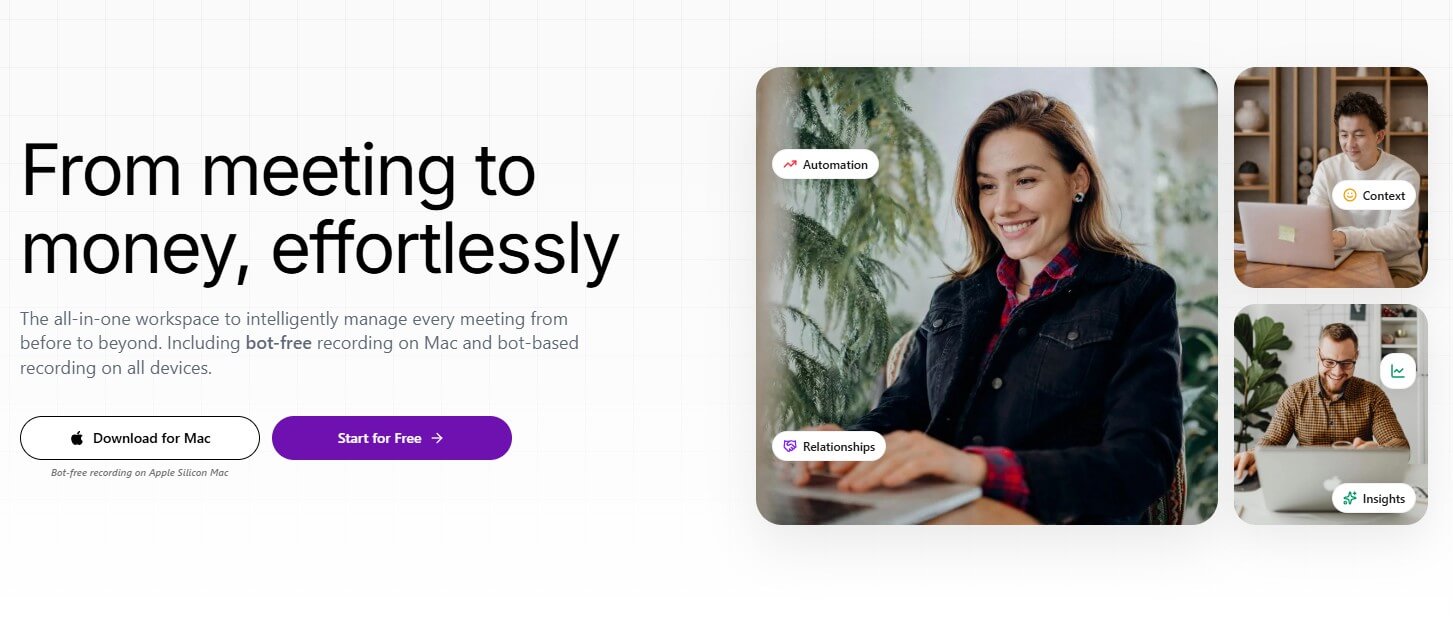
Simplora is an AI meeting platform built around a broader idea than basic transcription. Instead of only joining a call, recording it, and sending a recap afterward, Simplora focuses on the full meeting lifecycle: preparation before the call, live assistance during the conversation, structured notes after it, and searchable knowledge across past meetings. That makes it more useful for teams that treat meetings as decision points, not just calendar events.
| Feature | What it does | Why it matters |
|---|---|---|
| Live AI Meeting Intelligence | Provides answers, resources, and guidance during live calls | Supports decisions while the conversation is still happening |
| AI Meeting Notes and Recaps | Creates meeting notes, summaries, transcripts, action items, and records after calls | Covers the baseline output most users expect from an AI meeting assistant |
| Meeting Preparation | Helps users prepare before conversations with relevant meeting context | Useful for recurring client calls, sales calls, and leadership meetings |
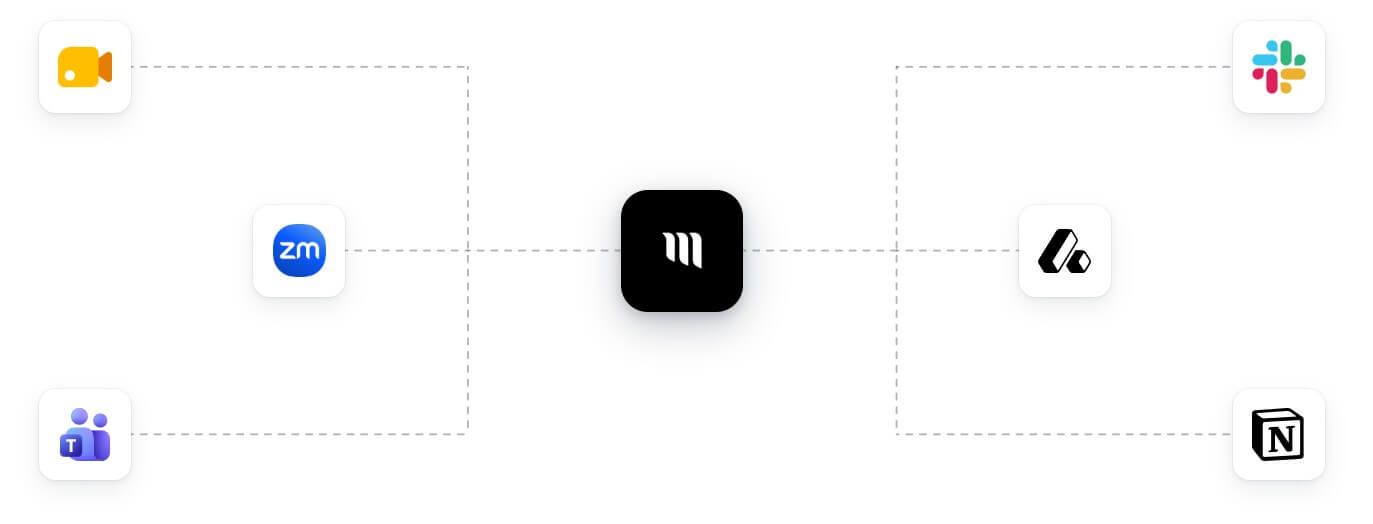
| Cross-Platform Meeting Support | Works with Zoom, Google Meet, Microsoft Teams, Slack Huddles, WebEx, and GoTo Meeting capture | Fits teams that meet across more than one platform |
| Workspace Integrations | Connects with Gmail, Google Docs, ClickUp, Linear, Attio, and other listed tools | Helps meeting context connect to emails, documents, tasks, issues, companies, deals, and people records |
| Web, Desktop, and Mobile Web Access | Supports browser use, desktop workflows, and mobile web access | Gives users more flexible ways to record, review, and manage meetings |
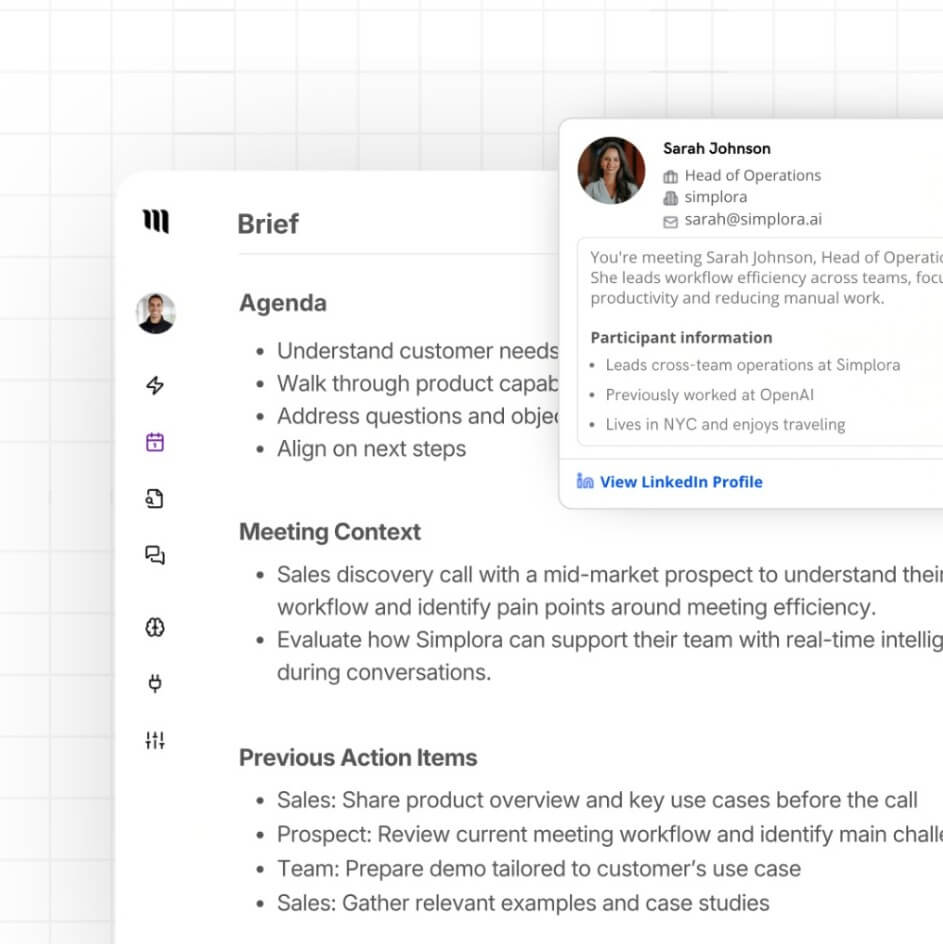
Simplora is a live AI meeting agent and meeting workspace. It supports the familiar AI note-taking jobs, such as recording, transcribing, summarizing, and organizing meetings, but its positioning is more active than a traditional note taker. The platform is designed to surface answers, guidance, and resources from your own data during live meetings, which is a more ambitious workflow than generating a summary after everyone has already left the call.
The simplest way to understand Simplora is to split it into four layers:
| Layer | What it does | Why it matters |
|---|---|---|
| Pre-meeting | Creates preparation context before a call | Helps users arrive with background instead of scrambling |
| In-meeting | Surfaces live answers, resources, and guidance | Supports decisions while the conversation is happening |
| Post-meeting | Creates notes, summaries, follow-ups, and records | Turns discussion into action and documentation |
| Beyond meetings | Builds memory across conversations | Makes old calls searchable and useful later |
This lifecycle approach is the product’s main distinction. Many meeting tools are passive. Simplora is trying to become an active support layer for meetings.
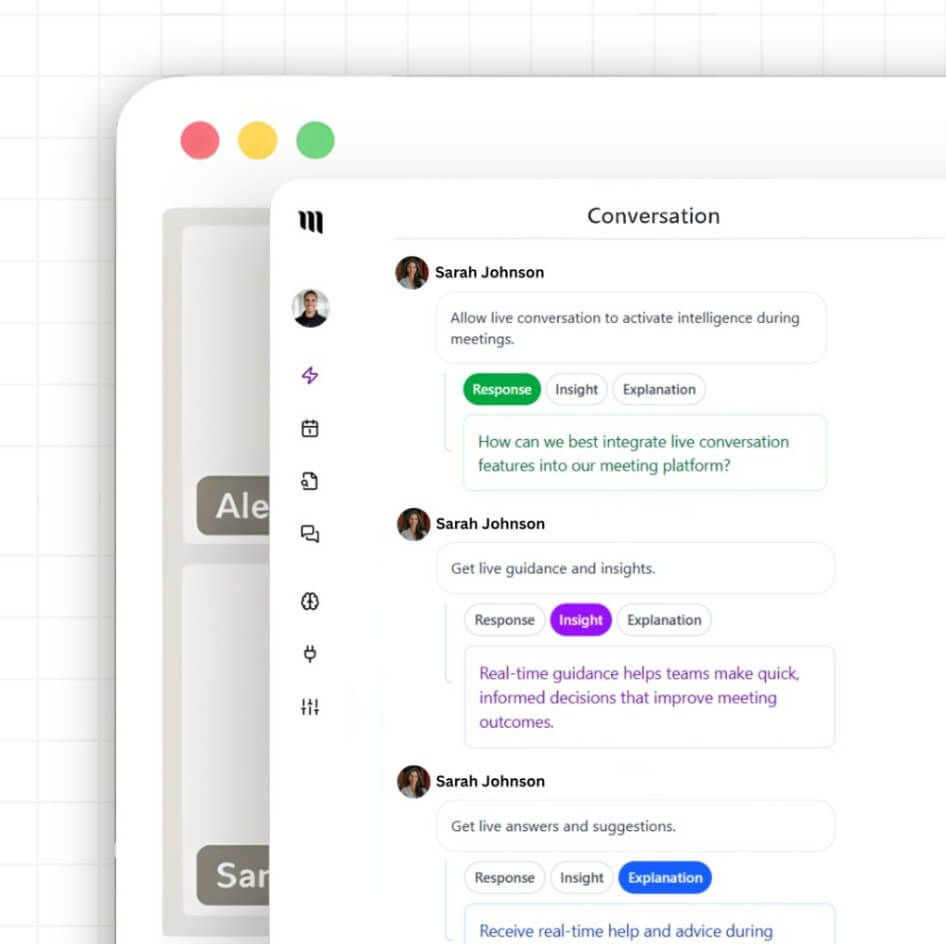
Simplora is strongest when the meeting depends on context. A quick internal sync may only need a short summary. But a sales call, customer success review, hiring discussion, investor conversation, product feedback session, or leadership meeting often depends on previous conversations, documents, accounts, tasks, and decisions.
That is where Simplora’s live meeting angle matters. If a customer asks about something from a prior call, or a team member needs a document during the conversation, the assistant is meant to help retrieve and surface that context while the meeting is still active. This is different from tools that only produce a transcript and leave the user to search through it afterward.
The product also makes more sense for people who run a business through conversations: founders, executives, consultants, freelancers, coaches, entrepreneurs, and customer-facing teams. Simplora’s integrations page explicitly frames the product around people who manage customer, investor, partner, hiring, and client conversations end-to-end.
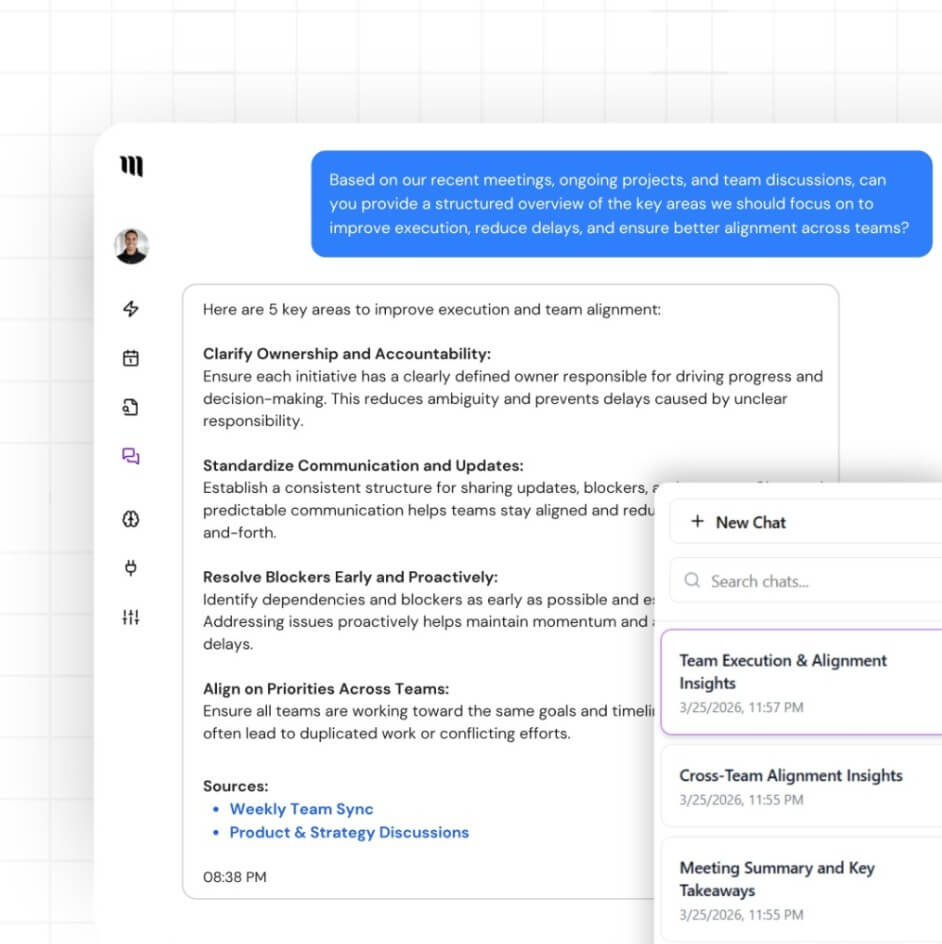
The ideal Simplora workflow starts before the meeting. You connect your calendar, meeting tools, and relevant work apps. Then Simplora can help prepare for upcoming meetings, join or capture calls, support the live conversation, and generate recaps afterward.
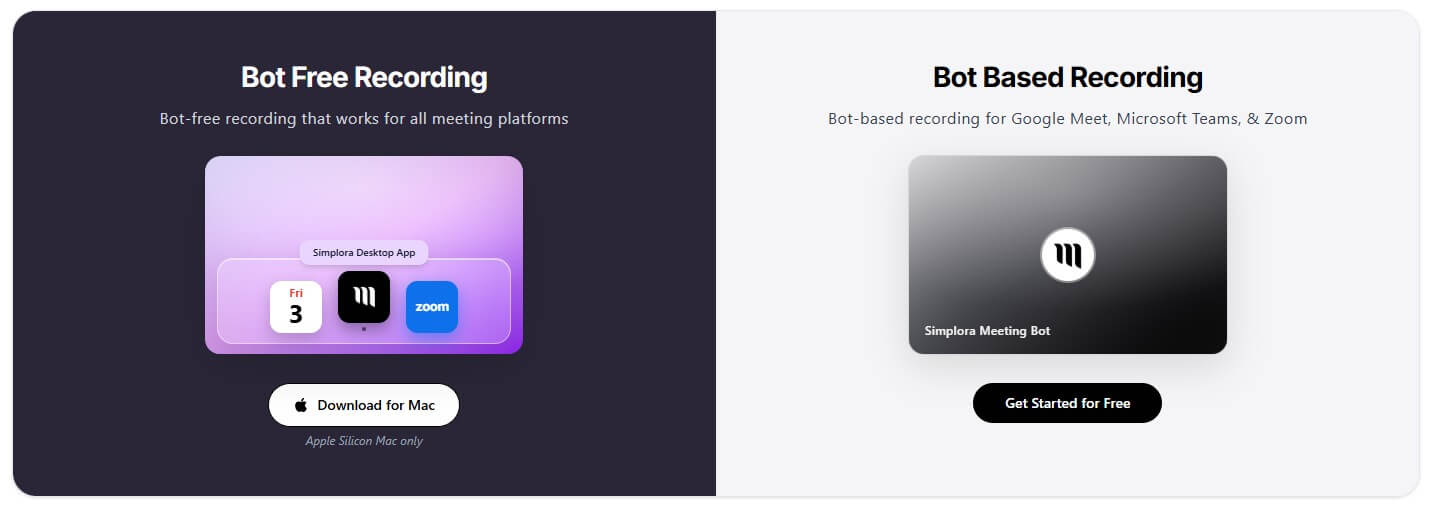
For browser-based use, Simplora says users can sign in through Chrome, Safari, Edge, or Firefox and use the full workspace without installation. For users who dislike having a bot appear in meetings, the Mac desktop app is important because it supports bot-free meeting audio recording on Apple Silicon Macs. Mobile web access is useful for reviewing and recording on the go without installing a dedicated mobile app.
The setup burden depends on how much value you want from the tool. If you only want basic notes, the workflow can be simple. If you want live answers from company context, useful follow-ups, and cross-meeting memory, you need to connect the right sources and use the platform consistently. That is not a flaw, but it is an adoption reality.
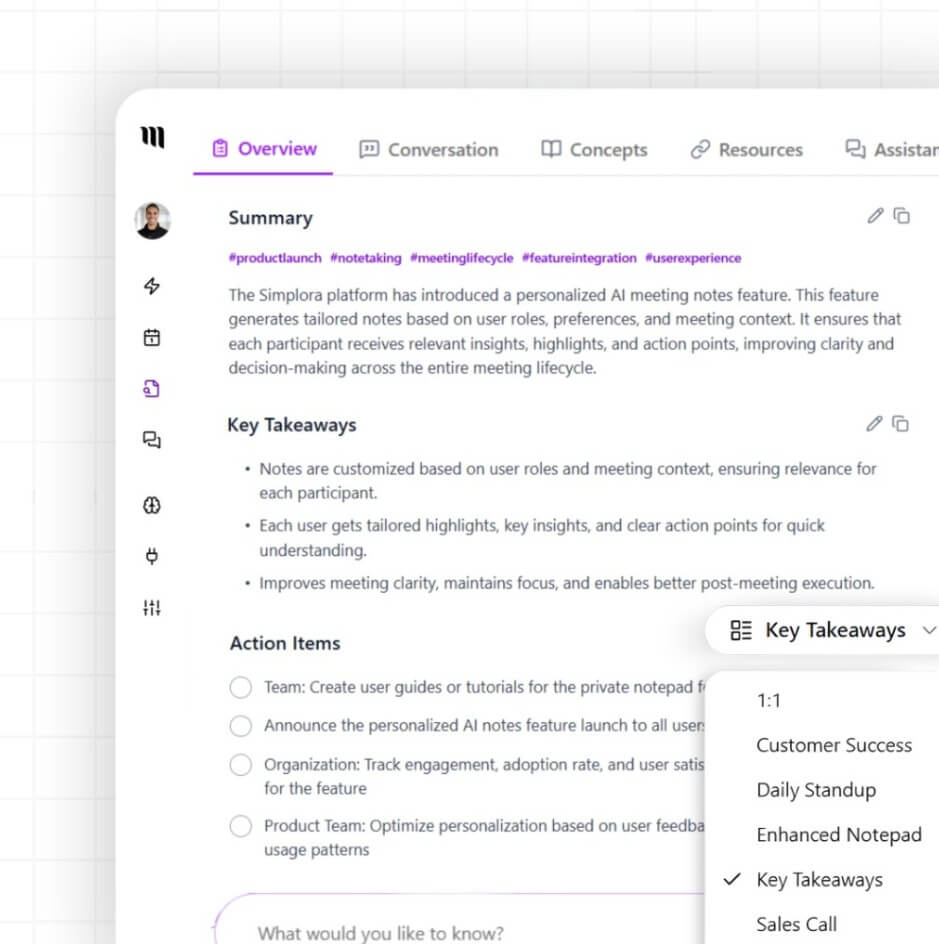
Simplora competes in the same broad category as AI meeting note tools, but its core pitch is more active. A basic note taker records a meeting, creates a transcript, and sends a recap. Simplora’s public materials focus more on live meeting assistance, organizational context, preparation, and meeting memory.
That difference matters for buyer fit. If your only need is “summarize this call,” a simpler tool may be enough. If your meetings involve client history, deal context, product decisions, hiring details, or strategic follow-up, Simplora’s broader workflow becomes more useful.
Simplora is a strong fit for sales teams that need call notes, account context, follow-up reminders, and better continuity across prospect conversations.
Customer success teams can use it for onboarding calls, renewal meetings, support escalations, feature requests, and recurring business reviews.
Founders and executives may find it useful for investor calls, partner conversations, hiring interviews, leadership meetings, and decision tracking.
Consultants, coaches, and freelancers can use Simplora to remember client history, track commitments, organize session notes, and create a more professional follow-up process.
It is less compelling for casual users who attend a few low-stakes meetings each month and only need a short recap.
The main trade-off is that Simplora becomes more valuable with connected context. Used lightly, it may feel like a polished meeting note tool. Used with calendar, meeting, email, document, CRM, and task context, it becomes closer to a meeting intelligence system.
Privacy and consent also matter. Any tool that records meetings, processes transcripts, and surfaces resources from user data should be reviewed before use in sensitive calls. Simplora’s public privacy page describes the product as software that surfaces answers, guidance, and resources from user data during live meetings, so teams should check internal recording rules and participant consent expectations before deployment.
The desktop experience also has a platform caveat: bot-free recording is tied to the Mac desktop app, and the official platform page specifies Apple Silicon Macs. Users on other environments should verify the workflow that fits their setup.
Simplora is best for teams and professionals who want meetings to become useful knowledge, not just saved recordings. Its strongest value is the full lifecycle: prepare before the call, get live support during it, generate structured notes afterward, and build memory across conversations. It is a good fit for sales, customer success, founders, executives, consultants, and anyone whose work depends on context-heavy meetings. The main caveat is that Simplora needs consistent use and connected context to feel meaningfully different from a standard AI note taker.
TAGS: Productivity
Related Tools:
Generates quiz questions from slide content

Automates the creation of detailed, easy-to-follow digital guides

Analyzes your documents to help you understand information
Helps users create customized resumes and cover letters
Interact with PDF documents conversationally
Helps teams plan, organize, and automate projects