

Share this tool:
 |
Description:
HARPA AI is a browser-based AI agent for people who want AI inside the web pages they already use. Instead of working like a separate chatbot tab, it sits in the browser and can read page context, summarize pages and videos, help write replies, monitor web changes, extract data, and run automation commands. Its real value is not only “ask AI a question.” It is the combination of AI chat, page awareness, shortcuts, web monitoring, and browser automation in one extension.
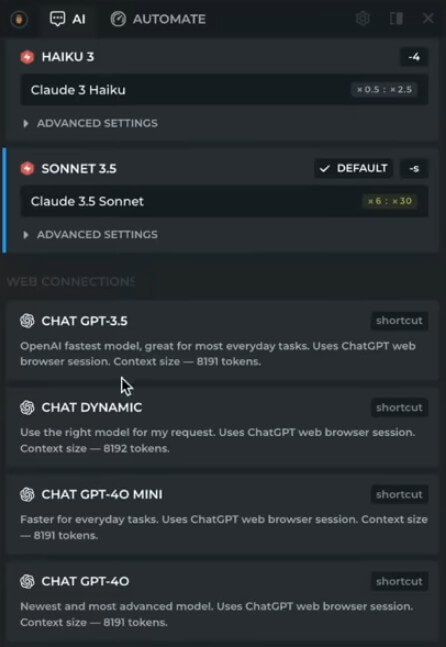
HARPA AI is a browser extension with a hybrid AI and automation engine. It connects to major model families and providers, including OpenAI GPT, Anthropic Claude, Google Gemini, DeepSeek, Perplexity, and Meta Llama, according to HARPA’s official site.
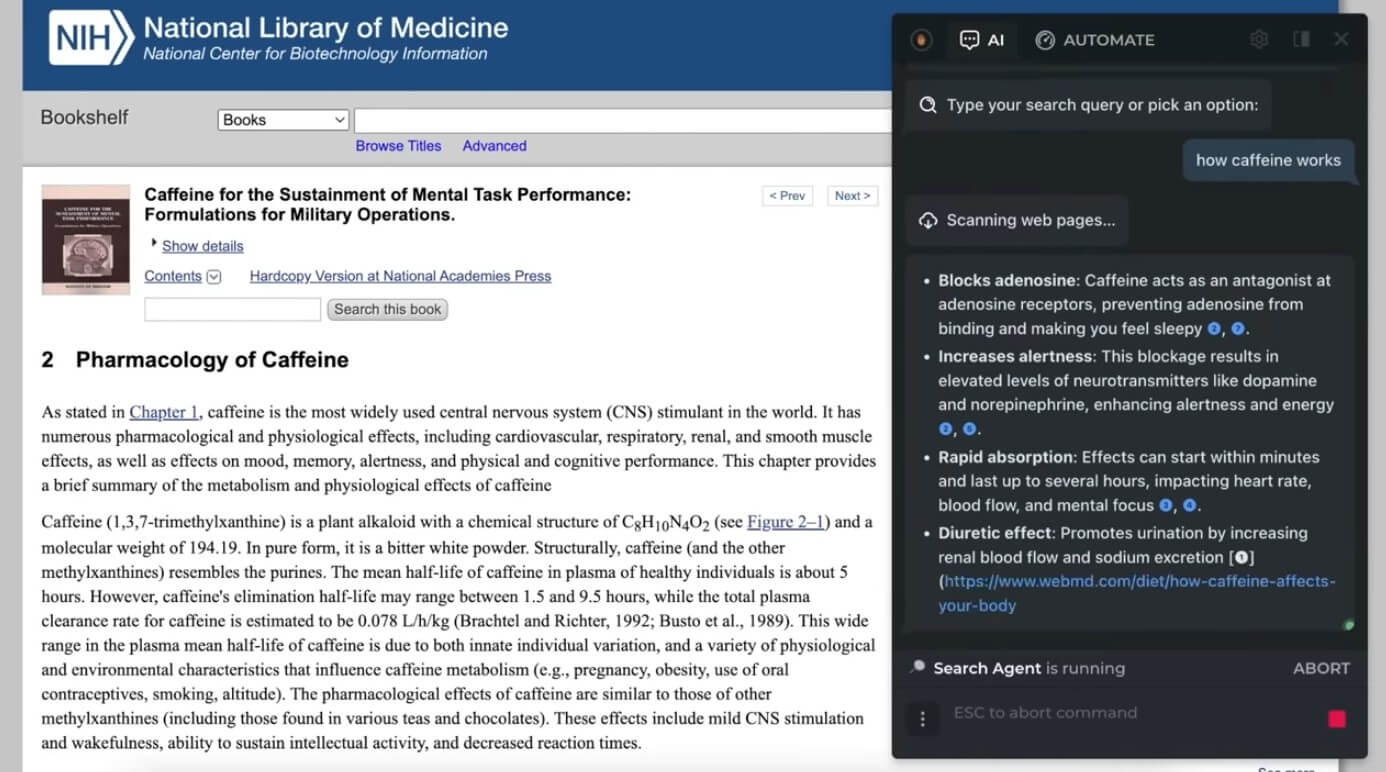
That model flexibility is useful, but it is not the main reason HARPA stands out. The bigger difference is that HARPA can work with the page you are viewing. It can summarize the current page, use selected text, analyze a YouTube transcript, pull information from a PDF, monitor a page for changes, or help draft a response in Gmail. The official FAQ frames this clearly: HARPA can read, understand, and act on web page content, including navigating, clicking, extracting data, and triggering external workflows.
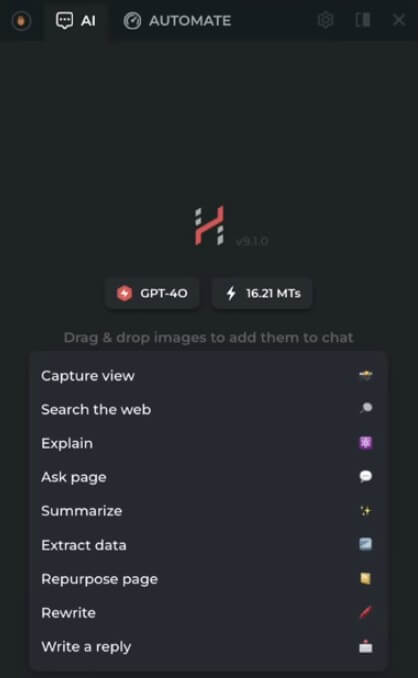
This makes it more of a browser work assistant than a standard chatbot. A chatbot answers what you paste into it. HARPA is more useful when the web page itself is part of the task.
HARPA AI is strongest in workflows where context matters. That includes web research, SEO checks, competitor monitoring, shopping alerts, email replies, YouTube summaries, page summarization, data extraction, and repetitive browser tasks.
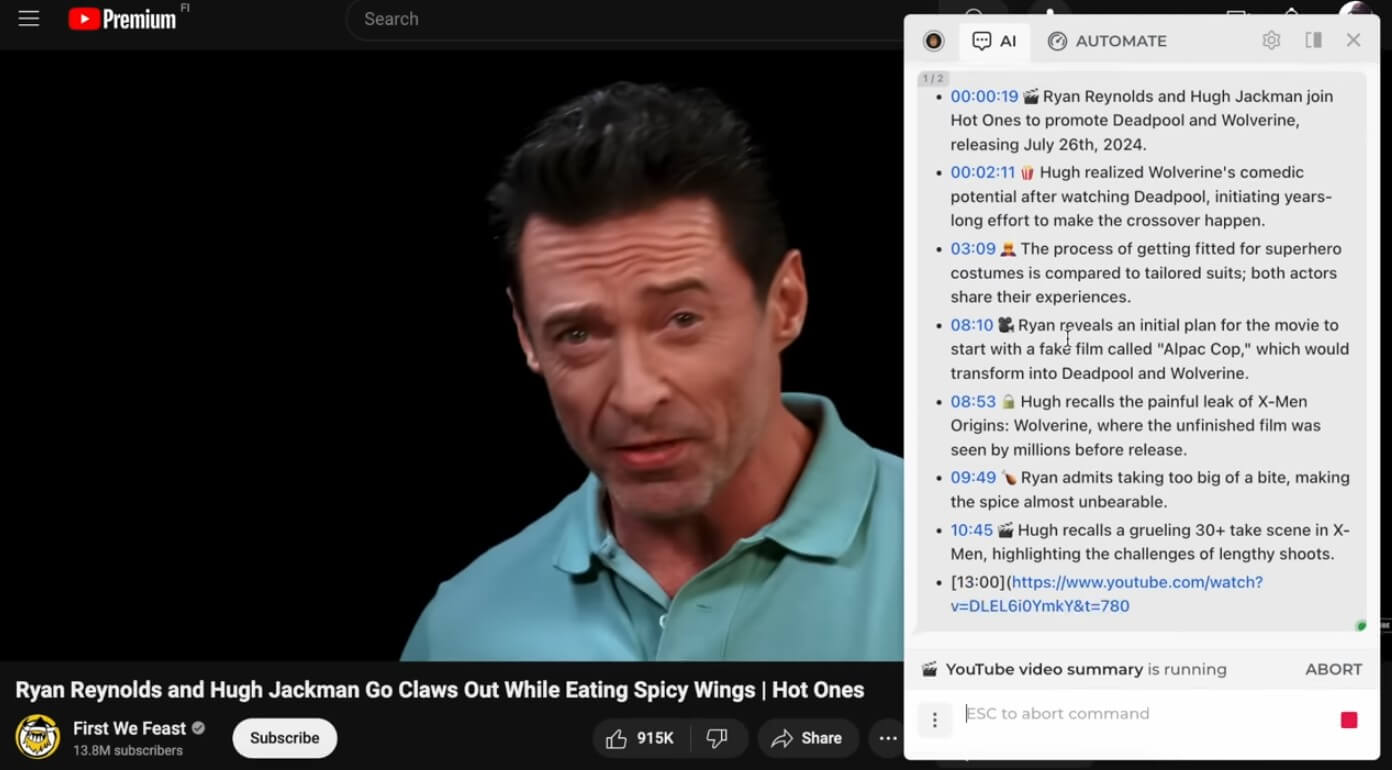
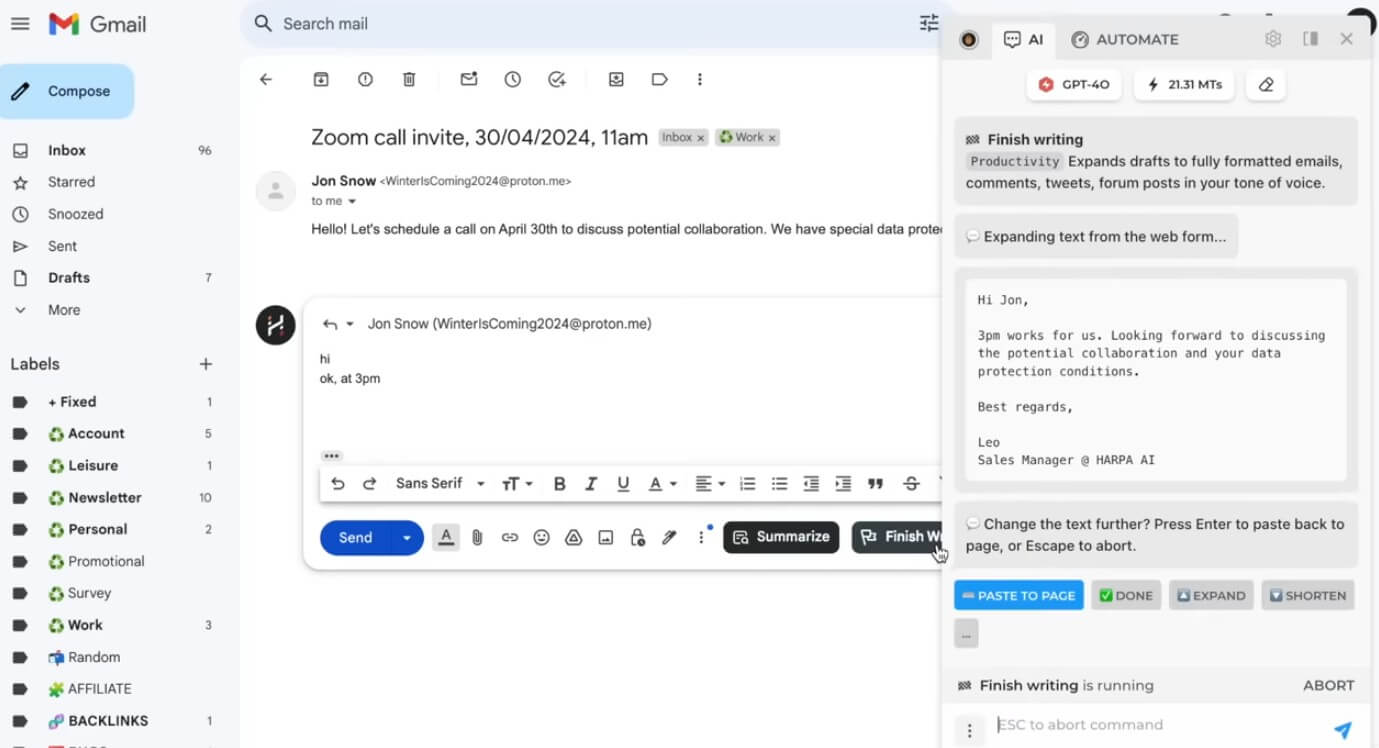
The page-aware design is the key. For example, if you are on a long article, HARPA can summarize it. If you are watching a YouTube video, it can extract key takeaways and help jump to relevant timestamps. If you are in Gmail, it can summarize threads and draft replies in your tone. If you are watching a competitor page or product listing, it can monitor changes and notify you when something updates. HARPA’s official site highlights all of these as core use cases, including YouTube summarization, Gmail assistance, page monitoring, SEO work, price tracking, and website-to-API style scraping.
That makes HARPA especially useful for people who live in the browser: marketers, SEO specialists, researchers, founders, recruiters, sales teams, content writers, ecommerce operators, and students.
HARPA can open on any web page and use the visible page, selected text, URL, title, or transcript as context for AI responses. The getting started guide shows custom commands using page parameters such as {{page}}.
The Chrome listing says HARPA can summarize long YouTube videos, extract information from PDFs, and help users ask questions about files and page content.
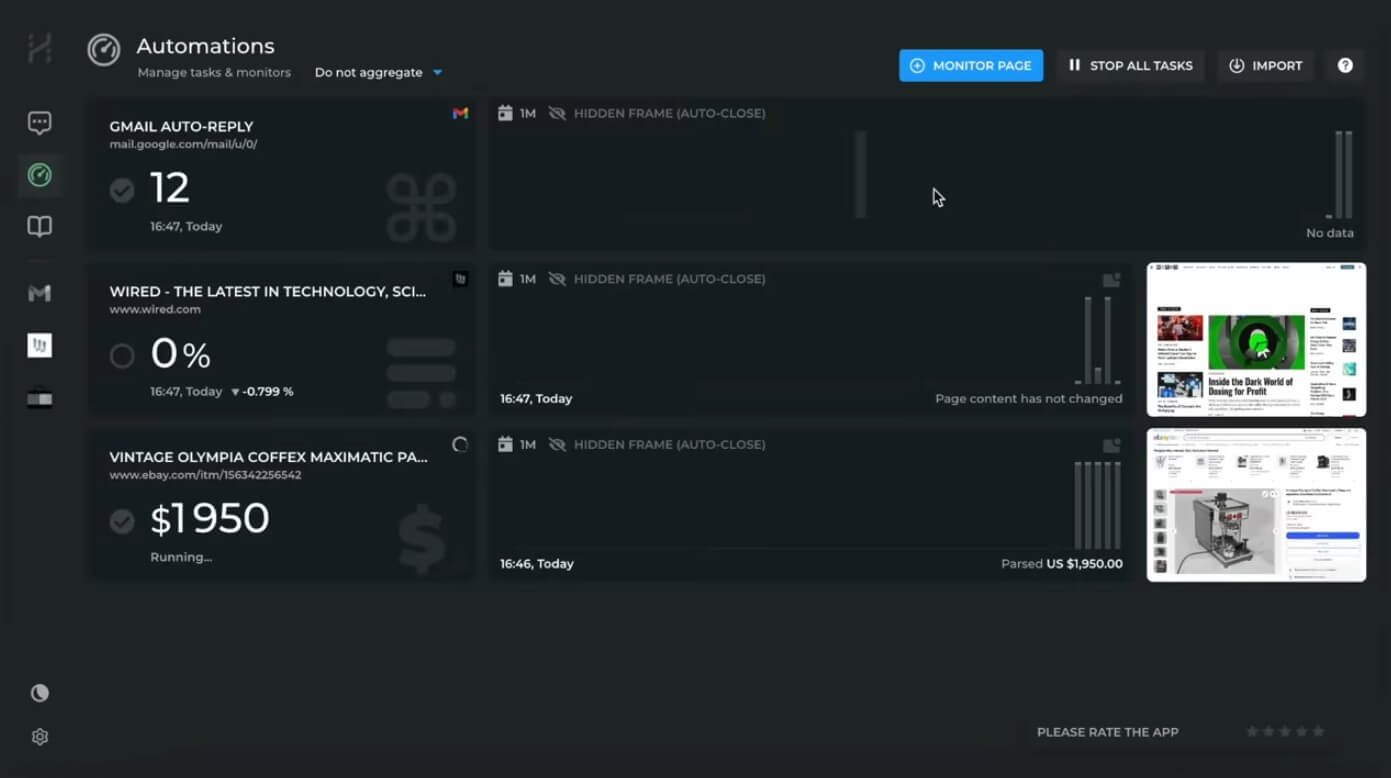
HARPA can periodically check pages for price changes, text changes, content updates, appointment slots, website downtime, competitor updates, and similar changes.
HARPA can automate websites, scrape data, extract results in CSV or JSON, trigger webhooks, and connect browser automation to tools such as Make, Zapier, and n8n.
HARPA offers more than 100 page-aware commands for writing, summarizing, SEO, ecommerce, learning, recruiting, productivity, and more.
Users can connect multiple AI providers and local models, which is helpful for teams that want choice instead of being locked into one chatbot.
The basic workflow is simple. Install the extension, open it on a page, and call it with the toolbar icon or keyboard shortcut. HARPA’s guide says users can open it on any site with Alt+A, or Control+A on Mac, then choose an AI connection.
For casual tasks, the sidebar is easy enough. Summarize this page, rewrite this text, explain this section, translate a passage, or draft a reply. These are the kinds of tasks most users will understand quickly.
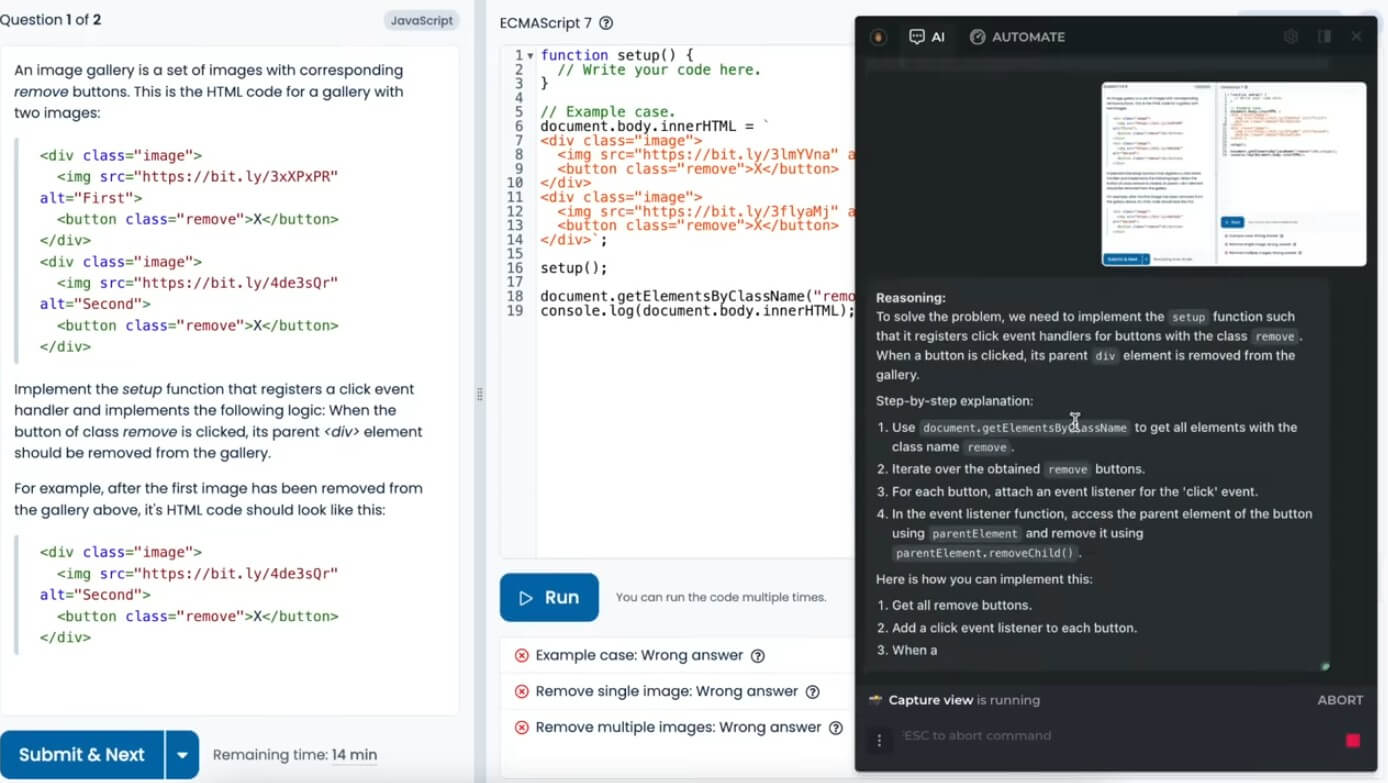
The more advanced workflow takes time. HARPA has custom commands, parameters, monitoring, automation steps, browser nodes, API access, and external automation connections. The learning curve is not extreme, but it is real. A user who only wants “ChatGPT in the sidebar” may not need half of what HARPA offers. A power user, though, can build repeatable workflows that go well beyond one-off prompts.
The monitoring feature is one of HARPA’s most practical strengths. Many AI extensions help you write or summarize, but fewer can watch pages over time. HARPA’s docs say it can refresh a page periodically in the background and notify users when monitored content changes. Example uses include price drops, out-of-stock alerts, appointment availability, competitor product updates, legislation changes, job openings, and website downtime.
The automation side goes further. HARPA’s Browser Automation Node setup explains that users can enable a browser node, generate an API key, and connect the extension to Make, Zapier, n8n, REST API calls, or custom backend services. Official modules include Search the Web, Scrape Web Page, and Run AI Command.
This is where HARPA becomes more interesting for technical teams. It can act as a bridge between websites that do not have clean APIs and workflows that need web data. That can be useful for lead research, competitor tracking, job monitoring, ecommerce tracking, content pipelines, or internal dashboards.
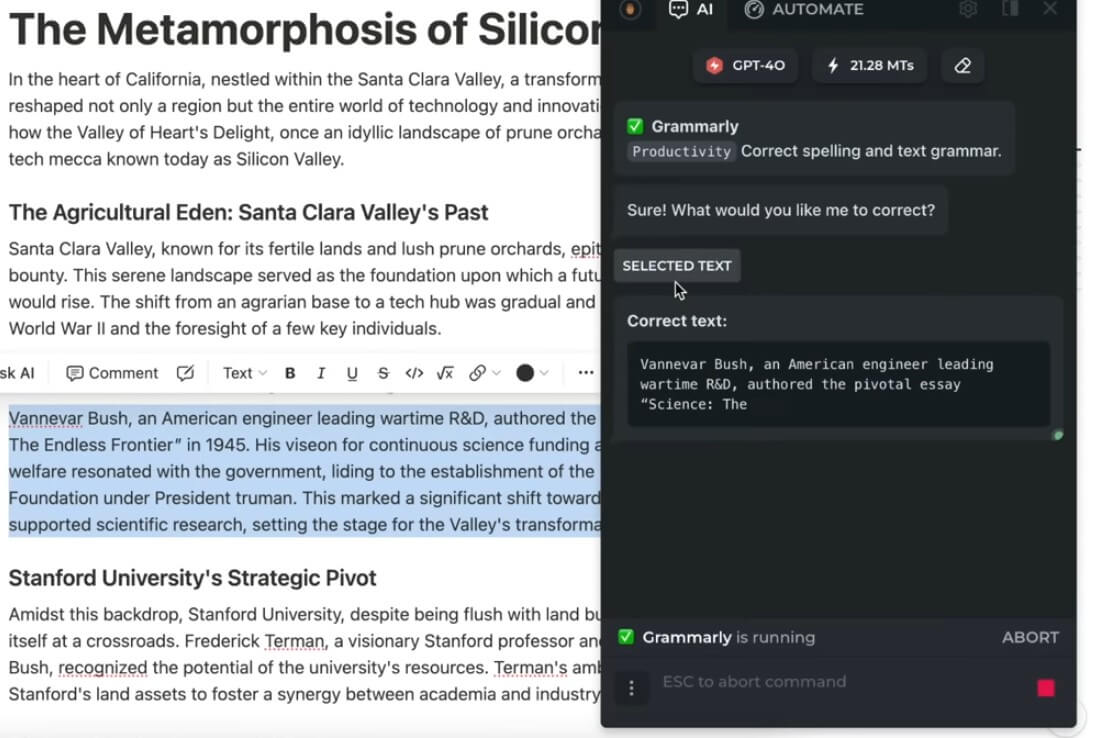
HARPA’s writing features are broad. It can write and polish emails, replies, social posts, articles, cover letters, resumes, and other short or long-form text. The official site also highlights a writing-style mimic feature and quick shortcuts for finishing drafts, grammar checks, rephrasing, translation, search, and explanation.
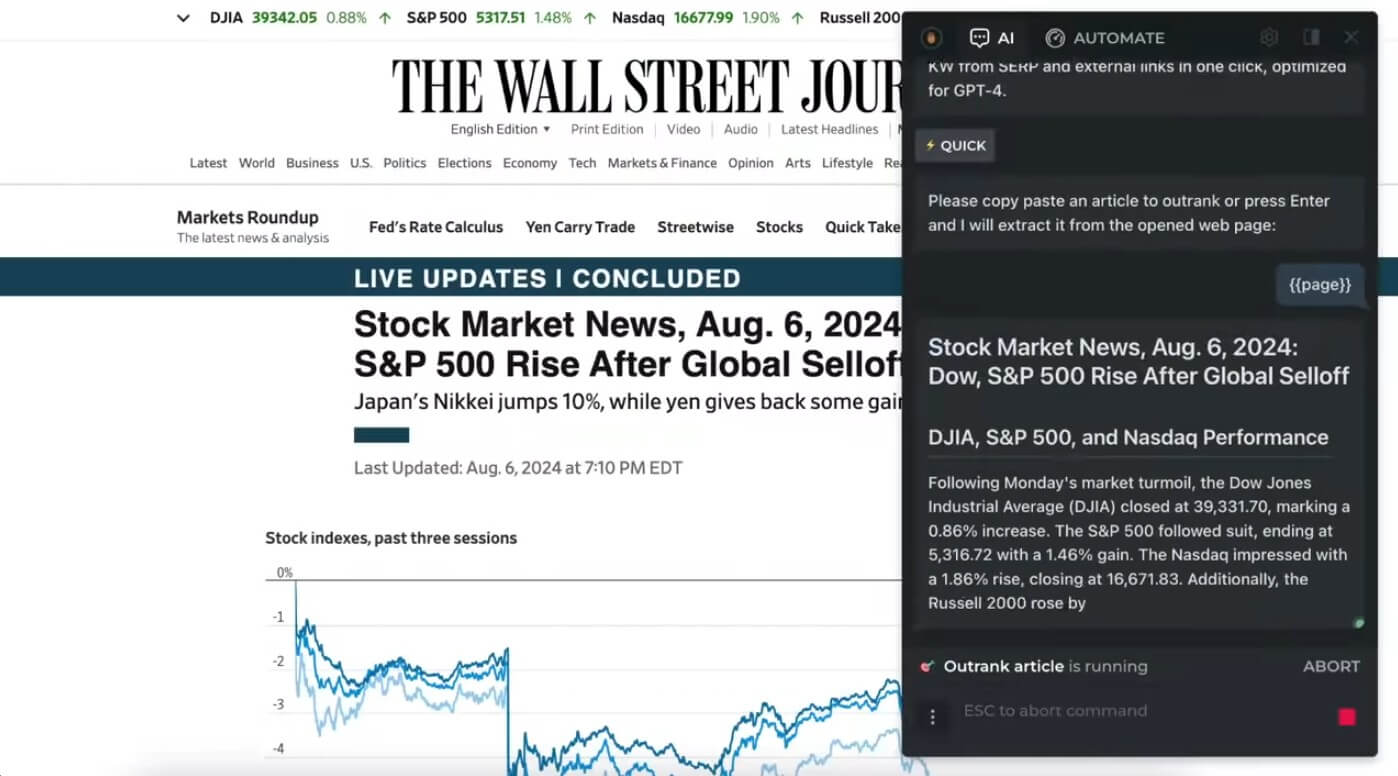
For SEO work, HARPA is more useful than a generic writing extension because it can work on live pages and search results. The site lists SEO audits, long-tail keyword extraction, audience segmentation, content calendars, keyword reports, and article outranking workflows.

Still, the SEO tools should be treated as workflow helpers, not final strategy. HARPA can speed up research, extraction, summaries, and outlines, but serious SEO work still needs judgment, search intent review, competitive analysis, and quality control.
HARPA puts a strong emphasis on privacy. Its site says it supports local models, does not log conversations or actions, and is GDPR compliant. The Chrome Web Store listing also says HARPA reads pages only after explicit user actions, such as page-aware questions, page parameters, page-aware commands, or page monitors.
The Chrome listing’s privacy section states that the developer disclosed it will not collect or use user data, and that data is not sold to third parties, not used for unrelated purposes, and not used for creditworthiness or lending decisions. That is reassuring, but users should still be careful. Any browser extension that can read pages, automate actions, and interact with web content needs thoughtful permission review. For sensitive company systems, legal documents, health records, client portals, or financial dashboards, teams should check internal security policies before using it broadly.
HARPA AI is a strong fit for SEO professionals who need page audits, keyword extraction, content outlines, and competitor tracking. It works well for marketers who write emails, social posts, captions, outreach, and content briefs. Researchers can use it to summarize pages, compare sources, extract information, and monitor pages for updates.
It is also useful for ecommerce users who want price and stock monitoring, sales teams collecting prospect data, recruiters reviewing resumes or LinkedIn profiles, and operators who need lightweight scraping or browser-based workflow automation. It is less ideal for users who only need occasional AI chat. If you rarely summarize pages, monitor websites, or automate browser tasks, HARPA may feel heavier than necessary.
The first limitation is complexity. HARPA packs many tools into one extension: chat, commands, monitoring, scraping, writing, search, SEO, email, automation, and API-style workflows. That breadth is useful, but it can also feel crowded.
The second limitation is reliability in automation. Web pages change often. Buttons move, selectors break, login states expire, pop-ups appear, and anti-bot protections may interfere. HARPA can help automate browser tasks, but users should not expect every website to behave predictably forever.
The third limitation is AI quality control. Summaries, extracted data, SEO suggestions, and generated copy still need review. HARPA’s page awareness helps ground responses, but it does not remove the risk of missed context or weak output.
HARPA AI is one of the more capable AI browser assistants because it combines page-aware chat, writing help, search support, YouTube and PDF summaries, price and page monitoring, data extraction, and browser automation.
It is best for browser-heavy users: marketers, SEO teams, researchers, ecommerce operators, recruiters, founders, and technical users who want AI tied directly to live web pages. The main caveat is that its depth creates a learning curve, and advanced automation still needs testing, review, and sensible privacy boundaries.
TAGS: Productivity
Related Tools:
Simplifies creation of visual content for marketing
Automates candidate sourcing and evaluation

Transforms raw data into interactive visualizations

Records, transcribes, and summarizes meetings

Automates code reviews, testing, and merges to help engineering teams

Captures meetings, manages tasks, and organizes documents