

Share this tool:
 |
Description:
Novelcrafter is a browser-based novel writing platform for authors who want more than a blank document and more control than a basic AI writing generator. Its real value is the way it combines manuscript planning, scene writing, story-world tracking, AI chat, and review tools inside one long-form fiction workspace.
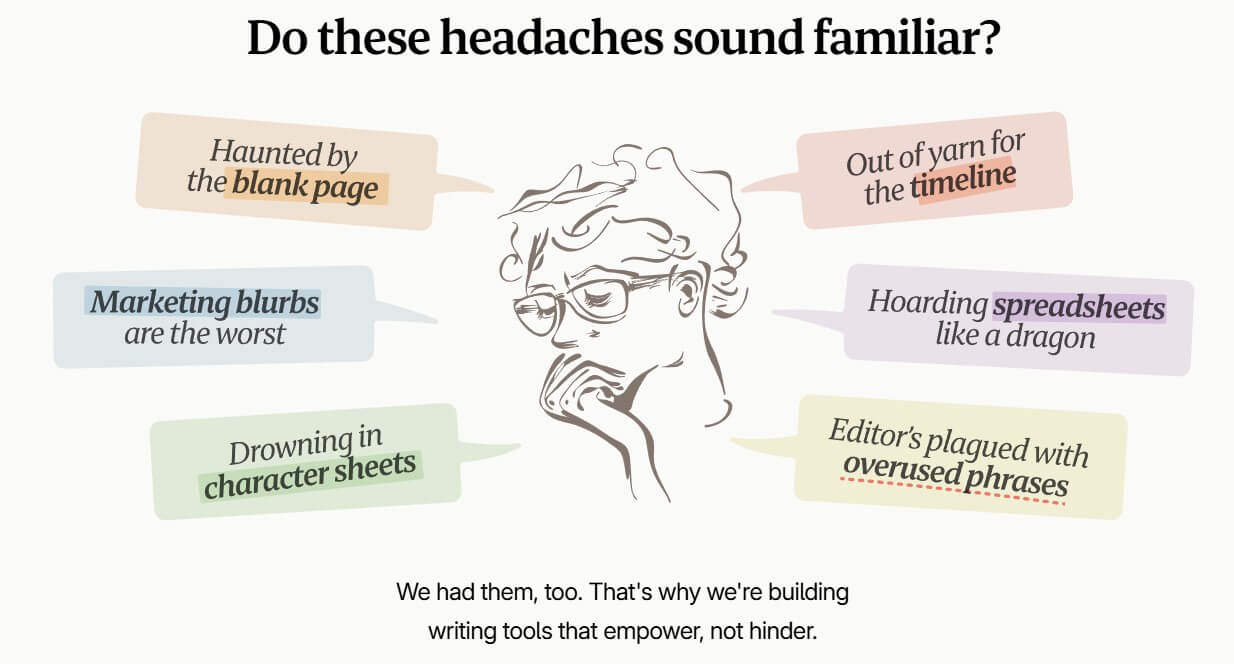
Novelcrafter is not just an AI novelist that writes a book for you. It is closer to a full writing environment with AI layered into the process. The official site describes it as a writing platform for different genres, forms, and styles, with tools for planning, writing, reviewing, collaboration, and story organization.
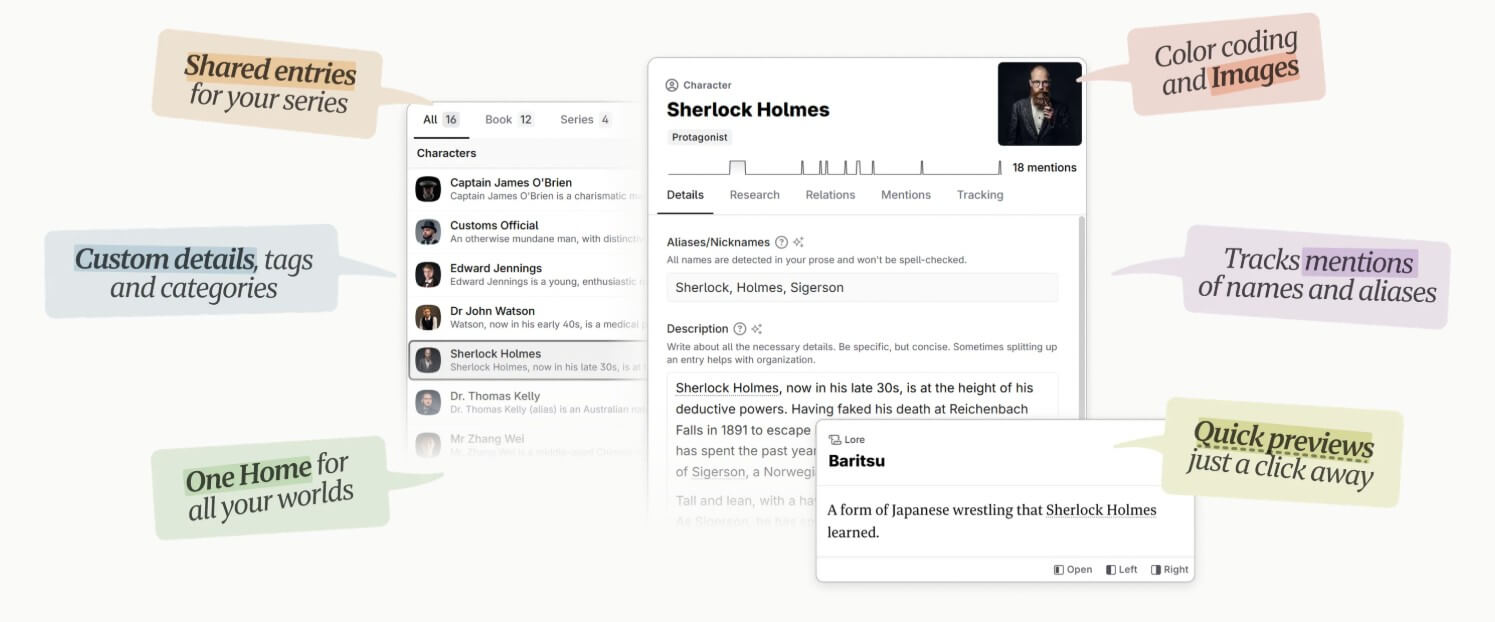
The center of the platform is the Codex. This works like a story bible where writers can store characters, places, objects, lore, research notes, and other important story details. Novelcrafter’s own documentation describes the Codex as a central hub for essential story elements, which matters because long fiction depends on continuity.
That is the main difference between Novelcrafter and a general chatbot. A chatbot can help brainstorm a scene, but it does not naturally know your cast, world rules, timeline, or past chapters unless you keep feeding that information back into it. Novelcrafter is built to keep that context closer to the writing process.
Novelcrafter is strongest for writers who are building a real manuscript, not just testing AI prose. If your project has recurring characters, multiple locations, invented lore, relationship arcs, point-of-view changes, or a long timeline, the structure starts to matter.
The platform is especially useful when the author wants AI support but does not want to give up control. Novelcrafter’s feature page emphasizes AI connections, custom prompts, customizable parameters, local AI support, prompt components, and prompt preview. That gives writers more say over how AI is used, what context is included, and which model or prompt setup is used.
This makes it a better fit for writers who enjoy process. Plotters, series authors, worldbuilders, romance writers tracking relationship beats, fantasy and sci-fi authors tracking lore, and revision-focused writers will likely get more value than someone who only wants quick short-form generation.
| Feature | What it does | Why it matters |
|---|---|---|
| Codex | Stores characters, places, objects, lore, and research | Helps maintain continuity across a long manuscript |
| Planning Views | Lets writers organize acts, chapters, scenes, and structure | Useful for spotting gaps before drafting |
| AI Connections | Connects to different AI services | Gives writers flexibility instead of locking them into one model |
| Custom Prompts | Lets users shape how AI features behave | Better for authors with a specific voice or process |
| Chat with Story Context | Lets users ask AI about scenes, characters, plot, and prose | More useful than a generic chat window |
| Review Tools | Includes story review views and manuscript statistics | Helps writers inspect structure and consistency |
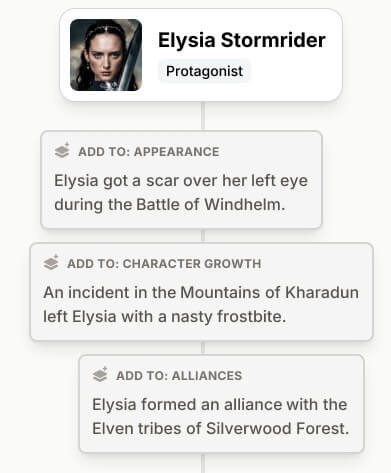
The best feature is still the Codex. AI writing tools often fail when they forget details. Novelcrafter’s system is designed to reduce that problem by keeping story information available during brainstorming, writing, and review.
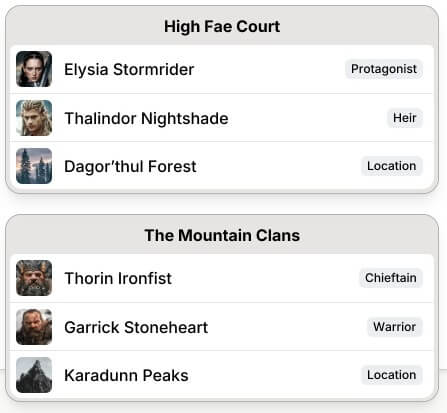
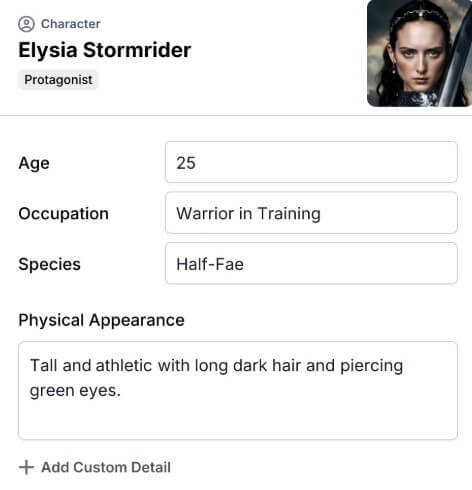
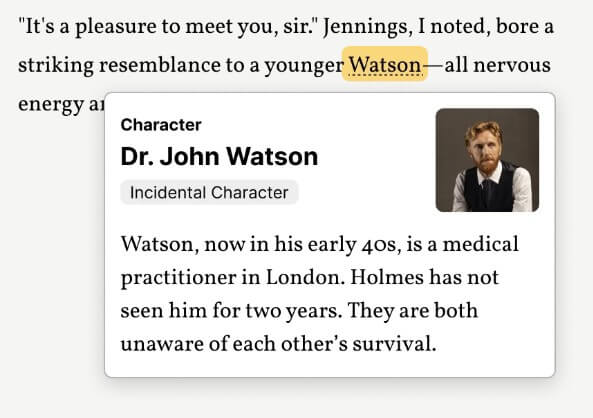
Novelcrafter’s workflow is more involved than a plain document editor. You are not just opening a page and typing. A serious user will create a novel project, add Codex entries, plan scenes, write beats, draft prose, use chat, and revise inside the platform.
That depth is helpful, but it also creates a learning curve. Writers who love structured tools may find the setup energizing. Writers who want a distraction-free writing space may feel slowed down at first.
The platform’s writing workflow makes the most sense when you use planning and drafting together. Novelcrafter’s homepage highlights planning modes that help writers find plot holes, world inconsistencies, and important story moments early. It also notes that Codex entries can be shared across books in a series, which is useful for authors writing connected worlds or recurring casts.
The key is not to overbuild at the start. A writer does not need a perfect Codex before drafting. A practical setup might include the main characters, key locations, timeline notes, and a rough outline. The Codex can grow as the manuscript grows.
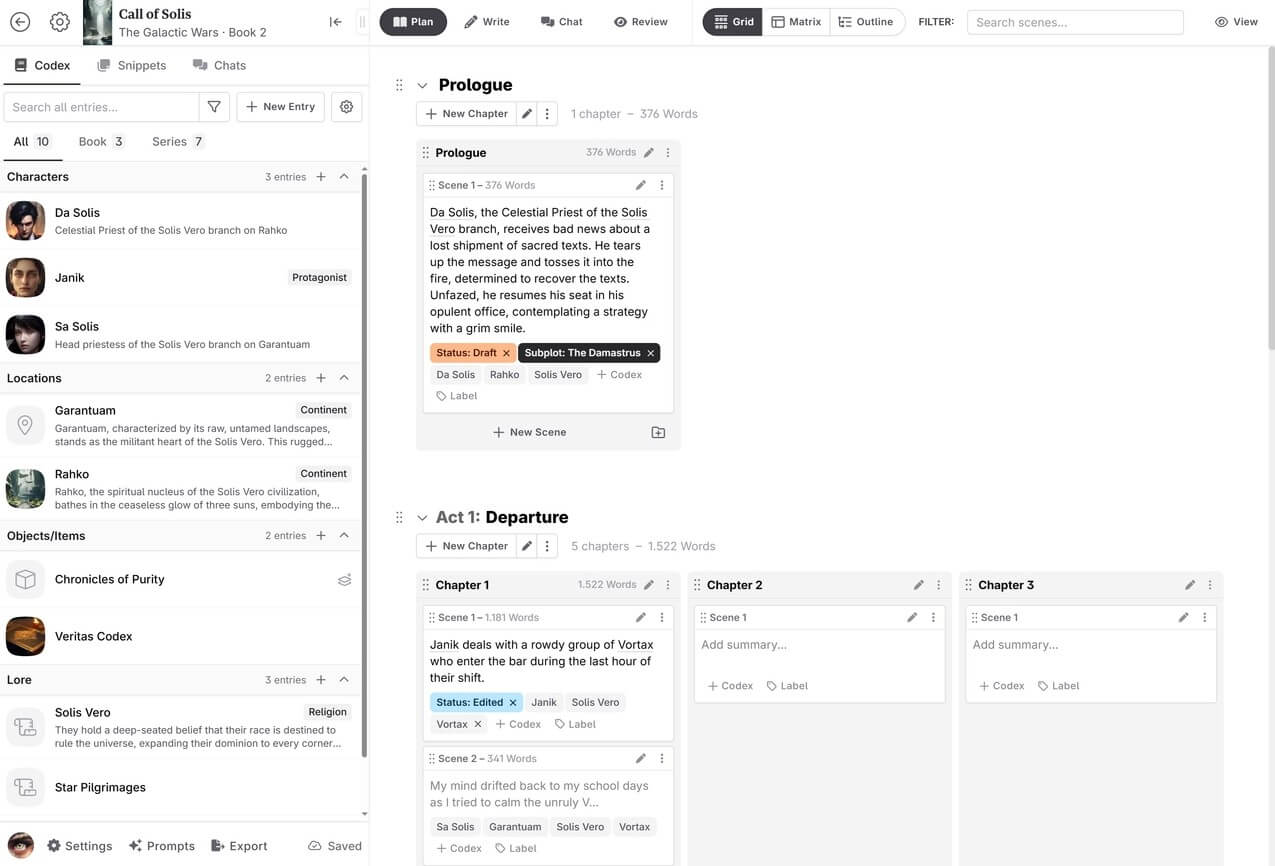
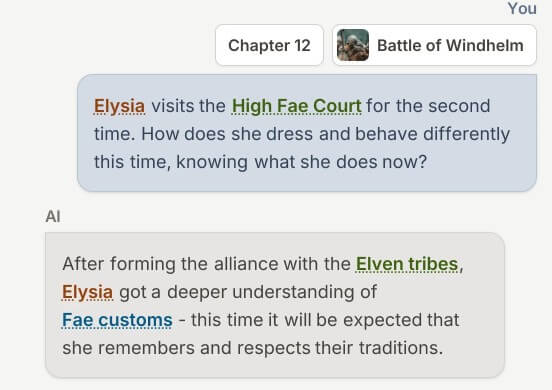
Novelcrafter’s AI tools are strongest when they support the author’s intent rather than replace it. The platform includes AI chat that can work with story context. Its documentation says Chat can be used to ask about anything inside the story, including characters, plot development, brainstorming, and final prose analysis.
The context controls are important. Novelcrafter’s chat interface lets users select context such as full novel text, outline, acts, chapters, scenes, snippets, and Codex entries. It also lets users change prompts, models, and settings from the message area.
Story beats are another major part of the workflow. Novelcrafter’s course material explains different beat styles, including simple beats for more AI creativity, detailed beats for tighter control, dialogue beats, and scene beats for generating larger scene sections.
That distinction matters. Writers who give the AI vague instructions may get generic prose. Writers who use clear beats, relevant Codex entries, and the right context will usually get more usable drafts. The tool rewards preparation.
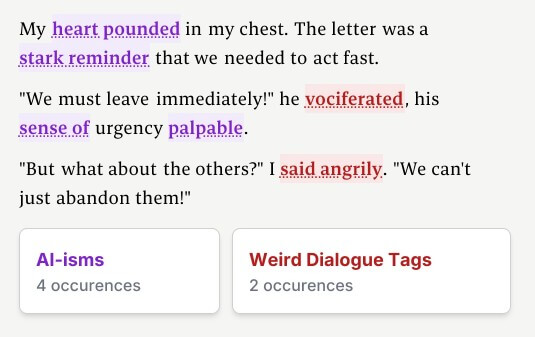
Novelcrafter’s model flexibility is one of its more serious strengths. The feature page lists AI connections, custom prompts, adjustable model parameters, local AI support, modular prompt components, and prompt preview.
For advanced AI writers, prompt preview is especially useful because it shows what is being sent to the model. That reduces the mystery around AI output. Instead of wondering why the tool wrote a scene a certain way, writers can inspect the prompt structure and adjust it.
Novelcrafter has also continued adding AI-related controls. Its January 2026 changelog notes experimental support for thinking or reasoning preferences across Scene Beats, Chats, and other areas, with the option controlled through settings and model parameters.
This does not mean every writer needs to touch every setting. Beginners can start simply. But for authors who care about model choice, consistency, and prompt behavior, the control layer is a major advantage.
Novelcrafter is best for long-form fiction projects where structure and continuity matter. It suits novels, series, fantasy worlds, sci-fi settings, romance arcs, mystery plotting, character-driven dramas, and any book where details need to stay consistent over time.
It is also useful for authors who want to brainstorm inside their own story context. Instead of asking a generic AI for ideas, you can ask questions with the outline, scenes, or Codex entries attached.
Editors, co-authors, and writing groups may also benefit from the collaboration options. Novelcrafter’s homepage mentions inviting friends, proofreaders, editors, and teams for writing groups.
The main limitation is complexity. Novelcrafter offers a lot, but that means new users may need time to understand the Codex, planning views, prompts, AI connections, beats, and chat context.
The second trade-off is that AI output still needs editing. Even with Codex memory and detailed beats, generated prose can sound uneven, miss nuance, or fail to match the author’s voice. Novelcrafter can support the writing process, but it does not remove the need for judgment.
It is also less ideal for writers who want a minimal writing app. If you only need a clean page and word count tracking, Novelcrafter may feel heavier than necessary.
Novelcrafter is a strong AI-assisted writing workspace for fiction authors who care about structure, story memory, and control. Its best feature is the Codex, supported by planning views, contextual chat, AI connections, custom prompts, and story beats. It is best for long-form authors, worldbuilders, series writers, and AI-curious writers who want a more organized process. The main caveat is the learning curve: Novelcrafter is most rewarding when you take time to set up your story world and guide the AI with clear context.
TAGS: Productivity
Related Tools:
Transforms lecture notes into interactive flashcards
Create custom internal tools and applications

Simplifies creation of animated faces

Detects and fixes critical software vulnerabilities

Matches candidates with relevant opportunities
Helps users analyze and explore massive datasets