

Share this tool:
 |
Description:
SaneBox is an AI email management service for people whose inbox has become a daily distraction. It works with your existing email account, learns which messages matter, moves less important emails out of the inbox, and gives you tools for reminders, follow-ups, newsletters, unwanted senders, and do-not-disturb periods. The main value is not writing better emails. It is making the inbox quieter without asking you to switch email apps.

SaneBox is an email filtering and productivity layer that sits on top of the email service you already use. It works with major services such as Gmail, Microsoft 365, Apple iCloud, Yahoo Mail, and Fastmail, and it also supports IMAP, Microsoft Exchange, and ActiveSync servers. That broad compatibility is one of its biggest practical advantages because you do not have to abandon your current email client or change where you read mail.
The core idea is simple: your inbox should only hold messages that deserve attention now. SaneBox analyzes signals such as sender, subject line, date, and email patterns, then routes lower-priority messages into folders like SaneLater or SaneNews so you can review them when ready. You can also train it by moving messages between folders. Over time, the system learns what belongs in your inbox and what can wait.
This makes SaneBox different from a normal spam filter. Spam filters catch junk. SaneBox is more about importance. It tries to separate important email from legitimate but distracting email: newsletters, updates, notifications, cold outreach, low-priority CCs, and recurring messages you may want later but not now.
SaneBox is strongest for people who already have an email workflow they like but need less noise inside it. It does not ask users to move into a new productivity dashboard. The folders appear inside the existing mailbox, and the training works through normal email actions like moving messages. That makes the product feel more like inbox infrastructure than a new app to manage.
The strongest use case is high-volume email. Consultants, founders, executives, salespeople, recruiters, journalists, customer-facing operators, and freelancers can all benefit when email becomes a constant interruption layer. SaneBox is less about processing one message faster and more about reducing the number of messages that demand attention in the first place.
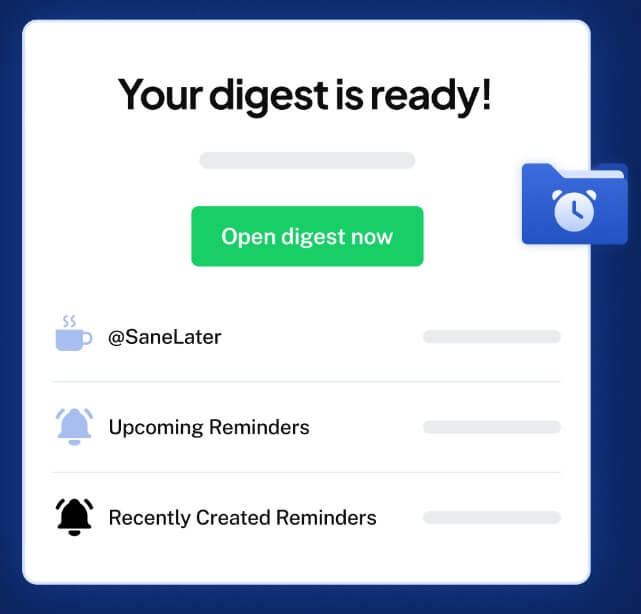
It is also useful for people who fear missing something important. SaneBox sends a Digest that summarizes unread messages in Sane folders, and users can adjust how often those digests arrive. That gives cautious users a safety net while they build trust in the filtering system.
| Feature | Practical value |
|---|---|
| SaneLater | Moves lower-priority email out of the inbox so you can review it later without deleting it. |
| SaneNews | Helps separate newsletters and promotional content from messages that need direct attention. |
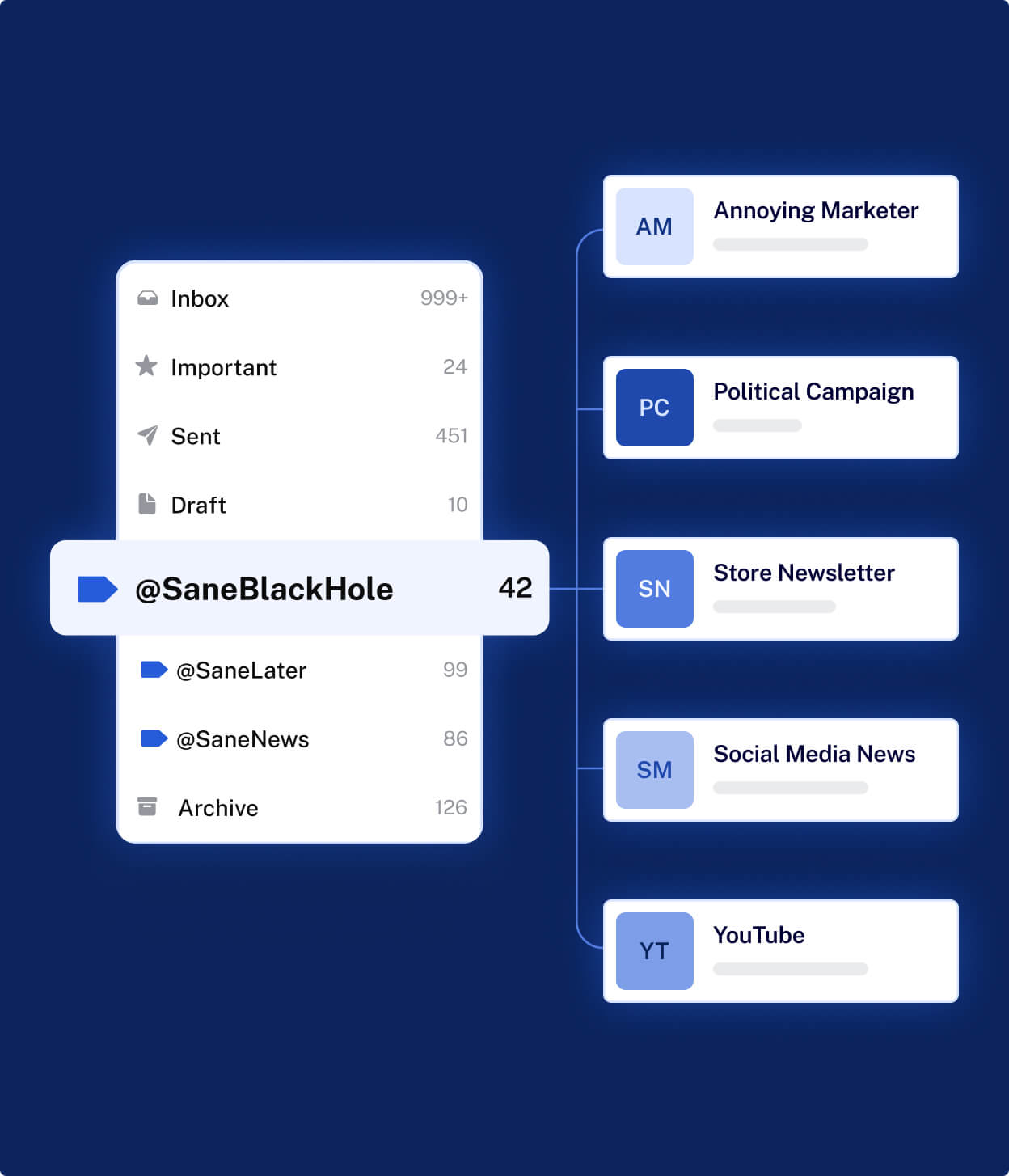
| SaneBlackHole | Lets you move unwanted senders into a folder so future messages from them are automatically routed away from the inbox and eventually trashed. |
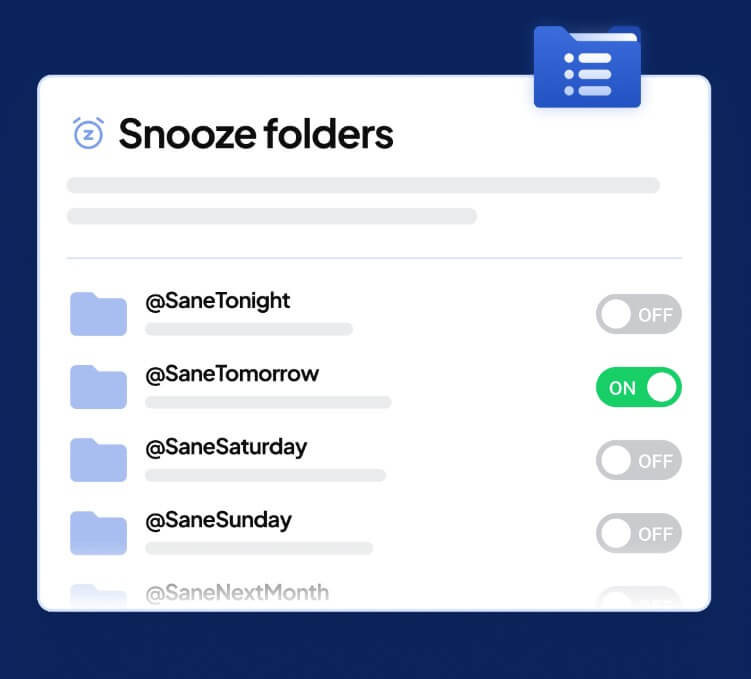
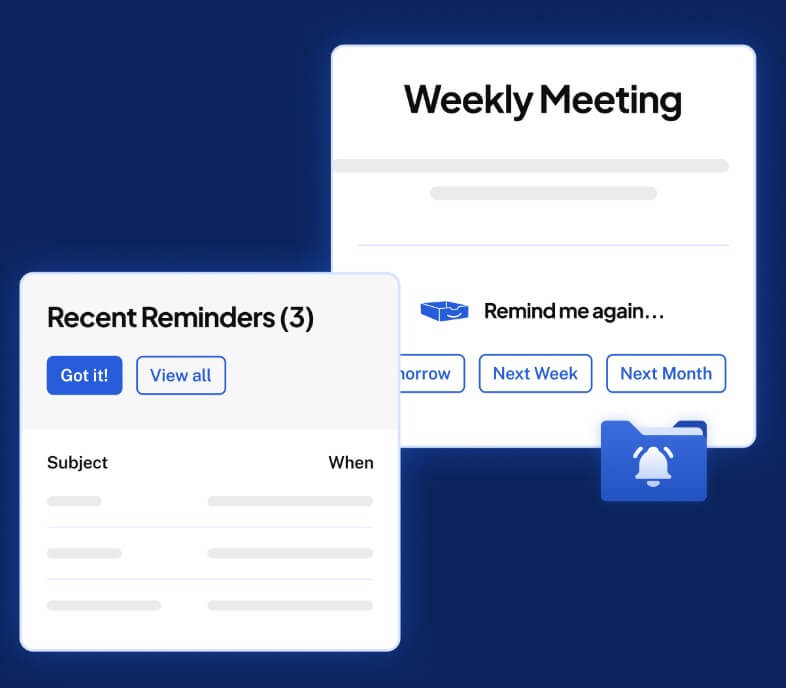
| SaneReminders | Lets you set follow-up reminders by using reminder addresses such as tomorrow, Friday, or a specific date and time. |
| SaneNoReplies | Helps track sent emails that have not received a reply, useful for follow-ups and open loops. |
| SaneDoNotDisturb | Redirects new messages during focus periods, with digest controls for reviewing what arrived later. |
The everyday workflow is straightforward. Connect your email account, let SaneBox create its folders, then continue using your normal email app. Important messages stay in the inbox. Less urgent messages move to SaneLater, newsletters move to SaneNews, unwanted senders can be trained into SaneBlackHole, and follow-up items can be handled with reminders.
The training model is important. If SaneBox puts something in the wrong place, you move it. That action teaches the system. This is a practical design because it uses behavior users already understand. There is no need to open a complex rule builder for every sender, although more advanced filtering is available for users who want finer control. SaneBox also supports domain filtering, including options for matching subdomains, applying rules to replies, and applying filters across team members where relevant.
The daily Digest helps reduce folder anxiety. Instead of checking every Sane folder constantly, users can review a summary of unread unimportant email, take quick actions, and spot anything that should have stayed in the inbox. The Digest can include unread emails from Sane folders and recent reminders.
SaneBox’s biggest advantage is that it does not try to become your new email client. That sounds small, but it matters. Many email tools fail because they ask users to move their entire communication habit into another interface. SaneBox works with common mail services and email clients, which means users can keep Apple Mail, Gmail, Outlook, Fastmail, or another preferred setup.
That makes adoption easier. The visible change is not a new workspace. It is a cleaner inbox and a few new folders. For users who already have strong email habits, this is ideal. For users with no email discipline, SaneBox still helps, but it will work better if they review digests, train mistakes, and avoid treating every message as urgent.
Email filtering tools need a higher trust bar because they connect to private communication. SaneBox’s public security material says it looks at basics like sender, subject line, and date, and that it does not store full emails or attachments as part of normal filtering. Its privacy and security help page also says emails do not reside on SaneBox servers for extended periods and that most filtering is based on headers and connections rather than email content.
SaneBox also states that credentials are encrypted, that OAuth is used where supported, and that users can revoke access. Its security page says credentials or OAuth tokens are protected with public key cryptography and that encryption keys are stored in hardware security modules.
There are still details users should understand. Some optional features, such as SaneAttachments or certain snooze/reminder behaviors, may require more access than basic filtering. SaneBox’s own help material explains ways to keep access more minimal, such as disabling SaneAttachments and choosing snooze options that avoid subject-line handling where possible.
SaneBox’s classic strength is intelligent filtering, but its Help Center also lists beta AI features. The current feature page describes AI features in beta that users have to request, including SaneDrafts and SaneSummary for summaries and suggested replies. These are worth noting, but they should not be the main reason to choose SaneBox yet. The mature value is still inbox filtering, training, reminders, and focus protection.
That is not a weakness. In fact, it keeps SaneBox focused. Many AI email tools rush into writing replies, but the larger problem for many users is not composing messages. It is deciding which messages deserve attention at all.
SaneBox is a strong fit for executives, founders, consultants, recruiters, sales teams, and independent professionals who receive high email volume but cannot afford to miss important messages.
It also works well for newsletter-heavy inboxes, people who get many CCs, and anyone who wants a softer alternative to aggressive unsubscribing. SaneBlackHole is useful for senders you never want to see again, while SaneLater and SaneNews are better for email that may still be useful later.
SaneReminders and SaneNoReplies are especially useful for people who manage relationships through email: sales follow-ups, client approvals, hiring loops, partnerships, fundraising, and vendor coordination.
SaneBox needs trust and training. If users do not review the Digest or correct mistakes, the system may not learn their preferences well enough. There is also a psychological adjustment. Some people feel anxious when messages leave the inbox, even if they are safely stored in Sane folders.
It is also not a full email writing assistant, help desk, CRM, or team support platform. It will not replace tools like Front, Hiver, Zendesk, or HubSpot for structured customer service. Its role is personal and inbox-level productivity.
Finally, SaneBox improves email flow, but it cannot fix bad communication habits. If every sender expects an instant reply, or if your work culture treats email as a real-time chat system, filtering helps but does not solve the root problem.
SaneBox is a focused, practical AI email management tool for people who want a cleaner inbox without changing email clients. Its strongest value is automatic filtering, trainable folders, SaneLater, SaneNews, SaneBlackHole, SaneReminders, SaneNoReplies, Digest reviews, and Do Not Disturb controls. It is best for high-volume email users who need fewer interruptions and better follow-up discipline. The main caveat is that SaneBox works best when you train it and trust the system enough to let non-urgent messages leave the inbox.
TAGS: Productivity
Related Tools:

Corrects data-entry errors

Analayzes key information from documents
Helps users create and manage their daily tasks

Helps you capture ideas with sticky notes

Turns your to-do list into a time-blocked schedule

Creates customized educational assessments