

Share this tool:
 |
Description:
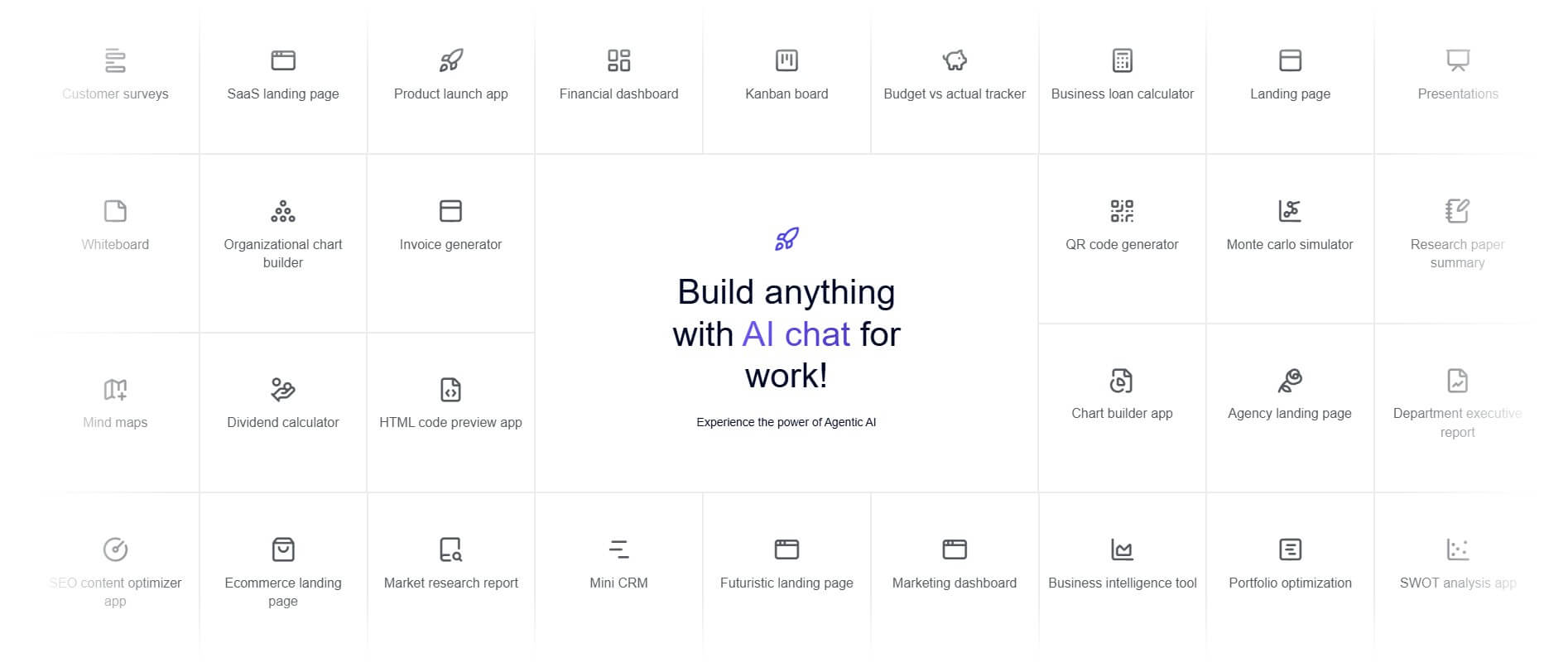
Ajelix is an AI productivity platform for people who work with spreadsheets, business data, reports, dashboards, and recurring analysis tasks. It started from the kind of spreadsheet pain many teams know well: formulas, charts, scripts, messy files, and repetitive reporting. The current product is broader than a formula helper. Ajelix now presents itself as an agentic AI chat workspace for business, with support for files, spreadsheets, PDFs, dashboards, analytics, automation, and exports.

Ajelix is best understood as a business AI workspace with a strong spreadsheet and reporting core. The platform says users can connect data in a persistent workspace, import Google Sheets, spreadsheets, PDFs, files, documents, and more than 20 sources, and keep data ready across AI chats without re-uploading it each time.
That is an important shift. Many AI spreadsheet tools only solve one small problem, such as writing a formula. Ajelix still has those smaller tools, but it also tries to handle larger workflows: clean the data, analyze it, generate formulas, create charts, build dashboards, automate scripts, and export results. Its sign-in page describes the workspace around four ideas: file management, AI-powered analysis, exporting, and an agentic experience where the AI handles tasks more autonomously.
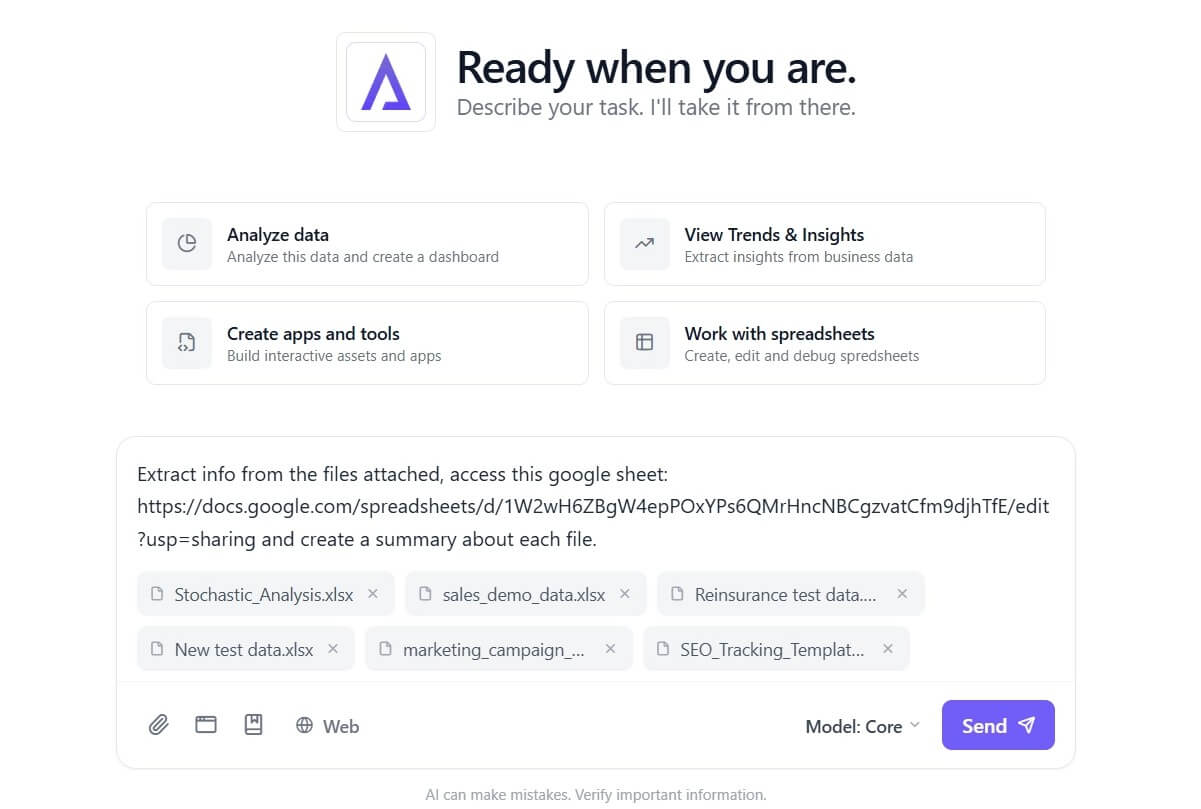
The result is not a pure BI platform, not a spreadsheet add-on only, and not a general chatbot. It sits between those categories.
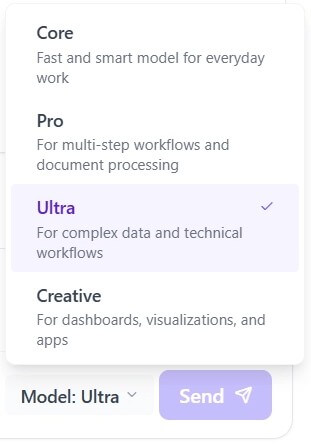
Ajelix is strongest when spreadsheet work starts turning into business reporting. A simple formula generator is useful for one task. Ajelix becomes more valuable when the work involves multiple steps: upload a file, clean it, ask questions, generate charts, create a dashboard, explain trends, and share the output.
The Excel AI page is especially clear about this direction. Ajelix describes its agentic Excel tools as handling complete spreadsheet workflows, not just writing single formulas. It lists template generation, chart creation, dashboard output, financial modeling, data analysis, reporting, forecasting, and stakeholder-ready summaries as major use cases.
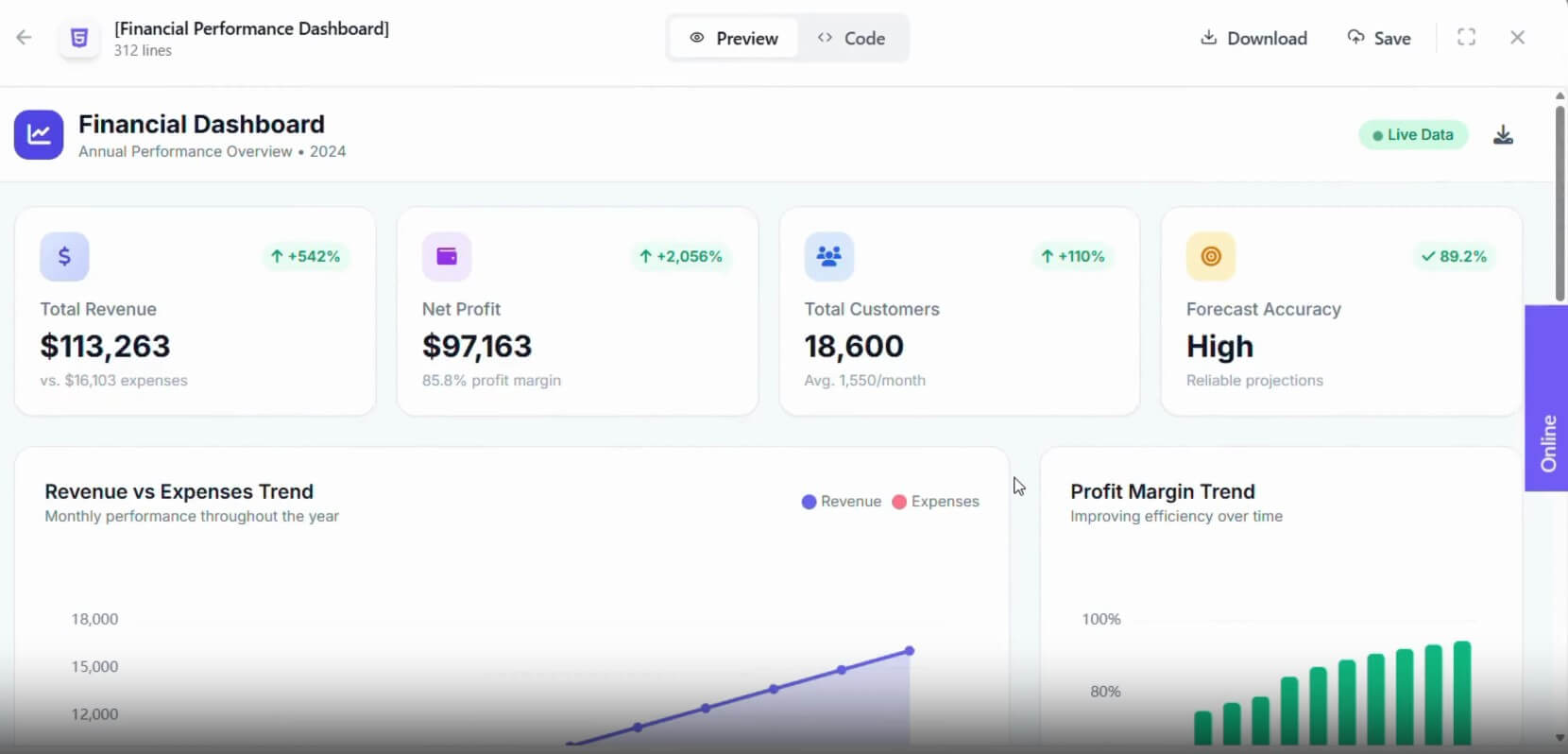
That makes Ajelix a strong fit for small teams that rely on Excel and Google Sheets but do not always have a data analyst available. It is also useful for business users who know what they want to measure but do not want to fight with formulas, pivot tables, scripts, or chart formatting every time.
Ajelix lets users describe what they need in plain English and generate Excel or Google Sheets formulas, with explanations for learning and debugging.
The platform includes VBA and Google Apps Script generators, explainers, debuggers, and optimizers for automating spreadsheet tasks.
Users can upload files, chat about data, clean data, extract insights, create charts, and build dashboards from one interface.
Ajelix BI supports dashboards, AI analysis, chart creation, report sharing, Google Sheets links, and SQL connections.
The Excel AI tools can create formatted templates with formulas, validation, conditional formatting, and business-ready structure.
Ajelix’s current chat workspace is designed to manage Excel, CSV, PDF, and other files from one central hub.
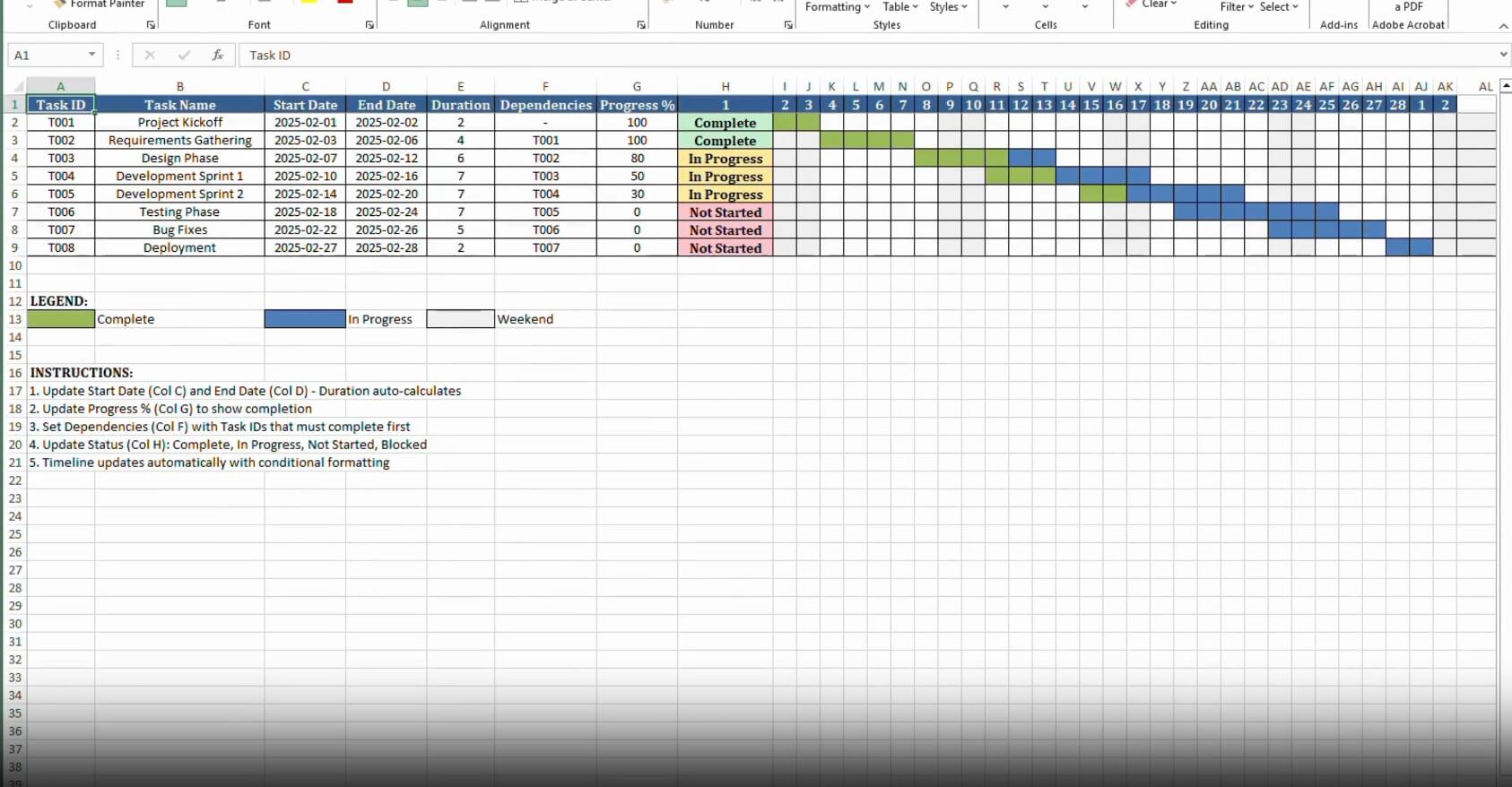
The Ajelix workflow depends on which part of the product you use. For quick spreadsheet help, the experience is direct: describe a formula, paste a formula for explanation, generate VBA, debug code, or ask how to perform a spreadsheet task. That is useful for users who are stuck inside Excel or Google Sheets and need a fast answer.
For larger workflows, Ajelix is more like a lightweight AI data workspace. You upload or connect a data source, ask questions about the data, create charts, generate reports, and share the results. Ajelix BI says users can connect reports to Google Sheets, set refresh intervals, and build reporting workflows for non-technical teams. It also supports Excel uploads, CSV files, MS SQL, MySQL, PostgreSQL, and API-based connections for dashboards.
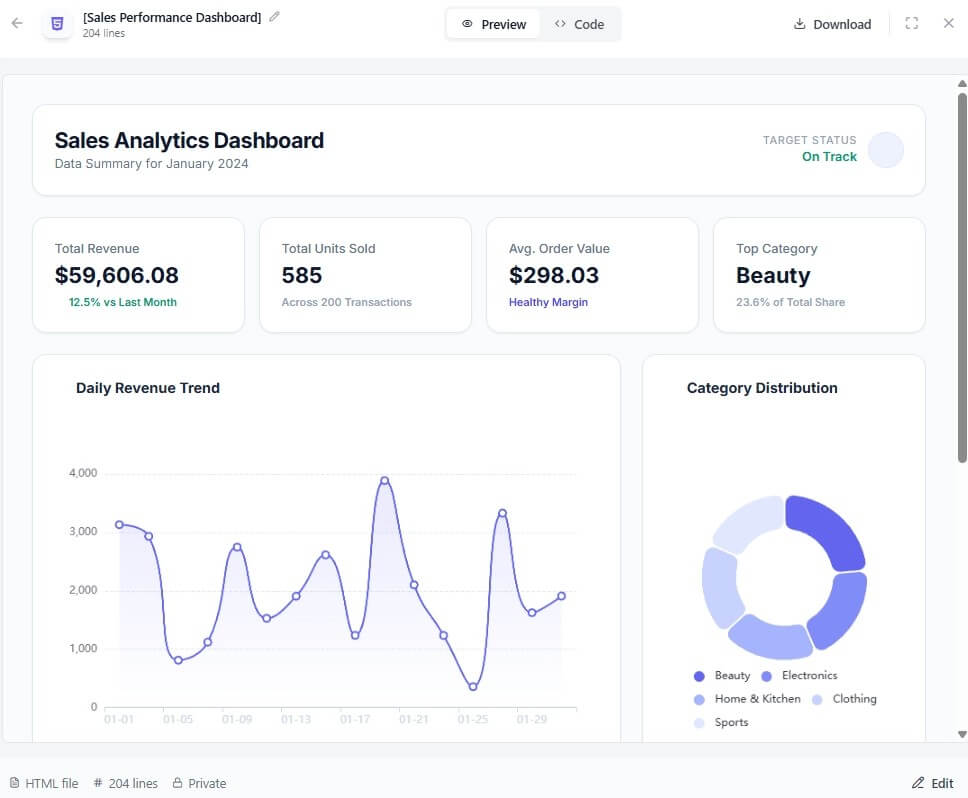
The practical benefit is that users do not have to jump between five tools for one reporting task. The same platform can help with the spreadsheet logic, the analysis, and the presentation layer.
Ajelix has two sides that should not be confused.
The spreadsheet tools are best for individual productivity. These help with formulas, scripts, explanations, templates, debugging, and day-to-day spreadsheet questions. The BI side is better for recurring dashboards, visual reports, connected data, and sharing insights with other people.
| Need | Best Ajelix fit |
|---|---|
| Generate or explain formulas | Excel and Google Sheets tools |
| Automate spreadsheet tasks | VBA and Apps Script tools |
| Build a reusable business template | Excel AI template generation |
| Analyze uploaded files | AI Data Analyst or chat workspace |
| Create dashboards | Ajelix BI |
| Keep reports updated | Connected Google Sheets or SQL sources |
That separation helps set expectations. Ajelix is not only one tool. It is a toolkit, and the best feature depends on whether the user is solving a quick spreadsheet problem or building a repeatable reporting process.
Ajelix is a strong fit for finance teams that need budget sheets, forecasts, financial models, and recurring reports. The Excel AI page specifically highlights financial modeling with projections, scenarios, assumptions, and analysis-ready outputs.
It also works well for operations teams tracking inventory, service levels, project progress, or internal KPIs.
Marketing teams can use it for campaign reports, charts, and performance dashboards.
Founders and small business owners may get the most value because they often need data analysis and reporting but do not have a dedicated analyst.
Ajelix is also useful for spreadsheet learners. Formula explainers, “how to” help, and code explanations can make Excel and Google Sheets less intimidating. The tool is not only about saving time. It can also help users understand what a formula or script is doing.
Ajelix BI supports several data connection methods, including Google Sheets, Microsoft Excel, CSV files, MS SQL, MySQL, PostgreSQL, and API options. Google Sheets can be connected with live updates, while Excel files can be uploaded again when the data changes.
For sharing, Ajelix BI says users can share reports by link, protect dashboards with passwords, or add email collaborators. The data sources page also says data is encrypted and saved on Ajelix servers, that only the user can directly access the data, that the data is not used for AI or machine learning model training, and that users can delete it from the servers.
Those are useful claims, but teams should still review internal data rules before uploading confidential financials, customer records, HR files, or regulated data.
Ajelix’s broad scope is both a strength and a weakness. It can help with formulas, dashboards, scripts, reports, analysis, templates, and chat-based workflows, but that also means new users may need time to understand which tool fits their task.
The second limitation is review quality. AI can generate formulas, dashboards, and reports quickly, but business users still need to check the logic. A wrong formula or flawed assumption can produce polished-looking output that leads to poor decisions.
The third trade-off is that Ajelix is strongest for spreadsheet-centered teams. If a company already uses a mature BI stack with governed data models, complex permissions, and enterprise reporting workflows, Ajelix may feel more like a productivity layer than a full replacement.
Ajelix is a practical AI platform for teams that live in Excel, Google Sheets, CSVs, and recurring reports. Its biggest strengths are formula help, script automation, file-based analysis, dashboard creation, BI-style reporting, and agentic spreadsheet workflows.
It is best for business users, analysts, founders, finance teams, marketers, and operations teams that want to move from raw data to usable outputs faster. The main caveat is that AI-generated spreadsheets and reports still need human review, especially when formulas, assumptions, forecasts, or business decisions are involved.
TAGS: Productivity
Related Tools:

Summarizes various types of documents

AI meeting assistant that tracks participation

Organizes your inbox and drafts personalized replies

Creates effective responses for emails
Simplifies and accelerates API integrations
Interact with PDF documents conversationally