
Share this tool:
 |
Description:
- Introduction
- What Quizbot Actually Is
- Where Quizbot Is Strongest
- Strong Features and Capabilities
- Workflow and Ease of Use
- Question Quality and Assessment Control
- Study Tools Beyond Quiz Generation
- Best Use Cases
- How It Compares to General AI Chatbots
- Privacy and Data Considerations
- Practical Tips
- Limitations and Trade-Offs
- Final Takeaway
Quizbot is an AI quiz and assessment generator for teachers, students, tutors, schools, and training teams that need to turn existing material into practice questions quickly. Its strongest value is not open-ended AI writing. It is the way it converts PDFs, videos, notes, slides, images, audio, web links, and pasted text into structured questions, interactive quizzes, study tools, and performance feedback.
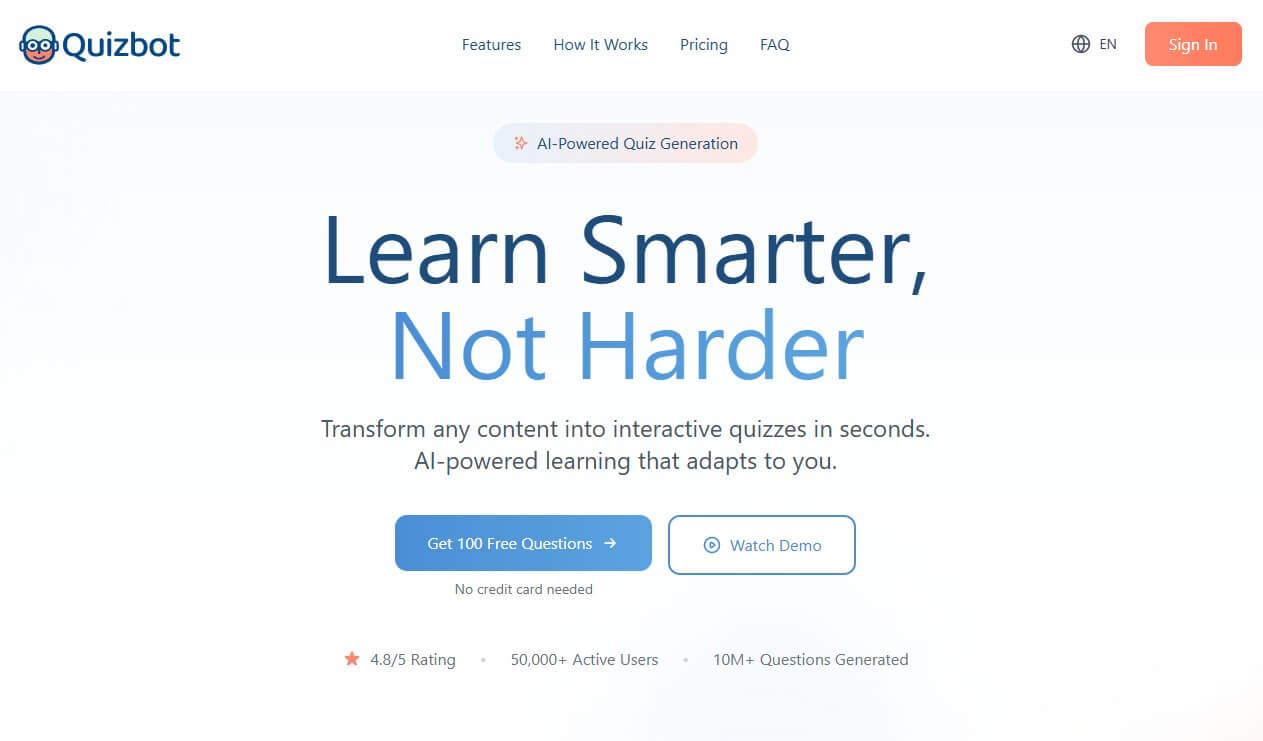
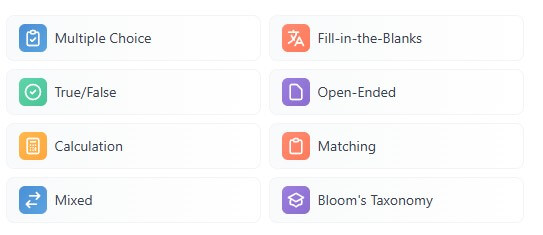
Quizbot is a content-to-quiz platform. You bring the source material, and the tool helps turn it into questions. The official site says it can generate multiple choice, fill-in-the-blank, true/false, open-ended, calculation, matching, mixed, and Bloom’s Taxonomy-style questions from sources such as PDFs, PowerPoints, Word documents, web links, videos, images, text, and audio files.
That makes it more focused than a general AI chatbot. A chatbot can write quiz questions too, but the user has to provide more structure. Quizbot starts closer to the classroom or study workflow: upload content, generate questions, turn them into an interactive quiz, review performance, and use the results to guide further study.
The tool also stretches beyond basic quiz generation. Quizbot includes performance insights, personalized study plans, study notes, personal flashcards, spaced repetition-style review, and an AI subject tutor that can work from uploaded learning materials. That broader learning layer is important because it makes Quizbot useful for both sides of education: people creating assessments and people preparing for them.
Quizbot is strongest when the learning material already exists. A teacher may have a chapter PDF, a slide deck, or a video lesson. A student may have lecture notes, screenshots, or recorded material. A company may have onboarding documents or compliance content. Quizbot’s job is to turn those materials into usable questions without forcing the user to build every item manually.
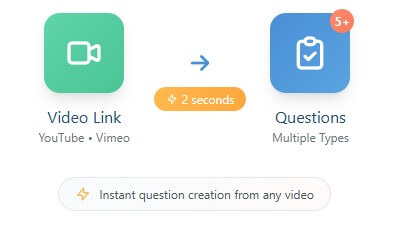
The video-to-question workflow is one of the clearest examples. Quizbot says users can generate multiple question types from video links, including YouTube and Vimeo, with support for multiple-choice, fill-in-the-blank, true/false, matching, and Bloom’s Taxonomy-aligned questions. That is useful for flipped classrooms, online courses, webinars, training videos, and exam review based on recorded lessons.
The tool is also useful because it supports many input types. A narrow quiz generator that only accepts text can feel limiting. Quizbot’s wider input range means teachers and learners can work from the material they already have, rather than reformatting everything first.
Quizbot accepts PDFs, videos, images, audio, PowerPoints, pasted text, and other learning sources, which makes it flexible for real classroom and study materials.
It supports common assessment formats such as multiple choice, true/false, fill-in-the-blank, matching, calculation, open-ended, mixed, and Bloom’s Taxonomy-style questions.
Generated questions can be converted into online self-study quizzes, so users can practice instead of just reading a question list.
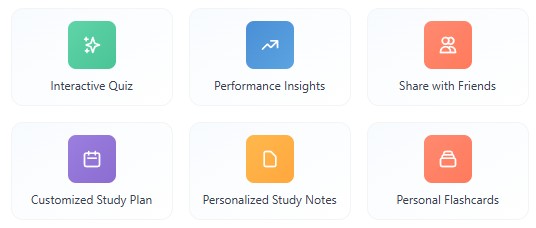
Quizbot breaks results down by concept, explains missed answers, and generates personalized study plans.
The platform includes flashcards, personalized study notes, spaced review, mastery tracking, and daily practice sessions focused on weak areas.
Quizbot says users can export to platforms such as Canvas, Blackboard, Kahoot, Quizlet, and more.
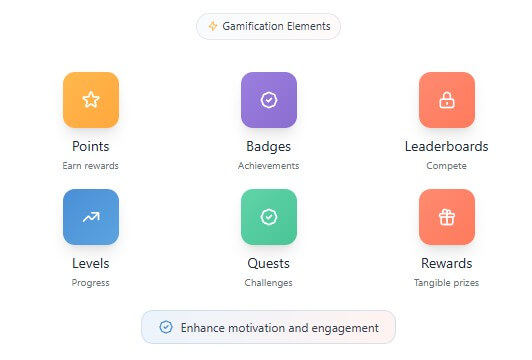
The workflow is simple in concept: upload content, let the AI analyze it, generate questions, then study, share, export, or revise. The homepage describes the process as moving from uploaded content to AI analysis, generated questions, and a study-ready result.
That flow is practical because question creation is often repetitive. Teachers and trainers already know what content they need to assess. Students already know what they need to study. The slow part is turning material into a useful sequence of questions at the right difficulty.
Quizbot works best with focused source material. A clean slide deck, one chapter, one lecture transcript, or one training document will usually give better results than a large mixed file covering many topics. The tool can generate the first version quickly, but the user still needs to check whether the questions match the intended learning goal.
Quizbot’s biggest strength is the variety of question formats. Multiple choice works well for quick checks and exam-style practice. Fill-in-the-blank is better for vocabulary, definitions, and formulas. Matching questions help with terms, dates, categories, and concepts. Open-ended questions are useful for explanation and reflection. Calculation questions make the tool more relevant for math, science, finance, and technical subjects.
The Bloom’s Taxonomy option is especially useful for teachers. It gives a way to create questions across different cognitive levels, from remembering facts to applying, analyzing, and creating. That said, the label alone does not guarantee a strong assessment. A question may be categorized as higher-order but still be too vague or too easy. Teachers should treat Bloom’s-aligned output as a starting point, not as finished instructional design.
This is where Quizbot needs human review. AI can produce plausible questions fast, but it can also create weak distractors, uneven difficulty, or questions that test recall when the lesson needs deeper understanding. The best workflow is to generate broadly, then edit selectively.
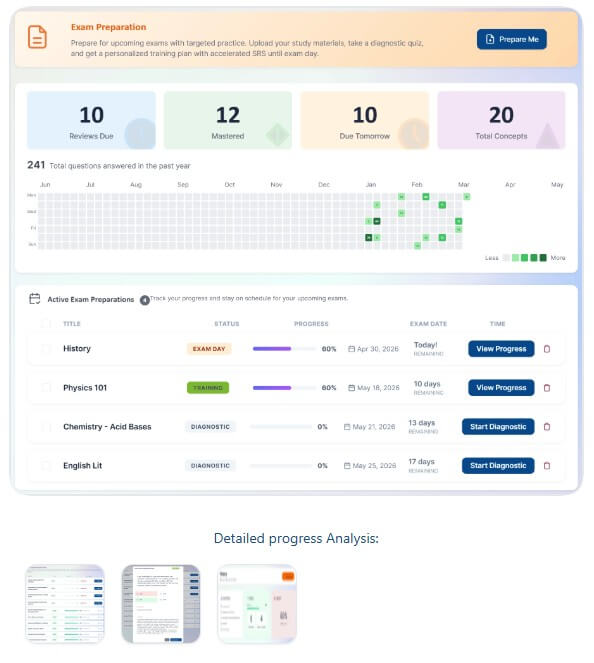
Quizbot becomes more interesting when it moves from question creation into learning support. The platform includes post-quiz analysis, concept-level performance breakdowns, explanations for missed questions, and personalized day-by-day study plans.
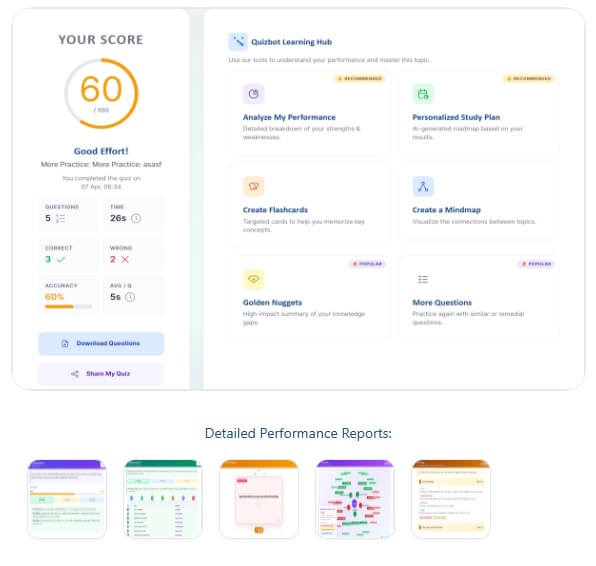
The “My Prep” style workflow is useful for students because it turns quiz results into a study loop. Quizbot says it tracks mastery across topics and schedules daily practice sessions focused on weak areas. That makes the tool more useful than a one-time quiz maker. It can help students identify what they do not know, then practice those areas more often.
The subject tutor is another useful layer. Quizbot says users can upload course syllabi, lecture slides, or personal notes into subject notebooks and chat with an AI assistant that uses those materials for answers, summaries, and explanations. This makes sense for students who want both practice and clarification in one place.
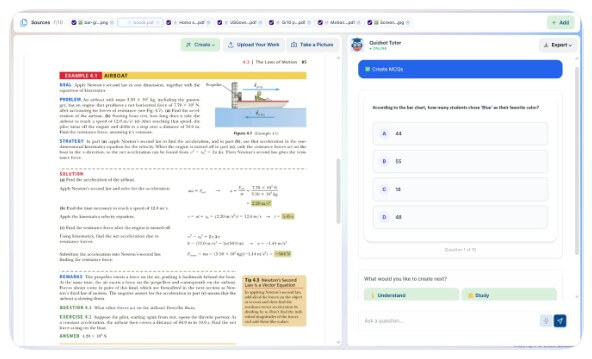
Quizbot is a strong fit for teachers creating practice quizzes, review checks, chapter tests, and formative assessments from existing class material. It is also useful for students preparing for exams because they can turn their notes, slides, and readings into active recall practice.
Tutors can use it to create quick custom practice for individual learners. Training teams can use it to turn onboarding documents, policy materials, and training videos into knowledge checks. Schools and organizations may find it useful when they need a repeatable way to create quizzes from existing content and distribute them through familiar learning platforms.
It is less useful for teachers who need highly designed project-based learning activities, complex rubrics, or local curriculum mapping that requires careful human planning. Quizbot can support those workflows, but it should not replace them.
The main difference is structure. A general chatbot is better for open-ended explanation, lesson brainstorming, and unusual activity design. Quizbot is better when the task is narrower: take this material and turn it into quiz questions, practice, feedback, and review.
That makes Quizbot a better fit for repeatable assessment work. Instead of writing prompts from scratch every time, users can work through quiz-specific formats and study features. The trade-off is flexibility. A chatbot may handle odd requests more naturally, while Quizbot works best when the goal fits its quiz and study workflow.
Quizbot’s FAQ says uploaded files are parsed into temporary cache and sent to its AI model to create questions, then the cache is flushed and the document is removed after successful question creation. It also says the platform uses encryption protocols to protect communication between users and the service.
That is helpful, but schools and companies should still be careful. Avoid uploading sensitive student records, confidential exams, private employee data, or restricted internal documents unless the organization has reviewed and approved the platform.
- Use focused inputs. One chapter, one lesson, or one video segment is easier for the AI to turn into useful questions than a broad file with mixed topics.
- Mix question types based on the learning goal. Use multiple choice for quick checks, open-ended questions for explanation, matching for terms, and calculation questions when the subject requires problem-solving.
- Review distractors before publishing. The wrong answers in multiple-choice questions should be plausible, not obvious or confusing.
- Use performance feedback as a study guide. The most useful workflow is not just taking a quiz, but using weak areas to guide the next round of review.
Quizbot’s main limitation is that generated questions still need review. The output can look polished while containing a factual error, vague wording, weak answer choices, or uneven difficulty. That matters most in formal assessments.
The second trade-off is source quality. If the uploaded material is messy, too broad, badly scanned, or poorly structured, the questions may be weaker. Visual sources such as diagrams and screenshots should be checked with extra care.
Finally, Quizbot is not a full curriculum design platform. It is best for turning materials into quizzes, practice, feedback, and study support. Teachers, tutors, and trainers still need to decide what should be assessed, how difficult it should be, and how the activity fits the wider learning goal.
Quizbot is a strong AI quiz generator for users who already have learning material and want to turn it into assessments, flashcards, interactive quizzes, and targeted study practice. Its best strengths are multi-source input, varied question types, Bloom’s Taxonomy support, video-to-question generation, performance feedback, and study tools.
It is best for teachers, students, tutors, and training teams that create or reuse learning materials often. The main caveat is that every serious quiz still needs human review for accuracy, difficulty, wording, and learning fit.
TAGS: Productivity
Related Tools:
Helps you capture ideas with sticky notes
Assists in creating classroom content
Analayzes key information from documents
Creates AI applications without code

Enhances productivity by automating task management
Email assistant that automatically generates replies