

Share this tool:
 |
Description:
Reclaim AI is an AI calendar and scheduling assistant for people who want their calendar to actively protect time for work, not just show what is already booked. It runs on Google Calendar and Outlook Calendar, then automatically schedules tasks, habits, focus time, meetings, and breaks around existing events. Its best use is not basic appointment booking. It is helping busy people keep a realistic week when priorities, meetings, and deadlines keep moving.
| Feature | Practical value |
|---|---|
| AI Task Scheduling | Turns tasks from tools such as Jira, Asana, ClickUp, Todoist, and more into scheduled calendar time. |
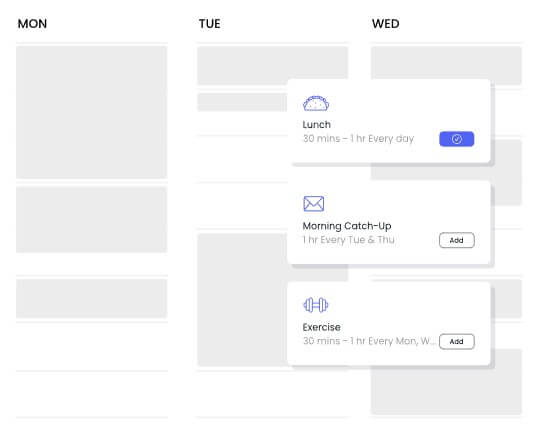
| Habits | Schedules recurring routines directly into the calendar and adjusts them when conflicts arise. |
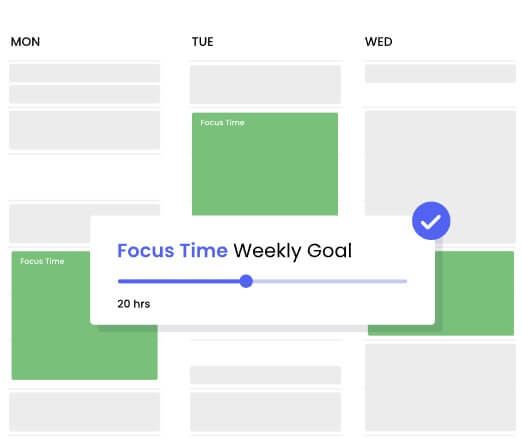
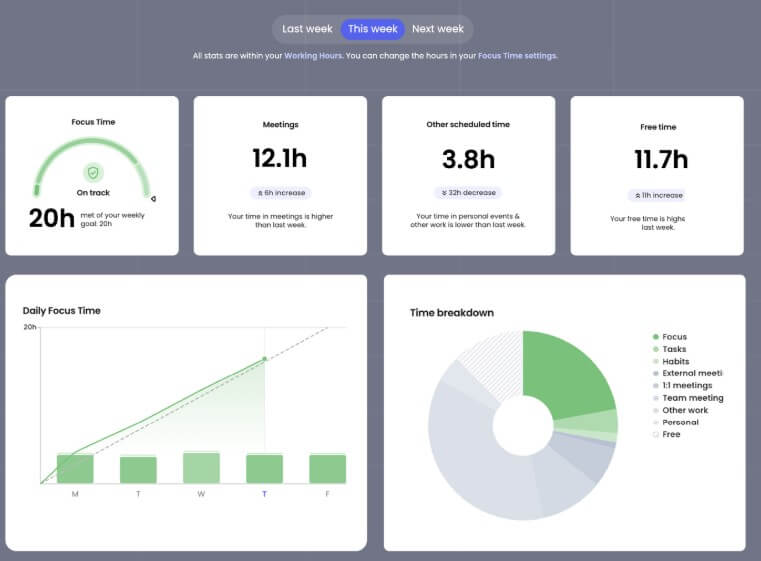
| Focus Time | Helps protect deep work by setting a weekly focus goal and placing work blocks around existing commitments. |
| Smart Meetings | Automatically schedules recurring meetings such as one-on-ones and team syncs around attendee availability, priorities, and time zones. |
| Calendar Sync | Helps prevent conflicts across multiple calendars, including work and personal schedules. |
| Slack Integration | Syncs Slack status with calendar events, shares availability, and lets users manage schedule actions inside Slack. |
Reclaim is a smart scheduling layer that sits on top of your calendar. Instead of manually dragging blocks around, you tell Reclaim what needs time, how important it is, when it can happen, and how flexible it should be. The system then finds room on your calendar and keeps adjusting as new meetings, conflicts, and deadlines appear.
That makes Reclaim different from a normal to-do list. A task manager can tell you what needs doing. Reclaim tries to answer the harder question: when will you actually do it?
It also differs from standard calendar tools. Google Calendar and Outlook are good at storing events, but they do not automatically defend deep work, reschedule routines, balance recurring meetings, or turn task lists from other tools into protected work sessions. Reclaim’s core value is that it treats time as something that needs active management.
The platform is built for individuals, managers, and teams. Individuals can use it for tasks, habits, focus time, and personal calendar protection. Managers can use it to protect team focus time, balance meeting load, and get better visibility into how work time is being used.
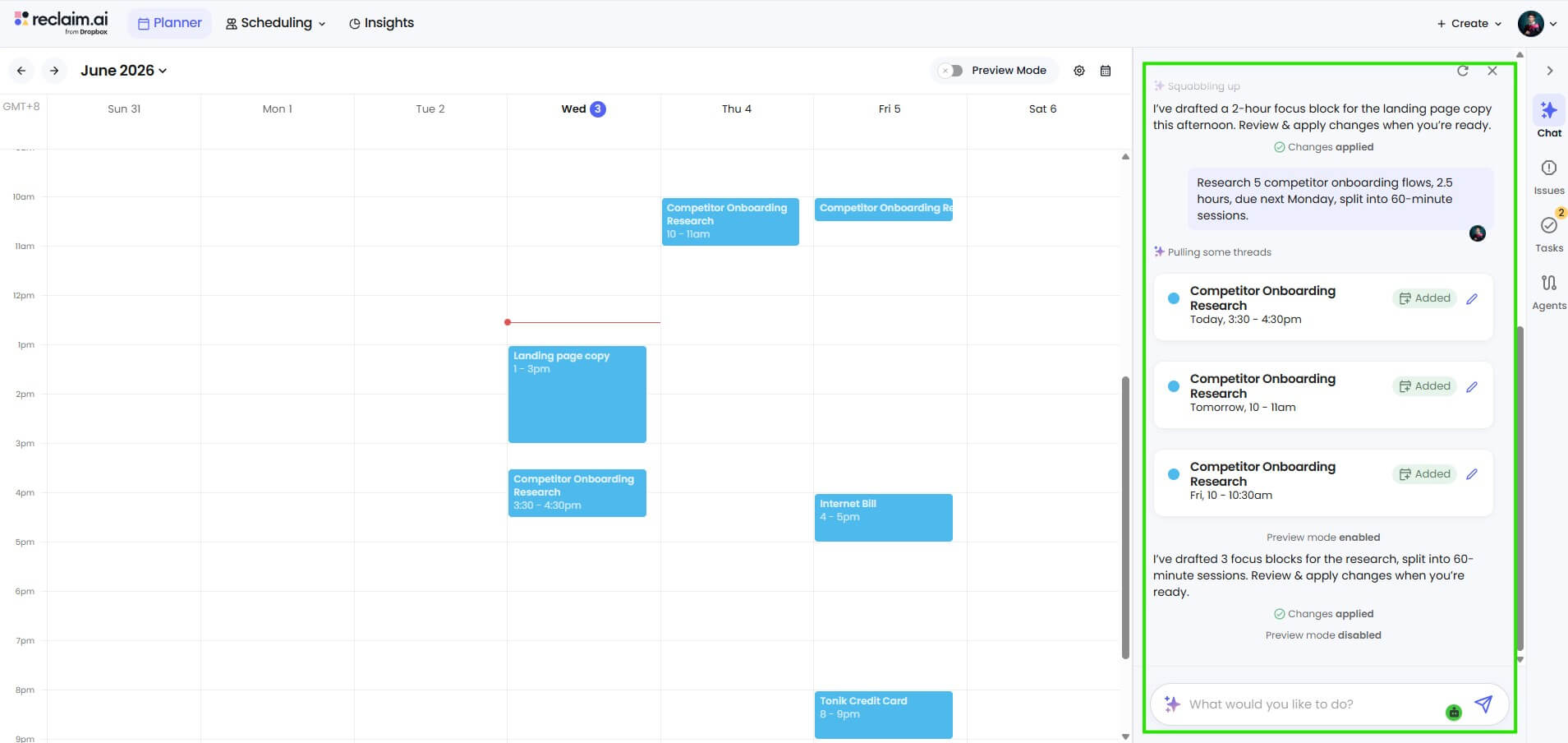
Reclaim is strongest for people whose calendar changes often. If your day is predictable and your tasks are light, manual planning may be enough. But if your week includes meetings, project work, recurring routines, deadlines, and personal commitments, Reclaim starts to make more sense.
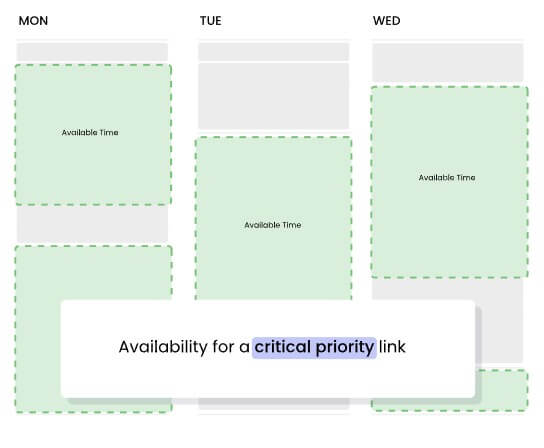
The best part is its flexibility. Traditional time blocking can become brittle. You block two hours for a task, a meeting lands on top of it, and now your plan is broken. Reclaim’s approach is to move smart events around based on priority, availability, working hours, and conflicts. That is useful because most workweeks do not behave like perfect plans.
It is also strong for people who struggle to protect focus time. Reclaim’s Focus Time feature lets users set a weekly goal, then lets the system defend productive work time around meetings and responsibilities.
The Reclaim workflow starts with connecting a Google Calendar or Outlook Calendar account. From there, users define the work and routines that need time. A task might need three hours before Friday. A habit might need 30 minutes three times per week. Focus Time might need a weekly goal. A Smart Meeting might need to happen every week with a direct report.
Once those rules are set, Reclaim places the events into the calendar. The important detail is that these blocks are not static. Reclaim can move them when your schedule changes, depending on the priority and flexibility you assign. That is the real workflow shift: your calendar becomes more adaptive.
There is still setup work. Reclaim is not magic on day one. Users need to define working hours, meeting hours, personal hours, task priorities, habit windows, and the difference between flexible and protected time. The upside is that those rules reduce manual cleanup later.
The interface is likely to feel familiar to calendar-heavy users, because the end result still appears in the calendar they already use. That helps adoption. The learning curve is less about understanding a new app and more about deciding how you want your time to behave.
Reclaim’s most useful everyday features are Tasks, Habits, and Focus Time. They sound similar, but they solve different problems.
| Feature | Best for | Practical value |
|---|---|---|
| Tasks | Deadline-based work | Turns planned work into actual calendar blocks |
| Habits | Recurring routines | Protects time for repeated work or personal priorities |
| Focus Time | Deep work goals | Defends open space for concentrated work |
Tasks are best for concrete work with a due date. Habits are better for recurring routines such as planning, exercise, learning, reviews, or admin work. Focus Time is broader. It protects room for deep work even if you do not assign every block to a specific task. This distinction matters because many productivity tools blur these categories. Reclaim’s setup works better when users are honest about the type of commitment. A weekly planning routine should probably be a Habit. A report due Thursday should be a Task. A general need for more heads-down time should be Focus Time.
Smart Meetings are one of Reclaim’s strongest team features. They automatically schedule, reschedule, and manage recurring meetings such as one-on-ones and team syncs. Reclaim’s Help Center says Smart Meetings can find the best time for attendees around preferences and time zones, with automatic rescheduling when conflicts come up.
This is useful for managers. One-on-ones often get pushed around, skipped, or buried by higher-priority meetings. Smart Meetings reduce some of that coordination work by keeping the meeting alive without forcing constant back-and-forth messages.
The same logic applies to team syncs. Instead of locking a recurring meeting forever into a bad slot, Reclaim can keep evaluating availability and move the meeting when needed. The risk is that too much automatic movement can confuse teams if expectations are not clear. For high-stakes meetings, teams may still want firmer rules.
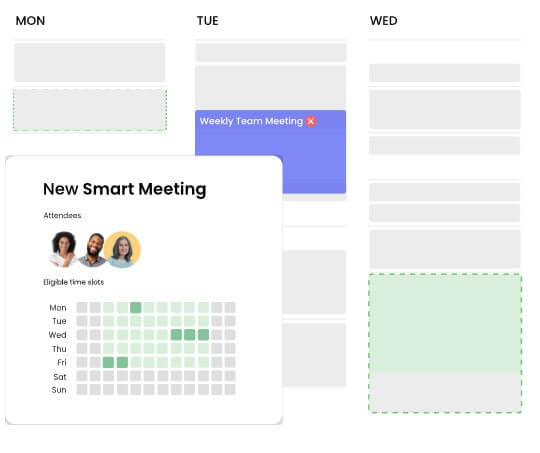
Reclaim is a strong fit for managers who need to balance one-on-ones, team meetings, project work, and personal focus time.
It also works well for individual contributors who need long blocks for engineering, writing, design, analysis, or strategy work. The Focus Time and Task scheduling features are especially useful here.
Founders and operators may find value in using Reclaim to protect work across multiple calendars. It can also help people who mix work, personal commitments, fitness, learning, and recurring admin into one schedule.
Teams that already live in Jira, Asana, ClickUp, Todoist, Linear, or Google Tasks can benefit from Reclaim’s task integrations because work from those systems can become scheduled time instead of an ignored list.
Calendar tools need trust because they touch sensitive information: meetings, availability, personal routines, and work priorities. Reclaim’s security page says it is committed to GDPR, SOC 2, CCPA, and Data Privacy Framework standards, and its Help Center states that Reclaim is SOC 2 Type II certified.
That is a useful baseline, but companies should still review OAuth permissions, calendar access, retention rules, and admin controls before broad rollout. A scheduling assistant is only helpful if employees and IT teams are comfortable with how calendar data is handled.
Reclaim cannot create more hours in the day. It can protect time, move work intelligently, and reduce calendar friction, but it cannot fix unrealistic workloads. If a user adds too many tasks, too many habits, and too many meetings, the calendar will still be overloaded.
There is also a behavior change. Reclaim works best when users trust the system enough to let it move flexible work. People who want total manual control may find the automation uncomfortable at first.
Another limitation is that setup quality matters. Poorly defined hours, vague priorities, and too many “critical” commitments can weaken the schedule. Reclaim is most useful when users make clear choices about what matters.
Finally, teams need etiquette around auto-scheduled meetings and changing blocks. Automation can reduce coordination, but it should not create surprise.
Reclaim AI is one of the more practical AI calendar tools because it focuses on the real scheduling problem: work needs time, priorities shift, and calendars break quickly when plans change. Its strongest features are task scheduling, habits, focus time, Smart Meetings, calendar sync, and Slack-based availability controls. It is best for managers, busy individual contributors, founders, and teams that need a more adaptive calendar. The main caveat is that Reclaim improves scheduling discipline, but it does not replace workload discipline. You still need to decide what deserves time in the first place.
TAGS: Productivity
Related Tools:
Provides tools for writing, image creation, coding
Automates complex tasks by creating customizable, scalable digital agents

Simplifies creation of animated faces

Summarizes various types of documents

AI-powered data analysis platform

Provides customizable email templates