
Share this tool:
 |
Description:
Kartiv is an AI visual content tool for ecommerce brands, resellers, and agencies that need more product imagery without organizing a full photoshoot every time. Its strongest use is product presentation: upload product photos or brand assets, choose a guided workflow or prompt direction, then generate product images, product videos, 360-degree visuals, and variations for store pages, ads, and social content.
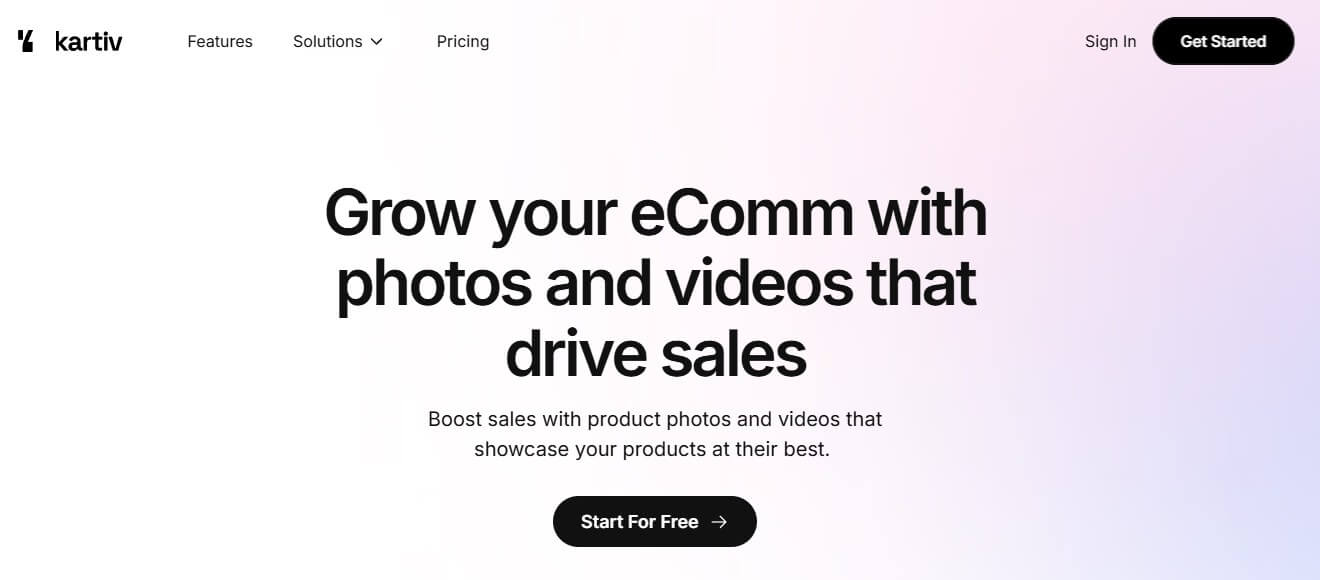
Kartiv has both a Wizard workflow for users who do not want to type prompts and a Prompt feature for more customized creative control. Its feature page describes the Wizard as a step-by-step creation flow and the Prompt tool as a guided prompt helper for more personalized visuals.
Before using this prompt: upload a clean product photo.
Prompt:
“Place this product on a bright kitchen counter in a clean modern home. Use natural morning light, soft shadows, and a warm lifestyle photography style. Keep the product label readable and make the scene suitable for a Shopify product page.”
Before using this prompt: upload the product photo and any brand colors or logo assets.
Prompt:
“Create a premium ecommerce ad image for this product. Use a minimal background, high-end lighting, subtle reflections, and a layout that leaves space for a short headline. Keep the product accurate and centered.”
Before using this prompt: start from an existing Kartiv visual or product photo.
Prompt:
“Reimagine this visual for a holiday campaign. Keep the same product angle and brand mood, but add a festive background, soft decorative elements, and a polished ecommerce style.”
Before using this prompt: upload product imagery suitable for video generation.
Prompt:
“Create a short lifestyle product video that shows the item in a real-world setting. Use smooth motion, close-up detail shots, and a clean ending frame that works for a social media ad.”
Kartiv is not a general image generator aimed at any kind of artwork. It is a product-visual platform. The homepage says users can upload photos and brand assets, describe the desired creative, and generate visuals that showcase products. It also emphasizes both photos and videos, which makes it broader than a simple AI product photo tool.
That focus matters. Ecommerce teams often need product shots in many formats: clean catalog images, lifestyle scenes, ad variations, seasonal creatives, social posts, and short videos. Hiring a photographer or designer for every variation can slow down a small brand. Kartiv is built to make that visual testing loop faster.

Kartiv is strongest when the product already exists and the brand needs more ways to present it. A skincare bottle, coffee bag, supplement jar, candle, shoe, home accessory, or packaged food item can be placed into different scenes, styles, and campaign concepts.
The AI Product Photography page says the tool generates product images for ecommerce platforms such as Amazon and Shopify, and it also mentions AI-generated themes for matching brand style. That makes Kartiv useful for sellers who need product visuals that feel consistent enough for a storefront, not just one-off AI experiments.

The other strong area is variation. Kartiv’s reseller and ecommerce pages describe “Reimagine” as a way to create variations that match a brand’s mood and style. This is practical for ad testing, seasonal campaigns, landing pages, and social media creative, where one product often needs several visual treatments.
Creates product images from uploaded visuals, with themes that help keep visuals aligned with brand style.
Gives users a step-by-step path for creating visuals without needing to write from scratch.
Provides more customization for users who want to describe the visual direction in detail.
Turns an existing Kartiv visual into new variations while keeping the brand mood and style in view.
Supports dynamic lifestyle videos for showing products in real-world settings and highlighting product features.
Creates rotating product experiences intended to show items from multiple angles.
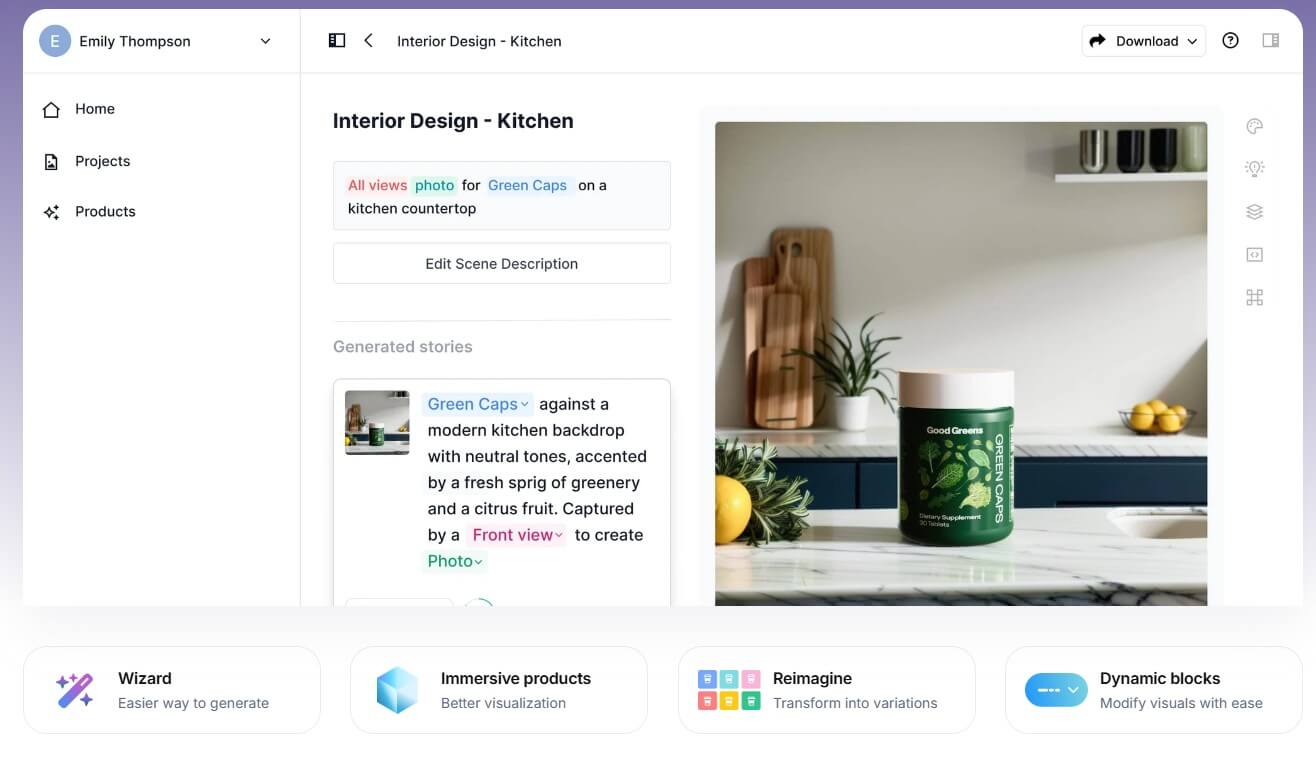
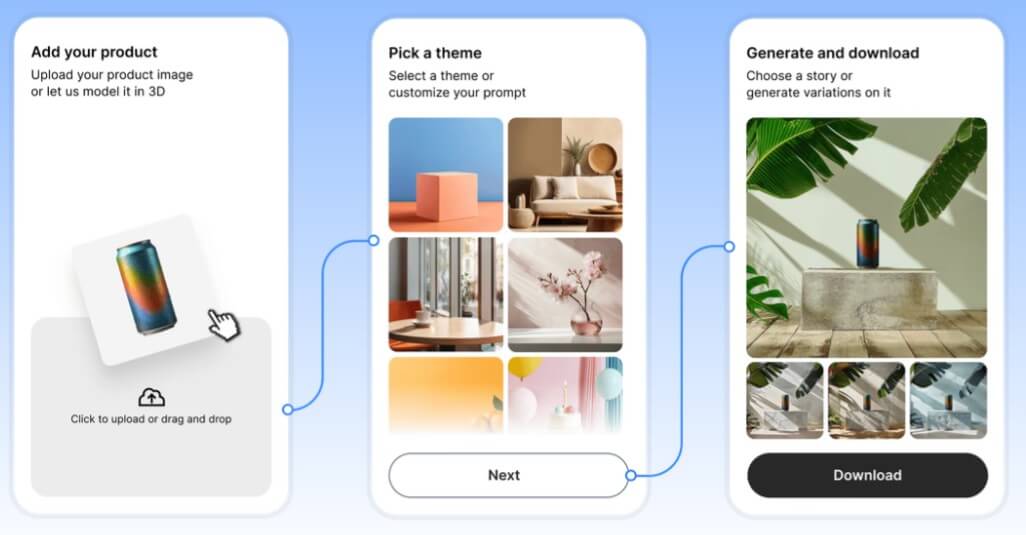
Kartiv’s workflow appears to be built around two user types: people who want guided creation and people who want more creative control. The Wizard is the better path for speed. It reduces the blank-page problem and helps users move through ready-made themes or structured choices. The Prompt feature is better for brands that know the exact mood, setting, lighting, and layout they want.
This split is smart. Many ecommerce sellers do not think like prompt engineers. They think in product terms: “I need a clean hero image,” “I need a summer campaign version,” or “I need this product in a bathroom scene.” Kartiv’s best workflow is likely to start with the Wizard, generate a few safe options, then use prompting or Reimagine to refine the direction.
Kartiv’s value depends on product accuracy. A product image generator is only useful if it keeps packaging, proportions, labels, colors, and key details close enough to the real product. The official pages focus on creating product images and videos that showcase products, but users should still inspect every output before publishing.
That check matters most for regulated or detail-sensitive products: supplements, cosmetics, electronics, medical-adjacent goods, food packaging, and anything with legal label requirements. AI may make a product look better, but ecommerce visuals still need to represent the item honestly.

Kartiv’s stronger creative controls are themes, prompt direction, Reimagine, product videos, and 360-degree video. These give users more ways to adapt one product into multiple campaign assets rather than generating a single static image and stopping there.
Kartiv is a strong fit for ecommerce stores that need product-page images, lifestyle visuals, and campaign variations.
It is also useful for small brands that cannot run frequent photoshoots but still need fresh creative for ads and social posts.
Agencies can use it for early concepting, product mockups, and faster creative exploration for ecommerce clients.
Resellers can use it to improve product presentation across listings, especially when original manufacturer imagery is limited or repetitive.
It is a weaker fit for brands that need highly controlled studio photography, exact legal packaging reproduction, complex human models, or heavily art-directed campaign shoots. Kartiv can help with drafts and variations, but final commercial assets still need review.
- Start with the cleanest product image you have. AI tools work better when the product is well lit, unobstructed, and easy to separate from the background.
- Use specific visual language. Instead of asking for “a nice ad,” describe the setting, lighting, camera angle, background, mood, and platform.
- Generate several variations before choosing one. Product visuals often need comparison because the best option is not always the first output.
- Check labels, shadows, reflections, and proportions. These details decide whether a visual feels usable or artificial.
- Keep independent copies of your source files and final outputs. Kartiv’s terms say users should maintain a complete and accurate copy of content outside the service.
Kartiv’s main limitation is the usual problem with AI product visuals: consistency. It may generate strong marketing scenes, but users still need to verify product accuracy, text, packaging details, scale, and brand fit.
The second trade-off is that guided themes can save time but may also make outputs feel familiar if many brands use similar visual styles. Prompting and Reimagine help, but brands with strict creative direction may still need manual design work.
Copyright and asset ownership also require care. Kartiv’s terms state that the company responds to intellectual property infringement claims and outlines a copyright procedure. For ecommerce teams, the safe approach is to use product photos, logos, and brand assets they own or have permission to use.
Kartiv is a practical AI visual tool for ecommerce sellers, resellers, and agencies that need product photos, lifestyle images, campaign variations, and short product videos faster. Its biggest strengths are the Wizard workflow, prompt-based customization, AI product photography, Reimagine variations, product videos, and 360-degree product presentation.
It is best for brands that already have product assets and want more visual options for stores, ads, and social channels. The main caveat is that every output needs careful review for product accuracy, brand consistency, and commercial suitability.
TAGS: Marketing Productivity
Related Tools:

Streamlines the grading process for educators

Enhances writing productivity

Automates content creation and improves writing

Streamlines note-taking, task organization, and insight generation

Automates content creation
Assists in creating classroom content