

Share this tool:
 |
Description:
NotebookLM is no longer just “Google’s PDF Q&A tool.” It has become a broader source-grounded workspace for studying, research, synthesis, and presentation, with chat, notes, mind maps, Audio Overviews, Video Overviews, quizzes, flashcards, infographics, reports, and slide decks all built around the same source set.
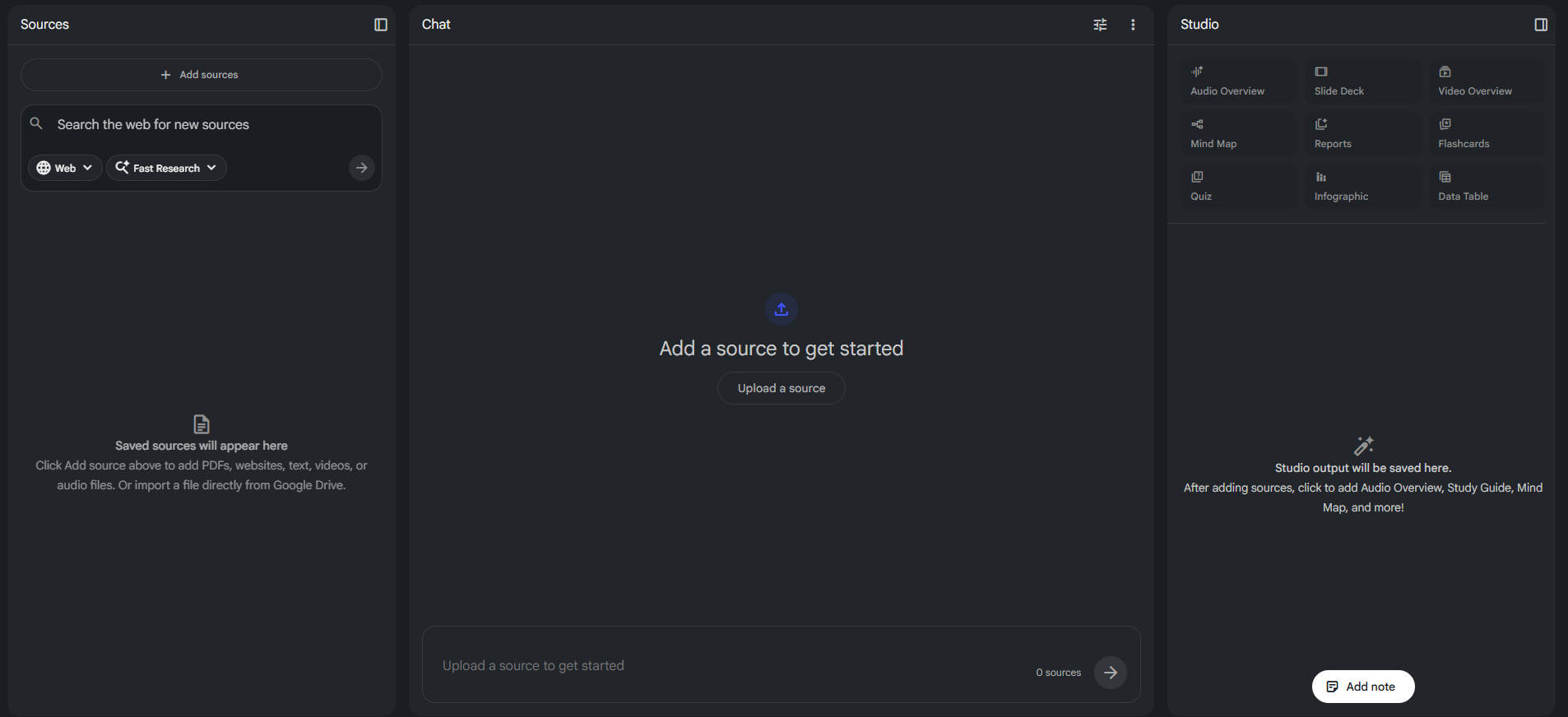
The core idea is simple: each notebook is a project-specific knowledge base. You add your own material, then NotebookLM answers questions and generates outputs from that material rather than treating the whole internet as the primary source of truth. Google describes it as an AI-powered research assistant, and its help pages emphasize grounded chat with inline citations tied to your uploaded sources.
That grounding is the main reason NotebookLM matters. In practice, it sits somewhere between a research assistant, a study tool, and a source-to-output production layer. It is much better for “help me understand these 18 documents” than for “give me a general answer about anything.” That is also why it often feels more trustworthy than a normal chatbot when you are working from readings, transcripts, class notes, policy docs, reports, or interview material. This last point is an inference from its source-first design and citation model.
NotebookLM is strongest when you already have the material and need to turn it into understanding.
It handles five jobs especially well:
- Source-grounded Q&A: It answers against the notebook’s sources and shows inline citations, which makes it more usable for close reading, fact-checking against a source set, and tracing claims back to evidence.
- Fast comprehension: Audio Overviews, mind maps, reports, flashcards, quizzes, and infographics make it unusually good at getting from “I uploaded a pile of stuff” to “I understand the shape of this material.”
- Study and teaching workflows: The current help center explicitly includes flashcards, quizzes, slide decks, and mobile support, and Google has also tied NotebookLM into Classroom and education workflows.
- Turning research into shareable outputs: Slide Decks can be presented in NotebookLM or shared as PDFs, while public notebooks and shared notebook links make it easier to distribute a source-backed package instead of a loose summary.
- Longer project organization: Google’s new notebooks-in-Gemini integration shows that NotebookLM is increasingly part of a bigger project workflow, not just a standalone experiment. Notebooks can sync across Gemini and NotebookLM, letting users use Gemini’s broader assistant features alongside NotebookLM’s source-centric tools.
The best core feature, because it keeps answers tied to your selected sources.
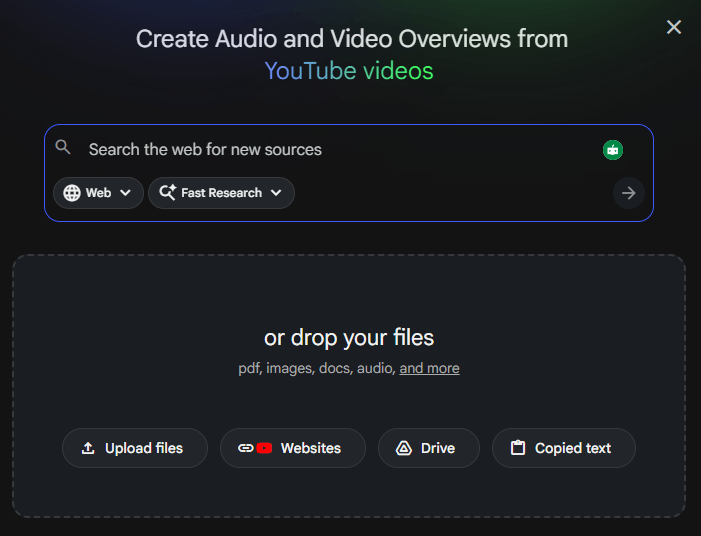
NotebookLM supports web URLs, Google Docs, Slides, Sheets, PDFs, Word files, text, Markdown, CSV, audio files, images, ePub, PowerPoint, pasted text, and more.
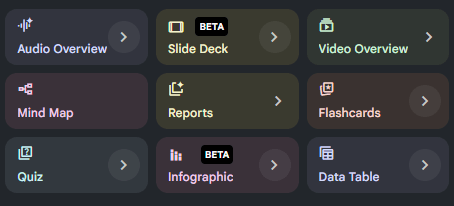
Audio Overviews, Video Overviews, Slide Decks, Infographics, Reports, Flashcards, and Quizzes now make the platform much broader than a source chatbot.
A genuinely useful visual summary layer for seeing topic structure and relationships across a notebook.
The mobile app includes many core features, offline Audio Overview playback, and mobile Studio access, though it still has some limitations compared with desktop.
Consumer accounts can publish notebooks to anyone with a Google account, which is useful for teaching, team handoffs, and public explainers.
The workflow is cleaner than most research tools.
You create a notebook, upload or import sources, then work inside one contained project. That project logic is one of NotebookLM’s biggest strengths. It reduces the “one giant chat thread about everything” problem that affects a lot of AI tools. Each notebook stays independent, which keeps context cleaner, though it also means NotebookLM cannot pull across multiple notebooks at once.
The best part of the interface is that it encourages multiple ways of understanding the same material. You can ask questions, skim generated notes, listen to an Audio Overview, build a mind map, generate a quiz, or convert the same source set into slides. That is a better learning loop than a normal assistant that only returns chat replies.
Studio is where the product has improved the most. Google’s current help materials and update posts show Studio as the central place for richer artifacts, including Video Overviews and deck generation. This makes NotebookLM feel less like a summarizer and more like a source-to-output workspace.
The mobile experience looks useful rather than fully parity-level. You can listen on the go, download Audio Overviews for offline playback, and access Video Overviews in Studio, but Google still notes that some features have mobile differences or limitations.
NotebookLM’s output quality depends less on “how creative is the model?” and more on “how good are the sources, and what kind of artifact are you asking it to produce?”
For grounded explanations and synthesis, it is very good. The inline citations materially improve trust because you can check where a point came from. It is especially strong when the underlying material is dense but well structured: lecture notes, research papers, policy docs, book chapters, transcripts, internal docs, or linked readings.
Audio Overviews remain one of its standout features. Google describes them as deep-dive discussions between AI hosts based on your uploaded sources, and the mobile app now supports Interactive Mode in beta, which lets you join the conversation while listening. That makes Audio Overviews more than a novelty feature; they are now a real review tool.
Video Overviews are more niche but potentially powerful. They are useful when the source material benefits from visual explanation or presentation-style recap. The feature can be customized before generation, including format, source selection, visual style, and prompts on mobile.
Slide Deck generation is practical. Google says decks can be presented inside NotebookLM or shared as PDFs, and the customization options include at least different deck formats such as a more detailed reading deck. That makes it more useful for study reviews, internal briefings, and first-draft presentation work than for polished final design.
The broad caveat is that NotebookLM is best at structured first drafts and comprehension assets, not final publication-ready deliverables. That is an inference, but it is consistent with the platform’s own positioning and the kinds of artifacts it generates.
The product now has clearer tiers than many older reviews reflect.
| Tier | What matters most |
|---|---|
| NotebookLM Standard | Free signup with a Gmail account; 100 notebooks, 50 sources per notebook, 50 chats per day, and lower daily generation caps. |
| NotebookLM in Google AI Plus | Higher limits than Standard. Google AI Plus includes NotebookLM with more access, and pricing varies by country. |
| NotebookLM in Google AI Pro | Higher limits again, up to 300 sources per notebook, plus earlier access to some key features. |
| NotebookLM in Google AI Ultra | Highest limits, including the highest artifact quotas, broader premium access, and watermark removal for infographics and slide decks. |
| Workspace / Cloud versions | Available through qualifying Workspace plans or Google Cloud enterprise offerings, with stronger admin and data-protection options. |
A few current limits are worth knowing because they shape real use. Standard currently allows 100 notebooks, 50 sources per notebook, 50 chat queries per day, and 3 audio generations per day. Free users also have lower limits on reports, flashcards, quizzes, Video Overviews, and Deep Research than paid tiers.
NotebookLM in paid Google AI plans also adds advanced sharing, while custom chat and analytics are currently available to everyone according to Google’s upgrade page.
NotebookLM is an excellent fit for:
- Students and exam prep: Upload readings, class notes, lecture transcripts, and slide decks; then use quizzes, flashcards, Audio Overviews, and mind maps to review faster.
- Researchers and analysts: It is strong for source-grounded synthesis, extracting patterns from a document set, and staying close to citations.
- Writers and editors: Useful for turning background materials into outlines, reports, talking points, or evidence-backed summaries before writing elsewhere. This is an inference from the workflow and artifact set.
- Teachers and trainers: Public notebooks, Classroom tie-ins, quizzes, and slides make it a strong explainer and study-support tool.
- Teams working from internal docs: The enterprise and Workspace paths make it more practical for controlled, document-based organizational use than consumer chat tools alone.
It is a weaker fit when you want open-ended ideation without source material, advanced web research across the live internet, or final polished visual design. In those cases, Gemini, ChatGPT, Claude, or dedicated presentation/design tools may be a better primary tool. This is an inference based on NotebookLM’s source-bound design and current feature set.
- Use one notebook per project, course, report, or client. NotebookLM works best when the source set is coherent.
- Mix source types when useful. It supports far more than PDFs now, including websites, audio, YouTube, Docs, Slides, and spreadsheets, which can make a notebook more representative of the real project.
- Start with Studio artifacts early. Audio Overview, mind map, or a report can quickly show whether the notebook is well scoped before you spend time on detailed chat.
- Use Slide Decks and infographics as first drafts, not final design files. They are valuable for structure and explanation speed more than final visual polish.
- Check the plan before heavy use. Limits vary a lot now, especially for sources per notebook and generated artifacts.
- NotebookLM’s biggest strength is also its biggest limitation: it is bounded by the notebook. That is great for groundedness, but weaker for broad exploratory work that needs live web discovery by default. Google’s own positioning reinforces that it works from uploaded or imported sources, and notebooks remain independent from one another.
- The tiering is now more complex than older NotebookLM reviews suggest. There are Standard, Plus, Pro, Ultra, Workspace, and Cloud paths, and the difference in limits can be large. That makes “is NotebookLM enough for me?” partly a plan question now, not just a product question.
- Mobile is useful but still not a full desktop replacement. Google explicitly notes feature differences and limitations in the mobile app.
- Sharing is not identical across account types. Public notebooks are currently enabled for consumer accounts and disabled for Workspace Enterprise or Education accounts.
- Finally, NotebookLM is very good at understanding and re-presenting material, but that does not remove the need to verify important conclusions against the cited source text. The citation layer helps a lot; it does not eliminate the need for judgment. This last point is an inference, but a sensible one for any AI-assisted research workflow.
NotebookLM is one of the best AI tools for people who already have the material and need to understand it, teach it, review it, or turn it into source-backed outputs quickly.
Its core advantages are grounded chat, strong study and synthesis artifacts, and a cleaner project-based workflow than most general assistants.
The main caveat is that it is best as a source-first workspace, not as your all-purpose AI for open-ended research or final polished production.
TAGS: Research Productivity
Related Tools:
Detects plagiarism and identifies AI-generated text
Enhances focus and efficiency in work or study
Helps teams plan, manage, and track their work
Simplifies presentation and document creation

Detects and fixes critical software vulnerabilities

Streamlines project coordination and automates invoicing