
Share this tool:
 |
Description:
Nano Banana Pro is Google DeepMind’s higher-end image generation and editing model, built on Gemini 3 Pro Image. It is designed less as a casual image toy and more as a serious visual production system for people who need stronger control, better text rendering, grounded outputs, and more reliable interpretation of detailed prompts.
That matters because many image generators still perform best when the prompt is simple: a portrait, a landscape, a product shot, a stylized character. But things start to fall apart when you ask for structured diagrams, readable layout text, educational visuals, multilingual poster design, controlled revisions, or unusual material logic.
Nano Banana Pro is much more interesting when it is tested on those harder tasks.
This review is built around that idea. Instead of only giving it attractive prompts that almost any strong model can attempt, the prompts below are designed to stress-test the areas where a better model should separate itself: diagrams, infographics, embedded text, grounded content, professional layouts, unusual materials, and conceptually demanding compositions.
One of the most important reasons to test Nano Banana Pro seriously is text rendering. A lot of image models still struggle when asked to create menus, posters, labels, diagrams, infographics, or packaging with real readable wording. Nano Banana Pro is much more worth reviewing in those settings than in generic beauty shots.
This model is better suited to prompts that involve composition, hierarchy, labeling, and multi-part visual logic. That makes it particularly relevant for charts, diagrams, educational explainers, UI mockups, poster layouts, and commercial design.
Nano Banana Pro is the kind of model you test with posters, packaging, conference graphics, museum layouts, and polished infographics. It is better thought of as a production-minded design assistant than just an art generator.
It is also better judged by how well it can revise and refine visuals through prompt changes. In real-world use, that matters more than first-pass beauty.
When a model is good at combining visual quality with structure and information, it becomes much more useful for educational, business, editorial, and marketing work.
| Feature | Original Nano Banana | Nano Banana Pro |
|---|---|---|
| Core feel | Fast, playful, flexible | More deliberate and professional |
| Best use | Quick creative images and edits | Posters, diagrams, infographics, packaging, structured layouts |
| Text rendering | Good | Better |
| Layout control | Decent | Stronger |
| Editing workflow | Fast iteration | More production-minded refinement |
| Review-worthy strength | Accessibility | Capability under harder prompt conditions |
The easiest way to think about it is this: the original Nano Banana helped make conversational image creation feel fun and fluid. Nano Banana Pro is where you start asking whether the model can handle work that actually has to be usable.
| Element | What It Controls | Example |
|---|---|---|
| Subject | The main image or concept | A labeled vector diagram of the human heart |
| Information Goal | What factual or structural content must appear | Include correct labeled chambers, arteries, and valves |
| Composition | Layout and hierarchy | Centered diagram, labels around perimeter, white background |
| Style | Visual treatment | Clean medical vector illustration |
| Text Rules | Exact wording and label expectations | Legible labels, no gibberish, no missing sections |
| Finish | Output polish | Print-ready, precise, highly detailed |
| Technical | Constraints and exclusions | White background, vector look, no clutter |
Nano Banana Pro tends to perform best when the prompt tells it both what the image is and what the image needs to accomplish.
These prompts directly test the areas where a strong model should outperform weaker ones.
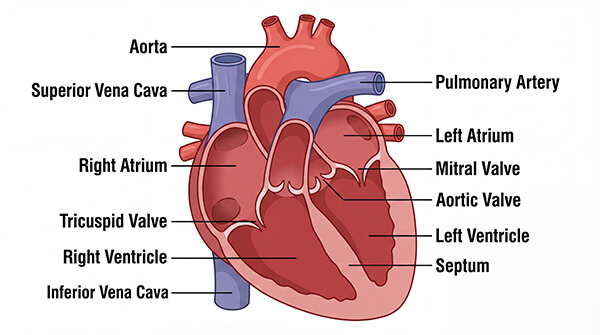
Prompt: Anatomically accurate cross section of the human heart. Vector format. Labelled areas of the heart. White background. Highly detailed. 100% correct.
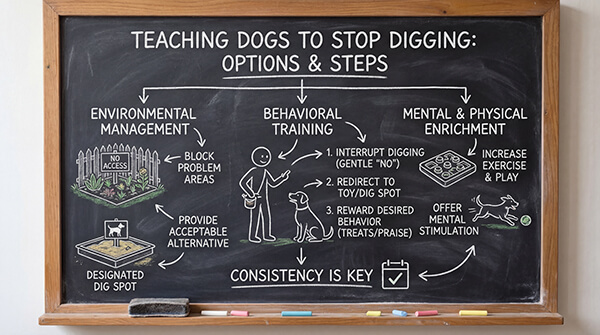
Prompt: A highly detailed blackboard diagram that explains the various options and steps to take, etc, for teaching dogs how to stop digging. White chalk for most text, a tiny bit of colored chalk for drawings.
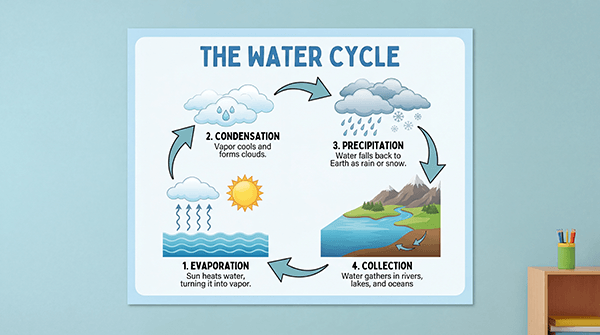
Prompt: Create a classroom science poster explaining the water cycle. Include labeled sections for evaporation, condensation, precipitation, and collection. Use arrows, simple iconography, clear headings, and a clean educational design. Bright but restrained colours, highly readable, no clutter.
If a model can do these well, that says far more than a generic portrait test.
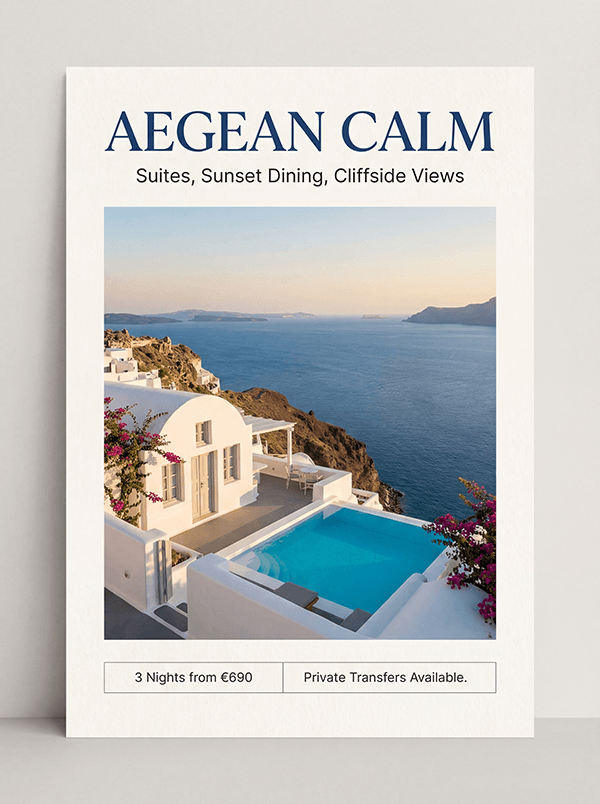
Prompt: Create a premium travel poster for a boutique hotel in Santorini. Use the headline “Aegean Calm” at the top in large elegant serif type. Add the subheading “Suites, Sunset Dining, Cliffside Views” beneath it in smaller clean sans-serif text. Include a central hero image of a white cliffside suite with blue sea beyond. At the bottom, add a small booking strip with the text “3 Nights from €690” and “Private Transfers Available.” Clean luxury editorial layout, balanced margins, crisp legible text, print-ready, vertical poster.
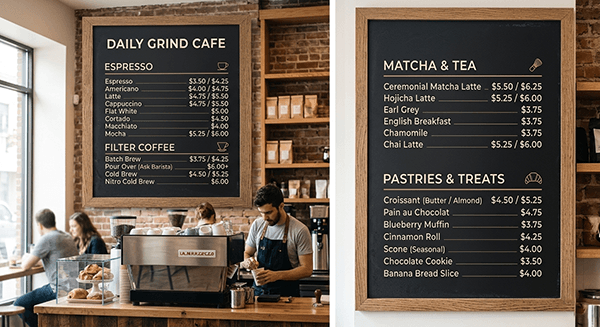
Prompt: Create a modern cafe menu board with clearly readable text. Sections: Espresso, Filter Coffee, Matcha, Pastries. Include item names and prices in a clean hierarchy. Warm off-black background, cream text, subtle tan accents, minimalist but inviting design. High legibility, no gibberish text, no clutter.
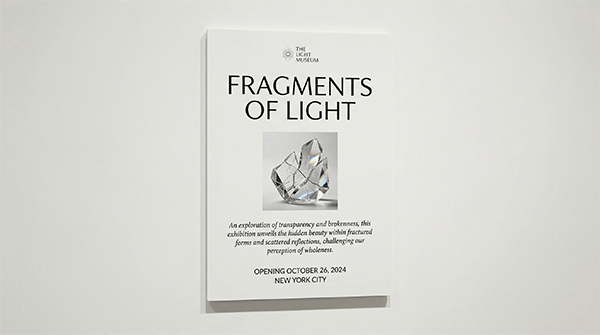
Prompt: Create a museum placard layout for an exhibition called “Fragments of Light.” Include the exhibit title, a short curatorial note, opening dates, and city location. Elegant white background, black text, small hero image of a fractured glass sculpture, refined museum branding, crisp typography, editorial layout.
These test structure, clarity, and practical usefulness.
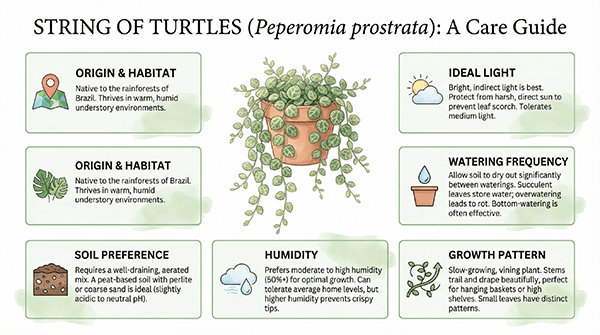
Prompt: Create a polished infographic about the houseplant “String of Turtles.” Include sections for origin, ideal light, watering frequency, soil preference, humidity, and growth pattern. Add small icons and clear headings. White background, soft green accent palette, magazine-style infographic, highly legible text.
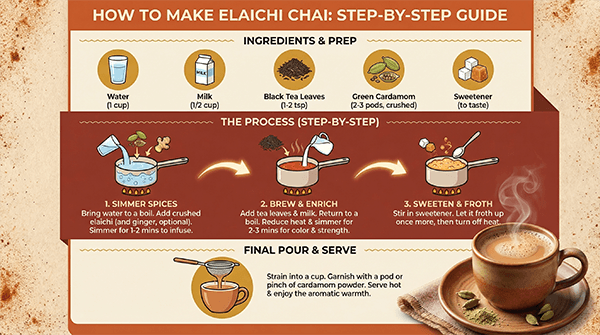
Prompt: Create a step-by-step infographic showing how to make elaichi chai. Include ingredients, preparation steps, a realistic final cup of chai, and concise instructional text. Warm spice-toned palette, clean icons, premium editorial food infographic design, crisp legible labels.
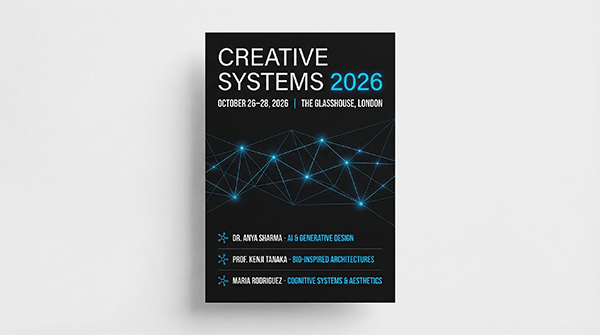
Prompt: Create a sophisticated conference poster for an event called “Creative Systems 2026.” Include title, date, venue, and three speaker lines. Minimal but high-end black, white, and electric-blue branding. Crisp typography, professional hierarchy, no extra fake text.
These help reveal whether the model can handle commercial design properly.
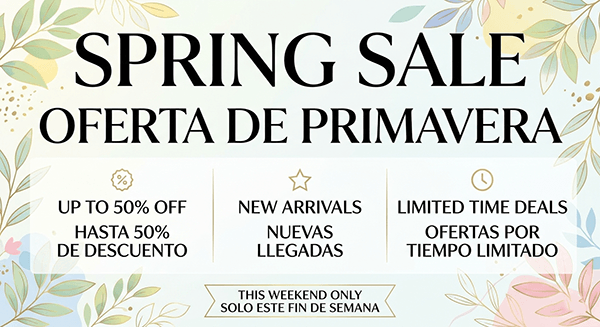
Prompt: Create a retail sale poster with bilingual text in English and Spanish. Headline: “Spring Sale.” Secondary headline: “Oferta de Primavera.” Add three short promotional callouts and a small bottom strip with “This Weekend Only.” Bright premium retail design, highly legible text, no distortions.
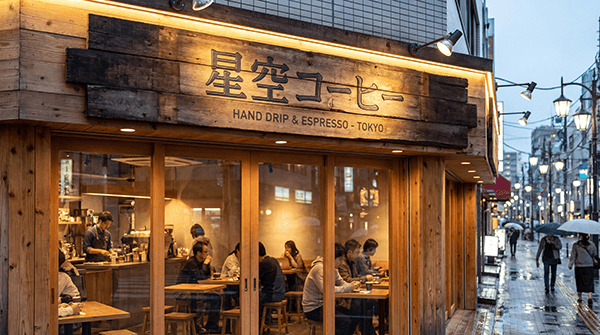
Prompt: Create a photorealistic exterior sign for a Tokyo coffee shop. Include Japanese main text, a small English subtitle, warm wood storefront materials, and soft evening city lighting. The sign must feel believable and the text layout must be clean and intentional.
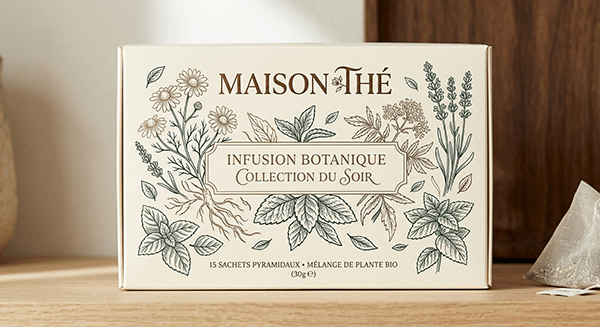
Prompt: Create a premium tea box front panel in French. Brand name: “Maison Thé.” Supporting text: “Infusion Botanique” and “Collection du Soir.” Cream background, botanical line art, refined luxury packaging design, crisp legible typography, print-ready.
These prompts are aimed at real-world asset production.
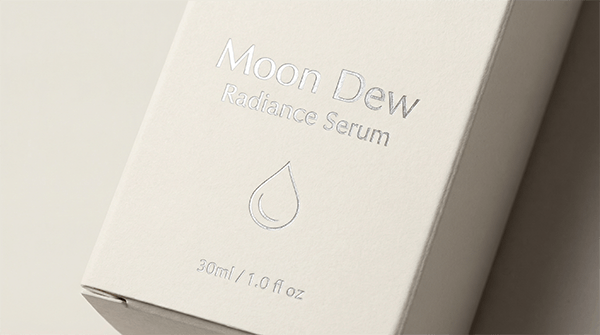
Prompt: Design the front panel of a premium skincare serum box called “Moon Dew.” Soft ivory background, silver foil accents, minimal droplet motif, clean sans-serif typography, elegant spacing, luxury editorial beauty branding, highly legible, print-ready.
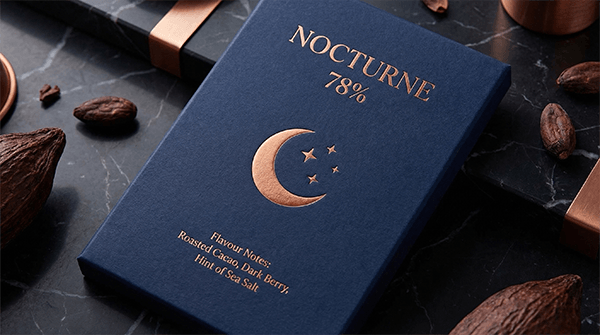
Prompt: Create a packaging design for an artisan dark chocolate bar called “Nocturne 78%.” Deep navy wrapper, copper moon motif, premium serif typography, small flavour note text, modern luxury packaging aesthetic, clean structured layout.
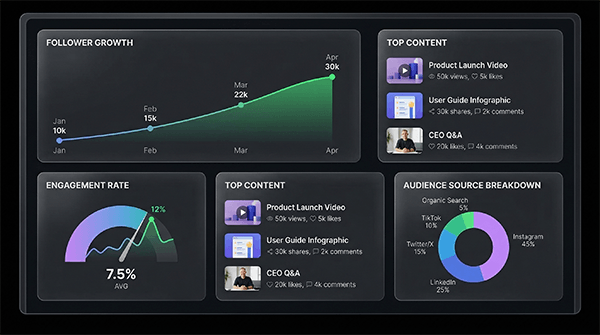
Prompt: Create a SaaS dashboard showing follower growth, engagement rate, top content, and audience source breakdown. Dark mode interface, clean graph labels, modern glassmorphism panels, crisp readable text, no clutter outside the dashboard frame.
These are not generic prompts. They test whether the model can follow unusual ideas with precision and charm.
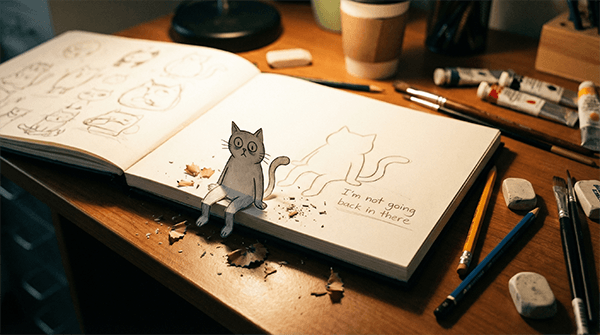
Prompt: A realistic photograph of an open sketchbook on a messy artist's desk. A hand-drawn cartoon cat has peeled itself off the page and is sitting on the edge of the book, dangling its legs over the side. Pencil shavings and eraser crumbs surround it. The cat is looking back at its own outline still visible on the page. The text "I'm not going back in there" is written in pencil below the outline. Warm desk lamp lighting, shallow depth of field, cozy studio atmosphere.
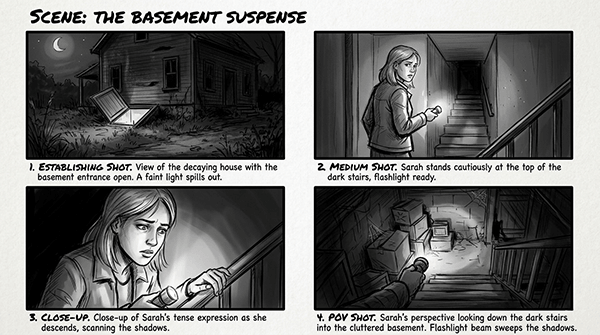
Prompt: Create a black-and-white storyboard page for a suspense scene. Include four panels: establishing shot, medium shot, close-up, and POV shot. Add short caption labels under each frame. Clear cinematic composition, sketch style, readable text, tidy layout.
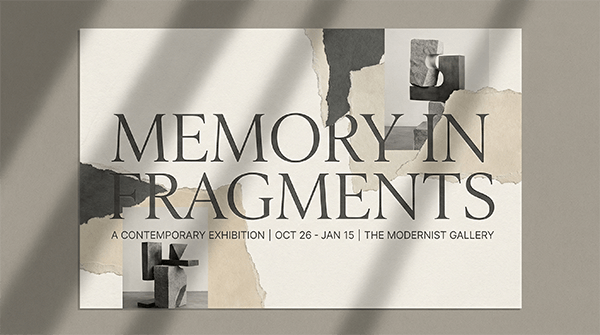
Prompt: Create an editorial poster for a contemporary exhibition called “Memory in Fragments.” Use torn paper textures, shadow overlays, abstract sculpture elements, elegant typography, and a refined gallery aesthetic. Off-white and charcoal palette, print-ready.
These are ideal for separating a model that merely stylizes from one that actually interprets material instructions well.
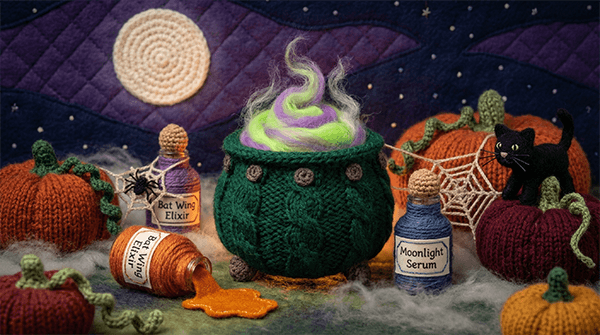
Prompt: A miniature world handcrafted entirely from yarn, wool, and plush textiles. A knitted bubbling cauldron sits at the center, sculpted from chunky dark emerald green yarn with thick cable-knit texture around the rim and tiny crocheted rivets dotting the surface. Inside the cauldron, a swirl of neon green and purple felted wool rises up in layered peaks mimicking a glowing potion, with wispy strands of loose angora fiber floating upward like enchanted steam. Beside the cauldron, a collection of miniature potion bottles crafted from tightly wrapped yarn around felted cylindrical forms, each with a tiny corked top made from a brown wool bobble. One bottle is tipped over with a spill of shimmering orange felt pooling out across the surface like liquid candy. Small embroidered labels on each bottle read things like "Bat Wing Elixir" and "Moonlight Serum" in delicate stitched lettering. Scattered around the scene are hand-knitted miniature pumpkins in burnt orange and deep burgundy wool with twisted green yarn stems and curling crocheted vines. A tiny felted black cat with whiskers made from single black thread strands sits perched on one pumpkin, its tail curling upward in a perfect spiral of wrapped wire and yarn. Behind everything, a crocheted full moon in pale ivory wool glows against a backdrop of layered deep purple and midnight blue felt panels stitched together like a quilted night sky, with tiny French knot stars dotted across the fabric. A few delicate crocheted spider webs stretch between the bottles and the cauldron edge, made from the finest silver-grey thread with a single tiny knitted spider hanging from one strand. The ground surface is a plush felted landscape in mossy greens and dusty greys with small tufts of raw wool resembling fog creeping across the base. Everything in the scene, the cauldron, the potions, the pumpkins, the moon, the spider webs, is made entirely from yarn, crochet loops, knitted stitches, and felted wool, giving the impression of a handcrafted spooky apothecary world. Soft moody lighting with a warm amber glow from below as if lit by a hidden candle, shallow depth of field on the edges, cozy yet eerie atmosphere.
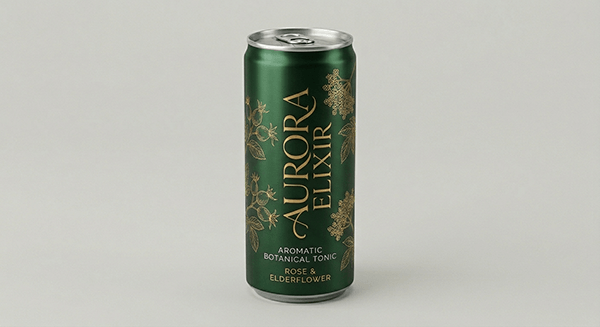
Prompt: Create a premium beverage can on a neutral studio background. Then generate three edited variants where only the can body colour changes: matte black, pearl white, and metallic forest green. Keep reflections, perspective, logo placement, and lighting identical across all versions.
- Lead with the real job the image needs to do.
- If text matters, specify the exact wording.
- For diagrams and explainers, state the information requirement clearly.
- For packaging and posters, define the hierarchy.
- Use exclusions like “no gibberish,” “no extra text,” and “white background.”
- Use revision passes rather than expecting perfection in one shot.
- When testing the model, include prompts that weaker models tend to mishandle.
- Even a strong model can still need cleanup on dense text layouts.
- Informational diagrams should still be checked for factual accuracy.
- Commercial layouts may need one or two refinement passes.
- Some surreal and material-heavy prompts can still drift if too many instructions compete for priority.
Nano Banana Pro becomes much more impressive when treat it like a visual problem solver.
That is why the strongest review prompts are not just scenic landscapes and polished portraits. They are prompts that force the model to prove it can handle diagrams, readable text, educational structure, packaging hierarchy, weird material logic, and conceptually unusual scenes. If Nano Banana Pro performs well on those, that tells you far more about its real capability.
TAGS: Photo Editing Generative Art
Related Tools:
Creates visuals from text and images with pro-level accuracy
Generative tool that creates images, animations, and artworks

Creates visuals with highly accurate text and typography
AI tool for generating and editing images
Creates more accurate visuals from text and reference inputs
Turns text and reference images into highly stylized visuals
Related Videos:
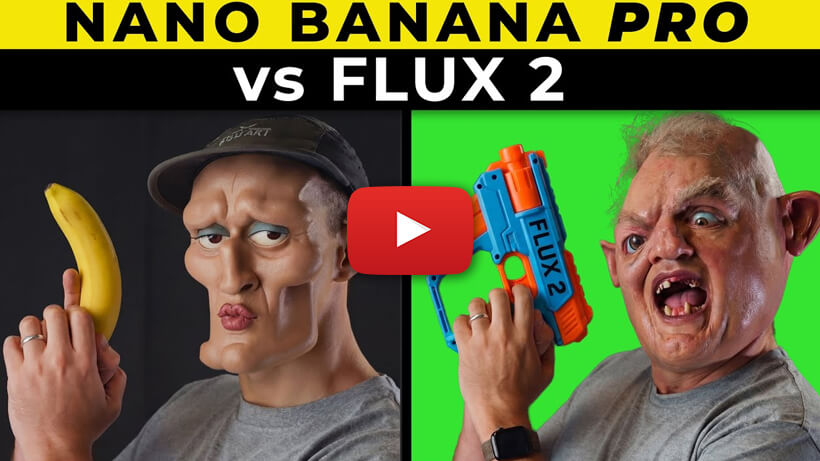
Nano Banana Pro vs FLUX 2 - I Was SHOCKED by the Results
I’m going to test the two best AI image generators with Nano Banana Pro vs Flux 2! I’ll test them across multiple categories, from consistency to VFX.
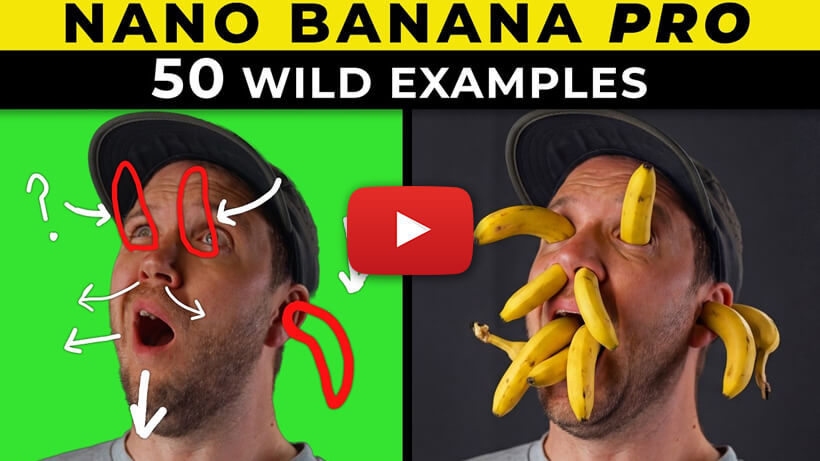
Nano Banana PRO tips! and 50 creative Prompts You have to try
Google have (again) created the best AI image generator I’ve ever used with Nano Banana Pro, and I’ll share 50 incredible examples you can try today on Higgsfield AI!