
Share this tool:
 |
Description:
Nano Banana 2 is the faster, more scalable sibling in the family. It is the model you use when you want much of the same intelligence and flexibility, but in a workflow that feels more rapid, more iterative, and more practical for high-volume creative production.
That makes it especially interesting for campaign variations, consistency across scenes, grounded visuals, repeated design formats, social graphics, localized ad assets, and fast editing passes where some elements must remain stable while others change.
So for this review, the prompts are not just chosen to produce attractive images. They are chosen to reveal whether Nano Banana 2 is genuinely useful under pressure: consistency, text, unusual materials, explanatory diagrams, fast variant generation, and structured layouts.
Nano Banana 2 is most compelling when used in rapid production style workflows rather than one-off perfectionism.
Its value rises when you ask for the same subject across multiple moods, formats, or scenes.
It is more interesting as a production model than a pure art model because it can be used for ads, storyboards, packaging variants, social assets, and explainers.
One of the best ways to test it is with repeated characters, repeated products, or repeated layouts.
It becomes more impressive when you use it on tasks that require organization, labels, signage, or a real information goal.
| Feature | Nano Banana Pro | Nano Banana 2 |
|---|---|---|
| Core feel | More premium and deliberate | Faster and more scalable |
| Best use | Polished posters, packaging, diagrams, professional layouts | Fast campaigns, variants, scene consistency, social assets, repeated edits |
| Text rendering | Strong | Strong and practical |
| Workflow | Production refinement | Production speed |
| Ideal review prompts | Hard structured stress tests | Hard stress tests plus multi-version workflows |
The simplest summary is this: Nano Banana Pro is the more premium-feeling studio tool, while Nano Banana 2 is the more practical all-rounder when you need to move fast without losing too much control.
| Element | What It Controls | Example |
|---|---|---|
| Subject | What should appear | A bakery mascot or product can |
| Workflow Goal | What must remain stable | Keep face, outfit, and logo identical |
| Information Goal | What text or labeling is required | Add readable poster text or diagram labels |
| Composition | Layout or framing | Vertical social ad, or three-panel storyboard |
| Variant Rules | What changes between outputs | Mood, background, season, or lighting |
| Style | Visual anchor | Premium ad, classroom poster, cozy desk photo |
| Technical | Constraints | 4K, square or vertical, no clutter |
Nano Banana 2 performs best when the prompt reads like a production brief with clear stability rules.
These prompts help test practical usefulness, not just aesthetics.
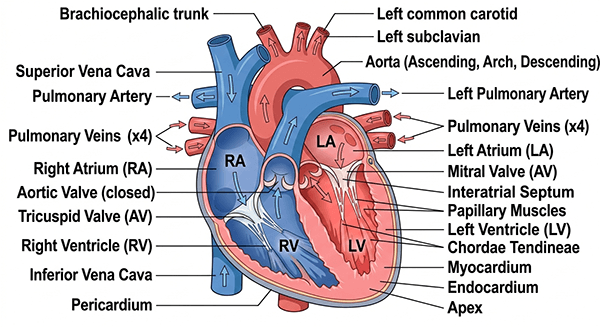
Prompt: Anatomically accurate cross section of the human heart. Vector format. Labelled areas of the heart. White background. Highly detailed. 100% correct.
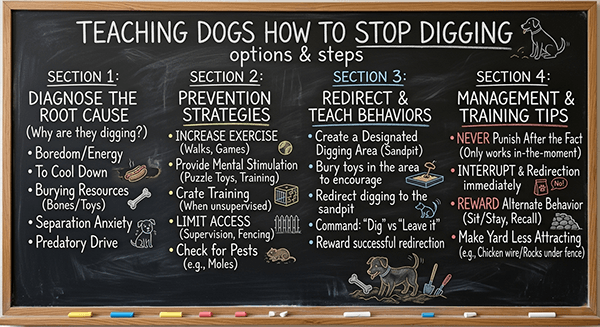
Prompt: A highly detailed blackboard diagram that explains the various options and steps to take, etc, for teaching dogs how to stop digging. White chalk for most text, a tiny bit of colored chalk for drawings.
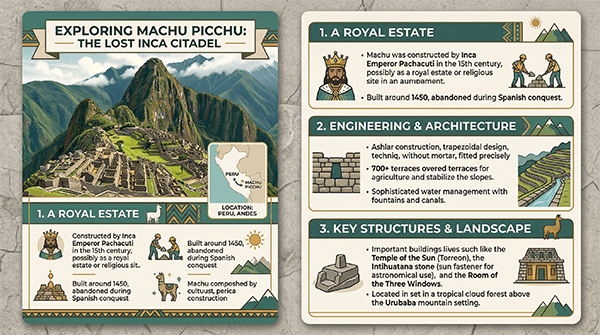
Prompt: Create a stylish educational card about Machu Picchu. Include a hero image, small map inset, three fact sections, and clear heading hierarchy. Earth-toned palette, museum-quality infographic style, grounded and readable.
This is one of the most important ways to showcase Nano Banana 2.
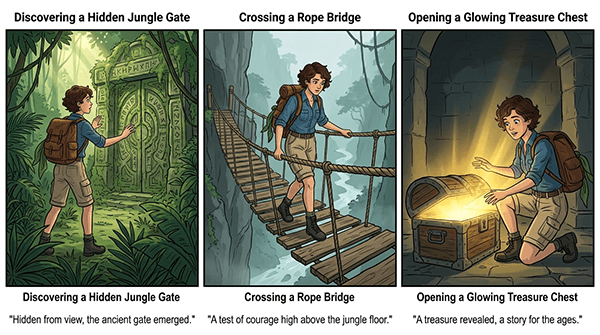
Prompt: Create a three-panel storyboard featuring the same young explorer character in every panel. Scene 1: discovering a hidden jungle gate. Scene 2: crossing a rope bridge. Scene 3: opening a glowing treasure chest. Keep facial features, clothing colours, and backpack identical across all panels.
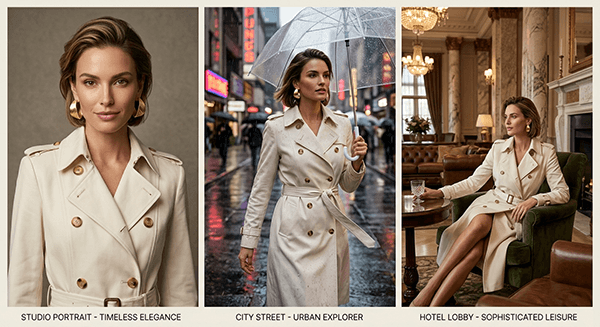
Prompt: Create a three-image campaign featuring the same female model wearing the same ivory trench coat and gold earrings. Image 1: studio portrait. Image 2: rainy city street. Image 3: boutique hotel lobby. Maintain consistent face, styling, and wardrobe.
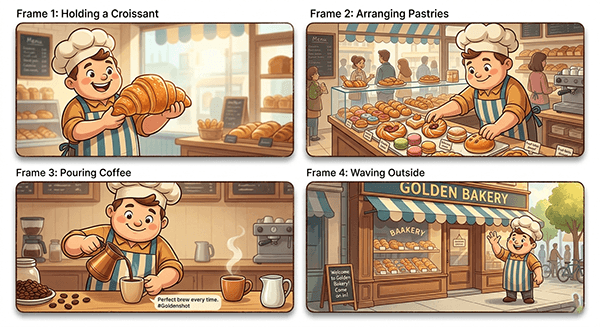
Prompt: Generate a four-frame campaign showing the same cheerful bakery mascot in different scenes: holding a croissant, arranging pastries, pouring coffee, and waving outside the shop. Keep the mascot design, apron, and colour palette consistent.
These prompts test whether the model is useful for real campaign work.
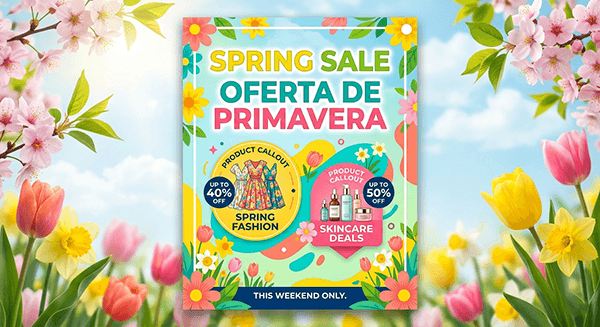
Prompt: Design a sale poster with the English headline “Spring Sale” and the Spanish headline “Oferta de Primavera.” Add two product callouts and a small bottom strip that says “This Weekend Only.” Bright premium retail style, highly legible, no gibberish.
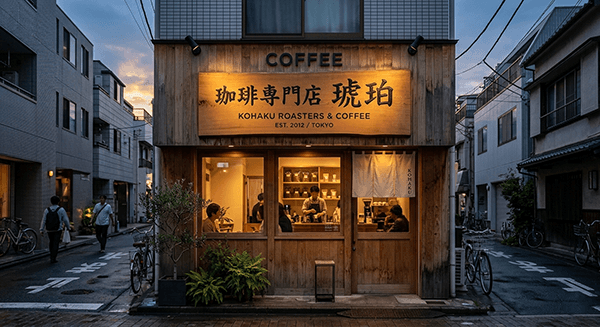
Prompt: Create a photorealistic storefront sign for a Tokyo coffee shop. Include Japanese main text, an English subtitle, warm wood materials, and soft dusk lighting. Text should look believable and intentionally designed.
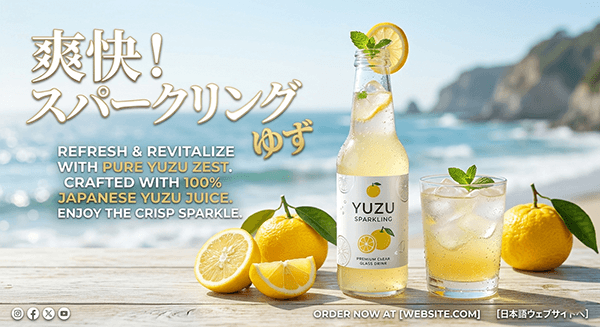
Prompt: Create a social ad for a sparkling yuzu drink with Japanese headline text and English subcopy. Use clean premium packaging, bright citrus visuals, and crisp text rendering suitable for a real campaign mockup.
This is where the model’s workflow advantages become obvious.
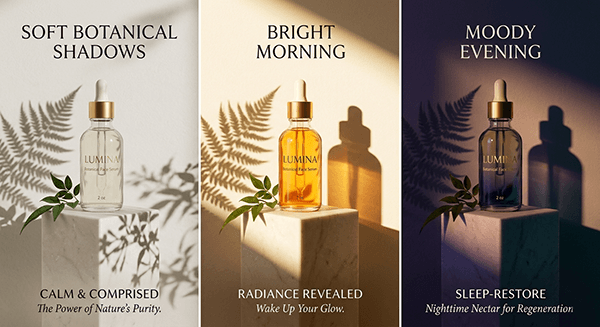
Prompt: Create an e-commerce ad image for a luxury skincare serum bottle on a pale stone pedestal with soft botanical shadows. Then produce two additional variants with the same bottle and layout but different moods: bright morning and moody evening.
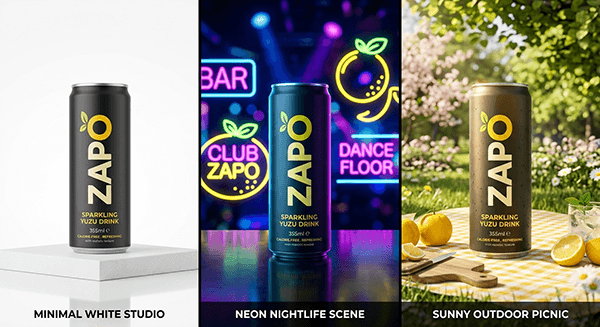
Prompt: Generate a product launch image for a sparkling yuzu drink can. Then create three versions: minimal white studio, neon nightlife scene, and sunny outdoor picnic. Keep the can design, logo, and angle unchanged.
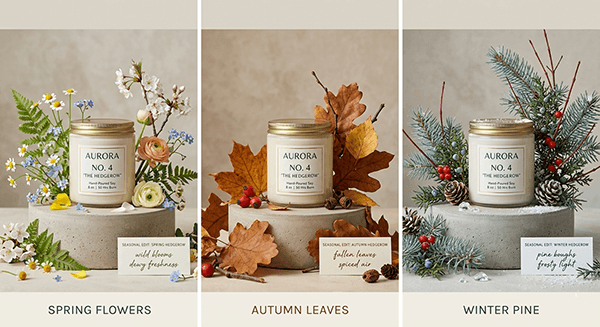
Prompt: Create a premium candle jar on a neutral background. Then produce three campaign variants where only the seasonal styling changes: spring flowers, autumn leaves, winter pine. Keep the jar label, camera angle, and lighting logic consistent.
These prompts help show whether the model can do useful visual communication, not just decoration.
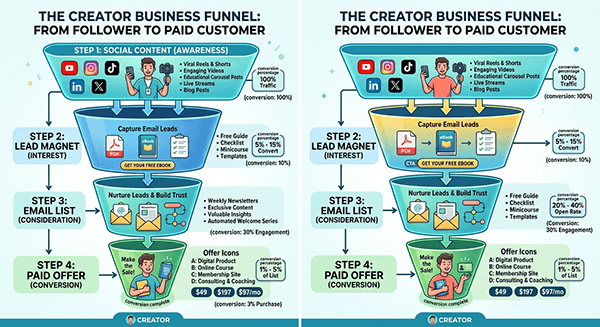
Prompt: Create an infographic showing a creator business funnel from social content to lead magnet to email list to paid offer. Include icons, arrows, conversion percentages, and a clean modern palette. Presentation-ready and highly readable.
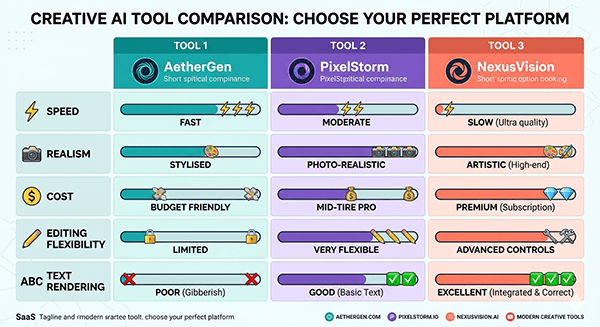
Prompt: Create a comparison infographic showing three fictional AI creative tools across speed, realism, cost, editing flexibility, and text rendering. Use comparison bars, icons, short labels, and a polished SaaS-style layout.
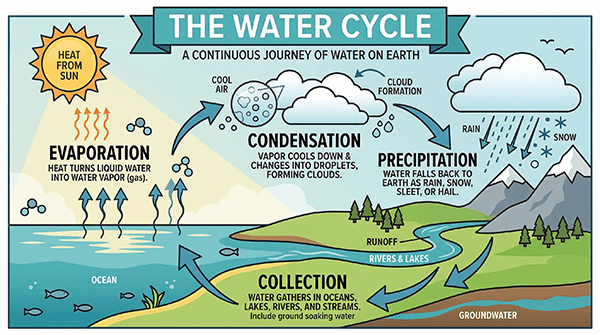
Prompt: Create an educational poster about the water cycle with labeled stages, arrows, and concise classroom-friendly descriptions. Bright but structured design, no clutter, crisp readable text.
These are strong review prompts because they are memorable and instruction-heavy.
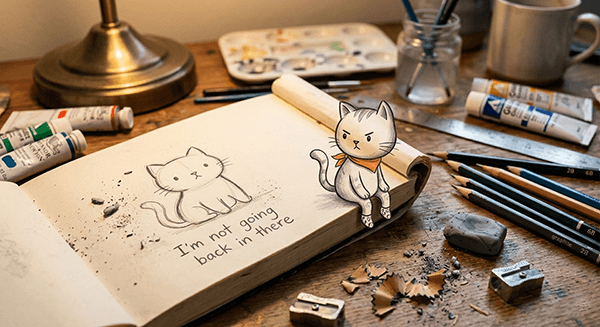
Prompt: A realistic photograph of an open sketchbook on a messy artist's desk. A hand-drawn cartoon cat has peeled itself off the page and is sitting on the edge of the book, dangling its legs over the side. Pencil shavings and eraser crumbs surround it. The cat is looking back at its own outline still visible on the page. The text "I'm not going back in there" is written in pencil below the outline. Warm desk lamp lighting, shallow depth of field, cozy studio atmosphere.
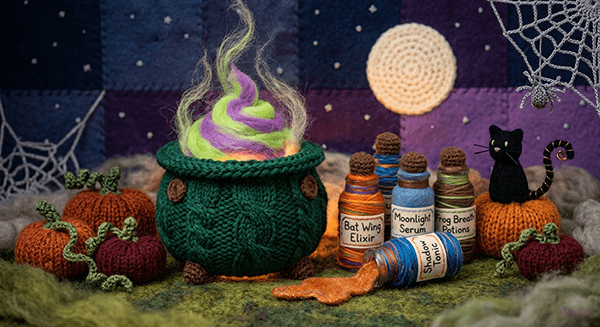
Prompt: A miniature world handcrafted entirely from yarn, wool, and plush textiles. A knitted bubbling cauldron sits at the center, sculpted from chunky dark emerald green yarn with thick cable-knit texture around the rim and tiny crocheted rivets dotting the surface. Inside the cauldron, a swirl of neon green and purple felted wool rises up in layered peaks mimicking a glowing potion, with wispy strands of loose angora fiber floating upward like enchanted steam. Beside the cauldron, a collection of miniature potion bottles crafted from tightly wrapped yarn around felted cylindrical forms, each with a tiny corked top made from a brown wool bobble. One bottle is tipped over with a spill of shimmering orange felt pooling out across the surface like liquid candy. Small embroidered labels on each bottle read things like "Bat Wing Elixir" and "Moonlight Serum" in delicate stitched lettering. Scattered around the scene are hand-knitted miniature pumpkins in burnt orange and deep burgundy wool with twisted green yarn stems and curling crocheted vines. A tiny felted black cat with whiskers made from single black thread strands sits perched on one pumpkin, its tail curling upward in a perfect spiral of wrapped wire and yarn. Behind everything, a crocheted full moon in pale ivory wool glows against a backdrop of layered deep purple and midnight blue felt panels stitched together like a quilted night sky, with tiny French knot stars dotted across the fabric. A few delicate crocheted spider webs stretch between the bottles and the cauldron edge, made from the finest silver-grey thread with a single tiny knitted spider hanging from one strand. The ground surface is a plush felted landscape in mossy greens and dusty greys with small tufts of raw wool resembling fog creeping across the base. Everything in the scene, the cauldron, the potions, the pumpkins, the moon, the spider webs, is made entirely from yarn, crochet loops, knitted stitches, and felted wool, giving the impression of a handcrafted spooky apothecary world. Soft moody lighting with a warm amber glow from below as if lit by a hidden candle, shallow depth of field on the edges, cozy yet eerie atmosphere.
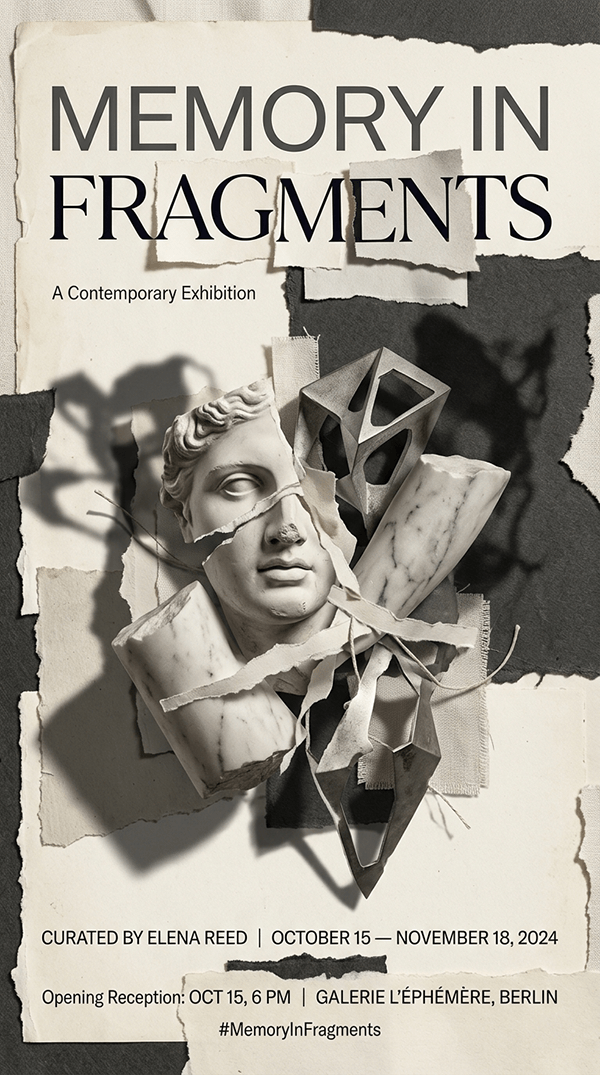
Prompt: Create an editorial poster for a contemporary exhibition called “Memory in Fragments.” Use a collage of torn paper, sculpture fragments, shadow overlays, and elegant typography. Refined gallery design, off-white and charcoal palette, print-ready.
These prompts are excellent for showing practical speed and consistency.
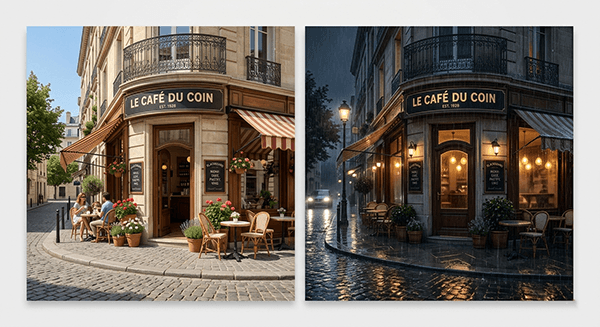
Prompt: Create a charming street-side cafe exterior in daylight. Then transform it into a rainy night version while preserving the architecture, sign placement, and camera angle. Add reflections, wet pavement, and realistic evening glow.
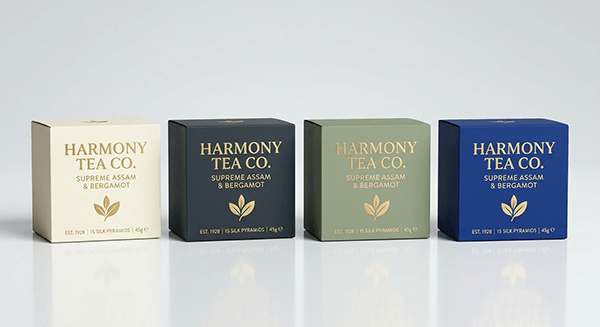
Prompt: Create a premium tea box on a clean studio background. Then generate three edits where only the package colour changes: ivory, charcoal, and sage green. Keep typography, shadows, reflections, and perspective identical.
- Use prompts that test repeatability and control, not just beauty.
- Specify what stays fixed and what changes.
- If text matters, write the exact text.
- Use educational, signage, and layout prompts to test usefulness.
- Include at least a few odd or material-heavy prompts.
- Test fast variants, not just one heroic render.
- Judge the model by whether the outputs are usable.
- Fast models can still drift a little on dense layout precision.
- Long blocks of text may still need revision.
- Consistency across multiple scenes can improve with iterative prompting.
- Material-heavy handcrafted scenes can still lose some subtlety if too many details compete.
Nano Banana 2 is strongest when used like a real workflow tool.
It becomes much more impressive when you ask it to produce a family of related outputs, hold important elements steady, render real text, explain something visually, or handle an unusual creative concept without collapsing into nonsense.
TAGS: Photo Editing Generative Art
Related Tools:
Creates high-quality visuals with stronger precision and control
Generative tool that creates images, animations, and artworks

Creates visuals with highly accurate text and typography
AI tool for generating and editing images
Creates more accurate visuals from text and reference inputs
Turns text and reference images into highly stylized visuals
Related Videos:
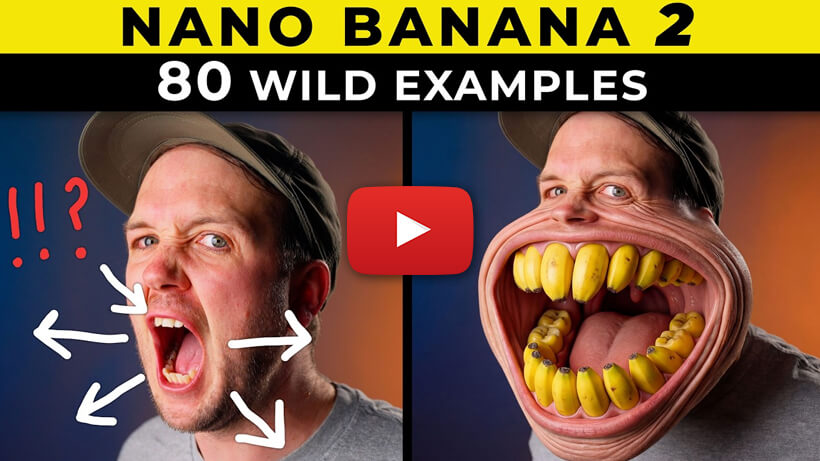
Nano Banana 2 Tips! and 80 Creative Prompts You Have to Try
Google have once again the best Al image generator I've ever used with Nano Banana 2, and I'II share 80 incredible examples you can try today on Higgsfield Al!