
Share this tool:
 |
Description:
Toolpad is an AI tool builder for marketers, founders, agencies, and SaaS teams that want to publish free interactive tools without building them from scratch. Its main idea is direct: create useful AI-powered tools, embed them on your site, rank for search intent, and collect leads from people who use them.
| Feature | What it does | Why it matters |
|---|---|---|
| Instant Tools | Creates AI-powered free tools quickly | Helps teams launch without custom development |
| SEO-Oriented Tool Pages | Positions tools as search-friendly assets | Useful for organic traffic strategies |
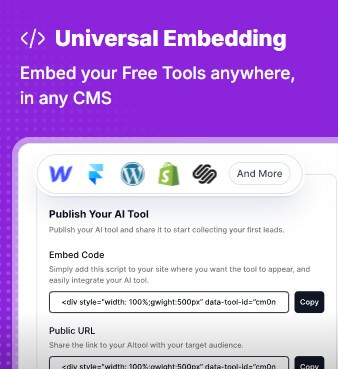
| Universal Embedding | Lets users embed tools anywhere, across CMS platforms | Makes Toolpad easier to add to existing websites |
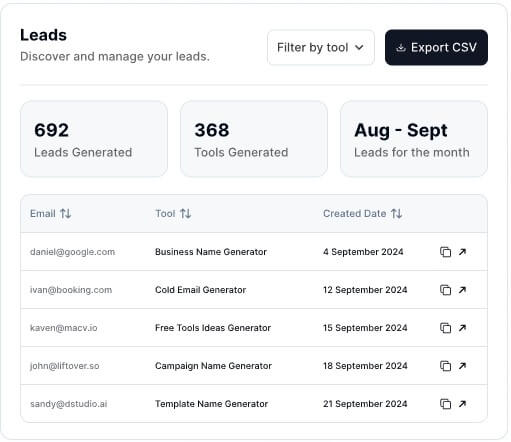
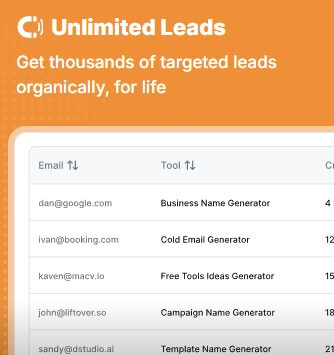
| Lead Collection | Captures leads from people who use the tools | Turns utility traffic into a growth channel |
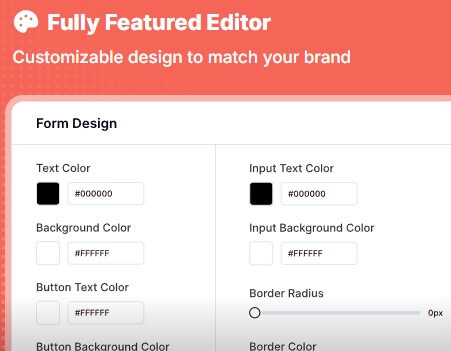
| Customizable Editor | Lets users adjust design to match the brand | Helps tools feel native to the website |
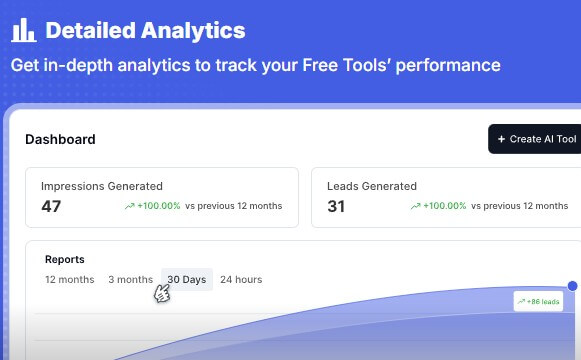
| Analytics | Tracks free-tool performance | Helps users see which tools generate engagement |
The most important feature is universal embedding. Toolpad says users can embed free tools anywhere, in any CMS. That matters because most teams do not want to rebuild their website around one tool platform. They want to add the tool to WordPress, Webflow, Framer, Shopify, or their existing CMS and keep moving.
Toolpad is not a general chatbot, form builder, or standard landing page tool. It is a platform for generating small AI-powered tools that can sit on a website and act as lead magnets. The homepage describes the product as a way to “generate AI Free Tools” to boost SEO, with benefits such as creating tools in one click, optimizing them to rank, and collecting leads.
That makes it different from most AI content tools. A blog post can attract visitors, but a useful calculator, generator, analyzer, or rewrite tool gives visitors something to do. Toolpad is built around that behavior. Instead of only publishing static content, a business can create a free utility that solves a small problem for its target customer.
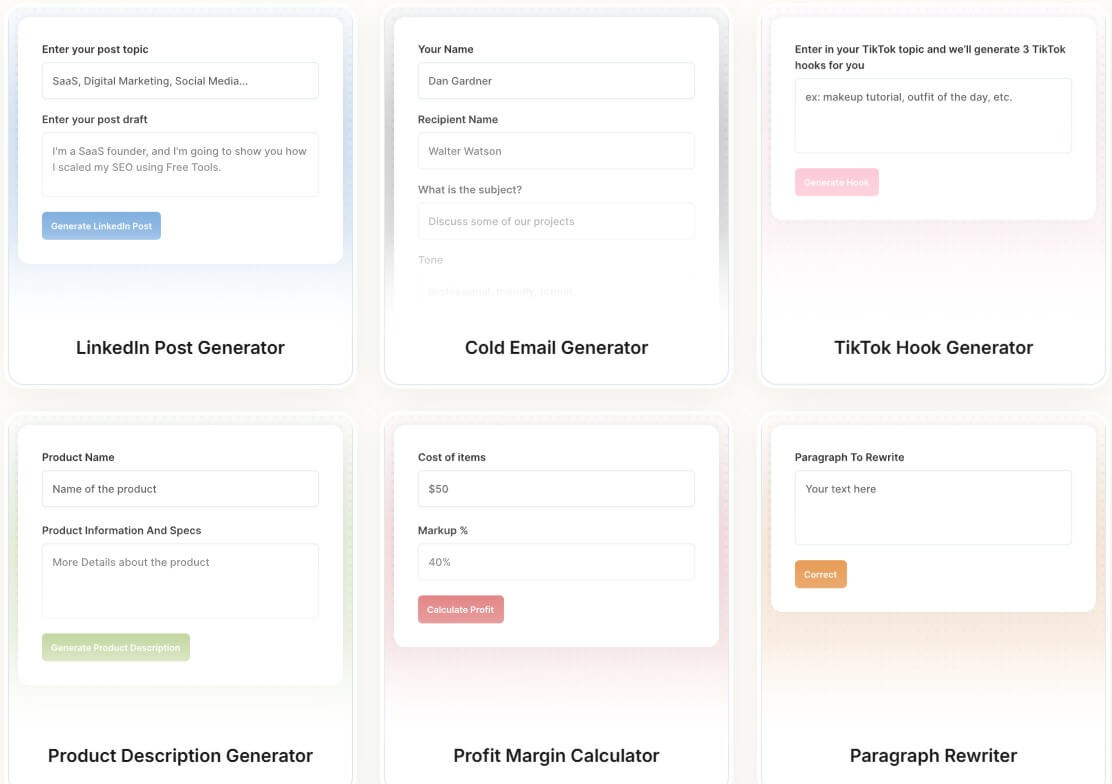
The examples on the site show the kind of use cases Toolpad is designed for: LinkedIn post generators, cold email generators, TikTok hook generators, product description generators, profit margin calculators, and paragraph rewriters. These are not full products by themselves. They are compact tools that can attract users at the top of the funnel.
Toolpad is strongest when a business already knows its audience and wants a practical lead magnet. The best use case is not “make a random AI tool.” It is “make a small tool that your ideal customer would search for, use, and associate with your brand.”
For example, an ecommerce consultant might publish a profit margin calculator. A B2B copywriting agency might create a cold email generator. A social media tool might offer a TikTok hook generator. A Shopify app might create a product description generator. These tools match search intent better than broad thought-leadership content because the visitor arrives with an immediate task.
Toolpad’s homepage repeatedly frames this around SEO and retention. It says free tools can deliver real value, improve visit retention, and help sites rank, while also collecting leads organically. That is the right positioning. Toolpad is less about AI novelty and more about turning AI into useful web assets.
Toolpad’s workflow appears built for speed. The site emphasizes one-click creation and shows a product experience focused on launching free tools quickly. That makes the platform appealing to non-technical marketers who understand the lead magnet they want but do not want to hire a developer for every calculator or generator.
The likely workflow is simple: choose or create a tool concept, customize the design, publish or embed it, then track usage and leads. The product’s value depends on how well that process removes friction. A custom-built lead magnet might require product planning, UI design, frontend development, backend logic, hosting, analytics, and form capture. Toolpad compresses much of that into a more packaged system.
The trade-off is that fast creation still needs strategy. A tool can be easy to launch and still fail if the topic is too generic, the output is weak, or the lead capture feels forced. Toolpad gives users the infrastructure. It does not automatically choose the right niche, keyword, offer, or follow-up sequence.
Toolpad’s strongest business case is SEO-led acquisition. Traditional lead magnets often hide value behind a form: download a guide, get a checklist, sign up for a webinar. Free tools work differently. They give some value upfront, which can build trust faster.
This works especially well for practical search queries. People search for calculators, generators, analyzers, templates, and converters because they want a result now. If a free tool gives them that result, the brand earns attention before asking for anything.
Toolpad’s site makes this point by connecting free tools with search ranking, organic traffic, and lead capture. The platform is a good fit for companies that already invest in content marketing but want something more interactive than articles.
The key is relevance. A random AI paragraph rewriter may attract broad traffic with low buying intent. A focused “SaaS onboarding email generator” or “Shopify margin calculator” may attract fewer visitors but better leads.
Toolpad is a strong fit for SaaS companies that want product-adjacent tools. A CRM company could create a sales email generator. A finance app could create a budget calculator. A hiring platform could create an interview question generator.
Agencies can use it to create niche lead magnets for clients. Instead of publishing another generic blog post, an agency can build a free tool tied to the client’s buyer journey.
Creators and consultants can use it to demonstrate expertise. A career coach might publish a resume bullet rewriter. A marketing consultant might create an ad hook generator. A product strategist might create an MVP scope calculator.
Toolpad is also useful for SEO experiments. Teams can test several tool ideas, see which ones attract usage, then invest more in the winners.
Toolpad’s main limitation is that tool quality still matters. A free tool that produces generic AI output will not build much trust. Users should refine the tool’s purpose, inputs, output format, and positioning before treating it as a serious acquisition channel.
The second trade-off is SEO competition. Toolpad can help create tool pages, but it does not guarantee rankings. Search performance still depends on keyword selection, content quality, backlinks, site authority, technical SEO, and whether the tool is genuinely useful.
There is also a strategic ceiling. Toolpad is ideal for lightweight interactive utilities, not full SaaS products. A free tool can support acquisition, but it usually needs a clear path into the main offer, email follow-up, demo flow, or paid product.
Toolpad is a practical AI tool builder for businesses that want free interactive tools as SEO assets and lead magnets. Its strongest value is the combination of quick tool creation, website embedding, brand customization, lead capture, and analytics. It is best for SaaS teams, agencies, marketers, consultants, and creators who know their audience and want to turn useful micro-tools into organic acquisition channels. The main caveat is that Toolpad can help you build and publish the tool, but the strategy still matters: the best results will come from specific, useful tools tied to real buyer intent.
TAGS: Productivity
Related Tools:
Creates AI applications without code

Helps users create customized resumes and cover letters

Improves team communication and project management
Allows businesses to build, customize, and deploy AI agents
Records, transcribes, and summarizes meetings

AI-driven scriptwriting software