
Share this tool:
 |
Description:
GPTKit is an AI text detection tool designed to help users check whether a piece of writing appears human-written or generated by tools such as ChatGPT. It is a focused utility: paste text, submit it for analysis, and review the authenticity-style report. GPTKit is useful for quick screening, but like all AI detectors, it should be treated as a signal, not final proof of authorship.
Here are sample GPTKit screens showing the paste-and-check workflow, analysis process, and authenticity-style results.
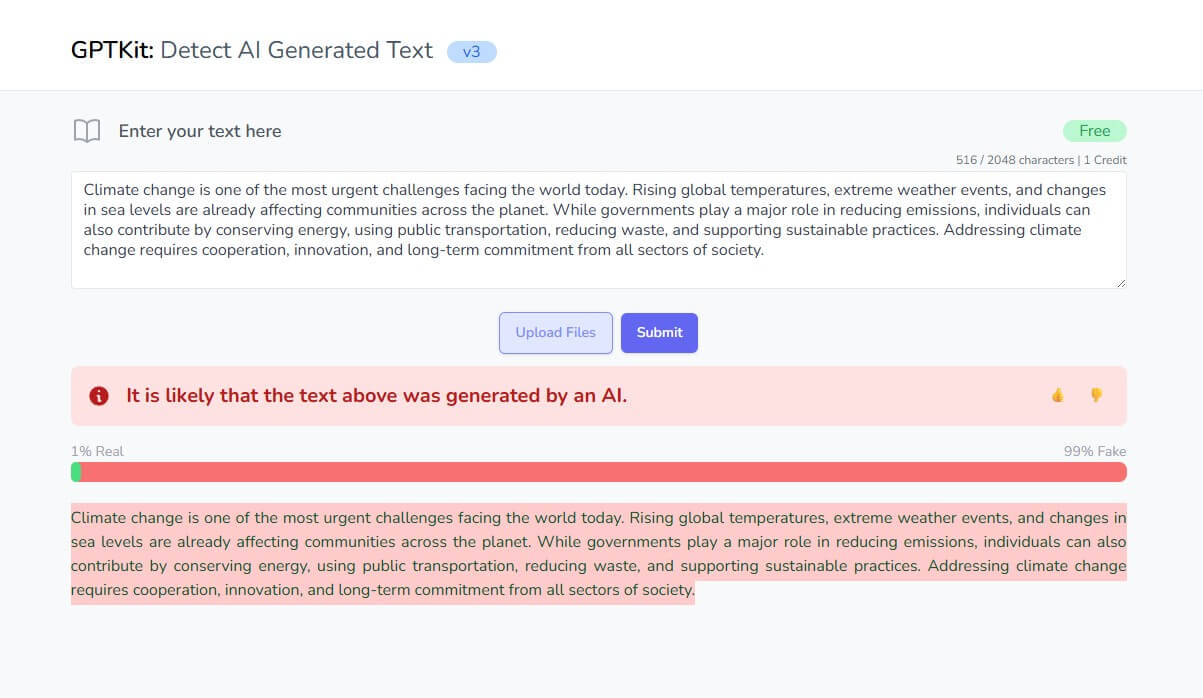
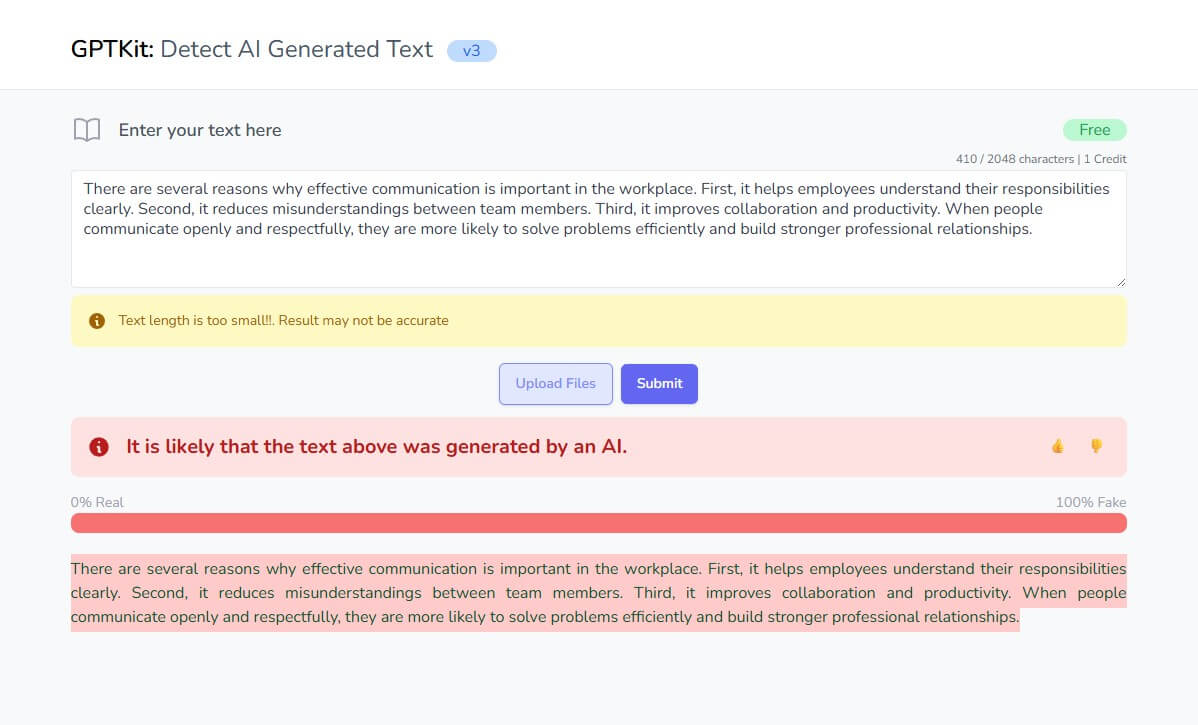
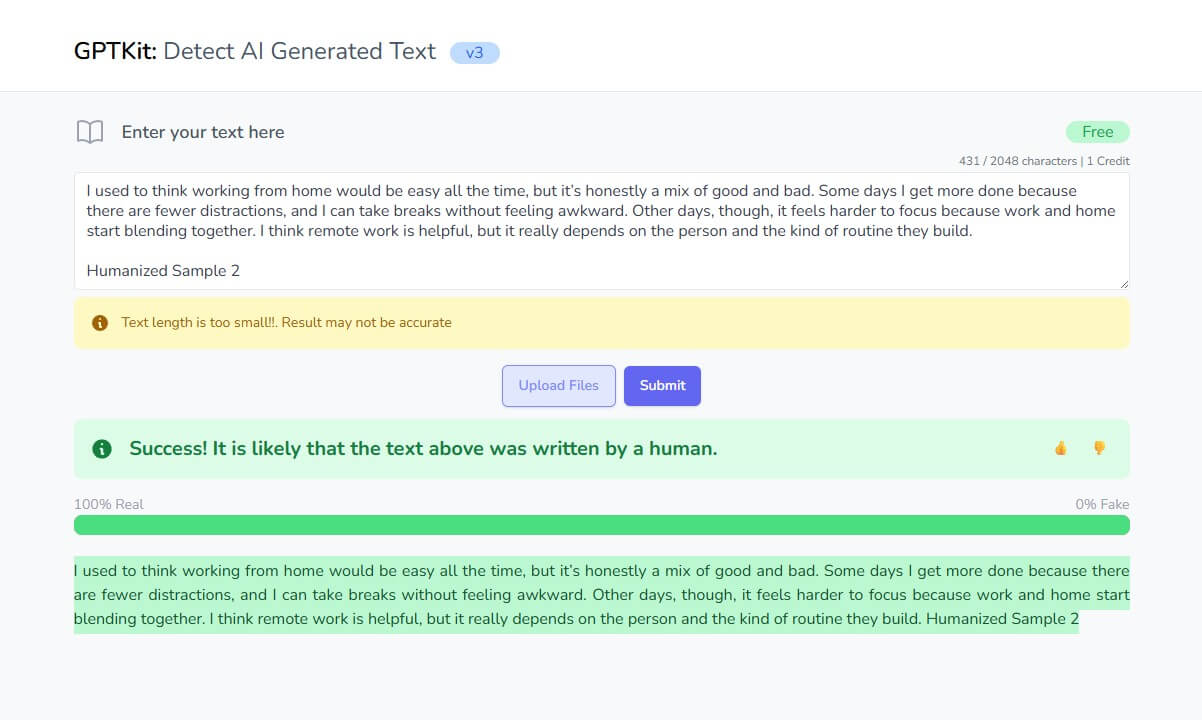
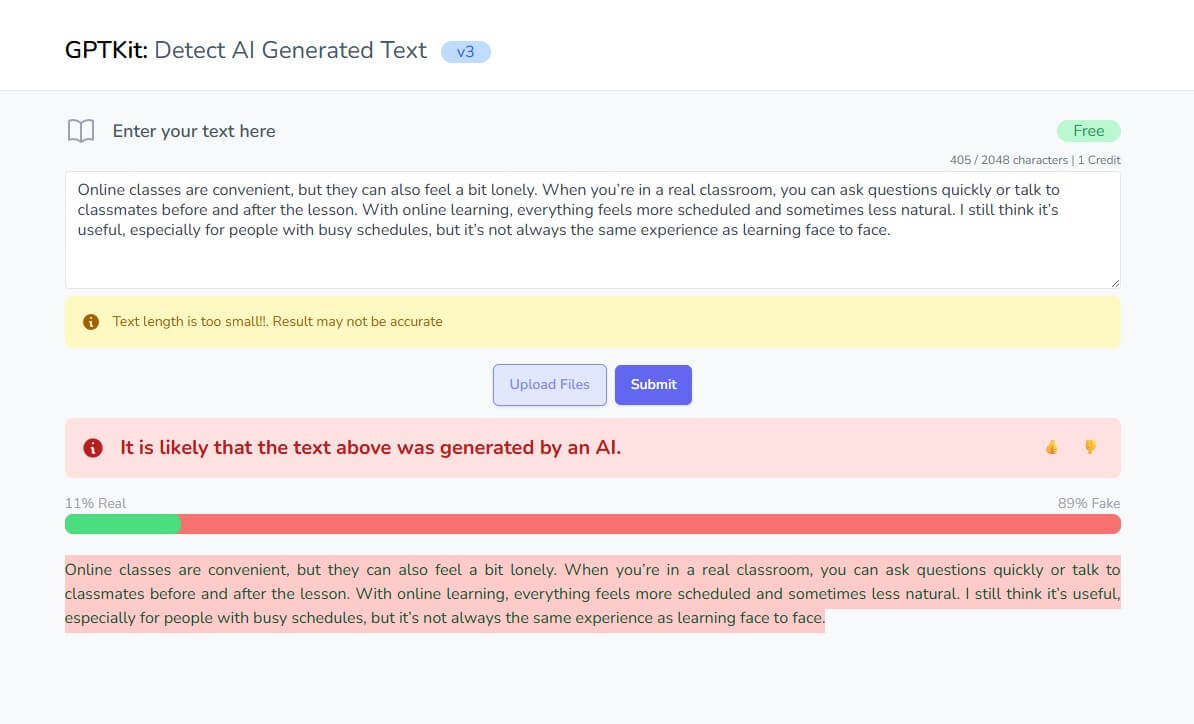
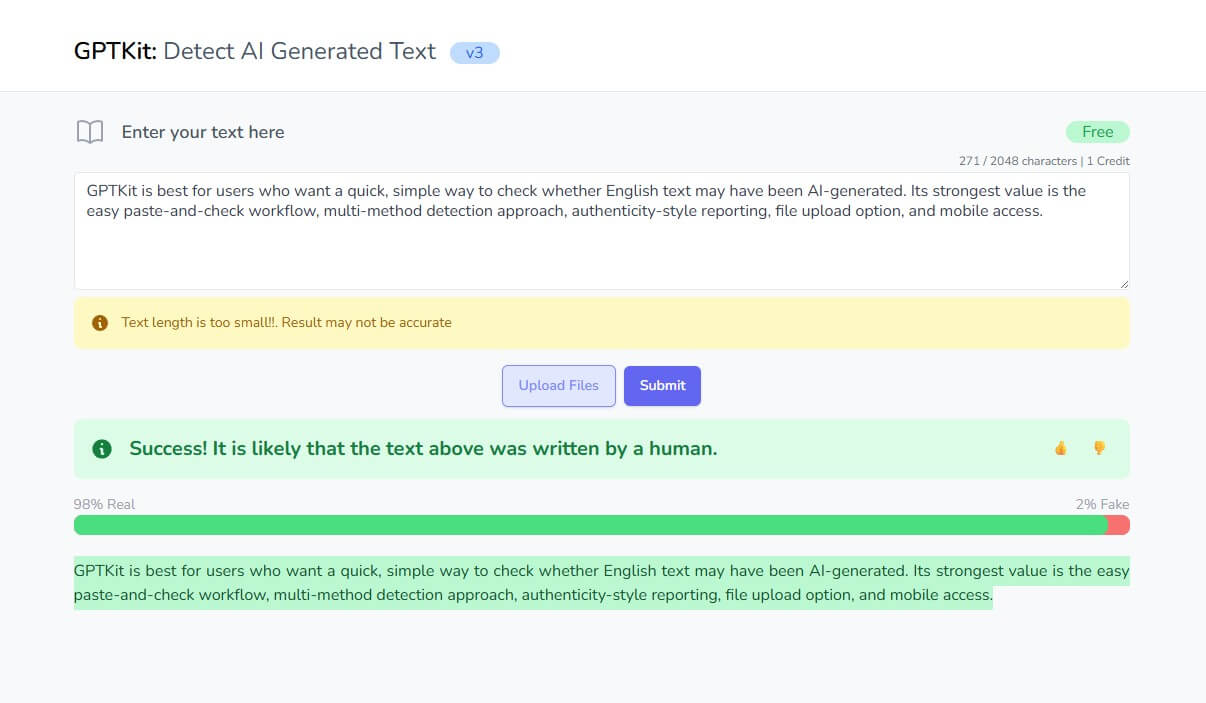
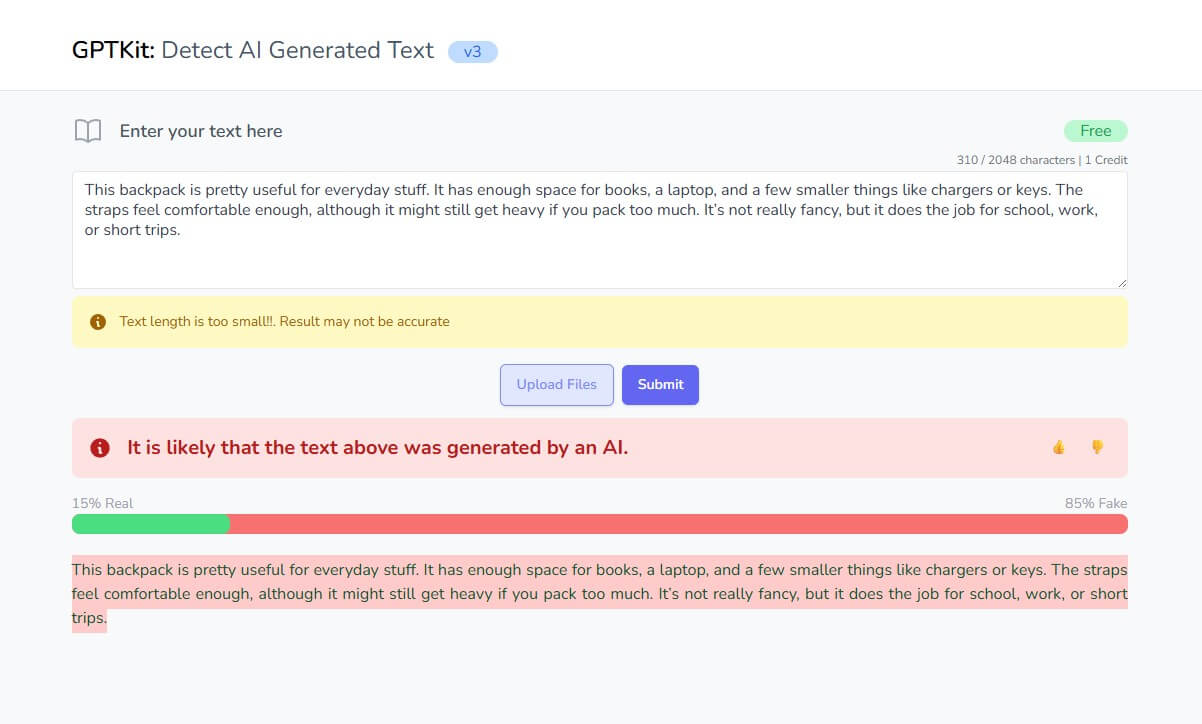
GPTKit’s core pitch is that it does not rely on one detection method. The official site says it uses six different AI-based detection techniques and a multi-model approach to classify text as human-written or ChatGPT-generated. It also says the tool provides reports on the “authenticity” or “reality” rate of the analyzed content.
That multi-method approach is a reasonable design choice. AI-written text can show up in different ways: predictable structure, repeated phrasing, low variation, smooth transitions, or patterns common to model-generated prose. Using several signals may give a broader view than one narrow test.
Still, users should be careful with the accuracy claim. GPTKit says its detector was trained on one million datasets and has about 93% accuracy based on testing with more than 100,000 human and ChatGPT responses. That sounds strong, but AI detection performance can change across topics, writing styles, languages, text length, model versions, and edited drafts.
| Feature | What It Does | Why It Matters |
|---|---|---|
| Text checker | Lets users paste text for AI detection. | Keeps the workflow simple and fast. |
| Multi-method detection | Uses six detection approaches, according to GPTKit. | May reduce dependence on one weak signal. |
| Authenticity report | Shows a report on whether text appears real or AI-generated. | Gives users something more useful than a yes/no label. |
| File upload option | The web interface includes an upload-file option. | Helpful for checking longer drafts or saved documents. |
| Registration option | Guest users can try the tool, while registered users get expanded access. | Useful for users who check text more often. |
| iOS app listing | GPTKit is available as an AI text detector app on Apple’s App Store. | Makes mobile checking more convenient. |
GPTKit’s workflow is straightforward. You enter or upload text, submit it, then review the result. The official page recommends entering more than 50 words for better results, which is good advice for any AI detector. Short samples do not give detection models much evidence.
The interface is better suited for quick checks than deep editorial review. It does not appear to be positioned as a full writing-integrity system with revision tracking, source verification, plagiarism review, instructor dashboards, or sentence-by-sentence evidence. That is not a flaw if your goal is a fast screen. It is a limitation if the result will be used in a serious decision.
Editors can use GPTKit as a first-pass check when reviewing submitted drafts that feel overly polished, generic, or inconsistent with an author’s usual style.
Teachers may use it for awareness, but not as the only basis for an accusation. Stanford HAI reported that AI detectors can be unreliable and especially problematic for non-native English writers.
Content teams can use GPTKit as part of quality control, especially when reviewing large batches of outsourced content. It should sit beside fact-checking, source review, brand voice review, and plagiarism checks.
Students and writers can use it to understand how their text may be perceived by detection tools, especially if their writing is formal, repetitive, or heavily edited.
Businesses can use it to screen website copy, reports, emails, or vendor-submitted content, while still relying on human review for final judgment.
- Use longer samples when possible. GPTKit itself recommends more than 50 words, and longer passages usually give detectors a better chance to evaluate patterns.
- Do not rely on one result. If the stakes are high, look at drafts, timestamps, writing history, citations, document metadata, and the author’s explanation.
- Be careful with clean, simple writing. Human text can look “AI-like” when it is structured, plain, repetitive, or written by someone using English as a second language.
- Avoid checking sensitive private content unless you are comfortable with the tool’s data handling. GPTKit says submitted text is temporarily stored for processing and removed after detection, while its privacy policy also describes collection of personal data, usage data, cookies, analytics, and service-provider involvement.
The main limitation is the category itself. AI detection is difficult. New models produce more natural writing, human writers can sound formulaic, and edited AI drafts may not preserve the signals detectors look for. Research has also shown that some detectors are less reliable for non-native English writing, which creates fairness concerns in education and hiring.
GPTKit also currently lists English as the supported language, so users working with multilingual content should not assume the same usefulness outside English.
Another caveat is accountability. GPTKit’s terms say the service is provided “as is” and does not warrant that results will be accurate, reliable, error-free, or uninterrupted. That is common legal language, but it reinforces the main editorial point: use the tool as guidance, not evidence by itself.
GPTKit is best for users who want a quick, simple way to check whether English text may have been AI-generated.
Its strongest value is the easy paste-and-check workflow, multi-method detection approach, authenticity-style reporting, file upload option, and mobile access.
The main caveat is reliability. GPTKit can help identify text that deserves closer review, but it should not be used as final proof in academic, professional, legal, or hiring decisions.
TAGS: AI Detection
Related Tools:
Detects GPT-generated content

Verifies authenticity of online content
Identifies AI-generated content on web pages

Verifies authenticity of audio files
Detects plagiarism and identifies AI-generated text

Identifies and monitors copyright violations related to music