
Share this tool:
 |
Description:
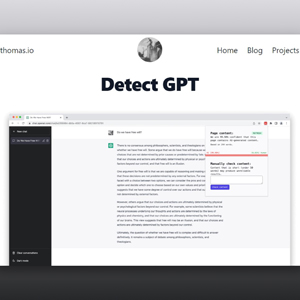
Detect GPT is a Chrome extension that checks web content for signs of AI-generated writing. It scans pages as you browse, changes the extension icon color based on its assessment, and includes a form where users can paste text for a manual authenticity check. Its best role is quick screening, not final authorship proof.
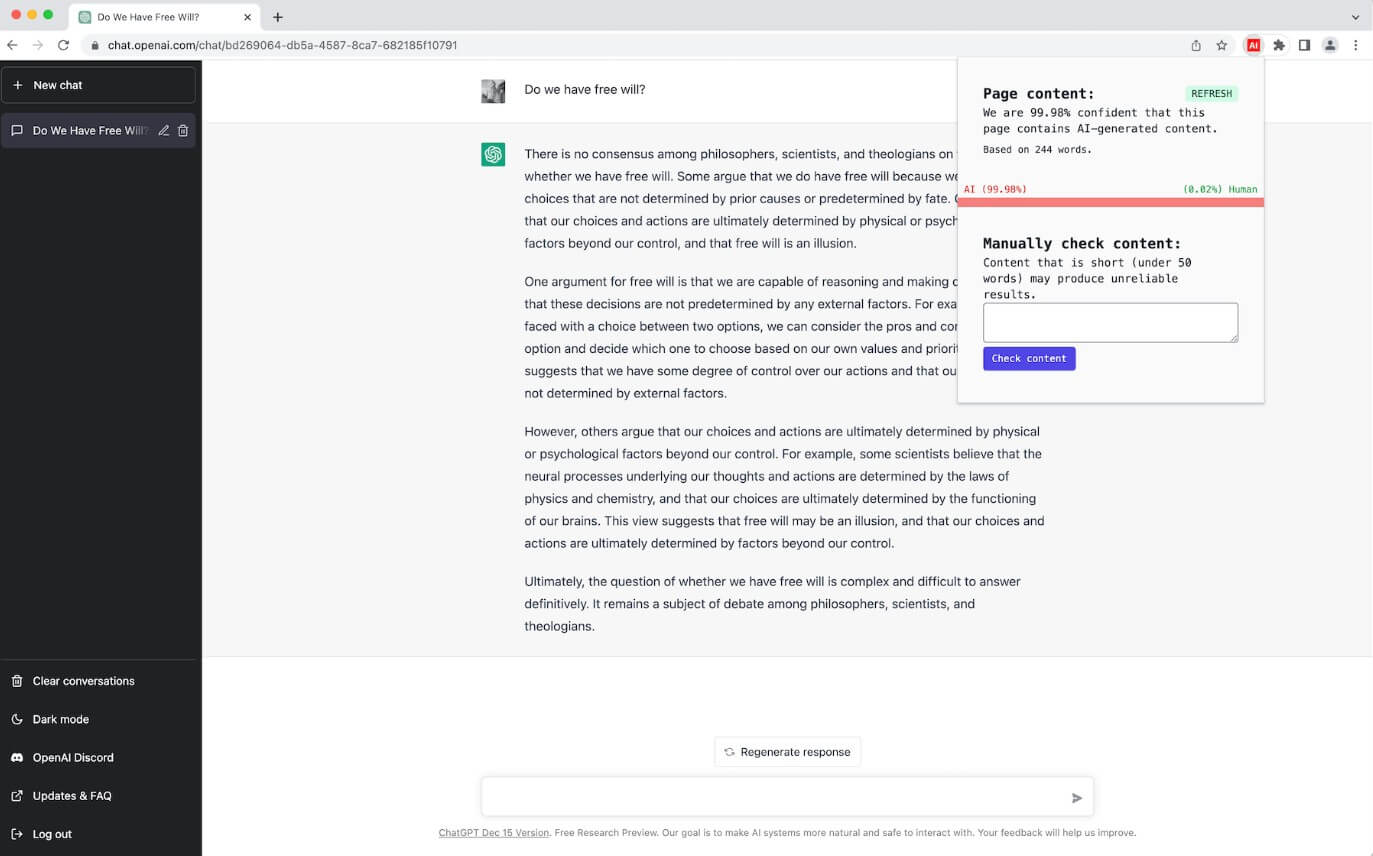
Detect GPT is built for convenience. Most AI detectors require you to copy text, open a separate checker, paste the content, and wait for a score. Detect GPT moves that first-pass check into the browser. The official project page says the extension scans page content while you browse and changes its icon color depending on whether the content appears AI-generated.
That makes it useful for fast reading situations: checking a blog post, reviewing a suspicious article, scanning a landing page, or testing a paragraph that feels too machine-polished. But the result should be treated as a warning signal, not a verdict. AI writing detection is still a fragile category, and even well-known detectors can misclassify human text or miss revised AI text. Research summarized by Stanford HAI found that detectors were not especially reliable and were more likely to misclassify non-native English writing.
| Feature | What It Does | Why It Matters |
|---|---|---|
| Chrome extension | Runs while users browse web pages. | Removes the need to check every article in a separate tool. |
| Page scanning | Reviews content on the current page. | Useful for quick web reading and editorial screening. |
| Icon color feedback | Changes the browser extension icon based on the result. | Gives a fast visual cue without a long report. |
| Paste-in checker | Lets users paste content into a form. | Helpful for drafts, emails, snippets, or copied text. |
| Simple interface | Focuses on detection rather than editing or reporting. | Keeps the tool easy for casual users. |
The official page is short, but clear about the workflow: browse, scan, watch the icon, or paste content into the form for a direct check.
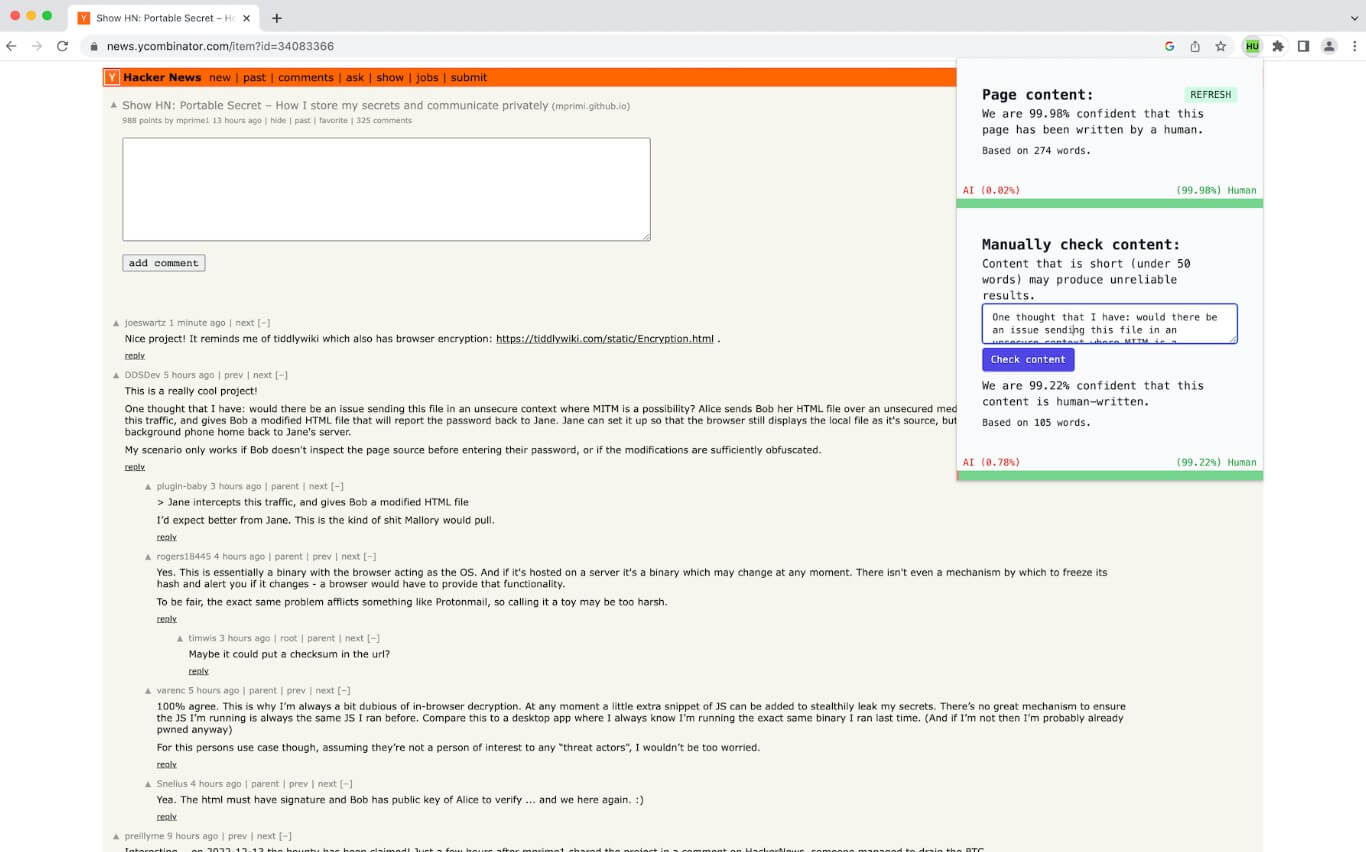
Detect GPT’s workflow is straightforward. Install the Chrome extension, browse as usual, and watch the icon. When the extension detects content that may be AI-generated, the icon changes color. For text that is not already on a webpage, users can paste content into the form and check it directly.
This simplicity is the tool’s biggest advantage. There is no heavy dashboard, no long setup, and no complex configuration described on the project page. It is meant for quick awareness while reading online.
That also means it is not a deep audit tool. The project page does not describe advanced reports, sentence-level highlighting, authorship timelines, writing history, source verification, plagiarism checks, team dashboards, or policy workflows. Users looking for a full academic or publishing review system may need more than Detect GPT offers.
A good demo should show both the speed of the extension and the need for caution.
| Demo Scenario | What to Try | What It Shows |
|---|---|---|
| Blog post scan | Open a long article and check the extension icon. | Shows browser-based detection in context. |
| Pasted paragraph | Copy a product description or essay paragraph into the form. | Shows the manual checker workflow. |
| Polished marketing copy | Paste a smooth, generic sales paragraph. | Shows how detector signals may react to formulaic writing. |
| Edited AI draft | Paste AI text that has been rewritten by a human. | Shows why edited AI content can be harder to detect. |
| Non-native English sample | Paste clear but simple English writing. | Shows why false positives are a serious concern. |
The best way to present the demo is not “this proves the writer used AI.” A more honest framing is: “This helps decide whether a text deserves closer review.”
Readers can use Detect GPT as a quick check when a web page feels generic, automated, or suspicious.
Editors can use it as an early filter before doing a closer review of submitted drafts. It may help flag pieces that need more questions, source checks, or revision-history review.
Teachers may use it for awareness, but not as standalone evidence. The concern is fairness. A study published in Patterns found that GPT detectors frequently misclassified non-native English writing as AI-generated, which raises serious issues for education and evaluation.
Content teams can use it during quality control, especially when reviewing large batches of web copy. It should sit beside human editing, factual review, source checking, and brand voice review.
- Use longer samples when possible. Short text gives any detector less evidence.
- Do not rely on one signal. If the result matters, check drafts, timestamps, sources, citations, writing history, and the author’s explanation.
- Be careful with plain or formulaic writing. Human-written marketing copy, student writing, technical explanations, and non-native English writing can sometimes look “AI-like” because they use predictable structure.
- Avoid using Detect GPT as punishment by itself. In schools, workplaces, hiring, or publishing, a detector result should start a conversation, not end one.
The biggest limitation is accuracy. AI detectors infer authorship from text patterns, but those patterns are not exclusive to AI. Human writers can sound structured and repetitive. AI text can be edited to sound more natural. Recent research also shows that paraphrasing can reduce detection effectiveness across several detector types, which makes final certainty difficult.
Detect GPT’s simplicity is also a constraint. It is useful for quick browsing, but users who need audit trails, detailed explanations, institution-level workflows, or formal evidence will likely need a broader review process.
Privacy is another point to consider. Since the tool operates as a browser extension and includes a pasted-text checker, users should review browser permissions before installation and avoid submitting sensitive private content unless they understand how it is handled.
Detect GPT is best for users who want a fast, lightweight way to flag possible AI-generated text while browsing or checking pasted content.
Its strongest value is convenience: Chrome-based scanning, icon-based signals, and a simple manual form.
The main caveat is accuracy. Detect GPT should be treated as an early warning tool, not proof of authorship. For casual web reading, that may be enough. For education, publishing, hiring, or compliance decisions, it should only be one small part of a more careful review process.
TAGS: AI Detection
Related Tools:
Identifies AI-generated content on web pages

Identifies wether images are AI-generated

Distinguish human-written and AI-generated texts

Verifies authenticity of online content

Identifies and monitors copyright violations related to music

Detects GPT-generated content