

Share this tool:
 |
Description:
ChatGPT Atlas is OpenAI’s browser with ChatGPT built into the browsing experience. Instead of opening ChatGPT in a separate tab, copying page text, pasting links, or taking screenshots, Atlas lets ChatGPT work beside the page you are already viewing. The main pitch is simple: make ChatGPT part of web browsing, not a separate tool you keep switching back to.
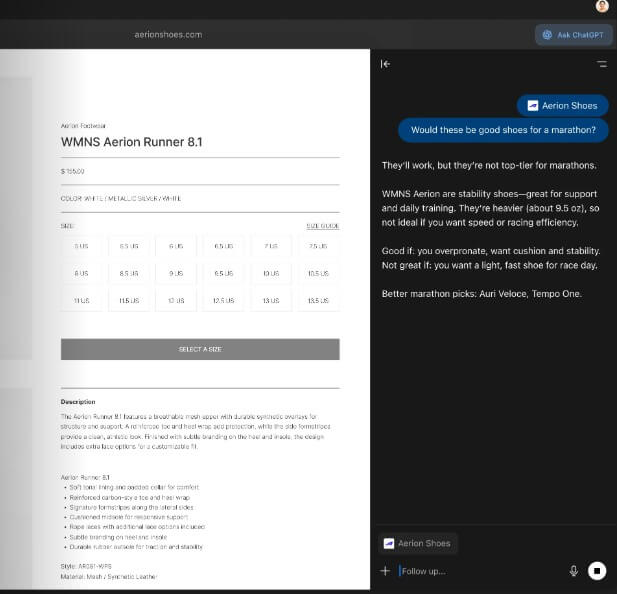
Atlas is a full web browser, not just a browser extension. It supports normal browsing basics such as tabs, bookmarks, autocomplete, search, saved passwords, downloads, autofill, permissions, and browser settings. OpenAI describes it as a macOS browser built for speed, security, and compatibility with the modern web, and it supports Macs with Apple silicon running macOS 14.2 or later.
The AI layer is what makes it different. ChatGPT lives inside the browser as a sidebar, understands page context when allowed, can help summarize or analyze what you are viewing, and can shift into agent mode for multi-step browsing tasks. That changes the feel of web work. Instead of asking ChatGPT about the web from outside the browser, you can ask while you are already inside the page.
It is currently available for macOS, with OpenAI stating that Windows, iOS, and Android versions are planned.
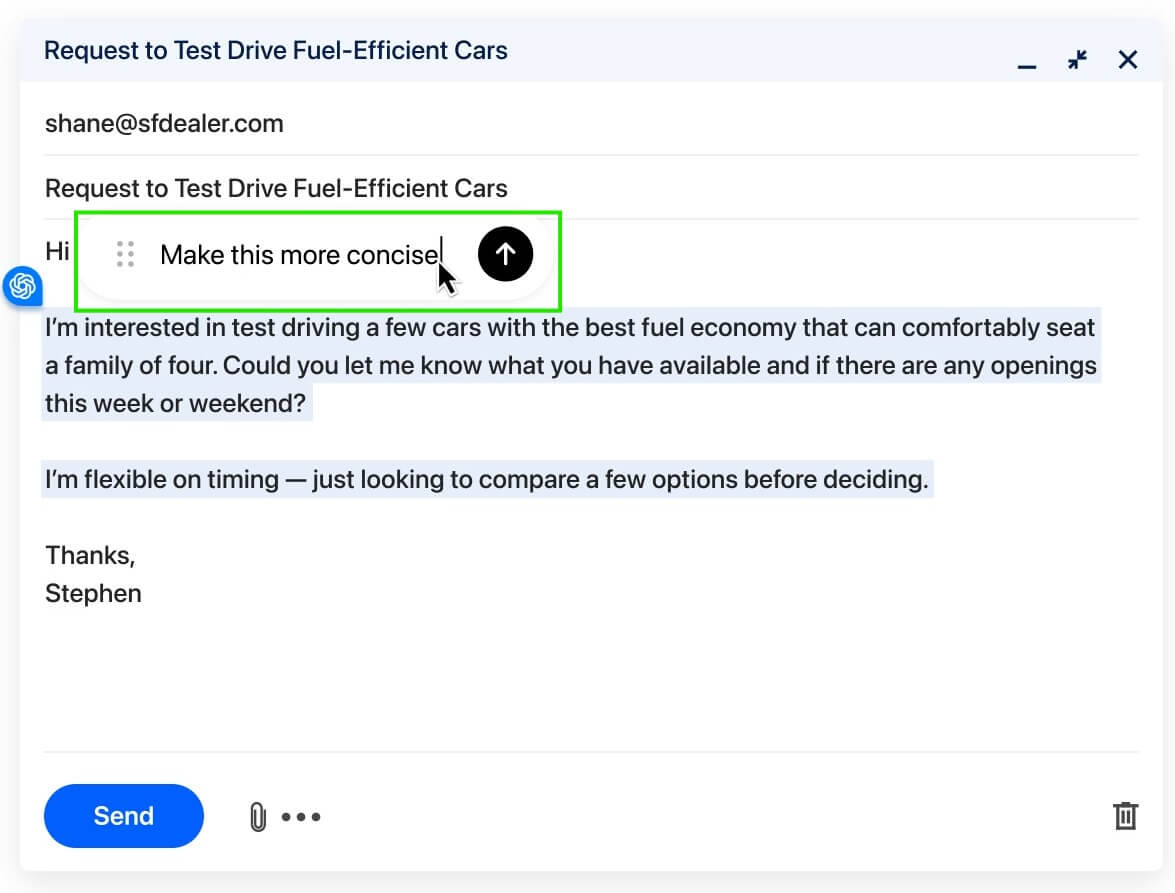
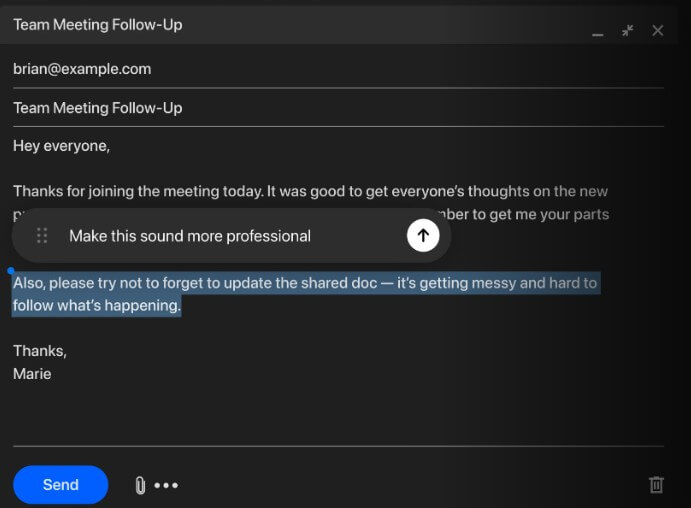
Atlas makes the most sense for people who already use ChatGPT while researching, reading, shopping, studying, comparing products, filling forms, writing emails, or planning tasks. The friction it removes is small but constant. You no longer need to move between browser and chatbot every time you want a summary, explanation, rewrite, or next step.
Its strongest everyday use is the Ask ChatGPT sidebar. OpenAI describes the sidebar as a compact place to ask questions while browsing, with support for explaining a page, extracting details, drafting text, or summarizing without leaving the current tab. That is the practical value. Atlas is not only “a browser with AI.” It is a browser that makes AI assistance available at the exact moment the web page is in front of you.
| Feature | What it means in real use |
|---|---|
| Ask ChatGPT Sidebar | Ask questions, summarize pages, draft text, and analyze content beside the current page. |
| Page Context | ChatGPT can use the page you are viewing when page visibility is allowed. |
| Browser Memories | ChatGPT can remember useful context from sites you visit, with user controls for viewing, disabling, archiving, or deleting those memories. |
| Agent Mode | ChatGPT can navigate, click, and complete multi-step browsing tasks under your control. |
| Normal Browser Tools | Tabs, bookmarks, search, autocomplete, password management, downloads, and site permissions are included. |
| Privacy Controls | Users can manage page visibility, browsing history, incognito use, browser memories, and whether browsing content is included for model training. |
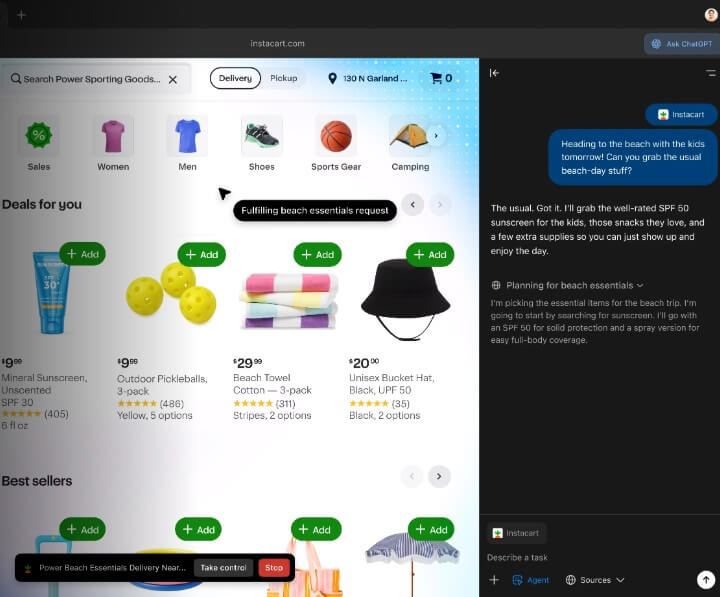
Agent mode is Atlas’s most interesting feature, but also the one that needs the most caution. In this mode, ChatGPT can take actions inside the browser. OpenAI says it can navigate, click, use sites you are signed into, continue tasks from the current tab, and report back through the side panel. Users can also set custom instructions for how the agent should navigate, which sources it should prefer, and when it should stop for approval.
This makes Atlas more useful for tasks that take several browser steps: researching a trip, comparing products, gathering options, organizing information, or filling out low-risk forms. It is less about one answer and more about moving through the web with help.
The trade-off is risk. A browser agent sees web pages and can act on them. OpenAI openly frames prompt injection as a significant security challenge for web agents, and says it is continuously hardening Atlas against attacks that try to manipulate agent behavior. That honesty matters. Agent mode may save time, but users should still monitor what it does, especially on logged-in sites or anything involving sensitive accounts.
Browser memories are one of the more distinctive Atlas features. They let ChatGPT remember useful browsing context so it can bring it back later. OpenAI gives the example of asking ChatGPT to find job postings you looked at last week and summarize industry trends for interview preparation.
This can be genuinely useful for ongoing research. If you are comparing schools, planning a move, shopping for equipment, or collecting sources for a project, Atlas can become more aware of what you have been doing.
But this is also where privacy expectations matter. OpenAI says browser memories can be enabled or disabled, viewed, archived, and deleted, and deleting browsing history deletes associated browser memories. It also says web content is summarized on its servers for browser memories, with sensitive-data filtering, though users on macOS 26 can choose on-device summaries. The feature is useful, but it should be treated as a setting to manage, not something to ignore after setup.
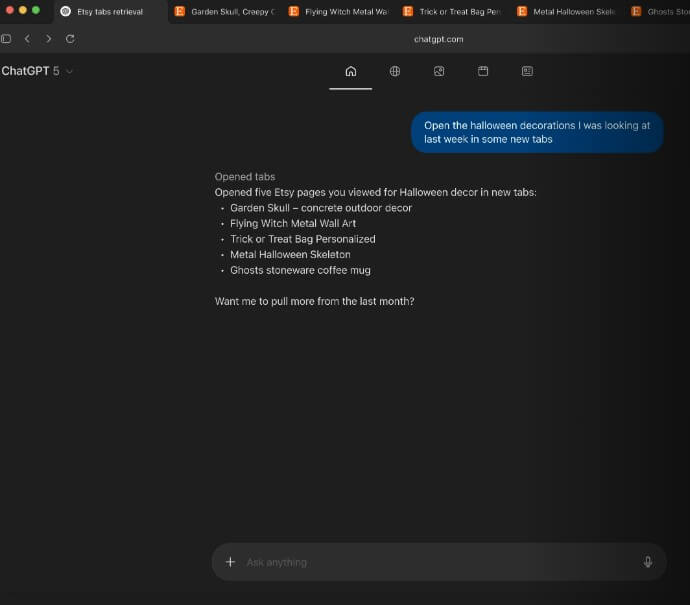
Atlas should feel familiar to anyone who uses a modern browser. That is important because the AI features would be less useful if the browser itself felt strange. OpenAI also built Atlas on Chromium while using its own architecture, called OWL, to support responsiveness, native UI, and agentic browsing use cases.
Onboarding is practical. Users can import bookmarks, saved passwords, and browsing history from Chrome, which lowers the switching cost.
The main learning curve is not the browser. It is deciding when ChatGPT should see page content, when to use normal sidebar help, and when agent mode is appropriate. Atlas gives users controls, but the user still needs judgment.
Research-heavy browsing: Summarizing pages, comparing sources, extracting facts, and keeping track of what you have viewed.
Students and learners: Explaining course material, creating practice questions, and asking questions about visible page content.
Shopping and travel planning: Comparing products, hotels, routes, reviews, and options across sites.
Writing while browsing: Rewriting emails, drafting messages, summarizing notes, and using page context while composing text.
Light task automation: Letting agent mode handle multi-step browsing tasks where the risk is low and the user can supervise. It is less ideal for users who do not want ChatGPT integrated into browsing, teams with strict compliance needs, or anyone who prefers to keep AI assistance separate from their web history.
The first limitation is platform availability. Atlas is currently macOS-only, so many users cannot make it their main browser yet.
The second limitation is trust. Agent mode can be helpful, but it is not something users should treat as fully autonomous. OpenAI itself notes that agent-related risks are not eliminated and that users should use caution and monitor activity.
The third trade-off is privacy complexity. Atlas gives meaningful controls, including page visibility, incognito, history deletion, and browser memory management, but users need to understand them. A browser with built-in AI is more personal than a normal chatbot tab.
For Business and Enterprise users, there are also maturity caveats. OpenAI says Atlas for Business and Enterprise is early access, and recommends caution in contexts involving regulated, confidential, or production data.
ChatGPT Atlas is best for people who already rely on ChatGPT while browsing and want that help built into the browser itself. Its strongest features are the Ask ChatGPT sidebar, page-aware assistance, browser memories, and agent mode for supervised multi-step tasks. The main caveat is that Atlas asks users to think carefully about privacy, permissions, and agent trust. For everyday research, reading, writing, and planning, it can reduce a lot of tab-switching. For sensitive browsing or high-stakes workflows, it needs careful settings and active oversight.
TAGS: AI Automation Productivity
Related Tools:

AI-powered academic writing tool

Enhances writing productivity

Summarizes articles on the web
Captures, summarizes, and organizes your notes and recordings

AI-powered writing tool for paraphrasing

Corrects data-entry errors