
Share this tool:
 |
Description:
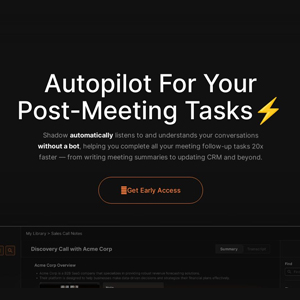
Shadow is a Mac-native AI assistant that listens to meetings, sees what is on your screen, and turns that context into notes, follow-ups, summaries, replies, and other work outputs. The main appeal is not just transcription. It is that Shadow runs quietly on your computer instead of joining your calls as a visible meeting bot, then uses both audio and screen context to create more useful post-meeting material.
Shadow started as an AI meeting assistant, but its current positioning is broader. The homepage describes it as an interface that “sees, hears, and runs,” which is a fair summary of the product direction. It captures what you say, what others say, and what appears on your screen, then runs user-defined Skills to produce outputs such as meeting notes, BANT breakdowns, action items, follow-up emails, polished dictation, or quick replies.
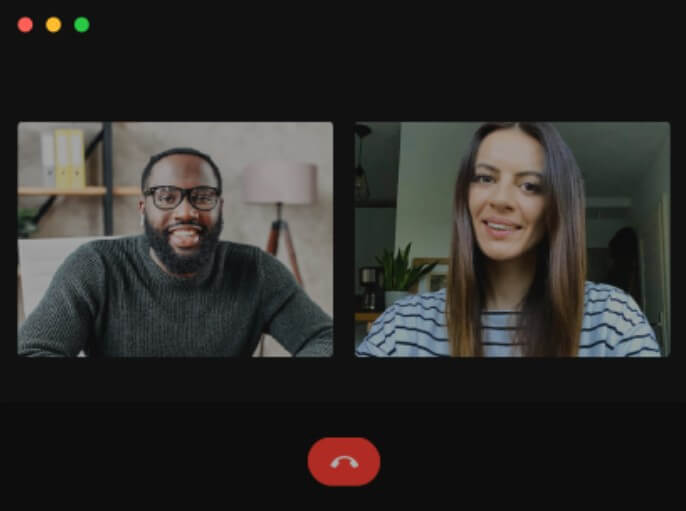
That makes Shadow different from a standard meeting recorder. A typical AI notetaker joins a Zoom, Meet, or Teams call, records the audio, then returns a transcript and summary. Shadow works at the Mac level. It does not need to appear in the participant list, and it can capture context from meeting windows, shared screens, slides, dashboards, documents, and other visible material.
The product also now covers non-meeting actions. You can press a shortcut, let Shadow capture your voice, selected text, and screen context, then run a Skill that generates text where you are working. That puts it closer to a system-wide AI layer than a single-purpose call recorder.
Shadow is strongest for people who live in calls but hate managing call tools. Its best fit is the professional who moves between scheduled meetings, quick huddles, sales calls, user interviews, candidate screens, internal reviews, and ad-hoc conversations. Because Shadow can auto-start and stop with calls, it reduces one of the biggest problems with meeting assistants: remembering to invite, launch, or trigger the tool.
The screen-aware part is also important. In many meetings, the valuable context is not only what someone said. It is the chart they shared, the demo flow they walked through, the candidate resume on screen, the dashboard metric, or the slide that framed the conversation. Shadow’s Smart Screenshot feature detects meeting screens and captures them automatically, which helps notes reflect what was shown, not just what was spoken.
| Feature | Practical value |
|---|---|
| Bot-free capture | Shadow records from the Mac instead of joining the call as a visible participant. |
| Autopilot Mode | Detects meetings, records discussions, and structures takeaways without requiring a manual start. |
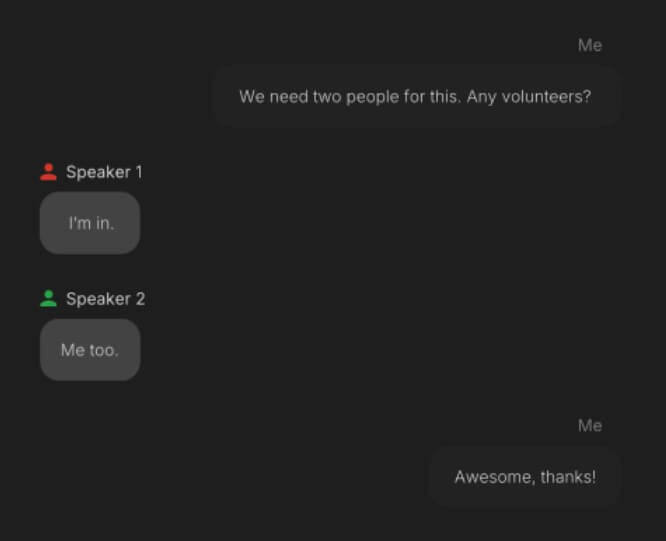
| Speaker Identification | Labels speakers in real time so notes and transcripts are easier to follow. |
| Smart Screenshot | Captures the meeting window and on-screen context automatically. |
| Custom Skills | Lets users edit or create prompts that turn meeting context into specific outputs. |
| Markdown and Webhooks | Saves notes as clean Markdown files and can send results to tools through Zapier, n8n, or Make. |
The feature list looks simple, but the combination matters. Bot-free recording is useful by itself. Local transcription is useful by itself. Custom Skills are useful by themselves. Shadow becomes more interesting when all three are connected to the same meeting workflow.
The clearest reason to use Shadow is the bot-free meeting workflow. Shadow says it works with platforms such as Zoom, Slack, Teams, Meet, Webex, and Discord, while operating in the background rather than joining the meeting as a bot.
That matters in sensitive or high-trust conversations. Sales prospects may dislike seeing a third-party recorder. Candidates may become more guarded when a bot appears. Legal, finance, healthcare, and executive conversations often need a more careful meeting posture. Shadow does not remove the need for consent, but it does make the meeting experience less awkward because the tool does not become another participant in the room.
The trade-off is that responsibility shifts to the user. Shadow’s privacy policy recommends getting explicit consent from all participants before recording, transcribing, or processing meeting content, and it notes that some U.S. states require all-party consent before recording.
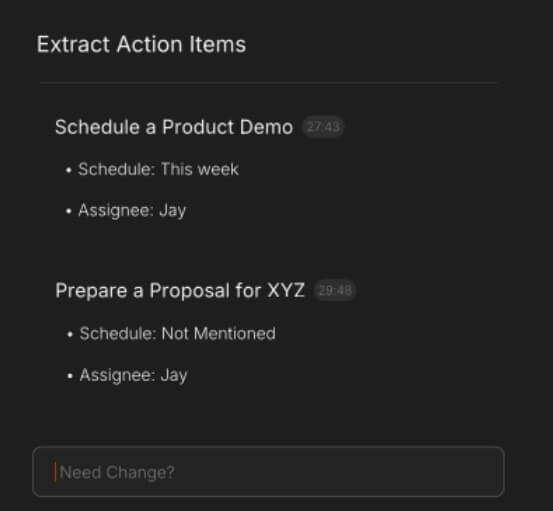
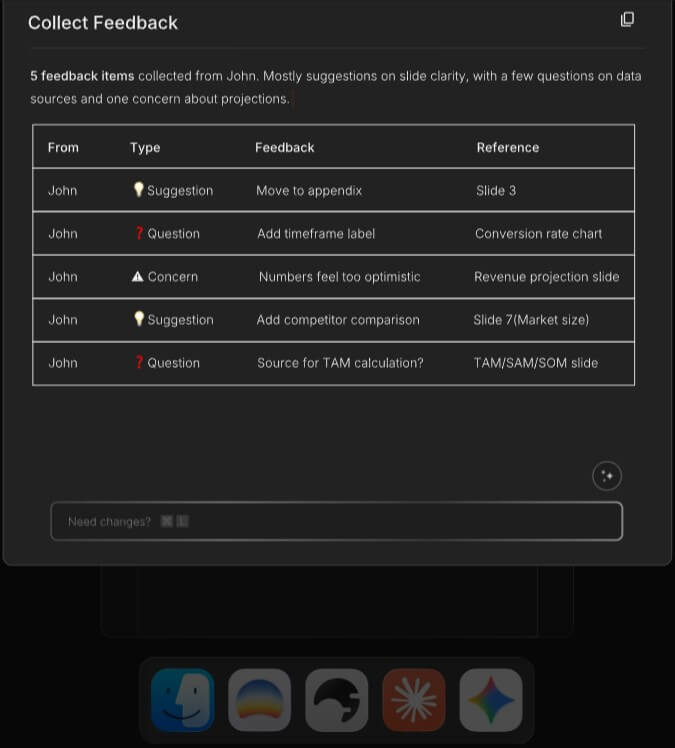
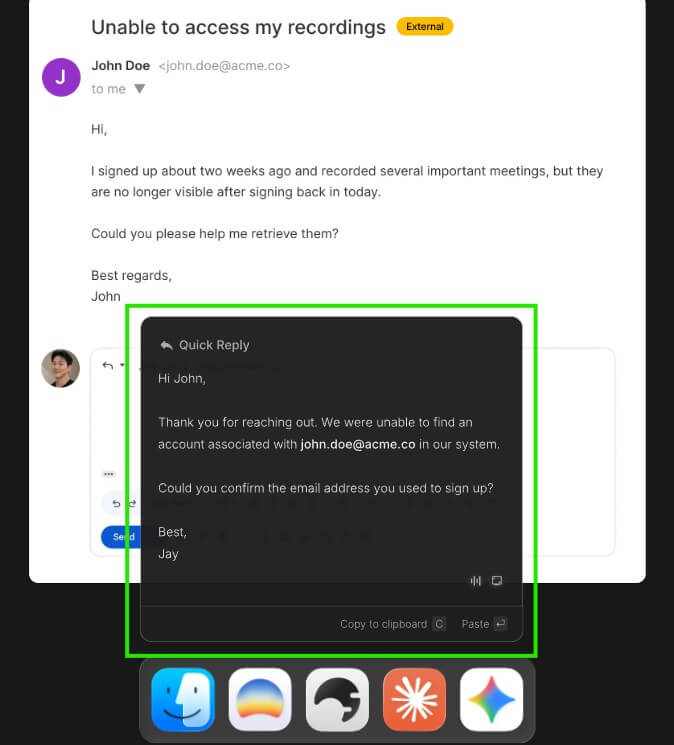
Skills are where Shadow becomes more flexible than a normal transcription tool. A Skill is essentially a prompt plus an input setup plus an output destination. For a meeting, that may mean converting the full transcript and screenshots into structured notes, a follow-up email, CRM-style qualification fields, or customer feedback themes. For daily work, it might mean turning spoken instructions into polished text and pasting the result into the focused field.
This gives Shadow more range than tools that lock users into one summary format. A recruiter can use one Skill for candidate screens. A founder can use another for investor calls. A product manager can generate user-interview insights. A salesperson can produce next steps, objections, and follow-up language.
The caution is that custom Skills require clear prompts. If the prompt is vague, the output may be generic. Shadow gives users more control, but that also means users need to spend time shaping the Skills around their real work.
Privacy is one of Shadow’s strongest claims. The homepage says transcription happens on the Mac, audio never leaves the device, and meetings are stored locally. It also says AI runs only when the user triggers a Skill, and that meeting content and Skill outputs are not used to train AI models.
The privacy policy adds useful detail. Shadow says audio capture, transcription, and speaker diarization are designed for local-only processing, but AI-powered features can send certain content to external servers or third-party AI providers when the user chooses to use those features. That can include transcripts, screen captures, user notes, profile information, calendar events, and other context needed for the selected feature.
That distinction matters. Shadow is more privacy-conscious than many cloud-first meeting tools, but it is not magic. If you use AI summarization or sharing features, some content may leave the device. For sensitive work, users should decide which Skills are allowed, what content they include, and whether fully local capture is enough.
Otter is stronger for users who want a cloud meeting agent that can automatically join Zoom, Google Meet, or Microsoft Teams and provide real-time transcription, summaries, and meeting Q&A.
Fathom is a strong fit for users who want a polished meeting notetaker with summaries, transcripts, highlights, and support for bot or bot-free capture depending on setup.
Granola is closer to Shadow in spirit because it is built around meeting notes and user-guided context rather than only raw transcripts. Its public positioning emphasizes customizable templates and post-meeting action help.
Shadow’s advantage is the Mac-native, screen-aware, bot-free model. Its weakness is platform reach. Shadow’s own blog describes it as Mac-only, with no Windows, Linux, or web app support.
Shadow is best for Mac users who handle frequent meetings and want notes without inviting a bot. It fits founders, sales teams, recruiters, product managers, consultants, lawyers, investors, customer success teams, and operators who need fast follow-up after calls.
It is also useful for people who want system-wide voice typing and quick AI actions. The voice input workflow can turn spoken thoughts into polished text and paste them into the active app, which helps with email replies, Slack messages, notes, and short documents.
The biggest limitation is platform support. If your team includes many Windows users, Shadow is not the easiest standard tool to roll out. The second limitation is that screen-aware capture requires trust and discipline. Capturing what is shown can be useful, but it may also include sensitive documents, private tabs, or internal dashboards.
The third trade-off is prompt quality. Skills can be tailored, but users need to define what good output looks like. Shadow is strongest after you shape it around your recurring meeting types.
Shadow is best for Mac users who want a bot-free, screen-aware AI assistant for meetings and daily writing actions. Its strongest value is the mix of local transcription, automatic call capture, smart screenshots, editable Skills, Markdown export, and workflow automation. The main caveat is that it is Mac-first and still needs careful consent and privacy habits. For people who spend their day in calls and want better follow-through without another bot in the room, Shadow is worth serious attention.
TAGS: Productivity
Related Tools:

Organize their inboxes by automating email sorting
Creates AI applications without code
Simplifies time tracking and billing
Transforms lecture notes into interactive flashcards
Assists users in solving mathematical problems
Create fashion models and backgrounds from simple descriptions