Share this tool:
 |
Description:
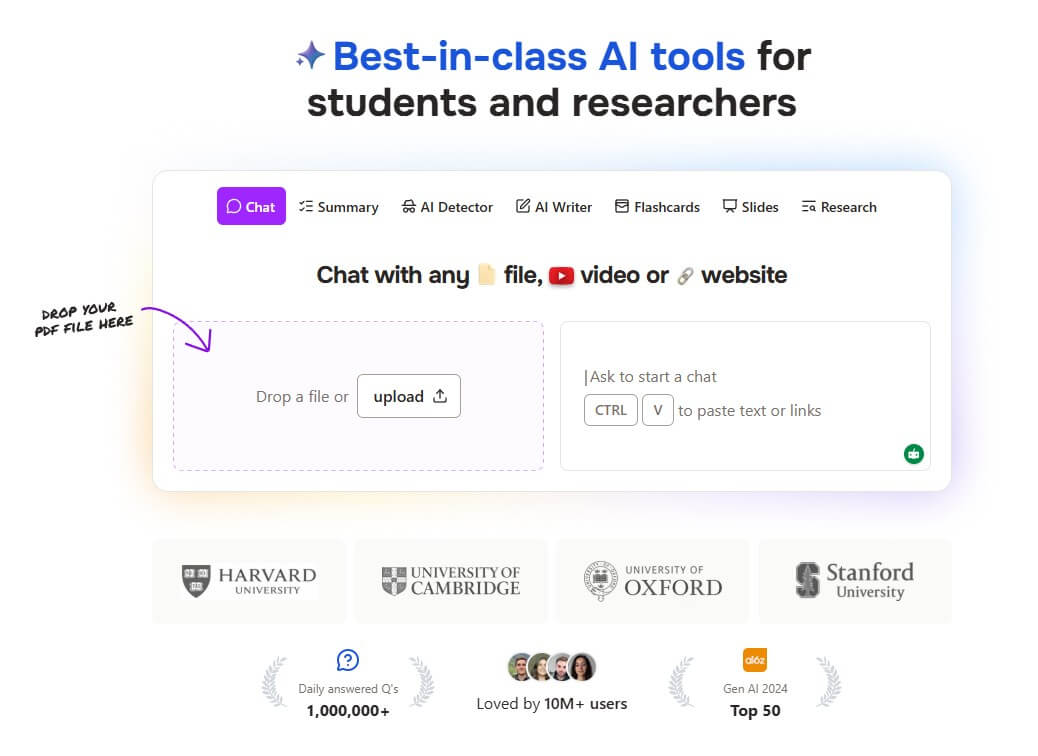
ChatPDF is an AI document assistant built for reading less and understanding faster. You upload a PDF or supported document, then ask questions, request summaries, jump to referenced pages, chat across multiple files, and turn content into study or work outputs. Its strongest value is focus. Instead of acting like a broad chatbot, ChatPDF keeps the conversation tied to the document, which makes it useful for research papers, reports, manuals, lecture notes, scanned files, and long reading assignments.
Understand the main point
Before using this prompt: Upload a PDF.
Prompt:
“Summarize this document in five bullet points. Then tell me the main argument, the evidence used to support it, and which sections I should read first.”
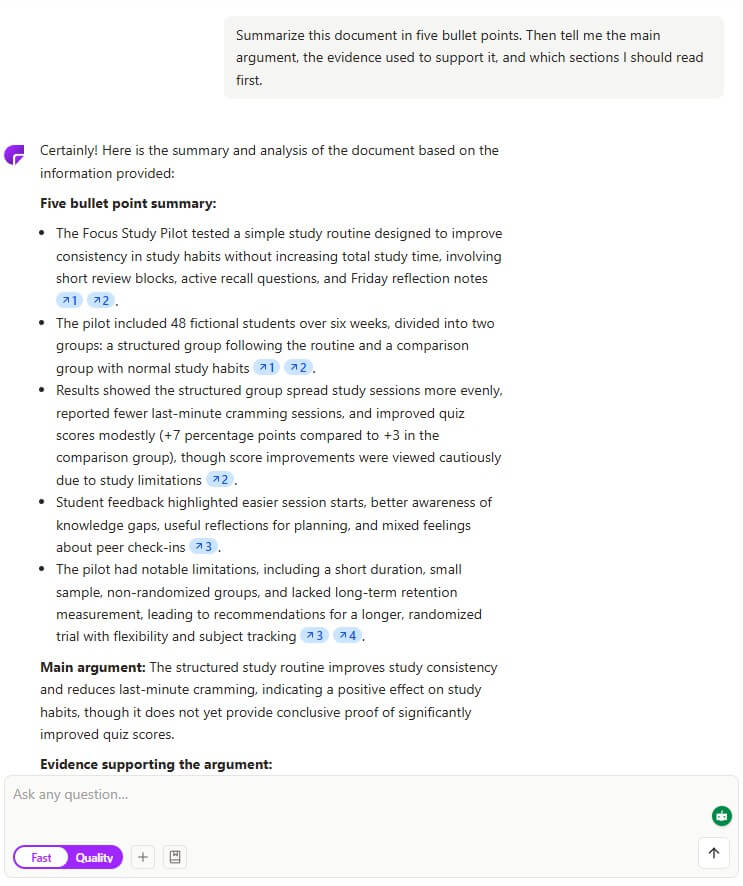
Why this is useful: This checks the core ChatPDF workflow: upload, ask, and get a document-grounded answer. ChatPDF supports asking questions directly to PDFs and returning answers based on the document’s content.
Verify the answer
Prompt:
“Answer this question using only the PDF: What are the three most important findings? Include the page references for each finding.”
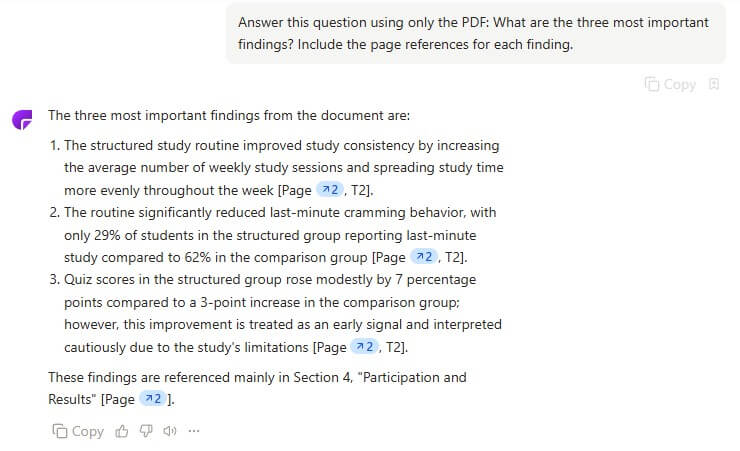
Why this matters: The page-reference feature is one of ChatPDF’s most important controls. It lets users jump back to the relevant part of the source instead of trusting the summary blindly.
Turn long reading into notes
Prompt:
“Create study notes from this chapter. Include key terms, definitions, likely exam questions, and a short review section at the end.”
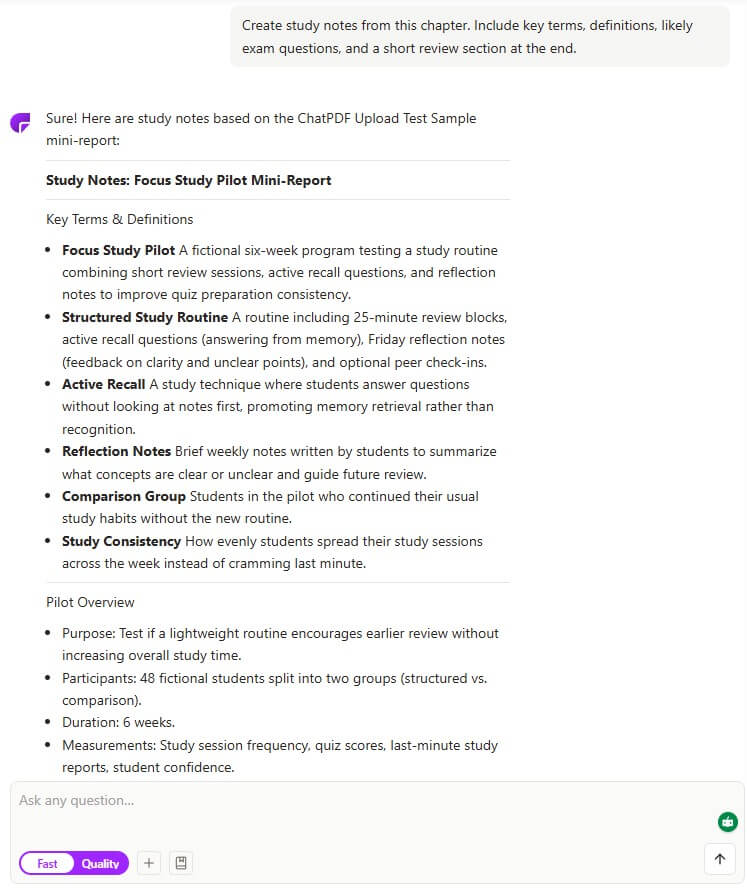
Why this belongs early: ChatPDF’s summary workflow is built for turning long PDFs, chapters, or documents into shorter notes. It is especially useful when the goal is quick orientation before deeper reading.
Study from a document
Prompt:
“Create flashcards from this PDF. Focus on definitions, formulas, key dates, and important arguments. Keep each card short and testable.”
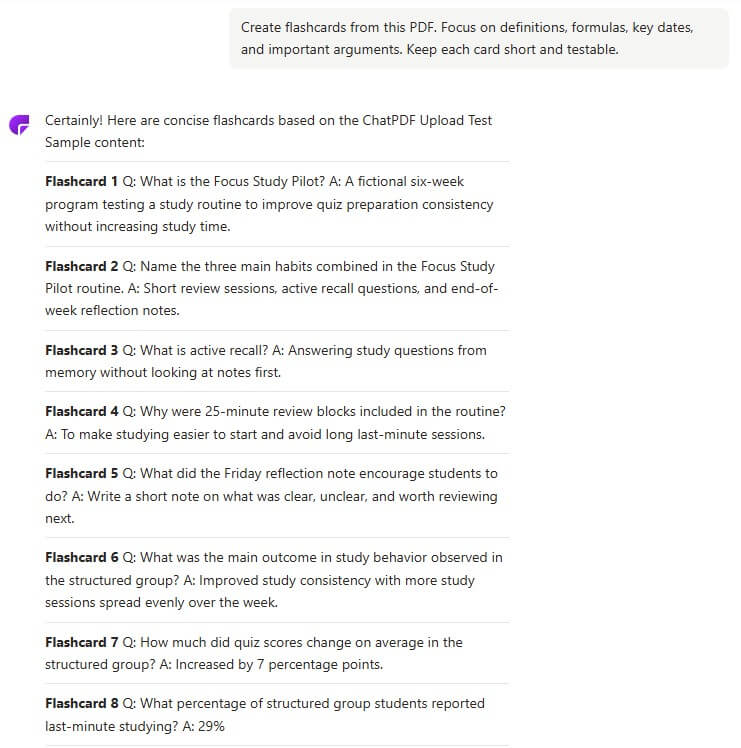
Why this matters: ChatPDF’s flashcard feature can generate question-answer cards from PDFs, Word documents, PowerPoint files, plain text, or pasted content. It also supports practice mode and exports to common flashcard formats.
Learn from a video
Before using this prompt: Paste a YouTube URL with an available transcript or captions.
Prompt:
“Summarize this lecture, then list the key timestamps for the most important explanations.”
Why this stands out: ChatPDF also supports YouTube chat, where users can ask questions about videos and receive timestamped answers tied to the transcript. That expands the product beyond PDFs into video-based learning.
Use this sample PDF to test the basic upload, summary, page-reference, and document Q&A workflow.
Use this comparison PDF when testing multi-document review, source comparison, and cross-file question workflows.
ChatPDF is a document interaction tool. It is not mainly a PDF editor, citation manager, or full research database. Its core job is to make documents conversational. Users upload a file, ask questions in natural language, and receive answers with references back to the source. The product also supports files beyond PDFs, including Word and PowerPoint documents, according to its official PDF AI page.
The easiest way to understand it is this:
| ChatPDF Layer | What It Does | Best For |
|---|---|---|
| Chat with PDF | Ask questions about uploaded files | Reports, papers, manuals, class notes |
| Page References | Links answers back to source pages | Verification and faster reading |
| Multi-File Chat | Ask across folders or multiple documents | Literature reviews, comparisons, projects |
| PDF Summary | Condenses long files into notes | Study, research, business reading |
| OCR Support | Reads scanned files and images | Printed documents and older PDFs |
| YouTube Chat | Answers questions with timestamps | Lectures, tutorials, long videos |
| Flashcards and Slides | Converts documents into study or presentation assets | Exam prep and content reuse |
Ask specific questions and get answers based on the uploaded document.
ChatPDF can point users back to the relevant pages or locations in the source file.
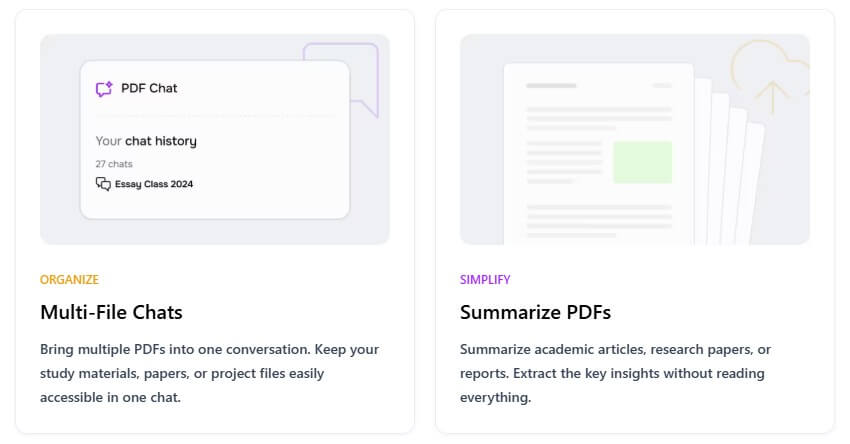
Users can organize files into folders and ask questions across multiple documents.
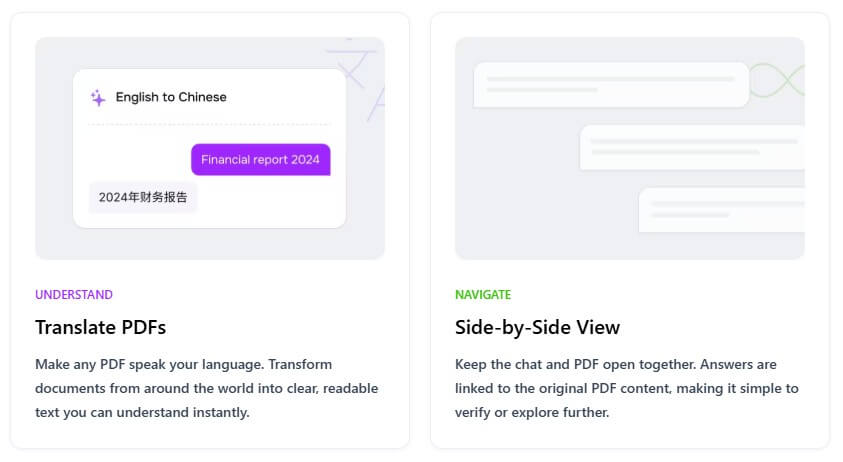
ChatPDF accepts documents in many languages and lets users ask questions in different languages.
The platform can turn documents or pasted text into flashcards or presentation outlines.
Users can paste a YouTube link, ask questions, and jump to timestamped moments in the transcript.
ChatPDF is strongest when the document is the task. If you need to understand a research paper, scan a policy document, review a contract clause, study a chapter, compare PDFs, or pull answers from a manual, it fits well. The tool reduces the time spent searching inside long files and gives users a faster path to the section that matters.
It is especially useful for students, researchers, analysts, legal and policy readers, business teams, and professionals who deal with long documents. A student can turn a reading into study notes. A researcher can compare papers. A founder can scan a market report. A support team can query manuals. A lawyer or paralegal can use it for first-pass document review, though important legal work still needs expert checking.
The workflow is simple: upload a file, ask a question, read the answer, then open the referenced location if you need to verify it. That last step is important. ChatPDF is most useful when users treat it as a reading accelerator, not a replacement for reading.
For basic tasks, the product is easy to understand. Ask for a summary. Ask where a concept appears. Ask for definitions. Ask for differences between two sections. Ask for a table. The more specific the question, the better the output usually becomes.
For deeper work, multi-file chat is the more useful workflow. Instead of uploading one paper at a time, users can group documents and ask broader questions across them. That is where ChatPDF starts to feel less like a PDF shortcut and more like a lightweight research workspace.
ChatPDF’s best control feature is source grounding. The answers are more useful because they stay connected to the file, and page references make it easier to check whether the answer is right. That does not remove risk. AI can still summarize too broadly, miss nuance, or overstate what a document says.
The safest workflow is to use ChatPDF for orientation, extraction, and comparison, then confirm important claims in the original document. This is especially important for academic, legal, financial, medical, or compliance-related PDFs.
The output also depends on file quality. Clean text PDFs usually work better than scanned documents with poor image quality. OCR support helps, but users should be careful with blurry scans, tables, handwritten notes, and complex layouts.
Summarize studies, find methods, extract limitations, and compare findings.
Create study notes, quiz questions, and flashcards from assigned material.
Pull out trends, risks, recommendations, and key numbers from long documents.
Ask direct questions instead of searching through dozens of pages.
Compare several PDFs in one conversation.
Use YouTube chat for long lectures, webinars, or tutorials with transcript support.
ChatPDF is not a full PDF editing suite. It helps users understand and reuse document content, but it is not built for advanced layout editing, redaction, form design, or professional PDF production.
It is also not a substitute for expert review. For high-stakes documents, users should verify source pages and use domain expertise. A fast answer can still be incomplete.
The third limitation is context. ChatPDF works best inside the uploaded material. If the document is outdated, biased, missing sections, or poorly sourced, the answer will reflect those limits.
Finally, AI-generated study aids need cleanup. Flashcards, summaries, and slides can save time, but users should edit them before relying on them for exams, presentations, or professional work.
ChatPDF is best for people who work with long documents and want a faster way to understand, search, summarize, compare, and study them. Its strongest value is the combination of document chat, page references, multi-file conversations, summaries, flashcards, slides, OCR support, and YouTube transcript chat.
Students, researchers, analysts, and document-heavy professionals will get the most from it. The main caveat is verification: ChatPDF can speed up reading, but the best users still check the referenced source before trusting important claims.
TAGS: Productivity AI Chat/Assistant