
Share this tool:
 |
Description:
Converse is an AI reading assistant built for people who spend too much time opening long articles, reports, PDFs, and videos without knowing which ones deserve full attention. Instead of treating reading as a passive activity, it turns saved content into something you can summarize, question, organize, and share. Its main value is not replacing reading. It helps you decide what to read closely, what to skim, and what to pull answers from faster.
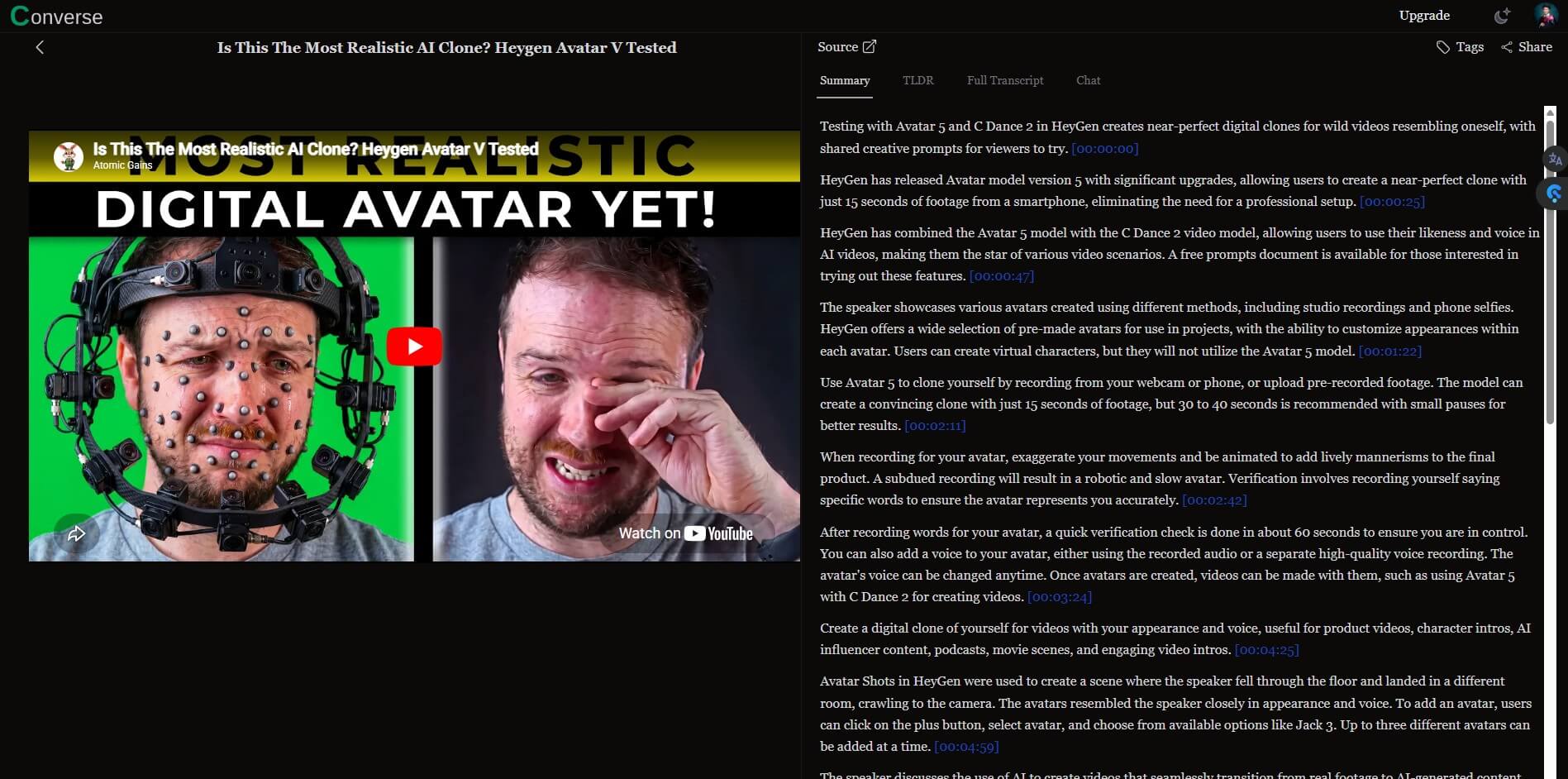
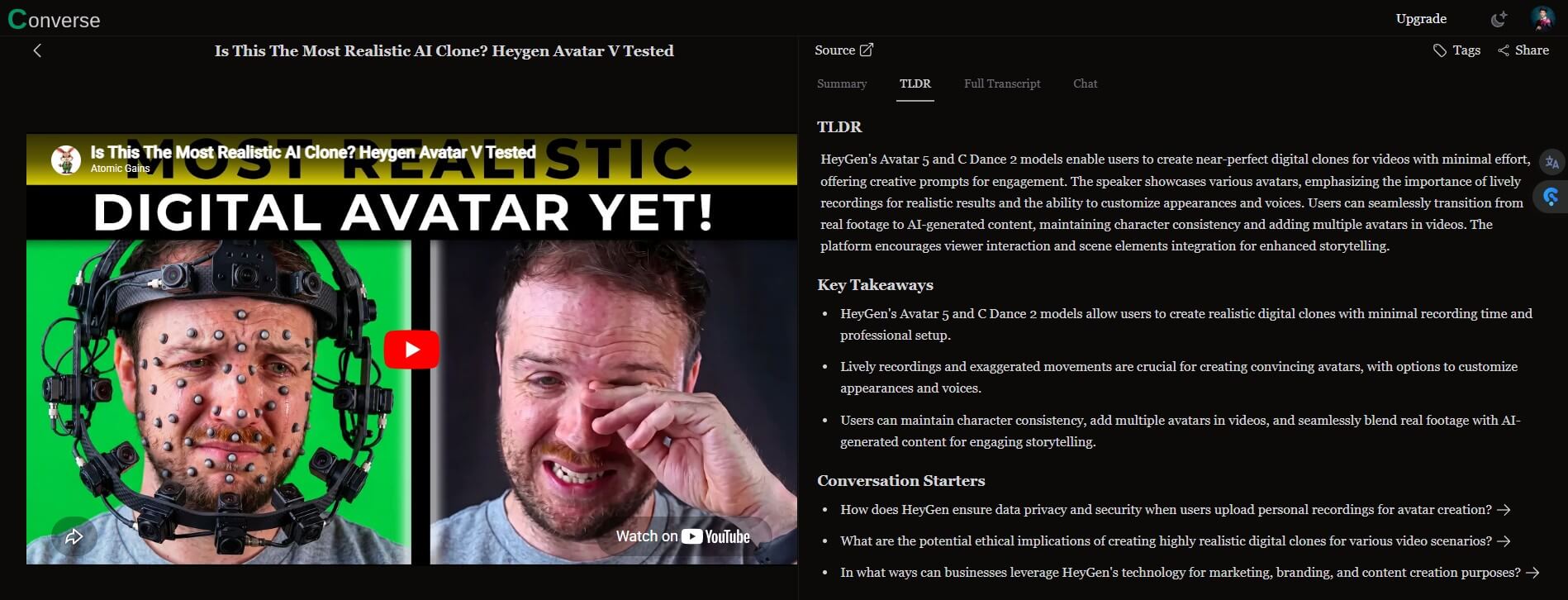
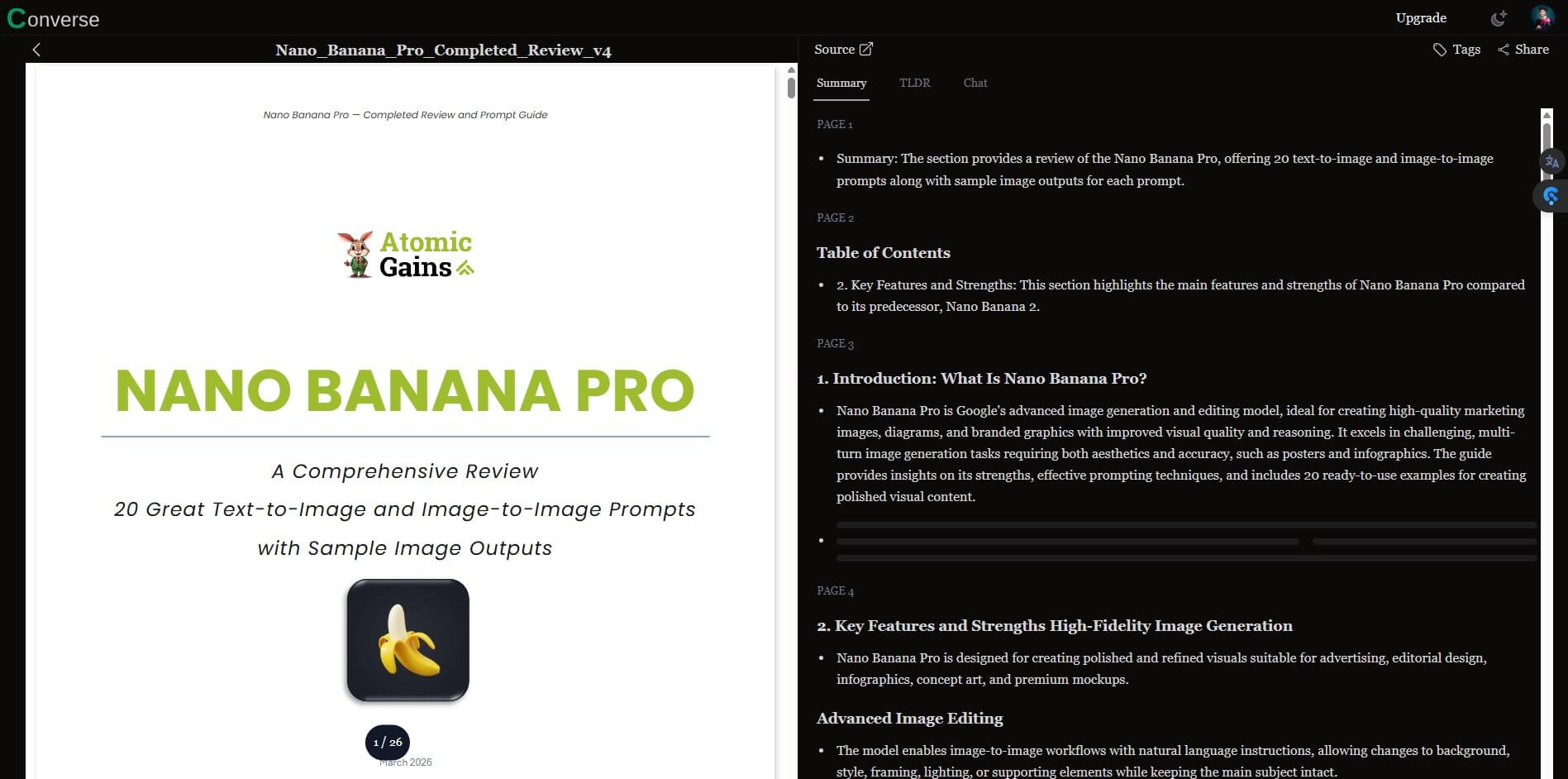
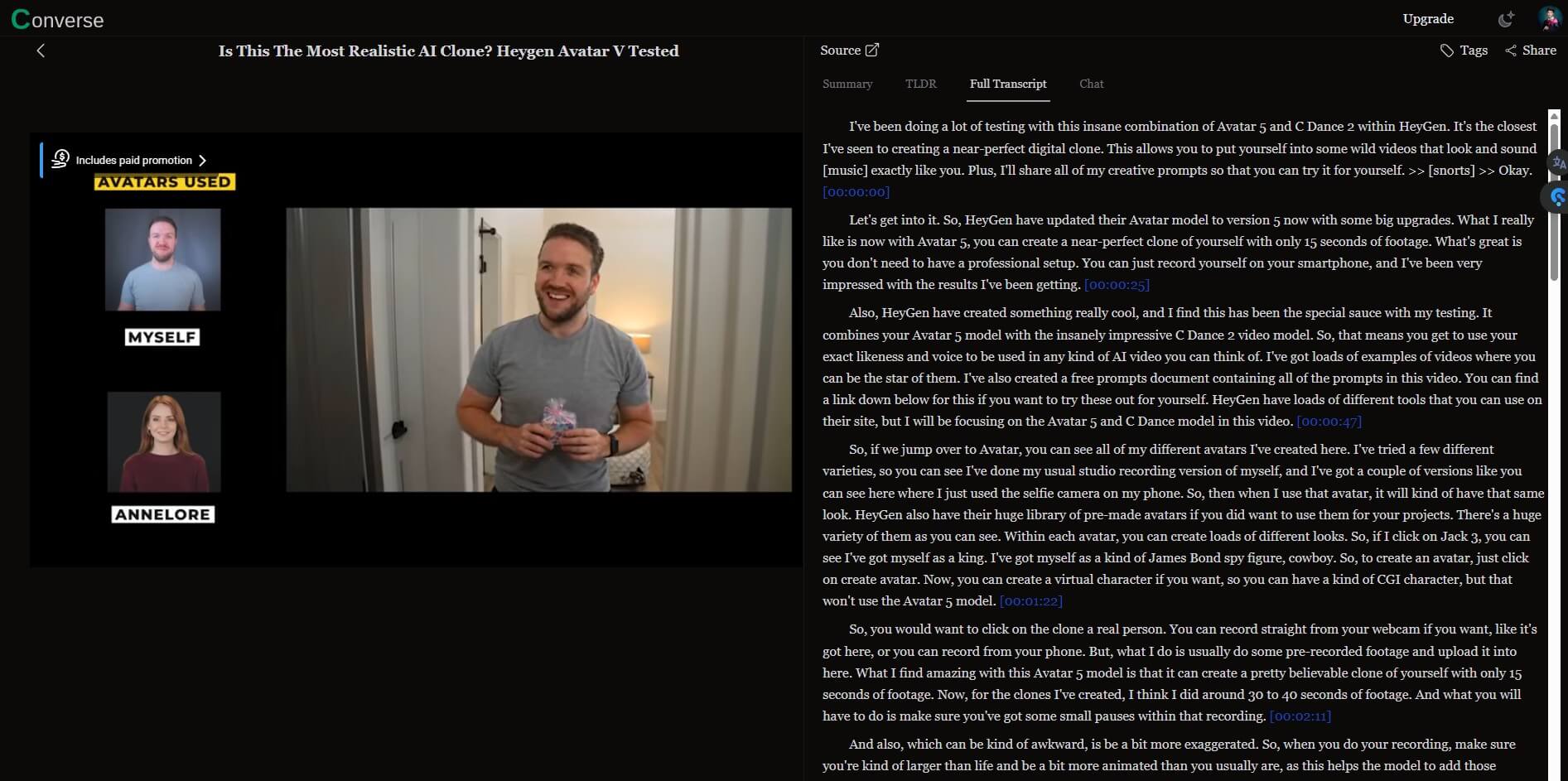
Converse is a read-it-later app with AI layered into the reading experience. You save a web article, PDF, or YouTube video, then use Converse to generate a TLDR, detailed summary, key takeaways, and chat-style answers based on that source. The official FAQ says Converse supports web pages, PDFs, and YouTube transcripts, with interactive summaries and a chat feature that lets users ask questions directly from the content.
That makes it different from a normal bookmarking tool. A bookmark stores the link and waits for you to return. Converse tries to make the saved item useful right away. You can get the gist, jump into details, ask a focused question, and keep the item in a library for later use. It sits somewhere between Pocket, ChatPDF, a YouTube summarizer, and a research assistant.
Converse is strongest when the content is long enough to create friction. A 900-word blog post may not need much help. A 40-page PDF, a dense research article, a long-form essay, or a one-hour YouTube video is a better fit.
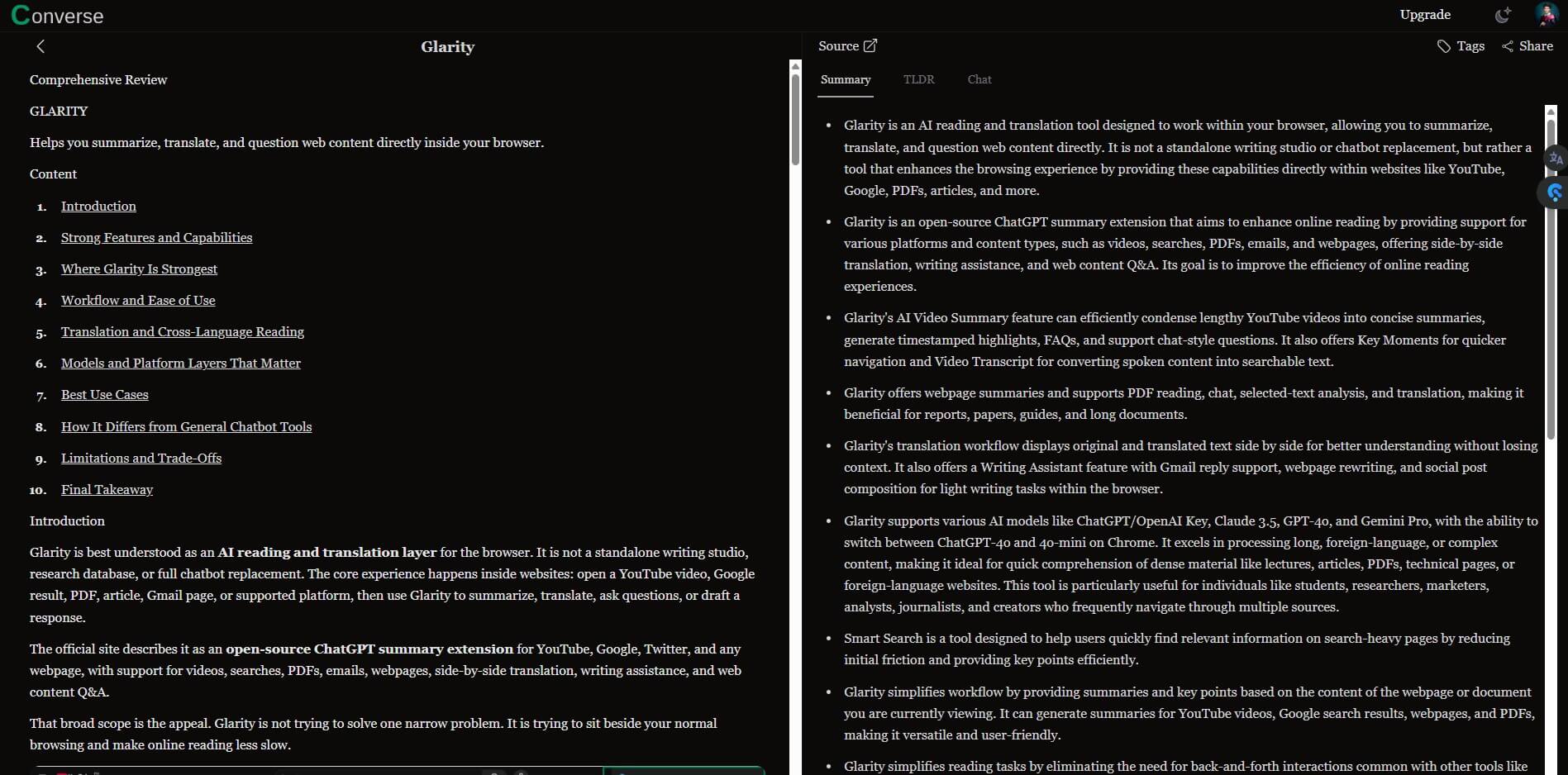
The tool’s homepage emphasizes TLDR and detailed summaries, including executive-style summaries, key takeaways, and the ability to go deeper into specific sections when needed. That is the real use case: fast comprehension first, deeper reading second.
This makes Converse useful for students, analysts, founders, researchers, content creators, and professionals who collect too much material but do not have time to process all of it manually.
Converse can turn saved items into short summaries, key takeaways, and longer breakdowns so users can grasp the point before committing to the full source.
Users can chat with saved PDFs, web articles, and YouTube videos, then receive answers tied to the source material. Converse says these answers include source references, which matters for trust and follow-up reading.
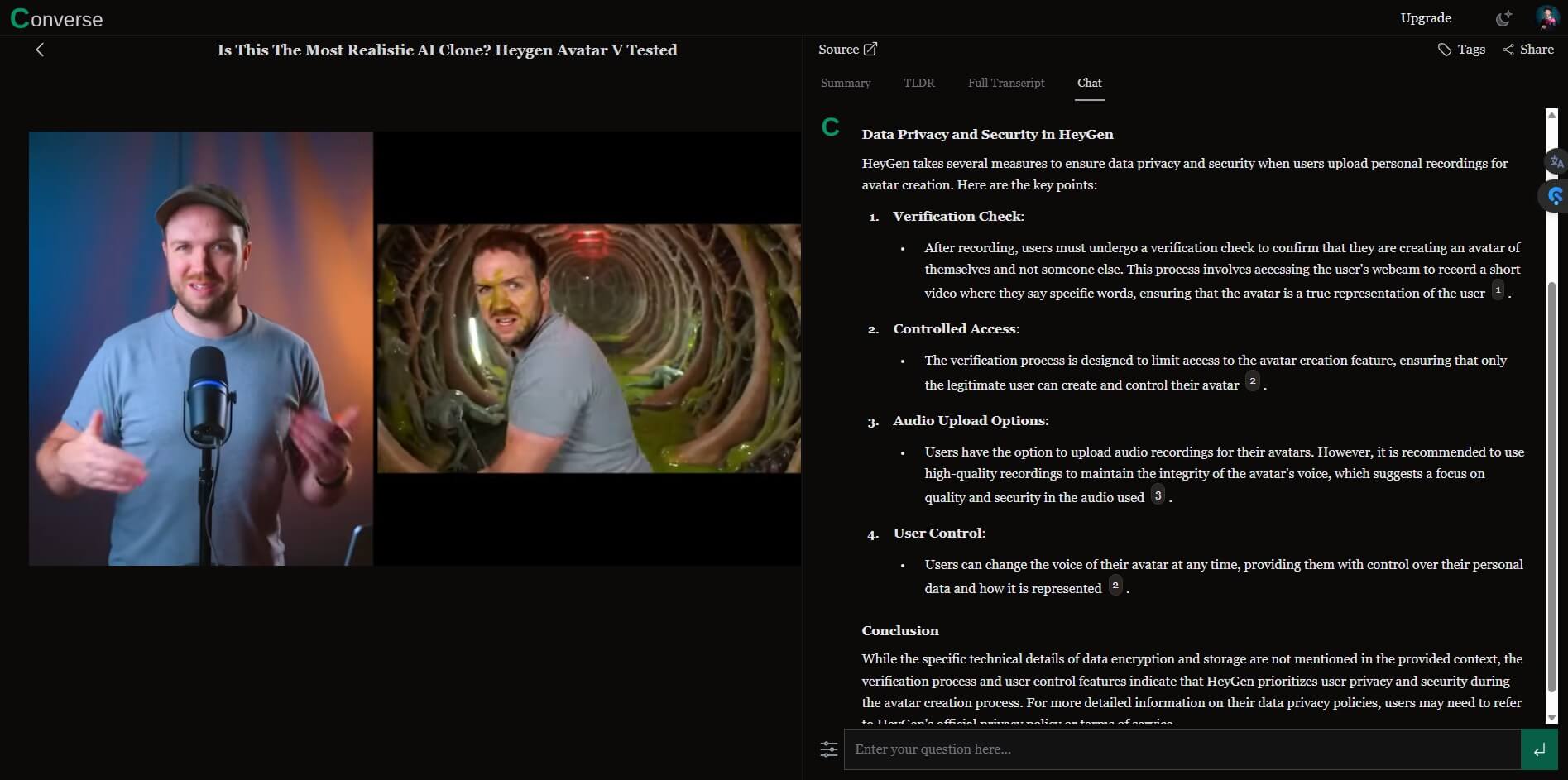
Saved web articles and uploaded PDFs stay in a library, and users can organize content into collections. That gives Converse more staying power than a one-off summarizer.
The FAQ describes a workflow that combines original content with an AI-generated summary in one reading environment. This helps users compare the summary with the source instead of treating the AI output as a detached answer.
Converse lets users share saved articles and AI interactions, and the homepage says friends can interact with shared documents too. This makes it more collaborative than many private summarization tools.
Converse’s FAQ says the service combines OpenAI APIs with finely tuned open-source language models. The user does not need to manage this directly, but it helps explain how the product delivers AI reading and chat features behind the scenes.
The workflow is practical: save a source, read the AI summary, ask questions, then decide whether to keep, organize, share, or read the original more carefully. This is a good pattern because it follows how people already consume information online. Most users do not need more content. They need faster triage.
The best part is that Converse does not force every source into the same interaction. A YouTube transcript can become a summary and chat object. A PDF can become a searchable document conversation. A web article can be saved, summarized, and placed into a collection. The features page highlights AI summarization, bookmarking, webpage chat, PDF summarization, interactive document navigation, and conversational PDF chat as core areas.
There is still a learning curve, but it is not a technical one. The real habit shift is remembering to save material into Converse instead of leaving tabs open, bookmarking blindly, or telling yourself you will “read it later.”
Converse’s quality depends on the source. Clean web articles, PDFs with selectable text, and YouTube videos with useful transcripts are likely to work better than messy pages, scanned documents, poor transcripts, or thin content.
The cited-answer approach is important. A summary can be useful, but a summary with source references is more useful because it lets the reader check where the answer came from. Converse’s homepage says document chat provides precise answers with source references, and that feature is one of the strongest reasons to use it over generic copy-paste chatbot workflows.
The limit is that AI summaries still compress information. They can miss tone, evidence quality, uncertainty, or a writer’s full argument. Converse is best used as a reading accelerator, not as a replacement for careful reading when the material matters.
Converse is a strong fit for research-heavy reading. Students can use it to process articles and PDFs before deciding what to study closely. Analysts can use it to summarize reports and ask targeted questions. Content creators can use it to understand videos or articles faster before building scripts, newsletters, or social posts.
It also works well for professional learning. If you collect industry reports, technical posts, founder essays, policy documents, or long YouTube interviews, Converse gives you a cleaner way to process them than keeping a pile of open tabs.
The sharing feature adds value for teams and small groups. If a useful article or PDF needs to be discussed, sharing the AI-generated summary and chat interaction may save others from starting from zero. The FAQ says public content can be shared, while private and copyrighted materials should respect legal boundaries.
Converse is not a full research database. It can help you read and question saved material, but it does not replace source evaluation, citation management, or academic review.
It is also not the best tool for short, casual reading. If the content is already easy to scan, the AI layer may be unnecessary. Converse becomes more valuable as the source gets longer, denser, or harder to process.
There is also a trust issue common to all AI reading tools. Summaries and chat answers can sound confident even when the source is ambiguous. The best workflow is to use Converse for orientation, then check the original when facts, nuance, or decisions matter.
Converse is best for people who save more articles, PDFs, and videos than they can realistically read. Its strongest value is the combination of TLDRs, detailed summaries, document chat, source references, collections, and shareable interactions in one reading workspace.
It is best for students, researchers, analysts, creators, and professionals who need faster comprehension without losing access to the original source. The main caveat is simple: use it to read smarter, but do not let the summary become the only thing you trust.
TAGS: Productivity
Related Tools:

Automates web tasks
Automates chat interactions with customizable chatbots

Helps you write, summarize, and manage emails

Creates interactive guides and product demos

Transforms voice recordings into organized notes
Helps teams plan, organize, and automate projects