
Share this tool:
 |
Description:
MathGPT is an AI math solver and tutor for students who need help moving from a problem to an understandable solution. It can solve typed questions, photo-based homework, PDFs, and problems across math and related STEM subjects. Its best use is not just getting a final answer. The stronger value is in the steps, follow-up questions, animated explanations, graphs, and practice tools that help students see why the answer works.
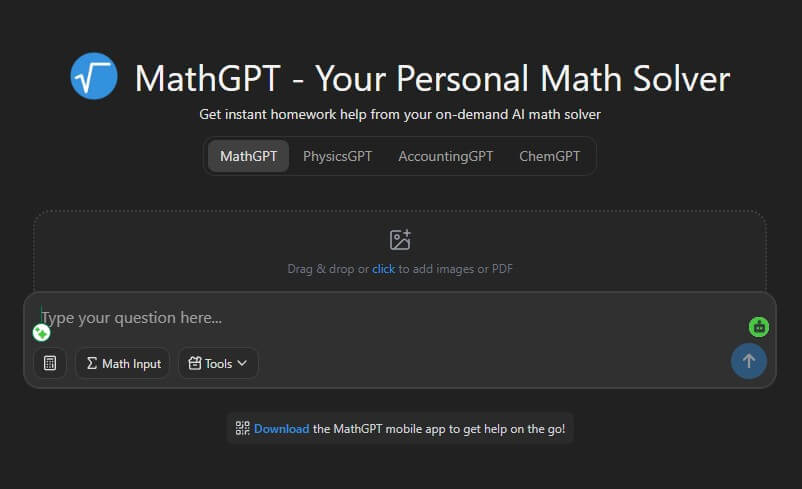
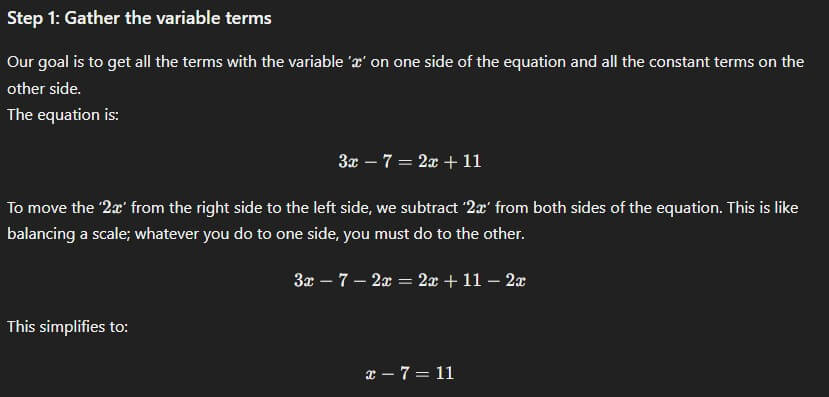
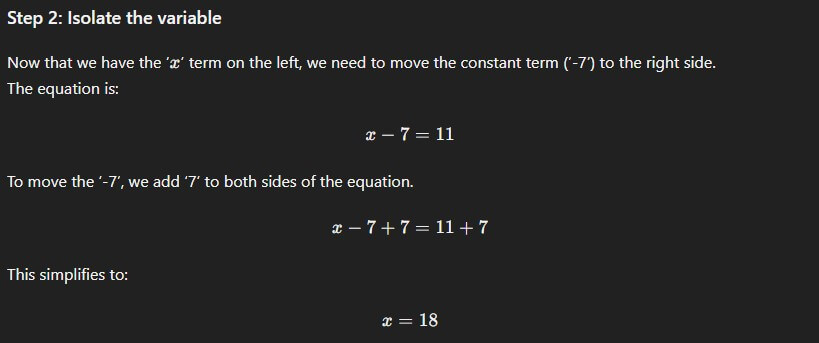
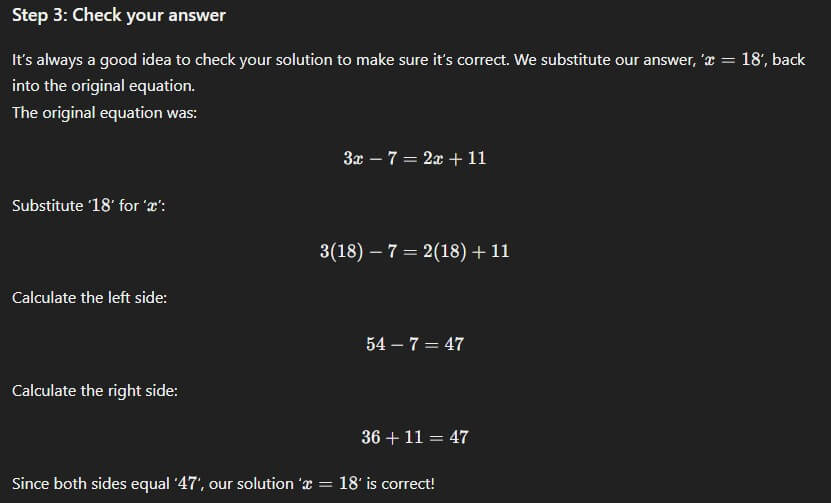
“Solve 3x - 7 = 2x + 11 and explain each step like I am reviewing for a quiz.”
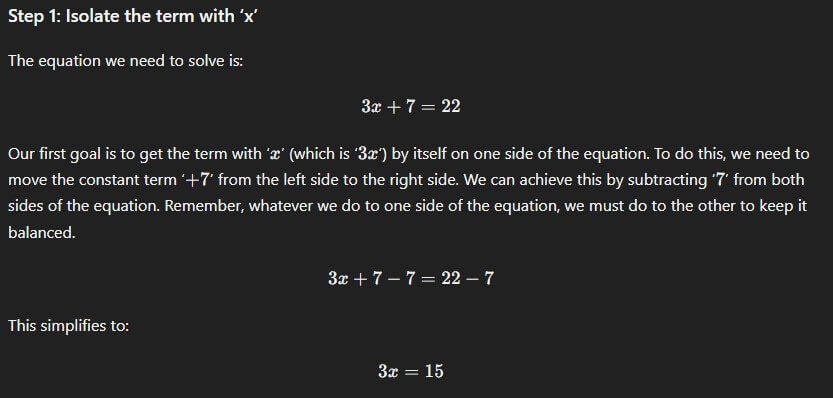
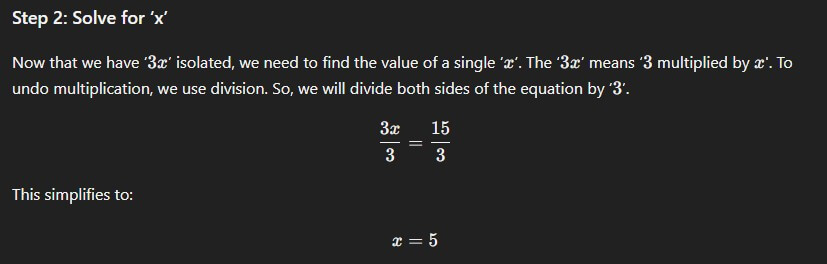
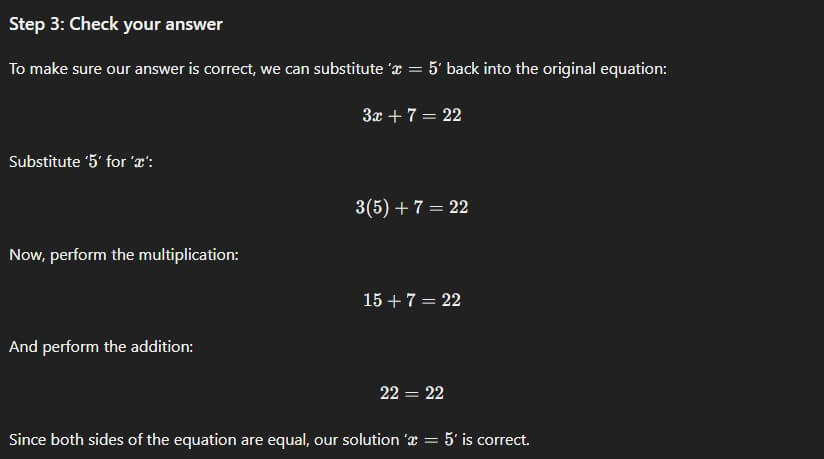
This is the cleanest starting point. MathGPT’s step-by-step solution style is built for breaking problems into smaller parts rather than only giving the final result.
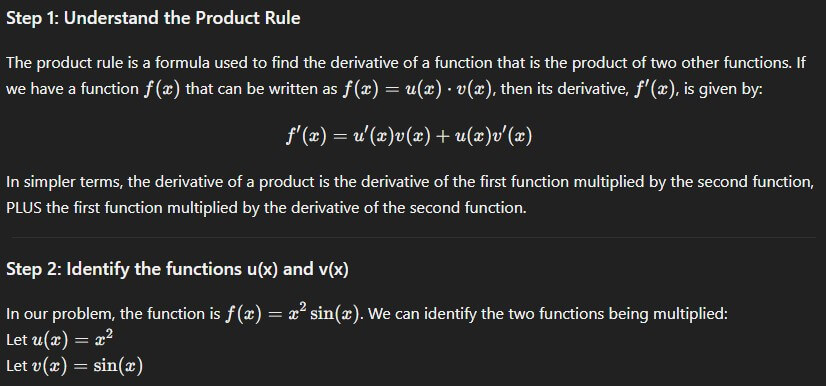
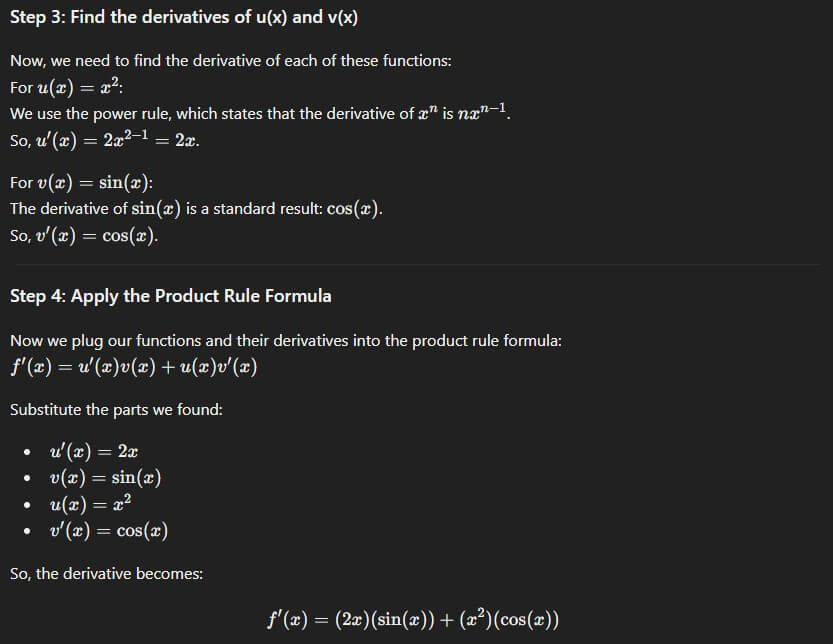
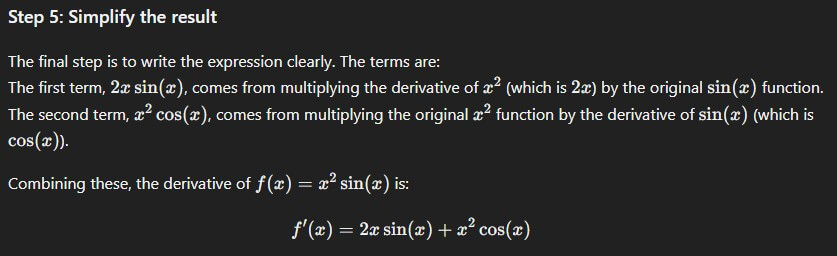
“Find the derivative of f(x) = x^2 sin(x) using the product rule. Show why each term appears.”
This tests whether the tool explains the method, not just the answer. For calculus, that matters because students often know the rule name but get lost in the setup.
Before using this prompt: upload a clear photo of the problem.
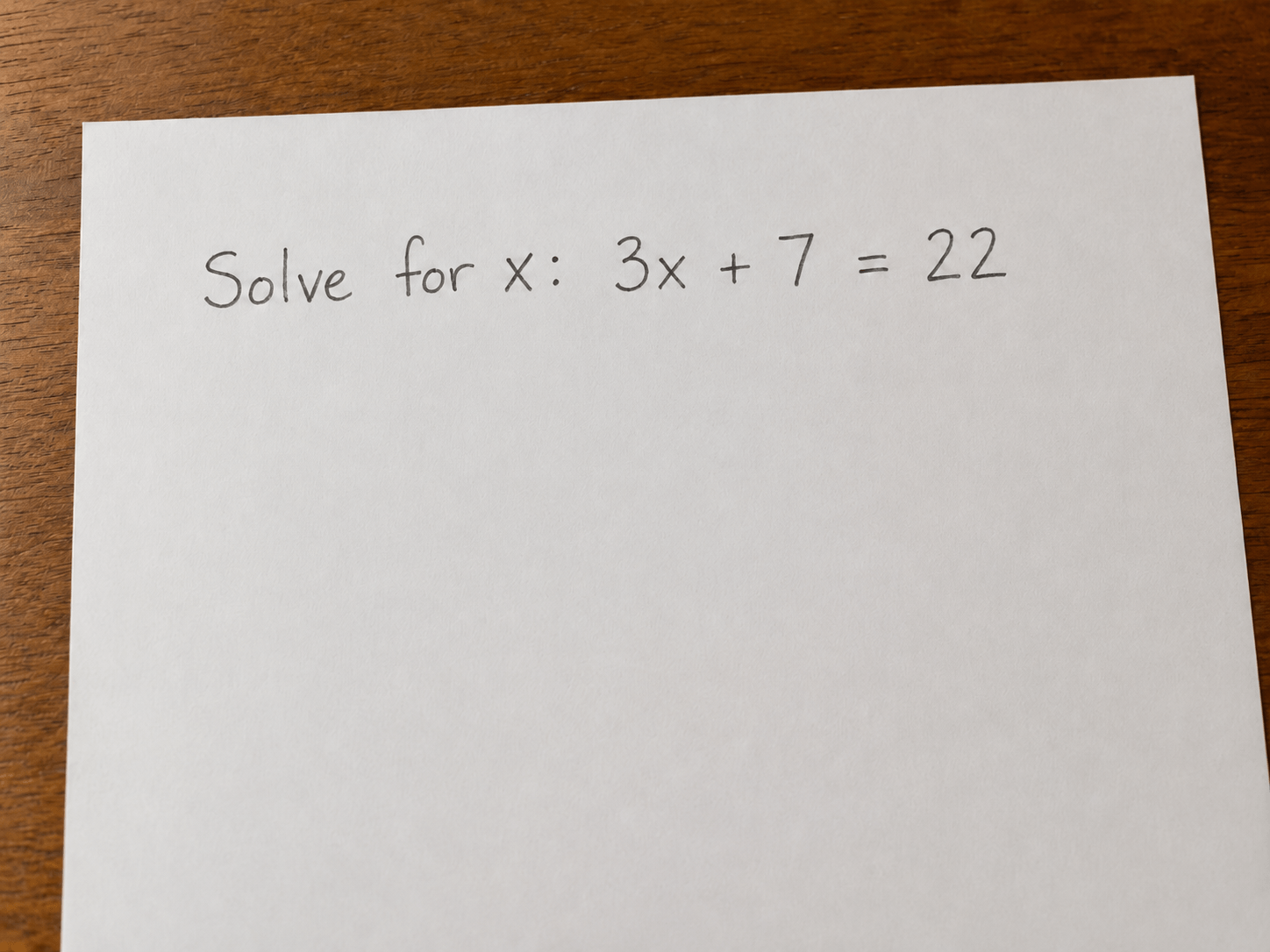
“Solve this problem from the image and explain the reasoning step by step.”
MathGPT says users can solve problems by dragging and dropping photos into its AI calculator, and the mobile listings also frame photo solving as a core workflow.
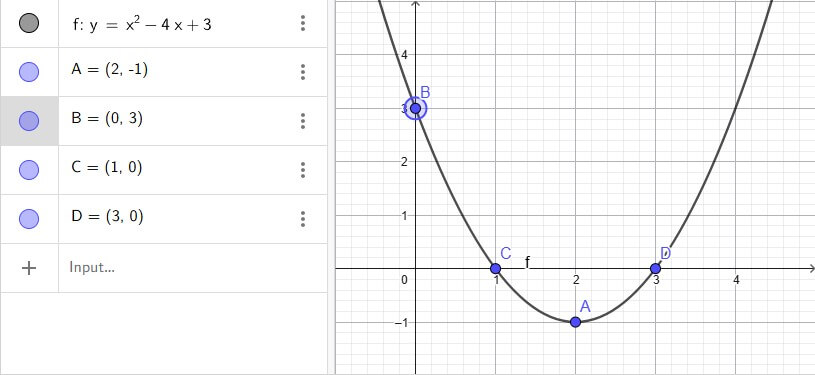
“Graph y = x^2 - 4x + 3, identify the vertex and intercepts, and explain what the graph shows.”
This is useful because MathGPT includes graphing support, and the iOS listing says its graphing calculator is powered by GeoGebra for interactive visuals.
MathGPT is not a normal calculator with a chat box attached. It is closer to an AI tutor designed around problem solving, explanation, and practice. The official site says it supports step-by-step solutions, AI video explanations, interactive quizzes, graphing, photo and PDF uploads, and follow-up questions. It also says MathGPT has served more than 2 million unique students from over 150 countries.
The product covers more than basic school math. MathGPT’s own FAQ lists algebra, calculus, statistics, geometry, word problems, physics, accounting, and chemistry. The App Store listing expands that positioning further, describing support for math, physics, chemistry, accounting, statistics, and engineering-style calculations.
That breadth makes MathGPT useful as a homework companion, but it also means users should treat it as a guided solver rather than a perfect authority. The site itself warns that MathGPT can make mistakes and that users should double-check important steps and calculations.
| Feature | Practical value |
|---|---|
| Step-by-step solutions | Breaks problems into smaller steps so students can follow the process, not just copy an answer. |
| Photo and PDF input | Lets students upload homework instead of retyping complex notation. |
| AI video explanations | Creates custom animated videos with diagrams and voiceover for a submitted question. |
| Interactive quizzes | Generates practice questions to help students test understanding after a solution. |
| Graphing tools | Helps visualize functions and graph-related problems, with GeoGebra-powered visuals mentioned in the iOS listing. |
| Broad calculator library | Includes calculators for integrals, derivatives, geometry, vectors, circuits, chemistry, and more. |
The strongest feature is the learning loop: solve, explain, visualize, then practice. Many AI tools stop after the answer. MathGPT is more useful when students use the follow-up and quiz features to check whether they understand the method.
MathGPT works best for students who are stuck on a specific problem and need a clear path forward. It is especially helpful for algebra, calculus, geometry, statistics, and word problems where the method matters as much as the answer.
The video feature is also a useful differentiator. A written solution may be enough for a linear equation, but diagrams and animation can help with geometry, graphing, rates of change, physics-style motion, and multi-step visual reasoning. MathGPT says its AI videos include diagrams, animations, and voiceover tailored to the user’s question.
The tool is also practical for quick review. A student can solve one problem, ask why a step happened, request similar practice, and then use a quiz to check retention. That makes it more useful than a one-shot answer engine.
The basic workflow is simple: type a problem, upload an image, or use a calculator page; click solve; review the step-by-step explanation; use the video or practice tools if needed. MathGPT’s calculator pages describe this flow directly: enter the problem, solve it, review the explanation, watch an animated video, and practice similar questions.
That simplicity matters for students. A tutoring tool loses value if setup takes longer than the problem. MathGPT keeps the first action easy, then gives students extra learning tools after the solution appears.
The mobile app makes sense for this category because homework is often on paper, a whiteboard, or a screenshot. The App Store listing highlights solving from a photo, step-by-step explanations, AI videos, flashcards, practice exams, and graphing.
MathGPT is a strong fit for middle school, high school, and college students who need support with homework, exam review, and concept reinforcement. It is also useful for parents helping with math they have not studied in years.
The best use cases are:
- Algebra and calculus homework where steps need to be checked.
- Geometry or graphing problems where visuals help.
- Statistics and word problems where setup is the hardest part.
- STEM-adjacent subjects such as physics, chemistry, and accounting.
- Practice generation before quizzes or exams.
It is less ideal for students who only want final answers. That may be faster, but it misses the point of the tool. The better use is to ask for explanations, then test yourself with similar problems.
The biggest limitation is accuracy risk. MathGPT is useful, but math mistakes can still happen. The platform’s own footer warns users to double-check important steps and calculations.
The second trade-off is academic integrity. MathGPT can help students learn, but it can also be misused as an answer copier. Students should use it to understand methods, check reasoning, and practice, not to submit generated work without learning it.
The third limitation is input quality. Photo solving depends on clear images, readable handwriting, and complete problem context. If the uploaded problem is cropped, blurry, or missing instructions, the result may be less reliable.
MathGPT is best for students who want step-by-step math help, not just calculator output. Its strongest value is the mix of typed and photo input, detailed explanations, AI videos, graphing, quizzes, and broad support across math and STEM subjects. The main caveat is that students still need to verify answers and use the tool honestly. Used well, MathGPT can act like a practical study companion that helps students understand the path to the answer, not only the answer itself.
TAGS: Self Improvement Productivity
Related Tools:

Enhances the process of online course creation

Enhances emotional well-being through interactive AI chatbot

Simplifies creation of educational content

AI meeting assistant that tracks participation

Improves team communication and project management

Turns Google Sheets into fully functional websites