

Share this tool:
 |
Description:
- Introduction
- What AutoLocalise Actually Is
- Core Features and Capabilities
- How the Workflow Actually Feels
- Developer Experience and Framework Support
- Real-Time Translation, Caching, and Performance
- Translation Quality and Control
- Language Coverage
- Security and Data Handling
- Best Use Cases
- Practical Tips
- Limitations and Trade-Offs
- Final Takeaway
AutoLocalise is an AI-powered localization tool for developers who want to add multilingual support to apps without building a traditional translation-file workflow. Its core promise is simple: install the SDK, mark the text you want translated, and let the platform handle AI translation, caching, live updates, and language support in the background.
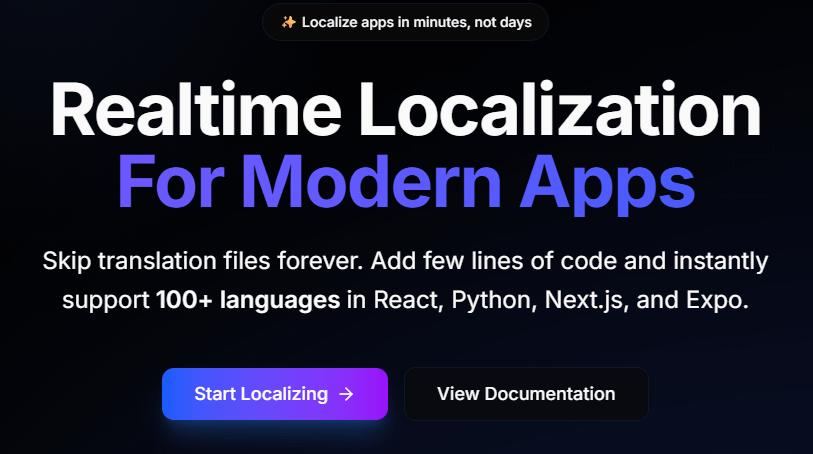
AutoLocalise is not a conventional translation management system. It is closer to a real-time localization layer that sits inside your application code. Instead of extracting every string into JSON, YAML, PO, or XLIFF files, AutoLocalise lets developers use original source text directly in components and send it through the SDK for translation.
That makes it very different from the classic localization workflow. In a normal i18n setup, developers create keys, maintain locale files, send strings to translators, import translated files, rebuild the app, and ship updates. AutoLocalise tries to remove much of that file-management work by translating marked text automatically and updating translations without redeployment.
The easiest way to understand AutoLocalise is to split it into five layers.
| Layer | What it does | Why it matters |
|---|---|---|
| SDK integration | Adds translation functions into React, Next.js, React Native, Expo, and Python apps. | Keeps localization close to code instead of separate translation files. |
| AI translation | Automatically translates marked strings into the target language. | Reduces the manual first-pass translation workload. |
| Real-time updates | Updates translations without rebuilding or redeploying the app. | Useful when product copy changes often. |
| Caching and offline support | Stores translated content locally after initial translation. | Helps performance and keeps previous translations available offline. |
| Dashboard refinement | Allows translations to be reviewed and refined after AI generation. | Keeps the workflow human-editable rather than fully automatic only. |
This product is especially interesting because it targets the part of localization developers often dislike most: maintaining translation files and keeping them synced with live application text.
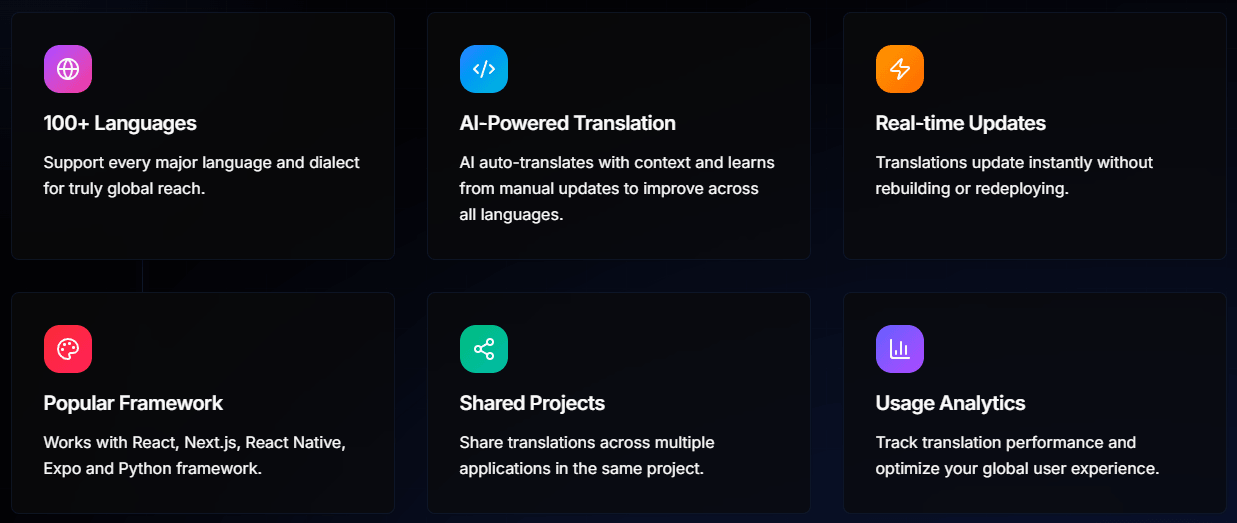
AutoLocalise removes the need to manage traditional locale files or manually extract strings into separate translation resources.
The platform auto-translates marked app text and says it learns from manual updates to improve translations across languages.
Translation changes can sync without a rebuild or redeploy, which is useful for teams that change copy frequently.
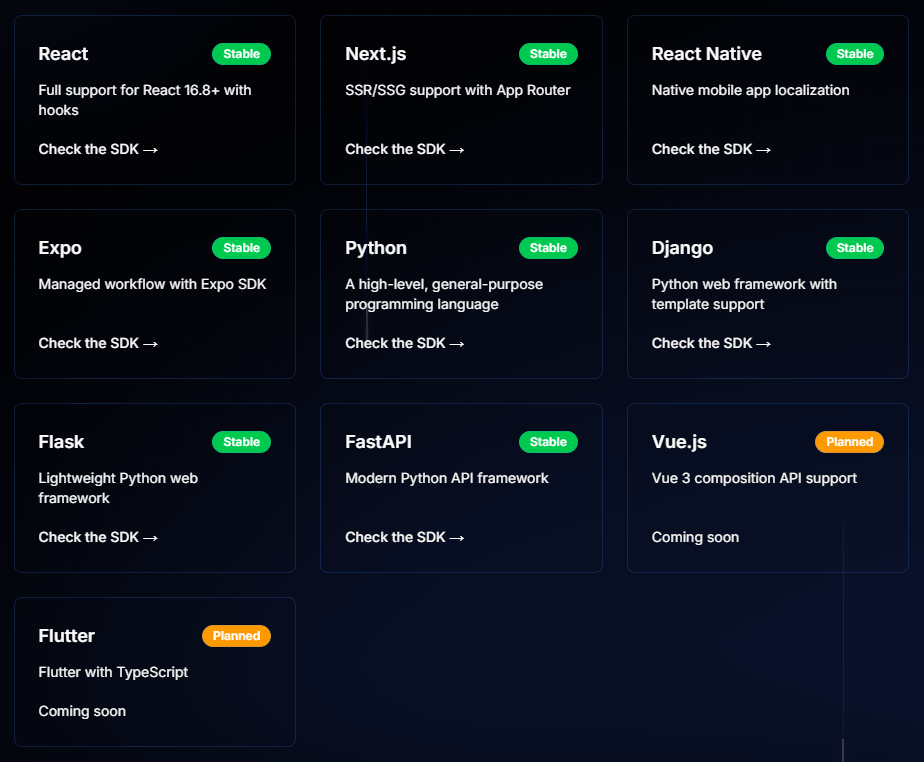
AutoLocalise supports React, Next.js, React Native, Expo, and Python workflows, with specific guides for client-side React, Next.js SSR, mobile, and Python backends.
Previously translated content is cached locally, so existing translations can still work offline after the first translation has been fetched.
The docs describe support for variables, nested formatting, formatted text, and parameter protection in Python templates, which matters for real application copy.
AutoLocalise’s workflow is designed to feel lightweight for developers.
For a React app, the basic pattern is simple: install react-autolocalise, wrap the app in a TranslationProvider, configure the API key, source locale, and target locale, then use the useAutoTranslate hook to translate strings inside components. The React guide shows this pattern directly with t("Welcome to our app!"), t("This text will be automatically translated"), and button text inside JSX.
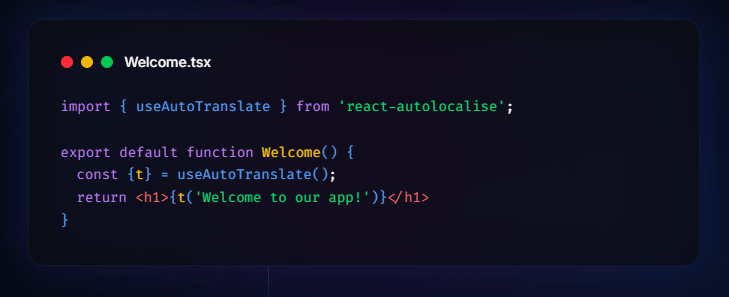
The important shift is that the source text becomes the thing you work with. In the migration guide from react-i18next, AutoLocalise replaces key-based lookup like t("welcome_message") with direct original copy such as t("Welcome to our app!"). The same guide says translation files are not needed after migration because AutoLocalise handles translations automatically.
That is very convenient, but it also changes how teams should think about copy. With key-based systems, keys can remain stable while wording changes. With AutoLocalise, source text itself becomes more central to the workflow. That is faster for small teams, but larger teams should be careful about changing source strings casually, because each wording change may create a new translation event or require review.
AutoLocalise is clearly built for developers who want localization inside the normal app stack rather than in a separate TMS-first process.
For React, the SDK supports hooks, dynamic content, formatted text, and browser locale detection. The React documentation also gives practical best practices: use clear source text, avoid unnecessary jargon, account for 30–50% text expansion in some languages, and test long translations in languages such as German and Finnish.
For Next.js, the product becomes more interesting because SSR matters for multilingual websites. AutoLocalise’s Next.js documentation says it supports server-side translation, dynamic locale support, locale-specific URLs such as /zh/about and /fr/contact, server-side caching, and translated metadata generation for SEO.
For React Native and Expo, AutoLocalise adds mobile-specific behavior. The mobile setup guide covers React Native and Expo integration, offline-first caching with AsyncStorage, device locale detection, language switching, and best practices around loading states, offline messaging, text expansion, multiple device testing, error boundaries, and translation loading performance.
For Python, AutoLocalise is more backend-oriented. The Python SDK is described as framework-agnostic and compatible with Django, Flask, FastAPI, or any Python backend. It supports in-memory caching, batch translation, Python Template support, parameter protection, and graceful fallbacks when translation fails. That range makes AutoLocalise more than a React-only helper. It is still most obviously attractive to modern JavaScript teams, but the Python SDK gives it a broader backend use case.
The real-time model is the biggest product decision in AutoLocalise. The homepage describes the workflow as auto-extracting text from React components as users interact with the app, sending the text to an AI translation service, and caching translations for fast performance and automatic updates across app instances.
This approach is practical for speed, but it requires discipline. Runtime translation works best when source text is stable, user experience handles loading states cleanly, and caching is used correctly. AutoLocalise says translations are cached locally and delivered in milliseconds, and that the SDK is lightweight with minimal bundle impact.
The offline behavior is also important. AutoLocalise says previously translated content can work offline through local caching, but new content still requires an internet connection for the initial translation.
That means AutoLocalise is not the same as fully bundled static translations. For apps that need guaranteed complete offline localization from first launch, a traditional bundled translation-file workflow may still be safer. For apps that can fetch translations once and cache them afterward, AutoLocalise is much more convenient.
AutoLocalise uses AI translation as the first-pass engine, but the better way to think about it is “AI translation with developer-managed context.” The homepage says the system auto-translates with context and learns from manual updates, while the docs say users can review and refine translations through the dashboard.
The quality will depend heavily on how the source text is written. Clear, complete phrases usually translate better than fragmented UI labels. AutoLocalise’s React best practices explicitly recommend descriptive text, avoiding unnecessary technical jargon, considering text expansion, and testing long translations.
Variables are another important control point. The React and React Native docs show placeholder-style patterns like {{1}}, while the Python SDK uses template parameter protection so names, counts, usernames, and other dynamic values are not accidentally translated.
This is good enough for many app UI workflows, but AI translation still needs review for sensitive copy. Legal wording, health information, financial claims, safety instructions, sarcasm, cultural references, and brand-critical messaging should not be treated as publish-ready just because the translation appears instantly.
AutoLocalise publicly positions the platform around 100+ languages. The homepage says it supports 100+ languages, and the language-support documentation lists ISO-639 language codes with broad coverage across major languages and many less common languages.
The practical point is that language availability is broad, but availability is not the same as equal translation quality. Common language pairs will usually be easier to trust than lower-resource languages, domain-specific language, or highly idiomatic product copy. Teams should test the actual target languages that matter to their users instead of assuming quality is uniform across the full list.
AutoLocalise says it does not store your source code and only stores the text strings you define for translation. The FAQ also says data is encrypted in transit and at rest, and that projects are private to the user and their team.
That is a useful privacy boundary because the SDK should not need your full codebase. Still, teams should treat translated strings as production data. Product copy can reveal unreleased features, internal terminology, customer-facing flows, or business logic. For sensitive apps, teams should review AutoLocalise’s privacy policy, terms, data retention practices, and internal approval process before sending confidential strings through any AI translation system.
- Small teams shipping multilingual apps quickly: AutoLocalise is a strong fit for startups, indie developers, and lean product teams that need multilingual support without building a full localization operation.
- React and Next.js products: The tool is especially useful for modern web apps where the team wants fast translation setup, browser locale detection, server-side translation, locale-specific URLs, and translated metadata.
- React Native and Expo apps: AutoLocalise works well when mobile teams want device locale detection, language switching, offline caching, and translated UI without managing separate mobile translation files.
- Python web backends: Django, Flask, and FastAPI teams can use AutoLocalise for backend-generated messages, templates, notifications, and API text that need translation with caching and parameter protection.
- Apps with frequent copy changes: Real-time updates are useful when product labels, onboarding text, marketing copy, or in-app messages change often and the team does not want every copy update tied to a redeploy.
- Teams migrating away from simple i18n files: AutoLocalise’s migration guide from react-i18next makes the case clearly: fewer translation files, less manual translation management, and live updates.
- Write source text like real user-facing copy. Since AutoLocalise can use the source phrase directly, avoid vague fragments where possible. “Save changes” is better than “Save” when context matters.
- Review high-impact strings manually. Onboarding, checkout, legal notices, settings, permissions, safety text, and upgrade flows should be checked in every important target language.
- Plan for text expansion. AutoLocalise’s own docs warn that some languages can require 30–50% more space, so UI layouts should be tested with longer translations.
- Use placeholders carefully. Follow the SDK’s variable patterns and keep dynamic values separate from translatable text so names, counts, and product-specific parameters are preserved correctly.
- Handle loading and error states. Mobile docs specifically recommend loading indicators, offline messaging, error boundaries, and monitoring translation loading times.
- Do not rely only on first-pass AI for brand voice. If tone matters, use the dashboard refinement workflow and keep a human review loop for important languages.
- Test offline behavior before launch. Previously translated content can work offline, but new content requires initial internet access, so the first-run user experience matters.
The biggest trade-off is that AutoLocalise’s convenience comes from changing the normal localization model. Instead of managing static translation files, the app sends marked strings to a translation service and relies on caching and live updates. That is fast, but not every team will want runtime translation in production.
The second limitation is review depth. AutoLocalise supports refinement, but it does not appear to be as full-featured as larger translation management systems for translator assignments, advanced QA checks, branch management, translation memory workflows, screenshot-heavy review, or enterprise localization governance.
The third limitation is framework coverage. React, Next.js, React Native, Expo, Python, Django, Flask, and FastAPI are listed as stable, but Vue.js and Flutter are currently marked as planned rather than available.
The fourth trade-off is offline behavior. Cached translations can work offline, but new strings need an internet connection for the initial translation. That may be fine for many web and mobile apps, but it is less ideal for products that must be fully localized offline from the first launch.
The fifth limitation is AI translation reliability. AutoLocalise can help teams ship multilingual experiences quickly, but translation quality still varies by language, context, domain, and source-text clarity. For important products, AI localization should be treated as an acceleration layer, not a complete replacement for review.
AutoLocalise is best for developers and small product teams that want to add multilingual support quickly without managing traditional translation files.
Its strongest advantages are SDK-based integration, AI-powered translation, real-time updates, local caching, Next.js SSR support, React Native/Expo support, and Python backend support.
It is not the best fit for teams that need a full enterprise translation management system, heavy translator workflow, strict offline-first localization, or deep QA governance. But for modern app teams that want fast, developer-friendly localization with minimal file management, AutoLocalise is a focused and practical tool.
TAGS: Translation
Related Tools:

Transcribe, translate, and localize multimedia content

Specializes in dubbing videos into multiple languages

Translates videos into multiple languages

Generates and translates accurate subtitles

Generates subtitles and dubbing in multiple languages
Enables multilingual support for ChatGPT