
Share this tool:
 |
Description:
- Introduction
- Core Features and Capabilities
- What Perso AI Actually Is
- What Perso AI Does Best
- Workflow and Ease of Use
- Dubbing, Lip Sync, and Voice Quality
- Transcription, Subtitles, and Audio Control
- Perso AI Platform and Interactive Layer
- Security, Ethics, and Deepfake Risk
- Best Use Cases
- How Perso AI Compares
- Practical Tips
- Limitations and Trade-Offs
- Final Takeaway
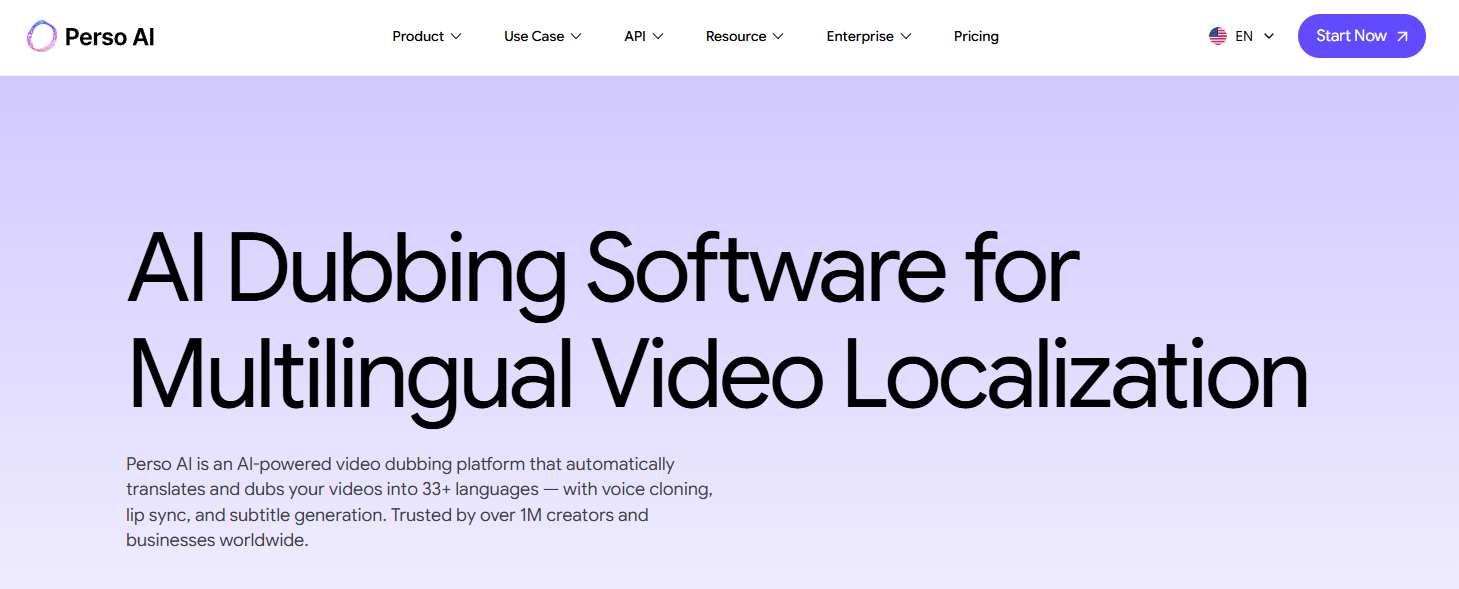
Perso AI is an AI video localization platform focused on dubbing existing content into other languages. It combines video translation, voice cloning, lip-sync, subtitle generation, script editing, speech-to-text, audio separation, and enterprise localization workflows. Its strongest use case is not making videos from scratch. It is taking videos you already have and making them usable for new audiences without rebuilding the production.
Translates, dubs, lip-syncs, and edits scripts in one workflow for video localization.
Recreates the speaker’s voice identity so localized videos sound closer to the original presenter.
Matches translated speech to the speaker’s face and mouth movement for more natural multilingual videos.
Lets users create, edit, translate, and synchronize subtitles inside one workspace.
Transcribes video or audio in 99+ languages with speaker detection, summaries, action items, timestamps, and subtitle exports.
Splits vocals, individual speakers, background music, and ambient sounds from audio or video files.
Perso AI is an AI-powered video transformation tool developed by ESTsoft. Its platform documentation describes it as a tool for creating high-quality content by uploading text or voice files, while the main public site positions it more specifically as an AI video dubbing platform for multilingual localization.
The current product is best understood as five connected layers:
| Layer | What it does | Why it matters |
|---|---|---|
| AI Dubbing | Translates and dubs videos into other languages. | Core workflow for globalizing existing video content. |
| Voice Cloning | Recreates the speaker’s tone and identity in the target language. | Helps dubbed videos feel closer to the original speaker. |
| Lip Sync | Aligns translated speech with mouth movement. | Makes localized talking-head content feel more natural. |
| Subtitle and Script Editing | Lets users adjust transcripts, captions, translations, and timing. | Adds needed human control before publishing. |
| Audio and Speech Tools | Transcribes, separates audio, exports captions, and manages speakers. | Useful for cleanup, editing, subtitling, and repurposing. |
That structure matters because Perso AI is not just a “translate this video” button. It is closer to a video localization workspace where translation, voice, mouth movement, subtitles, speakers, and audio tracks are all part of the same workflow.
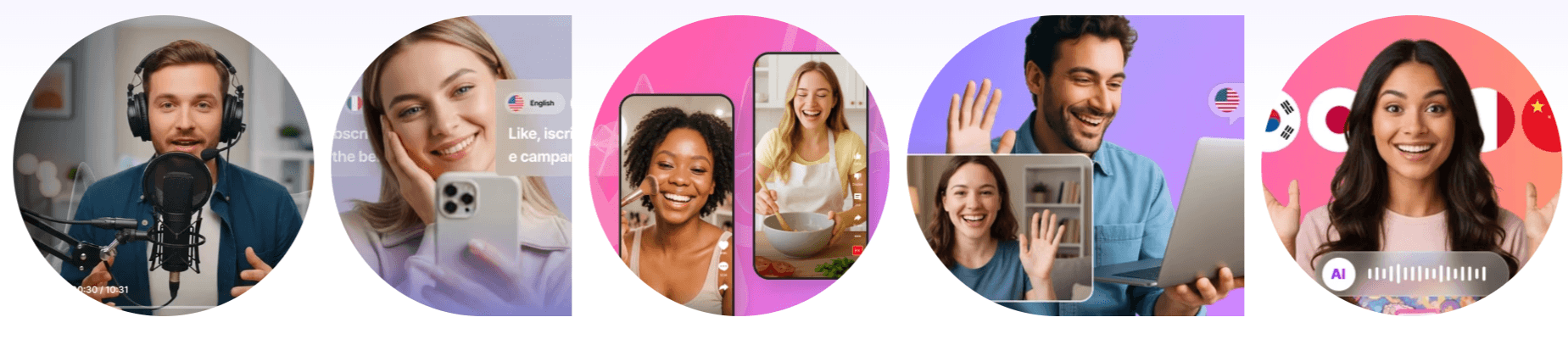
Perso AI is strongest when the speaker’s presence matters. Product demos, tutorials, online courses, YouTube videos, founder videos, training content, investor presentations, app walkthroughs, and awareness campaigns all depend on trust. If the speaker sounds disconnected from the face on screen, the localization feels cheap. Perso AI’s main promise is to translate the message while preserving more of the original delivery through voice cloning and lip-sync.
The standard dubbing workflow is straightforward: upload a video or audio file, choose the target language, let the system generate the dubbed version, edit the script if needed, and download the finished content. Perso AI’s dubbing page describes this flow directly and highlights script editing, voice cloning, lip-sync, video localization, and multi-speaker support as core parts of the product.
The platform also goes beyond dubbing. Its speech-to-text tool transcribes audio or video in 99+ languages with speaker detection, AI summaries, action items, word-level timestamps, subtitle exports, and multiple export formats. That makes Perso AI useful before and after translation, not only during dubbing.
Perso AI’s workflow is built around an upload-first model. You start with a video, audio file, script, or link, then use the platform to translate, dub, edit, sync, and export. The official video translation page describes the workflow as uploading video or audio, selecting a language, and letting Perso AI translate speech, clone voices, and sync lips.
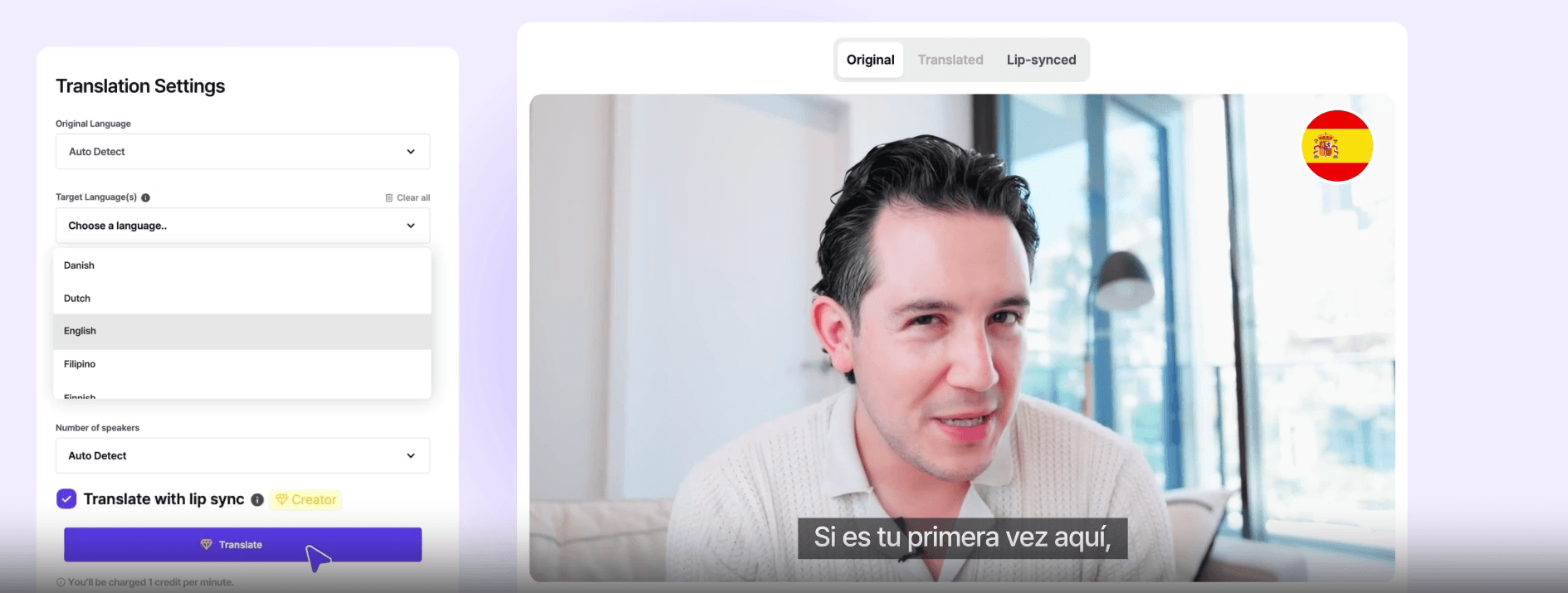
The script editor is one of the most important parts of the experience. AI dubbing can produce a strong first pass, but translated scripts often need human adjustment. Perso AI lets users modify the generated script before final export, which is useful for correcting names, brand terms, awkward phrasing, timing issues, or mistranslated context.
The subtitle workflow is also practical. Perso AI’s subtitle editor lets users edit subtitle lines, adjust translated text, keep captions synchronized, and export subtitle files or videos with captions. Its FAQ says users can download translated videos, lip-synced videos, voice-only audio, background music, combined audio, original subtitle files, and translated subtitle files. This makes Perso AI easier to use than a disconnected workflow where transcription, translation, voiceover, caption editing, and export all happen in separate tools. The value is in keeping those steps close together.
The main quality question with Perso AI is not just whether it translates words correctly. It is whether the final video feels believable enough for real viewers.
Perso AI’s video translation page says its system uses voice cloning to recreate the speaker’s natural tone in other languages and uses facial animation with voice-sync technology so translated speech matches lips, expressions, and timing.
This is especially important for talking-head content. A training video, founder message, online lesson, or product walkthrough can lose credibility if the voice sounds generic or the mouth movement looks badly mismatched. Perso AI’s strongest use case is content where the person on screen is part of the value.
The platform’s ElevenLabs connection is also worth noting. Perso AI’s dubbing page says the company has a strategic partnership with ElevenLabs to co-develop next-generation lip-sync and voice cloning technologies, and its voice generator page says Perso AI integrates ElevenLabs speech synthesis with its video translation system.
That does not mean every output will be perfect. Lip-sync and voice cloning quality can vary depending on the source video, face visibility, speaker clarity, background noise, language pair, pacing, and how much script editing the user performs. But the product is clearly built around those quality layers, not just basic subtitle translation.
Perso AI becomes more useful when you look beyond dubbing. Its speech-to-text tool supports transcription in 99+ languages, automatic speaker detection, word-level timestamps, AI summaries, action items, and export formats including SRT, VTT, XLSX, JSON, and MP4.
That matters because many video localization projects start with a messy source file. The transcript may need cleanup. Speakers may need to be labeled. Subtitles may need adjusting. The final export may need a hardcoded caption version or a separate SRT file for upload to YouTube, TikTok, LMS platforms, or internal systems.
The audio separation tool adds another useful layer. Perso AI says it can separate vocals, individual speaker voices, background music, and ambient sounds, while also providing transcription in the same view. Users can preview separated tracks, rename speaker labels, reassign mislabeled segments, and export edited tracks. This is useful for localization because background music and speaker audio can create problems. If you need a clean voice track, a music-only track, or a subtitle file that matches edited speakers, having separation and transcription connected to the same workflow can save time.
Perso AI also has a separate platform side for interactive AI personas. The platform page describes a workflow for generating an API key, integrating an SDK, managing AI sessions, testing voice in the browser, and deploying interactive AI personas.
This appears to be a different product layer from the main AI dubbing workflow. The dubbing product is for localizing existing videos. The platform layer is more about interactive avatars, real-time voice testing, and conversational AI persona deployment.
For most creators, marketers, and educators, the dubbing platform will be the main product. For businesses building interactive AI experiences, the platform and SDK layer may matter more.
Any tool involving voice cloning and lip-sync needs to be judged partly on trust and misuse controls. Perso AI’s Trust & Security page says the product is developed by ESTsoft, that ESTsoft is ISO/IEC 27001 certified and KISA ISMS accredited, and that Perso AI is a member of the Content Authenticity Initiative.
The ethics page says AI-generated output created from your original content belongs to you and that users retain ownership of their source materials. It also includes FAQ topics around deepfakes, cloning public figures, labeling AI-generated content, voice data storage, and AI bias.
This is important because the same features that make Perso AI powerful can also create risk. Voice cloning and lip-sync should only be used with proper rights, consent, and brand approval. For companies, that means internal policies around who can upload videos, who can clone voices, what content can be localized, and how AI-generated media should be labeled.
- YouTube creators: Perso AI is a strong fit for creators who want to republish existing videos in other languages while preserving the original speaker’s voice and on-camera presence.
- Online course creators: Educational videos often rely on trust and clarity. Dubbing, subtitles, and transcript editing help make lessons accessible to more learners.
- Marketing teams: Product videos, launch announcements, ads, demos, and social clips can be localized for different markets without running a full reshoot.
- Corporate training teams: Internal training, onboarding videos, HR explainers, and compliance content can be translated and dubbed for multinational teams.
- SaaS and app teams: App tutorials and product walkthroughs are good candidates because they are structured, repeatable, and often need to serve users across regions.
- Enterprise content teams: Perso AI’s enterprise page highlights large-scale dubbing, multi-speaker detection, script editing, security, and global content localization, making it relevant for teams with frequent multilingual video needs.
| Tool | Stronger Fit | Where Perso AI Fits Differently |
|---|---|---|
| HeyGen | Avatar video creation and video translation across a very broad language range. | HeyGen is stronger when avatar creation is central. Perso AI is more narrowly focused on dubbing existing videos with voice cloning, lip-sync, subtitles, script editing, and audio workflow. HeyGen’s official translation page says it supports translating videos or YouTube links into 175+ languages. |
| Rask AI | Large-scale video/audio localization and API-driven dubbing. | Rask is broader on language coverage, with its official site describing translation into 130+ languages and API localization at scale. Perso AI is more focused on a tighter dubbing workflow around lip-sync, script editing, voice cloning, and creator/business video use cases. |
| Synthesia | AI avatar video creation and business video generation. | Synthesia is stronger for making new avatar-led videos from text. Its dubbing page also covers 130+ languages and lip-sync, while Perso AI feels more specialized around localizing existing creator, training, and marketing videos. |
| ElevenLabs | Voice generation, voice cloning, dubbing, agents, and audio APIs. | ElevenLabs is the stronger pure voice platform. Perso AI is better when you need video translation, lip-sync, subtitles, and speaker/video workflow in one place. ElevenLabs’ official site emphasizes AI voices, voice agents, and 70+ language support for agents. |
The practical difference is clear. Choose Perso AI when the job is localizing existing video content with the speaker still on screen. Choose avatar-first platforms when you are creating synthetic presenter videos from scratch. Choose pure voice platforms when the main output is audio rather than finished localized video.
- Start with clean source audio. Voice cloning, transcription, speaker detection, and dubbing all improve when the original recording has clear speech, minimal noise, and consistent speaker volume.
- Edit the script before final export. This is especially important for brand names, product names, jokes, technical language, acronyms, subtitles, and claims that must be phrased carefully.
- Use subtitles even when dubbing. Some viewers watch muted videos, and some platforms rely heavily on captions. Perso AI’s subtitle editor and SRT export workflow make this a practical part of the process.
- Check lip-sync on the final video, not only the script. A translation may read well but still feel unnatural if the pacing is too long, too compressed, or mismatched to the speaker’s mouth movement.
- Use audio separation when the source is messy. If the video has background music, multiple speakers, or reaction sounds, separation tools can help isolate the pieces you need before export.
- Get consent for voice cloning. For companies, this should be a formal approval process, not an informal upload.
Perso AI’s biggest limitation is that output quality depends heavily on the source video. Clean face visibility, stable framing, clear speech, and good audio will usually produce better results than noisy, fast-cut, overlapping, or low-resolution material.
The second trade-off is language coverage inconsistency across pages. Perso AI’s main dubbing and translation pages emphasize 33+ languages for video localization, while the speech-to-text page separately lists 99+ languages for transcription. That difference is not necessarily a contradiction, but users should understand that transcription language coverage and full dubbing/lip-sync localization coverage may not be the same.
The third limitation is that AI translation still needs review. This is especially true for humor, legal claims, medical content, financial language, safety instructions, religious content, and culturally sensitive messaging.
The fourth trade-off is that Perso AI is not primarily a full video editor. It helps with dubbing, lip-sync, subtitles, transcription, audio separation, and export, but teams that need full timeline editing, motion graphics, color grading, or deep post-production will still need a dedicated editor.
The fifth limitation is ethical risk. Voice cloning and lip-sync can be misused. Perso AI’s trust and ethics pages are useful, but responsible use still depends on consent, rights management, and clear internal policy.
Perso AI is best for creators, educators, marketers, SaaS teams, and enterprise content teams that want to localize existing videos without rebuilding the original production.
Its strongest advantages are AI dubbing, voice cloning, lip-sync, subtitle editing, speech-to-text, speaker management, audio separation, and export flexibility.
It is not the best fit if you mainly need to create avatar videos from scratch or perform full video editing. It is also not a replacement for human review in sensitive translation work. But for video-first teams that want to turn one speaker-led asset into multilingual versions, Perso AI is a focused and practical AI localization platform.
TAGS: Translation
Related Tools:
Creates translation glossaries and style guides

Generates and translates accurate subtitles

Translates text and media into over 130 languages
Provides automated dubbing and translation

Translates text and speech between languages
Transcribes audio and video content into accurate subtitles