
Share this tool:
 |
Description:
- Introduction
- What Tolgee Actually Is
- What Tolgee Does Best
- Core Features and Capabilities
- The Workflow: From Code to Translation to Release
- AI Translation and Control
- Design, Figma, and Visual Context
- Collaboration and Review
- Security, Hosting, and Control
- Best Use Cases
- How Tolgee Compares
- Practical Tips
- Limitations and Trade-Offs
- Final Takeaway
Tolgee is an open-source localization platform for software teams that need to translate apps, websites, and product interfaces without turning localization into a slow file-management process. Its strongest idea is simple: let developers, translators, product teams, and AI work with real context, not isolated strings sitting in a spreadsheet.
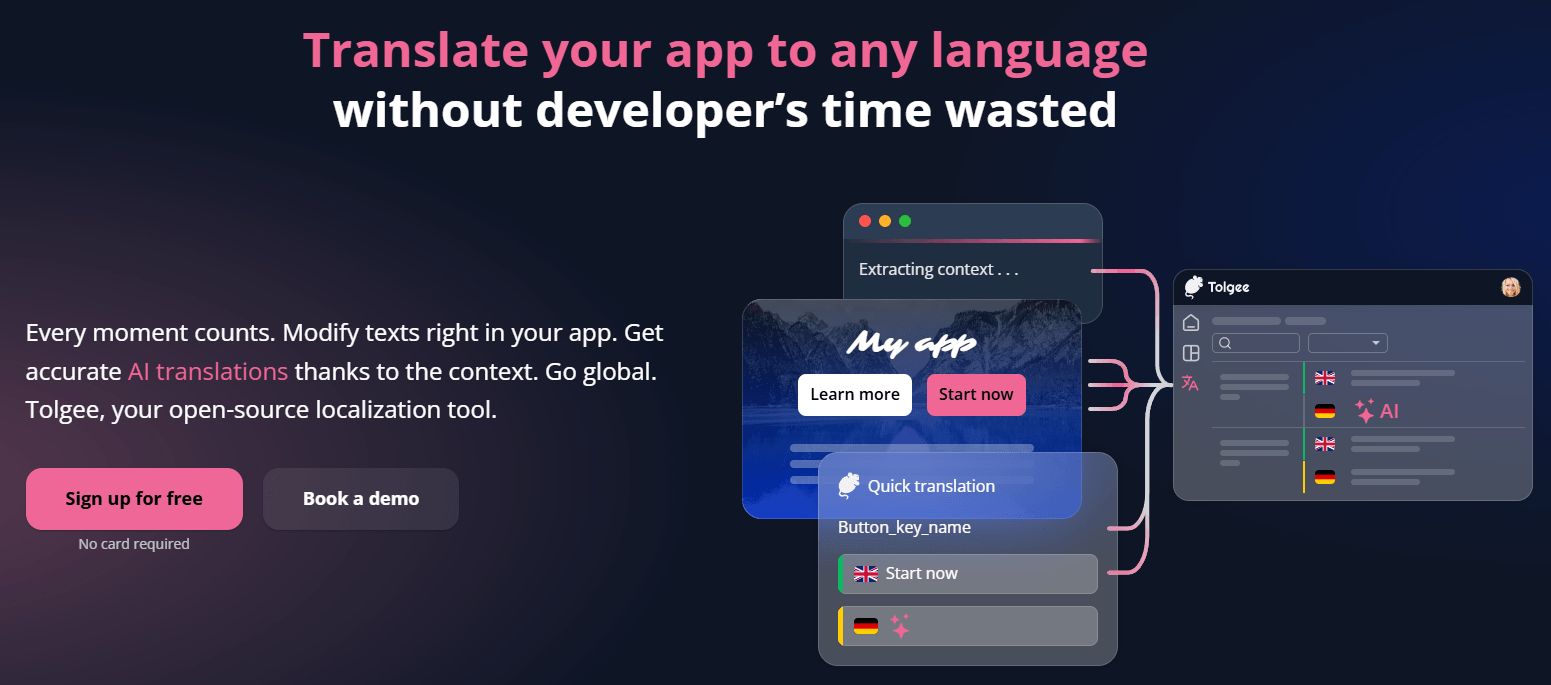
Tolgee is a localization management platform built around software translation. It gives teams a central place to manage translation keys, languages, screenshots, context, comments, translation states, tasks, imports, exports, and automated translation. It also provides SDKs and developer tooling so localization can connect directly to the product instead of living separately from the app.
The key difference is that Tolgee is not only a translation dashboard. It is designed to integrate into the actual app through SDKs, so strings can be edited in context. The official in-context translation page says Tolgee provides native SDKs for JavaScript and major frameworks like React, Vue, Angular, and Svelte, with features such as in-context editing, context extraction, and one-click screenshot generation.
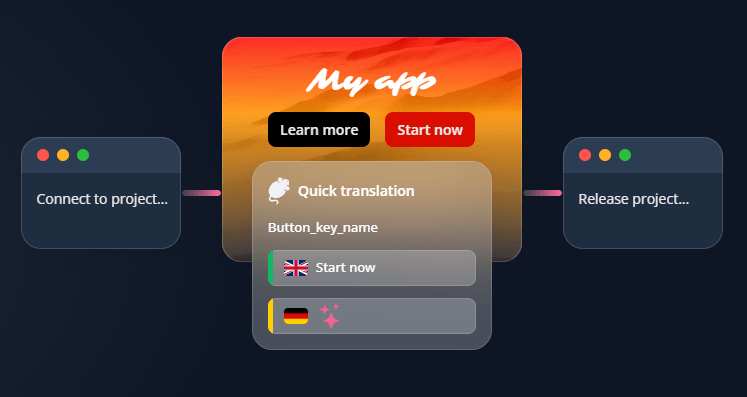
That matters because localization often breaks down when translators see only short labels like “Save,” “Share,” “Back,” or “Draft.” Without UI context, those words can be ambiguous. Tolgee’s product is built around reducing that ambiguity through in-app editing, screenshots, key descriptions, project descriptions, language notes, translation memory, and AI translation that can use more context than a normal machine translation pass.
Tolgee is strongest when localization needs to stay close to the product. If your team is building a web app, mobile app, SaaS dashboard, developer tool, marketplace, or internal platform, Tolgee gives you a more practical workflow than manually passing JSON, PO, YAML, or spreadsheet files between developers and translators.
Its standout strength is in-context translation. With Tolgee’s SDK workflow, team members can edit strings directly inside the application and capture screenshots with highlighted phrases for translation. The official GitHub description says users can hold Alt/Option and click an element to modify strings, and the platform can generate screenshots with highlighted phrases.
The second strength is contextual AI translation. Tolgee’s AI Translator can use screenshots, Tolgee Context, key descriptions, project descriptions, language notes, and translation memory results. That is a more localization-aware setup than asking a generic AI model to translate a list of disconnected UI strings.
The third strength is developer control. Tolgee supports SDKs, CLI workflows, REST API access, file import/export, and multiple supported localization formats. That makes it more suitable for teams that want localization to become part of the product pipeline rather than a manual afterthought.
Edit translations directly inside the app, so translators and product teams see where each string appears.
Translate with context from screenshots, key descriptions, project descriptions, language notes, Tolgee Context, and translation memory results.
Test AI translation settings, toggle context inputs, write custom prompts, compare output, and save configurations for later use.
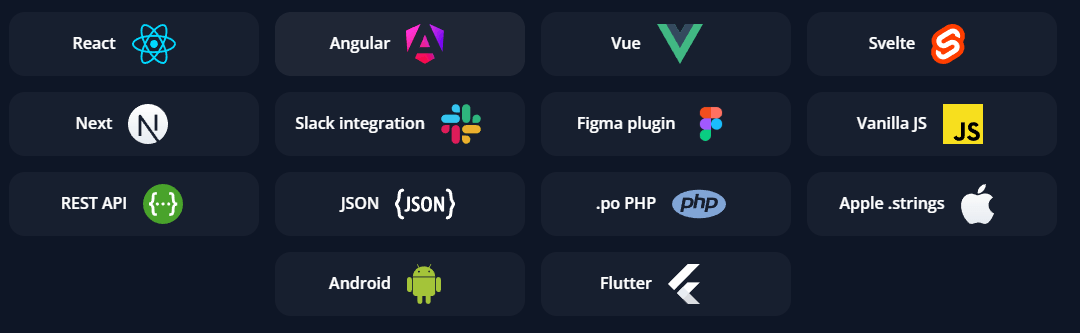
Use Tolgee with major JavaScript frameworks such as React, Angular, Vue, Next, Svelte, React Native, and Vanilla JS, plus native mobile documentation for iOS and Android.
Push, pull, extract, import, export, and automate localization data through developer tooling.
Assign tasks, track translation and review work, see activity, review history, comment on translations, and receive Slack updates.
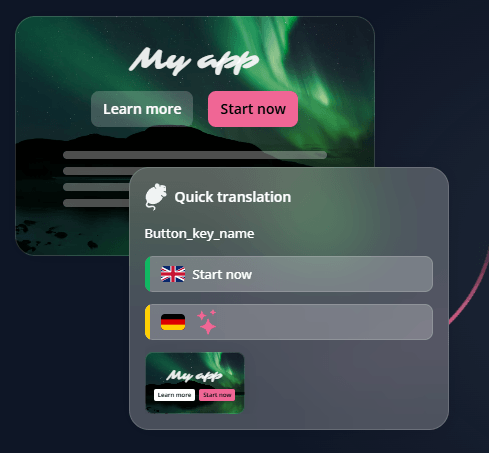
The normal Tolgee workflow starts by getting strings into the platform. Teams can do this through SDKs, the CLI, REST API, UI upload, or the Figma plugin. Tolgee’s localization process page describes this as a flexible workflow where teams can add keys, screenshots, or translations directly in the app, import through the CLI, use the API, upload files through the UI, or bring strings from Figma.
Once content is in Tolgee, translators and reviewers can work with more than raw text. They can see key names, descriptions, screenshots, comments, translation history, and context. This is where Tolgee is most useful. UI translation is often about space, tone, and function, not just dictionary accuracy. A short mobile button, a navigation label, and an onboarding headline all need different judgment.
Then comes translation. Tolgee supports human translation, machine translation, AI translation, translation memory, and batch operations. Its localization process page says auto-translation can be triggered when new keys are created, and teams can choose a preferred provider.
Finally, teams need to get translations back into the product. Tolgee supports export through the UI, CLI, REST API, and Content Delivery. Its localization process page describes Content Delivery as a way to deploy localization content instantly to servers worldwide without rebuilding the app.
Tolgee’s AI layer is one of its more important modern features, but it is not framed as “type a prompt and hope.” It is built into the localization workflow.
The AI Translator can use multiple types of context: screenshots, key descriptions, project descriptions, language notes, Tolgee Context, and translation memory results. That gives the model a better chance of understanding whether “Share” means a button, a menu item, a social action, or something else.
The AI Playground is where Tolgee becomes more flexible. It lets teams test custom AI prompt settings or write a completely custom prompt. In basic mode, users can control which information goes into the prompt, such as whether translation memory suggestions should influence the result. In advanced mode, users can edit the generated prompt directly through text input.
Tolgee also supports configurable LLM providers. Its LLM provider documentation lists provider types including OpenAI, OpenAI Azure, Anthropic, Google AI, Tolgee, and custom OpenAI-compatible providers, with model examples such as GPT-5, GPT-4o, Claude, Google Gemini, and local OpenAI-compatible setups like LM Studio. That model/provider flexibility is useful for teams with different quality, compliance, or infrastructure needs. The important point is that Tolgee’s AI value comes from context and control, not from a generic translation box.
Tolgee also reaches into the design workflow through its Figma plugin. The official Figma integration page says users can send texts from Figma to Tolgee, show translators how text appears in the design, work with AI or human translators, use professional translation tools, and preserve consistency across projects.
This is valuable because localization problems often appear before development. A translated headline may be too long for the design. A button label may not fit. A short English phrase may require a more explicit phrase in another language. Design-stage context helps teams catch those issues earlier.
The Figma plugin is especially useful for product teams where designers, developers, and translators all touch the same interface language. Instead of treating copy as a late-stage export, Tolgee can help make translation part of the design-to-development path.
Tolgee’s collaboration features are not as flashy as AI translation, but they matter just as much in real localization work.
The collaboration page lists tasks for assigning, tracking, and completing translation or review jobs. It also includes activity streams, translation history, comments on translations, notifications, and Slack integration for updates such as new key creation or string changes.
That is important because localization is rarely one person’s job. Developers create keys. Product teams care about tone. Designers care about space and layout. Translators care about meaning. Reviewers care about consistency and quality. Tolgee gives those roles a shared workspace instead of forcing all feedback into tickets, spreadsheets, and chat threads.
The comment system is especially useful for ambiguous UI copy. If a reviewer thinks a translation is too long, too formal, or not clear enough in context, they can leave feedback directly on the translation instead of sending a separate message that someone has to trace back later.
Tolgee’s open-source positioning matters. The company says Tolgee is an open-source tool for simplifying software and application translation, and its open-source page emphasizes transparency, flexibility, customization, and reduced vendor lock-in.
For teams with stricter infrastructure needs, Tolgee can be self-hosted. Its self-hosting documentation says the platform can run on a team’s own infrastructure, while Tolgee’s information security policy says Tolgee is ISO 27001 certified and follows ISO/IEC 27001:2022 standards for information security.
That does not remove the need for a real internal security review. Localization files can include sensitive product text, unreleased feature names, customer-facing copy, or internal terminology. But Tolgee’s self-hosting option and ISO 27001 positioning make it more credible for teams that cannot casually send localization data into every SaaS tool.
- Developer-led SaaS teams: Tolgee is a strong fit for teams building web apps, dashboards, marketplaces, admin panels, and product interfaces where localization needs to stay close to code.
- Startups expanding into new markets: Teams can move faster by combining AI translation, translation memory, screenshots, and human review instead of building a manual localization process from scratch.
- Product teams with lots of UI strings: Tolgee is especially useful when translation depends on seeing the interface, because in-context editing and screenshots reduce confusion.
- Teams using modern JavaScript frameworks: Tolgee’s strongest developer story is around React, Angular, Vue, Next, Svelte, React Native, and Vanilla JS integrations.
- Design-to-development workflows: The Figma plugin makes Tolgee useful earlier in the product process, before translations become a last-minute release blocker.
- Teams that want control over localization infrastructure: Open-source availability, self-hosting, CLI, API, and configurable LLM providers make Tolgee attractive for technical teams that want more ownership.
| Tool | Stronger Fit | Where Tolgee Fits Differently |
|---|---|---|
| Lokalise | Larger localization operations, broad integrations, enterprise-style continuous localization. | Lokalise positions itself as an AI-powered localization platform with many integrations and automation features; Tolgee feels more developer-native and open-source, with in-context editing and SDK workflow as its clearest differentiator. |
| Crowdin | Broad content localization, many integrations, software, documentation, games, websites, and mobile apps. | Crowdin highlights 700+ apps and integrations, 100+ file formats, QA checks, and branch-based translation management; Tolgee is narrower but appealing when embedded app context and open-source control matter more. |
| Phrase | Enterprise localization platform, translation management, workflow automation, quality scoring, and broad content systems. | Phrase positions itself around AI-led translation capabilities and large-scale automation; Tolgee is more lightweight and developer-oriented, especially for product UI localization. |
| Transifex | AI localization across apps and websites with workflow automation and brand/context features. | Transifex is broader for managed localization programs; Tolgee stands out more for teams that want open-source flexibility, SDK integration, and direct in-app editing. |
The practical takeaway: Tolgee is not trying to be the biggest all-purpose localization suite. It is most compelling when the team wants a developer-friendly, context-heavy, open-source localization workflow for software products.
- Start with meaningful key names. Tolgee’s docs recommend meaningful and descriptive key names because naming conventions help teams manage and understand translations more consistently.
- Add key descriptions for ambiguous strings. A label like “Share” or “Draft” can be translated several ways depending on context. Tolgee provides key descriptions to translators and to the AI Translator, so this is one of the easiest ways to improve output quality.
- Use screenshots whenever the UI matters. Tolgee’s screenshot documentation says screenshots help translators understand what they should translate and can also be used as additional context for AI translation.
- Treat AI translation as a strong first pass, not a final approval step. Tolgee’s own AI translation positioning pairs AI translation with human review, which is the right model for important customer-facing product text.
- Use the AI Playground before applying AI translation broadly. Testing context settings and prompt behavior on real translation data is safer than running a large translation batch and discovering later that the tone, terminology, or placeholders were wrong.
- Connect localization to the release workflow early. The CLI and REST API are there for a reason. If teams wait until the end of a sprint to think about translations, localization becomes a release blocker instead of a normal part of shipping.
Tolgee’s biggest trade-off is that it is strongest for software localization, not every kind of multilingual content operation. If a team mainly localizes marketing sites, help centers, ad campaigns, multimedia, or large enterprise content programs, broader platforms like Lokalise, Crowdin, Phrase, or Transifex may offer more mature coverage across non-product content workflows.
The second trade-off is setup. Tolgee becomes more powerful when developers integrate SDKs, configure files, use the CLI, manage keys carefully, and connect the workflow to the app. That is good for technical teams, but less ideal for non-technical teams that want a translation workspace with minimal engineering involvement.
The third limitation is AI review. Tolgee’s AI Translator is context-aware, but AI translation can still miss tone, legal nuance, humor, cultural sensitivity, or product-specific terminology. Glossaries, language notes, screenshots, and key descriptions help, but they do not remove the need for human review on important copy.
The fourth trade-off is provider and configuration complexity. Tolgee supports configurable LLM providers and custom models, which is powerful, but it also means teams need to make choices about providers, context usage, prompt behavior, and review standards.
Tolgee is best understood as a developer-friendly localization platform with AI translation built around context. Its strongest advantages are in-context editing, SDK integration, screenshot support, AI translation customization, CLI/API workflows, and open-source flexibility.
It is best for software teams, SaaS builders, startups, and product organizations that want localization to live close to the app instead of being managed through disconnected files and spreadsheets.
The main caveat is that Tolgee works best when a technical team is willing to integrate it properly and maintain good localization habits. With clean keys, screenshots, descriptions, review workflows, and thoughtful AI settings, it can make app localization much faster and less painful.
TAGS: Translation
Related Tools:
Streamlines localization and translation processes
Generates subtitles and dubbing in multiple languages

Enhances communication by providing multilingual support
Provides automated dubbing and translation

Creates, edits, and optimizes videos with professional effects
Translates text and speech between languages